
MineBrush publication
Mineshaft Crossroads Seed: Spawners, Trial Chamber and Java Coordinates
Mineshaft Crossroads — Explore a Java 1.21.11 seed with player-reported mineshaft intersections, spawners and a trial-chamber overlap. See the original cutaway views, copy the seed and plan your descent.
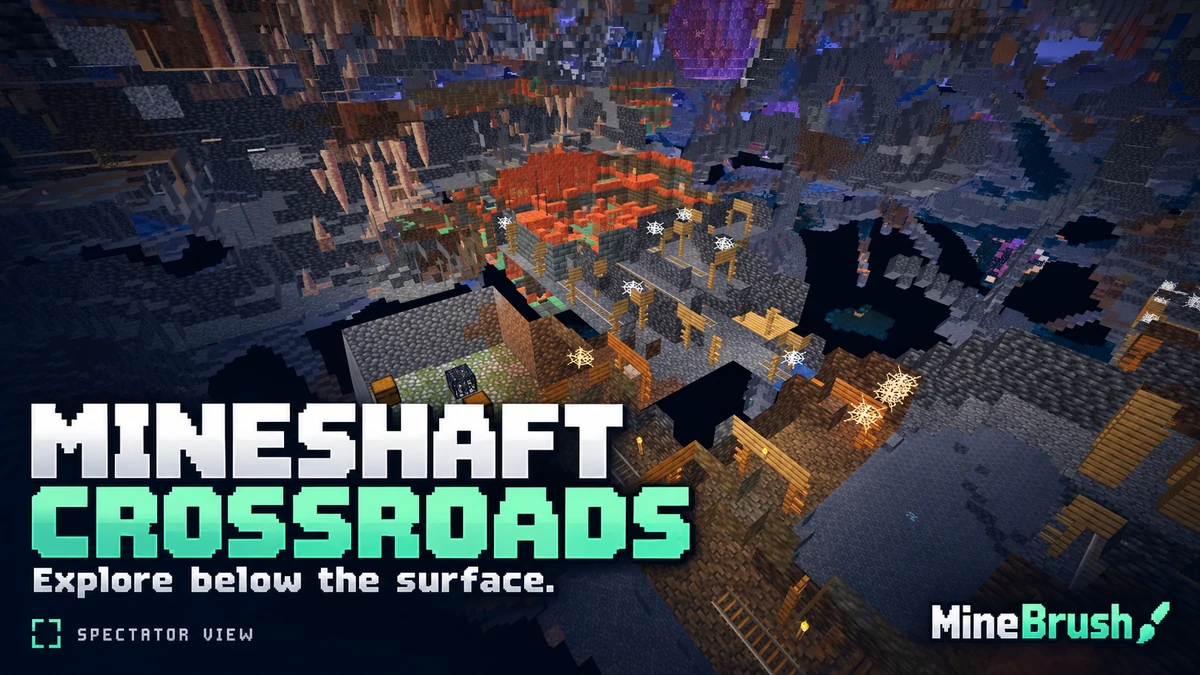
This Java seed is an underground exploration project: mineshaft passages, nearby monster rooms and a trial-chamber intersection to investigate. Discoverer BigAccomplished3115 shared seed 2714264907756224538 for Java 1.21.11, with an underground observation point near X 345, Y 9, Z 1175.
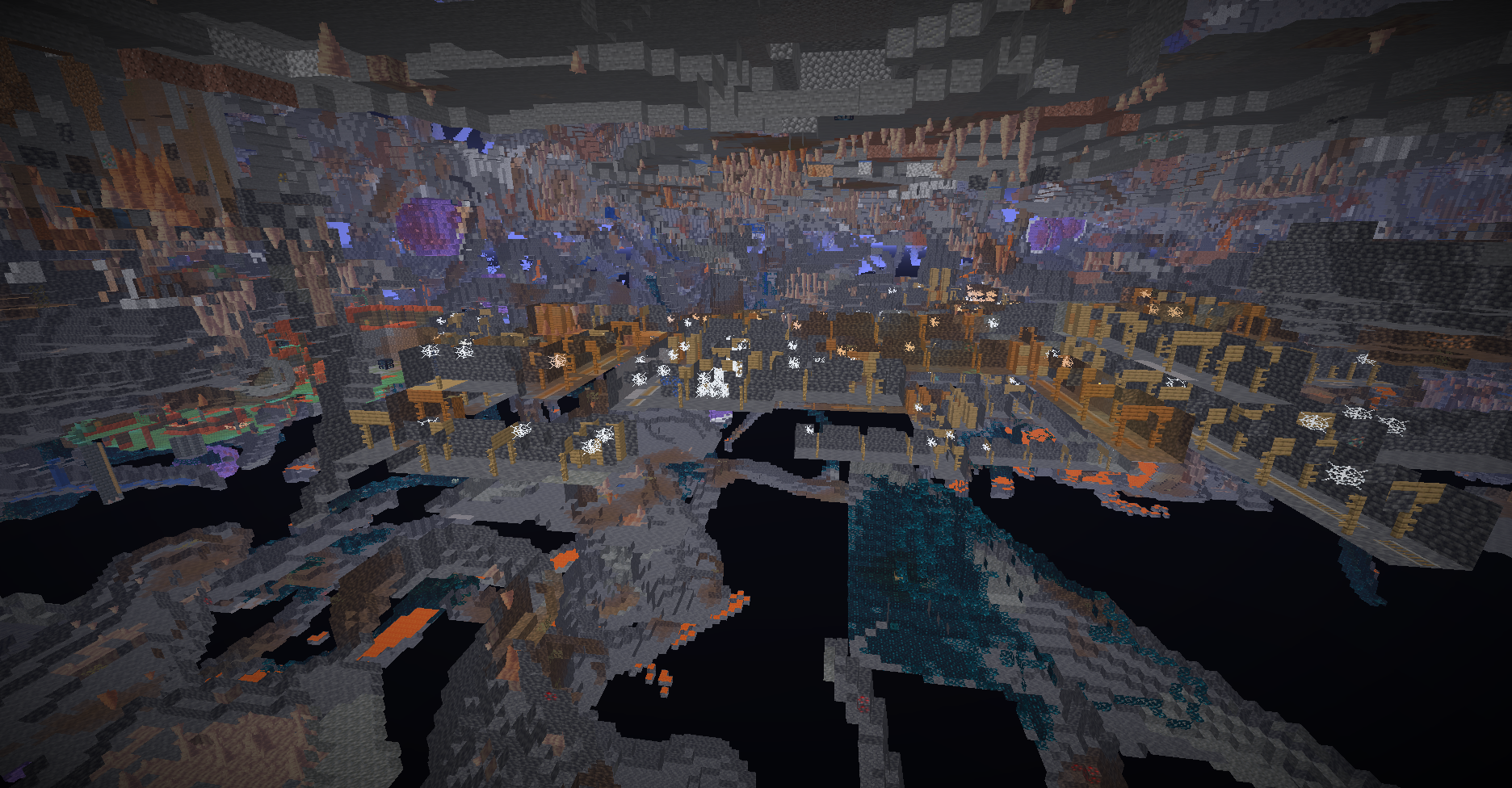
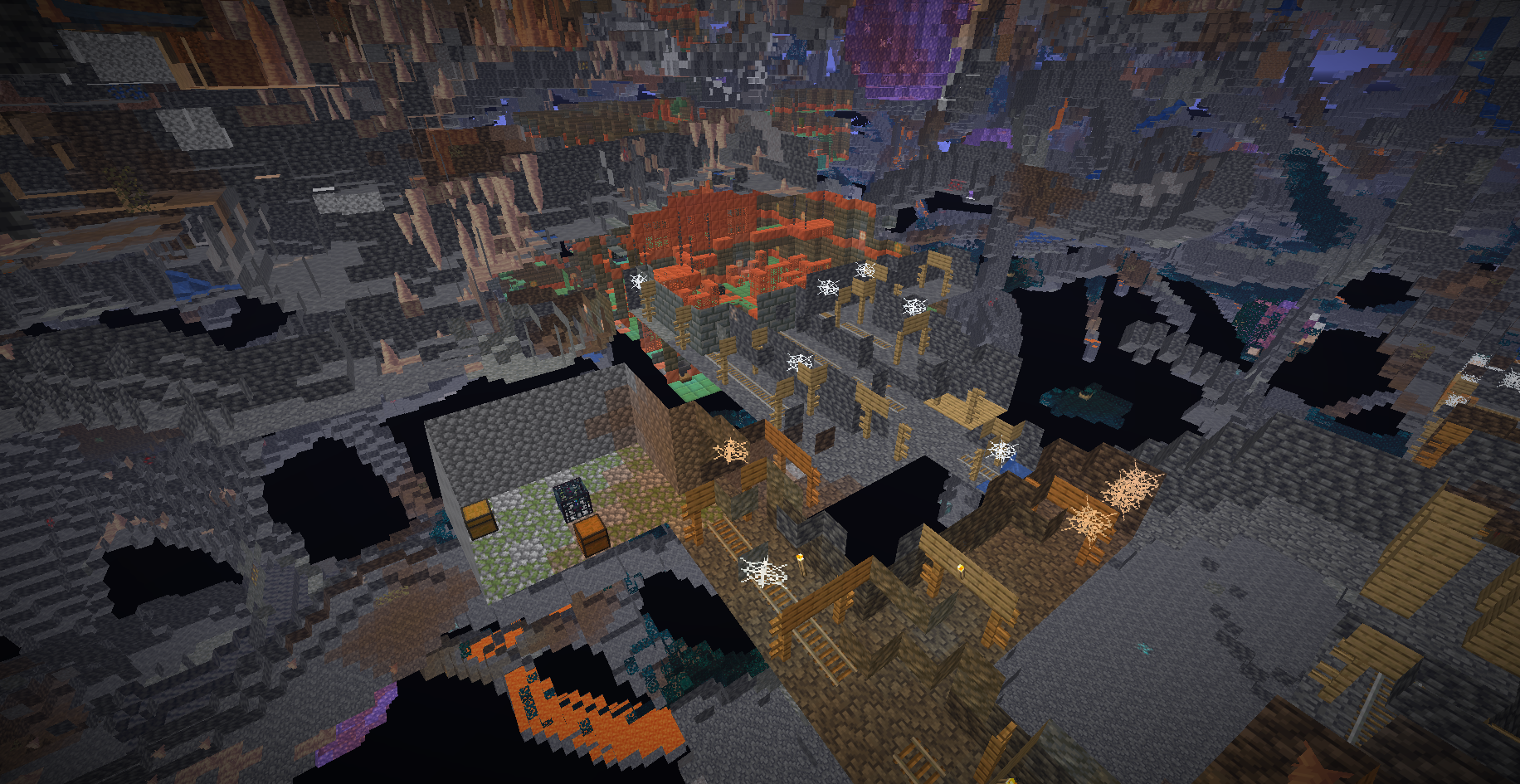
The original underground pictures are spectator cutaway views, with surrounding rock hidden by the camera position. They help show how structures sit near each other; they do not mean the entire pictured area is one open, walkable cavern. MineBrush has not independently generated this world in Minecraft.
Seed and coordinates
Paste this number into the seed field when creating a new world.
- Seed:
2714264907756224538. - Reported version: Minecraft Java 1.21.11.
- Underground search area:
X 345, Y 9, Z 1175, Overworld. - Exact source observation point:
345.312 / 9.17253 / 1175.235. - Access: create a new world with the seed. No world archive or mod is required.
- Before descending: the supplied point is underground, not a confirmed surface entrance.
What makes the underground area interesting?
The author's report describes overlapping mineshafts, nearby spawners and part of a trial chamber meeting a mineshaft. These are useful goals for an expedition because they give you several different things to investigate around one reported area.
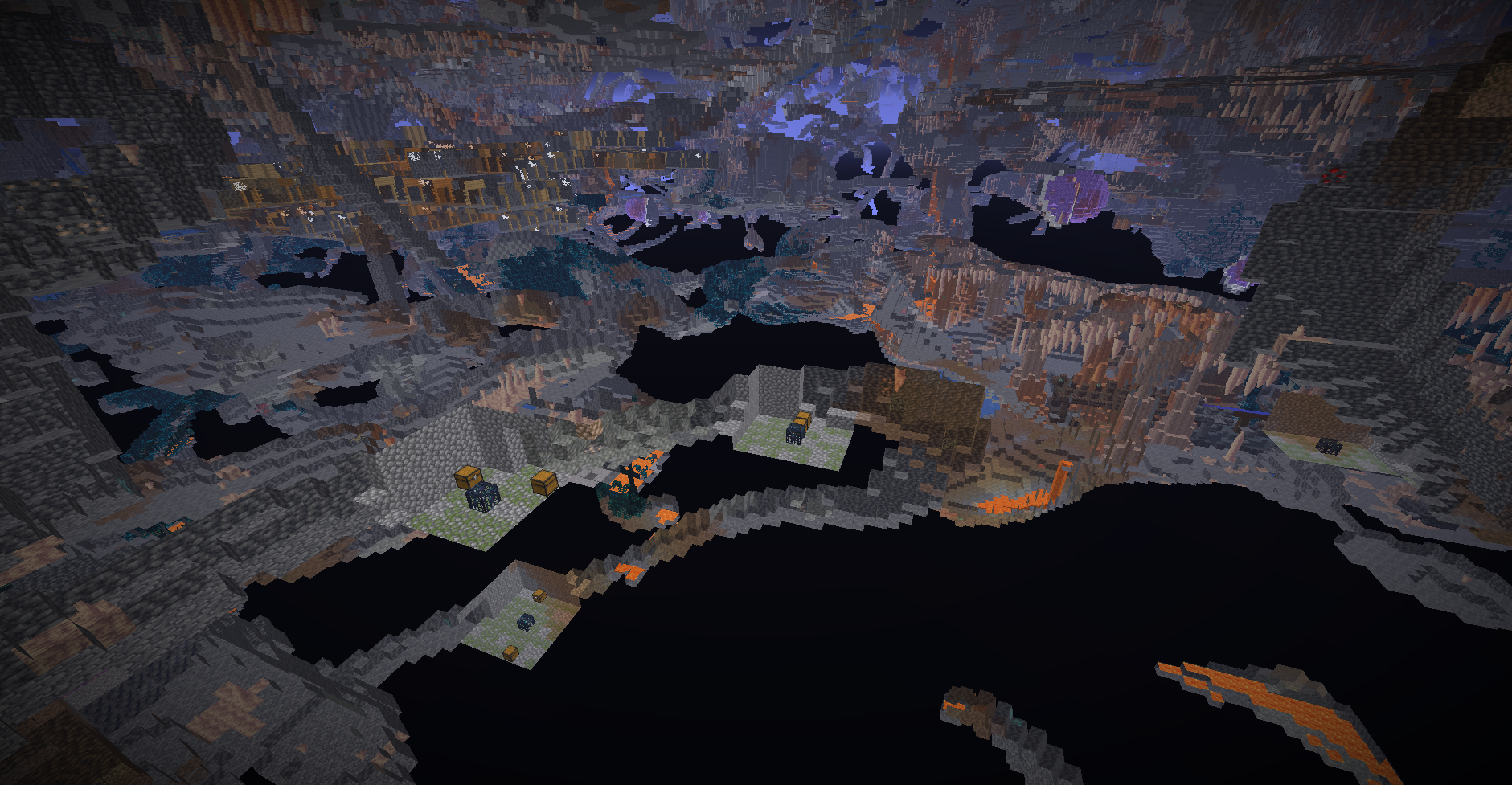
A useful first goal is a small mine outpost. Find one secure room, place storage and a crafting area, and mark a route back to the surface. Explore one branch at a time rather than trying to clear the whole underground network during your first visit.
Turn the mineshafts into a project
- An exploration hub: use a central room as your supply point and label each branch by direction or destination. Return there to unload supplies and choose the next passage.
- A restored mine: repair a short stretch of supports and track, add lighting, then connect rooms gradually. Keep the irregular layout as part of the atmosphere instead of clearing every wall.
- A co-op expedition: let one player mark the route while another watches side passages. Agree on one torch or sign convention so everyone can find the exit.
- A future XP project: if a suitable ordinary monster spawner is where the report suggests, build around it after identifying the mob and checking the surroundings. Do not break it just to make space.
Several visible spawners do not automatically make a working multi-spawner farm. You still need their exact positions, mob types, an activation position and a practical collection layout. This seed is a place to investigate that possibility, not a supplied farm design or a promised production rate.
The trial-chamber intersection
The copper-and-tuff structure in the author's close-up sits among mineshaft passages. Treat a trial chamber as a separate combat stop: clear a retreat route, check your food and equipment, and approach its spawners when you are ready to fight.
Ordinary monster spawners and trial spawners behave differently. A trial spawner runs an encounter and gives rewards after the challenge; do not plan it as though it were a conventional dungeon spawner. Save ominous-bottle experiments for a later visit when you understand the room and want the tougher encounter.
Create the world and keep the seed exact
- Select a Java 1.21.11 installation in Minecraft Launcher.
- Open Singleplayer → Create New World.
- On the World tab, paste
2714264907756224538into the seed field. Keep all 19 digits. - Use Default world type and enable Generate Structures. Avoid generation-changing mods and data packs.
- Choose your game mode and create the world. Record your spawn coordinates before exploring.
A fresh world is the clearest way to use a shared seed. An existing save may already contain chunks generated with different settings, and a seed number does not import someone else's builds or equipment.
Preview the reported point in Spectator
If you want to inspect the layout before committing to a Survival expedition, create a separate world with commands allowed. The author recommends Spectator because teleporting to the point in a solid-body mode may put you inside a wall.
- Enter
/gamemode spectator. - Then enter
/tp @s 345.312 9.17253 1175.235. - Move around to inspect nearby tunnels and structures. Spectator lets you pass through blocks; the cutaway view changes with the camera's position.
- Find an open area before switching modes. If you intend to explore in Survival, use your separate Survival world and establish a normal entrance.
You do not need commands merely to enter the seed. This optional preview is useful for planning a build or checking whether this is the sort of underground setting you want.
A practical Survival approach
Use F3 to read XYZ, then work toward X 345 and Z 1175 on the surface. Positive X is east and positive Z is south. Those values are about 1,225 blocks from the world origin in a straight line, but your spawn and actual route may differ.
Make a small surface camp before searching for an entrance. Bring food, a shield, torches, spare tools, a water bucket and blocks for steps or short bridges. Look for a connected cave opening; if you dig your own access, use a controlled staircase rather than dropping straight down toward Y 9.
Light and mark the return route as you go. Keep a consistent sign or torch convention at junctions, block off unsafe side passages temporarily and put storage before the most dangerous section. Do not assume the opening visible in a surface screenshot connects to the underground coordinate.
For a first visit, finding the area and returning safely is enough. Move valuable supplies and start permanent construction after you understand the descent.
What is above ground?
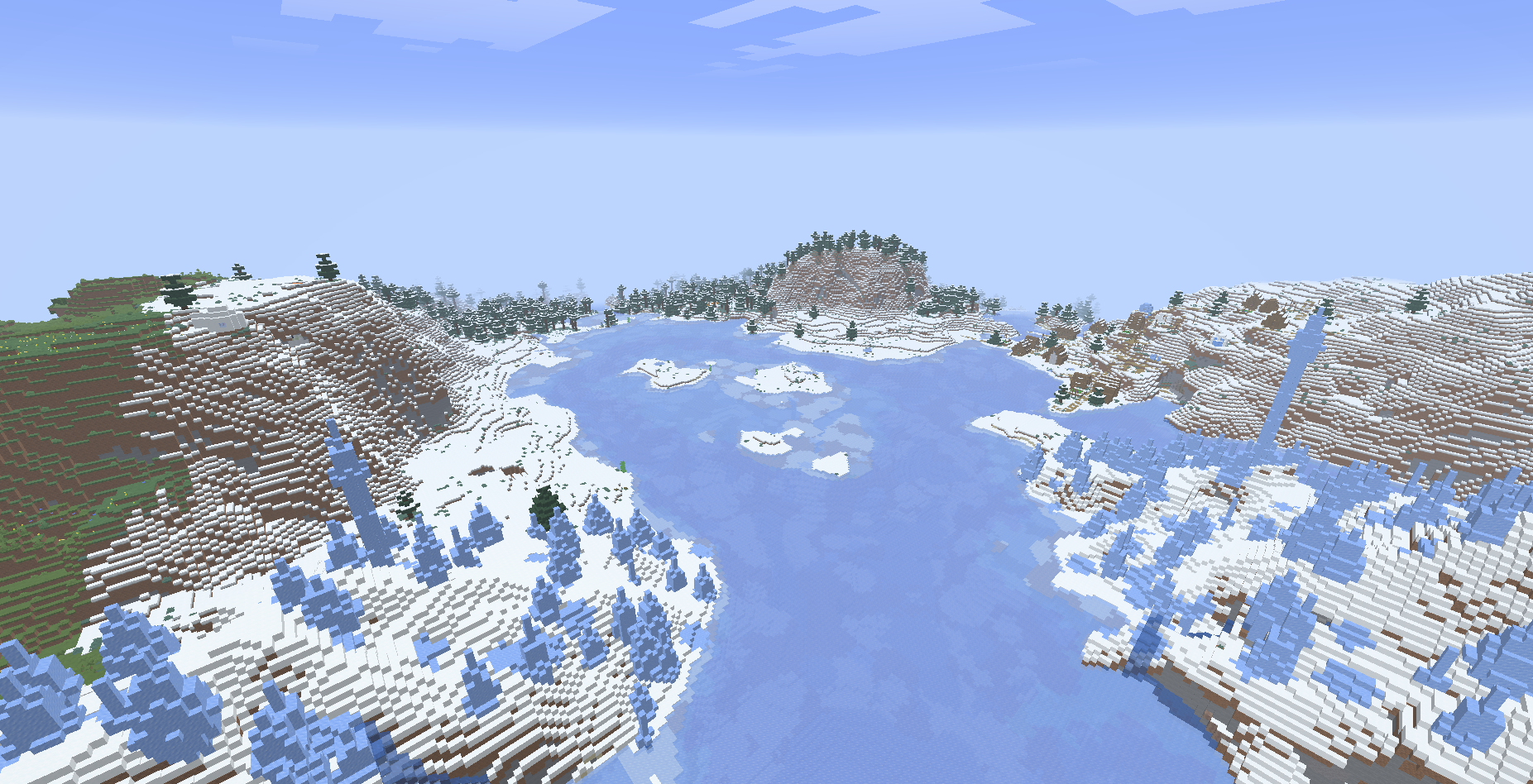
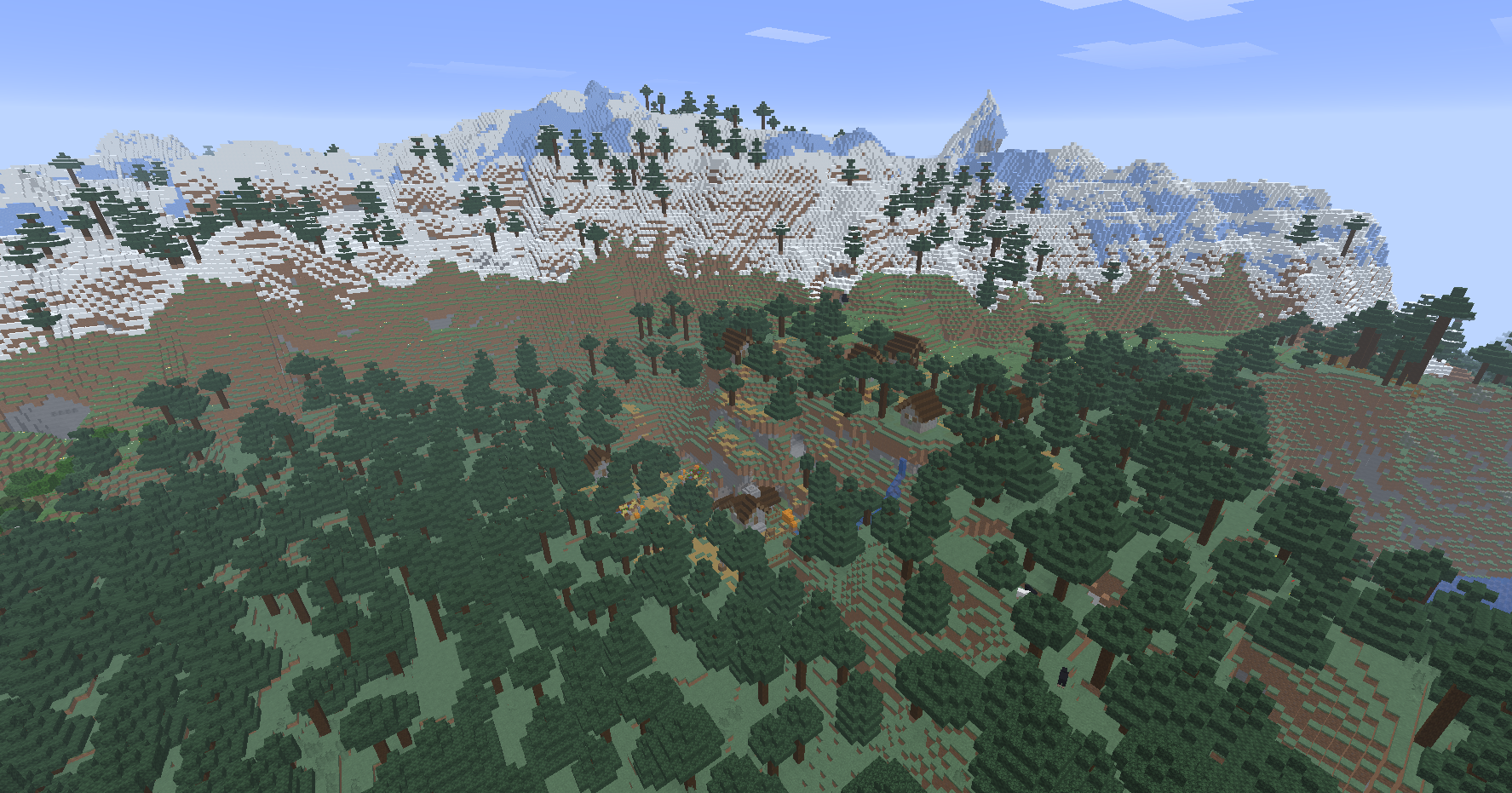
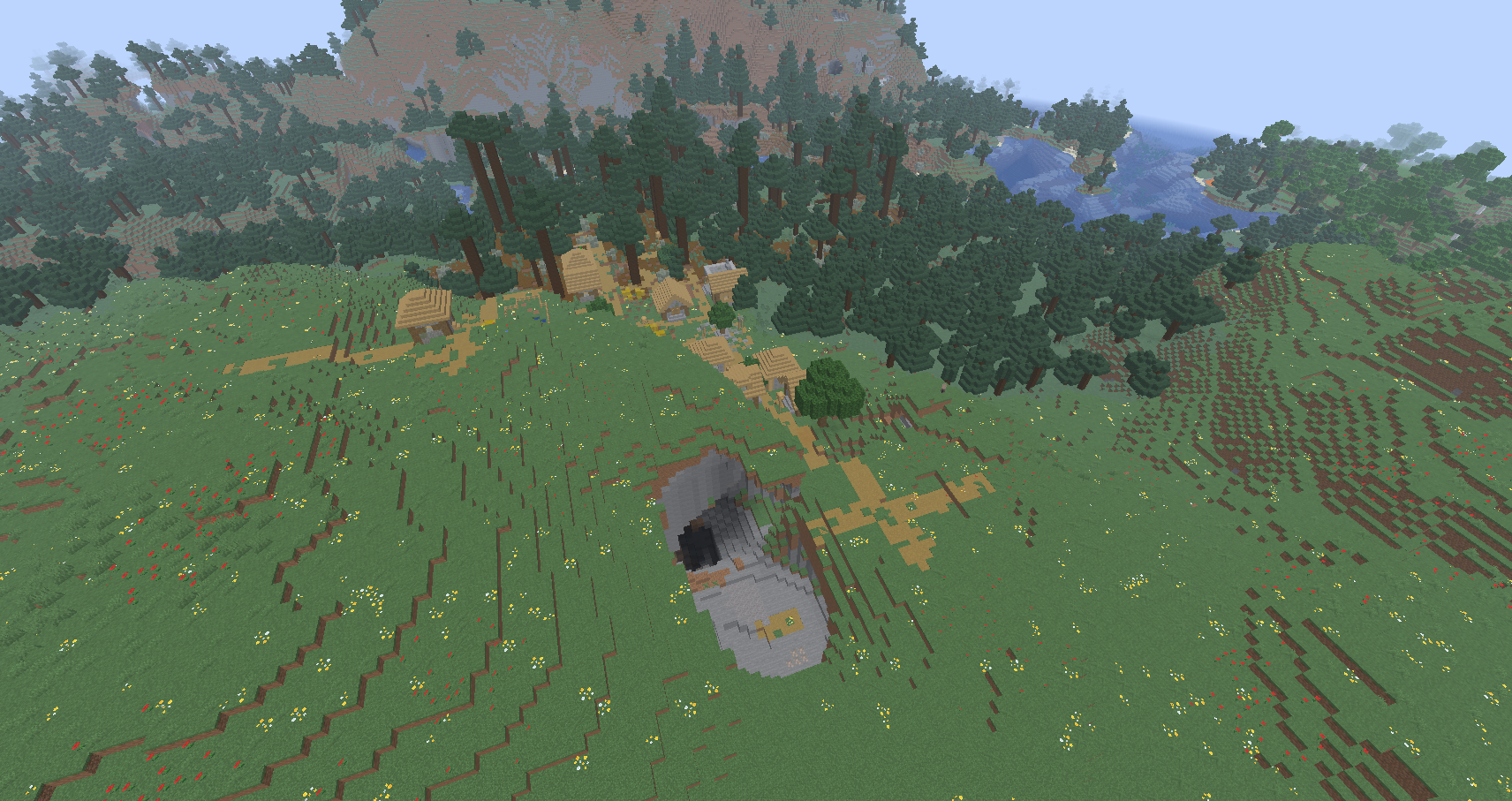
The author also shared surface views near spawn: snowy terrain and village scenes. They give a sense of the world beyond the underground destination, but the post does not supply a separate coordinate for every pictured place.
Common questions
Why does my world have stone where the picture looks empty? The underground pictures expose the world from a spectator camera. They show several structures through terrain, rather than a single excavated hall.
Can I use it in a newer version or Bedrock? You can enter the number, but this article's structure report belongs to Java 1.21.11. Matching structure positions in other versions or editions are not confirmed here.
I cannot find the structures. Recheck all 19 seed digits, Java version, Default world type, structures setting and both positive X/Z values. If you are checking an older save, try a fresh world with the same settings.
Will I get specific loot or a ready-made farm? No loot or farm output is promised. Inspect the rooms, spawner types and layout in your world before planning around them.
Is there a file to install? No. Copy the seed into world creation. A seed is a world-generation input, not an add-on or a downloadable save.
Sources and credits
Seed, version, observation point and original gallery: BigAccomplished3115 — “this world is interesting”. The gallery contains seven images; the views selected here show different underground features and surface settings. MineBrush adds navigation and project suggestions.
Official help: coordinates and exploration, Minecraft commands, ordinary monster spawners, and trial spawners.
More for your Java setup.
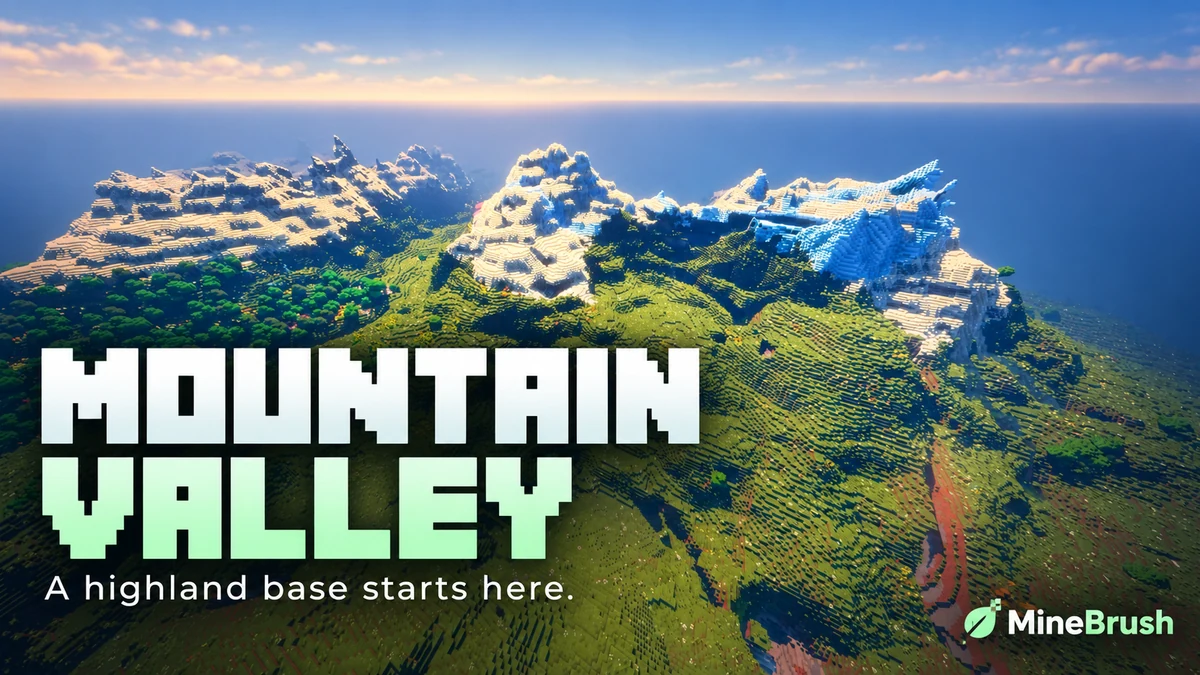
Mountain Range Village — Plan a highland base around a snowy mountain landscape. Copy the Java 1.21.11 seed, see the author's original image and follow the coordinates to the reported village area.
- Minecraft
- 1.21.11
- Seed
61925845031280000- Feature
- Mountain landscape and reported village
Destination away from spawn; source image uses Bliss shaders
Java · Seed
Mountain Range Village
Mountain Range Village — Plan a highland base around a snowy mountain landscape. Copy the Java 1.21.11 seed, see the author's original image and follow the coordinates to the reported village area.
Destination away from spawn; source image uses Bliss shaders
- Minecraft version
- 1.21.11
- Game edition
- Java Edition
- Loader / platform
- Not applicable
- License
- Seed shared by its discoverer; image credited to OkBreadfruit3797
- Key coordinates
- Mountain village · X -1939, Y 199, Z -857 · Overworld
- Platform family
- Java & PC
- Supported devices
- Minecraft Java Edition on Windows, macOS and Linux
- Install format
- Enter the seed in Create New World
- Touch readiness
- Not required
- Resource type
- Seed
- Seed value
- 61925845031280000
- Last verified at
- Sep 14, 2026
- Compatibility confidence
- Source claimed
- Card evidence statement
- Java 1.21.11 report by the discoverer
- Card delivery statement
- Copy seed · create a new world
- Card limitation note
- Destination away from spawn; source image uses Bliss shaders
- Copy availability
- Copy available
- Java seed feature
- Mountain landscape and reported village
- Edition applicability
- Java
- Delivery state
- No file
- Lifecycle state
- Current
61925845031280000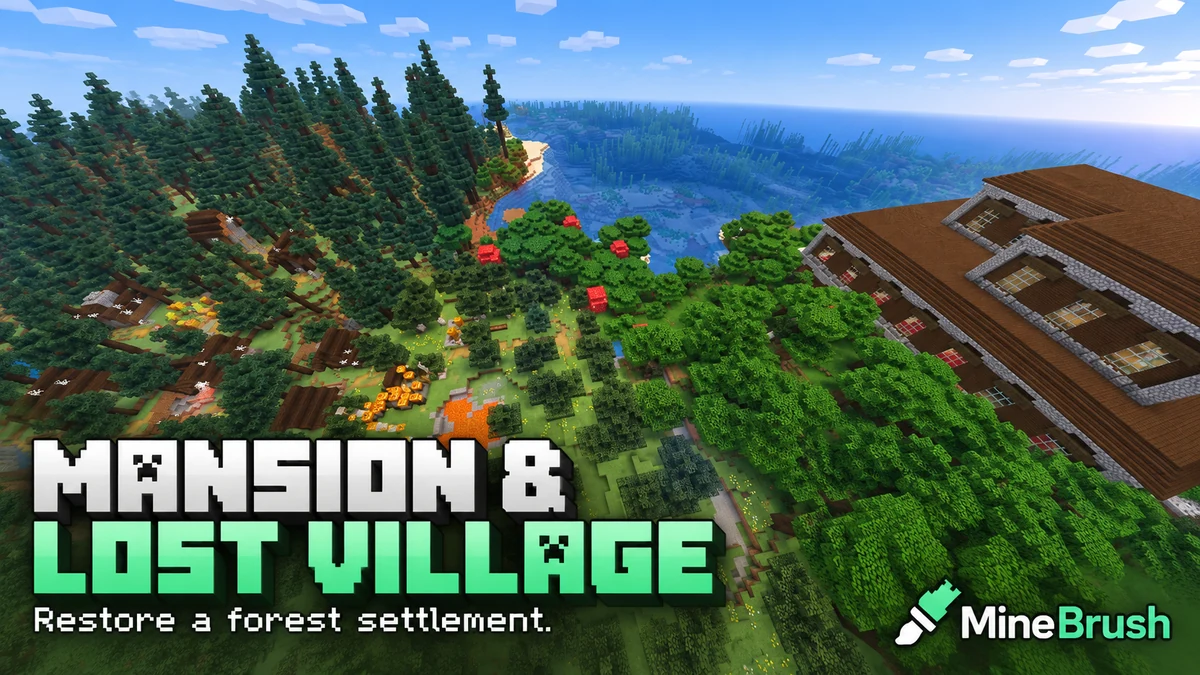
Mansion and Lost Village — Take on a Java 1.21.11 restoration project beside a woodland mansion. Copy the seed, find the original location and plan village repairs, fire protection and a prepared mansion expedition.
- Minecraft
- 1.21.11
- Seed
8354351187503- Feature
- Mansion and abandoned village
Source image shows lava and fire near the village
Java · Seed
Mansion and Lost Village
Mansion and Lost Village — Take on a Java 1.21.11 restoration project beside a woodland mansion. Copy the seed, find the original location and plan village repairs, fire protection and a prepared mansion expedition.
Source image shows lava and fire near the village
- Minecraft version
- 1.21.11
- Game edition
- Java Edition
- Loader / platform
- Not applicable
- License
- Seed shared by its discoverer; image credited to nyx_ra
- Key coordinates
- Mansion and village · X -688, Z 256 · Overworld
- Platform family
- Java & PC
- Supported devices
- Minecraft Java Edition on Windows, macOS and Linux
- Install format
- Enter the seed in Create New World
- Touch readiness
- Not required
- Resource type
- Seed
- Seed value
- 8354351187503
- Last verified at
- Sep 14, 2026
- Compatibility confidence
- Source claimed
- Card evidence statement
- Java 1.21.11 report by the discoverer
- Card delivery statement
- Copy seed · create a new world
- Card limitation note
- Source image shows lava and fire near the village
- Copy availability
- Copy available
- Java seed feature
- Mansion and abandoned village
- Edition applicability
- Java
- Delivery state
- No file
- Lifecycle state
- Current
8354351187503
Share a Minecraft Seed — Help friends find the same place: copy the seed, match Java or Bedrock and the version, read XYZ coordinates and describe a useful route with screenshots.
- Edition
- Cross-edition
- Difficulty
- Beginner
- Time
- A short check
A seed recreates terrain, not your builds
MineBrush · Guide
Share a Minecraft Seed
Share a Minecraft Seed — Help friends find the same place: copy the seed, match Java or Bedrock and the version, read XYZ coordinates and describe a useful route with screenshots.
A seed recreates terrain, not your builds
- Minecraft version
- Java and Bedrock; match your world version
- Game edition
- Cross-edition
- Platform family
- Cross-edition
- Supported devices
- PC, console and mobile
- Install format
- No installation needed
- Touch readiness
- Not required
- Resource type
- Guide
- Compatibility confidence
- Not applicable
- Card evidence statement
- Find the seed and read coordinates
- Card delivery statement
- Versions, directions and screenshots
- Card limitation note
- A seed recreates terrain, not your builds
- Edition applicability
- Java + Bedrock
- Estimated time
- A short check
- Guide difficulty
- Beginner
- Delivery state
- No file
- Lifecycle state
- Current
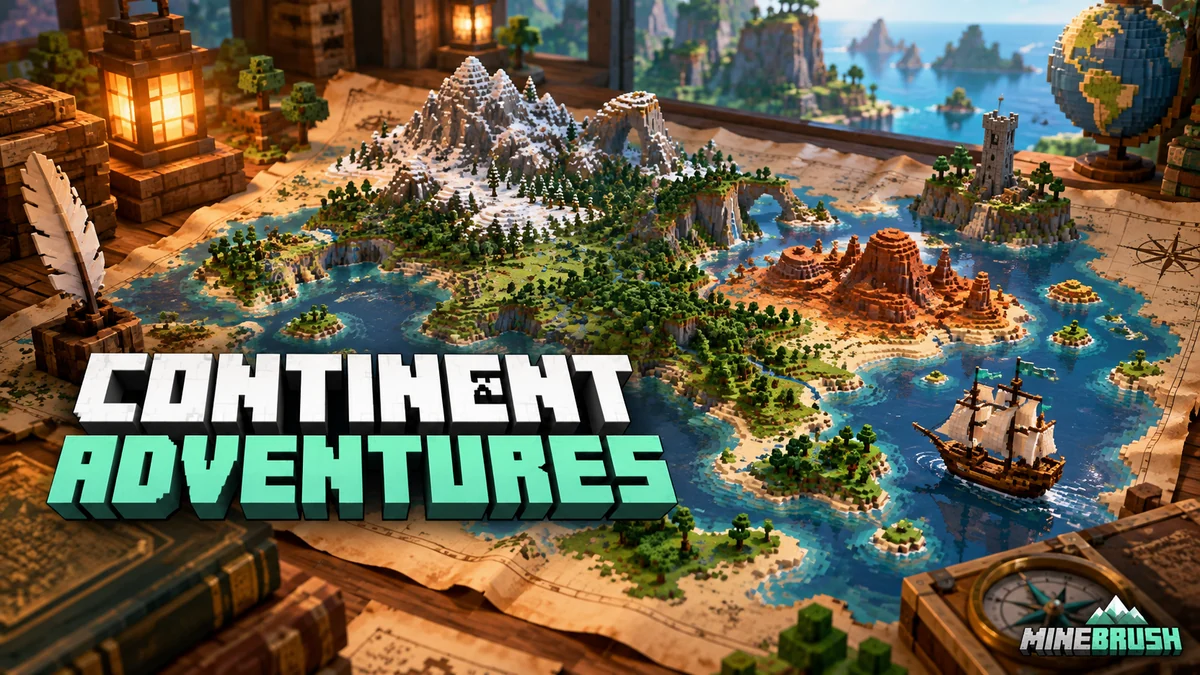
Everything Continent brings varied landscapes into one long-term Bedrock world. Plan regional bases, follow author coordinates to a jungle temple, village and mansion, and explore the original annotated map.
- Minecraft
- 1.21.73
- Seed
-5207005594169711425- Feature
- Regional bases, temple, village and mansion
Varied mainland biomes; mushroom islands offshore
Bedrock · Seed
Everything Continent
Everything Continent brings varied landscapes into one long-term Bedrock world. Plan regional bases, follow author coordinates to a jungle temple, village and mansion, and explore the original annotated map.
Varied mainland biomes; mushroom islands offshore
- Minecraft version
- Bedrock 1.21.73
- Game edition
- Bedrock Edition
- Key coordinates
- Jungle temple: X 600, Z 120; Mansion: X 440, Z 856; Village: X 808, Z -1416. Y not supplied.
- Platform family
- Bedrock & Mobile
- Resource type
- Seed
- Seed value
- -5207005594169711425
- Last verified at
- Sep 14, 2026
- Compatibility confidence
- Source claimed
- Bedrock version/build
- 1.21.73
- Card evidence statement
- Author map and coordinates for Bedrock 1.21.73
- Card delivery statement
- Copy the seed into a new Bedrock world
- Card limitation note
- Varied mainland biomes; mushroom islands offshore
- Copy availability
- Copy available
- Java seed feature
- Regional bases, temple, village and mansion
- Edition applicability
- Bedrock
- Delivery state
- No file
- Lifecycle state
- Current
-5207005594169711425Player discussion 0
Questions, discoveries and help from other players.