
MineBrush publication
Mountain Range Village Seed: Java Coordinates and Highland Base Ideas
Mountain Range Village — Plan a highland base around a snowy mountain landscape. Copy the Java 1.21.11 seed, see the author's original image and follow the coordinates to the reported village area.
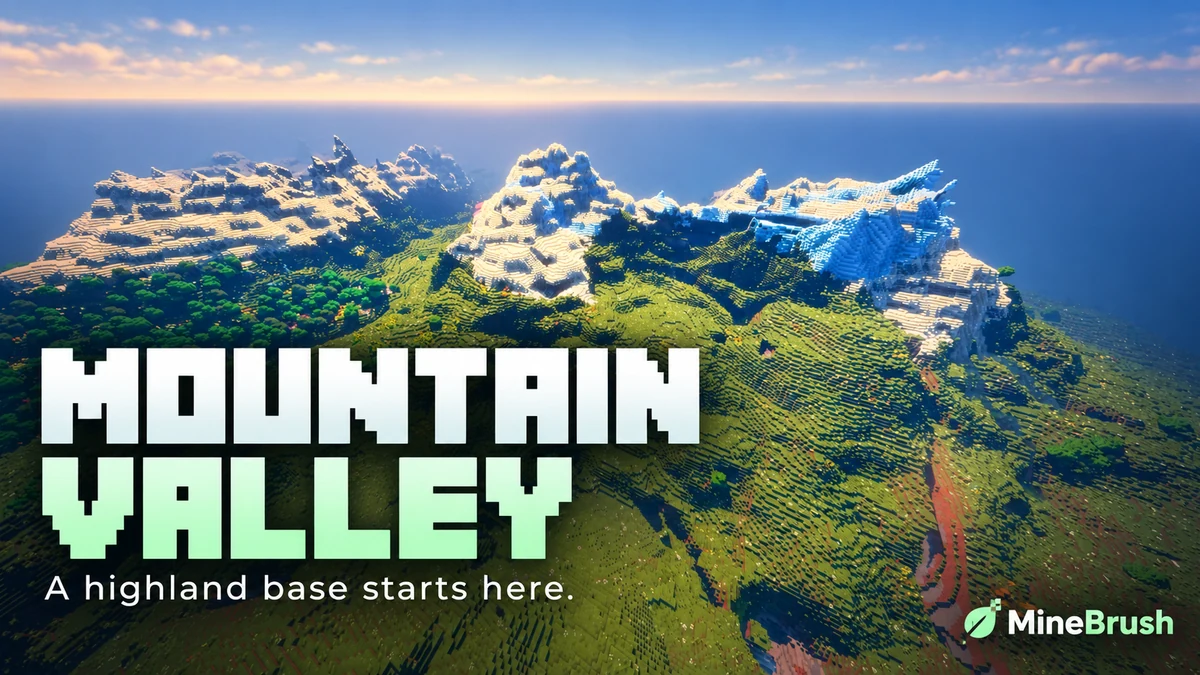
Looking for a mountain landscape you can turn into a long-term base? Seed 61925845031280000 offers a player-reported highland destination for Minecraft Java 1.21.11. The attraction is the setting: snowy ridges around a broad green clearing, with room to plan a settlement that follows the terrain.
Discoverer OkBreadfruit3797 reports a mountain-top village in the same area, at X -1939, Y 199, Z -857. This is a destination to travel to, not a village promised beside your spawn. The guide below uses the author's Java 1.21.11 report; MineBrush has not independently generated this seed in the game.
Seed and destination at a glance
Paste this number into the seed field when creating a new world.
- Seed:
61925845031280000— copy every digit, without spaces. - Edition and version: Java Edition 1.21.11, as reported by the discoverer.
- Mountain and village area:
X -1939, Z -857in the Overworld. - Reported height:
Y 199. Find a safe surface when you arrive; this is not a guaranteed landing spot. - Best suited to: a mountain-base project, scenic exploration or a shared building world.
- What you need: the seed number and Minecraft. There is no map archive to download.
See the actual landscape shared by the author
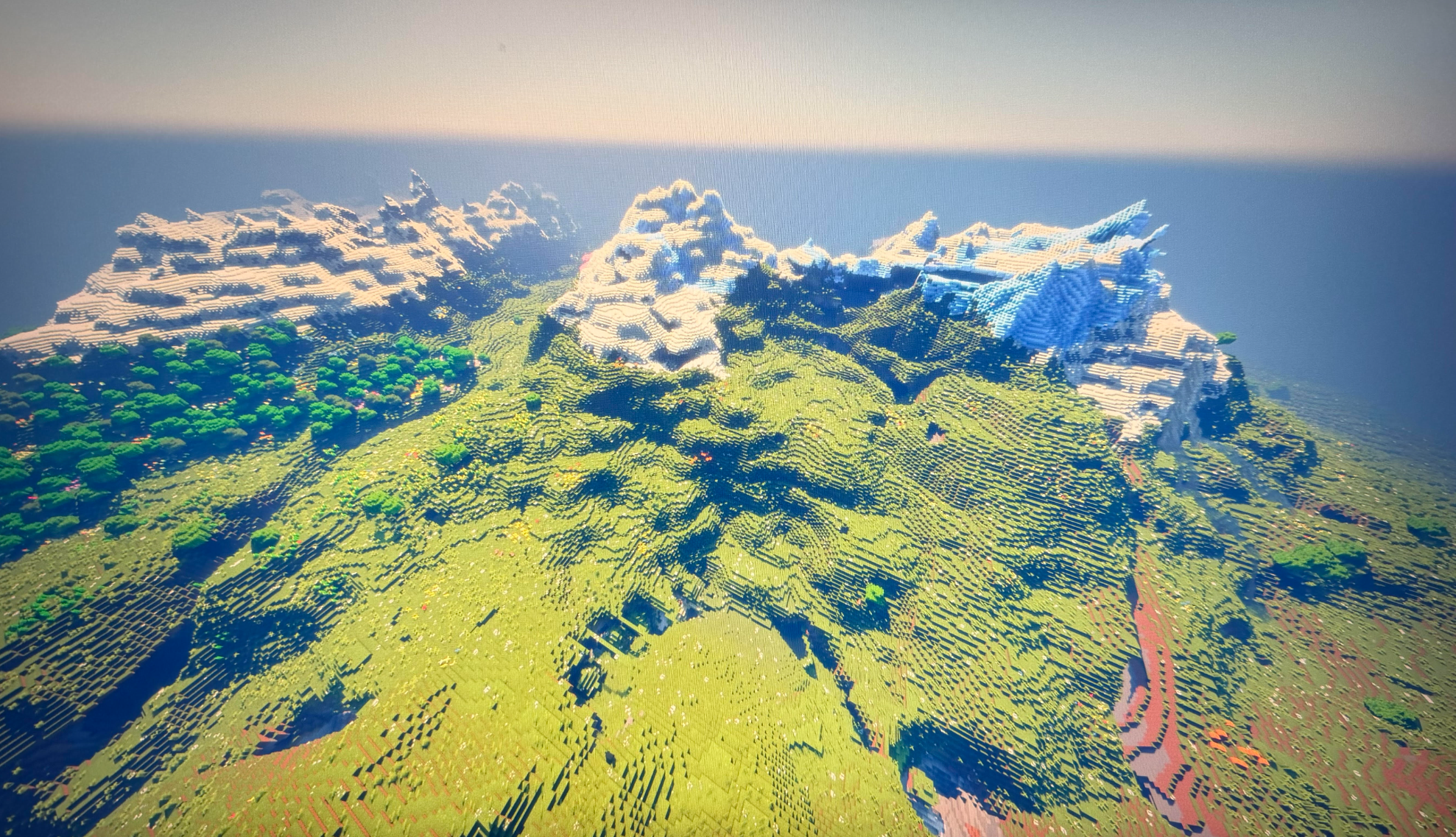
The lighting in the source image comes from the player's visual setup. You do not need Bliss to enter the seed, and vanilla Minecraft will look different in its light, shadows and atmosphere. The cover is a branded presentation; use the original image above to inspect the terrain.
Four ways to make this a world worth keeping
- A terraced mountain base: start with one small home and a storage room, then step farms and workshops down the hillside. Following the slope saves you from flattening a huge area before you can play.
- A highland castle project: sketch the main courtyard with temporary blocks before building walls. Keep the tallest tower clear of the surrounding silhouette so the mountains remain part of the view. The castle is your project, not a generated structure included with the seed.
- A village restoration challenge: after locating the reported settlement, improve its paths, light public areas and connect awkward height changes with stairs. Inspect the village first before deciding where to place your own buildings.
- A co-op hillside town: give each friend a smaller plot and agree on one shared path style. Build a common storehouse and a clear route between homes before expanding onto more distant ridges.
For a relaxed first session, make a temporary camp below the high ground, explore the immediate slopes and choose the view you want from your front door. A good entrance and a usable path matter more than claiming the highest peak immediately.
Create the world in Java Edition
- In Minecraft Launcher, choose or create a Java 1.21.11 installation. Use that version for the closest match to the original report.
- Open Singleplayer → Create New World and give the world a recognisable name.
- Open the World tab and paste
61925845031280000into the seed field. - Keep the world type Default and Generate Structures enabled. Leave out data packs or mods that replace terrain or structure generation.
- Choose Survival for the journey, or Creative if your aim is to look around and plan a build. Create the world.
- Write down your starting coordinates before leaving so you have a reference for the return trip.
The seed creates terrain for a new world. It does not import another player's inventory, buildings or progress, and entering it elsewhere will not replace the landscape of an existing save.
How to find the mountain area
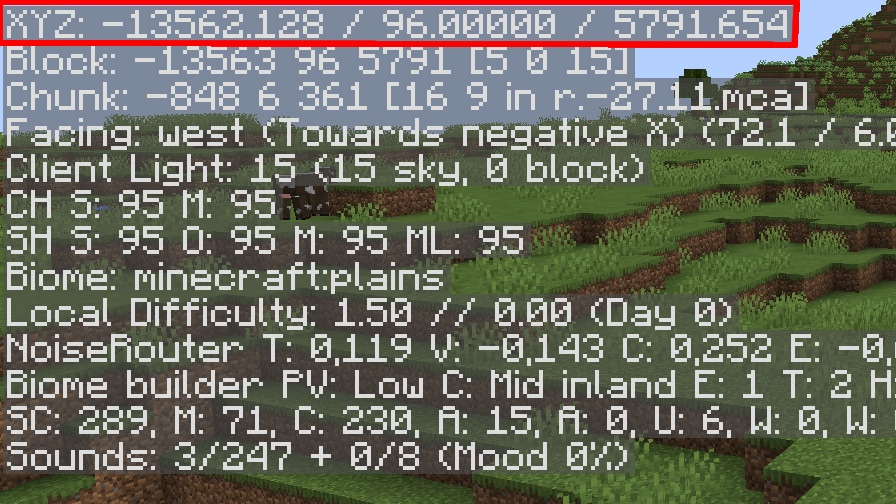
Press F3 in Java to display your XYZ coordinates; some keyboards require Fn + F3. Your destination's horizontal values are X -1939 and Z -857. Moving west decreases X; moving north decreases Z. Watch which number changes while you walk, then adjust your direction.
The point is about 2,120 blocks from X 0, Z 0 in a straight line. Your actual spawn may be elsewhere, and slopes and detours make the walking route longer. Treat it as an expedition rather than a quick step out of spawn.
Work toward X and Z first. When the mountains come into view, look for a gradual way up instead of following a straight line through a cliff. The author's Y 199 is a reported observation height: do not jump or dig toward that number blindly. A normal compass will not point at this destination.
What to bring on the first visit
Pack food, a bed, a pickaxe, torches and a stack of building blocks. Blocks let you make short steps across awkward height changes; a bed gives you a convenient checkpoint once you find a sheltered place. Keep the camp coordinates with the destination coordinates.
Leather boots are useful if you encounter powder snow, because they let you walk across it without sinking. Keep an eye on steep drops even when wearing them. Make the last climb in daylight if possible, and place a clearly marked path before transporting valuable supplies.
Once you reach the area, first decide where a safe entrance and storage corner will go. Check how a path could connect the low ground with your chosen building spot. That small plan will make every later supply trip easier.
Just want to preview a building spot?
Create a separate Creative world with the same seed and version. With commands allowed, switch to /gamemode spectator, then use /tp @s -1939 220 -857 to inspect the area without a survival climb. Spectator mode lets you move through terrain; choose a clear, safe position before changing back to another mode.
This is an optional scouting method, not a supplied world download. Keep your Survival world separate if you want the exploration and resource-gathering journey to remain part of the challenge.
If the scenery or village does not match
- Check all seed digits: it is a positive number, with no minus sign. A typo creates a different world.
- Check the edition and version: the source is Java 1.21.11. This page does not confirm the same village in Bedrock or later Java releases.
- Check the destination: both X and Z are negative. Swapping them or missing a minus sign sends you elsewhere.
- Check the world settings: use Default terrain and keep structures enabled. Generation-changing data packs can alter the result.
- Check whether the chunks are new: an upgraded existing world can retain terrain generated under older settings. Use a fresh world for a clean comparison.
- If only the lighting differs: the author uses Bliss shaders. That visual difference alone does not mean you entered the wrong seed.
The original post also describes caves and other finds without separate coordinates. This guide focuses on the location the author actually supplied, rather than promising an ore route or guaranteed loot. If you share a useful discovery, include your Java version and coordinates so other players can follow it.
Sources and credits
Seed discovery, reported destination and landscape image: OkBreadfruit3797's original Java 1.21.11 post. MineBrush adds building ideas and navigation guidance.
Official help: Mojang's exploration and coordinate guide, Java world-creation tabs, Minecraft commands, and powder snow and leather boots.
More for your Java setup.
Mineshaft Crossroads — Explore a Java 1.21.11 seed with player-reported mineshaft intersections, spawners and a trial-chamber overlap. See the original cutaway views, copy the seed and plan your descent.
- Minecraft
- 1.21.11
- Seed
2714264907756224538- Feature
- Mineshafts and spawners
Underground source images are spectator cutaway views
Java · Seed
Mineshaft Crossroads
Mineshaft Crossroads — Explore a Java 1.21.11 seed with player-reported mineshaft intersections, spawners and a trial-chamber overlap. See the original cutaway views, copy the seed and plan your descent.
Underground source images are spectator cutaway views
- Minecraft version
- 1.21.11
- Game edition
- Java Edition
- Loader / platform
- Not applicable
- License
- Seed shared by its discoverer; images credited to BigAccomplished3115
- Key coordinates
- Underground observation · X 345, Y 9, Z 1175 · Overworld
- Platform family
- Bedrock & Mobile
- Supported devices
- Minecraft Java Edition on Windows, macOS and Linux
- Install format
- Enter the seed in Create New World
- Touch readiness
- Not required
- Resource type
- Seed
- Seed value
- 2714264907756224538
- Last verified at
- Sep 14, 2026
- Compatibility confidence
- Source claimed
- Card evidence statement
- Java 1.21.11 report by the discoverer
- Card delivery statement
- Copy seed · create a new world
- Card limitation note
- Underground source images are spectator cutaway views
- Copy availability
- Copy available
- Java seed feature
- Mineshafts and spawners
- Edition applicability
- Java
- Delivery state
- No file
- Lifecycle state
- Current
2714264907756224538
Understand Minecraft 26, tell normal releases from test builds, and choose the right version for friends, servers and mods. Clear Java and Bedrock examples without the technical clutter.
- Topic
- Choosing your Minecraft version
- Scope
- None
- Evidence
- Official Minecraft sources · checked 9 Sep 2026
A shared “26” prefix never proves cross-edition compatibility.
MineBrush · News
Minecraft Versions Made Simple
Understand Minecraft 26, tell normal releases from test builds, and choose the right version for friends, servers and mods. Clear Java and Bedrock examples without the technical clutter.
A shared “26” prefix never proves cross-edition compatibility.
- Compatibility confidence
- Source claimed
- Card evidence statement
- Official policy and indexes checked 9 Sep 2026; client display NOT_OBSERVED.
- Card delivery statement
- Choose a version for everyday play or testing
- Card limitation note
- A shared “26” prefix never proves cross-edition compatibility.
- Edition applicability
- Java + Bedrock
- News topic
- Choosing your Minecraft version
- Public news evidence label
- Official Minecraft sources · checked 9 Sep 2026
- Delivery state
- No file
- Lifecycle state
- Current
- News evidence type
- Official Minecraft source
Share a Minecraft Seed — Help friends find the same place: copy the seed, match Java or Bedrock and the version, read XYZ coordinates and describe a useful route with screenshots.
- Edition
- Cross-edition
- Difficulty
- Beginner
- Time
- A short check
A seed recreates terrain, not your builds
MineBrush · Guide
Share a Minecraft Seed
Share a Minecraft Seed — Help friends find the same place: copy the seed, match Java or Bedrock and the version, read XYZ coordinates and describe a useful route with screenshots.
A seed recreates terrain, not your builds
- Minecraft version
- Java and Bedrock; match your world version
- Game edition
- Cross-edition
- Platform family
- Cross-edition
- Supported devices
- PC, console and mobile
- Install format
- No installation needed
- Touch readiness
- Not required
- Resource type
- Guide
- Compatibility confidence
- Not applicable
- Card evidence statement
- Find the seed and read coordinates
- Card delivery statement
- Versions, directions and screenshots
- Card limitation note
- A seed recreates terrain, not your builds
- Edition applicability
- Java + Bedrock
- Estimated time
- A short check
- Guide difficulty
- Beginner
- Delivery state
- No file
- Lifecycle state
- Current
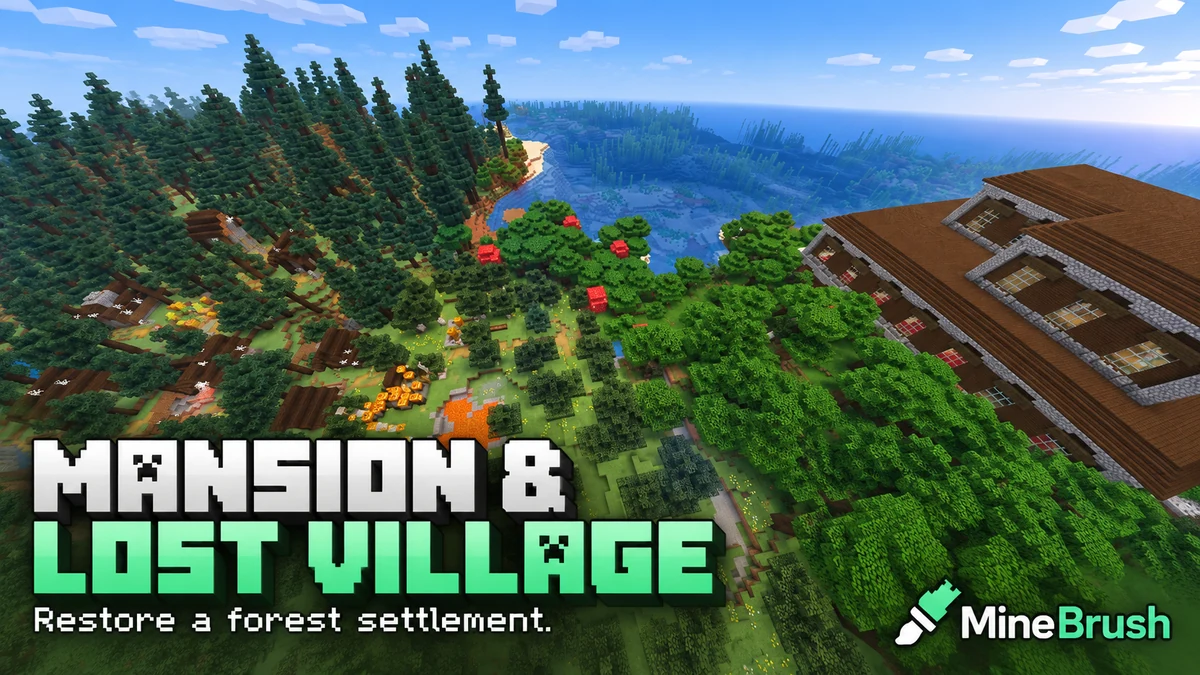
Mansion and Lost Village — Take on a Java 1.21.11 restoration project beside a woodland mansion. Copy the seed, find the original location and plan village repairs, fire protection and a prepared mansion expedition.
- Minecraft
- 1.21.11
- Seed
8354351187503- Feature
- Mansion and abandoned village
Source image shows lava and fire near the village
Java · Seed
Mansion and Lost Village
Mansion and Lost Village — Take on a Java 1.21.11 restoration project beside a woodland mansion. Copy the seed, find the original location and plan village repairs, fire protection and a prepared mansion expedition.
Source image shows lava and fire near the village
- Minecraft version
- 1.21.11
- Game edition
- Java Edition
- Loader / platform
- Not applicable
- License
- Seed shared by its discoverer; image credited to nyx_ra
- Key coordinates
- Mansion and village · X -688, Z 256 · Overworld
- Platform family
- Java & PC
- Supported devices
- Minecraft Java Edition on Windows, macOS and Linux
- Install format
- Enter the seed in Create New World
- Touch readiness
- Not required
- Resource type
- Seed
- Seed value
- 8354351187503
- Last verified at
- Sep 14, 2026
- Compatibility confidence
- Source claimed
- Card evidence statement
- Java 1.21.11 report by the discoverer
- Card delivery statement
- Copy seed · create a new world
- Card limitation note
- Source image shows lava and fire near the village
- Copy availability
- Copy available
- Java seed feature
- Mansion and abandoned village
- Edition applicability
- Java
- Delivery state
- No file
- Lifecycle state
- Current
8354351187503Player discussion 0
Questions, discoveries and help from other players.