
MineBrush publication
FancyMenu 3.9.12: Custom Menus, Layouts & Downloads
Make Minecraft’s menus your own: themed title screens, useful server shortcuts and a custom pause menu. Download FancyMenu for Fabric or NeoForge 26.2 with libraries, first-layout steps and real examples.
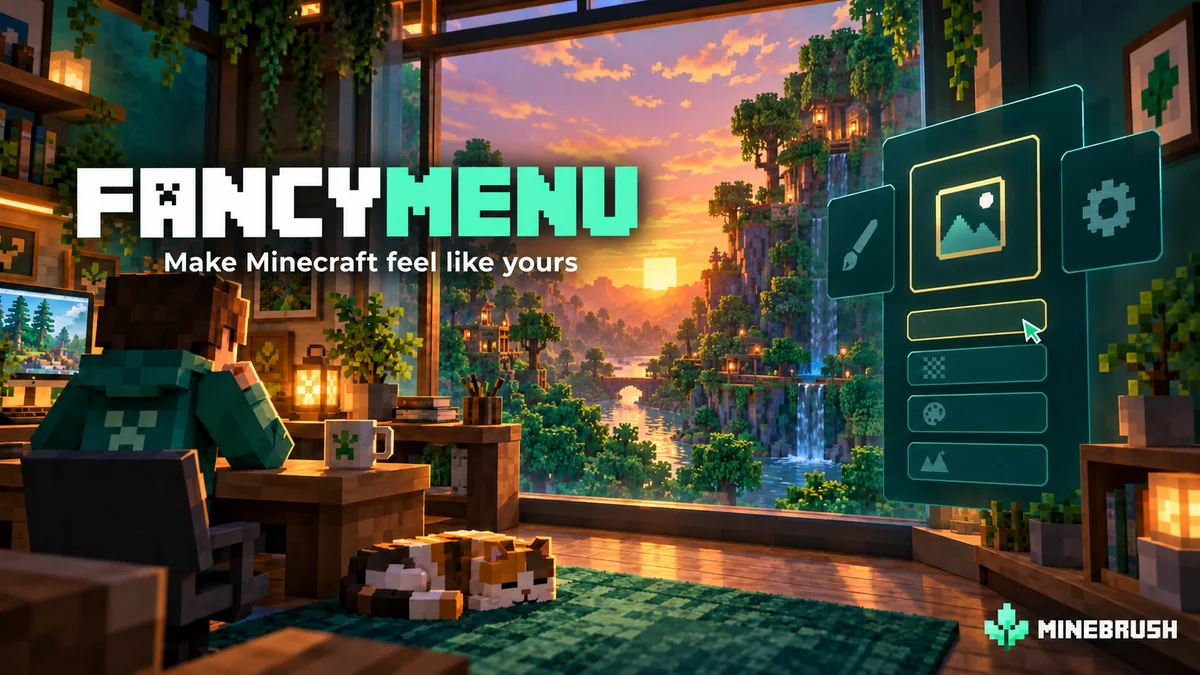
FancyMenu lets you give Minecraft a menu that fits the way you play. Replace a plain title screen with your own artwork, reorganize buttons, add a shortcut to a favourite server or build a themed pause screen for a modpack. Its visual editor lets you begin with simple changes before trying animations and interactive panels.
The mod is by Keksuccino. These downloads provide FancyMenu 3.9.12 for Java 26.2, on Fabric or NeoForge. It is a menu customization tool: installing the JAR does not automatically install the designs shown in the gallery. You create a layout or obtain a compatible setup from its creator.
What would you actually use it for?
- A personal home screen: use a screenshot of your favourite base as the background and give the main buttons a clear, consistent style. Keep Singleplayer and Options easy to find so decoration does not slow down starting a game.
- A shared survival pack: put a clearly labelled server shortcut and a short welcome panel beside the normal multiplayer button. Friends can recognize the correct pack and reach its server without repeatedly typing an address.
- A themed adventure: make a parchment-style pause menu for a fantasy pack or a compact dashboard for a technology pack. The menu can introduce the theme before a world loads.
- Useful information within reach: add a text panel for rules, a pack changelog or a reminder of where to find help. A short explanation beside a button is more helpful than an unexplained icon.
These are design ideas, not extra worlds, quests or server services included with FancyMenu. Start with one useful change. An elaborate menu is optional.
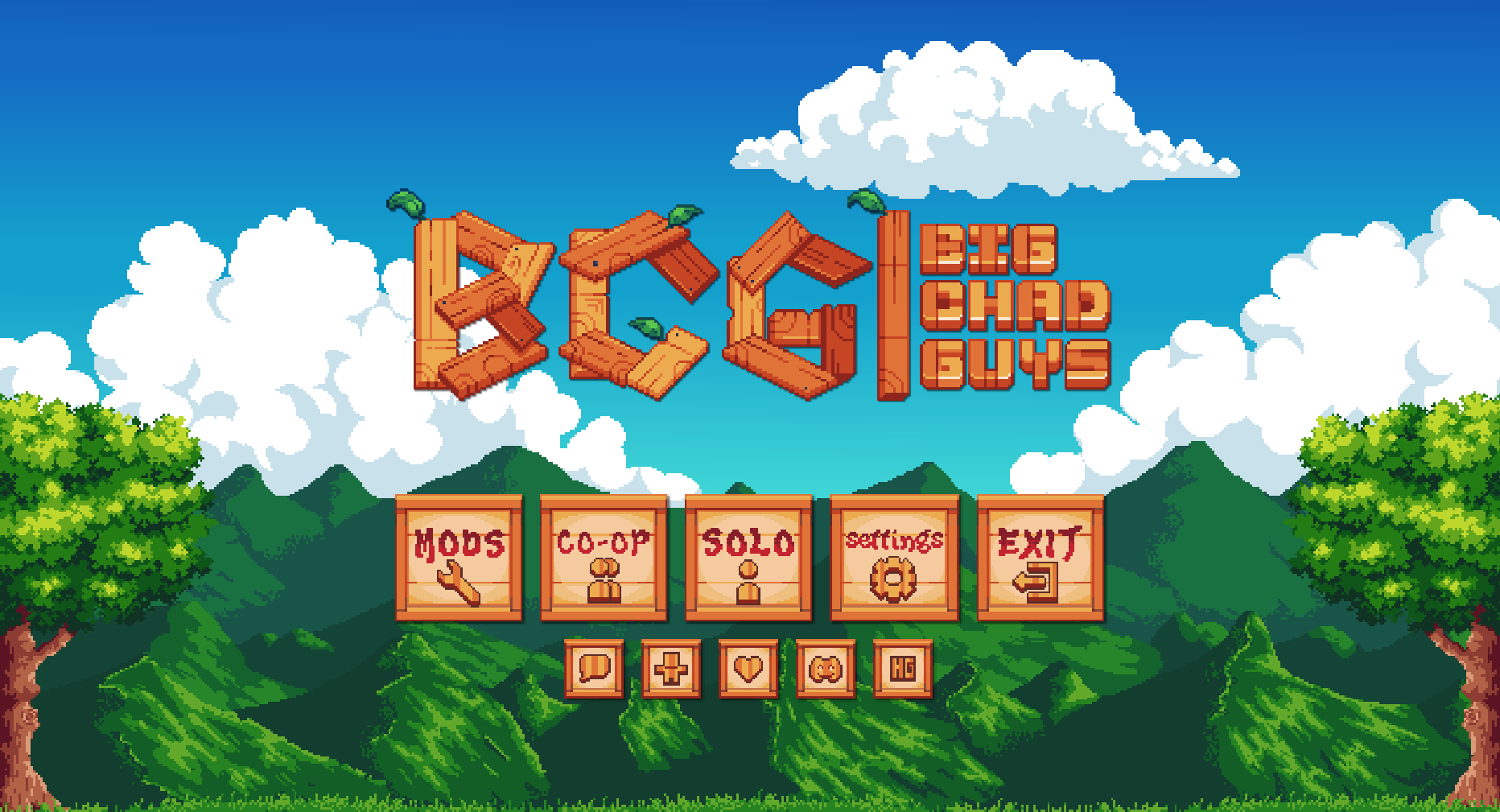
Download the right set for Minecraft 26.2
Choose one loader below. Do not install both sets in the same instance. Konkrete is the core library; Melody provides audio support. They are required even if your first design is a simple static menu. Keep one compatible copy of each library if your pack already includes it.
Fabric · install these four files
Use Fabric Loader 0.19.3 or newer and a Java 25 runtime suitable for Minecraft 26.2.
NeoForge · install these three files
Use NeoForge 26.2.0.7-beta or newer for Minecraft 26.2. This set does not use Fabric API.
Close Minecraft, open your launcher’s folder for the chosen instance and put that set in mods. Remove superseded copies of the same components, then launch the matching profile. These files are for Java Edition, not Bedrock/mobile. For a 1.20.1 or 1.21.x pack, use the author’s version history and libraries matching that game version.
Your first layout: change the title screen
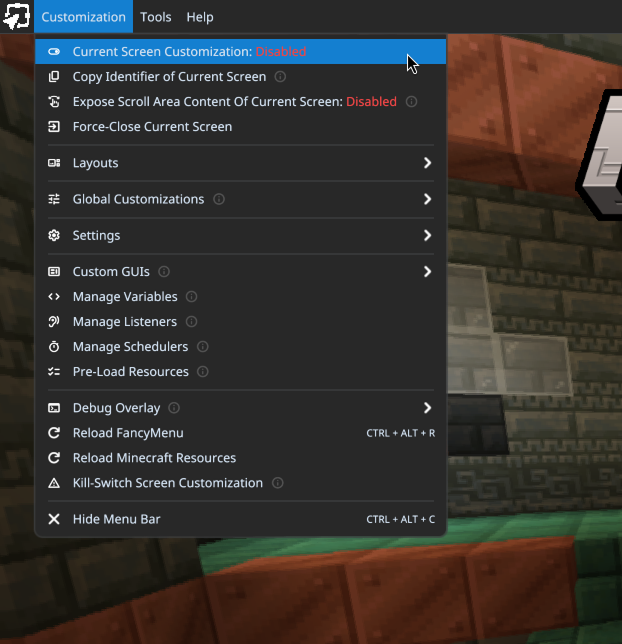
- Open Minecraft’s title screen. FancyMenu adds a menu bar at the top; Ctrl + Alt + C shows or hides it.
- Open Customization and switch Current Screen Customization from Disabled to Enabled. This choice applies to the screen you are currently viewing.
- Choose Layouts → New → For Current Screen to enter the layout editor.
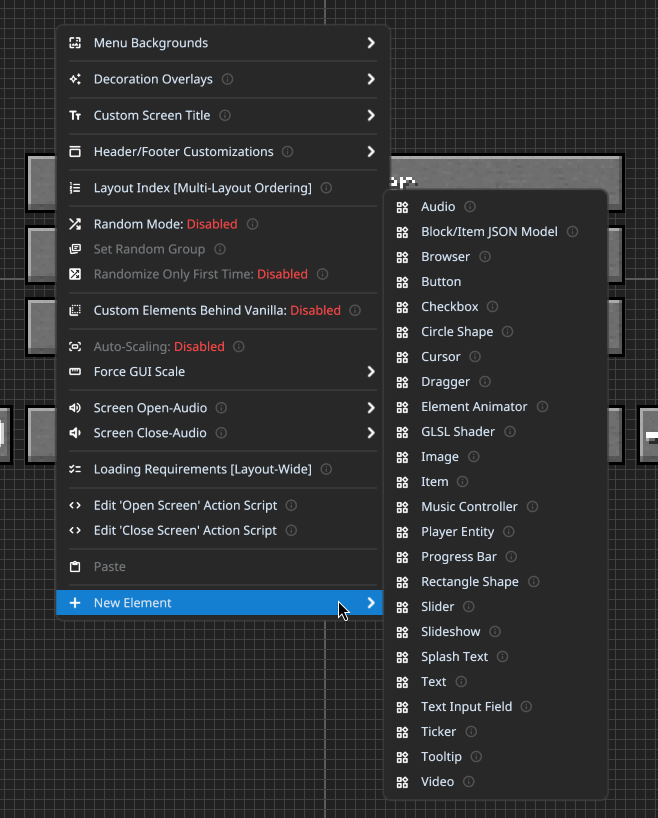
- Right-click the editor background for layout options. Use New Element → Text for a welcome message or Image for a logo. Right-click an element to edit its appearance, then move it where it belongs.
- Choose Layout → Save, or press Ctrl + S. Return to the menu and try the result.
For this first attempt, keep the usual navigation buttons and add one small welcome panel. Once that works, customize the background and button appearance. The official getting-started guide follows the same editor workflow.
Make buttons useful, not just decorative
A new button needs an action. Right-click it, select Edit Action Script → Add Action and choose what it should do. Join Server is useful for a favourite multiplayer destination; Open Screen or Custom GUI can lead to a help or welcome screen. Fill in the action’s destination, save, and click the button outside the editor.
Give it a plain label such as “Join our survival server” so players know where it goes. Keep the regular multiplayer route for other servers. A decorative button without a configured action will not magically inherit the function suggested by its label.
The element reference describes text, images, buttons and their settings. Text can display local notes or a web changelog; button textures can distinguish normal and hovered states. For a first layout, local artwork and a short static message are easier to maintain than several online panels.
Keep your layout comfortable on different screens
Use anchors rather than arranging everything for one window size. Anchor the main button group to the centre, a corner logo to its corner, and a caption to the element it describes. When dragging an element, hover the desired anchor until the selection completes.
Try both a smaller window and fullscreen. If buttons overlap, first reduce clutter and correct their anchors. Leave enough room for longer labels. FancyMenu also offers Force GUI Scale and Auto-Scaling, but automatic scaling can make Minecraft text look less sharp. The positioning guide explains these choices.
A readable static background is a good starting point. If animation makes the menu slower to open, shorten it or return to a still image. FancyMenu changes the interface; it is not an FPS optimization mod.
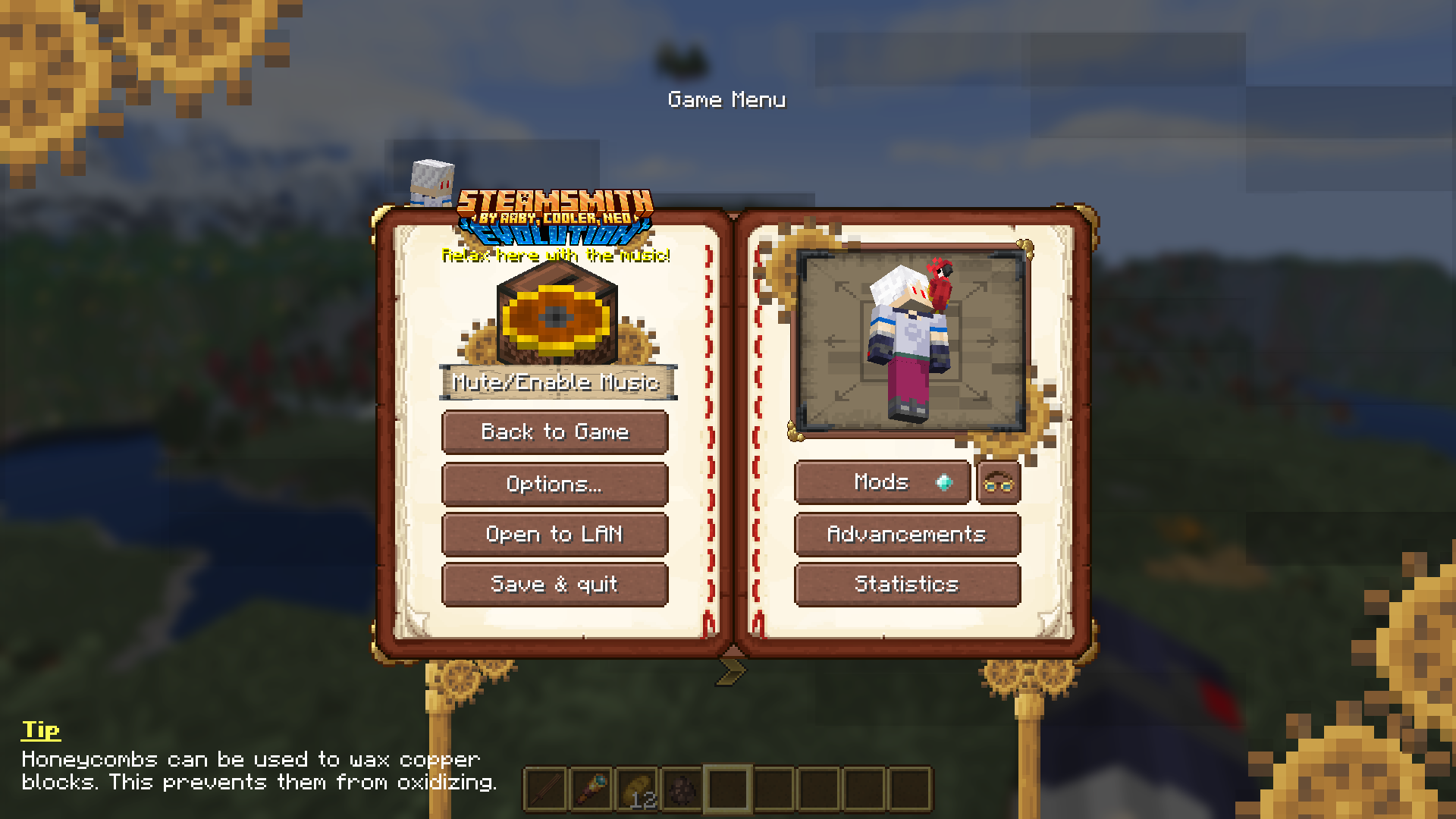
Install a ready-made design or share your own
Community templates are shared through the official FAQ’s layout-templates link. Check the template’s required Minecraft/FancyMenu versions and additional mods before choosing it. A screenshot is inspiration; it is not a downloadable layout package.
For a v3 setup, close the game and back up your existing config/fancymenu folder. Copy the creator’s supplied fancymenu folder into the active instance’s config directory, along with any explicitly referenced assets, following its instructions. Avoid accidentally nesting it as config/fancymenu/fancymenu. Restart that instance. Use trusted setups: layouts can run actions.
To share your own v3 design, package that same configuration folder and its assets with the required mod versions. Merely sending the FancyMenu JAR will not send your layout. Converted v2 designs may reference assets elsewhere. The import/export guide and modpack guide explain the folder structure.
What needs an extra mod?
- The Mojang loading screen: use the separate Drippy Loading Screen addon.
- The in-game hotbar or HUD: use the separate SpiffyHUD addon.
- A player model in a menu: the Player Entity feature needs FancyEntityRenderer.
- Full video playback: the native Video element needs Watermedia V3 and Watermedia Binaries V3. Browser features use Rinku. Install these only when your chosen design needs them, with compatible versions.
Ordinary menu customization runs on your client and does not require installing FancyMenu on a server. A server cannot make an unconfigured player see your layout. Optional server features are for coordinated setups whose players already have the mod and layout.
When something does not work
- The menu still looks vanilla: installing the mod alone is expected to do that. Create/import a layout and enable customization on its target screen.
- The editor bar will not return: try Ctrl + Alt + C. In a packaged setup,
modpack_mode=trueinconfig/fancymenu/options.txtdisables overlays and hotkeys; close the game and set it tofalseto edit again. - An image or font is missing after moving a layout: check that its assets travelled with the configuration and that you copied them into the instance you actually launch.
- The Fabric 26.2 game refuses to start with Wakes: this FancyMenu JAR still declares Wakes incompatible. The 3.9.12 changelog removes that restriction for other specified builds, not this one.
- Another mod’s button cannot be edited: some custom widgets are unsupported. Keep that screen’s normal layout if editing it breaks navigation.
- A design becomes unusable: disable customization for the affected screen if you can reach the bar. Otherwise close Minecraft and restore your backed-up FancyMenu configuration and assets. Your world saves do not need to be deleted.
OptiFine is listed as incompatible in the author’s FAQ. For a startup crash, check the loader and libraries first, then try FancyMenu with only its requirements in a separate launcher instance to distinguish a dependency problem from a mod conflict.
Version notes and creator sources
FancyMenu 3.9.12 was released August 28, 2026. It improves first-time fade-ins when resizing the window and fixes delayed appearances replaying after leaving a screen. See the creator’s changelog for the build-specific Wakes compatibility change.
FancyMenu is developed by Keksuccino; these release files identify their license as DSMSLv3.1. Sources: Fabric release, NeoForge release, CurseForge project, Konkrete, Melody and Fabric API. Original mod files and creator notices are preserved. MineBrush supplies this guide and branded editorial cover; the cover is an illustration, not a game screenshot or an included menu template.
More for your Java setup.
CubeCraft offers EggWars teamwork, quick SkyWars fights, unpredictable Lucky Islands and lasting Skyblock projects. Choose the right Java or Bedrock route, invite friends and start with a clear plan.
- Edition
- Java + Bedrock
- Modes
- Minigames
- Region
- None
Choose the same edition as your friends
Minecraft · Server
CubeCraft
CubeCraft offers EggWars teamwork, quick SkyWars fights, unpredictable Lucky Islands and lasting Skyblock projects. Choose the right Java or Bedrock route, invite friends and start with a clear plan.
Choose the same edition as your friends
- Minecraft version
- Java 1.21.8+ · Bedrock 1.21.120+
- Game edition
- Cross-edition
- Loader / platform
- Not applicable
- License
- CubeCraft rules and terms
- Server address
- play.cubecraft.net
- Server modes
- Minigames
- Platform family
- Cross-edition
- Supported devices
- Java on PC/Mac; Bedrock on Windows, mobile and consoles
- Install format
- Java server address or Bedrock Featured Servers
- Touch readiness
- Not required
- Resource type
- Server
- Last verified at
- Sep 14, 2026
- Compatibility confidence
- Source claimed
- Card evidence statement
- Official CubeCraft guides and game updates
- Card delivery statement
- Join Java or Bedrock using the guide
- Card limitation note
- Choose the same edition as your friends
- Edition applicability
- Java + Bedrock
- Bedrock address copy availability
- Copy unavailable
- Java address copy availability
- Copy available
- Java server address
play.cubecraft.net- Delivery state
- No file
- Lifecycle state
- Current
Understand a Minecraft server before moving in: edition and join details, claims, PvP, world resets, costs and community hours. See a clear example profile, official connection screenshots and the questions that protect your time and builds.
- Edition
- Cross-edition
- Difficulty
- Intermediate
- Time
- 8 min read
Check the server’s own current rules and join page.
MineBrush · Guide
Read a Minecraft Server Profile
Understand a Minecraft server before moving in: edition and join details, claims, PvP, world resets, costs and community hours. See a clear example profile, official connection screenshots and the questions that protect your time and builds.
Check the server’s own current rules and join page.
- Minecraft version
- Java & Bedrock — check the server’s supported releases
- Game edition
- Cross-edition
- Platform family
- Cross-edition
- Supported devices
- Java PC; Bedrock access depends on device and server
- Install format
- Read online — no download required
- Touch readiness
- Not required
- Resource type
- Guide
- Compatibility confidence
- Not applicable
- Card evidence statement
- Understand joining, claims, resets and community rules.
- Card delivery statement
- Practical guide · clear fictional profile example
- Card limitation note
- Check the server’s own current rules and join page.
- Edition applicability
- Java + Bedrock
- Tested environment
- Java and Bedrock server listings
- Estimated time
- 8 min read
- Guide difficulty
- Intermediate
- Delivery state
- No file
- Lifecycle state
- Current
Mod Menu
20.0.2Find installed mods, open supported settings and make a large modpack easier to navigate. Download Mod Menu 20.0.2 for Java 26.2, with search tips, library filters and the required files.
- Minecraft
- Java 26.2
- Loader
- Fabric
- Runtime
- Client
Client menu · no server installation needed
Java · Mod
Mod Menu
Find installed mods, open supported settings and make a large modpack easier to navigate. Download Mod Menu 20.0.2 for Java 26.2, with search tips, library filters and the required files.
Client menu · no server installation needed
- Minecraft version
- Java 26.2
- Game edition
- Java Edition
- Loader / platform
- Fabric
- License
- MIT
- Platform family
- Java & PC
- Supported devices
- Windows · macOS · Linux
- Install format
- JAR files in the instance mods folder
- Touch readiness
- Not required
- Resource type
- Mod
- Project version
- 20.0.2
- Last verified at
- Sep 12, 2026
- Secondary guide action
- Setup & fixes
- Compatibility confidence
- Source claimed
- Java mod loader
- Fabric
- Java runtime side
- Client
- Card evidence statement
- Search installed mods and open supported settings
- Required dependency
- Fabric API and Text Placeholder API for Minecraft 26.2
- Card delivery statement
- Mod Menu and dependencies hosted on MineBrush
- Card limitation note
- Client menu · no server installation needed
- Edition applicability
- Java
- Delivery state
- Direct download
- Lifecycle state
- Current
Find a Minecraft server you will want to return to. Compare survival, minigames, Skyblock, creative and modded play; choose for your friends' devices, understand player counts and ping, and make your first session a useful trial.
- Edition
- Cross-edition
- Difficulty
- Beginner
- Time
- 8 min read
Check support for every friend’s edition and device.
MineBrush · Guide
Find Your Minecraft Server
Find a Minecraft server you will want to return to. Compare survival, minigames, Skyblock, creative and modded play; choose for your friends' devices, understand player counts and ping, and make your first session a useful trial.
Check support for every friend’s edition and device.
- Minecraft version
- Java & Bedrock — match your server’s supported version
- Game edition
- Cross-edition
- Platform family
- Cross-edition
- Supported devices
- Java PC and Bedrock devices; joining routes vary
- Install format
- Read online — no download required
- Touch readiness
- Not required
- Resource type
- Guide
- Compatibility confidence
- Not applicable
- Card evidence statement
- Choose your play style, bring your friends and try a small first goal.
- Card delivery statement
- Survival · minigames · Skyblock · creative · modded
- Card limitation note
- Check support for every friend’s edition and device.
- Edition applicability
- Java + Bedrock
- Tested environment
- Java and Bedrock multiplayer choices
- Estimated time
- 8 min read
- Guide difficulty
- Beginner
- Delivery state
- No file
- Lifecycle state
- Current
Player discussion 0
Questions, discoveries and help from other players.