
MineBrush publication
CubeCraft Server: Games, Java and Bedrock Joining, Friends and Tips
CubeCraft offers EggWars teamwork, quick SkyWars fights, unpredictable Lucky Islands and lasting Skyblock projects. Choose the right Java or Bedrock route, invite friends and start with a clear plan.
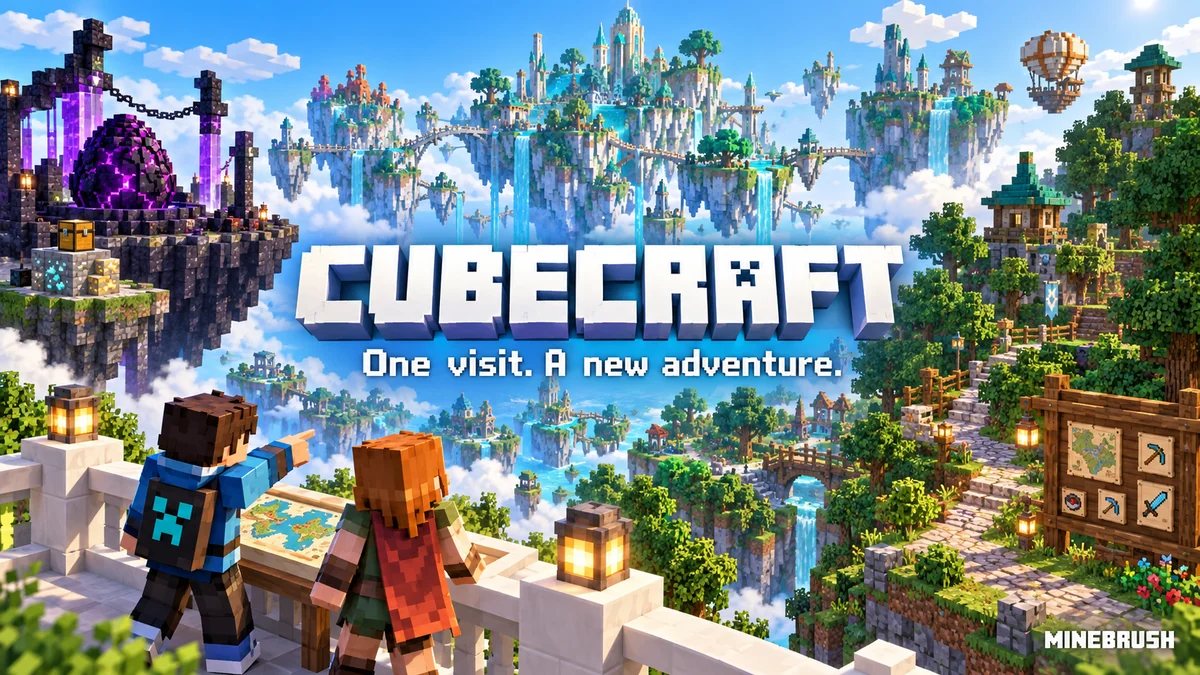
CubeCraft is a Minecraft server network for both quick minigames and longer projects. Protect an egg with teammates, fight across SkyWars islands, react to unexpected Lucky Blocks or develop a Skyblock profile through quests and exploration. You can start from a normal Minecraft installation, without assembling a modpack or hosting a world.
Choose your edition before arranging a session. CubeCraft has Java and Bedrock networks with different joining routes. For a group on phones, consoles and Windows, use Bedrock together; a friend launching Java has not joined the same network just because the CubeCraft name matches. Cosmetics also have separate inventories between the editions.
Join CubeCraft on Java
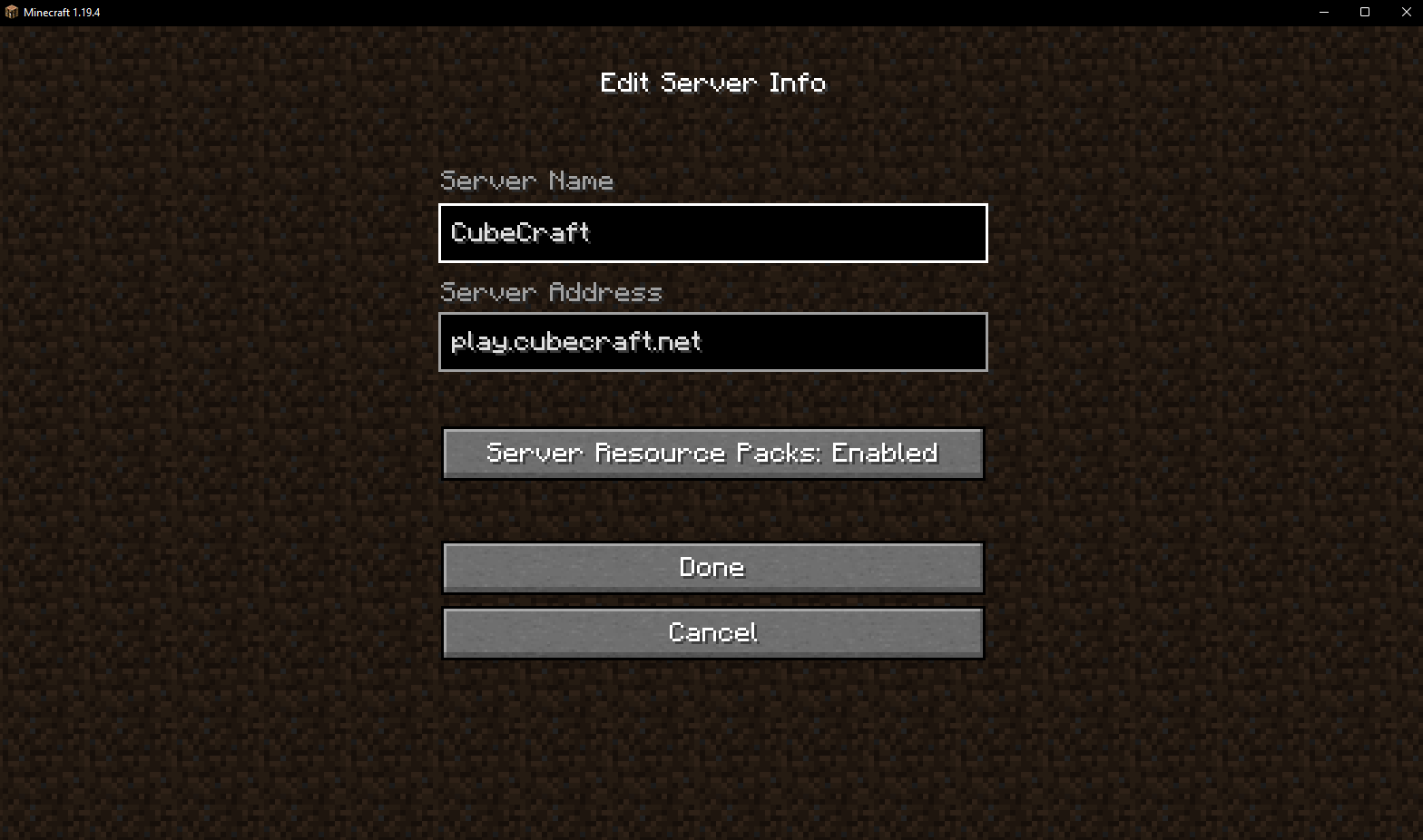
Paste this address into Multiplayer → Add Server.
- Open Minecraft: Java Edition → Multiplayer → Add Server.
- Name it CubeCraft and enter
play.cubecraft.netin Server Address. - Set Server Resource Packs: Enabled, select Done, then join the saved entry. The server can then supply the packs its games use.
Join CubeCraft on Bedrock
Open Play → Servers → CubeCraft → Join Server. This Featured Servers route is the easiest starting point for phones and consoles as well as Windows Bedrock. Sign into your Microsoft/Xbox account and make sure multiplayer access is allowed. Your console may also require its online multiplayer subscription.
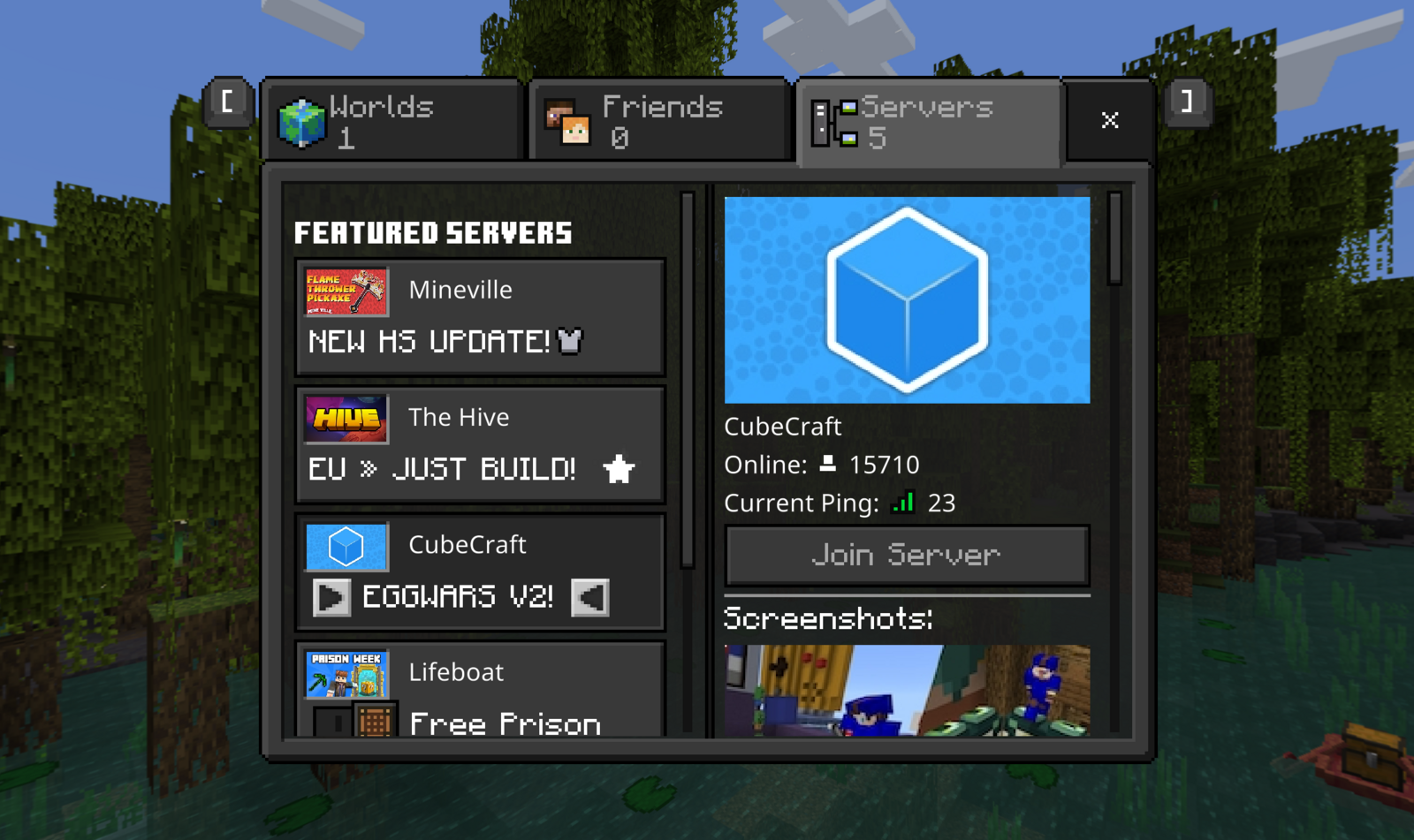
After joining, use the game-controller item in the hotbar to choose a game, or walk to its portal. Read the available team sizes before queuing, particularly when you have invited friends. /hub returns you to the lobby.
Which Minecraft version should you use?
The operator's current joining guides list Java 1.21.8 or newer and Bedrock 1.21.120 or newer. Use a stable release: Beta, Preview and Java snapshots cannot join. These requirements can change, so check the version guide if you receive an outdated-client message.
On Java, select a suitable installation in the launcher. On Bedrock, update Minecraft through the store where you installed it; if you opened Minecraft Preview, close it and start the normal game. A very old PvP profile is not a useful default here. Keep a separate stable installation if your usual modpack targets an older version.
What should you play first?
EggWars: give your team a plan
Defend your team's egg and destroy the other teams' eggs. An intact egg keeps the team's respawn route available; after it is destroyed, the remaining players have to survive without it. Island generators provide resources to spend at the shop.
A useful first-match plan: decide who starts the defence and who collects supplies. Buy equipment with a purpose: blocks for a crossing, tools for the opposing defence, or an upgrade that helps the team. Watch your own island while a teammate attacks. A good beginner target is to contribute to both defence and a safe route, rather than spending the entire round waiting at one generator.
Read the current shop instead of copying old item prices from a video. The original developer introduction explains the core objective, while later updates change maps, items and balance.
SkyWars: a quick fight with meaningful route choices
Gather island loot, equip yourself and fight to be the last surviving player or team. It suits players who want a contained match with a clear objective, without maintaining a long-term island economy.
Start here: arrange your hotbar before leaving safety, check the next island and keep blocks accessible. An early crossing is a choice, not an obligation: assess whether you have the gear and space to survive meeting someone halfway.
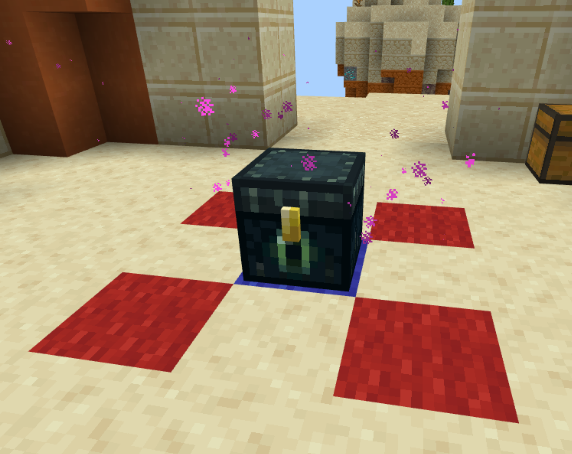
The September 2026 SkyWars update adds central Enderchests with a chance of top-tier loot. They do not refill. That gives the centre extra value, but also gives opponents the same reason to rush it. Scout the approach and decide whether to contest it or improve your position elsewhere.
Advanced is a beta chest-voting option with extra custom items added alongside normal loot. Voting for it requires the relevant Bedrock SkyWars Pass or Java Diamond rank. You do not need to start with the most complicated ruleset: learn a normal match first, then experiment with the options offered by your queue.
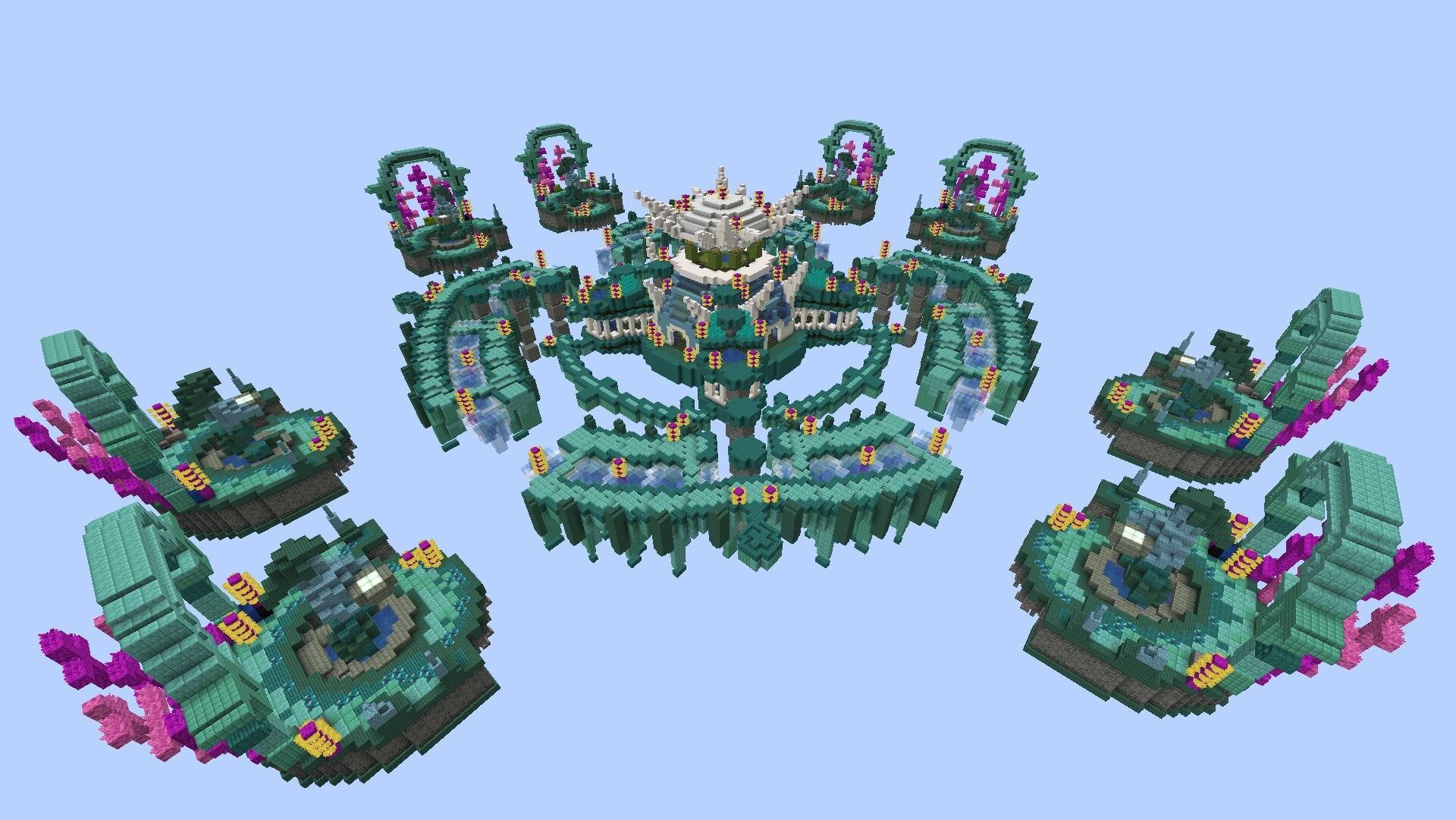
Lucky Islands: adapt to what the block gives you
Choose this when improvisation sounds more fun than a predictable opening. Lucky Blocks can help, surprise or endanger you. The May 2026 update adds more outcomes, including movement aids and dangerous effects; Bedrock also gains the Wizard kit with a randomly selected wand.
Start here: open a block with room to react, look at the result and read unfamiliar item descriptions before using them. Keep a way back to solid ground. A helpful item is only useful if you recognise what it does; avoid filling every hotbar slot with effects you have not understood yet. This mode fits friends who enjoy recovering from surprises as much as planning an attack.
Skyblock: pick a project worth returning to
Skyblock is the longer-term choice. Start with the quests shown by the game and build a manageable routine around gathering, farming and exploration. Open /skyblock quests when you lose track of the next objective.
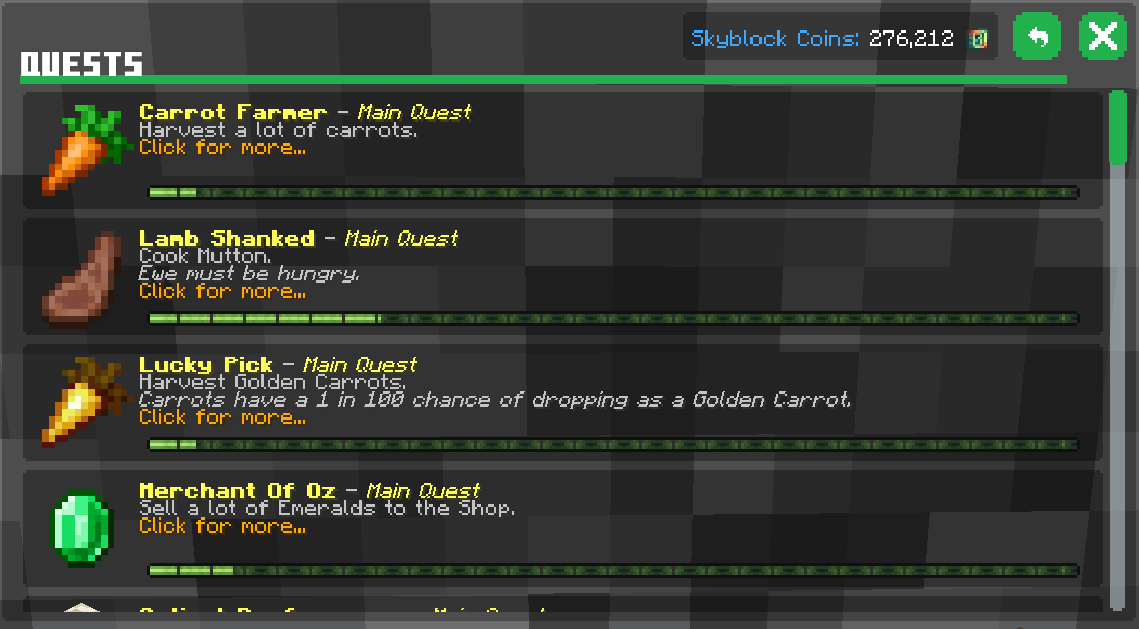
First-session goal: complete an approachable quest, organise your useful materials and identify one improvement you want next. Do not try to copy an endgame setup before understanding how your current island produces resources.
Where it grows: the Skyblock Reborn update adds large exploration hubs, quests, character traits and dungeons. Discovered Warpers are saved for later travel, which costs Skyblock coins. Learn a useful route and its return point before roaming further.
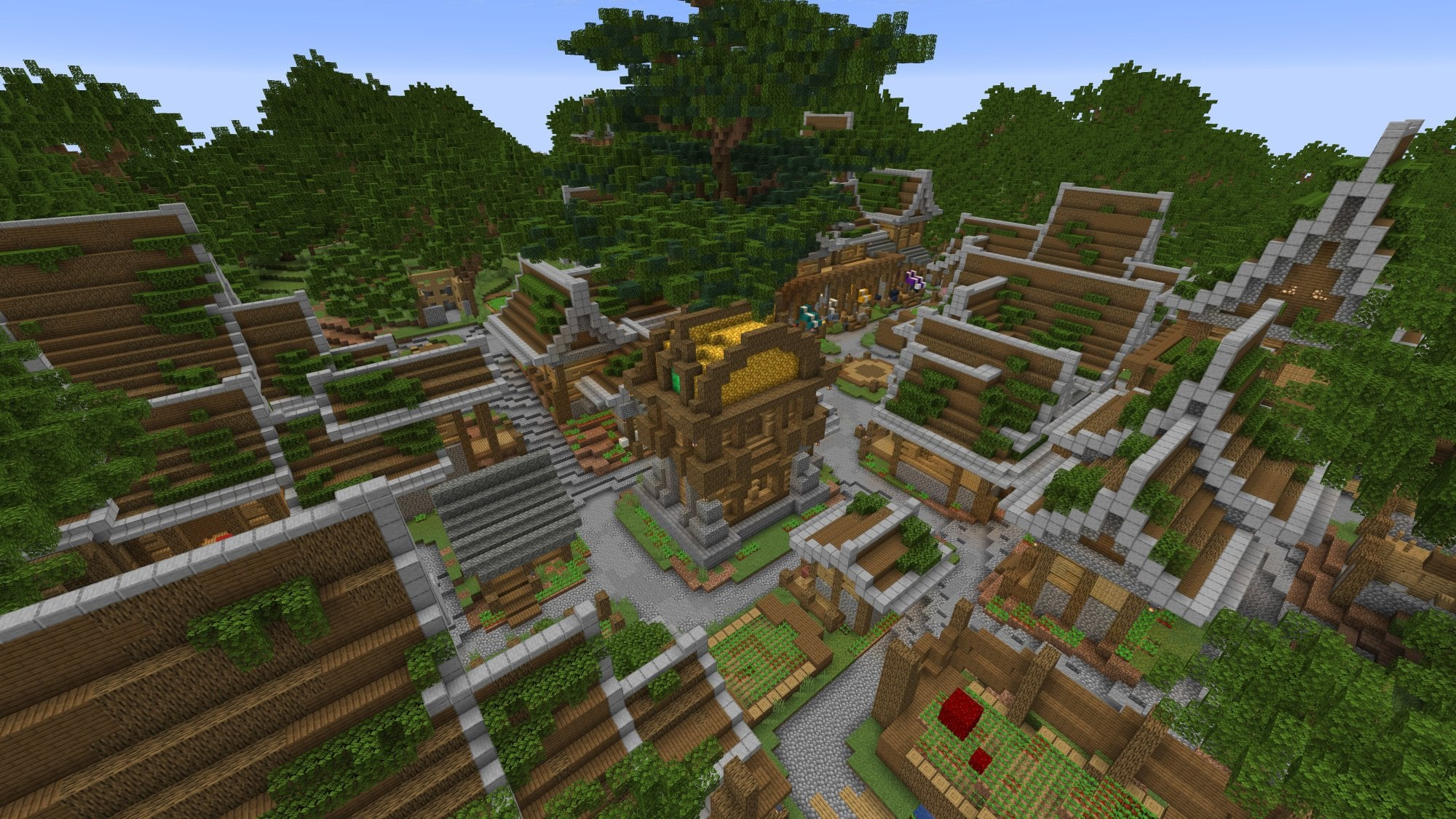
Dungeons are intended to be difficult; build up your traits before treating them as the next automatic step. For a calmer goal, explore for discoverables or develop your island. Auto Harvesters work with generator blocks placed above them and collect only part of the output, so they are a progression tool rather than unlimited free resources.
Invite friends before anyone queues
- Open the Social Menu in the lobby, or use
/friend add PlayerNameto add someone. - Create a party with
/party invite PlayerName. - Your friend accepts with
/party accept LeaderName. Use the real names; replace spaces in a gamertag with underscores when typing commands. - Check
/party info, then let the leader enter the chosen game portal so the group travels together.
/party chat switches to party conversation. With it enabled, put ! before a message intended for global chat. /party leave leaves the group, and /party setowner PlayerName hands leadership to someone else.
On Bedrock, /msg and /tell are disabled; use the party channel or Xbox messaging as appropriate. If an invite fails, check the edition, exact gamertag and recipient's invitation settings before repeatedly sending it. The official friends guide covers the Social Menu as well.
Make the lobby comfortable and keep your unlocks organised
On Java, open Profile → Settings; on Bedrock, use Social Menu → Settings. Review player visibility, public chat and friend or party invitations. Reducing distractions is useful when you are learning where the game portals are; turning off public chat does not prevent you from playing.
To equip a cosmetic, return to a hub and open the loot item in the second hotbar slot. Find it by game or type, then select it. An item bought on Bedrock will not appear in Java's inventory. Check the relevant category and gift inventory before assuming a purchase disappeared. See the loot guide.
Fix the pack or connection without losing your worlds
- Missing textures or blank menus: check free storage. On Java, edit the CubeCraft multiplayer entry and enable Server Resource Packs.
- Bedrock pack download fails: leave the server, open Settings → Storage → Cached Data and remove the cached CubeCraft packs. Rejoin and let them download again. Keep your worlds and unrelated packs.
- Still failing: restart Minecraft and, where practical, compare another connection. Follow the operator's pack help.
- Outdated version: check the version requirements above and make sure you launched the installation you updated.
- Authentication or maintenance message: restart the client for a stale login, or wait if the message identifies an outage. A graphics setting will not repair an authentication service.
- A blocked connection or punishment: follow the help route in the official joining guide. If you need support, record the exact message and edition.
More ways to enjoy CubeCraft
If you would like a guided group session, the operator runs Community Games. Watch the event announcement, join its Discord stage when it opens and follow the host's invitation instructions; places are limited. Check the current announcement rather than assuming a session is running today.
Builders can work towards a map submission. Read the mode's dimensions and layout requirements before building, make the work original and keep progress screenshots or a build video. An accepted map credits its creators. This is a longer creative project, separate from simply joining a public match.
CubeCraft Games creates and operates the network. Official references also include the combined joining guide, command list and player settings and safety. Inline images belong to CubeCraft and are credited beside each illustration. The branded MineBrush cover is an editorial illustration; first-session plans are MineBrush's suggestions.
More from MineBrush.

Understand Minecraft 26, tell normal releases from test builds, and choose the right version for friends, servers and mods. Clear Java and Bedrock examples without the technical clutter.
- Topic
- Choosing your Minecraft version
- Scope
- None
- Evidence
- Official Minecraft sources · checked 9 Sep 2026
A shared “26” prefix never proves cross-edition compatibility.
MineBrush · News
Minecraft Versions Made Simple
Understand Minecraft 26, tell normal releases from test builds, and choose the right version for friends, servers and mods. Clear Java and Bedrock examples without the technical clutter.
A shared “26” prefix never proves cross-edition compatibility.
- Compatibility confidence
- Source claimed
- Card evidence statement
- Official policy and indexes checked 9 Sep 2026; client display NOT_OBSERVED.
- Card delivery statement
- Choose a version for everyday play or testing
- Card limitation note
- A shared “26” prefix never proves cross-edition compatibility.
- Edition applicability
- Java + Bedrock
- News topic
- Choosing your Minecraft version
- Public news evidence label
- Official Minecraft sources · checked 9 Sep 2026
- Delivery state
- No file
- Lifecycle state
- Current
- News evidence type
- Official Minecraft source
Hypixel brings Bed Wars, Build Battle, SkyWars and long-term SkyBlock progression to Java players. Copy the official address, choose a mode, join friends and use the right version and server pack.
- Edition
- Java
- Modes
- Minigames
- Region
- None
SkyBlock: modern Java and required server resource pack
Minecraft · Server
Hypixel
Hypixel brings Bed Wars, Build Battle, SkyWars and long-term SkyBlock progression to Java players. Copy the official address, choose a mode, join friends and use the right version and server pack.
SkyBlock: modern Java and required server resource pack
- Minecraft version
- Java; SkyBlock recommends 26.2
- Game edition
- Java Edition
- Loader / platform
- Not applicable
- License
- Hypixel server rules and terms
- Server address
- mc.hypixel.net
- Server modes
- Minigames
- Platform family
- Java & PC
- Supported devices
- Minecraft Java Edition on PC and Mac
- Install format
- Join using the server address
- Touch readiness
- Not required
- Resource type
- Server
- Last verified at
- Sep 14, 2026
- Compatibility confidence
- Source claimed
- Card evidence statement
- Official join guide and current SkyBlock announcement
- Card delivery statement
- Copy mc.hypixel.net and join in Java Edition
- Card limitation note
- SkyBlock: modern Java and required server resource pack
- Edition applicability
- Java
- Bedrock address copy availability
- Copy unavailable
- Java address copy availability
- Copy available
- Java server address
mc.hypixel.net- Delivery state
- No file
- Lifecycle state
- Current
The Hive offers BedWars, Hide and Seek, DeathRun and creative Build Battle on Bedrock. Choose your first game, join friends across devices, understand regions and fix missing textures or music.
- Edition
- Bedrock
- Modes
- Minigames
- Region
- North America · Europe · Asia
Choose a game and join friends in the same region
Minecraft · Server
The Hive
The Hive offers BedWars, Hide and Seek, DeathRun and creative Build Battle on Bedrock. Choose your first game, join friends across devices, understand regions and fix missing textures or music.
Choose a game and join friends in the same region
- Minecraft version
- Supported stable Bedrock release
- Game edition
- Bedrock Edition
- Loader / platform
- Not applicable
- License
- The Hive rules and terms
- Server address
- geo.hivebedrock.cloud
- Server modes
- Minigames
- Platform family
- Bedrock & Mobile
- Supported devices
- Windows · Xbox · PlayStation · Switch · Android · iOS/iPadOS · ChromeOS · Fire OS
- Install format
- Play → Servers → The Hive
- Touch readiness
- Yes
- Resource type
- Server
- Last verified at
- Sep 14, 2026
- Compatibility confidence
- Source claimed
- Card evidence statement
- Official Hive guides and game updates
- Card delivery statement
- Join through Bedrock Featured Servers
- Card limitation note
- Choose a game and join friends in the same region
- Edition applicability
- Bedrock
- Server region
- North America · Europe · Asia
- Bedrock address copy availability
- Copy unavailable
- Java address copy availability
- Copy unavailable
- Delivery state
- No file
- Lifecycle state
- Current
WorldEdit Bedrock
0.11.0-beta.5 / 0.10.4Copy builds, replace materials and shape terrain with WorldEdit for Bedrock. Learn the wand, clipboard, brushes and undo, then choose the right download for a normal world, Windows Editor or dedicated server.
- Minecraft
- 26.10 minimum (beta); 1.21.130 (stable)
- Components
- Paired
- Package
- .mcaddon for worlds; .zip for dedicated servers
Beta APIs required. Start in a copied world.
Bedrock · Add-on
WorldEdit Bedrock
Copy builds, replace materials and shape terrain with WorldEdit for Bedrock. Learn the wand, clipboard, brushes and undo, then choose the right download for a normal world, Windows Editor or dedicated server.
Beta APIs required. Start in a copied world.
- Minecraft version
- 26.10 minimum (beta); 1.21.130 (stable)
- Game edition
- Bedrock Edition
- Loader / platform
- Bedrock
- License
- GPL-3.0-or-later
- Platform family
- Bedrock & Mobile
- Supported devices
- Windows · Android · iOS/iPadOS
- Install format
- .mcaddon for worlds; .zip for dedicated servers
- Touch readiness
- Check guide
- Resource type
- Add-on
- Project version
- 0.11.0-beta.5 / 0.10.4
- Last verified at
- Sep 15, 2026
- Compatibility confidence
- Source claimed
- Bedrock add-on packs
- Paired
- Bedrock add-on import route
- Import the normal .mcaddon; activate both packs and Beta APIs.
- Required experiments
- Required
- Card evidence statement
- Select, copy, replace and shape your builds
- Card delivery statement
- Normal add-on, Windows Editor and server packages
- Card limitation note
- Beta APIs required. Start in a copied world.
- Edition applicability
- Bedrock
- Delivery state
- Direct download
- Lifecycle state
- Current
Player discussion 0
Questions, discoveries and help from other players.