
MineBrush publication
Hypixel Java Server: How to Join, Choose Games and Play with Friends
Hypixel brings Bed Wars, Build Battle, SkyWars and long-term SkyBlock progression to Java players. Copy the official address, choose a mode, join friends and use the right version and server pack.
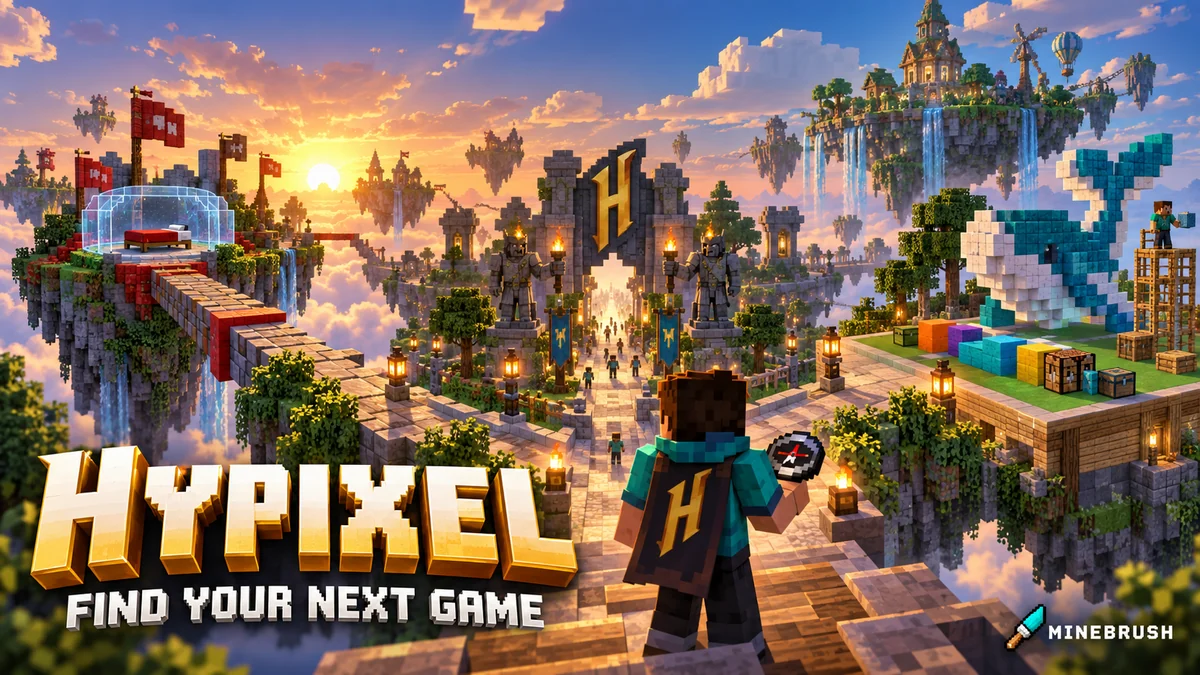
Hypixel is a Minecraft Java server network where you can defend a bed with friends, build against a theme, play quick elimination games or develop a character over many SkyBlock sessions. You join one address, then choose a game from the lobby. It is a good fit when you want a structured activity without hosting a server or assembling a modpack yourself.
Server address: mc.hypixel.net. You need an account that owns Minecraft: Java Edition. Open Java Edition on your computer; Minecraft for Windows, the mobile game and console Bedrock editions do not connect to this network. Ordinary public games are free to enter with your Java account; optional ranks and purchases are separate.
Join Hypixel and choose the right Minecraft version
Paste this address into Multiplayer → Add Server.
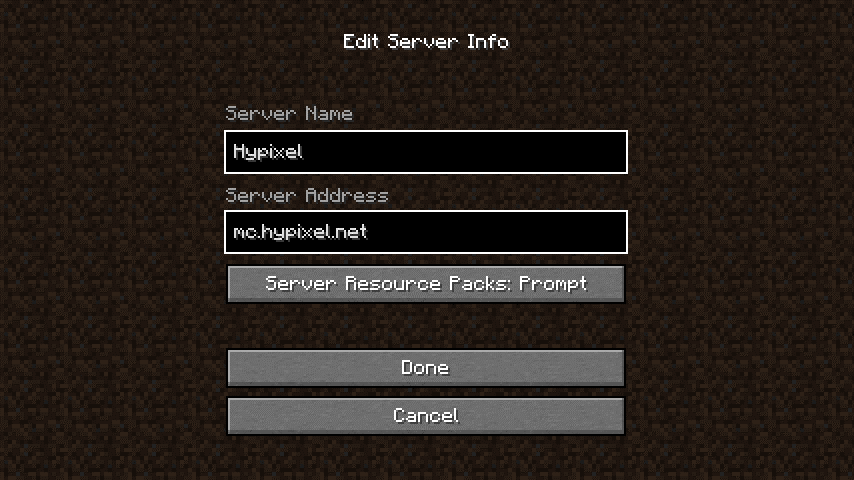
- Start Minecraft: Java Edition, open Multiplayer → Add Server and name the entry Hypixel.
- Enter
mc.hypixel.netin Server Address, withouthttps://or a website path. Save with Done, select the entry and choose Join Server. - For SkyBlock, enable server resource packs for this entry or accept the game's pack prompt. SkyBlock requires its official pack to load; a separate manual download is not the normal joining step.
Choose a version for the game you want. Hypixel's general support guide recommends 1.8.9 or the latest release for the network. That does not make 1.8.9 a suitable SkyBlock installation: the official SkyBlock 0.26 announcement recommends Java 26.2 and confirms the removal of 1.21.9 and 1.21.10 support. Use a modern supported release for SkyBlock and follow any newer requirement shown by the game.
To keep an older PvP setup separate, create another installation in the Minecraft Launcher under Installations. Name profiles by their purpose so you do not accidentally launch an old modpack for a modern mode. Use release builds rather than snapshots. No Forge, Fabric, third-party client or MineBrush file is required just to join.
Find your way around the lobby
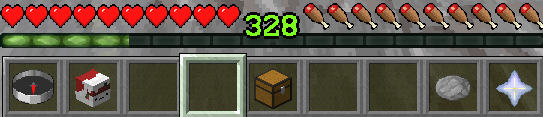
Right-click the compass to open the Game Menu, then select an activity. In its lobby, read the available game types and use the appropriate play NPC or menu. For your first visit, learning one lobby is more useful than jumping through every mode.
The player head opens your profile and settings, including language and progress menus. The chest manages collectibles. The dye changes visibility of other lobby players, which helps when the crowd obscures an NPC; the nether star changes lobby instance. These lobby tools are navigation aids, not equipment to take into a match.
Which game should you try first?
Bed Wars: teamwork, defence and controlled risks
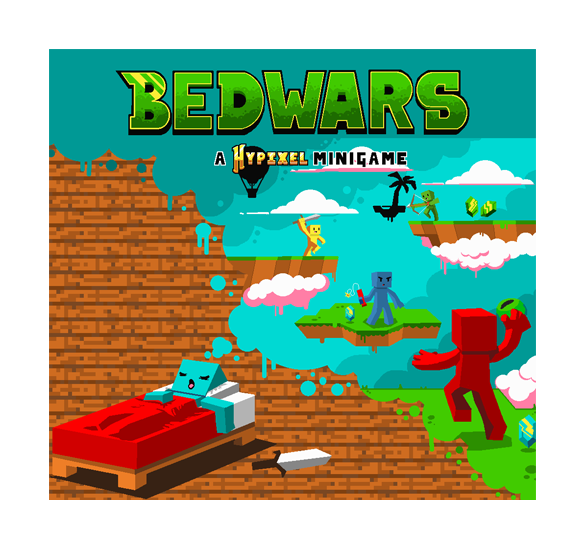
Protect your team's bed, gather resources, buy supplies and destroy opponents' beds. Losing a bed removes that team's respawn safety; eliminating the remaining players finishes the job. Choose Bed Wars if you like coordinating several jobs rather than only chasing fights.
First-match plan: agree who starts the defence and who gathers supplies. Buy building blocks before leaving the island, keep your return route in mind and watch your own bed while teammates attack. A useful beginner goal is to help the team survive and learn the shop, even if you do not win the first round. Pick a team size that fits your group.
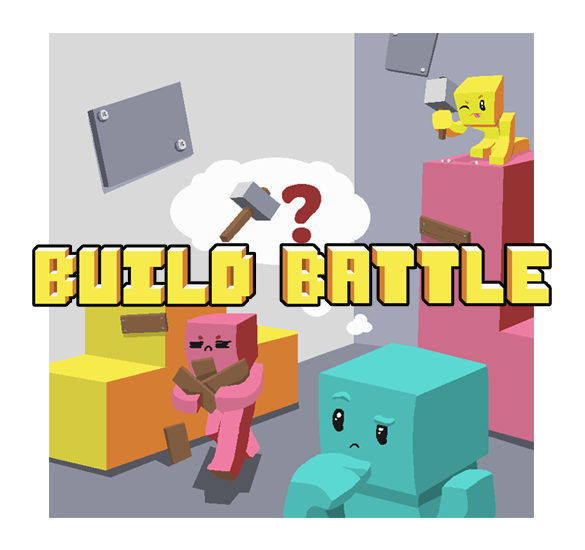
Build Battle: turn an idea into something recognisable
Build to the announced theme before voting begins. This suits creative players who enjoy a clear prompt and a finished result in one session. Guess the Build offers a different challenge: making or recognising a build quickly.
First-build plan: choose the silhouette first, then a small palette, then one focal detail. A readable small build often communicates the theme better than an unfinished giant one. Leave time to tidy the surrounding ground and inspect the build from the viewing angle. Vote fairly on other players' work and keep builds appropriate for the server.
SkyWars: a compact survival contest
Start on an island, collect equipment and aim to be the last player or team alive. Positioning matters because an opponent can knock you into the void. Try it if you want a direct competitive objective with fewer team-economy decisions than Bed Wars.
First-round plan: equip your useful loot promptly, organise a simple hotbar and look around before crossing exposed gaps. Practise one safe crossing and one clear retreat route; rushing a stronger opponent with a disorganised inventory teaches less than a deliberate attempt.
Murder Mystery: observation instead of constant combat
Classic mode divides players into murderer, detective and innocents. The murderer tries to eliminate others without being stopped; the other roles must identify the threat and survive. It is a useful change of pace when your group wants suspense and map awareness.
First-round plan: read your role immediately, notice exits and avoid following a crowd blindly into a dead end. Pay attention to what you actually see rather than treating every chat accusation as proof.
SkyBlock: choose this for a project that lasts
SkyBlock is the longer-term option: equipment, skills and different activities give you reasons to return beyond a single match. Start with the introduction and the objectives shown by the game, then choose one small goal instead of trying to follow an expensive endgame build on day one.
First-session plan: learn how to reach the places your current objectives name, keep useful starter gear organised and select one activity you enjoy. As your equipment grows, the Loadouts menu can save setups for different activities; a mining setup and a combat setup no longer need to be rebuilt manually every time. You can reach that menu with /loadout.
The official resource pack changes the appearance of many items. It is part of entering SkyBlock, not a texture pack you must hunt for on another website. If old mods interfere with it, try the same supported version without those mods before changing anything else.
Still undecided?
Try the Arcade lobby for a selection of casual activities, or Duels if your specific aim is practising direct fights. You do not need to commit to the most popular mode. Choose an activity whose objective sounds enjoyable, finish a round, then decide whether you want another attempt or a change of pace.
Play with friends without joining different matches
Create the party before anyone queues. Type /p FriendName to invite a friend, replacing FriendName with their actual Minecraft name. They should accept the invitation shown in chat. Check /party list so you know everyone has joined.
The leader selects the game for the party. Agree on the mode and team size first; a party does not mean every playlist has room for your group on one team. If you need to gather in the leader's lobby, the leader can use /party warp.
/pchat messagesends a message to the party./chat pswitches ongoing chat to the party;/chat areturns to public chat./party leaveleaves the group;/partyshows its command help.
Ordinary parties are available to all players. A private-game party is a different feature: Hypixel's support page lists it as an MVP++ feature. You can try public games together without buying that feature.
Rules that matter during normal play
Play with your assigned team: cross-teaming with opponents and sabotaging teammates are prohibited. The same applies to cheating, macros, scripts and exploiting bugs for an advantage. A mod being popular or available on MineBrush does not establish that its features are allowed on Hypixel; check the operator's allowed-modifications guide.
Keep chat and builds respectful. Use /report for rule-breaking rather than turning the match into an argument. SkyBlock also has rules against automated resource gathering and unauthorised third-party trading. Use the SkyBlock rules before using a farming shortcut someone recommends.
If you cannot join or the game feels wrong
- Wrong edition: on Windows, check that you launched Java Edition rather than Minecraft for Windows. Bedrock cannot use this server address.
- Outdated-client or version message: select a supported release in the launcher. A mode-specific rejection can require a newer version even if the network lobby accepts your older one.
- SkyBlock pack fails: set Server Resource Packs to Enabled for Hypixel in the multiplayer entry, reconnect and let the pack load. Update conflicting mods or compare with an unmodified installation.
- Connection errors or delayed actions: check Hypixel Status, restart the client and pause large background downloads. If only this server is affected, repeated graphics changes will not fix a network outage.
- Low frame rate: reduce video settings and unnecessary background applications. This is different from high latency, where actions arrive late even though the image moves smoothly.
- A problem persists: note the exact error and Minecraft version, then use Hypixel Support. Do not share account passwords or login codes with people offering fixes.
Operator and sources
Hypixel is operated by Hypixel, Inc. Official references: game descriptions, joining and lobby controls, general version guidance, SkyBlock 0.26 requirements and features, party commands, server rules and connection help. Inline screenshots and artwork belong to Hypixel; the branded MineBrush cover is an editorial illustration. The first-session suggestions are MineBrush's guidance.
More from MineBrush.

Understand Minecraft 26, tell normal releases from test builds, and choose the right version for friends, servers and mods. Clear Java and Bedrock examples without the technical clutter.
- Topic
- Choosing your Minecraft version
- Scope
- None
- Evidence
- Official Minecraft sources · checked 9 Sep 2026
A shared “26” prefix never proves cross-edition compatibility.
MineBrush · News
Minecraft Versions Made Simple
Understand Minecraft 26, tell normal releases from test builds, and choose the right version for friends, servers and mods. Clear Java and Bedrock examples without the technical clutter.
A shared “26” prefix never proves cross-edition compatibility.
- Compatibility confidence
- Source claimed
- Card evidence statement
- Official policy and indexes checked 9 Sep 2026; client display NOT_OBSERVED.
- Card delivery statement
- Choose a version for everyday play or testing
- Card limitation note
- A shared “26” prefix never proves cross-edition compatibility.
- Edition applicability
- Java + Bedrock
- News topic
- Choosing your Minecraft version
- Public news evidence label
- Official Minecraft sources · checked 9 Sep 2026
- Delivery state
- No file
- Lifecycle state
- Current
- News evidence type
- Official Minecraft source
CubeCraft offers EggWars teamwork, quick SkyWars fights, unpredictable Lucky Islands and lasting Skyblock projects. Choose the right Java or Bedrock route, invite friends and start with a clear plan.
- Edition
- Java + Bedrock
- Modes
- Minigames
- Region
- None
Choose the same edition as your friends
Minecraft · Server
CubeCraft
CubeCraft offers EggWars teamwork, quick SkyWars fights, unpredictable Lucky Islands and lasting Skyblock projects. Choose the right Java or Bedrock route, invite friends and start with a clear plan.
Choose the same edition as your friends
- Minecraft version
- Java 1.21.8+ · Bedrock 1.21.120+
- Game edition
- Cross-edition
- Loader / platform
- Not applicable
- License
- CubeCraft rules and terms
- Server address
- play.cubecraft.net
- Server modes
- Minigames
- Platform family
- Cross-edition
- Supported devices
- Java on PC/Mac; Bedrock on Windows, mobile and consoles
- Install format
- Java server address or Bedrock Featured Servers
- Touch readiness
- Not required
- Resource type
- Server
- Last verified at
- Sep 14, 2026
- Compatibility confidence
- Source claimed
- Card evidence statement
- Official CubeCraft guides and game updates
- Card delivery statement
- Join Java or Bedrock using the guide
- Card limitation note
- Choose the same edition as your friends
- Edition applicability
- Java + Bedrock
- Bedrock address copy availability
- Copy unavailable
- Java address copy availability
- Copy available
- Java server address
play.cubecraft.net- Delivery state
- No file
- Lifecycle state
- Current
The Hive offers BedWars, Hide and Seek, DeathRun and creative Build Battle on Bedrock. Choose your first game, join friends across devices, understand regions and fix missing textures or music.
- Edition
- Bedrock
- Modes
- Minigames
- Region
- North America · Europe · Asia
Choose a game and join friends in the same region
Minecraft · Server
The Hive
The Hive offers BedWars, Hide and Seek, DeathRun and creative Build Battle on Bedrock. Choose your first game, join friends across devices, understand regions and fix missing textures or music.
Choose a game and join friends in the same region
- Minecraft version
- Supported stable Bedrock release
- Game edition
- Bedrock Edition
- Loader / platform
- Not applicable
- License
- The Hive rules and terms
- Server address
- geo.hivebedrock.cloud
- Server modes
- Minigames
- Platform family
- Bedrock & Mobile
- Supported devices
- Windows · Xbox · PlayStation · Switch · Android · iOS/iPadOS · ChromeOS · Fire OS
- Install format
- Play → Servers → The Hive
- Touch readiness
- Yes
- Resource type
- Server
- Last verified at
- Sep 14, 2026
- Compatibility confidence
- Source claimed
- Card evidence statement
- Official Hive guides and game updates
- Card delivery statement
- Join through Bedrock Featured Servers
- Card limitation note
- Choose a game and join friends in the same region
- Edition applicability
- Bedrock
- Server region
- North America · Europe · Asia
- Bedrock address copy availability
- Copy unavailable
- Java address copy availability
- Copy unavailable
- Delivery state
- No file
- Lifecycle state
- Current
Understand a Minecraft server before moving in: edition and join details, claims, PvP, world resets, costs and community hours. See a clear example profile, official connection screenshots and the questions that protect your time and builds.
- Edition
- Cross-edition
- Difficulty
- Intermediate
- Time
- 8 min read
Check the server’s own current rules and join page.
MineBrush · Guide
Read a Minecraft Server Profile
Understand a Minecraft server before moving in: edition and join details, claims, PvP, world resets, costs and community hours. See a clear example profile, official connection screenshots and the questions that protect your time and builds.
Check the server’s own current rules and join page.
- Minecraft version
- Java & Bedrock — check the server’s supported releases
- Game edition
- Cross-edition
- Platform family
- Cross-edition
- Supported devices
- Java PC; Bedrock access depends on device and server
- Install format
- Read online — no download required
- Touch readiness
- Not required
- Resource type
- Guide
- Compatibility confidence
- Not applicable
- Card evidence statement
- Understand joining, claims, resets and community rules.
- Card delivery statement
- Practical guide · clear fictional profile example
- Card limitation note
- Check the server’s own current rules and join page.
- Edition applicability
- Java + Bedrock
- Tested environment
- Java and Bedrock server listings
- Estimated time
- 8 min read
- Guide difficulty
- Intermediate
- Delivery state
- No file
- Lifecycle state
- Current
Player discussion 0
Questions, discoveries and help from other players.