 MineBrush
WorldEdit: Bedrock Edition is SIsilicon’s Bedrock port of the well-known WorldEdit building workflow. It lets builders select a region, change or copy it, generate shapes, paint with brushes, work with masks and patterns, and reverse supported edits with undo. The project had roughly 700,000 CurseForge downloads when MineBrush checked it on August 26, 2026.
Which WorldEdit download should you choose?
WorldEdit 0.11.0-beta.5
Choose this for: normal Minecraft Bedrock gameplay on version 26.10 or later.
File: WorldEdit.beta.mcaddon · beta · about 591 KB
WorldEdit 0.11.0-beta.5 — Editor Mode
Choose this for: Minecraft Bedrock Editor Mode on Windows, with Editor UI integration.
File: WorldEdit.beta.editor.mcaddon · beta · about 615 KB
WorldEdit 0.10.4 stable
Choose this for: Minecraft Bedrock 1.21.130 when you prefer the last non-beta release.
File: WorldEdit.mcaddon · release · about 568 KB
WorldEdit 0.10.4 — dedicated server
Choose this for: a Bedrock Dedicated Server. This is not the normal mobile or singleplayer package.
File: WorldEdit.server.zip · release · about 568 KB
The 0.11 build is explicitly a prerelease. Its creator states a minimum supported version of 26.10, while 0.10.4 is the latest stable release and targets 1.21.130. Do not install the Editor Mode package into a normal world just because it has the highest-looking filename. If your Bedrock build is newer than the listed minimum, compatibility still depends on the current Script API and should be confirmed in a copied world.
What the add-on can do
- select and resize regions;
- cut, copy, paste, rotate and flip builds;
- fill, replace, stack, move, outline or hollow a selection;
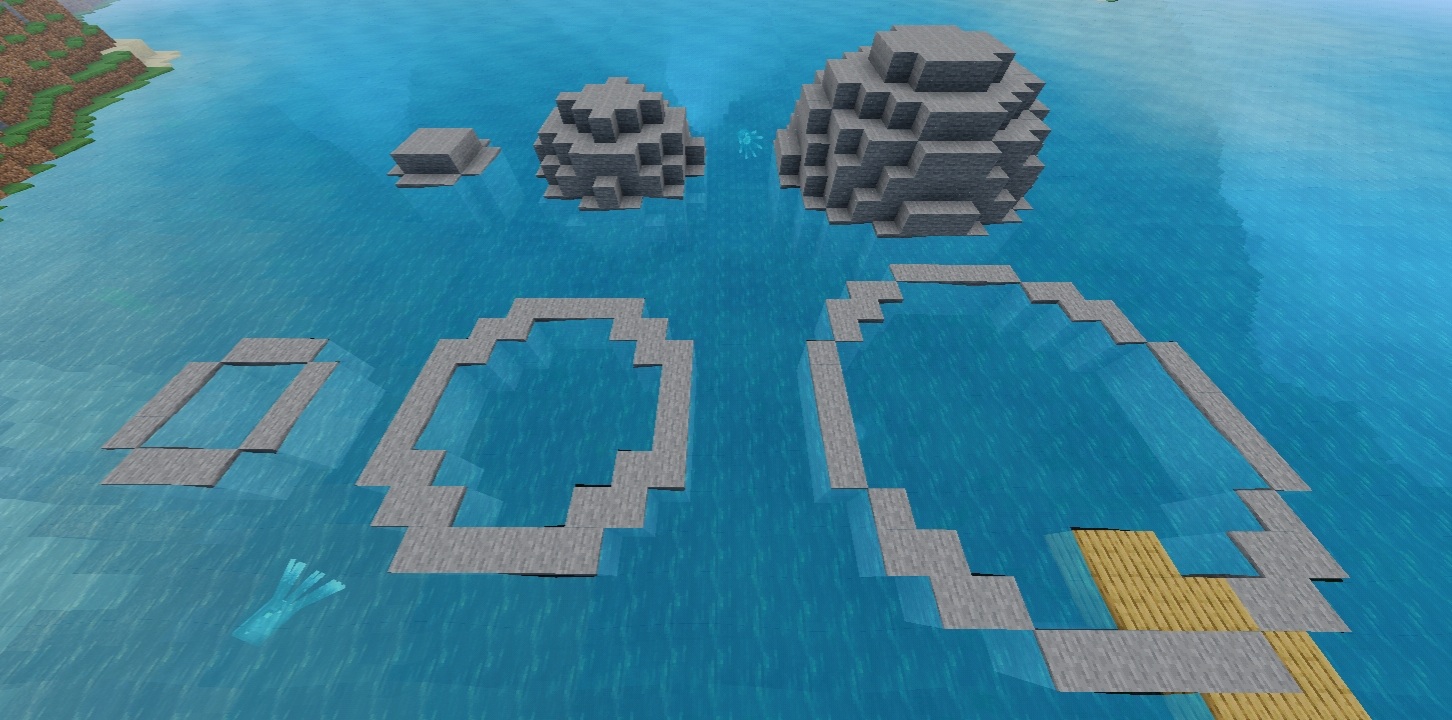
- generate spheres, cylinders, pyramids, terrain and other shapes;
- paint or reshape terrain with brushes;
- target blocks with patterns and masks;
- undo and redo supported WorldEdit operations;
- import and export structures;
- work with biome operations through the project’s supported workflow.
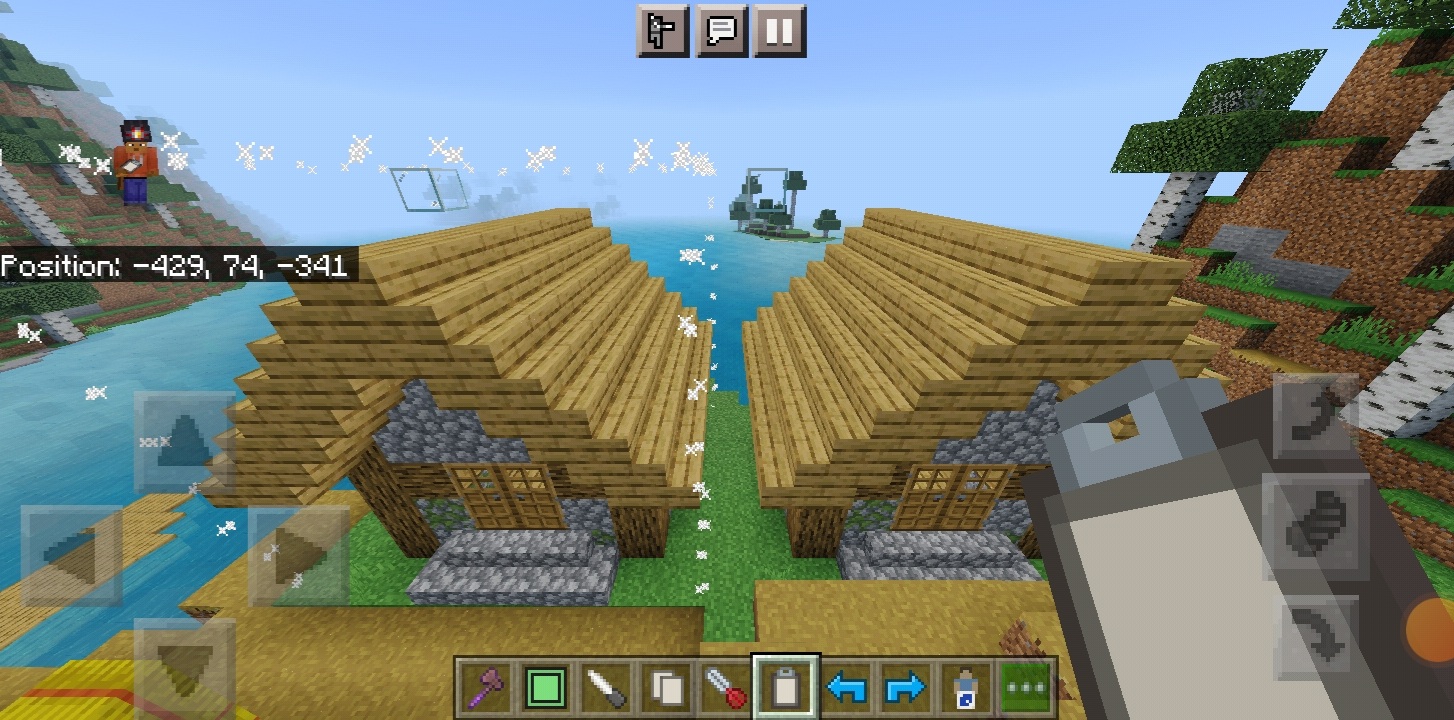
How to install WorldEdit on Bedrock
- Back up the world. Duplicate a world from the world settings screen, or start with a disposable Creative test world.
- Download the correct file above. Regular players need the normal
.mcaddon, not the Editor Mode or server build. - Open the file with Minecraft. Bedrock should import the behavior and resource packs. Mobile players may need to use the device’s Share or Open With action.
- Open the world settings. Activate WorldEdit under Behavior Packs and verify that WorldEdit [RES] is present under Resource Packs.
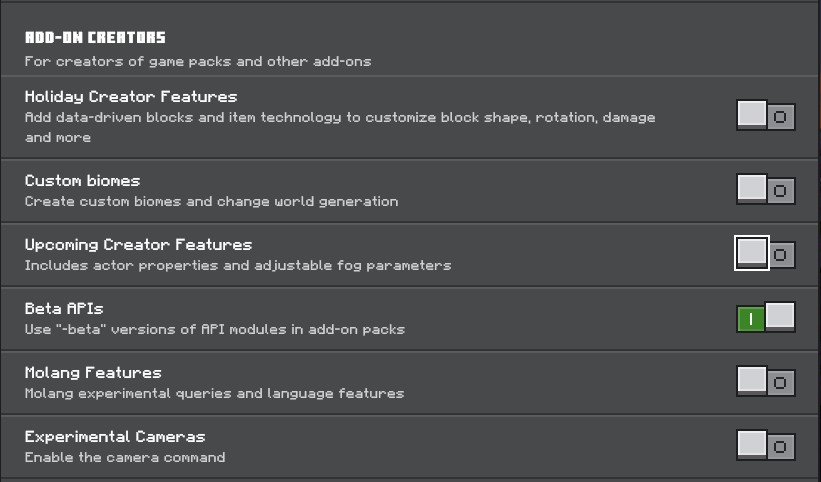
- Enable Beta APIs. WorldEdit’s current project documentation requires this experimental feature.
- Enter the copied world. Do not begin in an irreplaceable build.
Give yourself WorldEdit permission
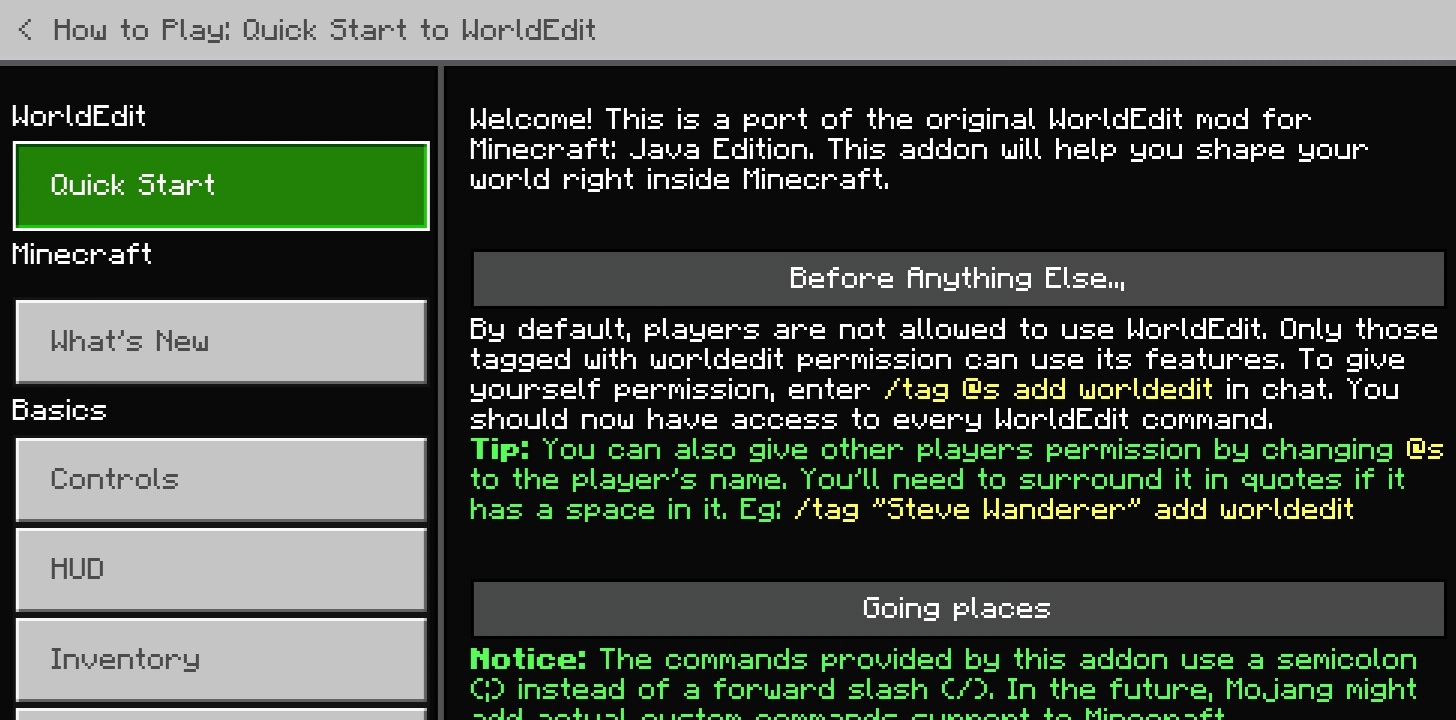
WorldEdit commands are disabled for players until permission is granted. In chat, run:
/tag @s add worldeditThen confirm that the add-on responds:
;worldedit version
;help
WorldEdit Bedrock commands use a semicolon, not the double slash commonly seen in Java WorldEdit tutorials. If a guide tells you to type //wand, it is probably describing the Java mod. This Bedrock add-on uses ;wand.
Your first safe edit: select, copy, preview, paste and undo
- Run
;wand. The default selection wand is a wooden axe. - Break a block with the wand to mark the first corner.
- Use the wand on the opposite corner to mark the second point.
- Run
;sizeto inspect the selection before changing blocks. - Stand at a memorable position relative to the build and run
;copy. - Move to the destination and run
;paste -n. This moves the selection preview without placing the clipboard. - If the preview is correct, run
;paste. - If the result is wrong, stop and run
;undo. Do not stack more edits on top of a mistake.
Useful starter commands
| Command | What it does | Safe first use |
|---|---|---|
;wand |
Gives the selection wand | Mark a small cuboid |
;size |
Reports selection information | Check scope before editing |
;set stone |
Fills the selection with stone | Test a tiny selection |
;copy |
Copies the current selection | Stand at a deliberate anchor point |
;paste -n |
Previews the clipboard region without pasting | Check placement first |
;paste |
Pastes the clipboard | Paste only after preview |
;undo |
Reverses supported WorldEdit actions | Use immediately after a bad edit |
;redo |
Reapplies an undone action | Use only after checking the undo |
;drawsel |
Toggles the selection outline | Keep it visible while learning |
What changed in 0.11.0-beta.5?
The March 20, 2026 beta adds a blob brush to the configuration menu, fixes and optimizes that brush, limits the navigation wand and ;jumpto to the player’s simulation distance, adds a continuous-brush-stroke setting, and moves the resource pack to world-pack scope. Its Editor Mode build adds brush controls and a gradient direction option, alongside fixes to selection management.
Regular build or Editor Mode build?
The regular beta is for normal Bedrock worlds. The Editor Mode build is for Minecraft Bedrock Editor on Windows and adds integration such as Ctrl+Z/Ctrl+Y history shortcuts, UI-driven brush controls, gradient management and region operations. Installing Minecraft Editor and learning its own workflow are prerequisites; the Editor package is not an “extra features” upgrade for mobile.
Singleplayer, multiplayer, Realms and servers
The creator documentation describes local singleplayer and multiplayer use. The dedicated-server ZIP is a separate package with a variables.json configuration file. It is not a Realm package. For Aternos, the creator specifically recommends the normal add-on rather than the dedicated-server archive because of the host’s handling of that configuration file. Back up the server world and follow the host’s current add-on instructions before changing pack folders.
If WorldEdit imports but does not work
- The official 0.11.0-beta.5 pack name includes a
[DEBUG]label. Seeing that label after importing this exact beta file is expected and does not mean you downloaded a different project. - Confirm that the behavior pack and WorldEdit [RES] resource pack are both active.
- Confirm that Beta APIs are enabled for this world.
- Run
/tag @s add worldeditbefore testing commands. - Use semicolon commands such as
;wand, not Java-style//wand. - Check that the chosen release matches the intended Bedrock line: 26.10+ beta or 1.21.130 stable.
- If an older or equal version is already imported, remove both old WorldEdit packs from Settings → Storage, then import again.
- Test the add-on by itself in a fresh copied world before combining it with other behavior packs.
Creator, source and license
WorldEdit: Bedrock Edition is developed by SIsilicon. The project is distributed under the GNU GPL version 3 or later, which permits copying and redistribution while preserving the license and source-code freedoms. MineBrush stores the original, unmodified creator release files and provides the corresponding source archives and license alongside them.
- Official source repository
- Official 0.11.0-beta.5 release
- Official 0.10.4 stable release
- Official WorldEdit Bedrock documentation
- Download 0.11.0-beta.5 source code
- Download 0.10.4 source code
- Read the GPLv3 license
WorldEdit for Bedrock is a community project and is not an official Mojang or Microsoft product. It is also distinct from EngineHub’s Java Edition WorldEdit. MineBrush is not affiliated with the creator.
Continue on MineBrush
Understand .mcaddon and .mcpack files · Behavior pack vs resource pack · Fix a Bedrock add-on that is not working
PLAYER QUESTIONS
Discussion
Include the exact edition, version and step when asking for help.