
MineBrush publication
Start a Minecraft Map: Rules, Checkpoints, Puzzles & Playing with Friends
Start a custom Minecraft map with a clear goal. Learn the rules, use checkpoints, approach puzzles, prepare a survival start and organise a co-op session—without spoiling the adventure or losing your progress.
The best first step in a custom Minecraft map is to find out what kind of adventure its creator wants you to have. A parkour course, story campaign, survival island and party minigame can use the same blocks but expect very different behaviour. This guide helps you begin, understand the rules, keep your progress and enjoy the map without accidentally skipping its best parts.
If the world is not installed yet, start with our Java and Bedrock map-installation guide. Here, we begin at the map's starting area. No separate checklist download is needed.
Match the map to the session you want
| Map style | A useful first goal | What to learn before going far |
|---|---|---|
| Adventure or story | Read the introduction and complete the first objective. | Rules for breaking blocks, quest items, dialogue and chapter progress. |
| Parkour | Finish the first section at a comfortable pace. | Checkpoint signals, retry controls and whether timing begins immediately. |
| Puzzle or escape room | Identify the room's goal and the objects you can interact with. | How hints work and whether a reset affects the room or the whole map. |
| Survival or skyblock | Secure the resources you need for a repeatable start. | Resource limits, regeneration mechanics and any special progression rules. |
| Minigame or race | Complete a short first round. | Teams, player limits, scoring, spectators and how another round starts. |
| Build showcase | Follow the intended tour or explore a landmark. | Whether it is designed for exploration, free building or a separate challenge. |
Choose a smaller first goal instead of assuming you must finish everything in one sitting. A map's “multiplayer” label also deserves a closer look: co-op puzzles, competitive races and shared survival need different group arrangements.
Use the starting area before rushing ahead
- Let the introduction finish. Read visible titles, chat messages and signs. Open the welcome book or map menu if one is provided.
- Find the actual objective. Look for a start button, marked route, quest board, NPC or first instruction. Decoration is not always the entrance.
- Learn what the special items do. A compass, book or named item may open a menu, return you to a checkpoint or hold a clue. Read its name and description before dropping or using it.
- Check the map's own settings. Keep the recommended game mode, difficulty and required packs. Change personal controls and readability settings as needed.
- Try the opening challenge. Make sure you understand how it ends and how you continue before leaving the starting area behind.
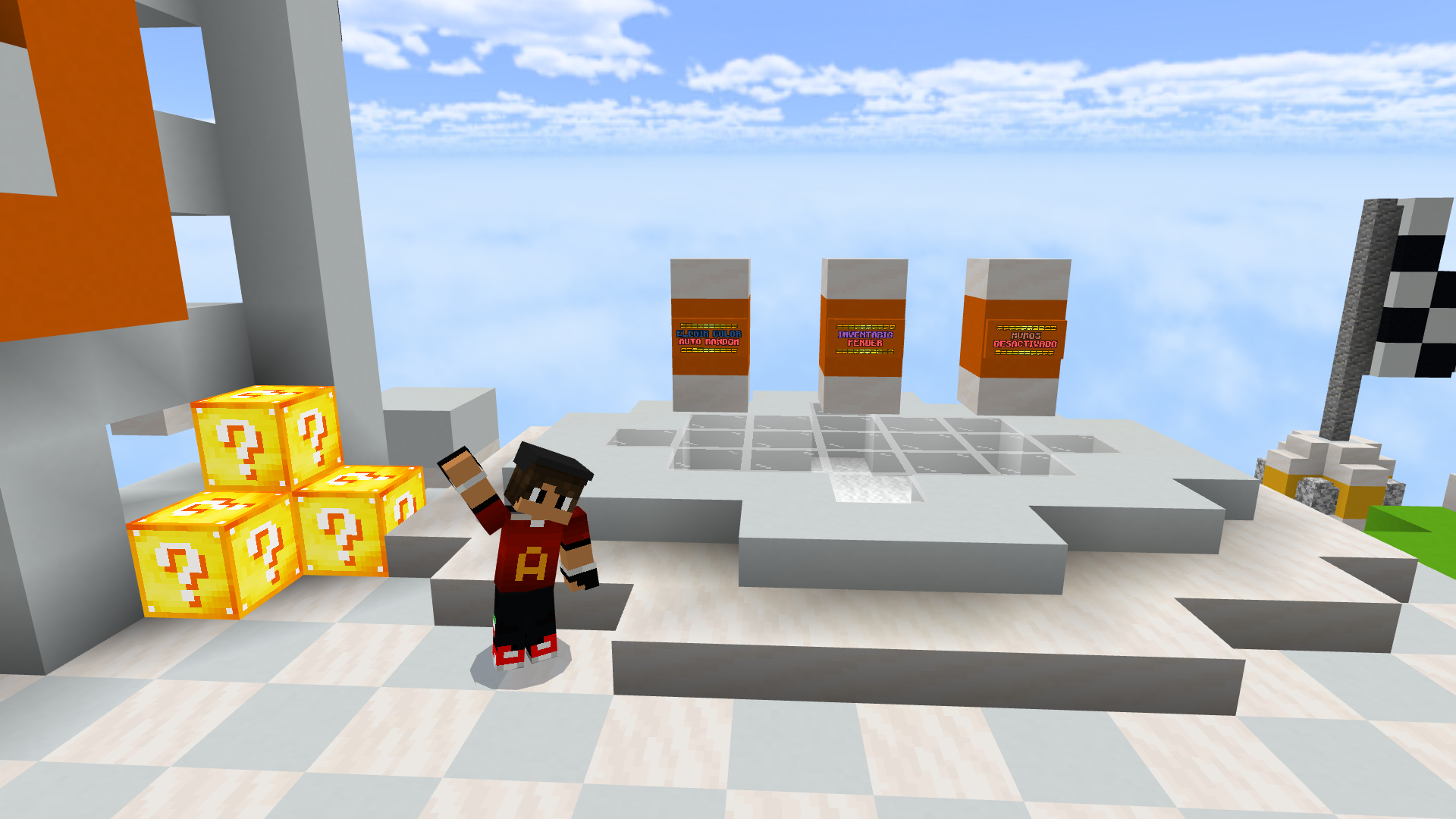
Example: Lucky Blocks Race offers manual colour selection and an automatic team option with different player-count rules. Reading the lobby settings matters more than assuming every race uses one player per colour. Its creator also describes an automatic reset after a match; another map may require a reset button or a fresh world copy.
Understand restrictions instead of fighting them
If you cannot break a block in an adventure map, that may be intentional. Adventure mode can restrict placing and breaking blocks so the creator can build puzzles and routes around specific interactions. Changing to Creative or digging through a wall can bypass the trigger that opens the next stage.
Keep named keys, books and unusual quest items until the map tells you they are no longer needed. Do not use a special item as ordinary crafting material. If the rules forbid building, teleporting or leaving the course, those restrictions define the challenge; use a separate copy if you later want to explore the construction freely.
A required resource pack can contain readable clues, custom item appearances or sounds. Activate it before deciding that a room makes no sense. Temporarily disable unrelated packs if they replace the map's textures or sounds. Enable experiments or extra cheats only when the author specifically requires them.
Parkour: learn the route before chasing a time
- Identify the next landing. Look at the platform's width, height and approach instead of repeating a jump without changing anything.
- Keep your controls consistent. Practise sprinting and jumping in an easy section. If automatic jumping changes your timing, try disabling it and use manual jumps.
- Notice checkpoint feedback. It might be text, sound, a marker or an item. Learn the map's signal rather than assuming every coloured block saves progress.
- Use the intended retry method. A return item or button is preferable to improvising a teleport that may skip stage logic.
- Separate practice from a scored run. Finish a section reliably first, then try to reduce pauses and mistakes.
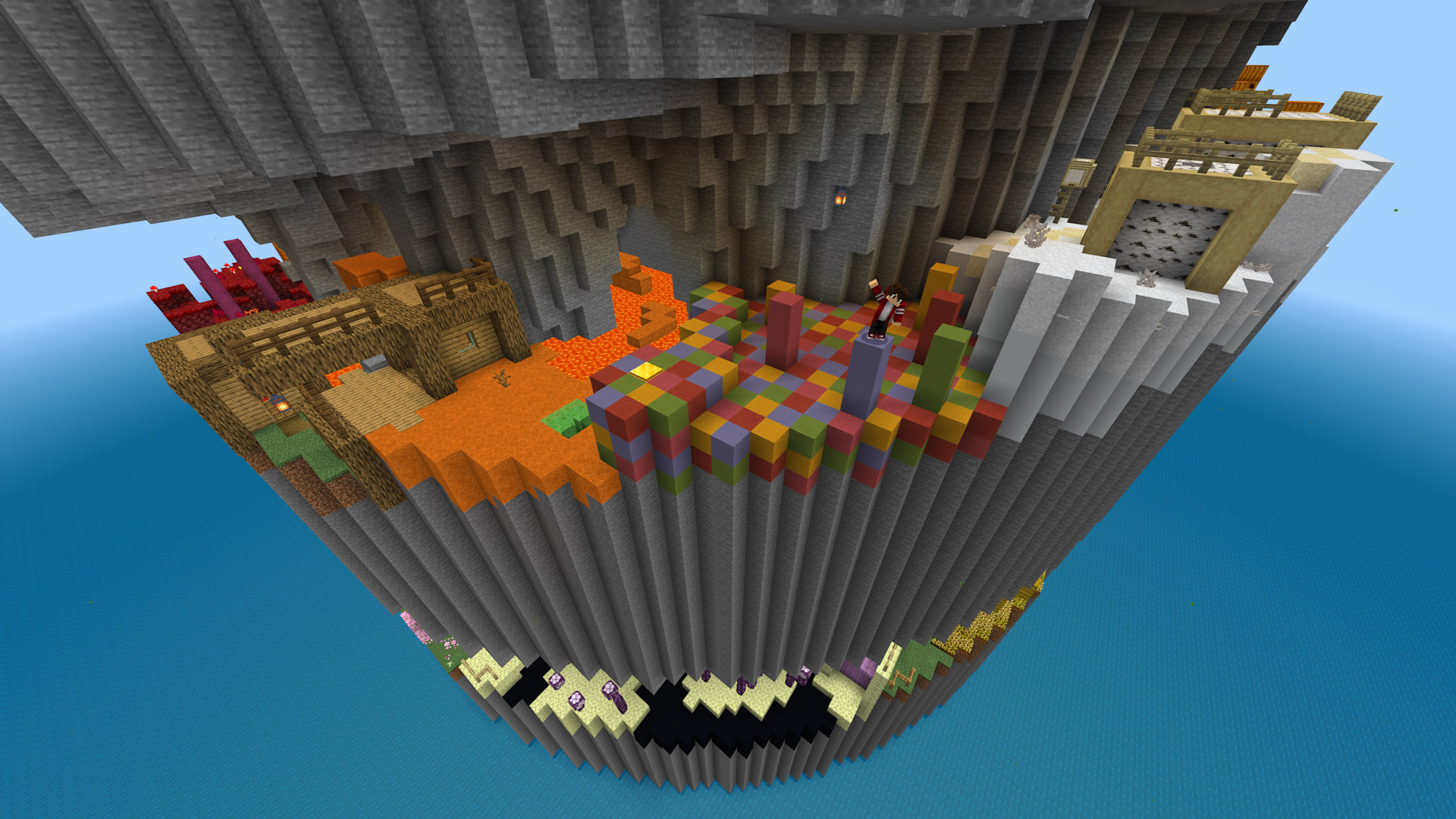
Hielke's Parkour Spiral is a concrete example of a course with a clear overall goal: reach the top of the tower. The author also includes ranks for replay value. You can make your first goal simply reaching the end, then return for a faster attempt rather than treating the first run as a speedrun.
Puzzles: make progress without spoiling the answer
Start by describing the goal in one sentence: open the door, power the machine, find a key or reproduce a pattern. Then inspect the things that look interactive and the information the room has already given you.
- Re-read the current clue, including item descriptions and nearby signs.
- Change one part of the puzzle and watch what responds. This makes it easier to connect your action to a sound, light or opened passage.
- Check for a clue you can revisit rather than guessing combinations at random.
- Use the map's hint system if you are stuck. Prefer one hint at a time.
- If you need an external walkthrough, search for the exact map and stage, watch only until the current obstacle is explained, then return to the game.
Keep a brief note or screenshot of a complicated clue if the map allows it. Avoid throwing away unique objects or repeatedly resetting the whole map when a room-level retry would be enough.
Survival maps: decide what success looks like
A custom terrain map may offer a setting rather than a scripted quest. In that case, choose your own first project: a shoreline camp, a path between landmarks, a farm or a lookout. On a challenge map, follow the creator's special resource rules before using ordinary survival habits.
With limited islands or regenerating-block challenges, protect scarce starting items and establish renewable supplies before spending everything on decoration. Do not assume a broken block will return unless the map explains that mechanic.
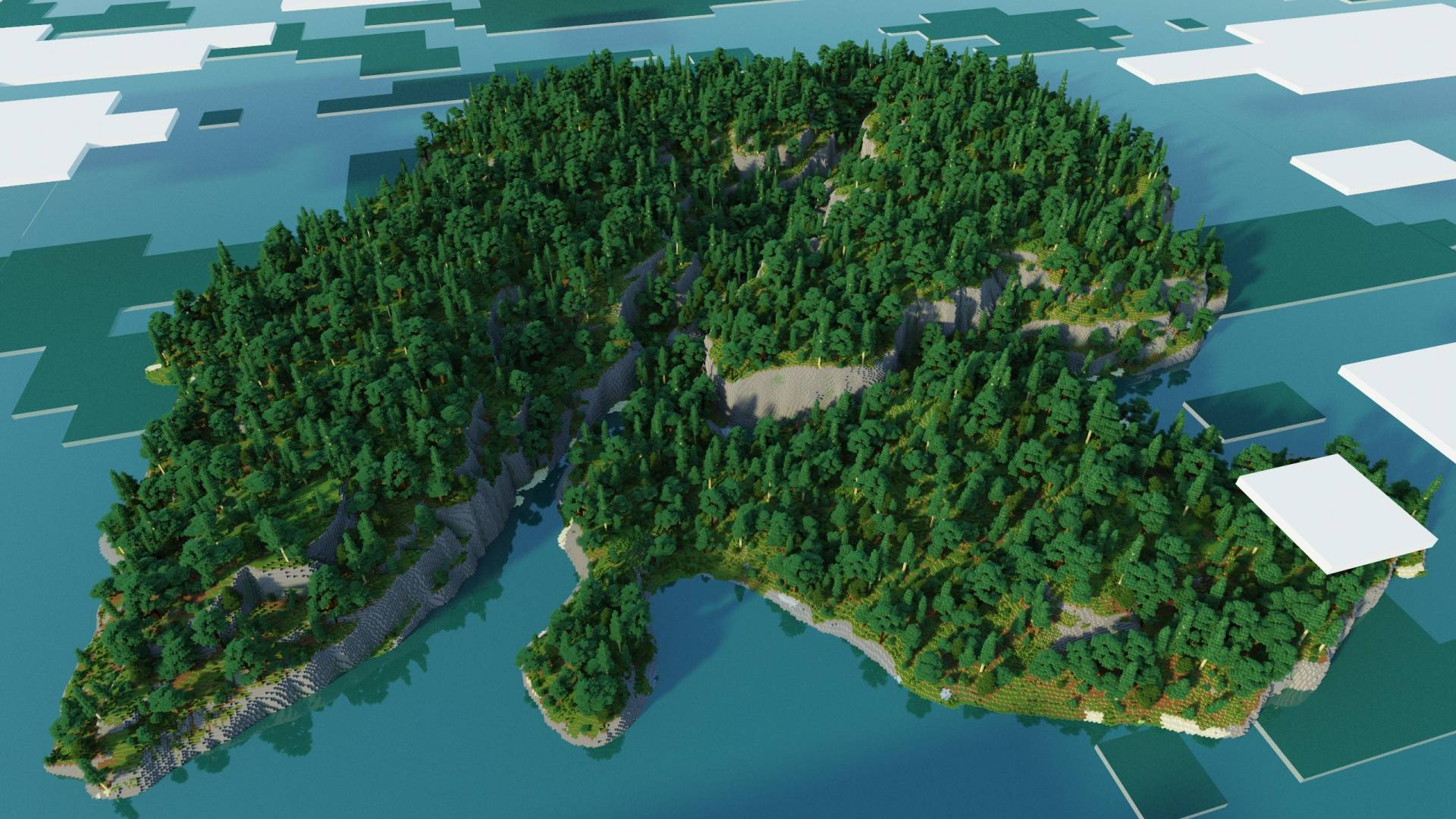
Pick a landmark you can recognise on the return trip. Bring only what the next task needs, and store valuable spare supplies before a risky expedition. For the pictured world, see our Survival Island guide for its actual version and download.
Playing with friends: agree on the shared rules
Use a map that supports your group size and hosting method. Everyone joins the same hosted world; separately importing the same map creates separate games. Keep the edition, game version and required client content compatible.
- Before starting: wait until everyone has arrived and read the lobby instructions. Choose teams and difficulty together.
- During a story: let everyone read important dialogue before one person advances it. Agree who carries a unique key or quest item.
- During a puzzle: describe what you changed so teammates can connect switches and effects instead of undoing one another's work.
- During a race: distinguish a practice round from a scored round, and agree on allowed shortcuts or assistance.
- Before the next session: decide who hosts the saved world and how the group will resume. A host closing a local world ends that session for guests.
Do not assume that a checkpoint is shared by everyone. Some maps track players individually and others advance the group together. Follow the map's instructions before restarting a chapter or inviting someone halfway through.
A checkpoint is not the same as a saved world
A checkpoint controls where or how the map resumes after a failure. Saving preserves the current world state. A course may keep a checkpoint but reset a timer, or save the world without giving you a new retry point. Look for the map's own explanation.
When stopping, reach a sensible pause point, use Save & Quit and allow the save to finish. Keep a backup before a major update or a whole-map reset. To start over, use the documented reset option or import a fresh copy alongside your existing playthrough. Name the copies clearly so “practice” does not replace “group progress”.
Make the map comfortable to play
Set text and interface size so you can read books and menus. Adjust music and other sound levels if one hides an important cue. Use available accessibility options, including subtitles where supported, but remember that a custom sound may not supply a useful caption. The official accessibility overview explains Minecraft's options.
If a shader makes a dark room unreadable or hurts frame rate, try the map without it. Keep any simulation-distance requirement from the author; changing render distance and changing the area that actively simulates are different adjustments. A smoother, readable session is more useful than a pretty screenshot you struggle to play.
Stuck, or is something actually broken?
| Situation | Useful next step |
|---|---|
| You do not know where to go | Return to the current objective, journal, signs or most recent checkpoint. Look for a newly opened route before searching for a full walkthrough. |
| An interaction does nothing | Check the required item, preceding objective and game mode. Then compare version and pack requirements with the author's instructions. |
| A checkpoint seems missing | Look for its activation message and use the documented return control. Check whether progress is personal or shared. |
| Text, sounds or objects are wrong | Verify the required pack and remove unrelated overrides. A clue may be hidden by a conflicting resource pack. |
| The same stage fails repeatedly | Keep the current save and try a fresh copy with the recommended setup. If it still fails, report the stage, exact action, version and screenshot to the creator. |
Once you finish, try a new rank, optional area or different team arrangement if the map offers one. A short, specific comment about what you enjoyed also helps other players choose their next adventure.
Sources and image credits
Examples and original images: Parkour Spiral by Hielke Maps, Lucky Blocks Race by Andiuber and DiegoLive / Team Cubitos MC, and Survival Island Adventure by TryzzMC. General references: Minecraft game modes and Minecraft accessibility. Advice is adapted to map types; the individual creator's rules take priority. The MineBrush cover is an editorial illustration. Reviewed 15 September 2026.
More from MineBrush.

Understand Minecraft 26, tell normal releases from test builds, and choose the right version for friends, servers and mods. Clear Java and Bedrock examples without the technical clutter.
- Topic
- Choosing your Minecraft version
- Scope
- None
- Evidence
- Official Minecraft sources · checked 9 Sep 2026
A shared “26” prefix never proves cross-edition compatibility.
MineBrush · News
Minecraft Versions Made Simple
Understand Minecraft 26, tell normal releases from test builds, and choose the right version for friends, servers and mods. Clear Java and Bedrock examples without the technical clutter.
A shared “26” prefix never proves cross-edition compatibility.
- Compatibility confidence
- Source claimed
- Card evidence statement
- Official policy and indexes checked 9 Sep 2026; client display NOT_OBSERVED.
- Card delivery statement
- Choose a version for everyday play or testing
- Card limitation note
- A shared “26” prefix never proves cross-edition compatibility.
- Edition applicability
- Java + Bedrock
- News topic
- Choosing your Minecraft version
- Public news evidence label
- Official Minecraft sources · checked 9 Sep 2026
- Delivery state
- No file
- Lifecycle state
- Current
- News evidence type
- Official Minecraft source
Bring a Bedrock adventure, parkour course or survival map to Android, iPhone or iPad. Find the download, import the world or template, start playing and keep your progress separate from the original file.
- Edition
- Bedrock Edition
- Difficulty
- Intermediate
- Time
- None
Keep your progress separate from the original map
MineBrush · Guide
Import Bedrock Maps on Mobile
Bring a Bedrock adventure, parkour course or survival map to Android, iPhone or iPad. Find the download, import the world or template, start playing and keep your progress separate from the original file.
Keep your progress separate from the original map
- Game edition
- Bedrock Edition
- Platform family
- Bedrock & Mobile
- Supported devices
- Android / iPhone / iPad
- Install format
- .mcworld / .mctemplate
- Touch readiness
- Check guide
- Resource type
- Guide
- Compatibility confidence
- Source claimed
- Card evidence statement
- Worlds, templates and first steps
- Card delivery statement
- Import and start playing
- Card limitation note
- Keep your progress separate from the original map
- Edition applicability
- Bedrock
- Guide difficulty
- Intermediate
- Delivery state
- No file
- Lifecycle state
- Current
Cut your Minecraft player out of a recorded scene for intros, overlays and thumbnails. Download EntityMask 1.0 for Java 1.20–1.21.8, see the author's real mask previews, and learn how to align two recordings and keep the player with an inverted luma matte.
- Format
- Workflow
- Path
- Replay → normal recording + mask → video editor
- Output
- Player cutout for an intro, title effect or thumbnail
Version 1.0 beta; Java 26.x support is not listed.
MineBrush · Creator
EntityMask 1.0
Cut your Minecraft player out of a recorded scene for intros, overlays and thumbnails. Download EntityMask 1.0 for Java 1.20–1.21.8, see the author's real mask previews, and learn how to align two recordings and keep the player with an inverted luma matte.
Version 1.0 beta; Java 26.x support is not listed.
- Minecraft version
- Java 1.20–1.21.8
- Game edition
- Java Edition
- Loader / platform
- Not applicable
- License
- MIT
- Creator resource format
- Workflow
- Platform family
- Java & PC
- Supported devices
- Minecraft Java on desktop
- Install format
- ZIP → shaderpacks
- Touch readiness
- Not required
- Resource type
- Shader
- Last verified at
- Sep 18, 2026
- Compatibility confidence
- Source claimed
- Card evidence statement
- Record matching color and mask clips; combine them in your editor.
- Card delivery statement
- Shader ZIP · Iris or OptiFine required
- Card limitation note
- Version 1.0 beta; Java 26.x support is not listed.
- Edition applicability
- Java
- Tested environment
- Java with Iris or OptiFine; replay recorder and matte-capable video editor
- Example artifact path
- Replay → normal recording + mask → video editor
- Creator output
- Player cutout for an intro, title effect or thumbnail
- Estimated time
- 8 min read; recording time varies
- Guide difficulty
- Intermediate
- Delivery state
- Direct download
- Lifecycle state
- Current
CubeCraft offers EggWars teamwork, quick SkyWars fights, unpredictable Lucky Islands and lasting Skyblock projects. Choose the right Java or Bedrock route, invite friends and start with a clear plan.
- Edition
- Java + Bedrock
- Modes
- Minigames
- Region
- None
Choose the same edition as your friends
Minecraft · Server
CubeCraft
CubeCraft offers EggWars teamwork, quick SkyWars fights, unpredictable Lucky Islands and lasting Skyblock projects. Choose the right Java or Bedrock route, invite friends and start with a clear plan.
Choose the same edition as your friends
- Minecraft version
- Java 1.21.8+ · Bedrock 1.21.120+
- Game edition
- Cross-edition
- Loader / platform
- Not applicable
- License
- CubeCraft rules and terms
- Server address
- play.cubecraft.net
- Server modes
- Minigames
- Platform family
- Cross-edition
- Supported devices
- Java on PC/Mac; Bedrock on Windows, mobile and consoles
- Install format
- Java server address or Bedrock Featured Servers
- Touch readiness
- Not required
- Resource type
- Server
- Last verified at
- Sep 14, 2026
- Compatibility confidence
- Source claimed
- Card evidence statement
- Official CubeCraft guides and game updates
- Card delivery statement
- Join Java or Bedrock using the guide
- Card limitation note
- Choose the same edition as your friends
- Edition applicability
- Java + Bedrock
- Bedrock address copy availability
- Copy unavailable
- Java address copy availability
- Copy available
- Java server address
play.cubecraft.net- Delivery state
- No file
- Lifecycle state
- Current
Player discussion 0
Questions, discoveries and help from other players.