
MineBrush publication
Survival Island v1.5: Forest Bases, Island Adventures and Java Map Download
Make a forested island your next survival home. Explore cliffs and waterways, choose a base, switch the supplied world to Survival and download the Java map.
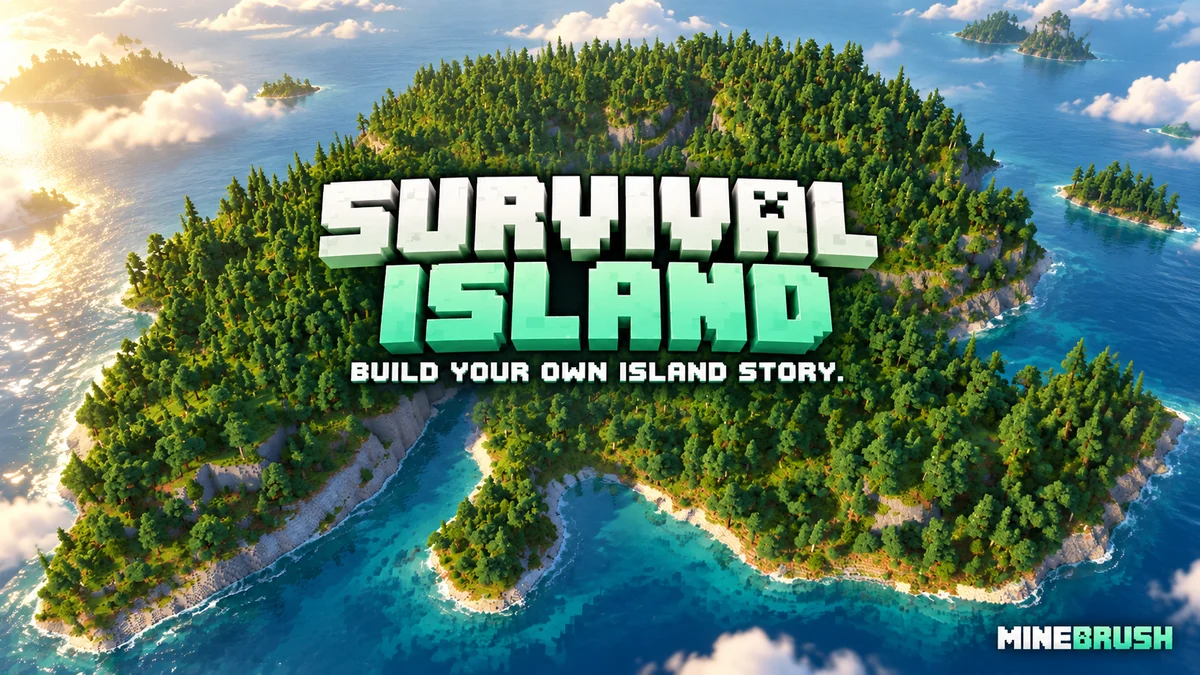
Survival Island Adventure is a custom Minecraft Java world with roughly 1,000×1,000 blocks of forested island terrain. Rocky coastlines, wooded heights and sheltered waterways give you a setting for a new base without having to search random seeds for the right landscape. You choose the goals: build a harbour, connect cliffside homes, explore underground or turn the island into a shared survival settlement.
The download is Survival Island v1.5 by TryzzMC, listed for Java 1.21.9–1.21.11. It is a complete world save, not a seed or a mod. One useful detail before you start: the supplied world defaults to Creative and Peaceful, so the guide below explains how to switch to an ordinary survival game.
What kind of survival world is this?
This is a designed landscape you can make your own, rather than a fixed sequence of quests. The creator describes caves and ores, dungeons, trial chambers and mineshafts, with normal Minecraft terrain beyond the custom island area. You can build locally and continue exploring when you want to travel farther.
“1K” describes the custom terrain area, not a 1,000-block world border. It does not mean every structure is inside a small square or that the world ends at the shoreline. Treat the island as your home region, with the wider world available for later journeys.
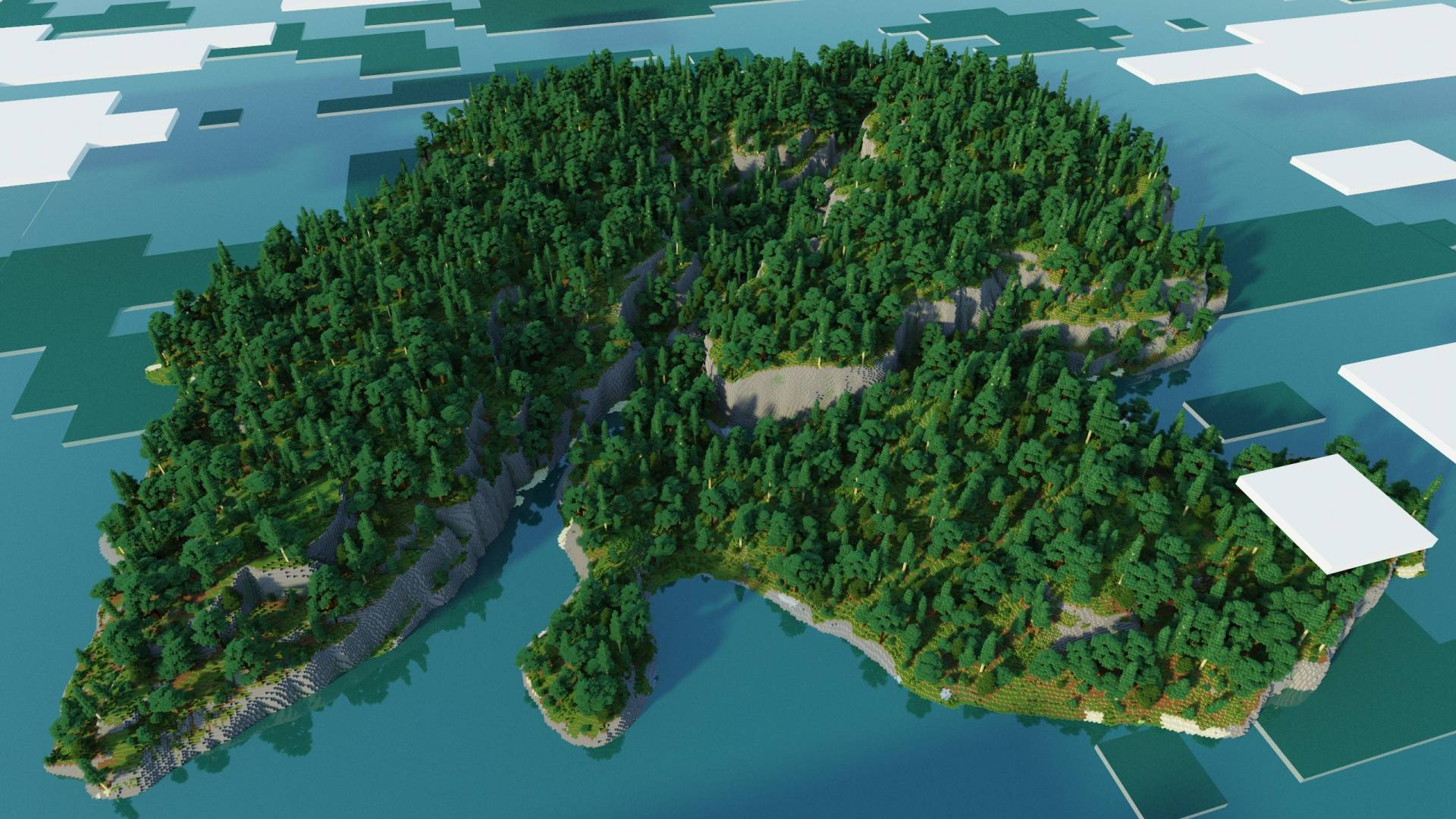
Ideas for your island playthrough
- A harbour settlement: use a sheltered stretch of coast for a starter house, fishing area and boat dock. Expand inland with storage and farms as your supplies grow.
- A cliffside home: build above the rocky shoreline and add stairs or a lift down to the water. Look for a practical route before committing to a dramatic but difficult-to-reach site.
- A forest village: connect smaller cabins with paths rather than clearing the entire canopy for one large platform. Keep the terrain visible between buildings.
- A bridge-and-trail project: use the waterways and height changes as reasons to build crossings, lookout points and marked routes across the island.
- A small co-op settlement: divide responsibilities between food, mining, transport and building, while keeping a shared harbour or central store.
- A self-imposed island challenge: stay in the custom area until you complete a first base, farm and mine, then allow yourself an expedition beyond it. This is a rule you choose, not a restriction built into the download.
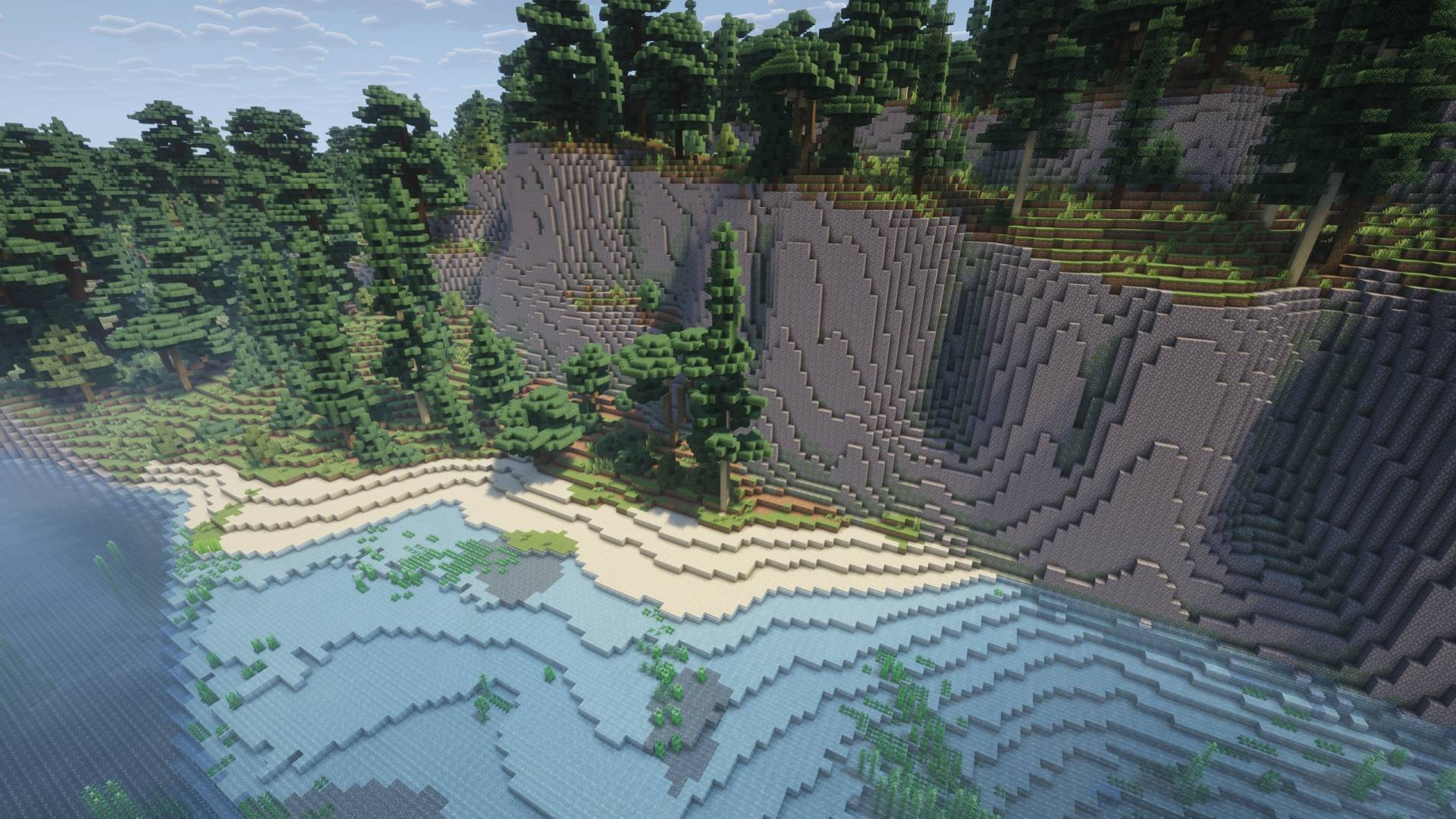
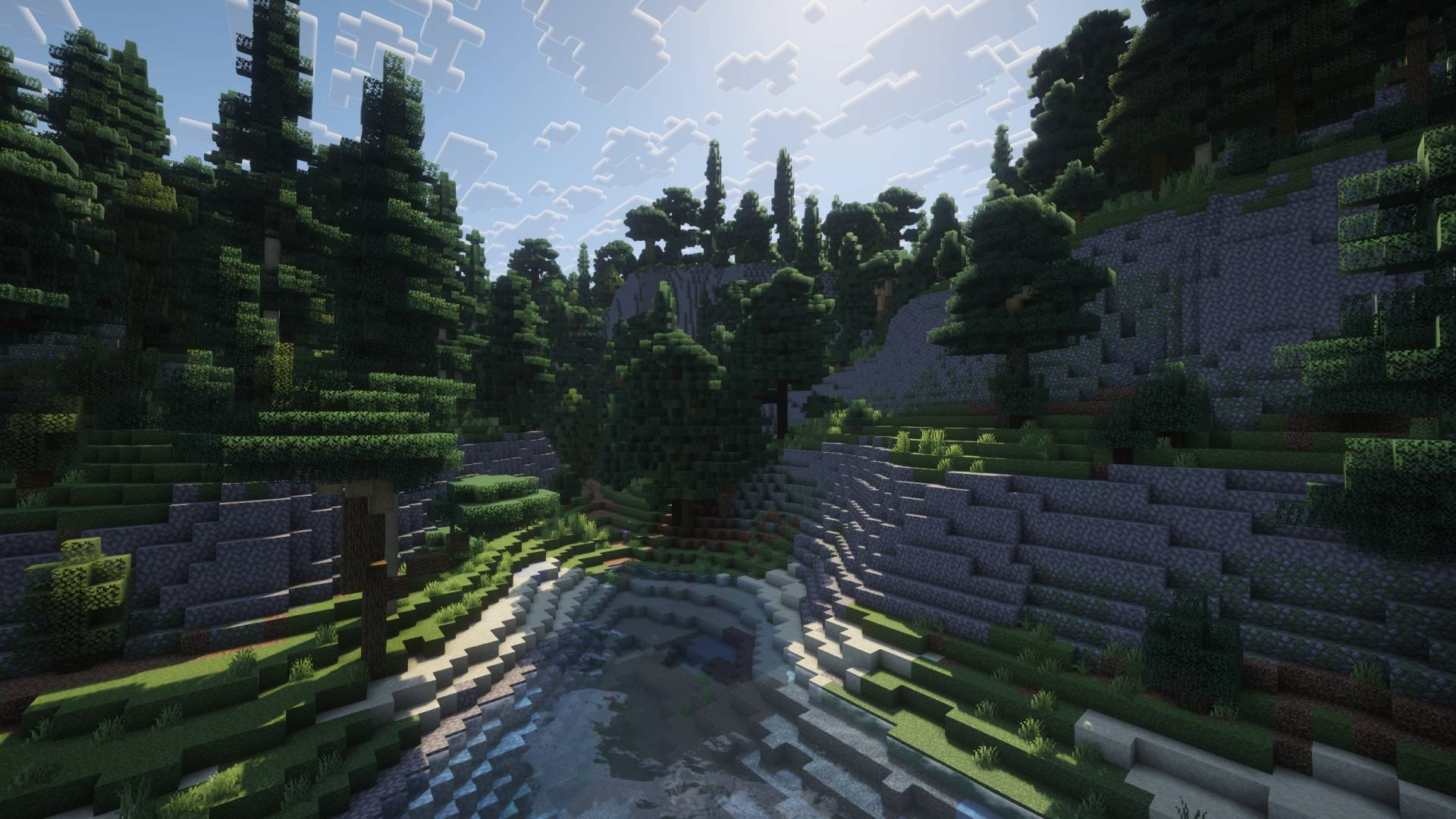
Download Survival Island v1.5 for Java
Creator-listed versions: Java 1.21.9, 1.21.10 and 1.21.11. The current file was released on 20 January 2026. Java 1.21.11 is the newest version listed for this archive. The saved world itself was last stored in 1.21.9, so make a separate copy before opening it in a later version.
This is the Java ZIP. The creator also links a separate Bedrock edition on the original project page; renaming this Java archive to .mcworld will not convert it. No special mod loader is listed as necessary for the Java map.
Install the map without losing your existing worlds
- Download the ZIP and extract it. Inside is a folder named Survival Island v1.5.
- Use the folder that directly contains level.dat and the region folder. Copy that whole folder into the
savesdirectory of your chosen Java installation. - If you use a launcher with separate instances, open that instance’s game folder. Putting the map in another installation’s saves folder will make it appear missing.
- Launch a creator-listed Java version and open Singleplayer. The saved world name is Survival Island.
- Open your working copy and follow the survival-start steps below. Keep the downloaded ZIP so you can start another independent playthrough later.
The folder layout should be saves/Survival Island v1.5/level.dat. If there is another folder with the same name between the world folder and level.dat, move the inner world folder into saves instead. Do not merge it into an existing world folder.
Start in Survival instead of Creative/Peaceful
The archive’s world settings are Creative, Peaceful and commands enabled. An existing saved player may have different personal settings, so check your actual mode when you enter. For an ordinary survival start, open chat and run these commands on your copy:
/gamemode survival
/difficulty normal
Choose /difficulty easy or /difficulty hard instead if that better suits your group. Changing the mode alone does not change Peaceful difficulty; set both if you want the normal hunger and hostile-mob challenge.
After switching, check that you have the normal Survival health and hunger display and cannot fly as in Creative. Decide whether to keep anything already in your inventory before you begin your challenge. The point is to start with the rules you intend to play, rather than accidentally judging the island while still in a building setup.
If commands are unavailable in a local singleplayer copy, Java’s Open to LAN screen can temporarily enable commands for that session. On a server, the owner or an operator needs to set the mode and difficulty.
A useful first-session plan
- Record your starting area. The saved world spawn is near X 125, Z −274. Use the F3 coordinate display and note where you actually begin before heading into the forest.
- Choose a reachable base site. A waterside clearing is easier for early transport; high ground gives a view but needs a route back up. Avoid spending your first session flattening a large hill.
- Secure ordinary supplies. Gather wood, make basic tools, establish a food plan and light your shelter. Check what is available around you instead of assuming the map provides a starter kit.
- Mark routes as you explore. Forest and slopes can make different paths look similar. Connect your shelter, shoreline and mine entrance with visible landmarks.
- Explore underground after equipping yourself. Bring food, lighting and a way back. Look for cave entrances and explore at a pace your equipment can support.
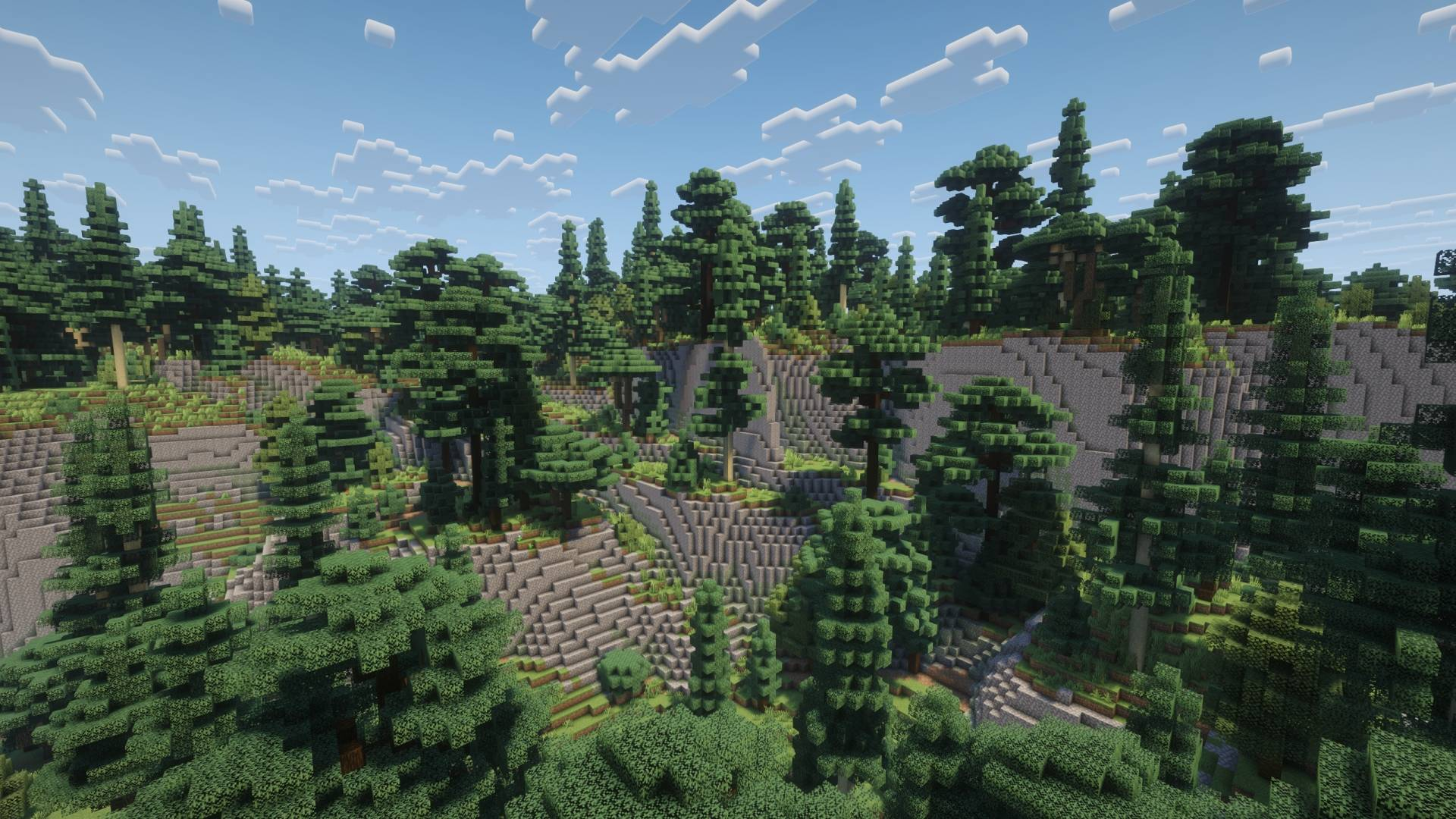
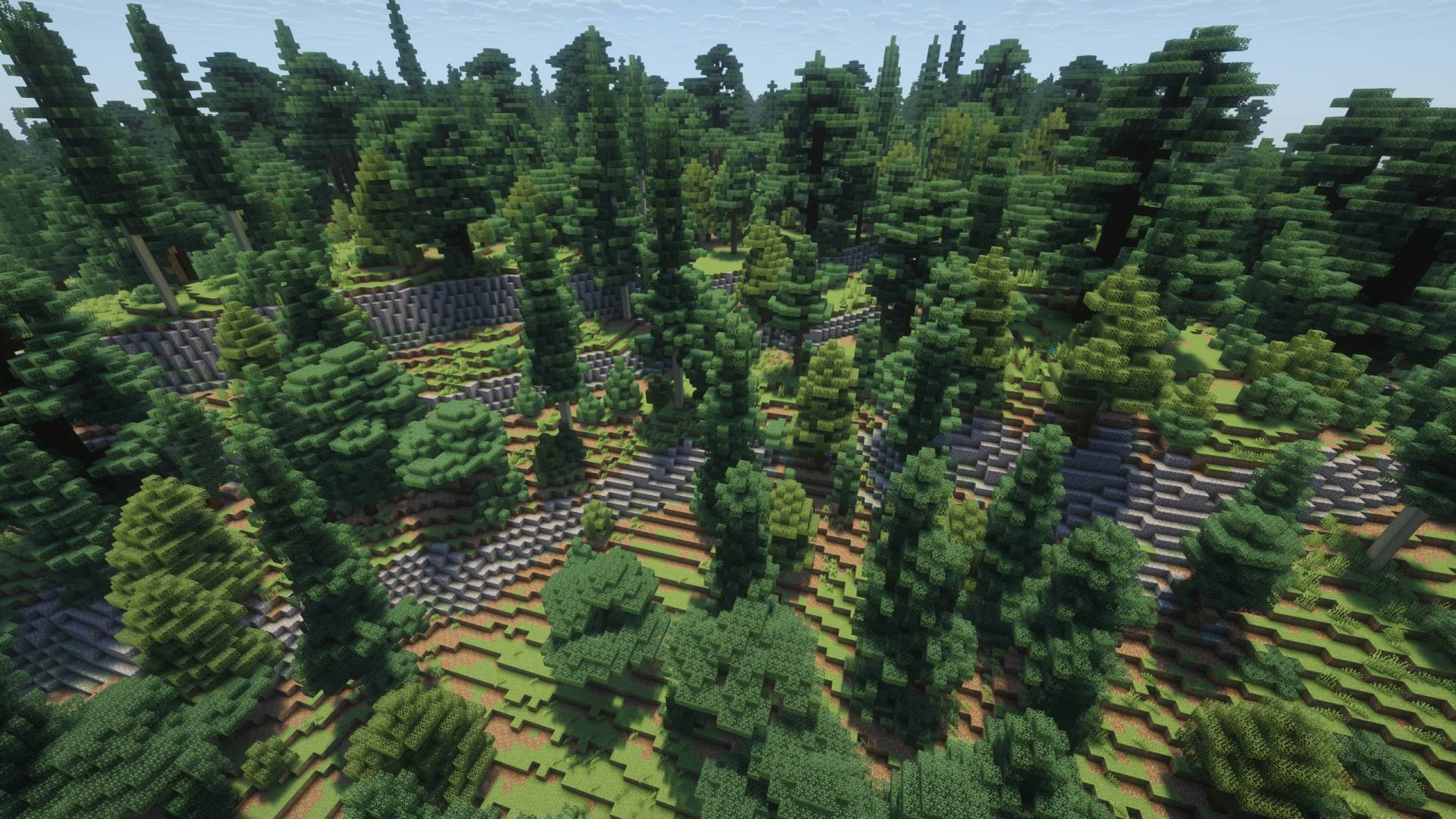
Exploration, structures and the edge of the custom area
The map is advertised with caves, ores, dungeons, mineshafts and trial chambers. These are reasons to explore, not a guarantee that every desired structure is beside spawn. Do not confuse the visible outline of the island with a complete list of underground locations.
Beyond the designed area, the creator says the world continues with vanilla terrain. Take a boat and a record of your base coordinates if you want to range farther. Expect the landscape to change as you leave the custom region; remaining on the island can be part of your chosen challenge, but it is not the only way to play.
The gallery’s lighting may use shaders. The map file supplies the world terrain, while your resource packs and graphics settings determine how it looks on your computer. You do not need to reproduce the screenshots’ lighting to explore or build.
Play with friends or start again
For a local session, the host can open the loaded world to LAN. For a Java server, stop the server, keep a copy of its existing world, then install the extracted map folder as the world selected by the server’s configuration. The host should check game mode and difficulty before inviting everyone in.
To restart, extract a fresh copy of the ZIP into a different world folder. Keep an older playthrough under its own folder name if you want to revisit it. Replacing a world folder with the original download resets that copy’s builds and progress.
Quick fixes
- The map is not in Singleplayer: check the active instance’s saves folder and make sure
level.datis directly inside the installed world folder. - You can fly or do not see hostile mobs: review both game mode and difficulty. The supplied default is Creative/Peaceful.
- You see a world-version warning: work on a copy and use one of the creator-listed 1.21.9–1.21.11 releases. Do not repeatedly open the same save in older and newer versions.
- You expected a seed: this download is a complete custom world. Typing its name into the seed box will not reproduce the island.
- The world looks less dramatic than the pictures: your shaders and texture packs may differ. Check the terrain itself rather than expecting identical lighting.
- You want your original world back: select its separate folder or restore the copy you kept before installing the map.
Creator and sources
The map is by TryzzMC, with tree assets credited to Paleozoey. MineBrush provides this player guide, optimized gallery images and an editorial cover; the world and original screenshots are the creators’ work.
Sources: official map description, v1.5 Java file and supported versions, creator gallery, TryzzMC’s original project page and usage terms.
More for your Java setup.
Reach a village, new base or cave without losing the way home. Read coordinates, choose a sensible path, mark useful landmarks and use maps or compasses correctly.
- Edition
- Cross-edition
- Difficulty
- Beginner
- Time
- Plan before your trip
Useful waypoints, sensible supplies and a return path
MineBrush · Guide
Find Your Way and Get Home
Reach a village, new base or cave without losing the way home. Read coordinates, choose a sensible path, mark useful landmarks and use maps or compasses correctly.
Useful waypoints, sensible supplies and a return path
- Minecraft version
- Java and Bedrock
- Game edition
- Cross-edition
- Platform family
- Cross-edition
- Supported devices
- Java PCs · Bedrock devices
- Install format
- Coordinates, landmarks and navigation guide
- Touch readiness
- Check guide
- Resource type
- Guide
- Compatibility confidence
- Source claimed
- Card evidence statement
- Official navigation guidance and illustrations
- Card delivery statement
- Plan a route in your own world
- Card limitation note
- Useful waypoints, sensible supplies and a return path
- Edition applicability
- Java + Bedrock
- Estimated time
- Plan before your trip
- Guide difficulty
- Beginner
- Delivery state
- No file
- Lifecycle state
- Current
Find Your Next Minecraft World — Choose a seed that suits your plans: check the survival start, usable building space and travel routes, with optional seed-map help and real examples.
- Edition
- Cross-edition
- Difficulty
- Beginner
- Time
- About 20 minutes
Choose a world that suits your plans
MineBrush · Guide
Find Your Next Minecraft World
Find Your Next Minecraft World — Choose a seed that suits your plans: check the survival start, usable building space and travel routes, with optional seed-map help and real examples.
Choose a world that suits your plans
- Minecraft version
- Java and Bedrock; match your world version
- Game edition
- Cross-edition
- Platform family
- Cross-edition
- Supported devices
- PC, console and mobile
- Install format
- No installation needed
- Touch readiness
- Check guide
- Resource type
- Guide
- Compatibility confidence
- Source claimed
- Card evidence statement
- Check the start, base site and journey
- Card delivery statement
- Practical scouting with real examples
- Card limitation note
- Choose a world that suits your plans
- Edition applicability
- Java + Bedrock
- Estimated time
- About 20 minutes
- Guide difficulty
- Beginner
- Delivery state
- No file
- Lifecycle state
- Current
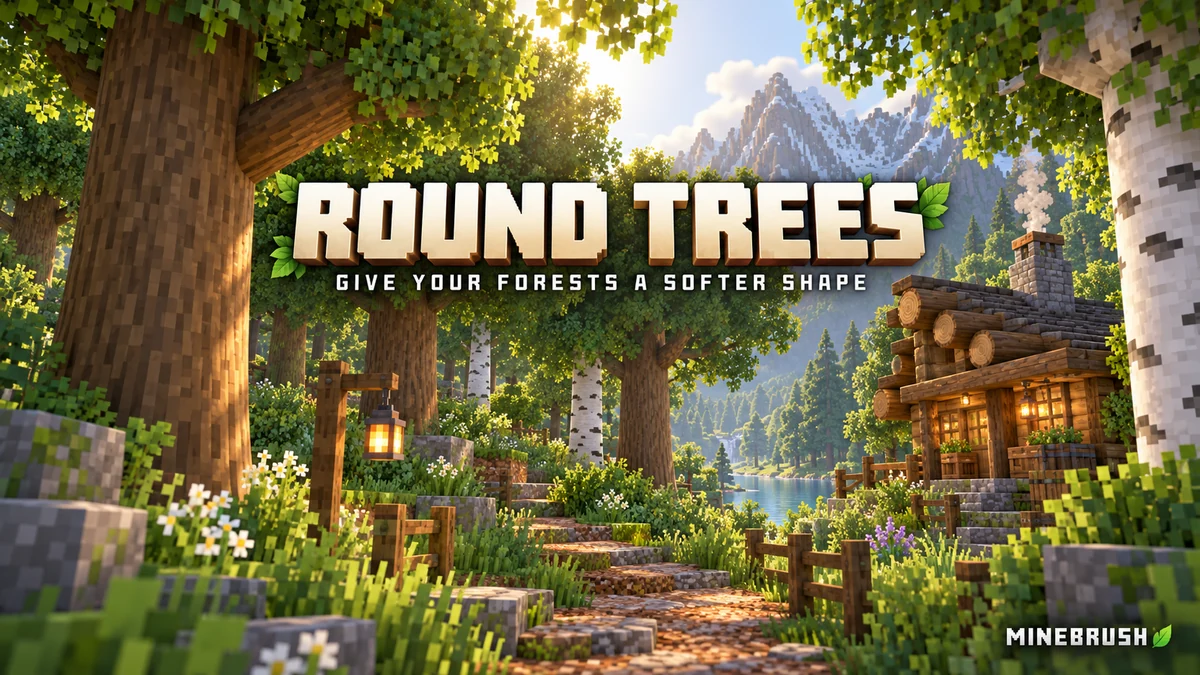
Give forests, log cabins and timber bridges a softer shape. See the creator screenshots, learn pack order and download Round Trees 8.3 for Minecraft Java.
- Minecraft
- 1.20–1.21.11 / 26.1–26.2
- Scope
- Models
- Runtime
- Vanilla
Place above other packs that replace log models
Java · Pack
Round Trees
Give forests, log cabins and timber bridges a softer shape. See the creator screenshots, learn pack order and download Round Trees 8.3 for Minecraft Java.
Place above other packs that replace log models
- Minecraft version
- 1.20–1.21.11 / 26.1–26.2
- Game edition
- Java Edition
- Loader / platform
- Vanilla
- License
- MIT
- Platform family
- Java & PC
- Supported devices
- Minecraft Java on Windows, macOS and Linux
- Install format
- Keep the ZIP in resourcepacks and enable it in Resource Packs
- Touch readiness
- Not required
- Resource type
- Resource Pack
- Last verified at
- Sep 7, 2026
- Compatibility confidence
- Source claimed
- Resource-pack scope
- Models
- Required runtime
- Vanilla
- Pack load order
- Top
- Resource-pack preview mode
- Single cover
- Resource-pack setup guide
- Available
- Card evidence statement
- Rounded logs using your chosen wood textures
- Card delivery statement
- Java resource pack; no mod loader required
- Card limitation note
- Place above other packs that replace log models
- Edition applicability
- Java
- Delivery state
- Direct download
- Lifecycle state
- Current
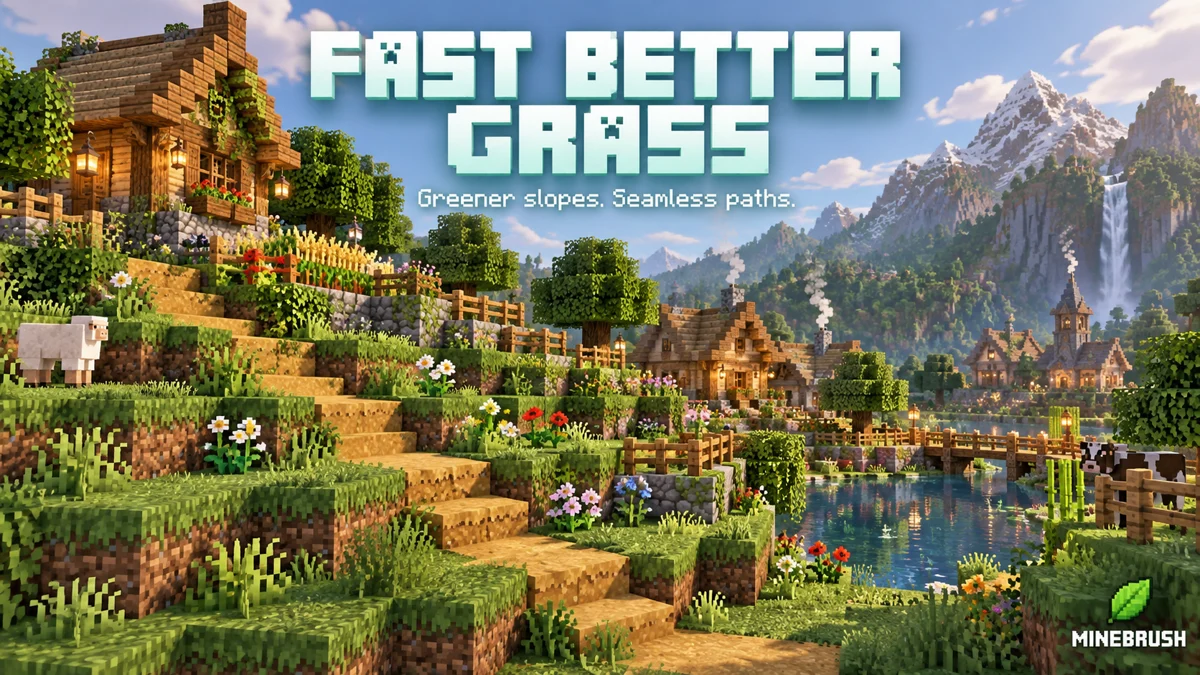
Make grass slopes, village paths and Nether gardens look more continuous. Download Fast Better Grass 26.2 for Java 1.20–26.2, see the supported blocks and combine it with your texture pack without extra mods.
- Minecraft
- Java 1.20–26.2
- Scope
- Blocks
- Runtime
- Vanilla
Fast-style sides; no fancy mode or extra mods
Java · Pack
Fast Better Grass
Make grass slopes, village paths and Nether gardens look more continuous. Download Fast Better Grass 26.2 for Java 1.20–26.2, see the supported blocks and combine it with your texture pack without extra mods.
Fast-style sides; no fancy mode or extra mods
- Minecraft version
- Java 1.20–26.2
- Game edition
- Java Edition
- Loader / platform
- Not applicable
- License
- MIT
- Visual resolution
- Uses your active block textures
- Platform family
- Java & PC
- Supported devices
- Windows · macOS · Linux
- Install format
- ZIP → resourcepacks → enable above your texture pack
- Touch readiness
- Not required
- Resource type
- Resource Pack
- Project version
- 26.2
- Last verified at
- Sep 13, 2026
- Compatibility confidence
- Source claimed
- Resource-pack scope
- Blocks
- Required runtime
- Vanilla
- Pack load order
- Top
- Resource-pack preview mode
- Single cover
- Resource-pack setup guide
- Available
- Card evidence statement
- Wraparound grass, paths, podzol, mycelium and nylium
- Card delivery statement
- Original ZIP download from MineBrush
- Card limitation note
- Fast-style sides; no fancy mode or extra mods
- Edition applicability
- Java
- Delivery state
- Direct download
- Lifecycle state
- Current
Player discussion 0
Questions, discoveries and help from other players.