
MineBrush publication
Dappled Forest: What to Find & Build in Wilderness Bound
Find Dappled Forest, grow poplar and shelf mushrooms, follow camp maps and build a useful woodland retreat. Straw beds, cushions, Java–Bedrock differences and a first-trip plan, with official images.
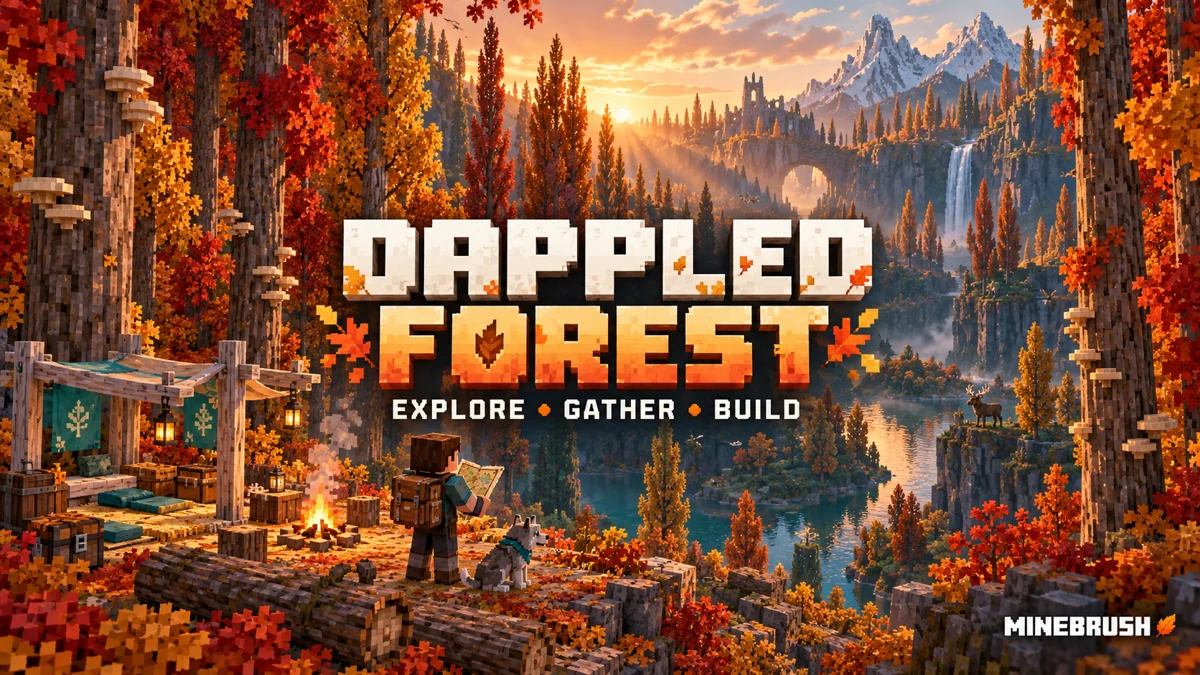
Dappled Forest gives Minecraft explorers a new place to gather wood, discover camps and build an autumn retreat. It is part of Wilderness Bound, alongside practical camping items and more choices for colorful builds. Here is what to look for, what to bring home and how to turn the new materials into a useful base.
Can I play it today?
Yes: Wilderness Bound is now available in Java 26.3 and Bedrock 26.50. Mojang released Wilderness Bound on September 15, 2026. Choose Java 26.3 in the launcher; a snapshot installation is no longer needed for these features.
Bedrock players get the same game drop in 26.50, released September 15, 2026. Update regular Minecraft through your device’s store or launcher. Check the title-screen version if the update has not appeared yet; store availability can differ by platform.
This is a built-in game update. You do not need a biome mod or a downloadable world from this page. Back up an existing world before updating.
What makes Dappled Forest worth visiting?
The biome is characterized by tall poplar trees, fallen trunks and warm-colored foliage. Mojang's release notes place it near colder biomes, with familiar wildlife including rabbits and foxes. That makes it a promising direction for an expedition from a snowy region, rather than a promise that a forest will appear beside every mountain.
Make your first trip a collecting run: take spare inventory space, food, a tool for wood and a way to remember the route home. Bring bone meal if you want to try growing new plants before you leave. You can then decide whether to settle in the forest or carry its palette back to your existing village.
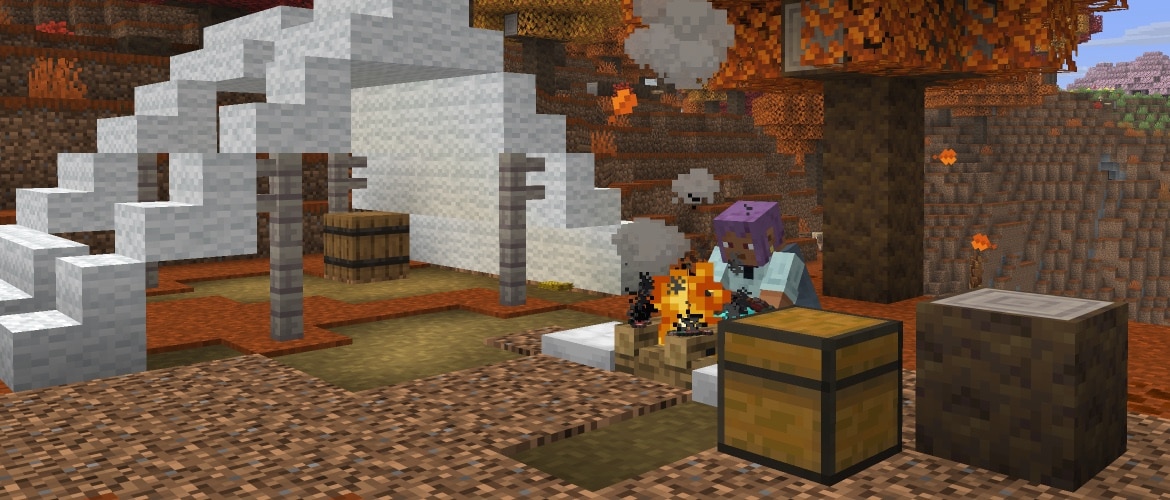
Poplar: bring the forest home
Poplar adds a wood family and leaves in red, orange and yellow. Saplings can grow into any of those leaf colors, so taking a sapling from a red tree does not guarantee another red tree. Wandering Traders can also offer poplar saplings, providing another way to start growing them without finding the biome first.
Building idea: use the pale-looking wood shown in Mojang's images for a bright cabin interior, then add a darker roof and a few colored accents. For a larger village, repeat the same wood on doors and porches to connect otherwise different buildings. If a particular leaf color matters to your garden design, plan around the trees you actually grow instead of relying on a sapling's parent color.
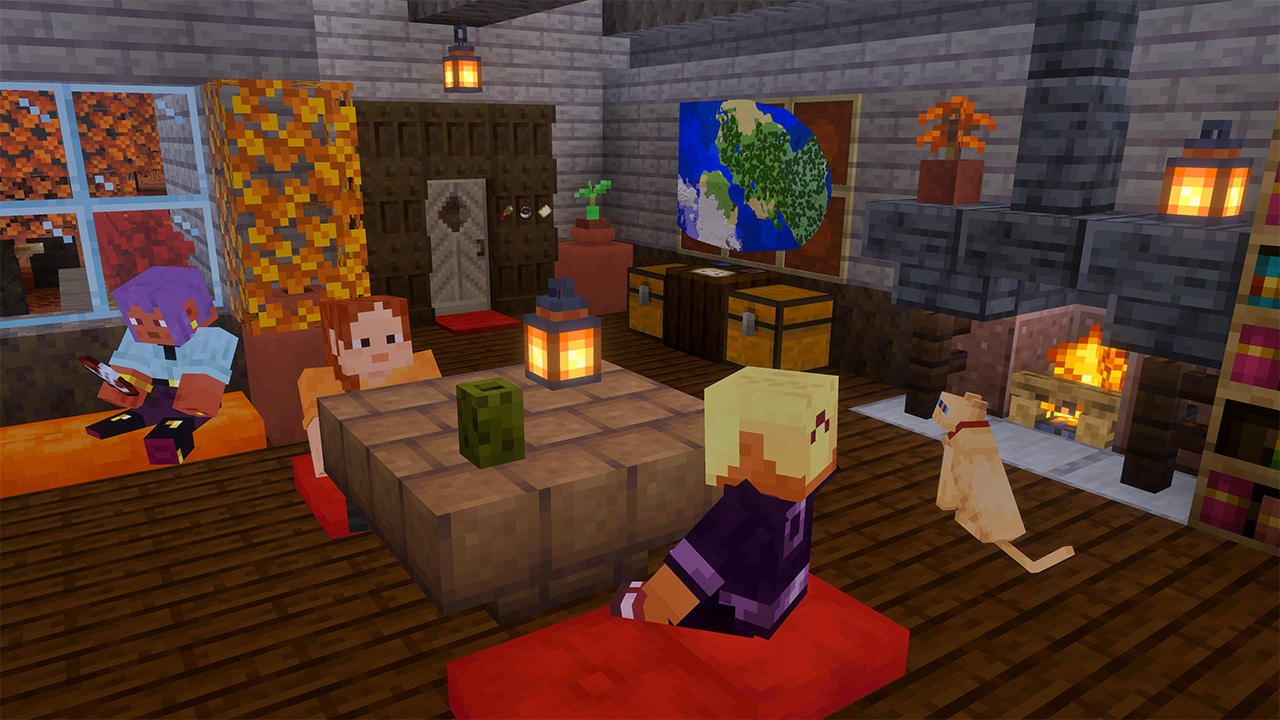
Shelf mushrooms and red shrubs: small details with a purpose
Shelf mushrooms grow on poplar trees and fallen trunks. They have small and large forms; bone meal can grow a small one, and breaking a large one gives you two shelf mushrooms in both editions. They can be used in stews and have a slight bounce. Red shrubs provide ground-level color and can be composted or spread with bone meal into suitable adjacent spaces.
Try this in a build: preserve a fallen log beside your woodland path and decorate the surrounding space as a gathering spot. Use mushrooms to give a treehouse approach a less uniform shape, or make a short stepping course for friends. Their gentle bounce is not a reason to treat them as a substitute for a large slime-block launcher.
Grow a supply at home: keep a shelf mushroom as your starter, use bone meal to grow it, then break the large mushroom for two items. Replant one and keep the other for your build or stew. Give red shrubs free adjacent space before applying bone meal; crowding them against other blocks leaves less room to spread. Keep a few shrubs for landscaping before composting the extras.
Abandoned camps give you a reason to keep exploring
Camps are not limited to Dappled Forest. Their designs vary with the biome, so a woodland camp can become the start of an expedition through several landscapes. Look around the whole site rather than stopping after spotting its shelter.
Search the camp's chests and barrels. Explorer maps can turn a short visit into a new expedition: read the destination before leaving, then decide whether to follow it now or store it for later. Camp layouts and loot vary, so finding one map does not mean every camp will contain the same map.
- In Java 26.3: the release notes list maps to several other camp biomes, ancient cities, trial chambers, mineshafts, desert and jungle pyramids, warm ocean ruins and woodland mansions.
- In Bedrock 26.50: the notes explicitly list ancient cities, mineshafts, desert pyramids, warm ocean ruins and other camp biomes. Do not use the longer Java list as a guarantee of Bedrock loot.
Choose a trip that fits your supplies. A map to another surface camp suits a relaxed collecting journey. An ancient-city map is a separate underground expedition: leave your new building materials at home and prepare for the Deep Dark before following it. Mark your original camp and route home before chasing the next destination.
Player project: create your own trail of rest stops. Keep the first camp as a landmark, add a sign showing the direction home and establish a second shelter farther along your route. On a shared world, this gives friends a useful travel network as well as a reason to revisit the area.
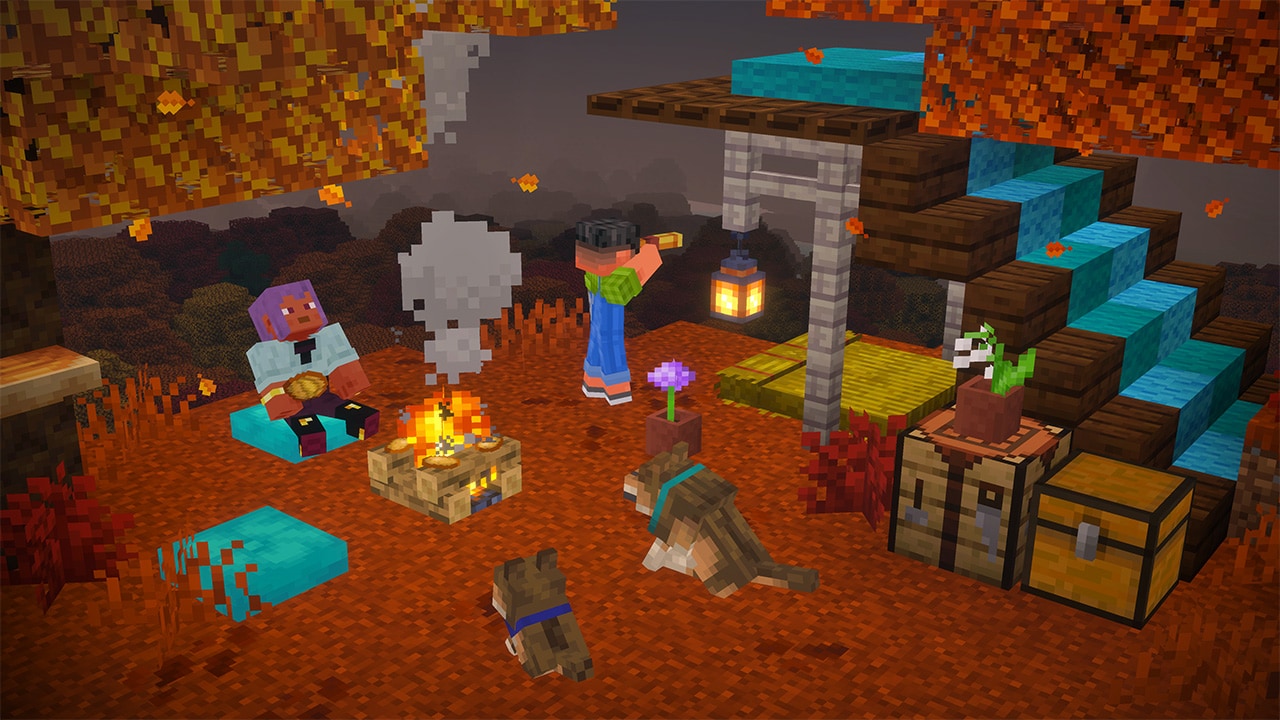
Straw beds: sleep on a trip without moving your home spawn
The useful difference from an ordinary bed is the spawn point. A straw bed lets you sleep without setting a new respawn location, so it suits an overnight expedition when you want to keep your home bed as your return point after death.
- Recipe: three hay bales make four straw beds.
- One use: sleeping consumes the straw bed. Carry enough for the nights you plan to spend away.
- Overworld use: it cannot be used for sleeping in the Nether or End; the release notes say it is destroyed when you try.
For a permanent cabin, keep an ordinary bed if you want the cabin to become your respawn location. For a temporary trail shelter, stock a chest with straw beds and food so the next traveler can rest. The bed choice then has a clear purpose instead of being decoration alone.
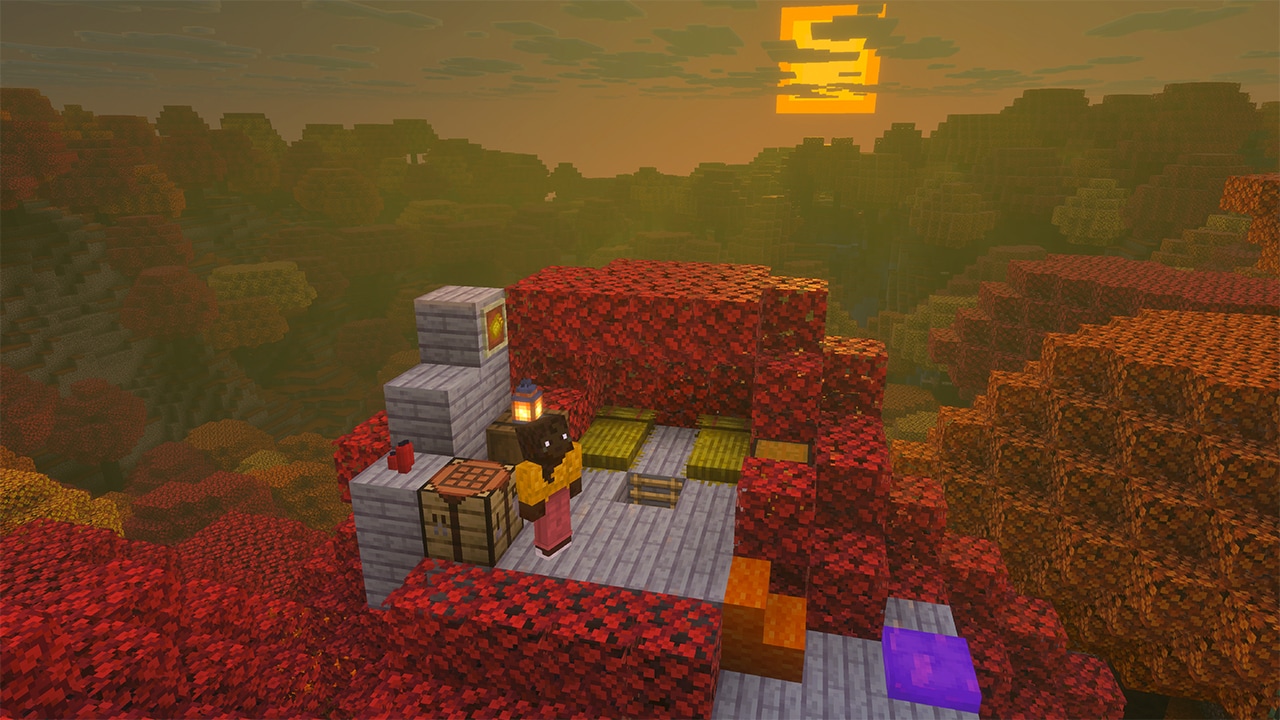
Cushions and colored blocks: make the camp somewhere to stay
Cushions provide usable seats in 16 colors. Craft one from three wool slabs of the same color, place it on a suitable flat surface and interact to sit. You need enough clear space above it; removing its support breaks it. That makes a low lounge, a campfire circle or a viewing platform an easy project for a group.
Wool and concrete both have stairs and slabs in all 16 colors in the finished Java and Bedrock releases. Try wool shapes for a market awning or a stepped tent roof; use concrete for a smooth modern facade, bright edging or a compact staircase. Java's release notes also confirm stonecutter recipes for the concrete shapes.
For Java players building around sculk: the final release confirms that wool stairs and slabs dampen vibrations, like wool blocks. That gives you more shapes for a wool-based path. Do not assume that a cushion inherits every wool behavior just because its recipe uses wool slabs.
Your first evening in the forest
- Save your route home. Record your base coordinates or leave clear landmarks before exploring. Bring food, tools, bone meal and spare carrying space.
- Collect a starter set. Prioritize poplar saplings, shelf mushrooms and red shrubs. These let you keep growing the new palette at home instead of repeatedly stripping a distant forest.
- Check a camp. Search its storage, note any map destination and keep useful supplies. You can improve the camp instead of building a shelter from scratch.
- Choose your sleep plan. Use a straw bed for a temporary stop when you want to preserve your home spawn. Choose an ordinary bed when this is becoming your new base.
- Build one useful feature. Add a seated campfire area for friends, a marked rest stop on a long route or a mushroom-and-shrub garden beside your cabin. Expand after you know what your group uses.
How to start in Java or Bedrock
Java release route: select Minecraft Java 26.3 in the official launcher. Update before creating the world you want to explore. If you play on a server or Realm, its version matters too; a new client alone cannot add the biome to an older server. Keep a modded profile on its supported game version until its loader and mods support 26.3.
Moving from a Java test build? Make a backup and choose the finished 26.3 release. Keep any older test installation separate so you do not accidentally reopen the updated world in it.
Bedrock release route: update the regular game to 26.50. Wilderness Bound is included in this release; a Preview/Beta installation or the old Drop 3 experiment is not needed to try these features in a normal new world. Back up existing worlds, and check that friends, servers or Realms use a compatible game version.
Why can I not find the forest or an item?
- Old explored terrain: travel into newly generated terrain in a compatible version. Updating does not turn your existing base's surroundings into a new biome.
- Wrong edition or channel: check the title-screen version and whether you opened regular Minecraft or Preview/Beta. A Java snapshot number is not a Bedrock version to search for.
- A recipe is missing: check your game version and recipe book first. On a server, confirm its version too. If you use packs or mods that change crafting, compare with an unmodified world before blaming the update.
- No map or cushion at a camp: do not assume every camp has identical contents. If you are still using an older experimental build, update to the finished release before comparing its content.
- An online seed leads somewhere else: check the edition and version used by the person who shared it. Do not treat an old testing seed as a guaranteed route for your current world.
A good first goal: return with poplar saplings, try the mushroom and shrub interactions, then build one small trail shelter with seating and bedding chosen for how you actually travel. You can expand it into a woodland village once you know which parts you enjoy using.
Official sources and images
Feature descriptions are based on Mojang's published notes; the building projects above are MineBrush suggestions. The branded cover is an editorial illustration. The guide includes an official release screenshot and three Mojang campaign images, with source links and unmodified originals available from each image.
More from MineBrush.

Understand Minecraft 26, tell normal releases from test builds, and choose the right version for friends, servers and mods. Clear Java and Bedrock examples without the technical clutter.
- Topic
- Choosing your Minecraft version
- Scope
- None
- Evidence
- Official Minecraft sources · checked 9 Sep 2026
A shared “26” prefix never proves cross-edition compatibility.
MineBrush · News
Minecraft Versions Made Simple
Understand Minecraft 26, tell normal releases from test builds, and choose the right version for friends, servers and mods. Clear Java and Bedrock examples without the technical clutter.
A shared “26” prefix never proves cross-edition compatibility.
- Compatibility confidence
- Source claimed
- Card evidence statement
- Official policy and indexes checked 9 Sep 2026; client display NOT_OBSERVED.
- Card delivery statement
- Choose a version for everyday play or testing
- Card limitation note
- A shared “26” prefix never proves cross-edition compatibility.
- Edition applicability
- Java + Bedrock
- News topic
- Choosing your Minecraft version
- Public news evidence label
- Official Minecraft sources · checked 9 Sep 2026
- Delivery state
- No file
- Lifecycle state
- Current
- News evidence type
- Official Minecraft source
CubeCraft offers EggWars teamwork, quick SkyWars fights, unpredictable Lucky Islands and lasting Skyblock projects. Choose the right Java or Bedrock route, invite friends and start with a clear plan.
- Edition
- Java + Bedrock
- Modes
- Minigames
- Region
- None
Choose the same edition as your friends
Minecraft · Server
CubeCraft
CubeCraft offers EggWars teamwork, quick SkyWars fights, unpredictable Lucky Islands and lasting Skyblock projects. Choose the right Java or Bedrock route, invite friends and start with a clear plan.
Choose the same edition as your friends
- Minecraft version
- Java 1.21.8+ · Bedrock 1.21.120+
- Game edition
- Cross-edition
- Loader / platform
- Not applicable
- License
- CubeCraft rules and terms
- Server address
- play.cubecraft.net
- Server modes
- Minigames
- Platform family
- Cross-edition
- Supported devices
- Java on PC/Mac; Bedrock on Windows, mobile and consoles
- Install format
- Java server address or Bedrock Featured Servers
- Touch readiness
- Not required
- Resource type
- Server
- Last verified at
- Sep 14, 2026
- Compatibility confidence
- Source claimed
- Card evidence statement
- Official CubeCraft guides and game updates
- Card delivery statement
- Join Java or Bedrock using the guide
- Card limitation note
- Choose the same edition as your friends
- Edition applicability
- Java + Bedrock
- Bedrock address copy availability
- Copy unavailable
- Java address copy availability
- Copy available
- Java server address
play.cubecraft.net- Delivery state
- No file
- Lifecycle state
- Current

Share a Minecraft Seed — Help friends find the same place: copy the seed, match Java or Bedrock and the version, read XYZ coordinates and describe a useful route with screenshots.
- Edition
- Cross-edition
- Difficulty
- Beginner
- Time
- A short check
A seed recreates terrain, not your builds
MineBrush · Guide
Share a Minecraft Seed
Share a Minecraft Seed — Help friends find the same place: copy the seed, match Java or Bedrock and the version, read XYZ coordinates and describe a useful route with screenshots.
A seed recreates terrain, not your builds
- Minecraft version
- Java and Bedrock; match your world version
- Game edition
- Cross-edition
- Platform family
- Cross-edition
- Supported devices
- PC, console and mobile
- Install format
- No installation needed
- Touch readiness
- Not required
- Resource type
- Guide
- Compatibility confidence
- Not applicable
- Card evidence statement
- Find the seed and read coordinates
- Card delivery statement
- Versions, directions and screenshots
- Card limitation note
- A seed recreates terrain, not your builds
- Edition applicability
- Java + Bedrock
- Estimated time
- A short check
- Guide difficulty
- Beginner
- Delivery state
- No file
- Lifecycle state
- Current
Hypixel brings Bed Wars, Build Battle, SkyWars and long-term SkyBlock progression to Java players. Copy the official address, choose a mode, join friends and use the right version and server pack.
- Edition
- Java
- Modes
- Minigames
- Region
- None
SkyBlock: modern Java and required server resource pack
Minecraft · Server
Hypixel
Hypixel brings Bed Wars, Build Battle, SkyWars and long-term SkyBlock progression to Java players. Copy the official address, choose a mode, join friends and use the right version and server pack.
SkyBlock: modern Java and required server resource pack
- Minecraft version
- Java; SkyBlock recommends 26.2
- Game edition
- Java Edition
- Loader / platform
- Not applicable
- License
- Hypixel server rules and terms
- Server address
- mc.hypixel.net
- Server modes
- Minigames
- Platform family
- Java & PC
- Supported devices
- Minecraft Java Edition on PC and Mac
- Install format
- Join using the server address
- Touch readiness
- Not required
- Resource type
- Server
- Last verified at
- Sep 14, 2026
- Compatibility confidence
- Source claimed
- Card evidence statement
- Official join guide and current SkyBlock announcement
- Card delivery statement
- Copy mc.hypixel.net and join in Java Edition
- Card limitation note
- SkyBlock: modern Java and required server resource pack
- Edition applicability
- Java
- Bedrock address copy availability
- Copy unavailable
- Java address copy availability
- Copy available
- Java server address
mc.hypixel.net- Delivery state
- No file
- Lifecycle state
- Current
Player discussion 0
Questions, discoveries and help from other players.