
MineBrush publication
Minecraft Java 1.21.10 RC1: The 2025 Hotfix Preview Explained
Archived October 2025 Java hotfix preview: what changed for pistons, map walls, wind charges and teleportation, how RC1 differs from the final release, and when an old test build is useful.
Minecraft Java 1.21.10 Release Candidate 1 was a hotfix preview released on October 2, 2025. It addressed problems that affected pistons, wind charges, teleportation and map displays after The Copper Age update. The finished Java 1.21.10 release followed on October 7, 2025.
This is an archived release guide. Updating this article does not make RC1 a new Minecraft release. For ordinary play today, use the stable version supported by your world, server or modpack. Choose this old candidate only when you specifically need to compare its behavior with another historical version.
What changed, and why players cared
This candidate focused on corrections rather than a new collection of blocks or mobs. Its most useful changes concerned builds and maps that behaved unexpectedly in the preceding release.
| Area | What Mojang fixed |
|---|---|
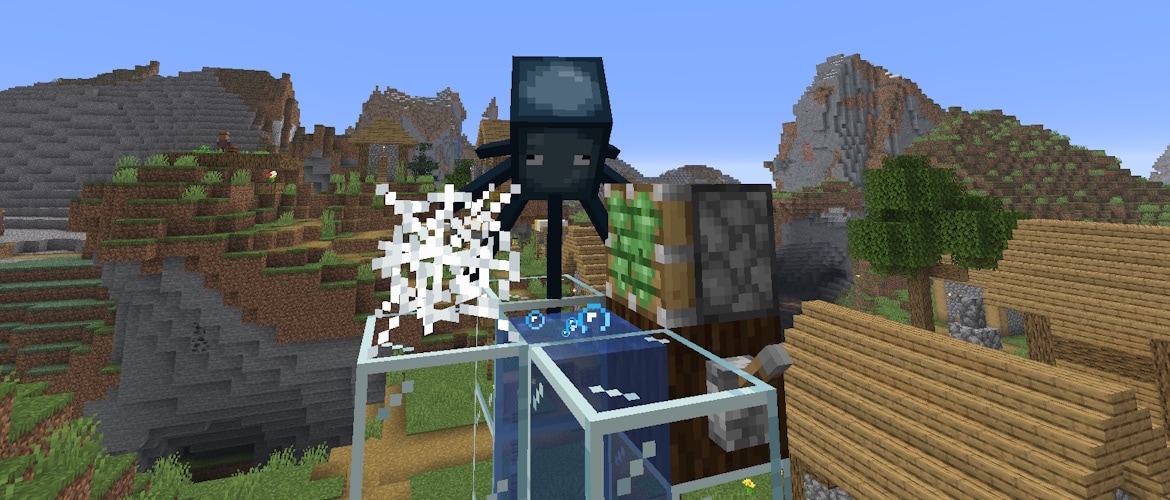
| Pistons and cobwebs | Entities could pass through pistons while in cobwebs. |
| Pushed items | Items could glitch inside a piston head when pushed through cobwebs or powder snow. |
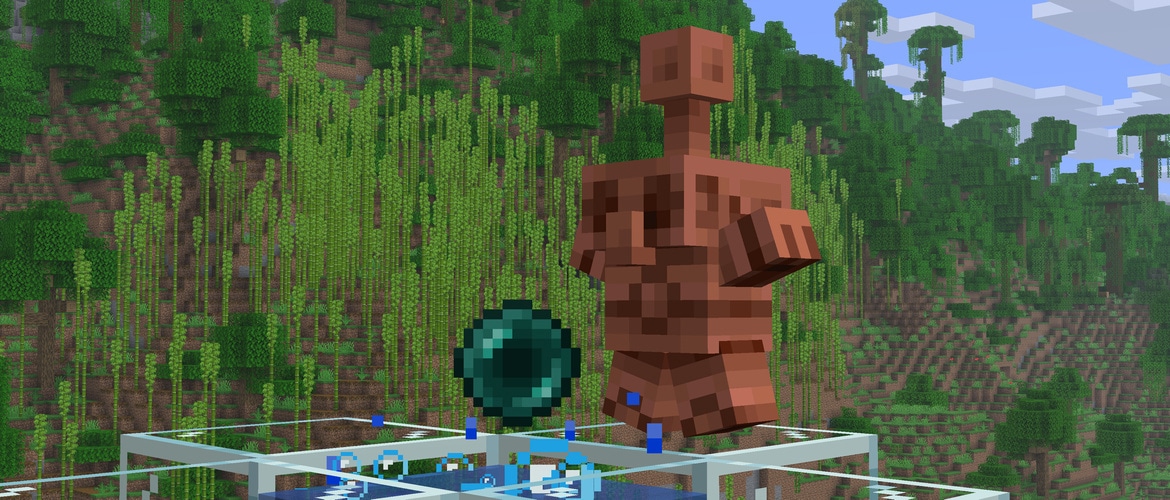
| Wind charges | Collisions with certain blocks behaved differently than intended. |
| Teleportation | Chunks could fail to load while a player was being teleported. |
| Map-wall decoration | Carpet near a wall could prevent the affected placement of maps in item frames at floor level. |
| Command-block maps | Repeating and chain command blocks using teleport commands did not keep moving the player to one location as expected. |
| Bubble columns | Some entities could be launched unusually high into the air. |
How these fixes relate to your world
- Redstone builders: the piston corrections matter when a mechanism moves entities or dropped items through cobwebs or powder snow. If an old build behaves strangely, compare the exact Minecraft version used by its tutorial before redesigning the machine.
- Adventure-map players: maps can use command blocks to move players, hold them in place during a scene or send them to another area. A teleportation problem can look like a broken map even when the author’s commands have not changed.
- Interior decorators: the carpet/item-frame correction is relevant to map walls near the floor. It explains why a display arrangement could fail in one release and work after a hotfix.
- Players using wind charges: the notes concern interactions with certain blocks. They do not promise a new universal launch height or new wind-charge ability.
These are practical reasons to check version compatibility when following an older tutorial. The changelog does not mean that every piston machine, map or mod became compatible automatically.
RC1 versus the finished 1.21.10 release
A release candidate is a testing build close to the planned release. It lets Mojang check the candidate before publishing the finished version; it is still a testing version, not a promise that every issue has disappeared.
The final Java 1.21.10 arrived five days later, on October 7, 2025. Its official notes list the six tracked corrections covering pistons, pushed items, wind charges, chunks, item frames and teleport commands. The separate bubble-column sentence appears in RC1’s notes but is absent from the final list. That wording difference alone does not establish whether the fix was removed.
Which version should you choose?
- Starting a normal vanilla world: use the launcher’s current stable release unless you have a specific reason to stay on an older one.
- Joining friends: use the version their server requires. A similar-looking version number does not guarantee that an RC client can join a final-release server.
- Playing an older modpack or adventure map: use the version its author supports. Check loader and dependency requirements before changing the game.
- Comparing this historical candidate: select
1.21.10-rc1explicitly. Choosing Latest Release today will not install this 2025 candidate or necessarily the final 1.21.10.
This article concerns Java Edition on Windows, macOS and Linux. It is not a Bedrock Preview for phones or consoles, and a Java server JAR is not a mobile game installer.
How to open the historical candidate without mixing up your saves
- Open the official Minecraft Launcher and select Java Edition → Installations.
- Enable the Snapshots version filter. Create a new installation and choose the exact 1.21.10-rc1 entry.
- Give it a clear name, such as 1.21.10 RC1 — historical comparison, and choose a separate game directory in its installation settings.
- Start with a new world. If an older build must be checked, back up its save and use a copy compatible with that version.
- Confirm the version on the game’s title screen before opening the test world. Keep your normal installation available for everyday play.
Mojang warns that testing versions can damage worlds. Do not open the only copy of a valued save in RC1, and do not downgrade a modern world to it. A separate installation name is useful, but the separate game directory is what keeps its save location apart.
If the candidate is missing from the selector, recheck the snapshot filter and the exact version name. If a modded profile refuses to launch, the mod or loader may not support that historical candidate; a clean vanilla installation helps distinguish that from a game issue.
Using the information in an old map or redstone project
Suppose a map’s teleport room works in a creator’s recording but fails in your copy. First compare the map’s supported version with the version you launched. If the project dates from this hotfix period, the teleport fixes provide a useful lead. Try the supported final version on a backup before rewriting the map’s commands.
Similarly, if a piston-and-cobweb tutorial depends on an old glitch, fixing that glitch may change the build’s behavior. Keep a historical copy for comparison and adapt your everyday world to its supported release. Returning to a stable profile does not undo changes already saved into a test world; restore the untouched backup when you need the original state.
Sources and image credits
Release dates, fixed issues and launcher guidance come from Mojang’s Java 1.21.10 Release Candidate 1 announcement and final Java 1.21.10 release notes. Both in-article images are Mojang originals from those 2025 announcements. MineBrush adds the player explanations; its branded cover is an editorial illustration.
More for your Java setup.

Understand Minecraft 26, tell normal releases from test builds, and choose the right version for friends, servers and mods. Clear Java and Bedrock examples without the technical clutter.
- Topic
- Choosing your Minecraft version
- Scope
- None
- Evidence
- Official Minecraft sources · checked 9 Sep 2026
A shared “26” prefix never proves cross-edition compatibility.
MineBrush · News
Minecraft Versions Made Simple
Understand Minecraft 26, tell normal releases from test builds, and choose the right version for friends, servers and mods. Clear Java and Bedrock examples without the technical clutter.
A shared “26” prefix never proves cross-edition compatibility.
- Compatibility confidence
- Source claimed
- Card evidence statement
- Official policy and indexes checked 9 Sep 2026; client display NOT_OBSERVED.
- Card delivery statement
- Choose a version for everyday play or testing
- Card limitation note
- A shared “26” prefix never proves cross-edition compatibility.
- Edition applicability
- Java + Bedrock
- News topic
- Choosing your Minecraft version
- Public news evidence label
- Official Minecraft sources · checked 9 Sep 2026
- Delivery state
- No file
- Lifecycle state
- Current
- News evidence type
- Official Minecraft source
Hypixel brings Bed Wars, Build Battle, SkyWars and long-term SkyBlock progression to Java players. Copy the official address, choose a mode, join friends and use the right version and server pack.
- Edition
- Java
- Modes
- Minigames
- Region
- None
SkyBlock: modern Java and required server resource pack
Minecraft · Server
Hypixel
Hypixel brings Bed Wars, Build Battle, SkyWars and long-term SkyBlock progression to Java players. Copy the official address, choose a mode, join friends and use the right version and server pack.
SkyBlock: modern Java and required server resource pack
- Minecraft version
- Java; SkyBlock recommends 26.2
- Game edition
- Java Edition
- Loader / platform
- Not applicable
- License
- Hypixel server rules and terms
- Server address
- mc.hypixel.net
- Server modes
- Minigames
- Platform family
- Java & PC
- Supported devices
- Minecraft Java Edition on PC and Mac
- Install format
- Join using the server address
- Touch readiness
- Not required
- Resource type
- Server
- Last verified at
- Sep 14, 2026
- Compatibility confidence
- Source claimed
- Card evidence statement
- Official join guide and current SkyBlock announcement
- Card delivery statement
- Copy mc.hypixel.net and join in Java Edition
- Card limitation note
- SkyBlock: modern Java and required server resource pack
- Edition applicability
- Java
- Bedrock address copy availability
- Copy unavailable
- Java address copy availability
- Copy available
- Java server address
mc.hypixel.net- Delivery state
- No file
- Lifecycle state
- Current

Share a Minecraft Seed — Help friends find the same place: copy the seed, match Java or Bedrock and the version, read XYZ coordinates and describe a useful route with screenshots.
- Edition
- Cross-edition
- Difficulty
- Beginner
- Time
- A short check
A seed recreates terrain, not your builds
MineBrush · Guide
Share a Minecraft Seed
Share a Minecraft Seed — Help friends find the same place: copy the seed, match Java or Bedrock and the version, read XYZ coordinates and describe a useful route with screenshots.
A seed recreates terrain, not your builds
- Minecraft version
- Java and Bedrock; match your world version
- Game edition
- Cross-edition
- Platform family
- Cross-edition
- Supported devices
- PC, console and mobile
- Install format
- No installation needed
- Touch readiness
- Not required
- Resource type
- Guide
- Compatibility confidence
- Not applicable
- Card evidence statement
- Find the seed and read coordinates
- Card delivery statement
- Versions, directions and screenshots
- Card limitation note
- A seed recreates terrain, not your builds
- Edition applicability
- Java + Bedrock
- Estimated time
- A short check
- Guide difficulty
- Beginner
- Delivery state
- No file
- Lifecycle state
- Current
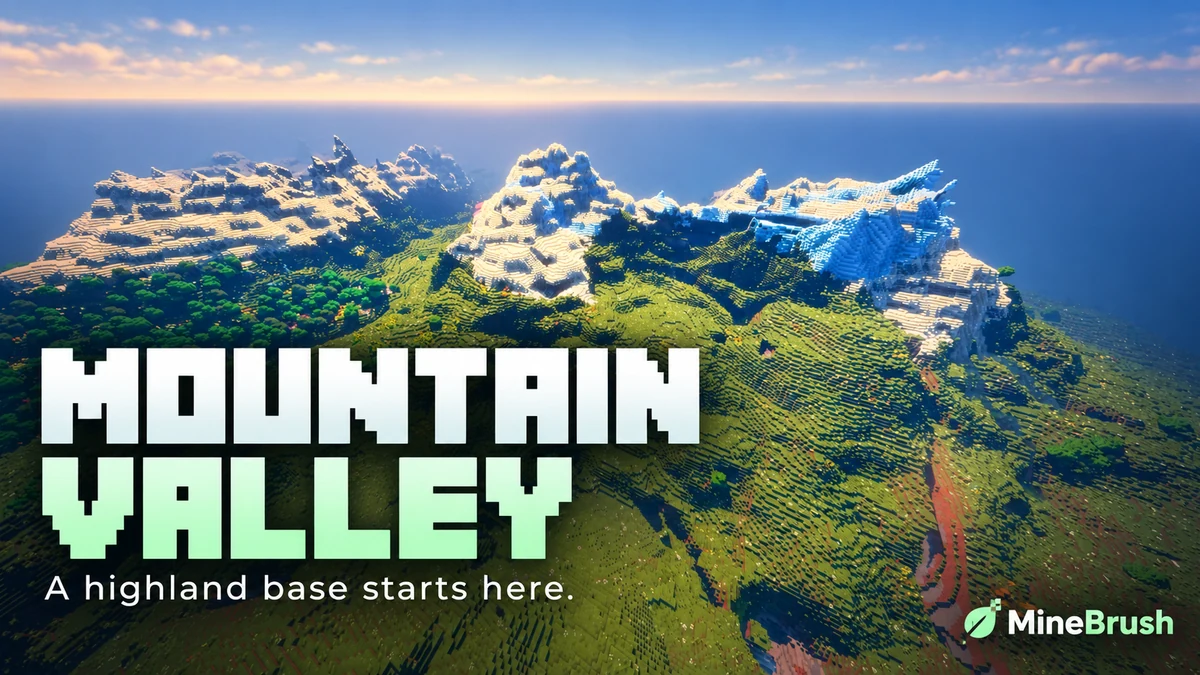
Mountain Range Village — Plan a highland base around a snowy mountain landscape. Copy the Java 1.21.11 seed, see the author's original image and follow the coordinates to the reported village area.
- Minecraft
- 1.21.11
- Seed
61925845031280000- Feature
- Mountain landscape and reported village
Destination away from spawn; source image uses Bliss shaders
Java · Seed
Mountain Range Village
Mountain Range Village — Plan a highland base around a snowy mountain landscape. Copy the Java 1.21.11 seed, see the author's original image and follow the coordinates to the reported village area.
Destination away from spawn; source image uses Bliss shaders
- Minecraft version
- 1.21.11
- Game edition
- Java Edition
- Loader / platform
- Not applicable
- License
- Seed shared by its discoverer; image credited to OkBreadfruit3797
- Key coordinates
- Mountain village · X -1939, Y 199, Z -857 · Overworld
- Platform family
- Java & PC
- Supported devices
- Minecraft Java Edition on Windows, macOS and Linux
- Install format
- Enter the seed in Create New World
- Touch readiness
- Not required
- Resource type
- Seed
- Seed value
- 61925845031280000
- Last verified at
- Sep 14, 2026
- Compatibility confidence
- Source claimed
- Card evidence statement
- Java 1.21.11 report by the discoverer
- Card delivery statement
- Copy seed · create a new world
- Card limitation note
- Destination away from spawn; source image uses Bliss shaders
- Copy availability
- Copy available
- Java seed feature
- Mountain landscape and reported village
- Edition applicability
- Java
- Delivery state
- No file
- Lifecycle state
- Current
61925845031280000Player discussion 0
Questions, discoveries and help from other players.