
MineBrush publication
Parkour Spiral 3: Climb, Train, Find Secrets & Download
Climb a huge themed tower, practice difficult jumps with built-in training tools, hunt ten Easter eggs and improve your rank. Includes creator screenshots, solo and multiplayer setup, and the complete Java 26.2 map.
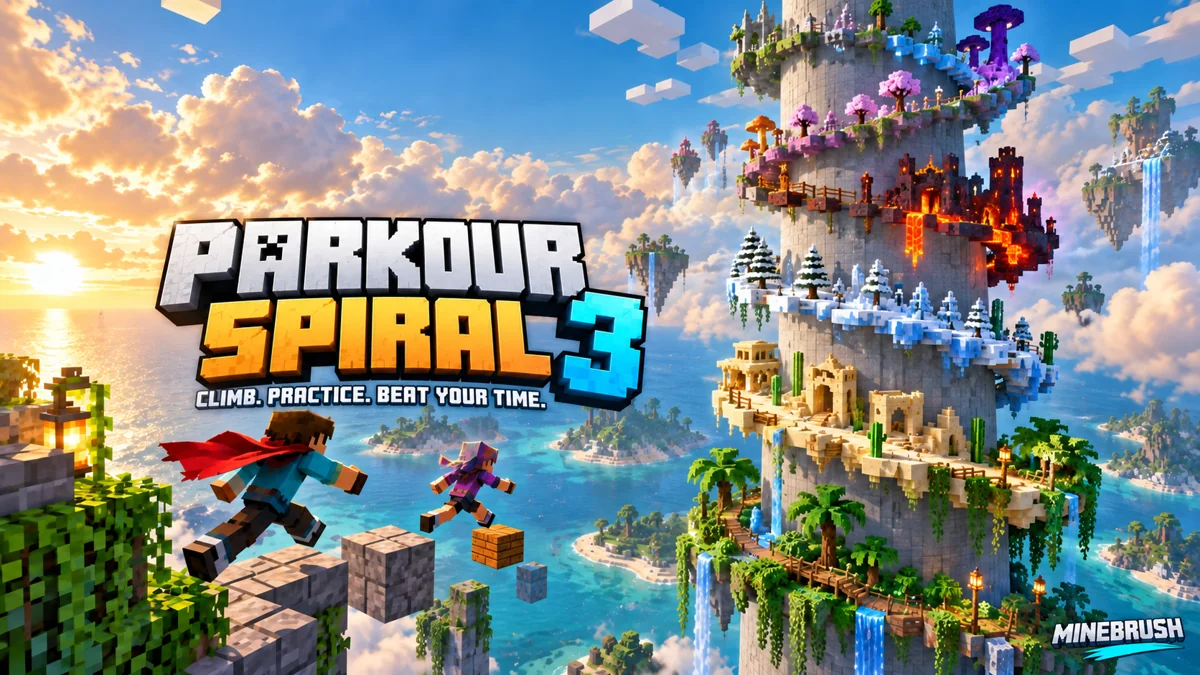
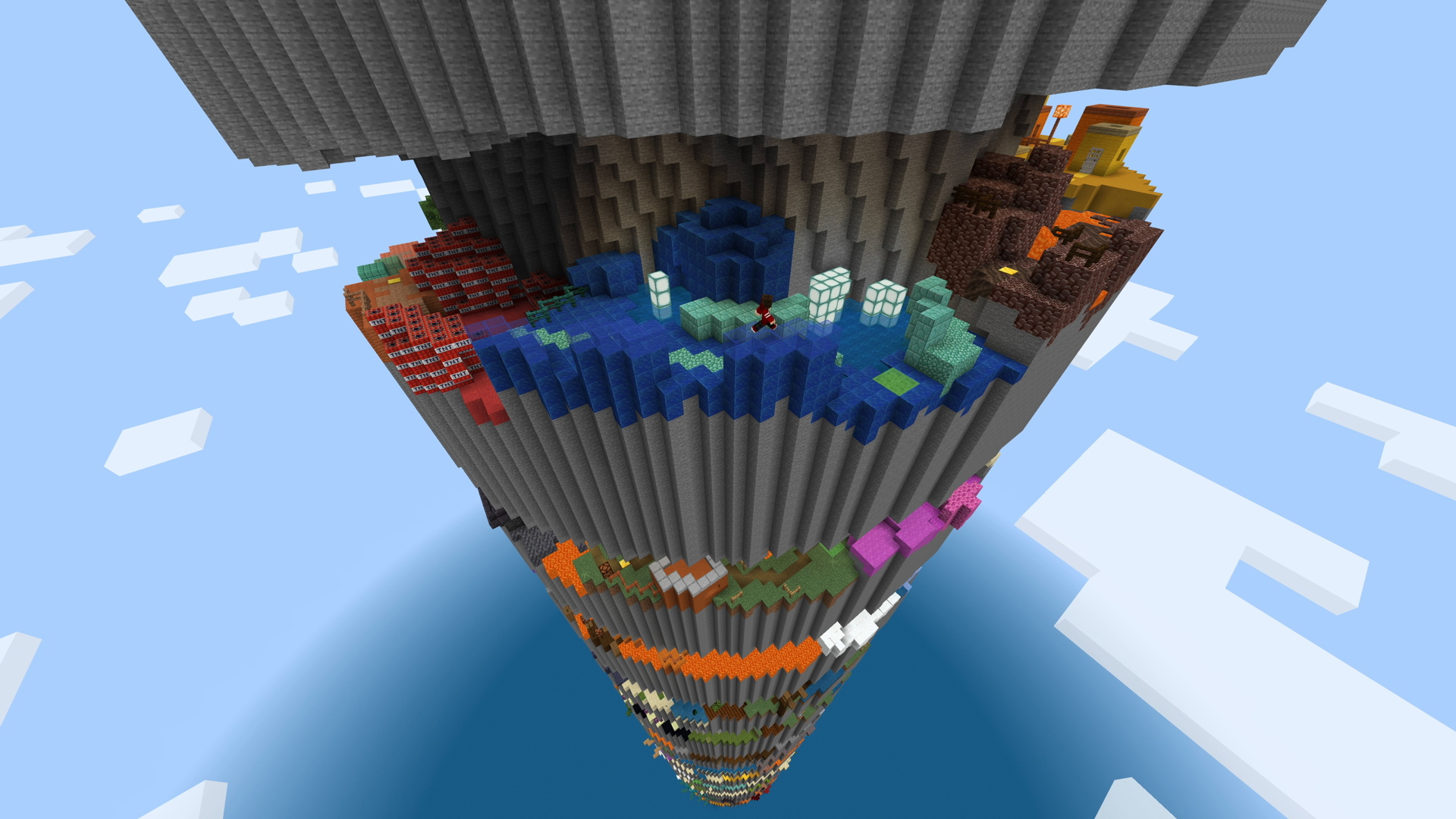
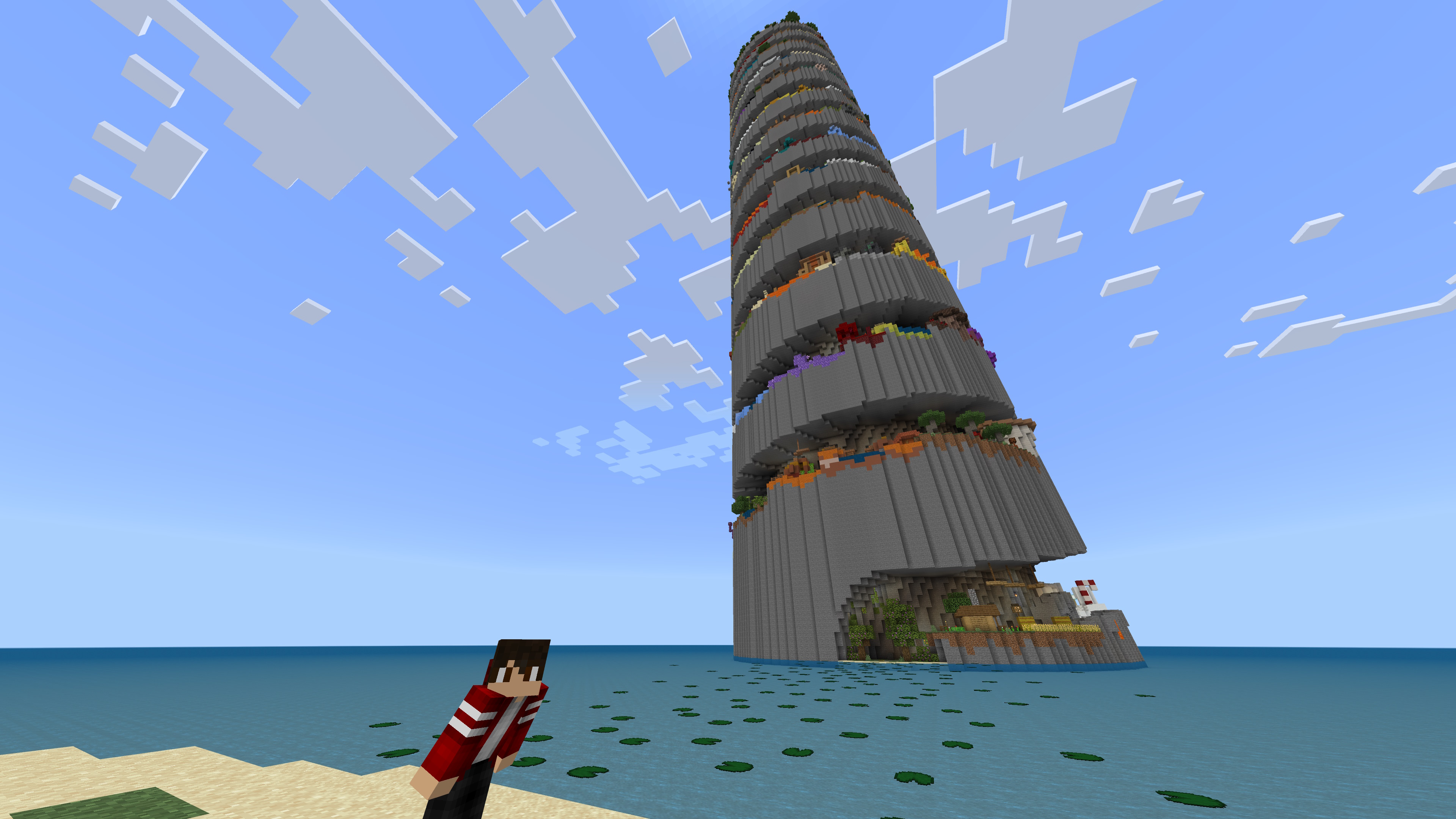
Parkour Spiral 3 is a huge climb around a tower of changing Minecraft landscapes. You start near the bottom, follow the route through themed sections and work toward the summit. The attraction is the journey: each turn reveals another setting, another jump and another reason to keep going.
This page provides Hielke Maps’ Java 26.2 world, version 1.4.5. Play alone to learn the route, climb alongside friends, return for a faster rank or search for the ten Easter eggs. The author describes it as more than twice the size of the first Parkour Spiral and includes a snake-parkour section among the challenges.
Choose the kind of run you want
- Your first finish: follow the route and learn what each section asks of you. Reaching the top is a worthwhile first goal without chasing a fast rank.
- A personal-best attempt: once you know the tower, work on the sections where you lose the most time. Consistent landings usually matter more than one risky shortcut.
- A session with friends: explore the same route together, wait at agreed landmarks or compare complete runs. The world is multiplayer-friendly; your group can decide whether the session is cooperative or competitive.
- A practice session: use the built-in training tools to repeat a difficult jump without replaying a large stretch of the route.
- An Easter-egg hunt: take a separate exploratory run and look around the themed areas. Searching every corner and setting a fast time are different goals.
What the tower looks like
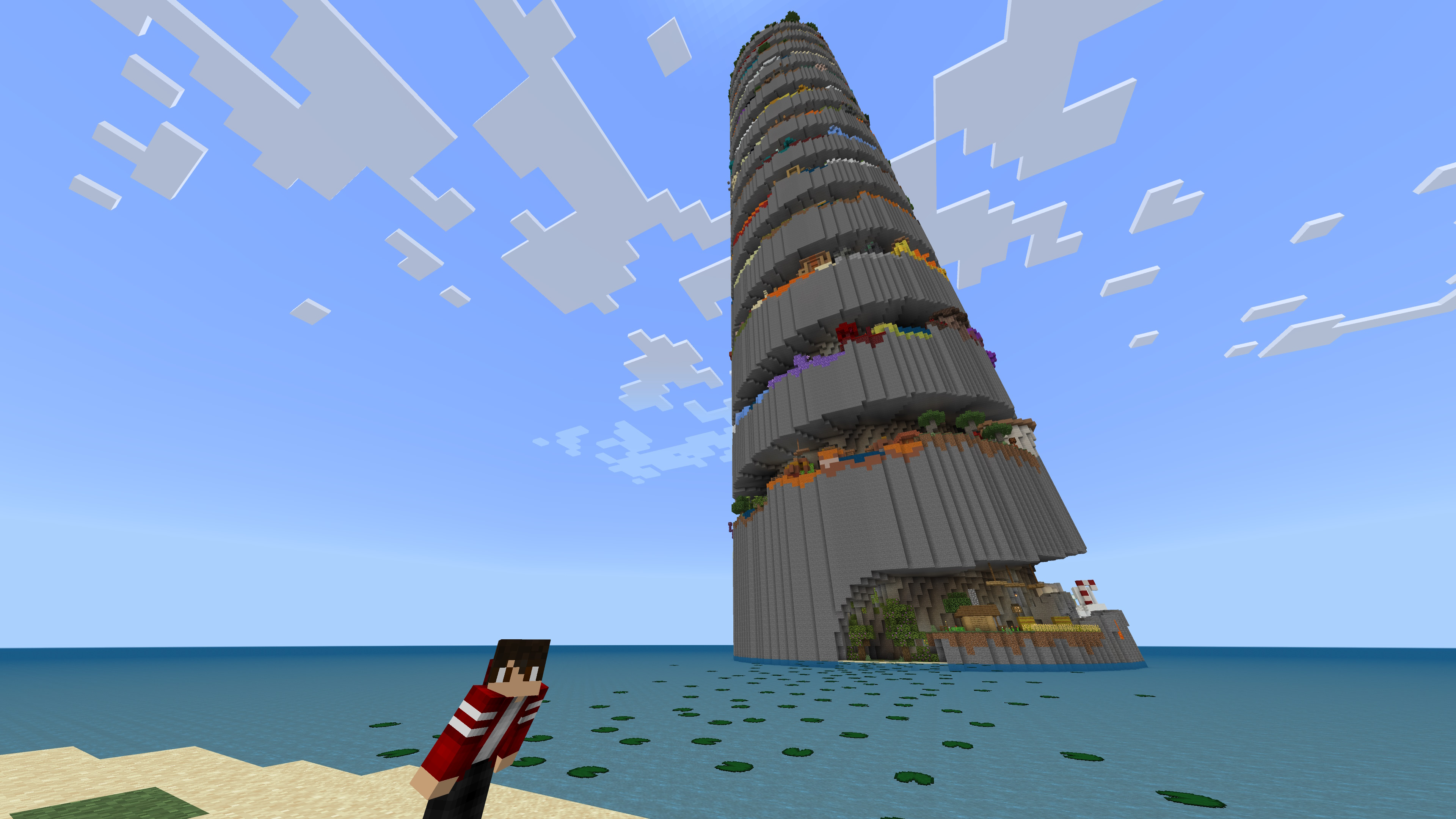
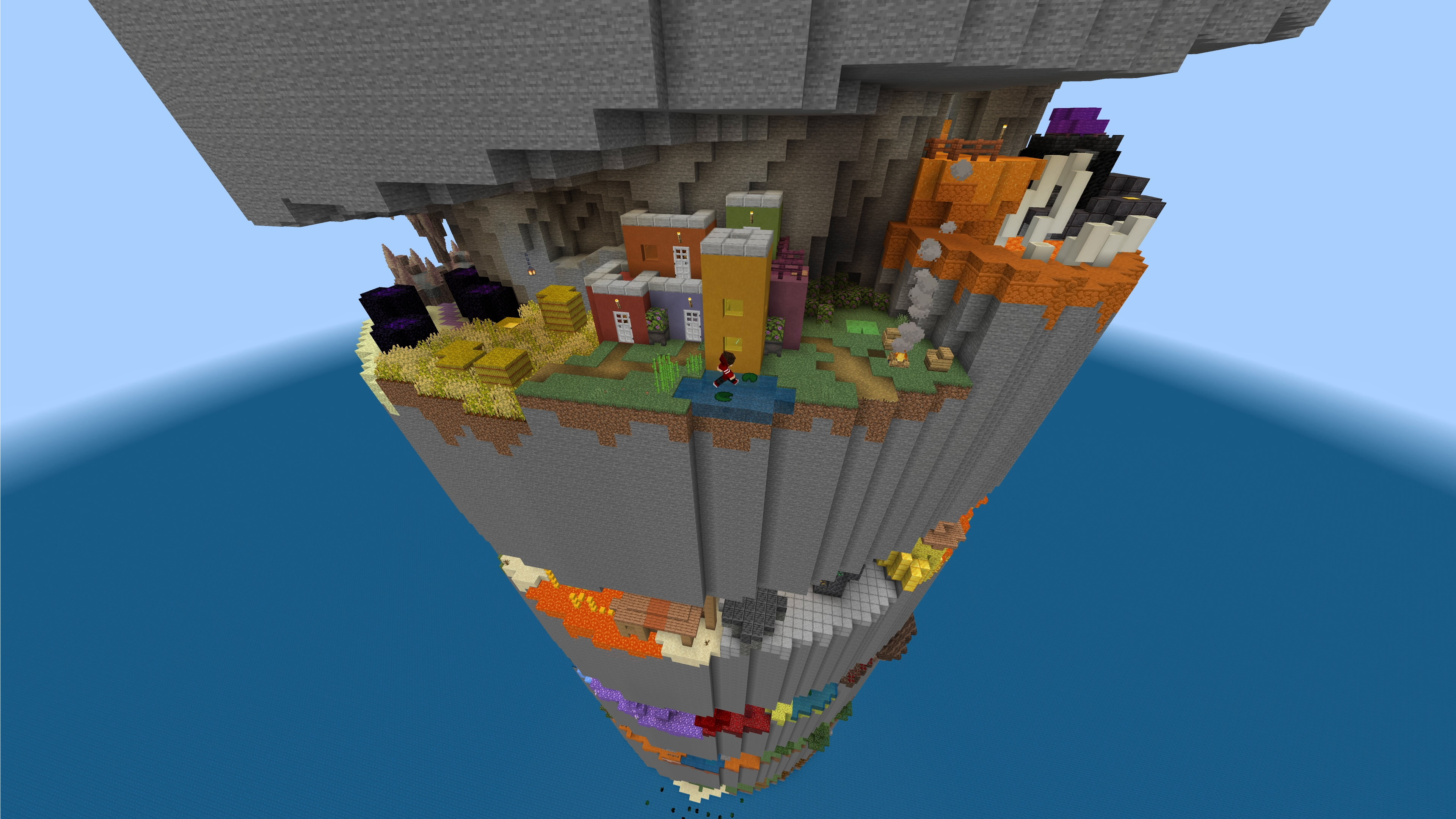
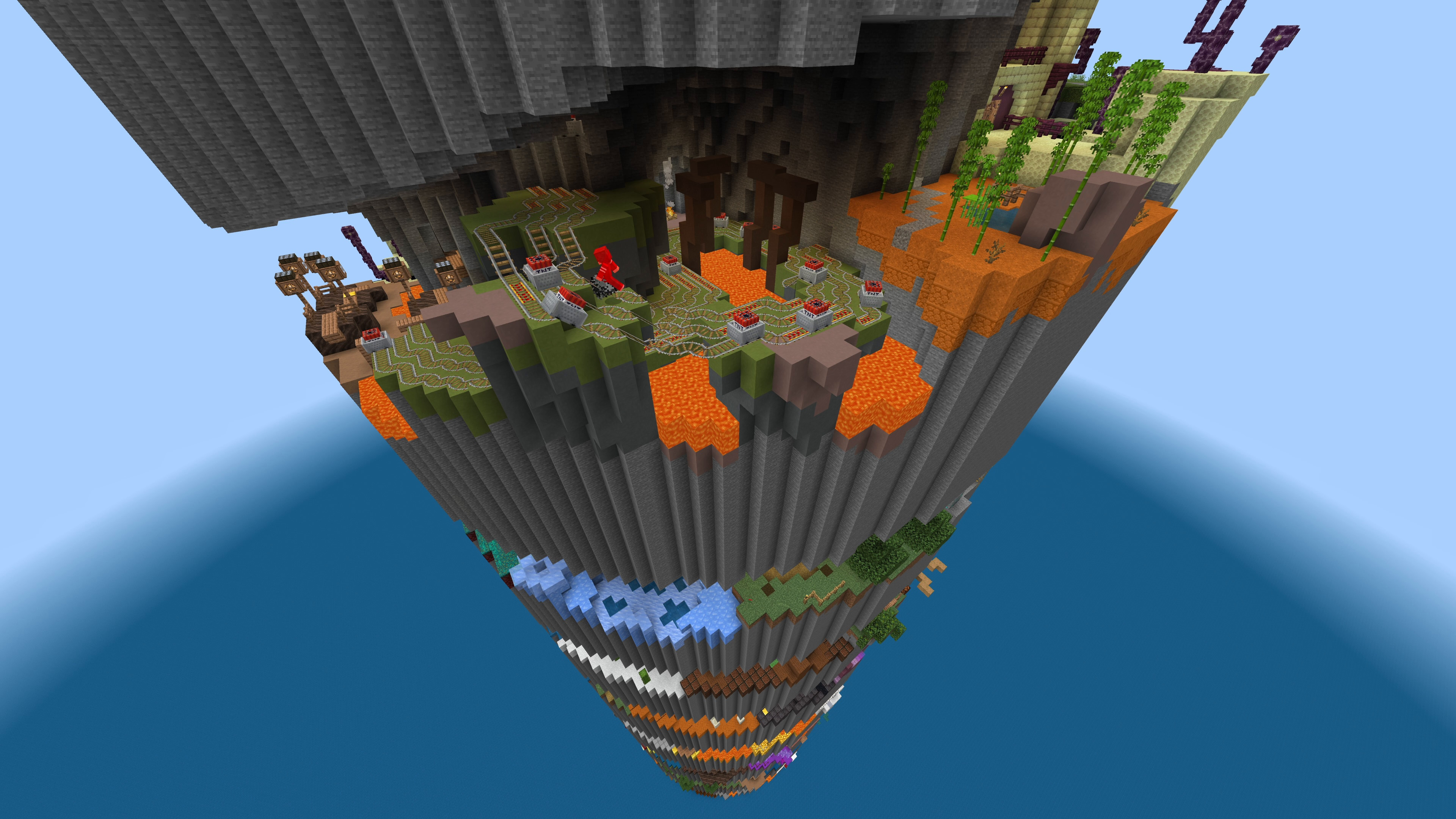
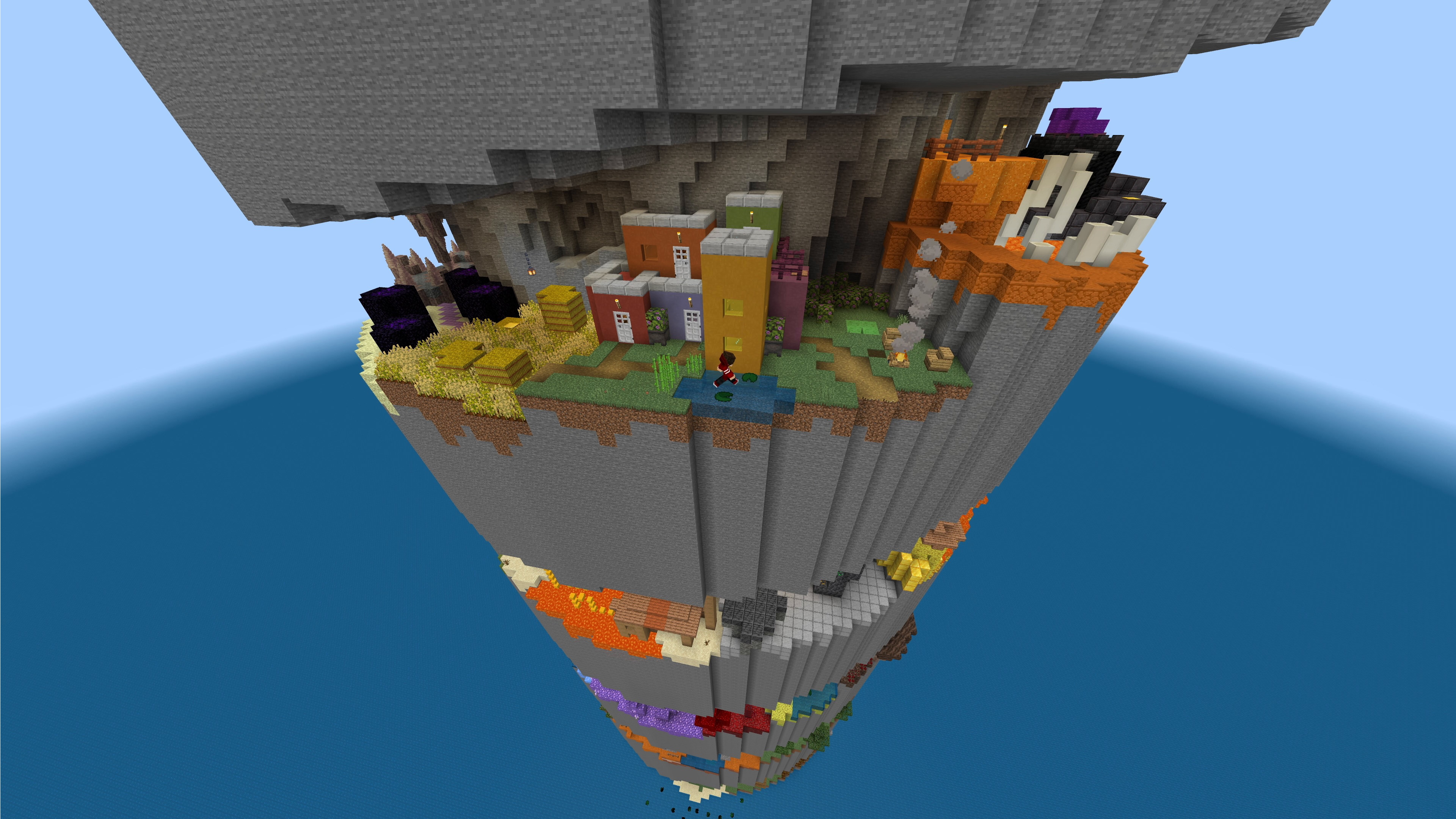
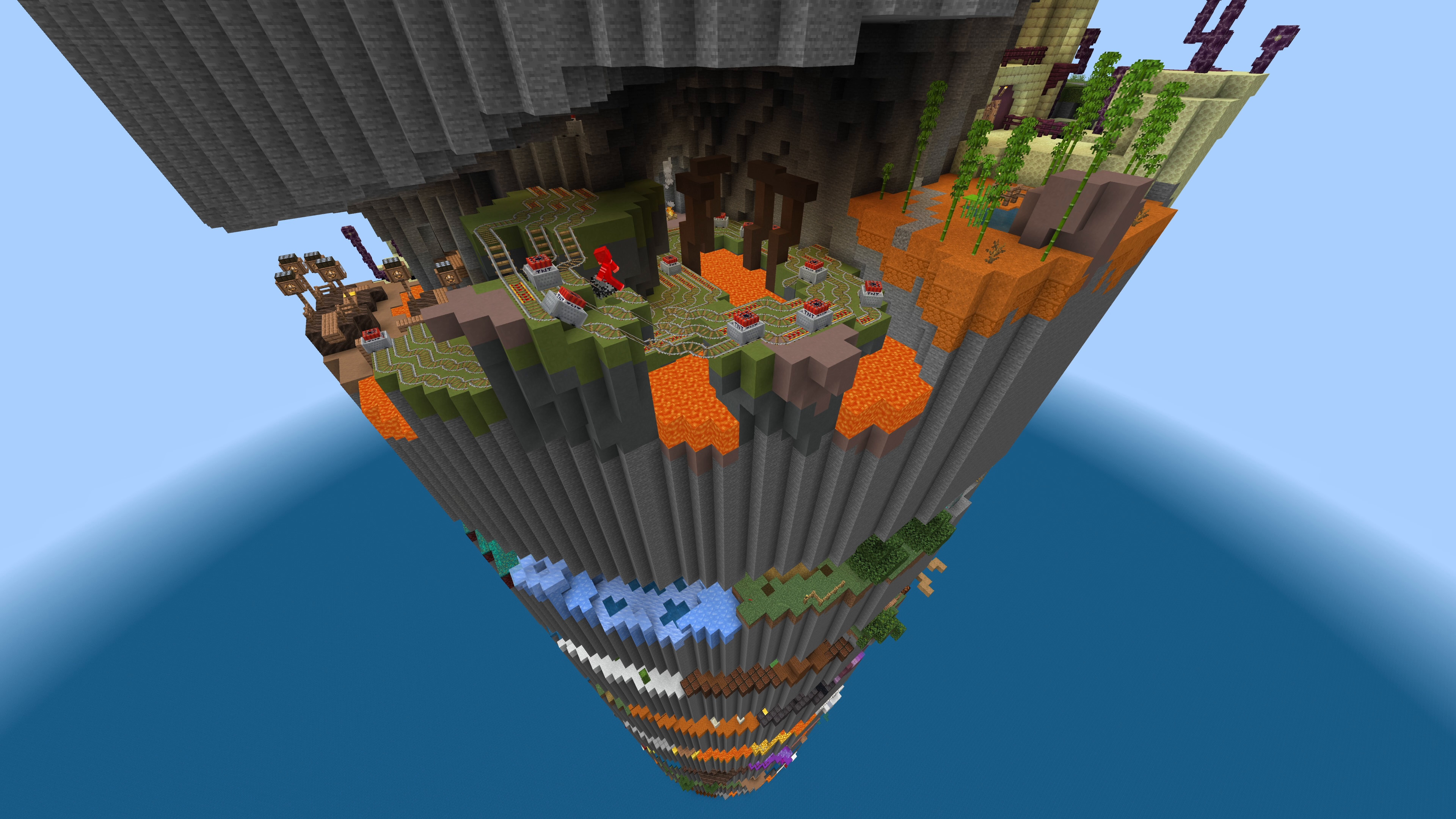
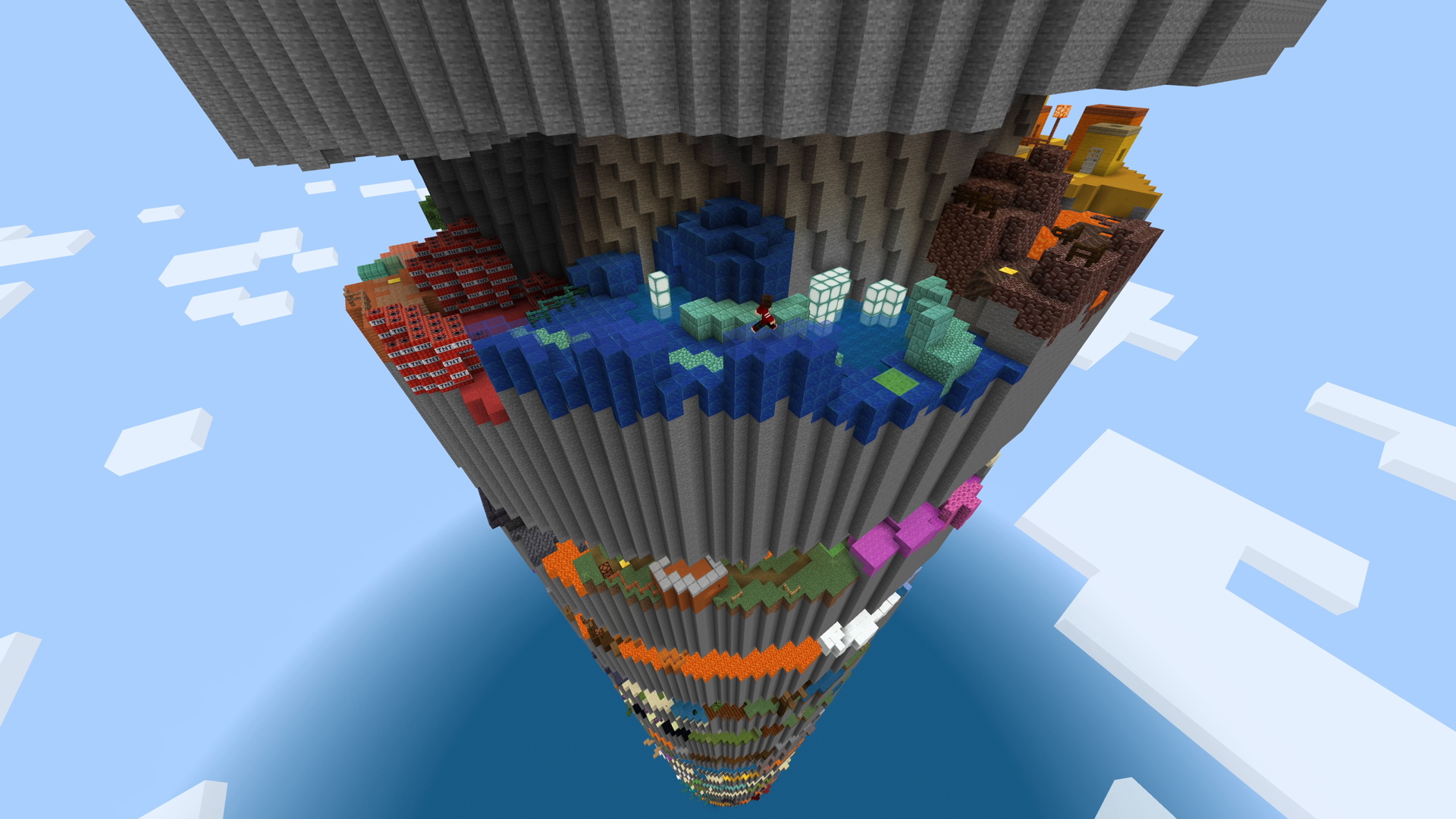
The outer route changes character as you climb. The author’s gallery shows sandy terraces, bright decorative areas, wooded and lava-edged platforms, and higher blue-and-stone sections. These images help you decide whether you enjoy this kind of varied, exposed route rather than a flat sequence of identical jumps.
Download the Java world
Parkour Spiral 3 v1.4.5 — Minecraft Java 26.2. This is the complete creator ZIP. You do not need Forge, Fabric or a separate modpack. Keep the world’s included folders together; its datapacks provide the map’s timing and gameplay systems.
Playing on a phone, console or Minecraft for Windows Bedrock? The ZIP above is for Java Edition and does not import as a Bedrock world. Hielke provides a separate Parkour Spiral 3 Marketplace edition. Check that listing for its current availability and purchase details.
Install and start your first climb
- Download the ZIP and extract it. Open the extracted
Parkour Spiral 3folder: it should directly containlevel.dat,regionanddatapacks. - With Minecraft closed, copy that whole world folder into the
savesdirectory of your Java 26.2 instance. If you use a launcher with separate instances, use its “Open folder” action so the map goes into the right game. - Start Java 26.2, choose Singleplayer and open the imported world. Read the starting area’s instructions before heading onto the route.
- Use your normal movement, sprint and jump controls. With default keyboard bindings, that means W/A/S/D, sprint with Ctrl and jump with Space. Follow the intended path rather than breaking blocks to make a new one.
- Activate the checkpoints you reach. The map displays “Checkpoint!” when it sets a new return position.
For a standard installation on a Mac, the saves folder is ~/Library/Application Support/minecraft/saves. On Windows it is normally %appdata%\.minecraft\saves. A custom launcher may use a different directory.
If the world does not appear, check for one folder too many: saves/Parkour Spiral 3/level.dat is the useful structure, not a second nested folder or the unopened ZIP. Keep an untouched downloaded copy so you can start a completely fresh world later.
Checkpoints, restarts and your best time
A checkpoint updates your respawn position, so a mistake does not have to mean beginning the entire tower again. Wait for the checkpoint message before leaving that platform; simply passing near it is not the same as activating it.
The included map commands offer a few useful controls. Open chat, enter the command exactly and press Enter:
/trigger show_PB— show your personal-best information./trigger ranks— display the map’s rank targets./trigger restart— return to the course start and reset the current run’s timer. Use it when you actually want a new attempt, not as a checkpoint-return command./trigger reset— return to the initial starting area and reset more of the map’s current progress, including its Easter-egg progress. Avoid this while preserving an unfinished exploration run.
These commands are provided by the included world logic; they are not commands to use in unrelated Minecraft worlds. A hosted race can restrict restart or training actions. Follow that server’s own rules if you are playing there.
Train one difficult jump at a time
Enter /trigger training_mode to toggle the built-in training mode. It supplies tools for practicing a section:
- Heart of the Sea — Set Savestate: right-click to save your current position and facing direction. There is one saved position at a time, so setting another replaces the previous one.
- Nether Star — Tp to Savestate: right-click to return to that saved position. Place your save before the troublesome jump, then repeat it until your takeoff feels consistent.
- Feather — Toggle Flight: right-click to enable or disable training flight. Use it to inspect a route or reach a practice point, then turn it off before practicing normal jumps.
- Slime Ball / Magma Cream — training timer: right-click to start or stop it. Swap the timer item between hands to pause or resume it while running; the default swap-hands key is F.
A useful routine is to save a position, practice the jump several times, then time a short sequence of jumps. Exit training mode and restart from the course beginning for a normal full run. A training time with flight or saved-position returns is not comparable to an unassisted completion time.
Rank targets for replaying the map
The author publishes these targets, and the bundled rank logic awards the highest qualifying rank:
- S: 30 minutes or faster.
- A: over 30 minutes, up to 40 minutes.
- B: over 40 minutes, up to 1 hour 10 minutes.
- C: over 1 hour 10 minutes, up to 2 hours.
- D: longer than 2 hours.
Those are rank boundaries, not a promise about how long your first visit will take. Start by finishing, then improve the sections that repeatedly interrupt your rhythm. For official leaderboard submissions, follow the creator’s linked speedrun rules; a casual finish rank does not automatically make a run eligible for every category.
Play with friends
For a local session, open the imported Java world and use Minecraft’s Open to LAN option; friends need the matching Java game version and a reachable network connection. The map itself does not require every player to install a client mod.
For a private dedicated server, stop it first and back up its existing world. Put the complete extracted map in the server’s world directory and ensure the configured world name points to that folder. Start with a clean Java 26.2 server and keep the included datapacks. Do not merge the parkour map’s files into a survival world.
Agree on the purpose of the session before starting: a relaxed group climb, a practice night or a race. Keep a separate fresh copy if your group wants clean future attempts. Changes made to a shared world affect that shared session, so coordinate world replacement or resets with the group.
If you prefer not to host, the official map page also offers Hielke’s network and a hosted trial route. Those are alternatives to managing the downloaded world yourself.
If something is wrong
- The map is missing from Singleplayer: locate the folder that directly contains
level.datand move that whole folder into the correct instance’s saves directory. - You spawn in an ordinary generated world on a server: the server is probably loading a different folder. Stop it and check the configured world name before replacing any files.
- The timer, checkpoints or trigger commands do nothing: confirm Java 26.2, keep all included datapacks and try a fresh copy in an unmodified instance. Do not remove the datapacks as an “optimization.”
- Jumps feel inconsistent: use a stable frame rate, confirm your sprint binding and reduce distracting visual effects. On a server, a poor connection or struggling host can also affect the experience.
- You changed or damaged the course: use an intact backup or a freshly extracted world. Copying only region files can leave gameplay progress and map logic out of sync.
- Bedrock will not import the ZIP: use the separate Marketplace edition. Renaming this Java archive to .mcworld does not convert it.
Before updating an unfinished map, keep the old world separately. Opening a replacement world is not the same as transferring your checkpoints and records into it.
Creator and sources
Parkour Spiral 3 is created by Hielke Maps. MineBrush provides the original Java archive through its native attachment system and credits the creator. The map remains subject to Hielke’s terms; hosting it here does not transfer authorship or grant unrestricted redistribution to visitors.
The four images are from the creator’s official gallery. They show the actual map design; the gallery does not state the exact build used for each image. The MineBrush cover is an editorial illustration. Controls above are explained from the included v1.4.5 world files; they are not presented as a MineBrush gameplay test.
- Official map, Java version, rank table, gallery and multiplayer routes
- Hielke’s MinecraftMaps listing for v1.4.5 and Java 26.2
- Separate Bedrock Marketplace edition
Want a different route after the summit? Explore more Java maps on MineBrush.
More for your Java setup.

Understand Minecraft 26, tell normal releases from test builds, and choose the right version for friends, servers and mods. Clear Java and Bedrock examples without the technical clutter.
- Topic
- Choosing your Minecraft version
- Scope
- None
- Evidence
- Official Minecraft sources · checked 9 Sep 2026
A shared “26” prefix never proves cross-edition compatibility.
MineBrush · News
Minecraft Versions Made Simple
Understand Minecraft 26, tell normal releases from test builds, and choose the right version for friends, servers and mods. Clear Java and Bedrock examples without the technical clutter.
A shared “26” prefix never proves cross-edition compatibility.
- Compatibility confidence
- Source claimed
- Card evidence statement
- Official policy and indexes checked 9 Sep 2026; client display NOT_OBSERVED.
- Card delivery statement
- Choose a version for everyday play or testing
- Card limitation note
- A shared “26” prefix never proves cross-edition compatibility.
- Edition applicability
- Java + Bedrock
- News topic
- Choosing your Minecraft version
- Public news evidence label
- Official Minecraft sources · checked 9 Sep 2026
- Delivery state
- No file
- Lifecycle state
- Current
- News evidence type
- Official Minecraft source
Survival Island
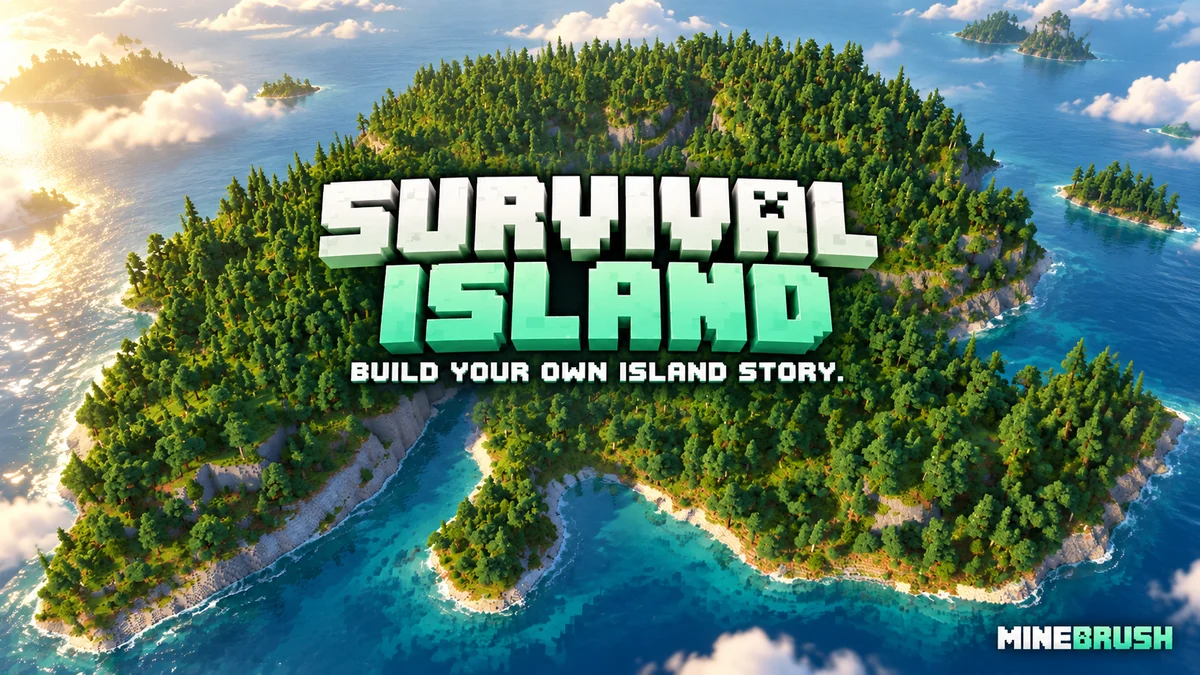
v1.5Make a forested island your next survival home. Explore cliffs and waterways, choose a base, switch the supplied world to Survival and download the Java map.
- Minecraft
- 1.21.9–1.21.11
- Genre
- Survival
- Players
- Solo or co-op
Choose Survival mode and difficulty before starting
Java · Map
Survival Island
Make a forested island your next survival home. Explore cliffs and waterways, choose a base, switch the supplied world to Survival and download the Java map.
Choose Survival mode and difficulty before starting
- Minecraft version
- 1.21.9–1.21.11
- Game edition
- Java Edition
- Loader / platform
- Vanilla
- Map genre
- Survival
- Recommended players
- Solo or co-op
- Platform family
- Java & PC
- Supported devices
- Java Edition on Windows, macOS and Linux
- Install format
- Extract the world folder into saves; choose Survival and difficulty
- Resource type
- Map
- Project version
- v1.5
- Last verified at
- Sep 14, 2026
- Compatibility confidence
- Source claimed
- Card evidence statement
- Forested island with cliffs, waterways and room for a survival base
- Map landmark
- Forested cliffs and sheltered waterways
- Map import route
- Extract the folder containing level.dat into your Java saves folder
- Card delivery statement
- Java world v1.5 · local ZIP download
- Card limitation note
- Choose Survival mode and difficulty before starting
- Edition applicability
- Java
- Delivery state
- Direct download
- Lifecycle state
- Current
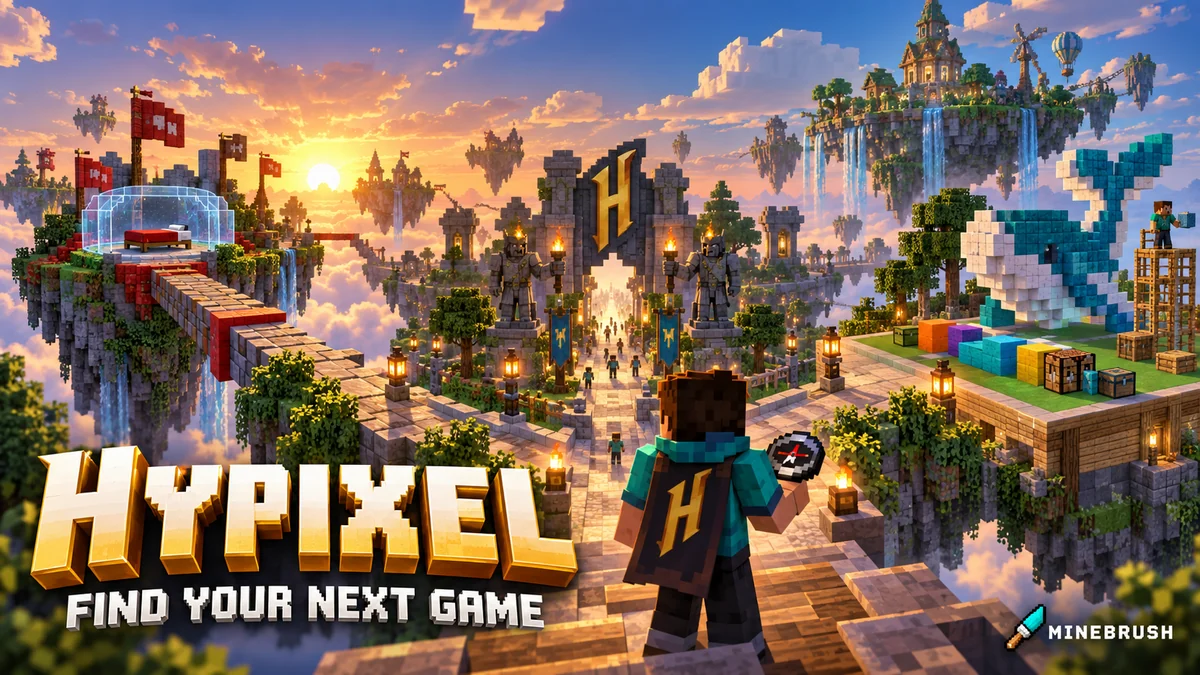
Hypixel brings Bed Wars, Build Battle, SkyWars and long-term SkyBlock progression to Java players. Copy the official address, choose a mode, join friends and use the right version and server pack.
- Edition
- Java
- Modes
- Minigames
- Region
- None
SkyBlock: modern Java and required server resource pack
Minecraft · Server
Hypixel
Hypixel brings Bed Wars, Build Battle, SkyWars and long-term SkyBlock progression to Java players. Copy the official address, choose a mode, join friends and use the right version and server pack.
SkyBlock: modern Java and required server resource pack
- Minecraft version
- Java; SkyBlock recommends 26.2
- Game edition
- Java Edition
- Loader / platform
- Not applicable
- License
- Hypixel server rules and terms
- Server address
- mc.hypixel.net
- Server modes
- Minigames
- Platform family
- Java & PC
- Supported devices
- Minecraft Java Edition on PC and Mac
- Install format
- Join using the server address
- Touch readiness
- Not required
- Resource type
- Server
- Last verified at
- Sep 14, 2026
- Compatibility confidence
- Source claimed
- Card evidence statement
- Official join guide and current SkyBlock announcement
- Card delivery statement
- Copy mc.hypixel.net and join in Java Edition
- Card limitation note
- SkyBlock: modern Java and required server resource pack
- Edition applicability
- Java
- Bedrock address copy availability
- Copy unavailable
- Java address copy availability
- Copy available
- Java server address
mc.hypixel.net- Delivery state
- No file
- Lifecycle state
- Current
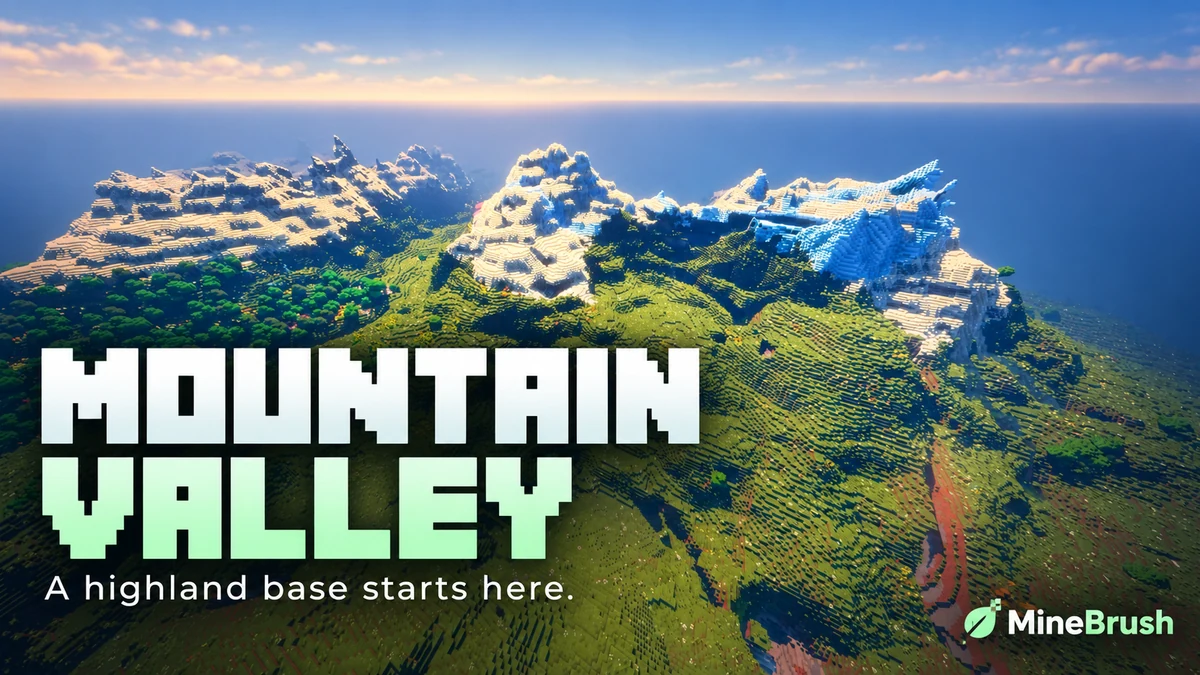
Mountain Range Village — Plan a highland base around a snowy mountain landscape. Copy the Java 1.21.11 seed, see the author's original image and follow the coordinates to the reported village area.
- Minecraft
- 1.21.11
- Seed
61925845031280000- Feature
- Mountain landscape and reported village
Destination away from spawn; source image uses Bliss shaders
Java · Seed
Mountain Range Village
Mountain Range Village — Plan a highland base around a snowy mountain landscape. Copy the Java 1.21.11 seed, see the author's original image and follow the coordinates to the reported village area.
Destination away from spawn; source image uses Bliss shaders
- Minecraft version
- 1.21.11
- Game edition
- Java Edition
- Loader / platform
- Not applicable
- License
- Seed shared by its discoverer; image credited to OkBreadfruit3797
- Key coordinates
- Mountain village · X -1939, Y 199, Z -857 · Overworld
- Platform family
- Java & PC
- Supported devices
- Minecraft Java Edition on Windows, macOS and Linux
- Install format
- Enter the seed in Create New World
- Touch readiness
- Not required
- Resource type
- Seed
- Seed value
- 61925845031280000
- Last verified at
- Sep 14, 2026
- Compatibility confidence
- Source claimed
- Card evidence statement
- Java 1.21.11 report by the discoverer
- Card delivery statement
- Copy seed · create a new world
- Card limitation note
- Destination away from spawn; source image uses Bliss shaders
- Copy availability
- Copy available
- Java seed feature
- Mountain landscape and reported village
- Edition applicability
- Java
- Delivery state
- No file
- Lifecycle state
- Current
61925845031280000Player discussion 0
Questions, discoveries and help from other players.