
MineBrush publication
Inventory Profiles Next 2.3.7: Sort, Refill & Switch Gear
Spend less time rearranging loot. Inventory Profiles Next sorts chests, moves matching items, locks slots, refills hotbar supplies and switches equipment profiles. Get IPN 2.3.7 for Minecraft Java 26.2 with the right libraries and practical setup steps.
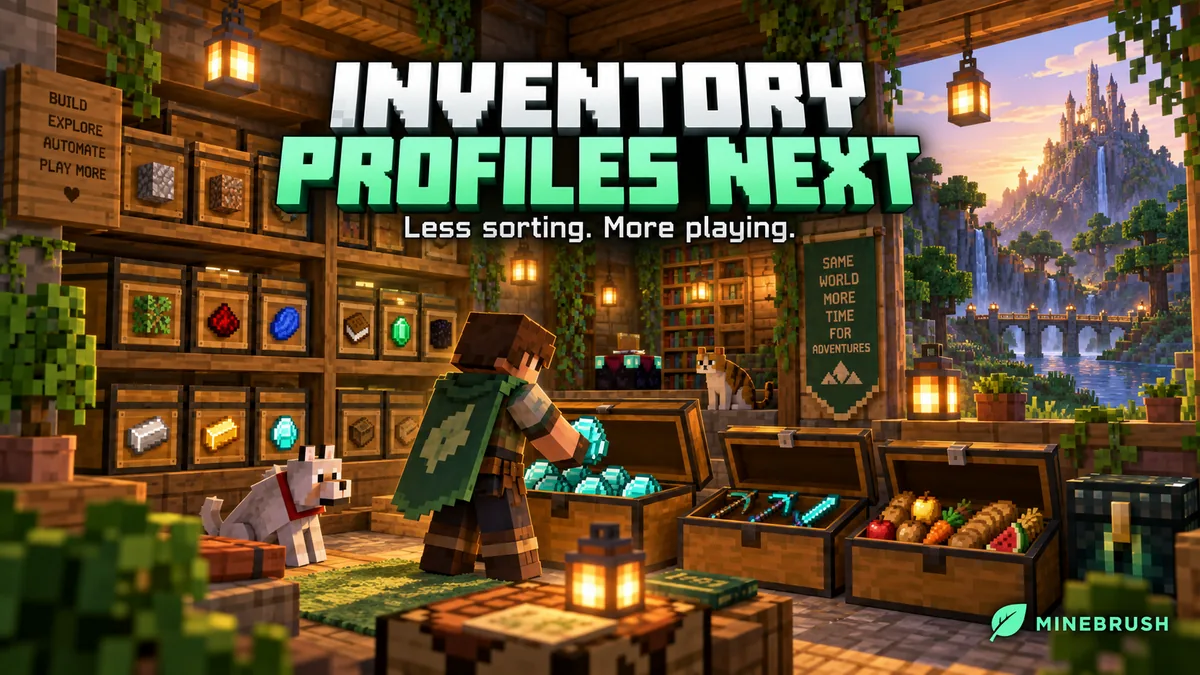
Inventory Profiles Next reduces the time you spend rearranging items between adventures. Sort a chest, deposit items that belong in it, keep important inventory slots in place, and refill a depleted hotbar stack from the supplies you already carry. Equipment profiles can also prepare different hotbar and armour arrangements for different jobs.
It is useful after mining trips, during large builds and around busy storage rooms. IPN is a client-side Minecraft Java mod, not a remote storage network: it does not create supplies or fetch items from unopened chests across your world.
Useful ways to use it
- Unload a mining trip: open your stone chest and move matching items into it, then repeat at the ore chest. The matching operation uses items already present in the destination to decide what belongs there.
- Keep building: carry spare stacks of your wall or floor material and enable Auto Refill. When the active stack runs out, a suitable carried stack can replace it.
- Keep a predictable layout: lock slots used for food, a map or another item you want left in place while sorting the rest.
- Change equipment for the next job: use named profiles for building, mining or travel. A profile organizes gear you have; it cannot supply a missing pickaxe or elytra.
- Make a storage chest easier to read: choose a sorting order that suits you, such as item names or the creative-menu order, and use row or column sorting where the available slots allow it.
- Repeat familiar villager trades: bookmark selected trades and execute the available bookmarked trades together, using your existing payment items and the villager’s available stock.
Download IPN 2.3.7 for Minecraft Java 26.2
Choose one loader group below. Fabric, Forge and NeoForge files are alternatives, not a set to install together. All three IPN files below are version 2.3.7, released August 28, 2026, and require the matching libIPN 6.8.3.
Fabric
Install these four files together. The supplied Fabric Language Kotlin version requires Fabric Loader 0.19.5 or newer. Mod Menu is optional.
NeoForge
Use a NeoForge installation for Minecraft 26.2 and these two matching files.
Forge
Use Forge 65 or newer for Minecraft 26.2 and these two matching files. The current 26.2 archives do not declare a separate Kotlin for Forge dependency; older installation instructions may describe a different release.
For another Minecraft version, choose its matching files from the author’s version history. The author gives Quilt-specific problems lower priority unless they also reproduce on Fabric; use the Fabric route above for the clearest supported setup.
Install and perform your first sort
- Close Minecraft. Open the game folder of the launcher instance you actually use.
- Put the files from your loader group into its
modsfolder. Replace older copies of the same mods and avoid duplicate libraries. - Launch the instance and open a normal chest. Hover over the added buttons to read their tooltips before choosing Sort, row/column sorting or a transfer action.
- Press R + C to open IPN settings. In Hotkeys, assign convenient shortcuts for the actions you want. Check for conflicts if another mod already uses the same keys.
- In Mod Settings, choose a sorting order and decide whether sorting should include or restock the hotbar. Start with a simple chest before changing a carefully arranged inventory.
You install IPN on your own client, including when joining a server. A server can still restrict rapid inventory actions or particular client features; use the permitted settings for that server.
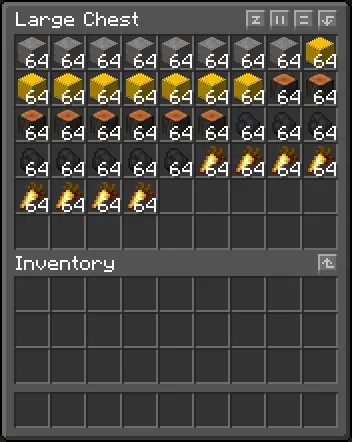
Sort, deposit and refill: choose the right action
Sorting rearranges items within an inventory. It does not send them into a distant chest. You can configure Sort Under the Cursor if you want the hovered inventory to determine the target; otherwise the documented default targets the opened container.
Move matching is particularly useful for established storage: a chest containing stone and cobblestone can accept more of those items while unrelated loot stays with you. Move all is useful for a temporary dump chest. Read the direction and modifier tooltips: settings such as Always Move All and Always Include Hotbar change what a shortcut does.
Just refill stacks limits a transfer to topping up existing destination stacks. It is useful when the chest’s current arrangement matters. A focused-item modifier can instead move the type under your cursor, even when that type was not already present at the other side.
IPN also has throw actions, which drop items rather than store them. Keep those distinct from your deposit shortcuts. For routine storage, use the move buttons and leave unfamiliar bulk-throw bindings unset.
Lock the slots you want sorting to leave alone
Enable Locked Slots, open your inventory, then use the default Alt + left-click on the desired slots to configure them. If you changed the controls, check the Lock Slots settings for the active modifier and configuration key.
Locked slots are skipped by sorting and several bulk operations. You can also configure empty locked slots to remain empty. This is useful for reserving space or keeping a stable layout, but it is not a universal ban on every automated action: profiles and auto-refill behavior have their own settings.
There is an optional setting to block manual interaction with locked slots. If an item suddenly seems impossible to move, unlock its slot or check that option. Row and column sorting needs the remaining unlocked slots to form a rectangle; an irregular locked pattern can prevent those particular arrangements.
Auto Refill for building, food and tools
Enable Auto Refill to replace a depleted active stack with suitable items from your inventory. It saves repeated hotbar rearrangement when laying a long path or placing many blocks. It still needs spare supplies, and matching options can prevent a named or otherwise different stack from being chosen.
- Tools and armour: early replacement uses a durability threshold. Carry a suitable spare and configure the threshold; it is not an absolute guarantee against breakage during lag.
- Food: leave Refill With Any Food off if you want predictable replacements. When enabled, the mod can choose a different food by saturation, including valuable golden apples. Harmful-food replacement is a separate option.
- Individual slots: per-slot refill controls let you enable it only where useful. The supported targets are hotbar and gear slots; optional indicator icons show enabled slots.
- Delayed replacement: a configurable wait can help with server lag, but an excessive delay can make a tool break before replacement. Adjust it only when the normal behavior needs it.
Create a named equipment profile
Profiles are useful for changing between a mining kit and travel equipment without rebuilding your hotbar each time. Enable Equipment Profiles Support, then:
- Assign the save-current-equipment shortcut in Hotkeys → Profiles.
- Arrange your hotbar and equipment, open the inventory and press that shortcut. It creates an entry named Saved.
- Open Edit Profiles → Profiles Config and give the saved entry a unique name without spaces, such as Mining or Travel. Repeated saves create separate Saved entries; those unnamed entries are not usable Quick Profiles.
- Enter the chosen name in a Quick Profile field and assign its shortcut. Reload the profile configuration using the control provided by your installed version.
- Keep the required gear in your inventory and apply the named profile. Repeat for another kit when useful.
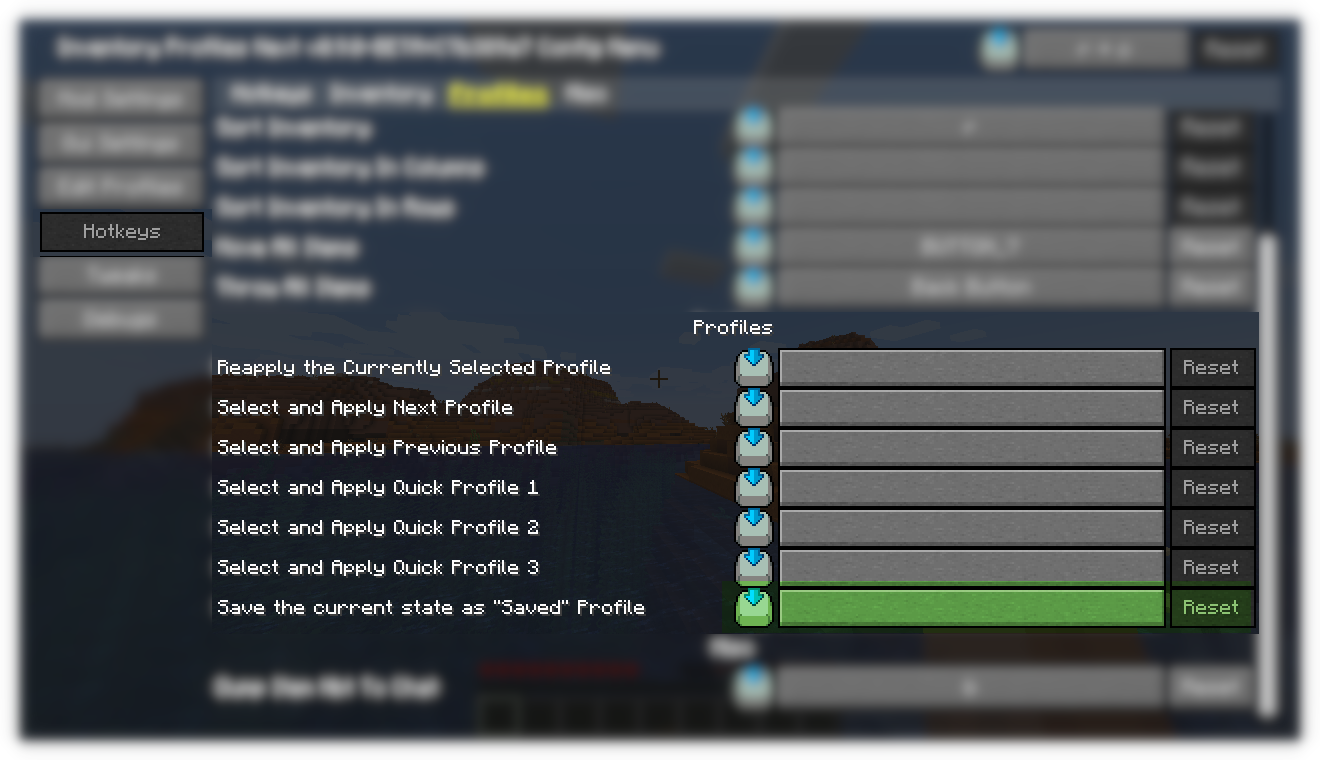
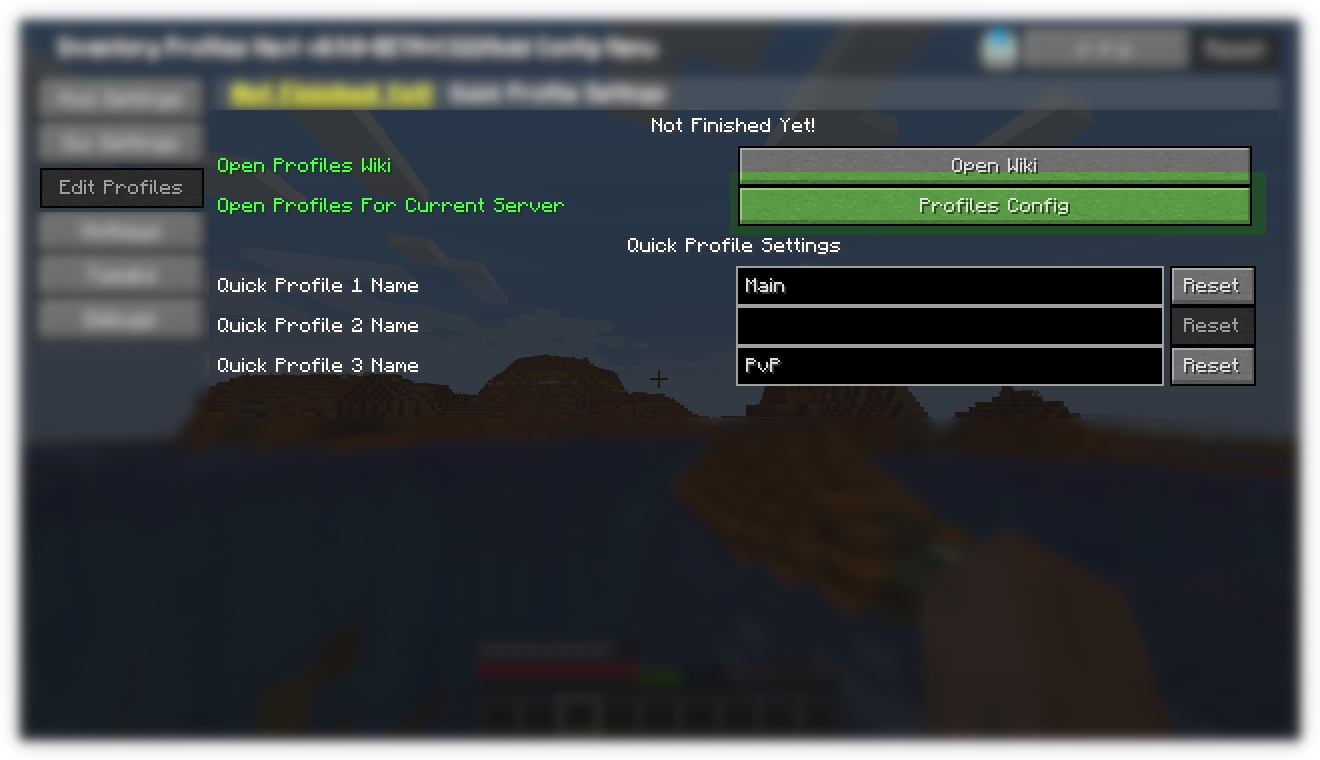
Use the configuration generated by your installed version when matching specific enchanted gear. Older wiki examples use older item-data syntax and should not be copied blindly into 26.2. You can keep different profile sets per world or server through the relevant setting.
More useful options
Villager trading bookmarks: enable the feature and use its Hotkeys section to bind local or global bookmarks and execution. Local bookmarks concern the current villager; global ones concern that profession. This spends the required items and respects available trades—it does not make trades free or refill exhausted stock.
Custom sorting: begin with the built-in Sort Order choices. For a personal order, use Open Config Folder and the current rules-v2.*.txt files, then Reload Rule Files. The author’s rule guide explains priorities and wildcards, but its older folder and file examples differ from the current version. Profiles choose gear; sorting rules choose item order.
Overlapping buttons: GUI Settings can hide unwanted controls or enable the overlay editor. This is useful with another inventory mod. Mouse Tweaks also changes inventory gestures, so check overlapping shortcuts if using both.
If something does not work
- The game will not start: match IPN, libIPN, Minecraft and the loader. Fabric additionally needs its API and language library; a NeoForge library is not a replacement for a Fabric library.
- Nothing sorts: check Enable Item Sorting and Moving, your shortcut, the hovered target and locked slots. Test a normal chest if a modded machine uses a special interface.
- Items move and then snap back: the server may reject rapid clicks. Where the feature is allowed, Add Interval Between Clicks can slow the operation. It does not override server restrictions.
- Auto Refill chooses something unexpected: inspect food and item-matching settings, per-slot controls and available supplies. Turn off the specific unwanted refill behavior.
- A profile does not appear: rename Saved, make its Quick Profile name match, reload its configuration and check the world/server-specific profile set.
- Only one custom container fails: disable IPN management for that interface through its overlay integration settings and report the mod combination to the author. Do not assume machine input/output slots behave like a chest.
Author and sources
Inventory Profiles Next and libIPN are by Mirinimi and contributors, distributed under AGPL-3.0-or-later according to the project listings. IPN 2.3.7 and the libIPN 6.8.3 files here are selected for Minecraft 26.2. Fabric API and Fabric Language Kotlin are maintained by FabricMC and contributors.
Sources: official project, release records, author documentation, source and supplied demonstration, libIPN, Fabric Language Kotlin, and Fabric API. Current controls and dependency details were checked against the downloaded 2.3.7 release. The MineBrush cover is a conceptual illustration; the mod does not add the pictured storage building or new chest models.
More for your Java setup.
Mouse Tweaks
2.31Move stacks with a drag, gather matching items and transfer small amounts with the mouse wheel. Download Mouse Tweaks for Java 26.2 with practical chest, crafting and touchpad tips.
- Minecraft
- Java 26.2
- Loader
- Fabric
- Runtime
- Client
Client inventory shortcuts; no automatic sorting
Java · Mod
Mouse Tweaks
Move stacks with a drag, gather matching items and transfer small amounts with the mouse wheel. Download Mouse Tweaks for Java 26.2 with practical chest, crafting and touchpad tips.
Client inventory shortcuts; no automatic sorting
- Minecraft version
- Java 26.2
- Game edition
- Java Edition
- Loader / platform
- Fabric
- License
- BSD-3-Clause
- Platform family
- Java & PC
- Supported devices
- Windows · macOS · Linux
- Install format
- One loader-specific Mouse Tweaks JAR in mods; Fabric also needs Fabric API
- Touch readiness
- Not required
- Resource type
- Mod
- Project version
- 2.31
- Last verified at
- Sep 13, 2026
- Secondary guide action
- Setup & fixes
- Compatibility confidence
- Source claimed
- Java mod loader
- Fabric
- Java runtime side
- Client
- Card evidence statement
- Drag stacks, gather matching items and scroll to transfer
- Required dependency
- Fabric API on Fabric; no additional library on Forge or NeoForge
- Card delivery statement
- Local Fabric, Forge and NeoForge files; Fabric API included
- Card limitation note
- Client inventory shortcuts; no automatic sorting
- Edition applicability
- Java
- Delivery state
- Direct download
- Lifecycle state
- Current

Mod Menu
20.0.2Find installed mods, open supported settings and make a large modpack easier to navigate. Download Mod Menu 20.0.2 for Java 26.2, with search tips, library filters and the required files.
- Minecraft
- Java 26.2
- Loader
- Fabric
- Runtime
- Client
Client menu · no server installation needed
Java · Mod
Mod Menu
Find installed mods, open supported settings and make a large modpack easier to navigate. Download Mod Menu 20.0.2 for Java 26.2, with search tips, library filters and the required files.
Client menu · no server installation needed
- Minecraft version
- Java 26.2
- Game edition
- Java Edition
- Loader / platform
- Fabric
- License
- MIT
- Platform family
- Java & PC
- Supported devices
- Windows · macOS · Linux
- Install format
- JAR files in the instance mods folder
- Touch readiness
- Not required
- Resource type
- Mod
- Project version
- 20.0.2
- Last verified at
- Sep 12, 2026
- Secondary guide action
- Setup & fixes
- Compatibility confidence
- Source claimed
- Java mod loader
- Fabric
- Java runtime side
- Client
- Card evidence statement
- Search installed mods and open supported settings
- Required dependency
- Fabric API and Text Placeholder API for Minecraft 26.2
- Card delivery statement
- Mod Menu and dependencies hosted on MineBrush
- Card limitation note
- Client menu · no server installation needed
- Edition applicability
- Java
- Delivery state
- Direct download
- Lifecycle state
- Current

VeinMiner Hotkey
2.12.1Activate vein mining with a key, preview connected blocks and choose tunnel or stairs patterns. Download VeinMiner Hotkey for Java 26.2 with its base mod, libraries and practical controls.
- Minecraft
- Java 26.2
- Loader
- Fabric
- Runtime
- Client
Requires base VeinMiner support in the world or server
Java · Mod
VeinMiner Hotkey
Activate vein mining with a key, preview connected blocks and choose tunnel or stairs patterns. Download VeinMiner Hotkey for Java 26.2 with its base mod, libraries and practical controls.
Requires base VeinMiner support in the world or server
- Minecraft version
- Java 26.2
- Game edition
- Java Edition
- Loader / platform
- Fabric
- License
- Author license notices included in the files
- Platform family
- Java & PC
- Supported devices
- Windows · macOS · Linux
- Install format
- .jar mod file from the creator
- Touch readiness
- Not required
- Resource type
- Mod
- Project version
- 2.12.1
- Last verified at
- Sep 13, 2026
- Secondary guide action
- Setup & fixes
- Compatibility confidence
- Source claimed
- Java mod loader
- Fabric
- Java runtime side
- Client
- Card evidence statement
- Hotkey activation, block preview and configurable mining patterns
- Required dependency
- Base VeinMiner; Fabric API + Kotlin or NeoForge KotlinLangForge
- Card delivery statement
- Local Hotkey, base mod and library downloads
- Card limitation note
- Requires base VeinMiner support in the world or server
- Edition applicability
- Java
- Delivery state
- Direct download
- Lifecycle state
- Current
Player discussion 0
Questions, discoveries and help from other players.