
MineBrush publication
Presence Footsteps 1.13.3: Sounds, Settings & Downloads
Make wooden paths creak, gravel crunch and foliage rustle as you explore. Presence Footsteps adds material-aware movement sounds for Minecraft Java 26.2, with useful volume controls, optional sound packs and the required downloads.
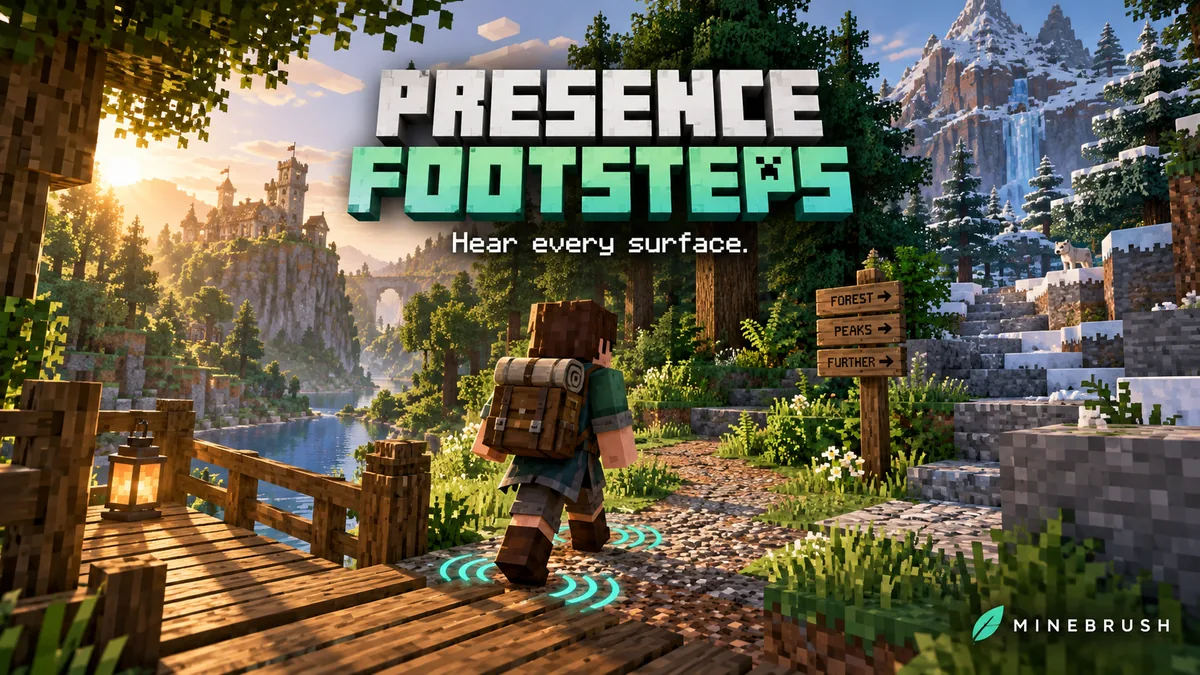
Presence Footsteps makes walking through Minecraft sound more connected to the world beneath your feet. A wooden surface can creak, gravel can crunch, and plants can rustle as you pass through them. The mod chooses sounds from materials and movement instead of giving every journey the same simple rhythm.
It suits exploration, building tours and survival worlds where you want more atmosphere without changing textures or adding new blocks. It is a client-side sound mod: it does not leave visible footprints, add the scenery on our cover, or make your character move faster.
What to try in your world
- Give a village walk more character. Take a route from a wooden porch onto a gravel path and through nearby grass. The transitions help different parts of a build feel distinct while you explore them.
- Listen to the materials in your base. Compare a wooden chest, a stone floor and a piston’s head and body. The author describes separate material sounds even for these less obvious surfaces.
- Enjoy a woodland or rainy journey. Foliage rustling and wet-surface sounds add detail while travelling. If either becomes distracting, reduce its own volume instead of muting all footsteps.
- Make a busy base less noisy. Turn down passive-mob footsteps near pens, or choose a narrower entity group while keeping the sound of your own movement.
- Personalize a roleplay character. Footwear can affect supported boots, while stance changes the stepping pattern. Normal players can keep Auto; specialized four-legged or winged patterns are optional sound choices, not new movement abilities.
For an audible introduction, watch the July 2013 demonstration linked by the project author. It illustrates the original material-based idea; it is not a recording of the current release. The instructions and downloads below concern Minecraft Java 26.2.
Download Presence Footsteps for Minecraft Java 26.2
Presence Footsteps 1.13.3+26.2 is listed for Fabric and Quilt. The installation below uses Fabric Loader 0.19.3 or newer and Fabric API for 26.2. Kirin is already included inside the mod; do not download a second copy just to satisfy that dependency.
These are client files. You do not need Presence Footsteps on a dedicated server for your own client to use it, and installing it for yourself does not change what friends hear. Forge and NeoForge ports are separate projects; this JAR is not their download. For an older Minecraft instance, use a release explicitly matching that version from the author’s version history.
Install and start listening
- Close Minecraft and open the game folder of your Fabric 26.2 launcher instance.
- Place Presence Footsteps and Fabric API in its
modsfolder. Replace older copies of the same mods; keep only one compatible Fabric API. - Launch the instance and enter a world. The mod includes its normal sounds and vanilla material mappings, so a separate community sound pack is optional.
- Walk across wood, stone and grass, then open the settings with F10. Start by adjusting Global Volume until steps sit comfortably beside the rest of the game.
- If the key is unavailable or conflicts with another mod, open Options → Controls → Key Binds → Presence Footsteps and change Open Settings. A keyboard that reserves function keys for system actions may also need its function-key modifier.
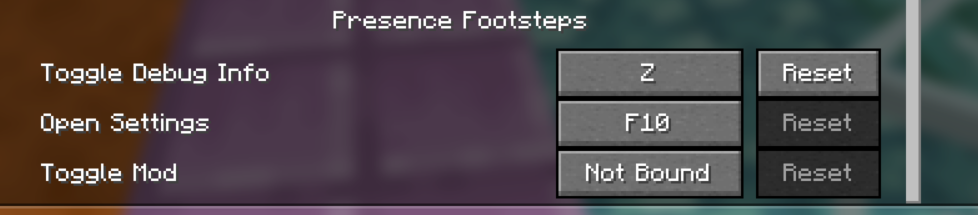
You can assign Toggle Mod to a spare key for a quick on/off comparison without uninstalling anything. Debug controls are separate and are not needed for ordinary play.
Useful settings and when to change them
- Global Volume: changes the overall level of Presence Footsteps. The default is 70%; zero silences the mod. If everything feels too prominent, adjust this first.
- Client Player / Other Players: balance your own steps against other players. Lower your own level when repeated close-up footsteps distract from conversation or the rest of the game.
- Hostile Entities / Passive Entities: adjust enemy and friendly-mob steps separately. Lower passive entities around farms without automatically lowering every other category.
- Wet surfaces / Foliage: control rain-related surface sounds and rustling plants. These are useful individual adjustments when walking through a wet forest becomes too busy.
- Speed Attenuation: changes how the volume varies with running speed. Its default is zero; begin with a small adjustment if you want a stronger sense of pace.
- Entities: choose All, Players + Hostiles, or Only Players. This changes which groups receive generated footsteps; it does not remove those creatures from the world.
- Single + Multiplayer: controls generated footsteps for other players in multiplayer. If those are missing, check this alongside Other Players volume.
- Footwear: adds supported boot sounds. If a modded boot sounds odd, try turning Footwear off; not every custom boot has a suitable sound.
- Stance: Auto uses the Mine Little Pony integration when present and otherwise behaves like ordinary two-legged walking. Bipedal, Quadrupedal and winged patterns let you choose a different sound rhythm. Mine Little Pony is optional.
- Exclusive Mode: blocks vanilla step sounds when the mod generates them for other players or entities. It is useful when those steps overlap, but it is not a universal switch that removes every sound from every other audio mod.
A comfortable starting approach: keep the default global level, leave ordinary stance on Auto, and change only the category that bothers you. A quiet explorer may lower personal and foliage sounds; someone in a crowded base may lower passive entities or use Only Players. There is no single best volume for every headset, world or modpack.
Custom sound packs and modded blocks
Presence Footsteps includes its own sound set. Compatible resource packs can override its sounds and material mappings if you prefer a different style. Install such a pack in resourcepacks, enable it in Minecraft’s Resource Packs menu, and follow that pack’s order instructions. A pack supplying replacements usually needs priority over the resources it replaces.
For a modded block, Presence Footsteps tries to infer a sound from the vanilla material or sound type that the block uses. That makes many additions usable automatically, but it does not guarantee a unique sound for every block. Special materials can need explicit mappings from the mod or a compatible pack. Pack creators can use the author’s mapping guide.
If a custom pack changes the wrong sound, temporarily disable that pack and listen with the included sounds. This distinguishes a pack preference or override from an installation problem. Keep at least one working set of Presence Footsteps sounds available.
What changed in the 26.2 release?
Version 1.13.3 updates the mod for Minecraft 26.2, adds sulfur and cinnabar material mappings, and includes a fix for a change that had broken multiplayer footsteps. It also adds a configuration option to suppress vanilla horse-galloping sounds while riding. The in-menu update-check button is temporarily removed in this release; its absence does not mean the mod failed to install.
The horse option is preventHorseGallopingSounds in config/presencefootsteps/userconfig.json inside your instance folder. If riding produces an unwanted vanilla overlap, close Minecraft, keep a copy of the existing configuration, change that option, then relaunch. Routine volume, footwear and stance adjustments are easier through F10.
How it fits with other atmosphere mods
Presence Footsteps focuses on generated movement sounds and materials. Sound Physics Remastered focuses on how sound behaves around the environment. They address different parts of the experience, but other audio mods or packs can still change the combined result. If the mix becomes too loud or doubled, adjust or disable one overlapping feature at a time.
This is not an enemy radar, a guarantee that every creature becomes audible, or a performance booster. The settings control generated sounds; they do not change a server’s gameplay rules or make all nearby movement equally easy to hear.
If something sounds wrong
- No added footsteps: check that you launched the correct instance, the mod is enabled, Global Volume is above zero, and Minecraft’s sound output works. If you changed packs, return to the included sounds before investigating further.
- Other players or mobs are quiet: check the entity group, the relevant category volume and the multiplayer option. Presence Footsteps does not need to be installed by everyone just to produce sounds on your client.
- Double steps: try Exclusive Mode for other players or entities, then check overlapping footstep mods and resource packs. If the problem is specifically riding, consider the horse-galloping configuration above.
- One block sounds unexpected: compare it without custom sound packs. A modded block may be using an inferred material and need a pack-specific mapping; not every unusual sound means the whole mod is broken.
- A controls entry looks like an internal name: an older 26.1.2 report showed an untranslated debug label. The author and reporter confirmed the pictured problem was absent in 26.2. Keep the file matched to your game version instead of installing a 26.2 JAR into 26.1.2.
- A debug overlay appeared accidentally: use the debug toggle shown by the game’s controls or its toggle message to turn it off. Do not assume another player’s customized key is yours.
- Minecraft fails to launch: confirm Minecraft 26.2, the correct loader, Fabric API and a single Presence Footsteps JAR. Read the missing-dependency message before adding unrelated libraries.
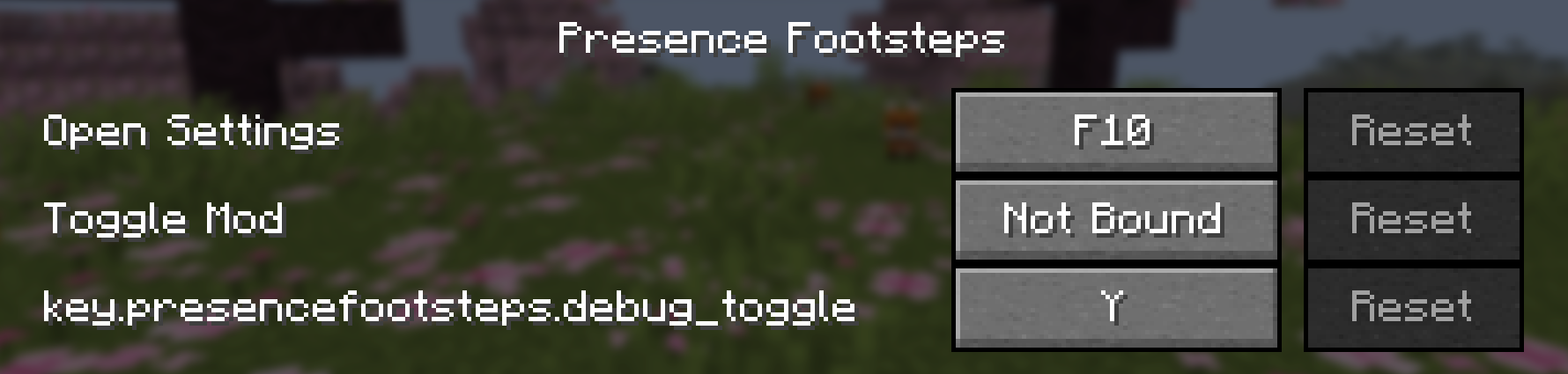
If a problem persists, send the Minecraft and mod versions, other sound mods, and a short description of the surface and action that triggers it to the developer’s issue tracker. To return to vanilla footsteps, close the game and remove Presence Footsteps; keep Fabric API if other installed mods use it.
Author and sources
Presence Footsteps continues Hurricaaane (Ha3)’s original mod and is maintained by Sollace and contributors. The project lists PolyForm Shield 1.0. The download here is the author’s Modrinth release 1.13.3+26.2, published June 23, 2026 (UTC). Fabric API 0.160.0+26.2 is by FabricMC and contributors, published September 7, 2026 (UTC).
Sources: official project, 26.2 release notes, release source and settings, author’s demonstration gallery, controls screenshots and discussion, and Fabric API. The MineBrush cover is a conceptual illustration; its scenery and visible sound rings are not features added by this mod.
More for your Java setup.

Sound Physics Remastered
1.5.1 BetaGive caves an echo and hear sounds become muffled behind walls. Download Sound Physics Remastered for Java 26.2, with practical sound settings, exploration ideas and optional voice-chat integration.
- Minecraft
- Java 26.2
- Loader
- Fabric
- Runtime
- Client
26.2 Beta; server support needed for distance controls
Java · Mod
Sound Physics Remastered
Give caves an echo and hear sounds become muffled behind walls. Download Sound Physics Remastered for Java 26.2, with practical sound settings, exploration ideas and optional voice-chat integration.
26.2 Beta; server support needed for distance controls
- Minecraft version
- Java 26.2
- Game edition
- Java Edition
- Loader / platform
- Fabric
- License
- GPL-3.0-only
- Platform family
- Java & PC
- Supported devices
- Windows · macOS · Linux
- Install format
- .jar mod file from the creator
- Touch readiness
- Not required
- Resource type
- Mod
- Project version
- 1.5.1 Beta
- Last verified at
- Sep 13, 2026
- Secondary guide action
- Setup & fixes
- Compatibility confidence
- Source claimed
- Java mod loader
- Fabric
- Java runtime side
- Client
- Card evidence statement
- Cave echoes, sound through walls and optional voice-chat acoustics
- Required dependency
- None; optional Cloth Config for settings
- Card delivery statement
- Local downloads for Fabric, Quilt, Forge and NeoForge
- Card limitation note
- 26.2 Beta; server support needed for distance controls
- Edition applicability
- Java
- Delivery state
- Direct download
- Lifecycle state
- Current

LambDynamicLights
4.12.4Explore caves with a torch in your offhand and watch creatures light their surroundings. Download LambDynamicLights for Java 26.2 with practical lighting, shader and performance tips.
- Minecraft
- Java 26.2
- Loader
- Fabric
- Runtime
- Client
Visual lighting does not prevent mob spawning
Java · Mod
LambDynamicLights
Explore caves with a torch in your offhand and watch creatures light their surroundings. Download LambDynamicLights for Java 26.2 with practical lighting, shader and performance tips.
Visual lighting does not prevent mob spawning
- Minecraft version
- Java 26.2
- Game edition
- Java Edition
- Loader / platform
- Fabric
- License
- Lambda License
- Platform family
- Java & PC
- Supported devices
- Windows · macOS · Linux
- Install format
- .jar
- Touch readiness
- Not required
- Resource type
- Mod
- Project version
- 4.12.4
- Last verified at
- Sep 13, 2026
- Secondary guide action
- Setup & fixes
- Compatibility confidence
- Source claimed
- Java mod loader
- Fabric
- Java runtime side
- Client
- Card evidence statement
- Carry light while exploring and choose the effects you enjoy
- Required dependency
- Fabric API on Fabric; bundled libraries on NeoForge
- Card delivery statement
- Mod and Fabric API available on MineBrush
- Card limitation note
- Visual lighting does not prevent mob spawning
- Edition applicability
- Java
- Delivery state
- Direct download
- Lifecycle state
- Current

Mod Menu
20.0.2Find installed mods, open supported settings and make a large modpack easier to navigate. Download Mod Menu 20.0.2 for Java 26.2, with search tips, library filters and the required files.
- Minecraft
- Java 26.2
- Loader
- Fabric
- Runtime
- Client
Client menu · no server installation needed
Java · Mod
Mod Menu
Find installed mods, open supported settings and make a large modpack easier to navigate. Download Mod Menu 20.0.2 for Java 26.2, with search tips, library filters and the required files.
Client menu · no server installation needed
- Minecraft version
- Java 26.2
- Game edition
- Java Edition
- Loader / platform
- Fabric
- License
- MIT
- Platform family
- Java & PC
- Supported devices
- Windows · macOS · Linux
- Install format
- JAR files in the instance mods folder
- Touch readiness
- Not required
- Resource type
- Mod
- Project version
- 20.0.2
- Last verified at
- Sep 12, 2026
- Secondary guide action
- Setup & fixes
- Compatibility confidence
- Source claimed
- Java mod loader
- Fabric
- Java runtime side
- Client
- Card evidence statement
- Search installed mods and open supported settings
- Required dependency
- Fabric API and Text Placeholder API for Minecraft 26.2
- Card delivery statement
- Mod Menu and dependencies hosted on MineBrush
- Card limitation note
- Client menu · no server installation needed
- Edition applicability
- Java
- Delivery state
- Direct download
- Lifecycle state
- Current
Player discussion 0
Questions, discoveries and help from other players.