
MineBrush publication
Entity Texture Features: Varied Mobs, Glowing Details and Skins
Give compatible packs varied mob textures, glowing details and blinking eyes. Download ETF 7.2.1 for Java 26.2, learn when EMF is needed and personalize your skin with the built-in tool.
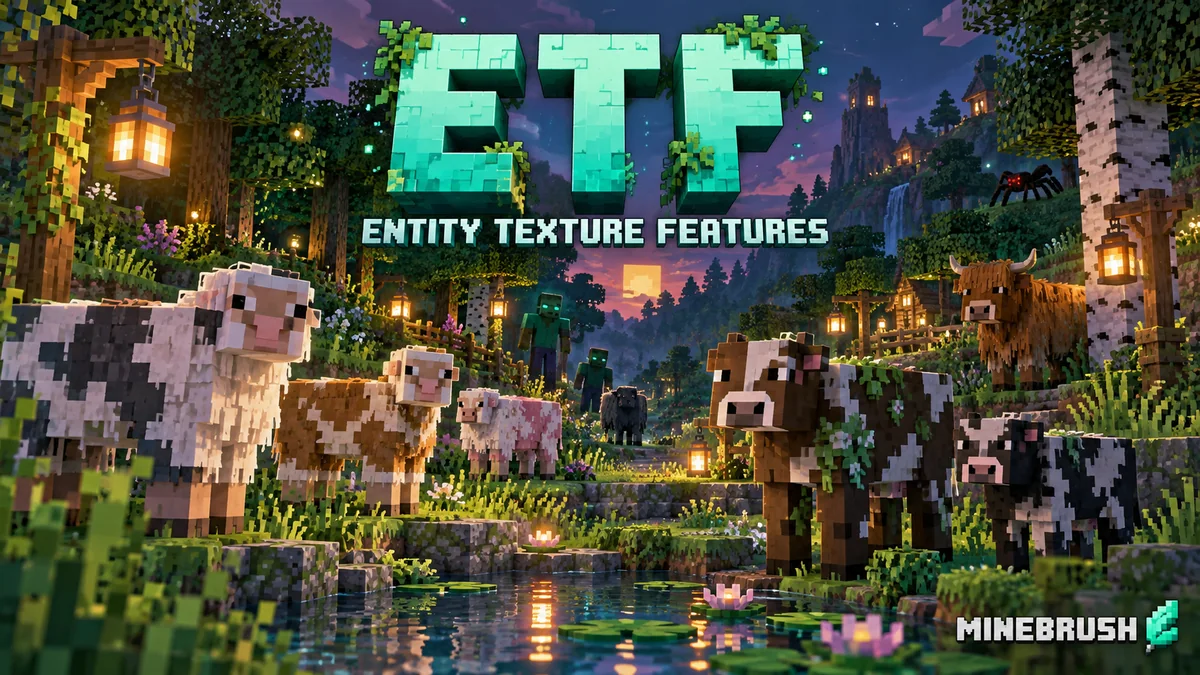
Entity Texture Features (ETF) lets compatible resource packs give Minecraft mobs more visual variety: different coats and markings, bright eyes or glowing details, and blinking textures. It also includes optional tools for adding effects to your player skin.
This client-side mod by Traben and contributors supplies the texture features that packs need. It does not automatically install a collection of new animals or make every mob glow. For mob changes, you need a resource pack that contains the corresponding artwork and rules. Your existing world, mob behavior and drops stay the same.
What you can use ETF for
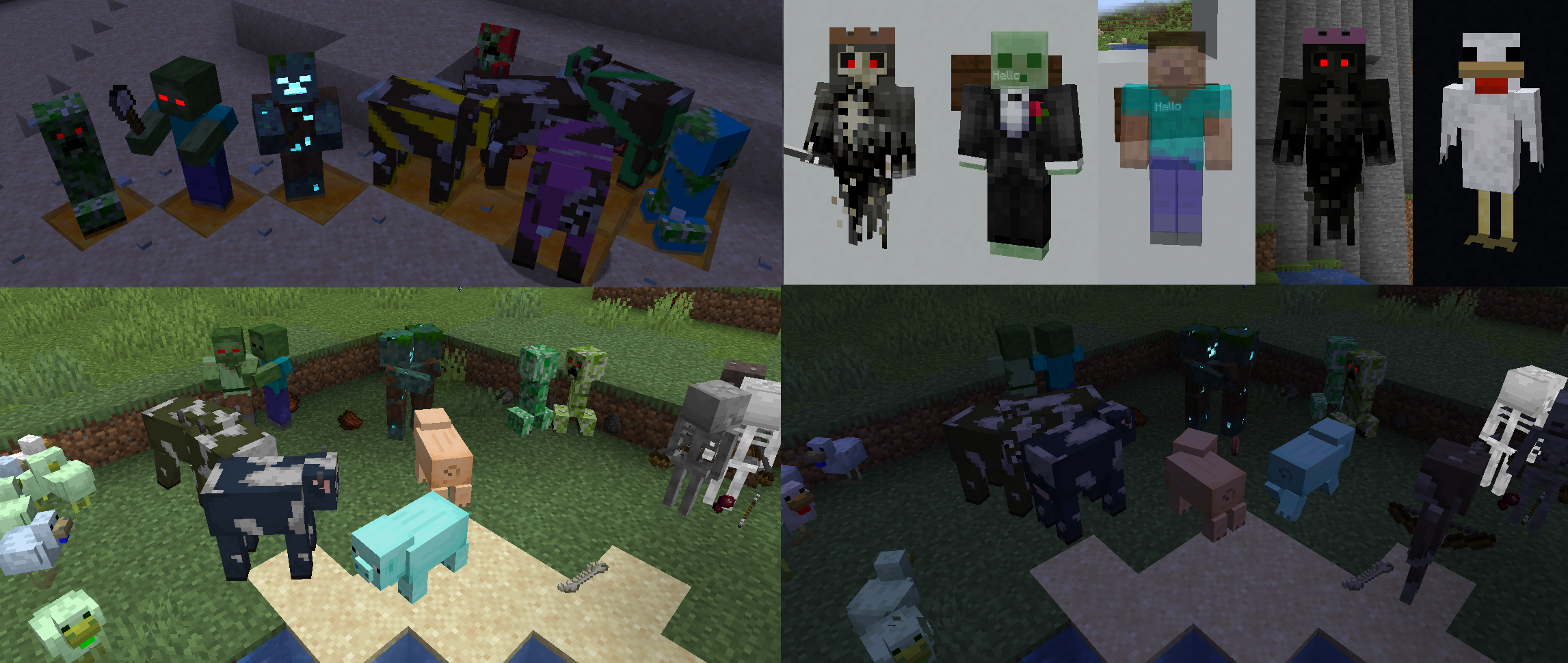
- Make farms and villages feel less repetitive. A random-entity pack can give animals and other mobs several appearances. The pack decides which textures exist; ETF chooses and displays them according to its rules.
- Give different places their own visual character. Packs can select appearances using conditions such as biome or a mob’s name. A snowy animal variant or a named pet’s special look only appears if the pack actually defines that rule. Moving an existing mob to another biome does not necessarily change its texture: some conditions are tied to where it first appeared.
- Add atmosphere to night exploration. Emissive textures keep chosen details, such as eyes or magical markings, bright in the dark. They are a visual effect, not torches: they do not change the world’s light level or stop hostile mobs from spawning.
- Make familiar mobs more expressive. A pack with closed-eye textures can use ETF’s blinking support. Installing ETF alone cannot invent the missing blink artwork.
- Personalize your character. The skin tool can add blinking and select emissive or enchanted pixels. A jacket extension can help create a robe or long coat, provided your skin is designed for it.
See the author’s texture examples
ETF, EMF, Sodium and shaders: what each one does
ETF handles entity textures. If your pack only adds random skins, blinking or emissive details to existing mobs, ETF may be all it asks for. Entity Model Features (EMF) handles custom mob shapes and model animations. Packs such as Fresh Animations need the model support described by their creator as well as the texture support; ETF alone cannot replace it.
For that setup, use our EMF guide and downloads and choose the same Minecraft version and loader. ETF 7.2.1 rejects EMF versions older than 3.3; the current 26.2 EMF files covered in that guide are 3.3.5. Keep just one ETF JAR if another guide or modpack already supplied it.
Sodium is a separate renderer optimization and can work alongside ETF. Iris and a shader pack are optional; ETF’s basic emissive textures do not require shaders. Bloom, lighting and shader compatibility vary with the shader, so a glowing screenshot is not a promise that every shader will reproduce it. ETF does not provide ordinary block connected textures or every OptiFine feature.
Download ETF 7.2.1 for Minecraft Java 26.2
Both mod files below are official 7.2.1 releases published September 2, 2026. Choose one ETF file for your loader. The Fabric JAR is also listed for Quilt; NeoForge has a separate JAR. These are client mods for Java Edition, not Bedrock or mobile add-ons.
ETF · Fabric / Quilt · Java 26.2
No separate library is listed as a requirement for normal ETF texture rendering. Fabric API is needed for the Fabric skin tool and is available separately below. Mod Menu is optional for convenient access to settings.
ETF · NeoForge · Java 26.2
Use this instead of the Fabric/Quilt file when your instance runs NeoForge. Do not add Fabric API to a NeoForge instance for ETF.
Fabric API · optional for textures, required for the Fabric skin tool
Only add this to a matching Fabric setup if a compatible copy is missing. It is a shared library, not a resource pack or another edition of ETF. Existing Quilt packs should follow their own compatible-library guidance.
For an older world or modpack, match its Minecraft version using the author’s version history. Older Forge releases exist, but these hosted files are specifically the 26.2 Fabric/Quilt and NeoForge builds. The 7.2.1 changelog records a crash fix for 26.1; it does not announce a new pack of textures.
Install ETF and activate a resource pack
- Check the game version and loader in your launcher. Close Minecraft, then open that instance’s folder. Put the matching ETF JAR in
mods; replace an older ETF copy instead of leaving duplicates. - Choose a resource pack that supports your game version and advertises random/custom entities, emissive entities or ETF features. Read its required-mod list. If it uses custom models, add a compatible EMF file as well.
- Put the pack ZIP in the instance’s
resourcepacksfolder. The ETF JAR stays inmods; the two files have different jobs. - Launch the modded profile and open Options → Resource Packs. Move the pack into the selected list and click Done to let Minecraft reload its resources.
- Visit an area containing mobs the pack changes. Look at several animals for random variants, check emissive details in shade or at night, and watch a supported mob for a while to see blinking.
Start with one entity pack so you can recognize its changes. If you combine packs, the higher-priority pack can override artwork or rules from another. Follow the creator’s ordering instructions for add-ons. A normal terrain pack that only changes stone, grass and wood gives ETF no new mob textures to display.
You can browse Java resource packs on MineBrush. Select by the visual result and supported version, not simply by the phrase “works with OptiFine”: some packs also need model, item or other features that ETF does not supply.
Useful settings for everyday play
Open the Entity Features settings button in the resource-pack screen. On Fabric, you can also select ETF in Mod Menu. Begin with the defaults and adjust a specific feature only when you want a different result.
- Enable OptiFine random mobs: allows a compatible pack’s texture variants and selection rules. Disable it when you want the ordinary texture choice without removing the entire pack.
- Emissive entity textures: controls bright texture details. Try Emissive rendering mode: Default before Brighter when using shaders; Brighter is only partially shader-compatible.
- Blinking mob textures: enables closed-eye frames supplied by the pack. Blinking frequency and length change the timing, though a pack can override these for particular textures.
- Player skin features: enables compatible effects in skins. You can disable these independently of mob textures. ETF also provides an option for enemy-team skin features in PvP.
Add blinking or glowing details to your own skin
Keep a copy of your original skin first. Enter a world and show your character in third person or the inventory for a few seconds, so the game has loaded and displayed the skin. Open ETF’s Player skin settings, enable Player skin features, save, then reopen the settings and choose Open skin feature tool.
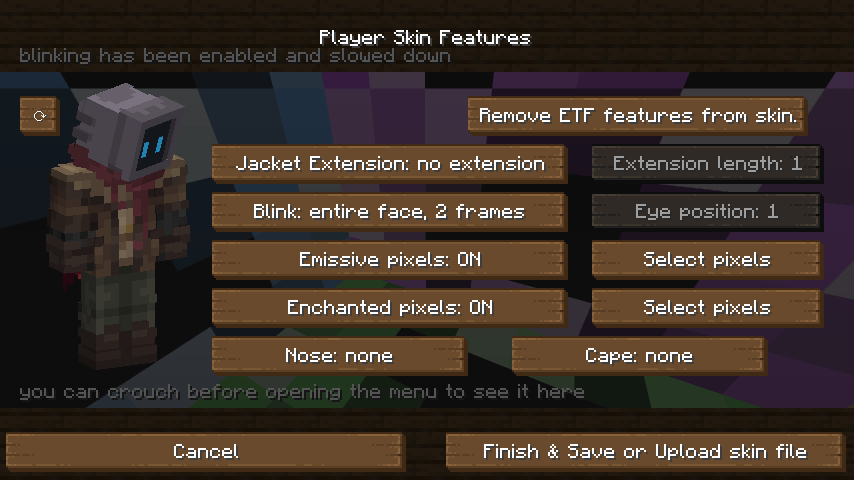
- Use Add ETF features to skin if the skin has not been prepared yet. Read any prompt about example overlays before accepting, because those can overwrite parts of your artwork.
- For blinking, choose a blink type that matches your eye height and set Eye position to the appropriate row on the face. Watch the preview to check that the eyes, rather than an unrelated strip of the face, close.
- For a luminous emblem or eyes, enable Emissive pixels and use the pixel-selection control. Select the intended details instead of making the whole skin bright.
- Finish and save the resulting skin image, or use the tool’s upload option to update your Minecraft profile. Saving a local PNG alone does not change your account skin; it still needs to be uploaded through the tool or your profile’s skin controls.
- Return to third person and check the result. If the upload succeeds but the current game does not refresh it, restart Minecraft. You can restore your original skin if you prefer the previous appearance.
Other players need ETF support on their own client to see ETF-specific skin effects. Vanilla clients cannot reproduce them all. These effects belong to the prepared skin; installing ETF does not automatically give every ordinary skin blinking or glowing eyes.
Fix missing variants, glow or skin controls
- Everything still looks vanilla: confirm the correct launcher instance, that the pack is selected and that it actually changes the mob you are viewing. Show several examples; a random pack can still include the original texture. Check random textures are enabled and temporarily disable other packs that might override it.
- A named or biome-specific variant never appears: follow the pack’s exact naming or location instructions. ETF does not invent a special texture for every name tag, and spawn-based conditions may not update when you move an existing mob.
- Mobs are distorted or invisible: check whether the pack needs EMF. Use matching current versions rather than adding OptiFine to the same setup; ETF’s Fabric metadata explicitly conflicts with OptiFabric.
- Glow flickers with a shader: first check the same scene with shaders disabled. Try Default emissive mode and review the shader’s own entity-emissive options; two competing effects or mismatched pack textures can cause problems. Keep the combination that renders correctly.
- Chest or other block-entity effects do not work: Enhanced Block Entities can bypass the rendering ETF uses for these features. That is a known limitation, not evidence that every mob texture is broken. Custom-rendered modded mobs can also fall outside ETF’s support.
- The skin tool is unavailable: on Fabric, add matching Fabric API. Enable skin features, save and reopen the menu, then load a world and display your character first. The button’s tooltip can explain which condition is still missing.
- A crowded area becomes slower: extra textures and effects can cost resources. Try a lighter-resolution pack or disable the optional effect you do not need. ETF is a visual compatibility mod, not an FPS booster.
To undo mob changes, deselect the resource pack and let resources reload. To remove ETF itself, close the game and remove its JAR, checking whether EMF or another installed mod depends on it. Restoring your account skin is a separate action from removing the mod.
Author and sources
Entity Texture Features is developed by Traben and contributors under LGPL-3.0-only. MineBrush supplies this player guide, a branded editorial illustration and locally hosted original downloads; it does not claim authorship of ETF, resource-pack artwork or the author screenshots.
Sources: Fabric/Quilt 7.2.1 release, NeoForge 7.2.1 release, official source and documentation, random texture rules, emissive texture guide and Fabric API by FabricMC. The cover is conceptual artwork; the in-article images are real author examples with their original context.
More for your Java setup.
Give familiar mobs new shapes and expressive animations with compatible resource packs. Download Entity Model Features and its required ETF companion for Java 26.2, then bring your chosen pack to life.
- Minecraft
- Java 26.2
- Loader
- Fabric
- Runtime
- Client
Client only · Compatible resource pack required
Java · Mod
Entity Model Features
Give familiar mobs new shapes and expressive animations with compatible resource packs. Download Entity Model Features and its required ETF companion for Java 26.2, then bring your chosen pack to life.
Client only · Compatible resource pack required
- Minecraft version
- Java 26.2
- Game edition
- Java Edition
- Loader / platform
- Fabric
- License
- LGPL-3.0-only
- Platform family
- Java & PC
- Supported devices
- Windows · macOS · Linux
- Install format
- Two .jar mods + a compatible resource-pack ZIP
- Touch readiness
- Not required
- Resource type
- Mod
- Project version
- 3.3.5
- Last verified at
- Sep 5, 2026
- Secondary guide action
- Setup & fixes
- Compatibility confidence
- Source claimed
- Java mod loader
- Fabric
- Java runtime side
- Client
- Card evidence statement
- Custom mob models and animations from resource packs
- Required dependency
- Entity Texture Features 7.2.1 for the same loader
- Card delivery statement
- Download EMF + ETF for Fabric, Quilt or NeoForge
- Card limitation note
- Client only · Compatible resource pack required
- Edition applicability
- Java
- Delivery state
- Direct download
- Lifecycle state
- Current
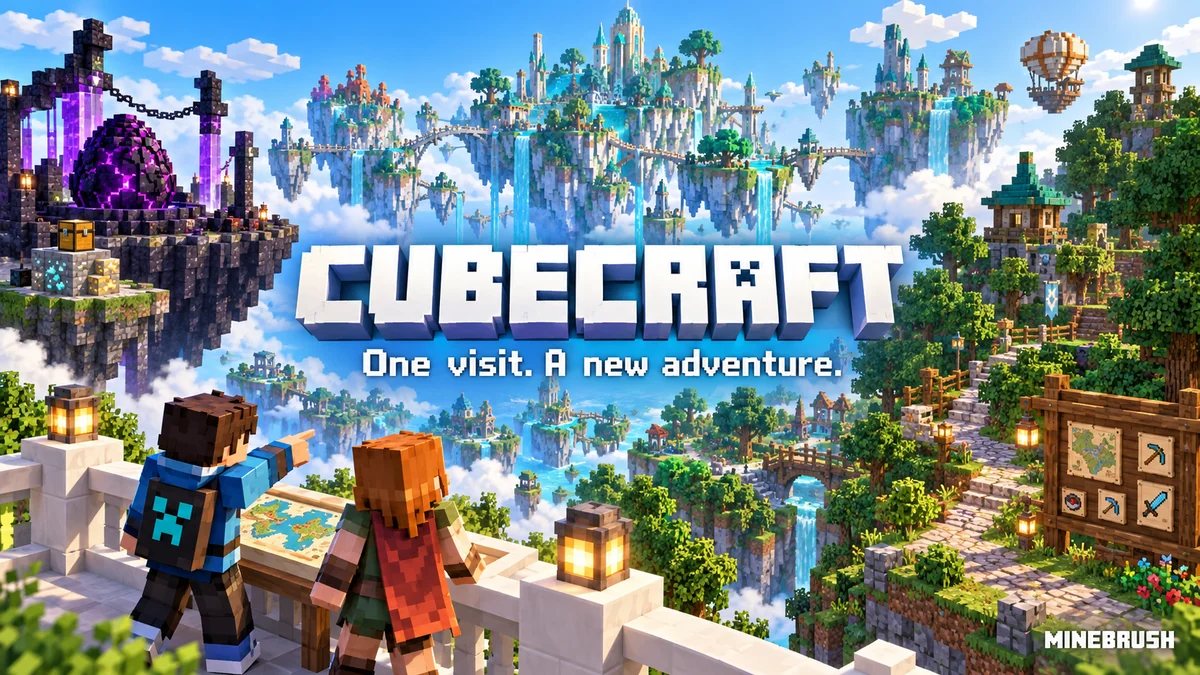
CubeCraft offers EggWars teamwork, quick SkyWars fights, unpredictable Lucky Islands and lasting Skyblock projects. Choose the right Java or Bedrock route, invite friends and start with a clear plan.
- Edition
- Java + Bedrock
- Modes
- Minigames
- Region
- None
Choose the same edition as your friends
Minecraft · Server
CubeCraft
CubeCraft offers EggWars teamwork, quick SkyWars fights, unpredictable Lucky Islands and lasting Skyblock projects. Choose the right Java or Bedrock route, invite friends and start with a clear plan.
Choose the same edition as your friends
- Minecraft version
- Java 1.21.8+ · Bedrock 1.21.120+
- Game edition
- Cross-edition
- Loader / platform
- Not applicable
- License
- CubeCraft rules and terms
- Server address
- play.cubecraft.net
- Server modes
- Minigames
- Platform family
- Cross-edition
- Supported devices
- Java on PC/Mac; Bedrock on Windows, mobile and consoles
- Install format
- Java server address or Bedrock Featured Servers
- Touch readiness
- Not required
- Resource type
- Server
- Last verified at
- Sep 14, 2026
- Compatibility confidence
- Source claimed
- Card evidence statement
- Official CubeCraft guides and game updates
- Card delivery statement
- Join Java or Bedrock using the guide
- Card limitation note
- Choose the same edition as your friends
- Edition applicability
- Java + Bedrock
- Bedrock address copy availability
- Copy unavailable
- Java address copy availability
- Copy available
- Java server address
play.cubecraft.net- Delivery state
- No file
- Lifecycle state
- Current
Understand a Minecraft server before moving in: edition and join details, claims, PvP, world resets, costs and community hours. See a clear example profile, official connection screenshots and the questions that protect your time and builds.
- Edition
- Cross-edition
- Difficulty
- Intermediate
- Time
- 8 min read
Check the server’s own current rules and join page.
MineBrush · Guide
Read a Minecraft Server Profile
Understand a Minecraft server before moving in: edition and join details, claims, PvP, world resets, costs and community hours. See a clear example profile, official connection screenshots and the questions that protect your time and builds.
Check the server’s own current rules and join page.
- Minecraft version
- Java & Bedrock — check the server’s supported releases
- Game edition
- Cross-edition
- Platform family
- Cross-edition
- Supported devices
- Java PC; Bedrock access depends on device and server
- Install format
- Read online — no download required
- Touch readiness
- Not required
- Resource type
- Guide
- Compatibility confidence
- Not applicable
- Card evidence statement
- Understand joining, claims, resets and community rules.
- Card delivery statement
- Practical guide · clear fictional profile example
- Card limitation note
- Check the server’s own current rules and join page.
- Edition applicability
- Java + Bedrock
- Tested environment
- Java and Bedrock server listings
- Estimated time
- 8 min read
- Guide difficulty
- Intermediate
- Delivery state
- No file
- Lifecycle state
- Current
Fresh Animations
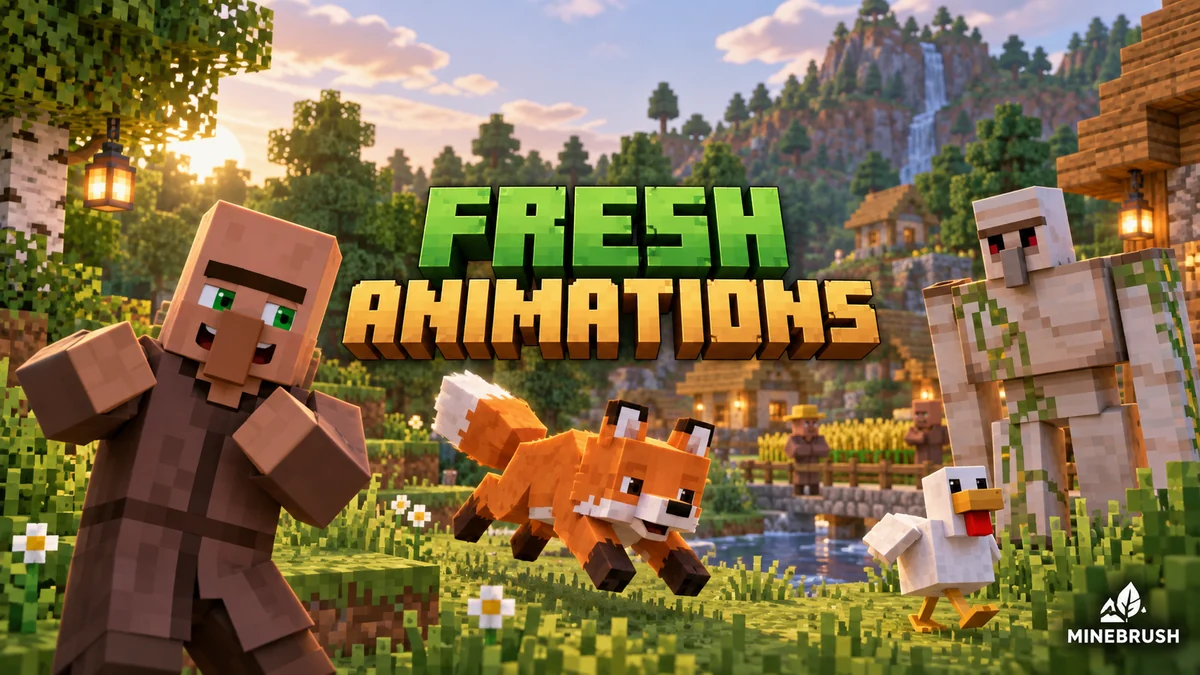
1.10.5 Beta / 1.10.4 BetaGive familiar mobs more expressive poses and movement. See creator examples, choose the right Fresh Animations version, and set up EMF + ETF for villages, farms and exploration.
- Minecraft
- Java 26.1–26.2 / 1.20–1.21.11
- Scope
- Entities
- Runtime
- Multiple dependencies
Requires EMF + ETF or matching OptiFine
Java · Pack
Fresh Animations
Give familiar mobs more expressive poses and movement. See creator examples, choose the right Fresh Animations version, and set up EMF + ETF for villages, farms and exploration.
Requires EMF + ETF or matching OptiFine
- Minecraft version
- Java 26.1–26.2 / 1.20–1.21.11
- Game edition
- Java Edition
- Loader / platform
- Fabric
- License
- Creator terms; original notices preserved
- Visual resolution
- 16x
- Platform family
- Java PC
- Supported devices
- Windows · macOS · Linux · Java Edition
- Install format
- Pack ZIP in resourcepacks; EMF and ETF JARs in mods
- Touch readiness
- Yes
- Resource type
- Add-on
- Project version
- 1.10.5 Beta / 1.10.4 Beta
- Last verified at
- Sep 14, 2026
- Compatibility confidence
- Source claimed
- Resource-pack scope
- Entities
- Required runtime
- Multiple dependencies
- Pack load order
- Top
- Resource-pack preview mode
- Single cover
- Resource-pack setup guide
- Available
- Card evidence statement
- Expressive mobs for villages, farms and exploration
- Card delivery statement
- Two pack branches + Fabric 26.2 setup
- Card limitation note
- Requires EMF + ETF or matching OptiFine
- Edition applicability
- Java
- Delivery state
- Direct download
- Lifecycle state
- Current
Player discussion 0
Questions, discoveries and help from other players.