
MineBrush publication
Minecraft Villager Trading: Mending, Biomes and the Rebalance Experiment
Do you need a swamp librarian for Mending? Compare ordinary trading with Trade Rebalance, use the special-book table, avoid wasted cures, and follow the released map and name-tag changes in Java and Bedrock.
You do not need a swamp librarian for Mending in an ordinary world with Villager Trade Rebalance switched off. The swamp requirement belongs to the optional experiment. However, some other trade changes have already become normal gameplay. Treating every trading change as either “all experimental” or “all released” leads to wasted journeys and broken plans.
Checked 18 September 2026. This guide separates ordinary Java/Bedrock trading from the remaining experiment, explains the special-book route and helps you choose a project that matches your world. The current Minecraft Wiki experiment reference still identifies the feature as optional in both editions. Version milestones below link directly to Mojang’s release notes.
Choose your rules · Ordinary-world books · Experimental book table · Armor and discounts · Changes already released · Troubleshooting
Check the world before planning the trading hall
- Java: look for the Villager Trade Rebalance experiment in the world’s setup. An “Experimental” label alone can refer to another feature; identify the actual enabled experiment or ask the server owner.
- Bedrock: inspect the world’s Experiments settings for Villager Trade Rebalancing. Do not turn it on merely to inspect it.
- Servers and modded worlds: ask whether a data pack, plugin or add-on changes trades. The same version number does not guarantee identical offers.
For a separate comparison world, choose the experiment while creating the world and give the save a clear name. Preserve your main save. A trading experiment changes progression; it is not a performance setting or something every installation requires.
An ordinary-world plan for enchanted books
A lectern is the librarian’s workstation; Mojang explains it in its lectern guide. With Trade Rebalance off, a librarian’s biome does not impose the experiment’s special-book table. You can search for a useful novice offer without moving the whole project to a swamp.
- Choose an eligible unemployed adult villager that has never been traded with. Keep the workspace safe and make it clear which resident is claiming the lectern.
- Let the villager claim the lectern during working time, then inspect the offers. Opening the interface is different from completing a trade.
- Before the first completed trade, you can remove and replace its claimed lectern to try another set of novice offers. If the resident keeps the profession, check whether you traded with it already or whether you removed the wrong workstation.
- When the book and price suit your plan, complete a trade to lock the profession and offers. Keep access to its workstation for restocking.
Villageroll’s ordinary-world reroll walkthrough documents this sequence for recent Java releases. On Bedrock, workstation linking can involve other villagers in the village, so isolate the assignment and watch which resident claims it instead of assuming the nearest one did.
Useful first hall: plan only the books your next project needs. Label each stall with enchantment, level and observed price. Keep a reserve of emeralds and books beside the hall. A small reliable group is more useful than a long row of residents whose offers you have not checked.
Experimental librarians: which biome gives which special book?
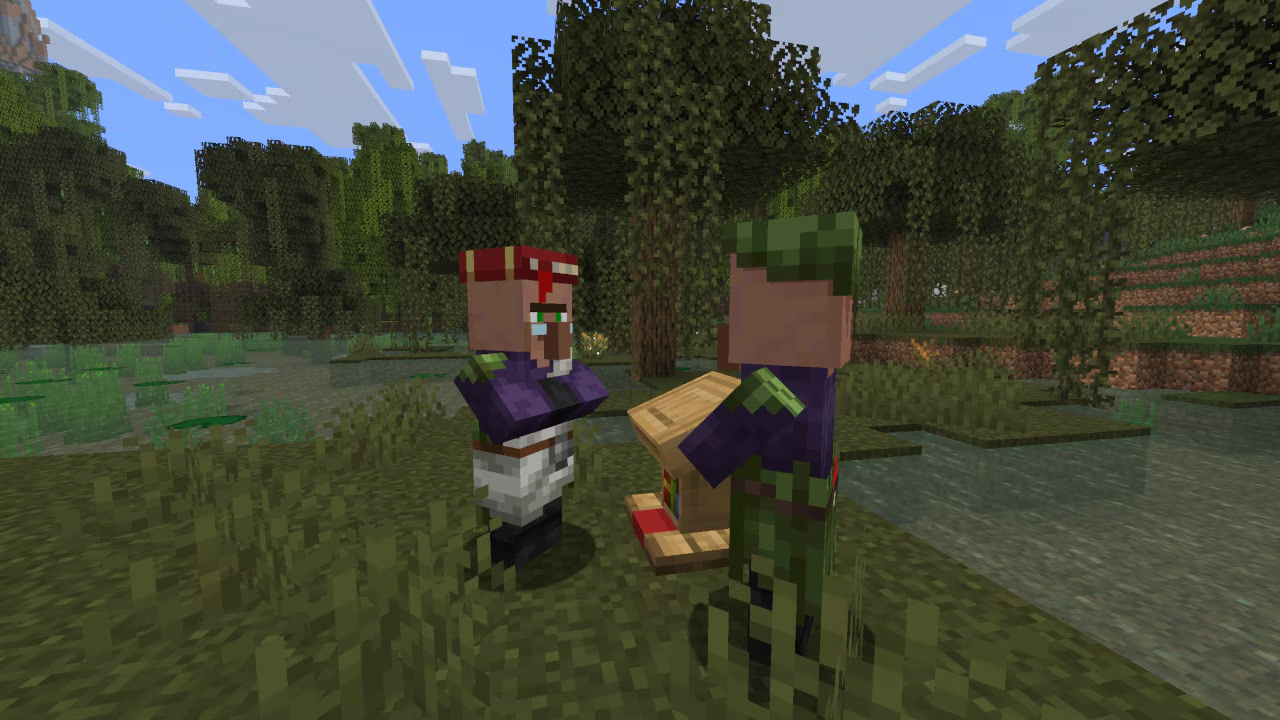
This table is for Trade Rebalance enabled. Special books are obtained from master librarians with full experience; lower-level common books follow a different pool. The level shown matters: a guaranteed book is not necessarily the highest level of that enchantment. Mojang’s experiment design · Current detailed table.
| Villager type | Special master book |
|---|---|
| Desert | Efficiency III |
| Plains | Protection III |
| Savanna | Sharpness III |
| Snow | Silk Touch |
| Taiga | Fortune II |
| Jungle | Unbreaking II |
| Swamp | Mending |
For experimental Mending: establish a safe breeding area in a swamp, raise a child with the swamp variant, assign a lectern and trade it up to master. Check the variant before investing in levelling. Simply transporting an existing plains librarian to the swamp does not replace its villager type or rewrite locked trades. Swamp and jungle villages do not naturally generate, which is why this becomes a player-built settlement project.
Pack beds, food for the villagers, building blocks, lighting, transport materials and trading supplies. Secure the destination before bringing residents. Make a return route and keep the treatment area separate from the living space. The cost of the expedition is part of choosing the experiment; in an ordinary world, it is not a prerequisite for finding Mending.
Repeatedly replacing a novice lectern is not a shortcut to a special master book in this experiment. If the expected special offer is absent, check the villager type, trading level, exact version and enabled packs. Java 26.1 explicitly ensures an enchanted-book offer among the master trades when Rebalance is enabled. Java 26.1 trading changes.
Armor and curing: two different decisions
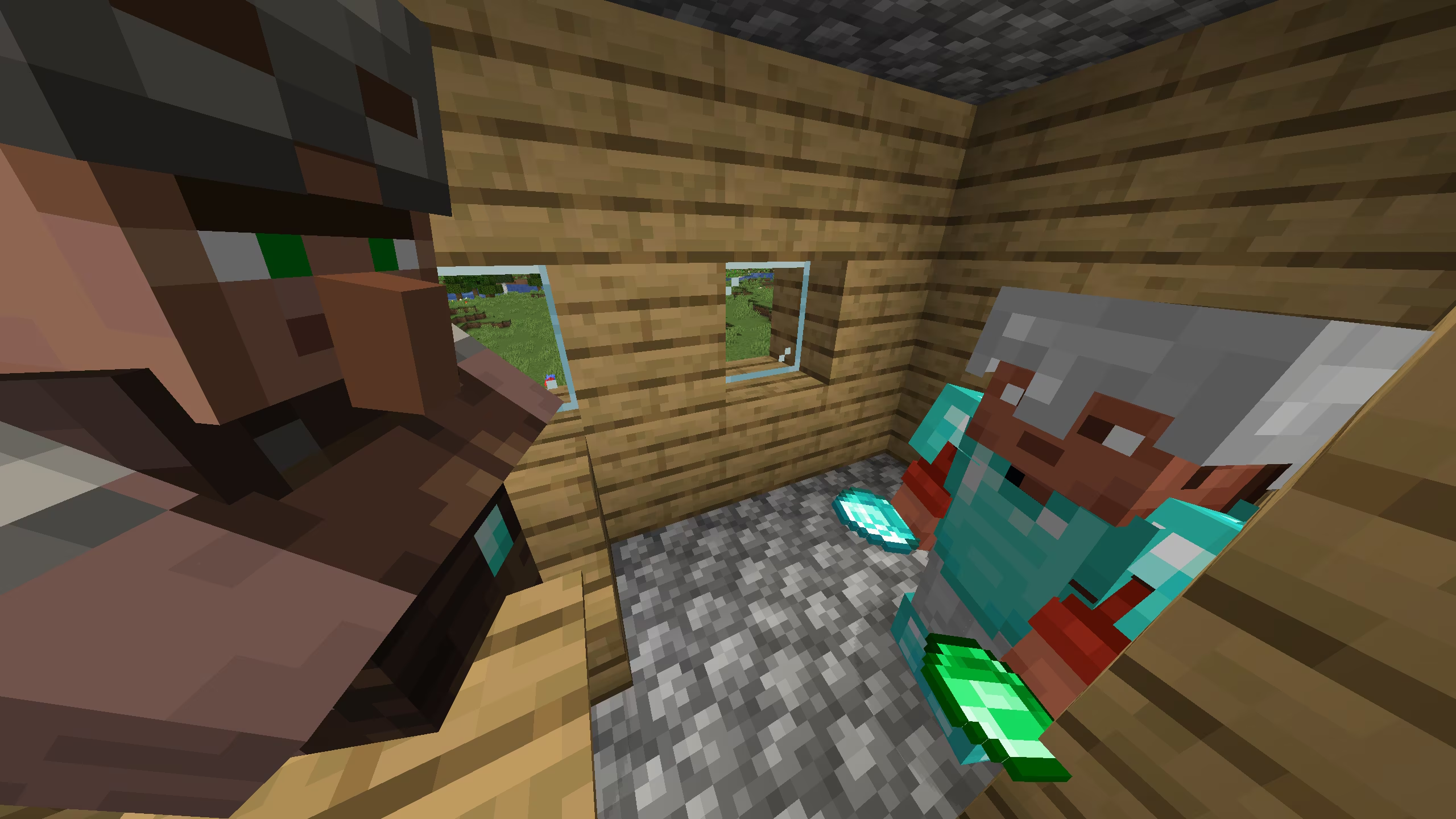
Experimental armorers use biome-dependent offers, and some diamond-armor trades require diamonds as well as emeralds. Inspect the actual offer before travelling or levelling a resident for a specific piece. A screenshot of this experiment does not establish the cost in an ordinary trading hall. Armorer experiment.
The repeated-cure change is separate: from Java 1.20.2 and Bedrock 1.20.30, reinfecting and curing the same villager no longer adds further cure discounts. The first cure remains useful. See our curing steps and supply advice. Do not spend more golden apples because a price has not reached a tutorial’s promised one-emerald value.
Trading changes you can use without the experiment
Maps and travelling supplies: Java 1.21.5 / Bedrock 1.21.70
Cartographer map changes and improved wandering-trader offers moved into ordinary gameplay in these releases. Cartographers can sell maps to more villages and structures, with the range depending on villager type. Wandering traders can buy selected basic supplies and sell a wider selection of goods. Java 1.21.5 · Bedrock 1.21.70.
Use this for an expedition: inspect a cartographer’s destination before buying, carry the supplies required by that offer, and mark your home route before following the map. For a visiting trader, check the buying offers first: water bottles, hay bales or baked potatoes may be useful, but that particular trader does not necessarily buy everything on the possible list. Keep a modest reserve near home rather than producing a chestful before seeing an offer.
Name tags: Java 26.1 / Bedrock 26.10
These releases removed name tags from librarian offers, added them to wandering-trader trading and made them craftable with paper and a metal nugget. Master librarians gained red/yellow candle offers. Java notes · Bedrock notes.
If your goal is naming a pet or a resident, check the recipe instead of levelling a librarian solely for a name tag. If an older tutorial promises a librarian tag trade, compare its version with yours. Existing saves, packs and old residents should be checked directly; this guide does not promise to replace every already-generated trade.
When the expected trade does not appear
- No profession: check that the villager is an eligible adult, the workstation is available, and the village setup meets your edition’s requirements. Babies and nitwits are not candidates for a librarian job.
- Offers will not reroll: a completed trade locks the resident. Verify the claimed workstation before removing any more blocks.
- Mending is missing after many novice rerolls: check the experiment first. In an experimental world, you need the swamp master route; in an ordinary world, an unwanted random offer is not proof that Mending was removed.
- A trade is sold out: allow work time and access to the correct workstation. Do not destroy a valuable resident’s setup because its stock temporarily ran out.
- Prices differ from a screenshot: treat screenshots as examples, not guaranteed prices. Check the world’s rules and the resident’s history before buying supplies for a large project.
Start with one resident and complete the whole cycle—assignment, desired offer, first purchase and restock—before expanding. This is a source-based guide; MineBrush has not performed an in-game trading test. The images are credited Mojang screenshots; the cover is an editorial illustration.
More from MineBrush.
Plan a better diamond trip, avoid wasting golden apples on repeated cures, and check your trading hall and mob farms. Learn what Java 1.20.2 changed in ordinary worlds and what belonged to its optional trade experiment.
- Java
- Java 1.20.2
- Release type
- Release
- Game released
Focus Diamond mining, villager discounts and mob-farm safety
Back up before updating
Java · Release
Java 1.20.2: Diamonds & Villagers
Plan a better diamond trip, avoid wasting golden apples on repeated cures, and check your trading hall and mob farms. Learn what Java 1.20.2 changed in ordinary worlds and what belonged to its optional trade experiment.
Back up before updating
- Minecraft version
- Java 1.20.2
- Game edition
- Java Edition
- Update type
- Stable update
- Release channel
- Java Edition
- Official release date
- 2023-09-21
- World safety
- Back up before updating
- Player impact
- Diamond mining, villager discounts and mob-farm safety
- Related major release
- Java 1.20 — Trails & Tales
- Platform family
- Java & PC
- Last verified at
- Sep 18, 2026
- Update state
- historical
- Compatibility confidence
- Source claimed
- Edition applicability
- Java
- Delivery state
- No file
- Lifecycle state
- Current
Use one-block crawl passages, understand recipe unlocking and touch crafting, and build a small pink-petal station. Bedrock 1.20.30 explained with real mobile screenshots, trading checks and multiplayer sleep tips.
- Bedrock
- Bedrock 1.20.30
- Release type
- Release
- Game released
Focus Crawl passages, crafting, pink petals and shared-world rules
Enrollment None required
Back up before updating
Bedrock · Release
Bedrock 1.20.30: Crawl, Craft & Build
Use one-block crawl passages, understand recipe unlocking and touch crafting, and build a small pink-petal station. Bedrock 1.20.30 explained with real mobile screenshots, trading checks and multiplayer sleep tips.
Back up before updating
- Minecraft version
- Bedrock 1.20.30
- Game edition
- Bedrock Edition
- Update type
- Stable update
- Release channel
- Bedrock Edition
- Official release date
- 2023-09-19
- World safety
- Back up before updating
- Player impact
- Crawl passages, crafting, pink petals and shared-world rules
- Related major release
- Bedrock 1.20 — Trails & Tales
- Platform family
- Bedrock & Mobile
- Supported devices
- Android, iOS, Windows and Bedrock consoles
- Touch readiness
- Yes
- Last verified at
- Sep 18, 2026
- Update state
- historical
- Compatibility confidence
- Source claimed
- Edition applicability
- Bedrock
- Bedrock enrollment route
- None required
- Delivery state
- No file
- Lifecycle state
- Current
Collect new animals, build woodland paths and find home. Understand Java 1.21.5 farm activity, portal loading, named creakings and useful settings.
- Java
- Java 1.21.5
- Release type
- Release
- Game released
Focus Animals, woodland projects, navigation and farm changes
Install Install through Minecraft Launcher
Back up before updating
Java · Release
Java 1.21.5: Spring to Life
Collect new animals, build woodland paths and find home. Understand Java 1.21.5 farm activity, portal loading, named creakings and useful settings.
Back up before updating
- Minecraft version
- Java 1.21.5
- Game edition
- Java Edition
- Update type
- Major release
- Release channel
- Java Edition
- Official release date
- 2025-03-25
- World safety
- Back up before updating
- Player impact
- Animals, woodland projects, navigation and farm changes
- Related major release
- Spring to Life
- Platform family
- Java PC
- Last verified at
- Sep 17, 2026
- Update state
- historical
- Compatibility confidence
- Source claimed
- Card delivery statement
- Install through Minecraft Launcher
- Edition applicability
- Java
- Delivery state
- No file
- Lifecycle state
- Superseded
Player discussion 0
Questions, discoveries and help from other players.