
Minecraft on PlayStation 5
Minecraft on PS5: Upgrade, Transfer Worlds & Play with Friends
Get the right PS5 edition, bring your PS4 or Bedrock world, and check your save before playing again. Clear upgrade, Old Worlds, Realms and multiplayer steps, with official illustrations.
Minecraft has a native PS5 edition, and you can keep playing Bedrock worlds with friends on other Bedrock devices. The practical challenge is choosing the correct game edition and moving your save—not starting your castle again. This guide separates the upgrade, world transfer and multiplayer steps so you can finish each one and check that it worked.
The PS5 edition launched on 22 October 2024. This is a current practical guide, checked on 17 September 2026, rather than an announcement of a future release.
Which Minecraft should you install on PS5?
Choose the game marked PS5 in your PlayStation library or the official store. The PS4 edition running on a PS5 and the native PS5 edition are different installations. Owning the game, installing the right edition and transferring its worlds are three separate jobs.
The native release is Bedrock Edition. It joins the Bedrock ecosystem on Windows, mobile, Xbox and Nintendo Switch; it is not Java Edition. A Java server, Java mod JAR or Java-only world download will not become compatible simply because your console is newer.
Mojang advertised the native edition with a greater render distance and support for 4K at 60 FPS. Treat that as a platform capability, not a promise that every world, graphics setting and resource pack will behave identically. Start with your familiar world, then adjust visual settings after confirming the save is healthy.
How to get the PS5 edition if you own Minecraft on PS4
- Sign in to the PlayStation account that owns your PS4 copy.
- Open the official Minecraft PS5 store page on your console and check the upgrade available to your account.
- Download the PS5 edition. Existing eligible PS4 Bedrock owners can claim the digital PS5 version at no additional game cost.
- If your entitlement comes from a PS4 disc, insert that disc to download and play the upgraded version. A disc-free PS5 Digital Edition cannot use the disc upgrade.
A free trial is not the same as owning the full game. Likewise, owning Minecraft on a phone or PC does not by itself give you a PlayStation purchase. Check your account entitlement before buying another copy.
Move your PS4 world to PS5 without losing your build
Keep the working PS4 save until you have opened and checked the imported world. A newly installed game can have an empty Worlds screen even when the upgrade was successful: the licence does not transfer the world for you.
Cloud save route and the Old Worlds menu
Minecraft’s PlayStation cloud-save instructions require an active PlayStation Plus subscription. Save and quit the source world, then make sure its current save is uploaded through PlayStation’s cloud-save controls. On the destination console:
- Launch Minecraft and select Play → Worlds → Old Worlds.
- Choose the world you want to recover.
- Select Download World and wait for the transfer.
- Open the downloaded world and verify it before removing any older copy.
The first transfer can take longer. Do not cancel it unless the game offers a cancellation prompt. If you do cancel when prompted, you can try again later. See Mojang’s cloud-save instructions for the platform settings linked to this process.
If you are transferring data between the consoles themselves
Sony also provides a console data-transfer route. Update both consoles, use the same PlayStation account and connect them to the same network. On the receiving PS5, open Settings → System → System Software → Data Transfer and follow the selection prompts. Keep power and networking connected while it runs, and check Downloads/Uploads for remaining work.
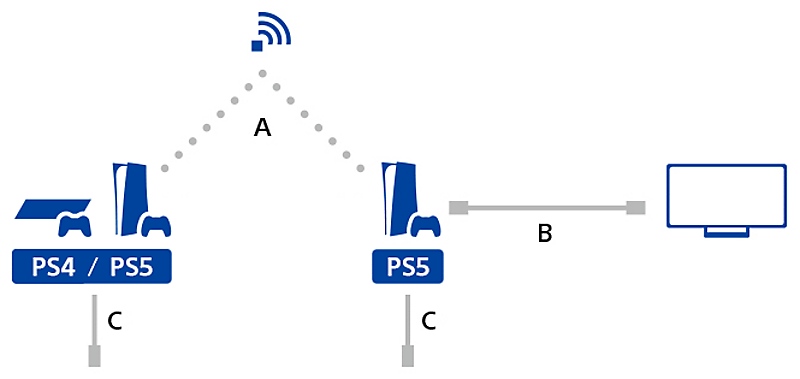
This transfers selected console data; it does not mean every Minecraft world has already been imported into the native game. Afterwards, check Minecraft’s Old Worlds menu. Sony also allows copying PS4 saved data with USB, but individual PS5 saved data cannot be copied to USB in the same way. Do not follow a generic “copy any save to USB” tutorial without checking which edition created it.
Use Realms to move a Bedrock world between devices
Realms is useful when your world starts on another Bedrock device or you want a separate transfer route. It requires an active Realm or eligible trial, up-to-date Minecraft on both devices, and access to the same Microsoft account on the destination.
- On the source device, open Play → Realms, choose your Realm, then its Settings and the target world slot.
- Open Edit World and scroll to the bottom of Game Settings.
- Use Upload World for an empty slot, or Replace World for an occupied one. Preserve the existing Realm world before replacing it.
- On PS5, open the same Realm, world slot and Edit World settings.
- Choose Download World. Look in your local Worlds list for the downloaded copy, normally named with “- Copy”.
You can rename the local copy with its pencil/edit control. A downloaded local world and the online Realm become separate saves: later building in one does not automatically update the other. Decide which is your main world before your group resumes work. Official Realms transfer guide.
A five-minute check before you resume survival
Use your world as the test, not just its name in the menu. For a long-running survival save, check these things before you delete an old installation or invite everyone back:
- Your location and inventory: are you at the expected base, with the items from your last session?
- Important storage: inspect your Ender Chest and a chest containing recent building supplies.
- Recent changes: find a structure or excavation completed during your latest session. An older backup can look almost identical at spawn.
- World settings and packs: confirm the difficulty, active packs and any world-specific settings you depend on. Follow missing-content prompts before assuming an add-on is working.
- Shared progress: ask a returning friend to verify their own inventory and position before your group undertakes a major expedition.
For example, if you built a new roof yesterday but the imported world has the old roof, stop building and identify the newer save. Continuing in both copies makes it harder to choose which progress to keep.
Play locally, invite Bedrock friends or use a Realm
For a shared television: the official PS5 listing supports one to four players. Local play is a useful choice for building a house together or teaching a new player basic survival without arranging an online server. Use the console’s controller and player-join prompts.
For online friends: the listing supports up to eight online players and requires PlayStation Plus. Cross-platform friends need compatible Bedrock releases, Microsoft account access and multiplayer permissions. Java players cannot join through ordinary Bedrock cross-play. Update everyone’s game before troubleshooting an “outdated client/server” message.
For a world the group visits at different times: a Realm can be more convenient than relying on one player to host. It is a separate subscription service; owning the base game does not automatically include one. Use the Realm invitation and the account that was invited.
Agree on the world owner and meeting point first. For a castle project, one player can collect stone while another lays out rooms; for exploration, meet at a named base and carry spare supplies before leaving. These small agreements matter more than changing consoles when you want a session to run smoothly.
For children’s accounts, check the family’s multiplayer and cross-network permissions. If sign-in fails, recover or verify the account already linked to PlayStation; do not start unlinking accounts at random as a troubleshooting shortcut. Mojang’s multiplayer requirements explain the edition, connection and permission checks.
What to check when something is missing
- The upgrade is not offered: check the purchasing PlayStation account, whether you own the full PS4 game, and whether a disc entitlement needs the disc inserted.
- Minecraft opens but your world is absent: distinguish the PS4 and PS5 installations, confirm the save-transfer step, then inspect Old Worlds. Reinstalling the game alone is not a world import.
- The world is an older version of your build: compare the last saved progress on the source device. Keep both copies until you know which one is current.
- A friend cannot join: compare Bedrock release versions, online subscription, invitation/account, and family permissions. A Preview build is not a substitute for the stable version your group uses.
- A downloaded Java mod will not install: this is an edition mismatch. Choose content specifically supported by Bedrock and the console’s available installation routes.
Looking for what changed in the game itself? Use our Bedrock update history to identify a release, or read how game drops, fixes and test builds differ before updating an established world.
Official sources and image credits
Written and organized by MineBrush Editorial using Mojang’s PS5 launch announcement, the PS4 upgrade conditions, the linked Minecraft Help instructions and Sony’s console-transfer guide. Game features, account requirements and store offers can change; the linked official pages control the current offer.
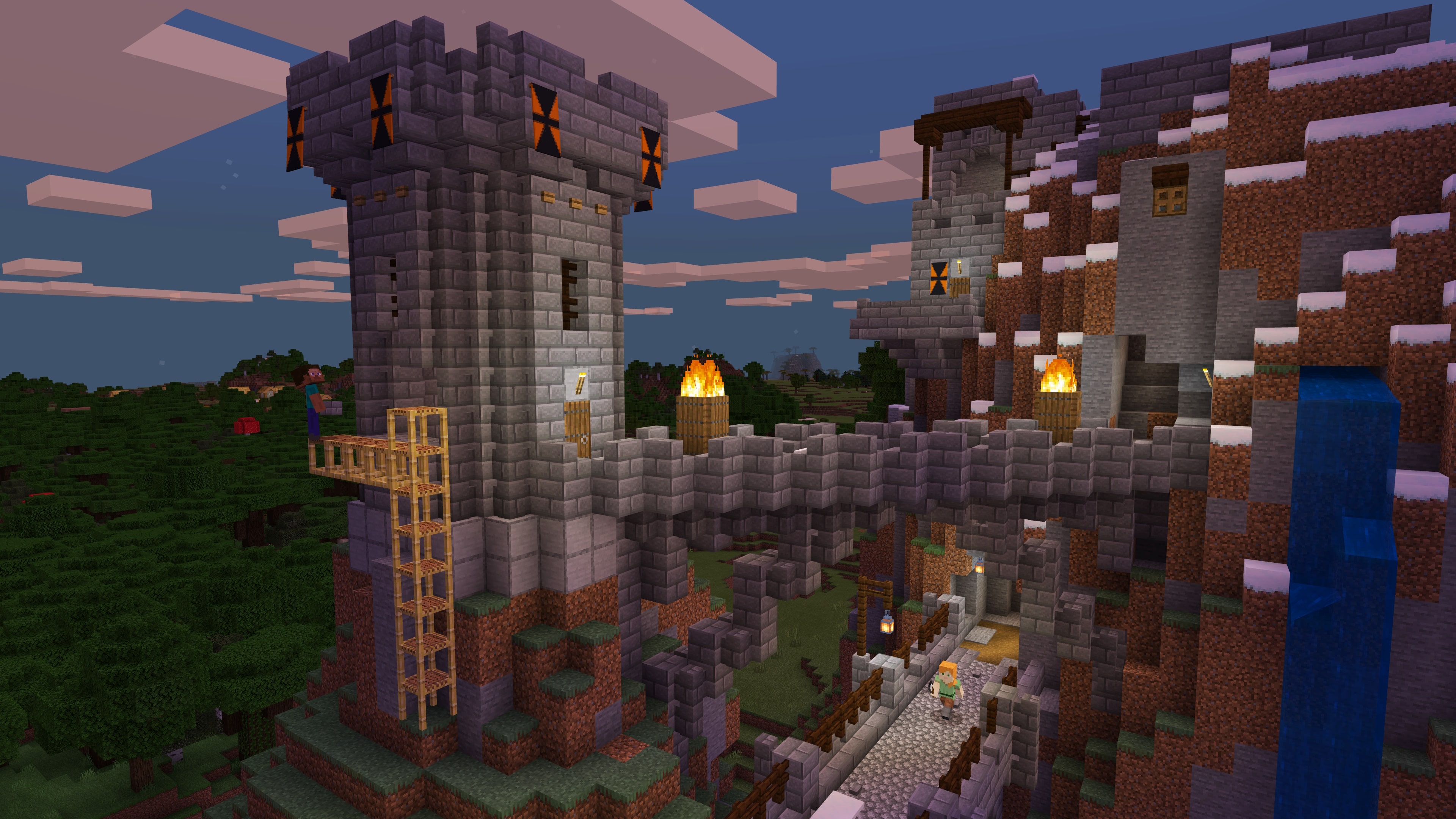
The gameplay image is from the official PlayStation Store; the connection diagram is Sony’s support illustration. Neither is a MineBrush console-performance test. The branded cover is an editorial illustration. Get the game through the official PlayStation Store; this guide does not provide a game archive.
More from MineBrush.

Find the Bedrock update that matters to your world or device. Explore stable releases, practical game-drop guides, platform-specific fixes and a separate Beta/Preview archive.
- Coverage
- 2023–2026
- Edition
- Bedrock Edition
- Versions
- Bedrock 1.20.30–26.51
Bedrock · Update history
Bedrock Update History
Find the Bedrock update that matters to your world or device. Explore stable releases, practical game-drop guides, platform-specific fixes and a separate Beta/Preview archive.
Back up before updating
- Minecraft version
- Bedrock 1.20.30–26.51
- Game edition
- Bedrock Edition
- Update type
- Unknown / not stated
- Release channel
- Bedrock Edition
- World safety
- Back up before updating
- Player impact
- Find a useful release, platform fix or practical game-drop guide
- Platform family
- Bedrock & Mobile
- Supported devices
- Windows, consoles and mobile; patch availability varies
- Touch readiness
- Yes
- Last verified at
- Sep 17, 2026
- Update state
- current
- Compatibility confidence
- Source claimed
- Card delivery statement
- Player guides and official release notes
- Edition applicability
- Bedrock
- Bedrock enrollment route
- Preview app
- Delivery state
- No file
- Lifecycle state
- Current
- History coverage
- 2023–2026
Understand Minecraft game drops, hotfixes and test builds. Choose a new project, check what actually shipped, and update a solo world, modpack or multiplayer group with a practical plan.
- Topic
- Game drops · Java & Bedrock
- Scope
- None
- Evidence
- None
MineBrush · News
Minecraft Game Drops Explained
Understand Minecraft game drops, hotfixes and test builds. Choose a new project, check what actually shipped, and update a solo world, modpack or multiplayer group with a practical plan.
- Compatibility confidence
- Not applicable
- Card delivery statement
- Choose a project and plan your world update
- Edition applicability
- Java + Bedrock
- News topic
- Game drops · Java & Bedrock
- Delivery state
- No file
- Lifecycle state
- Current
- News evidence type
- Official Minecraft source
Make bundles useful with clear capacity rules, mouse/controller/touch controls and five practical kits. Understand Hardcore, prepare your first days and learn what changed in Java and Bedrock.
- Game released
- Java
- 1.21.2 · Stable
- Bedrock
- 1.21.40 · Stable
Focus Bundle capacity and controls, useful inventory kits, Hardcore survival
Topic Bundles of Bravery
Install Included in the official game update
Back up before updating
Java + Bedrock · Release
Bundles of Bravery
Make bundles useful with clear capacity rules, mouse/controller/touch controls and five practical kits. Understand Hardcore, prepare your first days and learn what changed in Java and Bedrock.
Back up before updating
- Update type
- Major release
- Release channel
- Unknown / not stated
- Official release date
- 2024-10-22
- World safety
- Back up before updating
- Player impact
- Bundle capacity and controls, useful inventory kits, Hardcore survival
- Related major release
- MineBrush three-year release archive
- Platform family
- Cross-edition
- Supported devices
- Java: Windows, macOS, Linux. Bedrock: supported Windows, mobile and console devices.
- Install format
- Included in the official game update
- Touch readiness
- Yes
- Resource type
- Update
- Last verified at
- Sep 17, 2026
- Update state
- historical
- Compatibility confidence
- Source claimed
- Bedrock version/build
- 1.21.40
- Card delivery statement
- Included in the official game update
- Edition applicability
- Java + Bedrock
- Java version/build
- 1.21.2
- Shared update topic
- Bundles of Bravery
- Delivery state
- No file
- Lifecycle state
- Superseded
- Java update channel
- Stable
- Bedrock update channel
- Stable
What to expect from Minecraft on Switch 2: Vibrant Visuals, Mario exploration, existing worlds and multiplayer. Check the October release date, upgrade details still pending and new Minecoin rules before you buy.
- Topic
- Nintendo Switch 2 launch and player choices
- Scope
- None
- Evidence
- Official announcements · checked September 16, 2026
Release planned October 27, 2026 · Upgrade details pending
MineBrush · News
Minecraft on Switch 2: player guide
What to expect from Minecraft on Switch 2: Vibrant Visuals, Mario exploration, existing worlds and multiplayer. Check the October release date, upgrade details still pending and new Minecoin rules before you buy.
Release planned October 27, 2026 · Upgrade details pending
- Compatibility confidence
- Source claimed
- Card evidence statement
- Vibrant Visuals and world carry-over explained
- Card delivery statement
- Nintendo eShop / official store
- Card limitation note
- Release planned October 27, 2026 · Upgrade details pending
- Edition applicability
- Bedrock
- News topic
- Nintendo Switch 2 launch and player choices
- Public news evidence label
- Official announcements · checked September 16, 2026
- Delivery state
- No file
- Lifecycle state
- Current
- News evidence type
- Official Minecraft source
Player discussion 0
Questions, discoveries and help from other players.