
MineBrush publication
Minecraft on Switch 2: release, worlds, visuals and upgrade choices
What to expect from Minecraft on Switch 2: Vibrant Visuals, Mario exploration, existing worlds and multiplayer. Check the October release date, upgrade details still pending and new Minecoin rules before you buy.
Minecraft’s native Nintendo Switch 2 version is scheduled for October 27, 2026. As of September 16, it has not reached its announced retail release. The main attractions are Vibrant Visuals, an updated Super Mario Mash-Up pack and the ability to bring over worlds from the Switch version.
Already own Minecraft on Switch? Mojang has announced a digital upgrade route, but the release-date announcement still says further details will follow. Do not assume the upgrade is free or that the full-game shop price is your upgrade fee.
What matters for the way you play?
| Your plan | The useful detail |
|---|---|
| Revisit a favorite solo survival world. | The native version brings the new lighting style; world carry-over is advertised. |
| Play together on one screen. | Split-screen is supported, but Vibrant Visuals is not available in that mode. |
| Explore with friends on other devices. | Cross-platform multiplayer is advertised. Use compatible Bedrock versions; a Microsoft account and Nintendo Switch Online are required for the relevant online features. |
| Upgrade an existing Switch purchase. | Wait for the exact upgrade eligibility, price and steps rather than buying the full game twice. |
| Buy a boxed copy. | The checked New Zealand listing uses a game-key card: an internet download is required, and the card must be inserted to start the game. |
Vibrant Visuals: reasons to revisit an old build
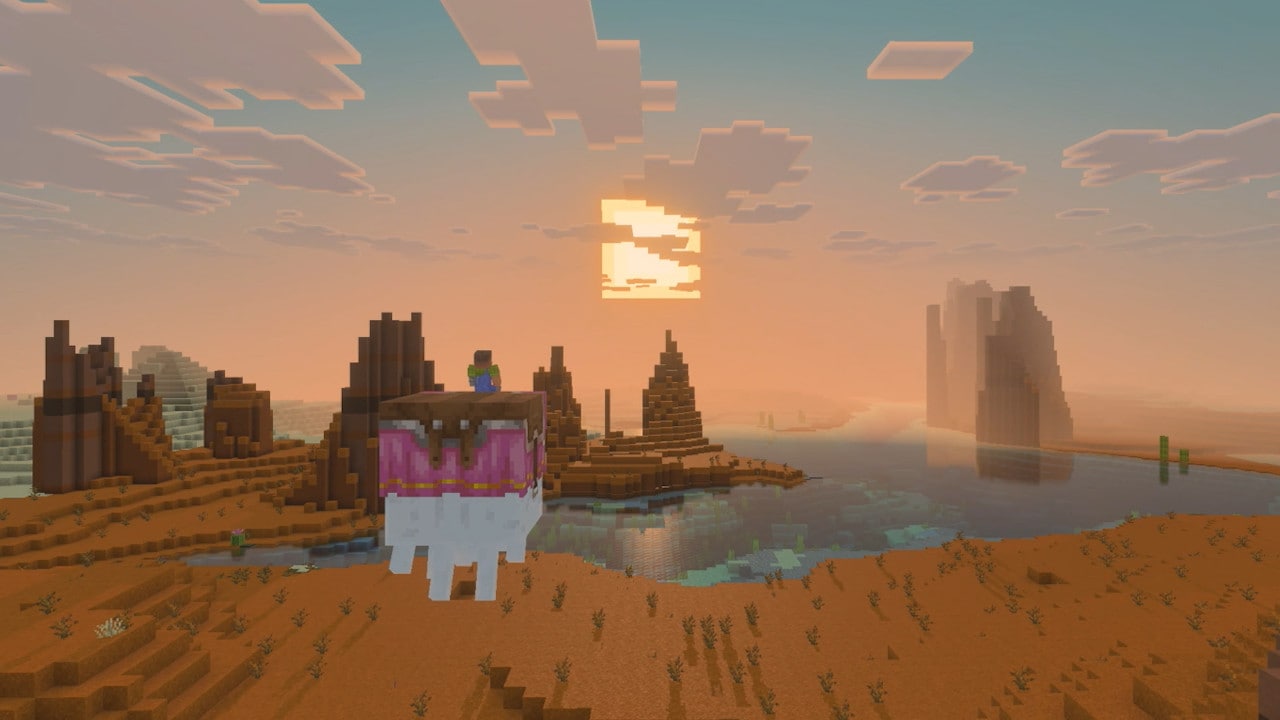
Mojang says Vibrant Visuals will be the default graphics setting in the native Switch 2 version. Its directional light, moving shadows, water reflections and atmospheric fog change the presentation of a world. They do not require you to abandon your building style or start a new survival project.
Try a sunset sightseeing route: choose a hill, a riverside house and an open landscape that you already know. Return at different times of day and look at the same scene. A familiar place makes the change in lighting easier to appreciate than a completely new world.
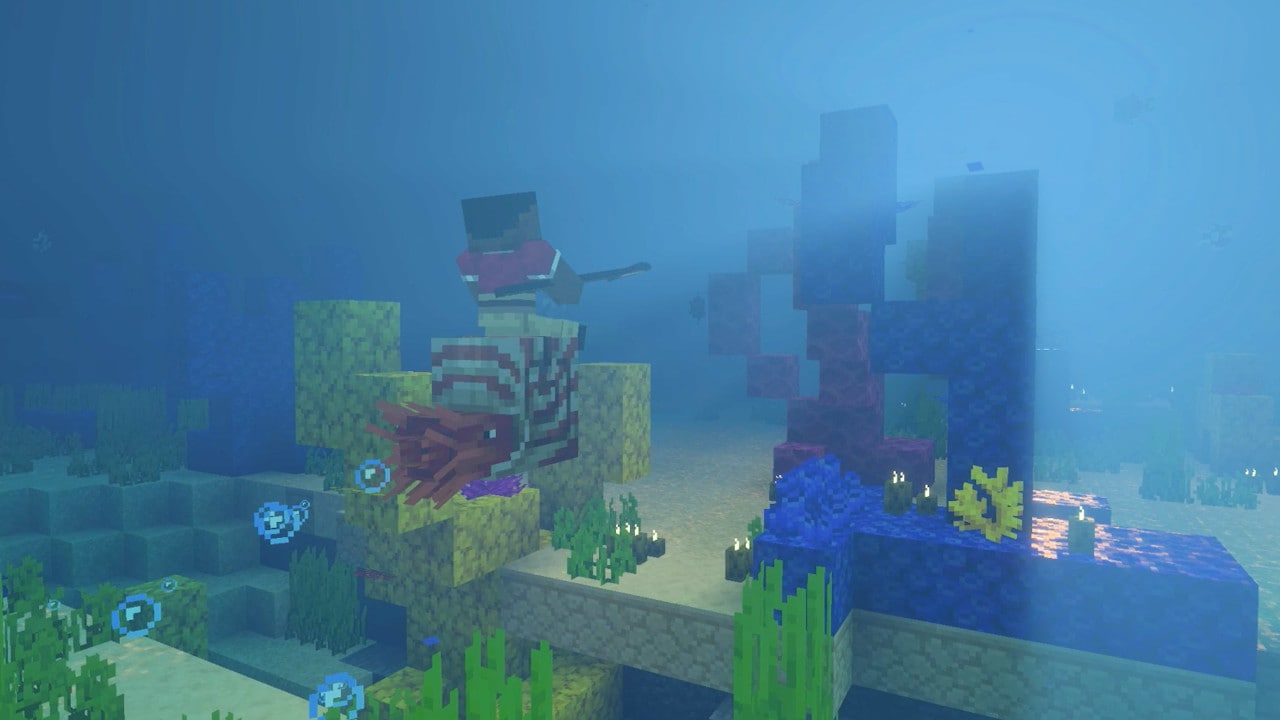
For an underwater base: a glass viewing room or a boat trip above a reef is a good reason to pause and look around. The official underwater image below gives a clearer idea of the presentation than a claim that everything simply looks “better.”
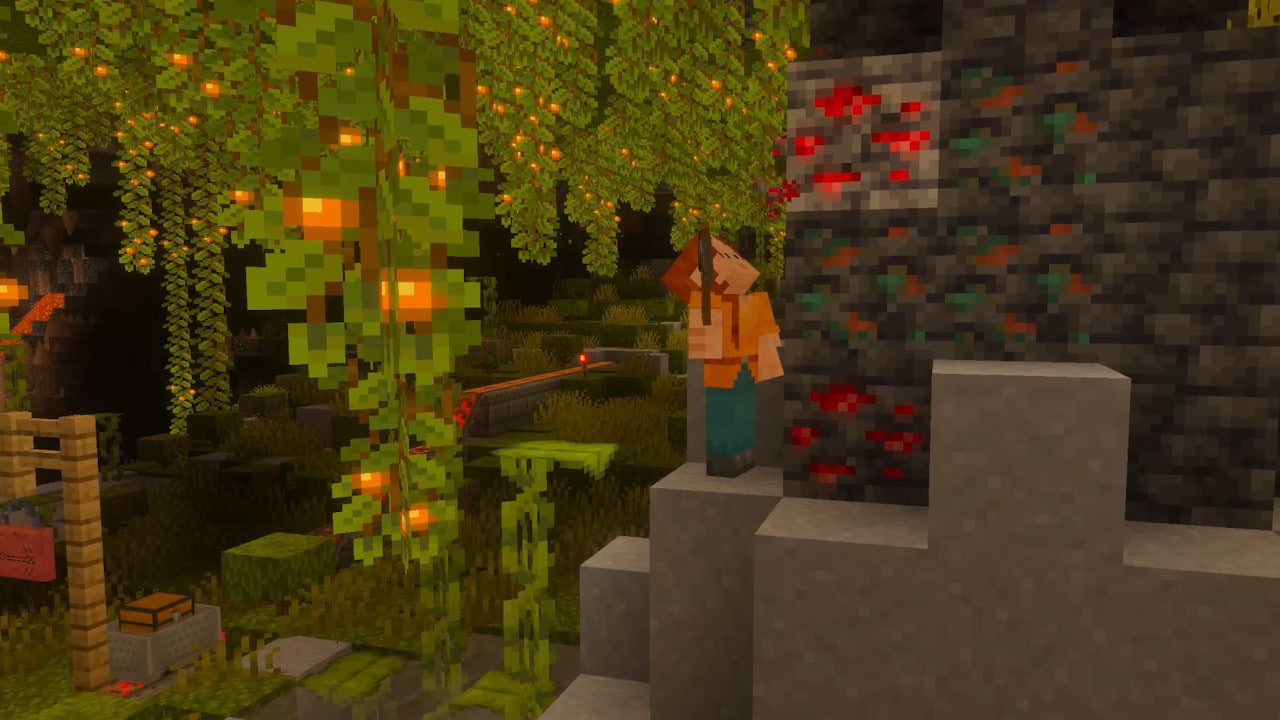
For a cave project: revisit a mine entrance or lush-cave shelter and compare the mood around existing light sources. Keep the usual survival precautions; a cinematic-looking cave is still a place where you need to navigate and watch for danger.
Know the limits: Vibrant Visuals is unavailable in split-screen and in some Marketplace worlds or content. A pack you like may therefore look different from these images. These are Mojang’s announcement images, not MineBrush performance tests; they cannot establish a guaranteed frame rate. Our Bedrock visual-preset guide explains the broader settings trade-offs.
Super Mario Mash-Up and playing with friends
The Nintendo-exclusive Super Mario Mash-Up pack is getting a Vibrant Visuals update. It includes a themed world, skins and music; Mojang specifically mentions Peach’s castle and Delfino Plaza. That makes it a ready-made sightseeing trip if you would rather explore than build your own map first.
A simple first-session idea: pick a familiar Mario location, find it together and use it as a meeting point before exploring the rest of the world. For same-console play, expect the split-screen graphics limitation above. Do not assume a Nintendo-exclusive pack is available to a friend on another platform.
For ordinary cross-platform adventures, arrange a compatible Bedrock world and check everyone’s game version. Java Edition on a computer is a different edition. Realms is an optional hosted-world route, not something you must buy for every kind of multiplayer; our Marketplace Pass and Realms Plus comparison explains which service serves which purpose.
What happens to your existing Switch worlds?
Nintendo’s publisher description confirms that Switch worlds can carry over. The pages checked for this guide do not provide the final step-by-step transfer procedure, so a made-up sequence of menu buttons would be misleading.
For now, keep the original saves and access to the Nintendo and Microsoft accounts you use for Minecraft. Note which world is your current copy if several similar names appear in your world list. Once official transfer instructions are available, follow those for your exact version and open the transferred world before removing any original copy.
Useful example: for a shared family survival world, check your base, storage room and last building project in the transferred copy before everyone starts making new changes. Keeping the source copy makes it easier to resolve a mistaken or older transfer.
Avoid confusing three different products
The old Minecraft: Nintendo Switch Edition from 2017, Minecraft on Switch and the upcoming native Switch 2 release are not interchangeable product names. A listing that says an older game runs on Switch 2 does not by itself promise the native version’s Vibrant Visuals features.
The official New Zealand store showed NZ$50 for the full game when checked on September 16, 2026. This is a regional listing, not a worldwide price and not an announced upgrade fee. Existing owners should look for Mojang’s detailed upgrade terms; new buyers should check the product name and their own Nintendo eShop region.
The boxed New Zealand product is a game-key card. Plan for an internet download before a trip, and keep the card available when playing. Check the format of the product in your own region rather than assuming every box contains a fully playable game without a download.
The English announcement gives October 27; the Japanese announcement gives October 28. Use the date shown for your region. At the time of this guide, the checked pages do not settle the upgrade fee or final world-transfer steps.
Minecoins change on October 27: a practical example
Mojang has also announced a change for both Switch and Switch 2. From October 27, 2026, newly purchased Minecoins on Nintendo devices will be spendable on Nintendo devices only. Newly purchased coins on other devices will no longer pay for Marketplace purchases on Nintendo.
Coins owned before that date move into a Legacy Wallet, remain usable across compatible platforms and do not expire. Those older coins are used before newly purchased coins. New retail cards may have different platform support, so read the platforms on the packaging before buying or redeeming one.
If you play on Switch and a phone: do not buy a new phone-side coin balance after the change expecting to spend it in the Switch Marketplace. Decide where you will make the purchase first. The announcement concerns currency balances; it is not a reason to rush through or waste your existing coins.
Where to get the game: use Nintendo’s official store or the console’s Nintendo eShop. There is no standalone Switch installer to download from MineBrush.
Sources and image credits
Checked September 16, 2026: Mojang’s release-date announcement; Sophie Austin’s feature announcement and screenshot gallery; Nintendo’s New Zealand product page; Mojang’s Minecoin notice. Gameplay images belong to their credited publisher. MineBrush’s cover is a separate editorial illustration.
More from MineBrush.
Choose Favor Performance, Favor Visuals or Custom for the way you play. Real menu screenshots, practical build and survival examples, and a simple comparison route to find a comfortable balance.
- Edition
- Bedrock Edition
- Difficulty
- Beginner
- Time
- None
MineBrush · Guide
Visuals or Performance?
Choose Favor Performance, Favor Visuals or Custom for the way you play. Real menu screenshots, practical build and survival examples, and a simple comparison route to find a comfortable balance.
- Game edition
- Bedrock Edition
- Platform family
- Bedrock & Mobile
- Supported devices
- Devices supported by Vibrant Visuals
- Install format
- Built-in graphics presets
- Touch readiness
- Yes
- Resource type
- Guide
- Compatibility confidence
- Source claimed
- Edition applicability
- Bedrock
- Guide difficulty
- Beginner
- Delivery state
- No file
- Lifecycle state
- Current
Choose between Marketplace Pass, basic Realms and Realms Plus. Compare prices, player limits and real uses, learn how to activate content, and keep your world before cancelling.
- Edition
- Bedrock Edition
- Difficulty
- Beginner
- Time
- 8–10 min
Local prices vary; catalog access is not permanent ownership
MineBrush · Guide
Marketplace Pass vs Realms Plus
Choose between Marketplace Pass, basic Realms and Realms Plus. Compare prices, player limits and real uses, learn how to activate content, and keep your world before cancelling.
Local prices vary; catalog access is not permanent ownership
- Minecraft version
- Minecraft Bedrock Edition
- Game edition
- Bedrock Edition
- Platform family
- Bedrock & Mobile
- Supported devices
- Windows · Android · iOS/iPadOS
- Install format
- In-game subscription · no installer
- Touch readiness
- Check guide
- Resource type
- Guide
- Compatibility confidence
- Not applicable
- Card evidence statement
- Catalog, hosting, player limits and cancellation explained
- Card delivery statement
- Guide · no installer needed
- Card limitation note
- Local prices vary; catalog access is not permanent ownership
- Edition applicability
- Bedrock
- Estimated time
- 8–10 min
- Guide difficulty
- Beginner
- Delivery state
- Direct download
- Lifecycle state
- Current
Player discussion 0
Questions, discoveries and help from other players.