
MineBrush publication
Minecraft Bedrock 26.60 Beta & Preview: Changes, Skin Fix and What to Try
Follow Bedrock 26.60.21–26.60.24: practical building changes, the skin reset fix, Realms pack views and safe ways to try the Beta/Preview branch. Includes exact build dates and the iOS/PlayStation availability exception.
Bedrock 26.60 is a Beta/Preview branch, not a stable update. This guide follows the September 2026 test builds: 26.60.21, the combined 26.60.22/23 release, and 26.60.24. It explains what is worth trying, which fixes matter to everyday play, and how to keep the test separate from your main world.
Checked 18 September 2026: 26.60.24 is the newest entry in the official Beta/Preview index. It was not released for iOS or PlayStation that week because of build issues. A fix listed here must not be assumed to exist in your normal Bedrock installation.
Which build? · What to try · Skin reset fix · Realms and packs · How to join · When something goes wrong
The three releases at a glance
- 26.60.21 — 2 September: storage, exploration and interface changes, including a bundle-in-double-chest fix.
- 26.60.22/23 — 8 September: building controls, mushroom placement and several everyday gameplay fixes. Mojang publishes these numbers in one changelog; they are not two separate content updates in this guide.
- 26.60.24 — 16 September: imported-skin persistence, Realms improvements and stability fixes. The iOS/PlayStation exception applies to this release.
Official details: 26.60.21, 26.60.22/23, 26.60.24. For released features, use our Bedrock update history and Wilderness Bound player guide.
Useful things to try in a separate world
Build a garden or a row of shutters
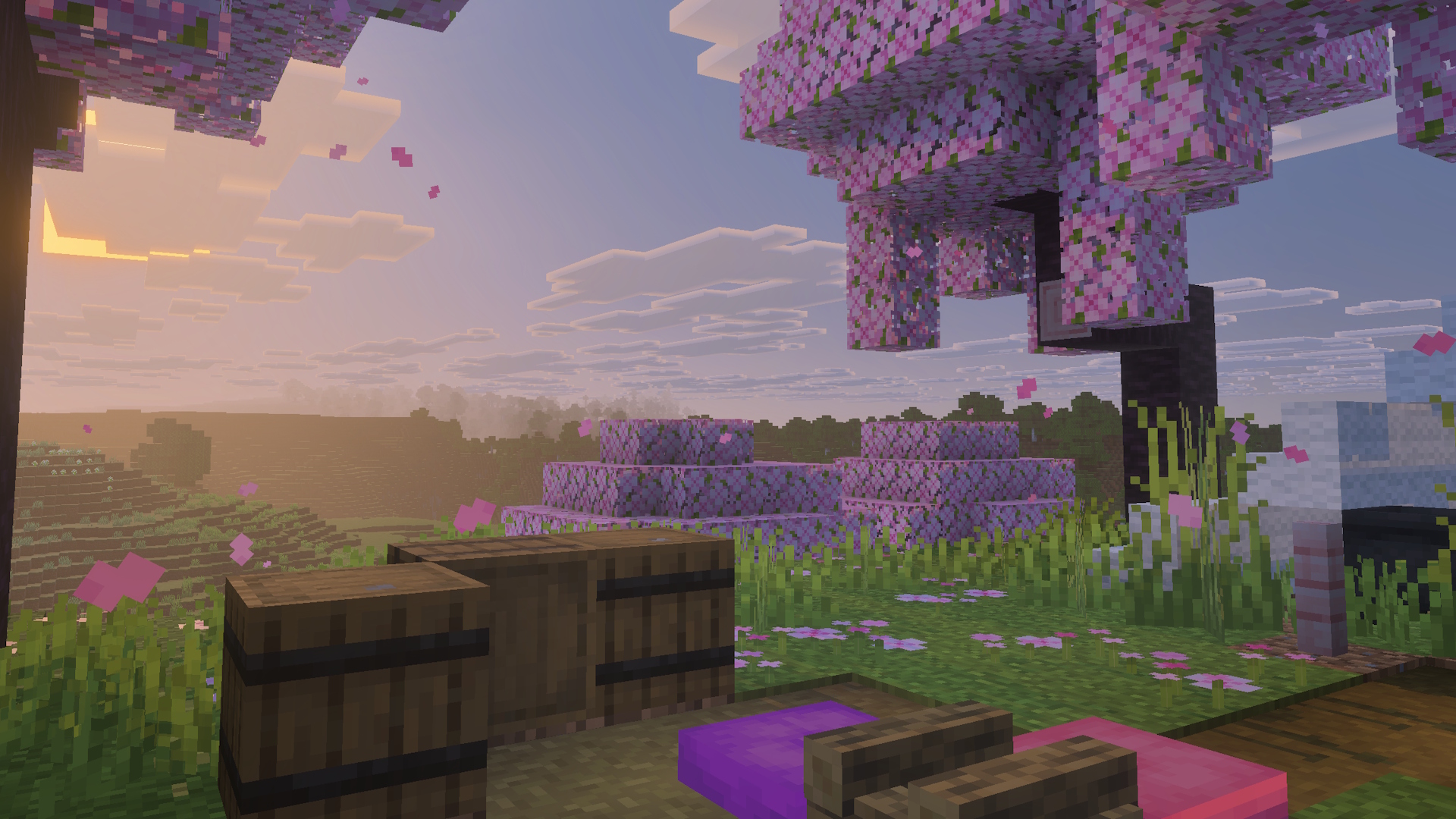
In 26.60.22/23, red and brown mushrooms can be placed on a solid top surface regardless of light. Their spreading still needs low light unless the supporting block provides an exception. Trapdoors also gain continuous placement that keeps their direction until you release the placement control; interacting with them is disabled during that placement action. Building changes.
MineBrush project idea: mark a small garden beside a cabin and arrange mushrooms deliberately. Treat it as decoration first. For a farm, build a separate test bed so that successful placement is not mistaken for successful spreading. Along the cabin wall, try four trapdoors as shutters. Compare one held placement action with four separate clicks, then release the control before opening a shutter. A short sample lets you learn the control before repeating an entire facade.
Check a workshop’s storage and starting supplies
26.60.21 fixes disappearing bundle contents in double chests and missing bonus chests in the Water World and Snowy Kingdom flat presets. Explorer maps also receive clearer destination names: Ocean Monument, Swamp Hut, Buried Trial Chambers, Woodland Mansion and Jungle Pyramid. Lush caves replace dripstone or sulfur caves in very humid regions. Exploration and storage changes.
Suggested check: use expendable items in a bundle, note what you put inside, store it in a double chest, then reopen it after leaving and returning. This is a way to check your own setup, not a reason to risk valuable survival supplies. For a water-building workshop, create a new flat test world with its bonus chest enabled and inspect the starting area. Our flat-world guide helps choose suitable terrain.
Listen and move through an everyday build
26.60.22/23 corrects note-block instruments over wool and concrete, sneaking that stopped on contact with water, and weaker long-lasting effects failing to resume after a stronger short effect ended. Gameplay fixes.
Try your existing musical doorway or a waterside path in a copy. Use the same controls and route each time. Change one relevant setting or pack at a time if behaviour differs: rebuilding the whole project makes the original cause harder to identify.
Does 26.60.24 fix a skin that resets after restarting?
Mojang lists a fix for imported custom skins reverting to a default skin after relaunching. The same release fixes unreadable text in packs using older custom bitmap fonts, a crash involving dense connected blocks such as fences and panes, and mob/item stuttering across repeated play sessions. These are documented fixes, not a guarantee that every similar symptom has the same cause. 26.60.24 notes.
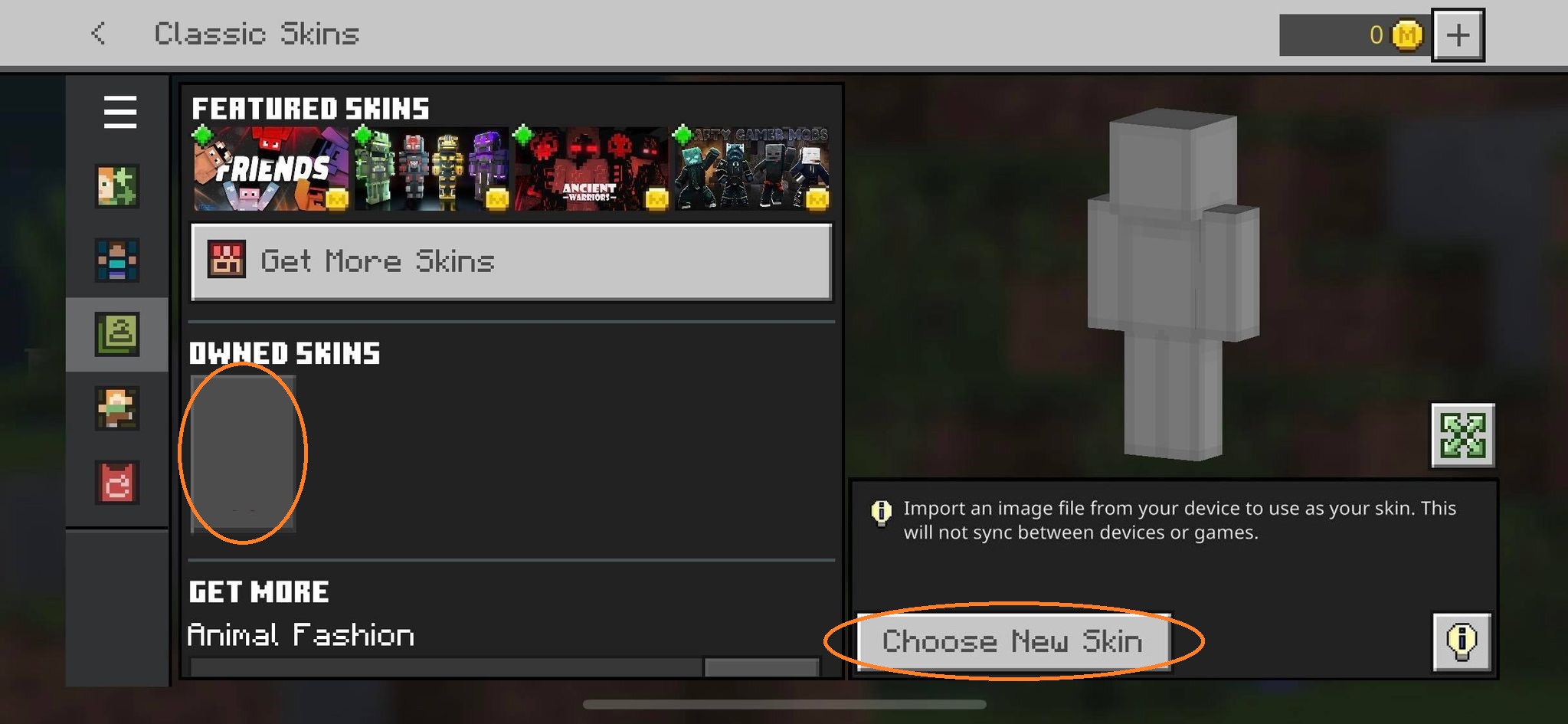
Keep your original skin PNG. After equipping it, close and relaunch the same test installation, then inspect the Dressing Room before joining a world. A skin that is missing locally after restart is a different symptom from a friend not seeing it. Follow our skin import and restart guide for that distinction. iPhone and iPad players could not install this particular build when it was announced; do not repeatedly reinstall the game to force its arrival.
What changes for a group using Realms?
26.60.21 adds active-pack information to the world-slot view for owners and administrators. In 26.60.24, players can see applied packs in the World tab, member searches respond faster, and a permission issue affecting administrators is corrected. Owner/admin view · Player view and fixes.
Before a shared test, agree on the exact test build and use a Preview/Beta Realm rather than assuming a normal Realm accepts it. Mojang provides a separate Preview/Beta Realm setup guide. Ask the owner to identify the world slot and its packs; compare that with what a member sees. A visible pack list helps explain the setup, but does not establish that every add-on works in the new branch.
How to try the branch
- Windows: open Minecraft Launcher, select Minecraft Preview and use Install or Play. Access requires an eligible Minecraft purchase or subscription.
- Xbox: find Minecraft Preview in Microsoft Store and check access with the account that owns the eligible game or subscription.
- Android: open the official Minecraft listing in Google Play and use its Join the Beta option. This changes the regular installation to the beta channel; it is not a second independent app.
- iOS and PlayStation: Preview exists on these platforms, but 26.60.24 was unavailable for them that week. Check the next official announcement instead of expecting every platform to receive every build.
Mojang’s installation instructions explain eligibility and enrolment. Mentions of Switch fixes in release notes do not mean a public Switch Preview download is available. A Java snapshot is also a different edition, not a way to run these Bedrock builds.
Start with a disposable world, or preserve an untouched backup before testing a copy. Name it with the build number so it cannot be confused with your main save. Do not enable every experiment automatically: these selected fixes are not instructions to turn on unrelated experimental features. Never rely on downgrading a test save to recover a world.
If the result is different on your device
- The update is absent: check the platform exception, enrolment and the version actually displayed by the game. Store rollout timing and participation are separate from the date of the changelog.
- A friend cannot join: compare edition, channel and exact build first. See Bedrock and Realms version mismatch before changing network settings.
- A pack breaks: reproduce the problem in a new world without it, then compare a copy with only that pack enabled. Keep the original world intact and check the creator’s supported versions.
- A listed bug remains: record a short sequence of actions, device, build and relevant packs. Search Mojang’s bug tracker for the same issue before adding a report.
This is a source-based player guide, not a claim of in-game testing by MineBrush. The cover is an editorial illustration; the two images inside are credited source images. Future stable release notes determine which test changes have actually shipped.
More for your Bedrock world.

Find the Bedrock update that matters to your world or device. Explore stable releases, practical game-drop guides, platform-specific fixes and a separate Beta/Preview archive.
- Coverage
- 2023–2026
- Edition
- Bedrock Edition
- Versions
- Bedrock 1.20.30–26.51
Bedrock · Update history
Bedrock Update History
Find the Bedrock update that matters to your world or device. Explore stable releases, practical game-drop guides, platform-specific fixes and a separate Beta/Preview archive.
Back up before updating
- Minecraft version
- Bedrock 1.20.30–26.51
- Game edition
- Bedrock Edition
- Update type
- Unknown / not stated
- Release channel
- Bedrock Edition
- World safety
- Back up before updating
- Player impact
- Find a useful release, platform fix or practical game-drop guide
- Platform family
- Bedrock & Mobile
- Supported devices
- Windows, consoles and mobile; patch availability varies
- Touch readiness
- Yes
- Last verified at
- Sep 17, 2026
- Update state
- current
- Compatibility confidence
- Source claimed
- Card delivery statement
- Player guides and official release notes
- Edition applicability
- Bedrock
- Bedrock enrollment route
- Preview app
- Delivery state
- No file
- Lifecycle state
- Current
- History coverage
- 2023–2026
Explore camps and the Dappled Forest, build with new shapes and keep your home spawn on overnight trips. Bedrock 26.50 explained, including Realms, touch controls, world-saving fixes and add-on checks.
- Bedrock
- 26.50
- Release type
- Release
- Game released
Focus Camping and building, world-saving fixes, Realms and device controls
Install Update through your device store or official game launcher
Enrollment None required
Back up worlds and check add-on compatibility
Bedrock · Release
Minecraft Bedrock 26.50
Explore camps and the Dappled Forest, build with new shapes and keep your home spawn on overnight trips. Bedrock 26.50 explained, including Realms, touch controls, world-saving fixes and add-on checks.
Back up worlds and check add-on compatibility
- Minecraft version
- 26.50
- Game edition
- Bedrock Edition
- Update type
- Major release
- Release channel
- Bedrock Edition
- Official release date
- 2026-09-15
- World safety
- Back up before updating
- Player impact
- Camping and building, world-saving fixes, Realms and device controls
- Related major release
- Wilderness Bound
- Platform family
- Bedrock & Mobile
- Supported devices
- Supported Bedrock devices: Windows, phones, tablets and consoles
- Touch readiness
- Yes
- Last verified at
- Sep 18, 2026
- Update state
- current
- Compatibility confidence
- Source claimed
- Card delivery statement
- Update through your device store or official game launcher
- Card limitation note
- Back up worlds and check add-on compatibility
- Edition applicability
- Bedrock
- Bedrock enrollment route
- None required
- Delivery state
- No file
- Lifecycle state
- Current
Put your own character into Minecraft on Android, iPhone or iPad. Find the real skin PNG, import it through Classic Skins, choose the right arms and fix missing images—with illustrated steps and advice for keeping your skin on a new device.
- Edition
- Bedrock Edition
- Difficulty
- Beginner
- Time
- 7 min read; import takes a few minutes
MineBrush · Guide
Import Your Skin on Mobile
Put your own character into Minecraft on Android, iPhone or iPad. Find the real skin PNG, import it through Classic Skins, choose the right arms and fix missing images—with illustrated steps and advice for keeping your skin on a new device.
- Minecraft version
- Bedrock on phones and tablets
- Game edition
- Bedrock Edition
- Platform family
- Bedrock & Mobile
- Supported devices
- Android · iPhone · iPad (Bedrock; not console)
- Install format
- Flat Minecraft skin .png · 64×64 recommended
- Touch readiness
- Yes
- Resource type
- Guide
- Compatibility confidence
- Not applicable
- Edition applicability
- Bedrock
- Estimated time
- 7 min read; import takes a few minutes
- Guide difficulty
- Beginner
- Delivery state
- No file
- Lifecycle state
- Current
Get back to your shared world. Fix Outdated Client or Outdated Server in Bedrock and Realms with device-specific update steps, clear host/player checks and help for Preview, LAN and missing updates.
- Edition
- Bedrock Edition
- Difficulty
- Beginner
- Time
- 5–15 min; update time varies
Client, server and Preview checks
MineBrush · Guide
Fix Outdated Client
Get back to your shared world. Fix Outdated Client or Outdated Server in Bedrock and Realms with device-specific update steps, clear host/player checks and help for Preview, LAN and missing updates.
Client, server and Preview checks
- Minecraft version
- Current compatible Bedrock release
- Game edition
- Bedrock Edition
- Platform family
- Bedrock & Mobile
- Supported devices
- Windows · Android · iPhone/iPad · Xbox · PlayStation · Switch
- Install format
- Step-by-step guide
- Touch readiness
- Check guide
- Resource type
- Guide
- Compatibility confidence
- Not applicable
- Card limitation note
- Client, server and Preview checks
- Edition applicability
- Bedrock
- Estimated time
- 5–15 min; update time varies
- Guide difficulty
- Beginner
- Delivery state
- No file
- Lifecycle state
- Current
Choose a Bedrock flat-world preset for a town, basement, harbour or redstone workshop. See the real menus, practical building ideas, survival limits, Realms region settings and the useful changes in 1.21.80.
- Bedrock
- Bedrock 1.21.80
- Release type
- Release
- Game released
Focus Flat-world workshops, preset selection, Realms regions and practical fixes
Install Create a new world in the game; no map download required
Enrollment None required
Historical release. The Void preset arrived later in 1.21.100.
Bedrock · Release
Bedrock 1.21.80: Flat Worlds
Choose a Bedrock flat-world preset for a town, basement, harbour or redstone workshop. See the real menus, practical building ideas, survival limits, Realms region settings and the useful changes in 1.21.80.
Historical release. The Void preset arrived later in 1.21.100.
- Minecraft version
- Bedrock 1.21.80
- Game edition
- Bedrock Edition
- Update type
- Stable update
- Release channel
- Bedrock Edition
- Official release date
- 2025-05-06
- World safety
- Back up before updating
- Player impact
- Flat-world workshops, preset selection, Realms regions and practical fixes
- Platform family
- Bedrock & Mobile
- Supported devices
- Windows, Android, iOS, Xbox, PlayStation, Nintendo Switch
- Touch readiness
- Yes
- Last verified at
- Sep 18, 2026
- Update state
- historical
- Compatibility confidence
- Source claimed
- Card delivery statement
- Create a new world in the game; no map download required
- Card limitation note
- Historical release. The Void preset arrived later in 1.21.100.
- Edition applicability
- Bedrock
- Bedrock enrollment route
- None required
- Delivery state
- No file
- Lifecycle state
- Superseded
Player discussion 0
Questions, discoveries and help from other players.