
Bedrock 1.21.70 player guide
Minecraft Bedrock 1.21.70: Spring to Life, Pause & Controls
Collect new animals, grow a garden and use Bedrock’s solo pause and touch camera. Understand Friends Drawer, Realms status and add-on achievement limits.
Bedrock 1.21.70 makes the Overworld more varied and everyday play more convenient. Spring to Life brings warm and cold farm animals, new garden plants, firefly bushes, useful trader offers and maps. Its Bedrock-specific improvements include pausing a local solo world, a touch-screen camera button and clearer ways to find friends.
The stable drop released on March 25, 2025. This is a historical version guide; use a current supported stable release for ordinary play. The shared wildlife and plants are also in Java 1.21.5, but Java farm rules and menu behavior should not be applied automatically to Bedrock.
Give your first expedition one clear goal
Choose either a plant sample, an animal variant or a new region to explore. A small successful trip gives you something useful at home without filling your inventory before you have a safe return route.
- For cold farm animals: begin in suitable taiga or snowy-taiga habitat. Look for the new cow, pig or chicken appearances.
- For warm variants: try savanna or jungle areas where farm animals normally spawn.
- For flowers: visit a birch forest or meadow with bone meal and spare inventory space.
- For an evening pond: look for firefly bushes near water. Swamps are a useful place to start.
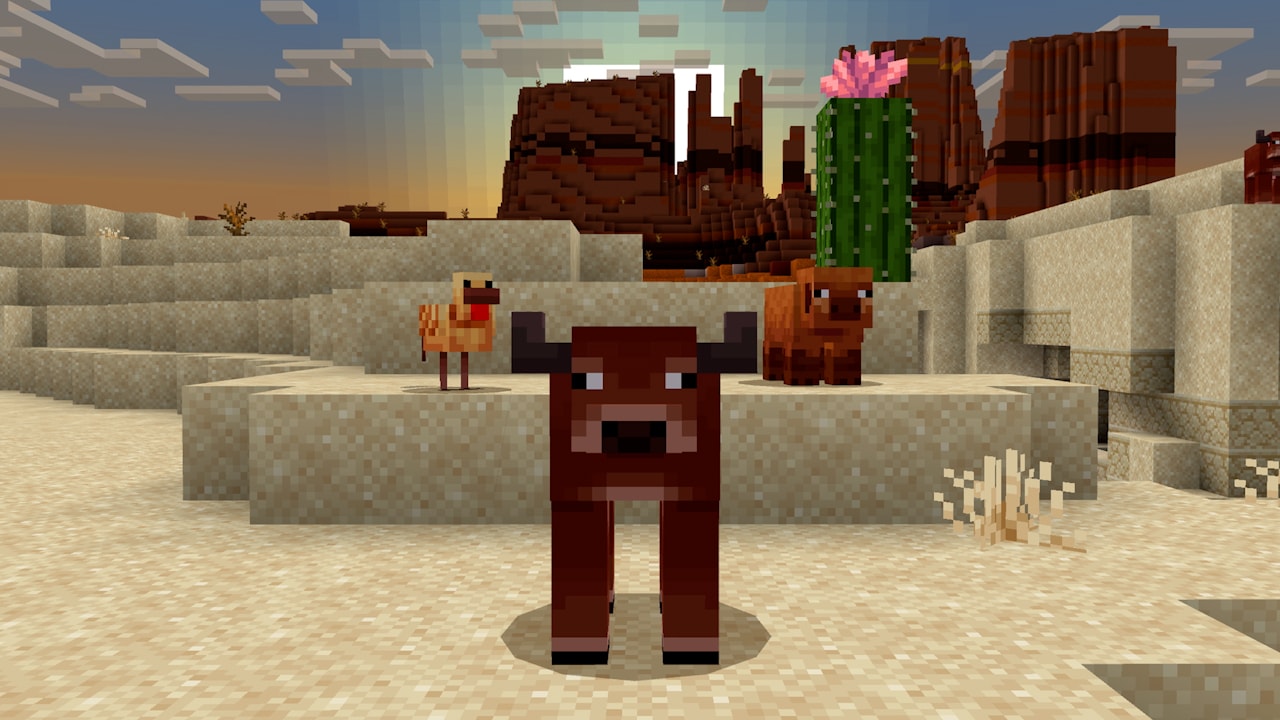
Bedrock distinction: the new animal variants use climate information, but cows, pigs and chickens retain their previous natural spawning biomes in this release. A desert belongs to the warm-variant list for a spawn egg or command; that is not a promise that wild cows naturally appear across every desert. Do not spend an expedition waiting in unsuitable habitat because a promotional image shows a warm animal there.
Prepare pens before bringing animals home, carry their familiar foods and choose a route that avoids steep drops. Moving a cold animal into a warm base does not recolor it. The variants are different looks for familiar livestock, not a new temperature-management system.
Blue eggs come from cold chickens and brown eggs from warm chickens. They can hatch the matching variant, so carrying several eggs home is often simpler than moving a chicken over a long route. Throw them inside a closed pen; hatching is a chance, so collect more than one.
Sheep are commonly black in cold regions, brown in warm ones and white in temperate areas, while other colors can still appear. Existing sheep do not automatically change. Dyeing remains useful when you need a particular building color. Wolves also gain new voices independent of their coat, adding personality without changing their combat role.
For full collection routes, eggs, plants and three-climate farm ideas, use our Spring to Life overview. The sections below focus on Bedrock’s additional controls and practical changes.
Turn a few samples into a useful garden
A flower path without a long collecting trip
In Bedrock, using bone meal on grass blocks in birch forests, old-growth birch forests or meadows can produce wildflowers. Once you have a patch, bone meal on the flowers produces more. Place up to four in a block space and vary the orientation to avoid an identical border all the way along the path.
Example: make the flowers dense around your doorway and sparse near a gate, leaving the walking route clear. Keep a small stock patch to multiply later instead of turning every flower into yellow dye.
A pond that looks different at night
Firefly bushes create drifting particles in darkness and play nighttime ambience with sky access. Bone meal can add a neighboring bush when there is room. Plant a few on the far bank of a pond and watch from a clear seating area; you do not need to crowd the entire shore.
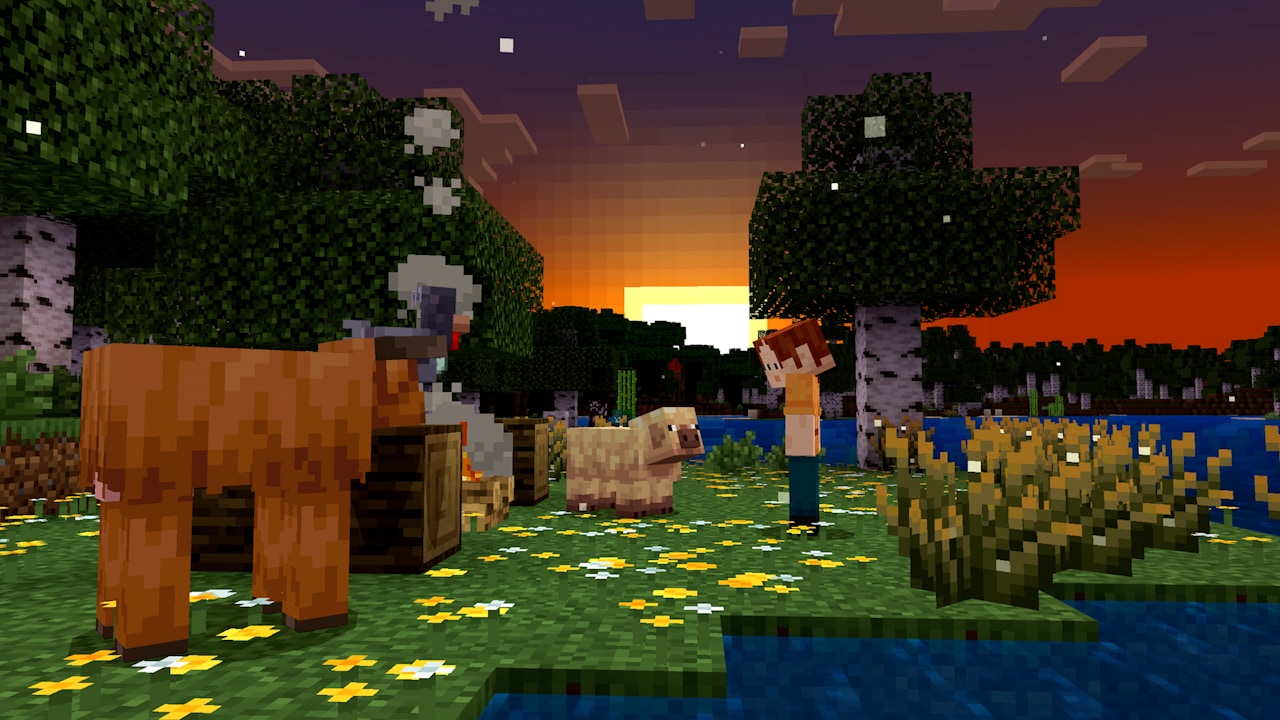
The fireflies are a plant effect, not a new mob you can catch in a bucket. Keep ordinary lighting along the approach to the pond, and check the view after dark before placing more bushes. A fully enclosed room is not a reliable test of the outdoor ambience.
Ground cover for woodland and desert builds
Leaf litter can be collected or made by smelting leaf blocks. Vary its density near trunks and along a path; falling leaf particles do not turn into collectible litter over time. Ordinary bushes can spread with bone meal into available space.
Short and tall dry grass both fit in one block of height. Use bone meal on short grass to grow the tall form, then on tall dry grass to spread another short plant nearby. Sheep can eat these plants to regrow wool, making them useful around a dry-looking livestock yard.
Cactus flowers need clear space around the growing cactus and are not guaranteed at every growth attempt. Move a collected flower onto suitable support if you want pink detail beside a doorway without making visitors brush against a damaging cactus.
Pause works when you are alone in your own local world
One of the release’s biggest conveniences is genuine pausing in a local world you own while you are its only player. Open the pause menu and look for the game’s paused state before stepping away. Mojang rolled this feature out gradually over two weeks at launch, which explains some old 1.21.70 reports of the feature being absent.
- Your local world, you alone: the new pause feature applies.
- A friend joins that world: the game resumes. A notification tells you somebody joined and gives you a way back to play.
- A Realm or server: your pause menu does not freeze the shared world.
- A local session already containing a friend: the world continues running.
Useful habit: if friends may join, reach a sheltered location before taking a break. A paused solo session can become active multiplayer while you are still in a menu. On a Realm, arrange a safe place or leave the session instead of assuming the menu protects your character.
This distinction matters more than which device you use. Seeing a menu on a phone, console or Windows PC is not by itself proof that the simulation has stopped.
Use the touch camera button and check screen comfort
Bedrock 1.21.70 lets touch players enable a camera-perspective button on the HUD from Touch settings. It gives you a quick way to switch view without repeatedly visiting deeper menus.
Try it while building: stand somewhere safe, switch perspective to see how your character fits beside a doorway or garden feature, then return to your preferred view before walking near an edge. Perspective changes the view, not your movement directions into an automatic third-person navigation system.
The release also fixes continued diagonal movement after opening a menu on touch devices, improves moving items from the Creative inventory in Pocket UI, and corrects stack splitting across slots. These are useful reasons to check familiar inventory actions after an update rather than carry old workarounds forward forever.
Controller placement hints now remain available when adding more pink petals, wildflowers or leaf litter to an existing block space. If you are building a denser flower patch, use the placement action again rather than assuming a single plant is the maximum.
Screen edges: horizontal and vertical screen-position sliders are disabled when Safe Area is 100%. If a slider appears unavailable, check that setting before treating it as a controller problem. Adjust the safe area only if your actual display clips the interface.
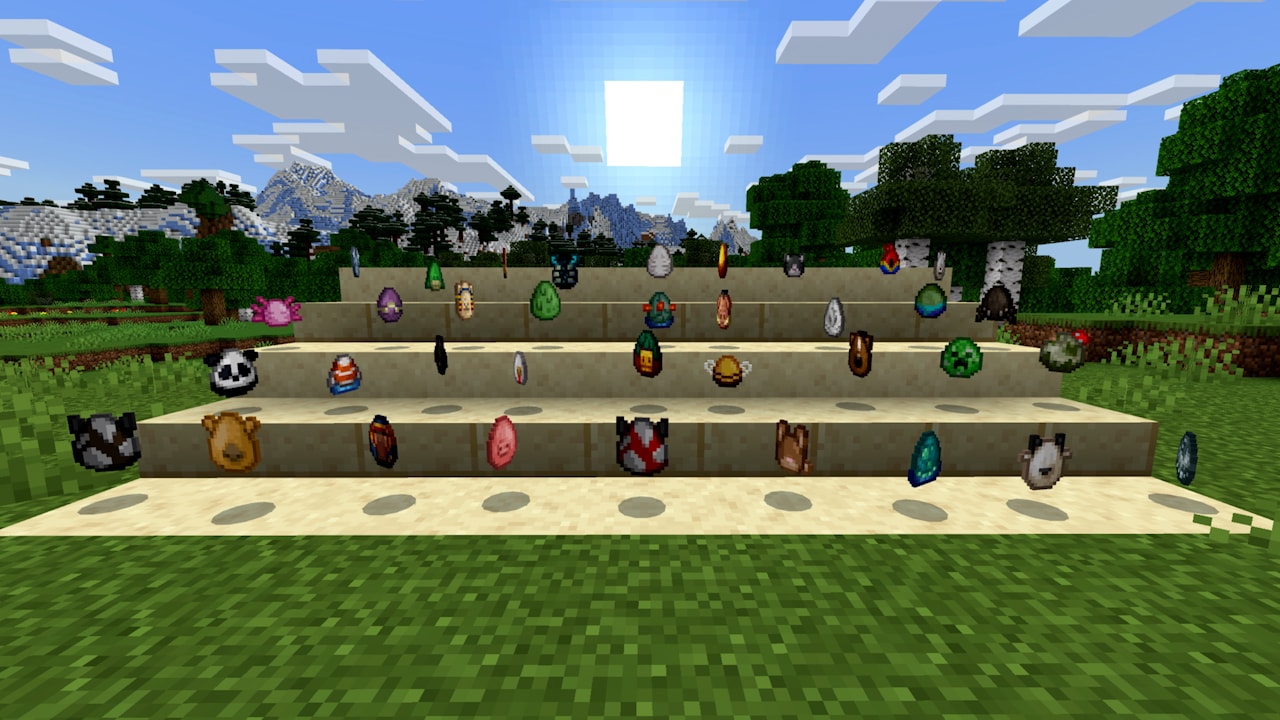
The redesigned Creative spawn eggs help identify mobs by more distinctive artwork. They are separate from the blue and brown eggs laid by chickens: do not search a Survival crafting recipe for the new Creative egg icons.
Find the right friend—and understand Realm status
The Friends Drawer is available from more screens, including the main menu, game menu, Play screen, world creation/editing and your profile. Look in the upper-right area when you want to connect without backing out through several menus.
In Realms Stories, the green online dot now means a person is generally online, not necessarily playing in that particular Realm. In the Members tab, Playing on Realm identifies somebody actually there, and the online-members filter helps find them.
Example: before planning an animal-moving trip, check who is playing on the Realm and send the meeting details through your normal group communication. A green dot alone does not tell you that a friend can already see your world or is waiting at the base.
The Player Permissions screen receives a clearer layout and role icons. Review the role you assign when inviting someone to help; ordinary building access and operator control are different responsibilities. On PlayStation and Nintendo consoles, the Multiplayer tab also makes a missing sign-in requirement clearer and offers the corresponding sign-in route.
Realm fixes include random-tick speed and respawn radius being reset, the random-tick reset button, removing members who are not the owner’s friends, and invite-link rejoining for Hardcore worlds. Owners maintaining unusual world settings should still inspect the intended values after updating.
Read the add-on achievement change with its limits
The 1.21.70 notes announce achievement support with add-ons. Mojang’s later official explanation, published in July 2025, clarifies that this support applies to add-ons released through Minecraft Marketplace. It should not be advertised as a guarantee for every third-party behavior pack downloaded elsewhere.
Mojang also says achievements are not awarded retroactively for milestones completed before eligibility. Check the world’s own achievement status before committing to a long goal, especially if the save has a history of different settings or packs.
Keep Inventory is again classified as a cheat on all difficulties in this release. Do not interpret the add-on announcement as permission to enable any cheat while keeping achievement eligibility. If achievements matter to you, read the warning shown by the world settings before accepting a change.
A sensible test: copy the world before changing its add-ons, check which packs the creator supports for your game version, then inspect the achievement status of the copy. This separates compatibility testing from the main save you want to preserve. See Mojang’s achievement and add-on FAQ for the distinction and its explanation.
Use the smaller changes on an ordinary outing
Cartographers offer new maps to villages and structures in different biomes. Check the destination and choose one that matches a project—such as searching a new region for plants—instead of buying an unfamiliar map without a purpose.
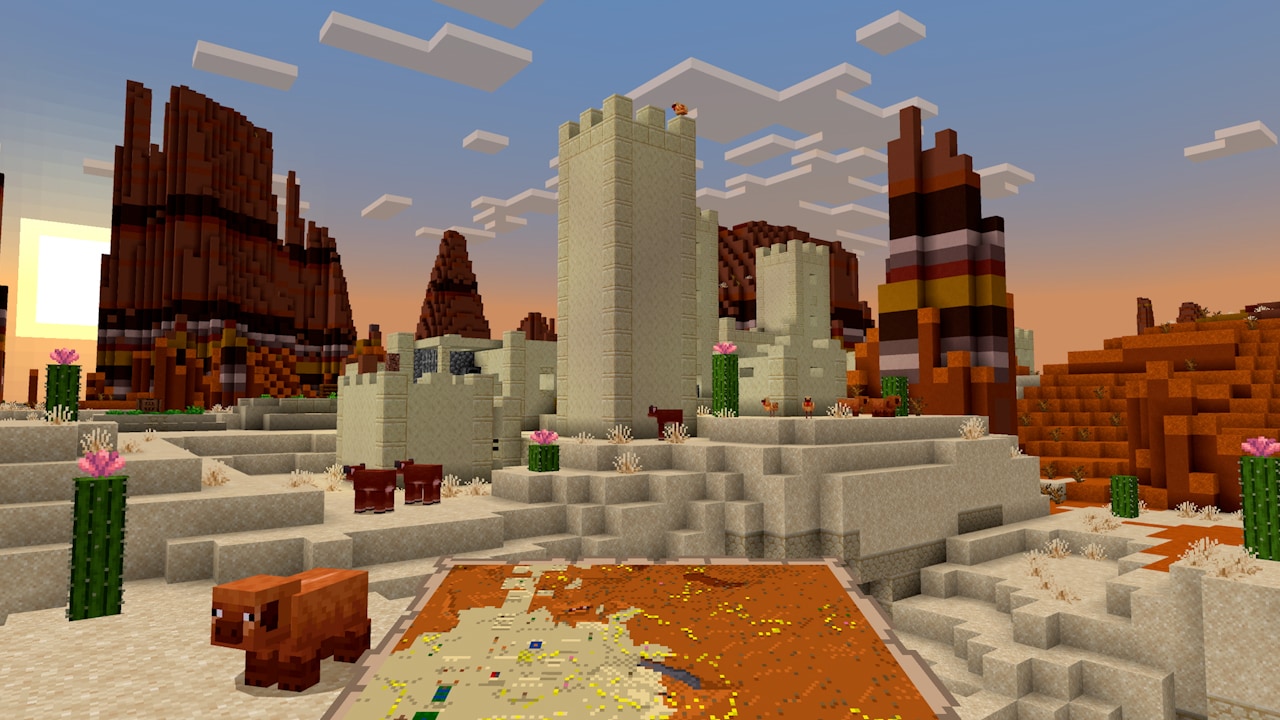
Wandering traders can now buy basic supplies as well as sell goods. Each offers two buying trades drawn from water bottles, water buckets, milk buckets, fermented spider eyes, baked potatoes and hay bales. Those buying trades can be used twice before locking. Check the actual pair before collecting a large batch. These trader and cartographer changes moved out of the trade experiment, so you do not need that experiment for them.
- Look for bundles in villages. Several house and profession chests have a chance of containing one. A bundle is useful for the mixed small items from a plant-collecting trip, but finding one in a particular chest is not guaranteed.
- Watch for donkeys in savannas. They also spawn in smaller groups of one to three in plains. Camels can naturally spawn in deserts.
- Recheck a missing-looking shulker box. The release fixes a case where a collected box became invisible in the inventory until a reload. Inventory appearance and actual loss are not always the same issue.
- Riptide in shallow water: a fix restores launching in that situation. Try it with clear space and a planned landing.
- Be careful with pufferfish: their inflate, attack and poison behavior now applies to more non-aquatic mobs and axolotls. Do not place one casually in a pond meant for friendly animals.
- Do not rely on quitting to cancel a fall. Re-entering the world no longer resets the player’s falling momentum.
Update a copy first if your world depends on packs
- Back up or copy your world. Use the options available on your device and keep the old copy separate.
- Check the add-on creator’s supported versions. Update matching packs, especially when they change mobs, inventories or world behavior.
- Install the stable game through its official store or launcher. Spring to Life does not require a separate mod, old APK or Preview enrollment.
- Inspect a familiar area. Check inventory, important animals, controls and pack behavior before going on a long expedition.
- Confirm pause and multiplayer expectations. A local solo world and a Realm behave differently when you open a menu.
Do I have to restart my world? No. New natural decorations are best sought in newly generated terrain, while collected plants and new animals can become projects around your existing base.
Are fallen trees new to Bedrock here? No. Their addition is a Java-specific part of the paired release; Bedrock already had them.
Does this include Vibrant Visuals? No. Its stable launch came later with Bedrock 1.21.90 and Chase the Skies.
Sources: Mojang’s final Bedrock 1.21.70 notes, official Spring to Life feature gallery, and the achievement FAQ linked above. Game features and original screenshots: Mojang / Microsoft. MineBrush’s examples are editorial suggestions; the branded cover is an illustration.
More for your Bedrock world.
Find warm and cold animals, grow firefly bushes and wildflowers, and turn the new plants into a woodland path or evening garden. Practical Spring to Life ideas for Java and Bedrock, with original Mojang images.
- Game released
- Java
- 1.21.5 · Stable
- Bedrock
- 1.21.70 · Stable
Focus New animal variants, firefly gardens, woodland plants and exploration ideas
Topic Animals, plants and exploration
Install Included in the official game update
Back up before updating
Java + Bedrock · Release
Spring to Life
Find warm and cold animals, grow firefly bushes and wildflowers, and turn the new plants into a woodland path or evening garden. Practical Spring to Life ideas for Java and Bedrock, with original Mojang images.
Back up before updating
- Update type
- Major release
- Release channel
- Java & Bedrock
- Official release date
- 2025-03-25
- World safety
- Back up before updating
- Player impact
- New animal variants, firefly gardens, woodland plants and exploration ideas
- Related major release
- MineBrush three-year release archive
- Platform family
- Cross-edition
- Supported devices
- Java: Windows, macOS and Linux. Bedrock: supported PCs, consoles and mobile devices.
- Install format
- Included in the official game update
- Touch readiness
- Yes
- Resource type
- Update
- Last verified at
- Sep 16, 2026
- Update state
- historical
- Compatibility confidence
- Source claimed
- Bedrock version/build
- 1.21.70
- Card delivery statement
- Included in the official game update
- Edition applicability
- Java + Bedrock
- Java version/build
- 1.21.5
- Shared update topic
- Animals, plants and exploration
- Delivery state
- No file
- Lifecycle state
- Superseded
- Java update channel
- Stable
- Bedrock update channel
- Stable
Collect new animals, build woodland paths and find home. Understand Java 1.21.5 farm activity, portal loading, named creakings and useful settings.
- Java
- Java 1.21.5
- Release type
- Release
- Game released
Focus Animals, woodland projects, navigation and farm changes
Install Install through Minecraft Launcher
Back up before updating
Java · Release
Java 1.21.5: Spring to Life
Collect new animals, build woodland paths and find home. Understand Java 1.21.5 farm activity, portal loading, named creakings and useful settings.
Back up before updating
- Minecraft version
- Java 1.21.5
- Game edition
- Java Edition
- Update type
- Major release
- Release channel
- Java Edition
- Official release date
- 2025-03-25
- World safety
- Back up before updating
- Player impact
- Animals, woodland projects, navigation and farm changes
- Related major release
- Spring to Life
- Platform family
- Java PC
- Last verified at
- Sep 17, 2026
- Update state
- historical
- Compatibility confidence
- Source claimed
- Card delivery statement
- Install through Minecraft Launcher
- Edition applicability
- Java
- Delivery state
- No file
- Lifecycle state
- Superseded

Plan happy-ghast flights and animal transfers, compare Vibrant Visuals, find friends and understand Bedrock touch, controller and Realms changes.
- Bedrock
- Bedrock 1.21.90
- Release type
- Release
- Game released
Focus Happy-ghast trips, Vibrant Visuals, touch controls and Realms
Install Update through the official game store
Enrollment None required
Back up before updating
Bedrock · Release
Bedrock 1.21.90: Chase the Skies
Plan happy-ghast flights and animal transfers, compare Vibrant Visuals, find friends and understand Bedrock touch, controller and Realms changes.
Back up before updating
- Minecraft version
- Bedrock 1.21.90
- Game edition
- Bedrock Edition
- Update type
- Major release
- Release channel
- Bedrock Edition
- Official release date
- 2025-06-17
- World safety
- Back up before updating
- Player impact
- Happy-ghast trips, Vibrant Visuals, touch controls and Realms
- Related major release
- Chase the Skies
- Platform family
- Bedrock & Mobile
- Supported devices
- Windows, Android, iOS and consoles; Vibrant Visuals requires supported hardware
- Touch readiness
- Check guide
- Last verified at
- Sep 17, 2026
- Update state
- historical
- Compatibility confidence
- Source claimed
- Card delivery statement
- Update through the official game store
- Edition applicability
- Bedrock
- Bedrock enrollment route
- None required
- Delivery state
- No file
- Lifecycle state
- Superseded
Player discussion 0
Questions, discoveries and help from other players.