
Bedrock 26.10 player guide
Minecraft Bedrock 26.10: Tiny Takeover, Controls and Player Guide
Build a named baby-animal nursery, try copper trumpet sounds and use Bedrock’s improved controls. Understand Identify Block, Android text editing and the experimental furnace recipe book before changing your world.
Bedrock 26.10 makes a pet garden much more appealing, but Tiny Takeover also changes how you interact with Minecraft. Alongside redesigned babies and craftable name tags, there are improvements for Android typing, controller accessibility, building, travel and everyday menus.
The stable update released on March 24, 2026. This is a historical guide for Bedrock on supported phones, consoles and Windows; Bedrock 26.50 / Wilderness Bound is newer. Most players should use their platform's current supported release rather than try to downgrade. Java's corresponding Tiny Takeover release is 26.1, with different menus and upgrade requirements.
Make a small nursery you can actually use
Choose a familiar animal before collecting every new baby design. A calf or piglet near your base makes an easy first project: you can prepare its enclosure, learn the flower interaction and give it a name without organizing a long expedition.
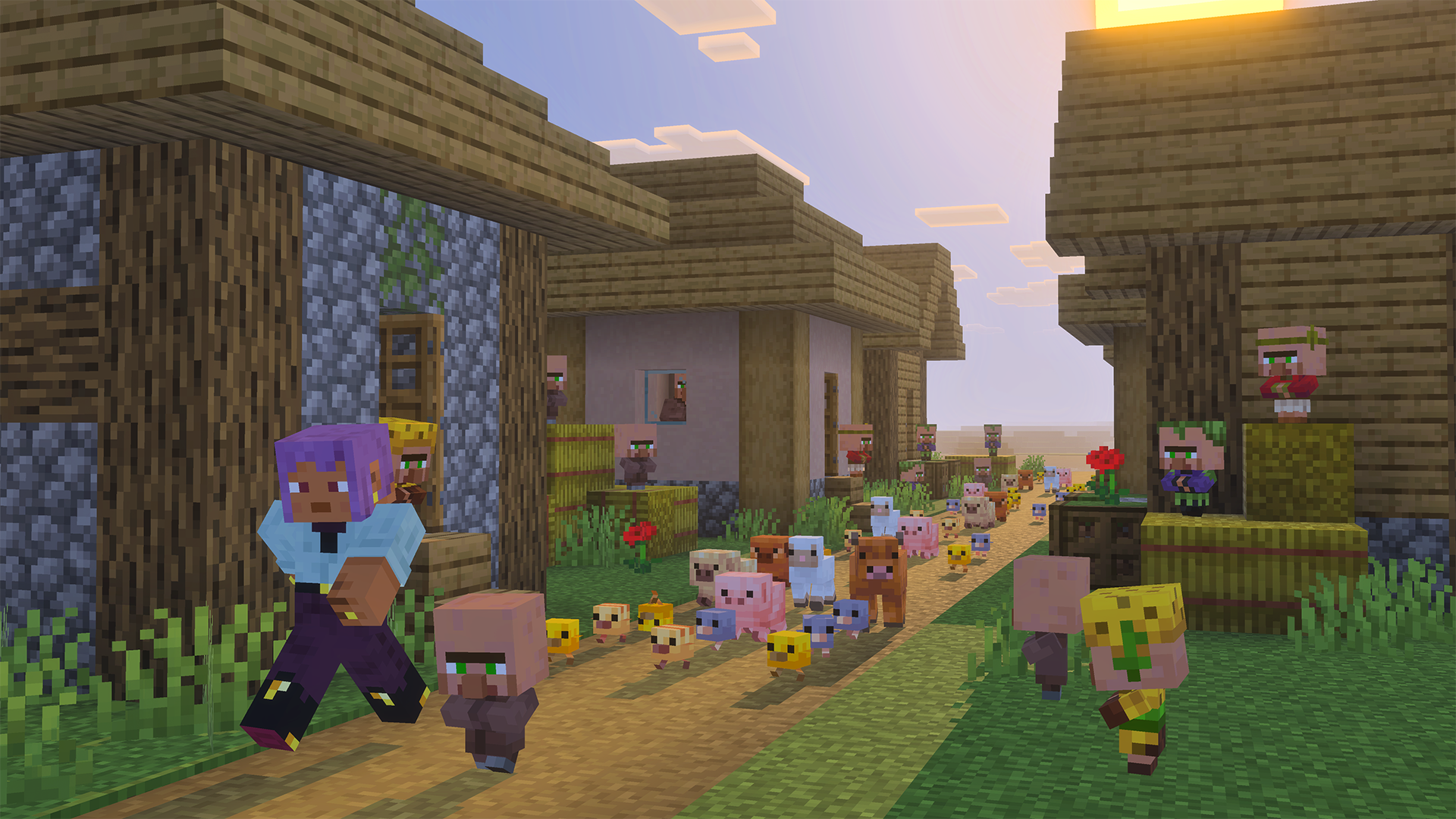
- Prepare a safe enclosure. Include a gate and enough room to approach the animal without accidentally hitting another mob.
- Breed the animal normally. Tiny Takeover redesigns existing babies; it does not replace each species’ breeding conditions. Breeding your first mob unlocks the golden-dandelion recipe.
- Craft a golden dandelion. Put one dandelion in the center of a crafting table and eight gold nuggets around it.
- Use the flower on an eligible baby. Use your interaction control, not attack. Green particles moving down mean aging is paused. Another flower resumes growth, with particles moving up.
- Label your permanent resident. Craft a name tag from one paper and one metal nugget, rename it at an anvil, then use the renamed tag on the animal. The anvil shows the experience cost.
Do not keep tapping the flower. On touch controls especially, pause after the first successful interaction and watch the particles. A second application reverses the decision. A name tag does not pause growth, and a planted flower does not automatically affect the animals beside it.
The supported list includes familiar farm animals and pets, but also tadpoles, ghastlings and baby nautiluses. A baby villager or undead baby is not a suitable target for this growth effect. Keeping a creature young does not tame it or remove its normal habitat and safety needs.
Separate the display from the breeding herd. Keep adults for breeding and selected babies for the nursery. Add signs with names and whether growth is paused. This makes shared care much easier than expecting friends to remember which flower was used on which animal.
Check transport gaps after the redesign
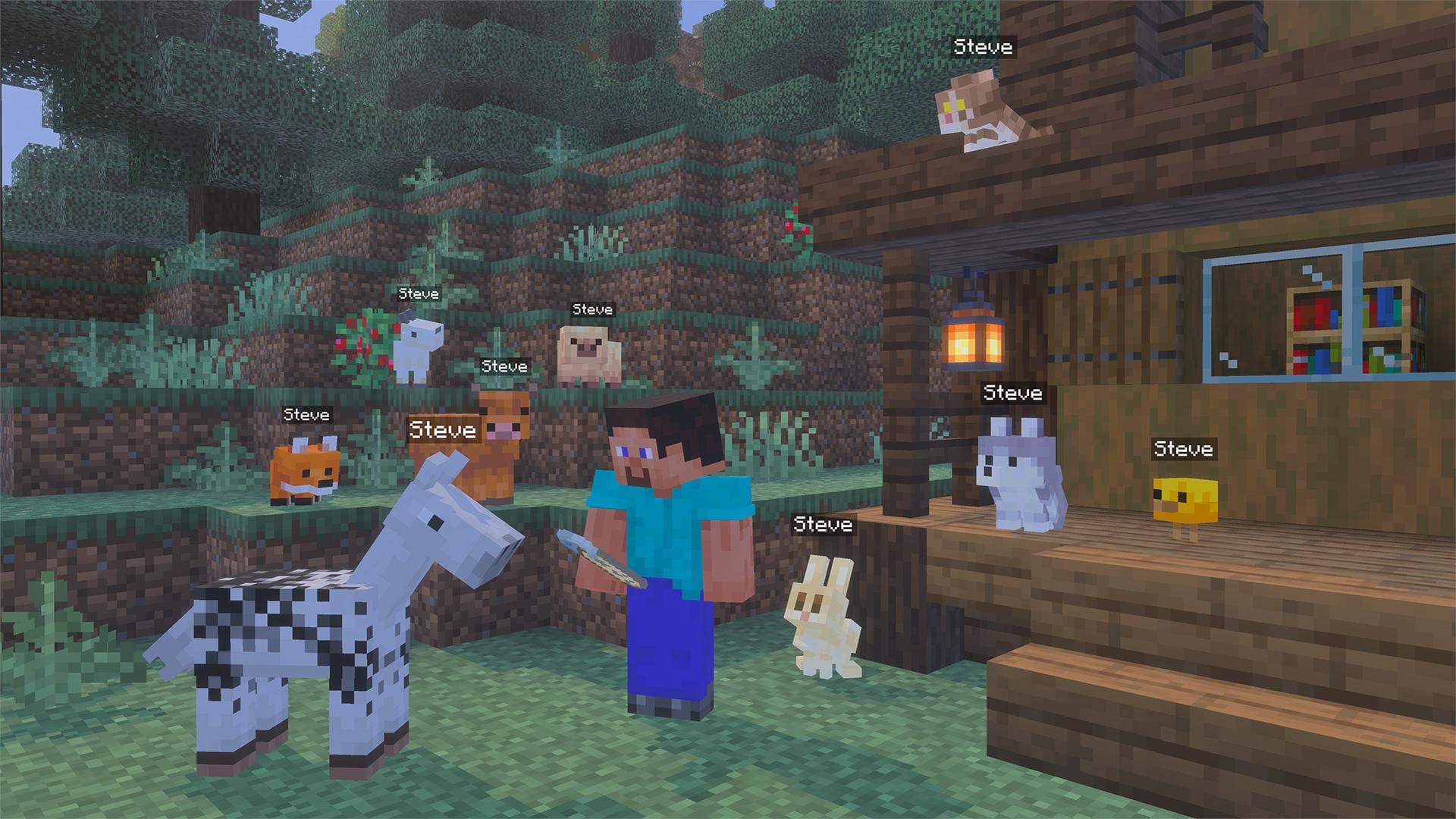
Several baby models and collision boxes change, and some adults are adjusted too. Inspect narrow gates, animal transport channels and compact pens before moving a valuable breeding group. New animations are especially noticeable on rabbits, axolotls, foxes, camels and armadillos.
For a Creative planning world, using a matching spawn egg on an existing mob now produces its baby form. This is useful for previewing an enclosure with one adult and one baby. It is a Creative setup aid, not a new Survival recipe for spawn eggs.
The main Tiny Takeover guide has more nursery ideas and the shared features. The rest of this page concentrates on the Bedrock changes that affect how you play.
Three projects for builders and pet owners
A nursery entrance with a copper trumpet
Place a block of copper, cut copper or chiseled copper directly below a note block. Leave space above the note block, tune it, then use a button or redstone pulse to play it. The copper’s oxidation stage changes the trumpet sound.
For a simple comparison, build four stations using different oxidation stages, set the same note on each and listen from the same place. Choose the sound that suits your entrance, then wax the copper to preserve its stage. Keep the experiment separate from a finished song until you know which sound you want.
A stone workshop that uses your existing supplies
The stonecutter can convert stone and deepslate directly to their cobbled forms. If a Silk Touch mining trip filled your storage, try the stonecutter before placing and breaking every block again. Keep a small sample wall beside it so you can choose the right material for a foundation or garden path.
Mixed stair corners also receive a water-leak fix for worlds with a base game version of 26.10 or newer. For a pond edge, test the exact corner in a contained area before connecting it to the finished water feature. The release’s version condition matters; an old map or template is not a reason to promise identical behavior in every world.
A named animal trail through your village
Craftable tags make it easier to label multiple animals without building an entire trading plan around finding tags. Librarians no longer sell them, and ancient-city and woodland-mansion chests stop providing them in this release. A wandering trader can offer a tag for one emerald, but the offer is not guaranteed; crafting is the predictable route.
Identify Block: recognize what you are looking at
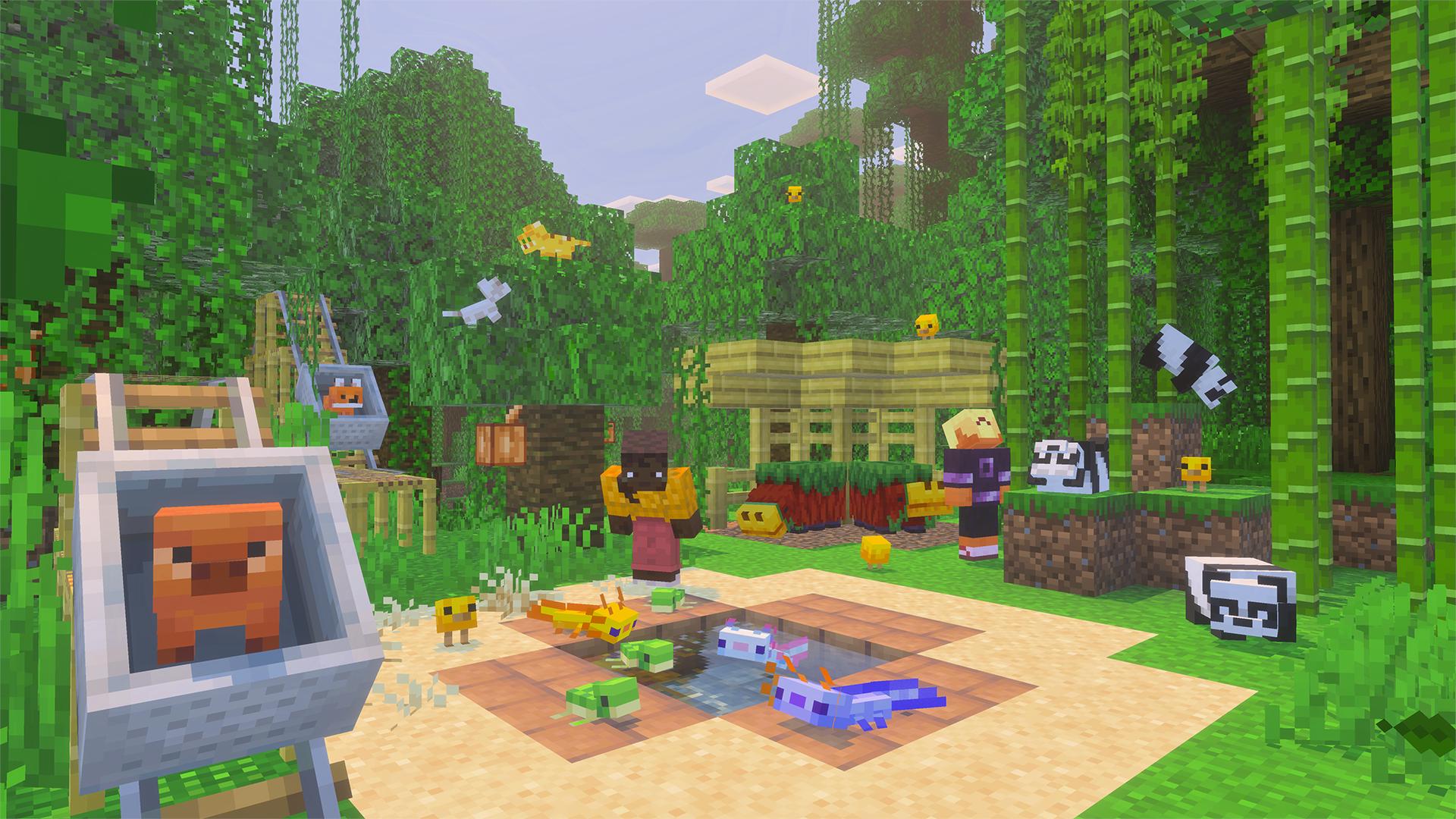
Identify Block, previously called Describe during development, reports the block or mob in front of you using text and text-to-speech. The release adds a binding for keyboard and controller inputs. This is especially useful when a player needs assistance identifying the object they are aiming at.
- Open the settings for the input device you use and look for the Identify Block binding.
- Choose an available key or controller assignment if needed, avoiding an action you regularly use.
- Face a familiar block or animal in a safe area and activate the assigned control.
- If you want spoken feedback, check your narration/text-to-speech settings and volume; first verify the on-screen identification as well.
Example: while helping a friend decorate a village, point at the block under discussion and identify it before searching inventory. It can make “the block over there” a much clearer instruction. Do not treat it as an ore finder, a search through walls or a complete guide to a mob’s behavior.
The documented binding is for keyboard and controller. Do not assume a matching touchscreen button exists just because you saw a PC demonstration. The release also fixes UI text-to-speech failing to activate at startup despite its toggle being enabled.
Small control changes that remove everyday frustration
Android: signs and longer messages
Text fields gain line navigation with arrow keys and shortcuts such as Ctrl+V on Android. With a hardware keyboard attached, this is useful for editing a sign, a book or a longer message without retyping everything. Mouse positioning and selection are also supported in the newer interface’s text fields.
Sign text can now have its insertion point moved with mouse or touch. Tap the part you want to correct instead of deleting the entire line. The touch interaction button has a revised design, so recognize the action rather than relying on the old icon’s appearance.
For a community noticeboard, draft a short message, place the cursor at the error and correct only that part. Check the final sign in the world: a message that fits the editing box may still be harder to read from the path where visitors stand.
Desktop: decide what happens when you switch apps
A desktop-only option lets you disable pausing when Minecraft loses focus. That can help when consulting notes beside the game, but decide deliberately: if the game continues while another window is active, move somewhere safe before looking away. Do not assume that changing this option pauses a shared server for everyone.
Windows also receives fixes for mouse ClickLock, system scrolling direction and the pointer-location effect triggered by Ctrl. If you use those accessibility or input settings, test the corresponding action after updating before replacing your Minecraft bindings.
Find help and read older chat
How to play moves from Settings to the pause screen. Chat scrolling is improved so older messages are easier to read while new ones arrive. If you are following a friend’s building instructions, scroll back and read the sequence before returning to the newest message.
These are interface changes, not permission changes. A new button or improved text field does not override parental controls, server restrictions or another player’s world permissions.
The furnace recipe book is still experimental in 26.10
The new book covers furnaces, smokers and blast furnaces. It provides recipe browsing, filtering and selection to populate the furnace input. In 26.10, it requires the Furnace Recipe Book experiment. Its presence in the changelog does not mean it appears by default in every ordinary world.
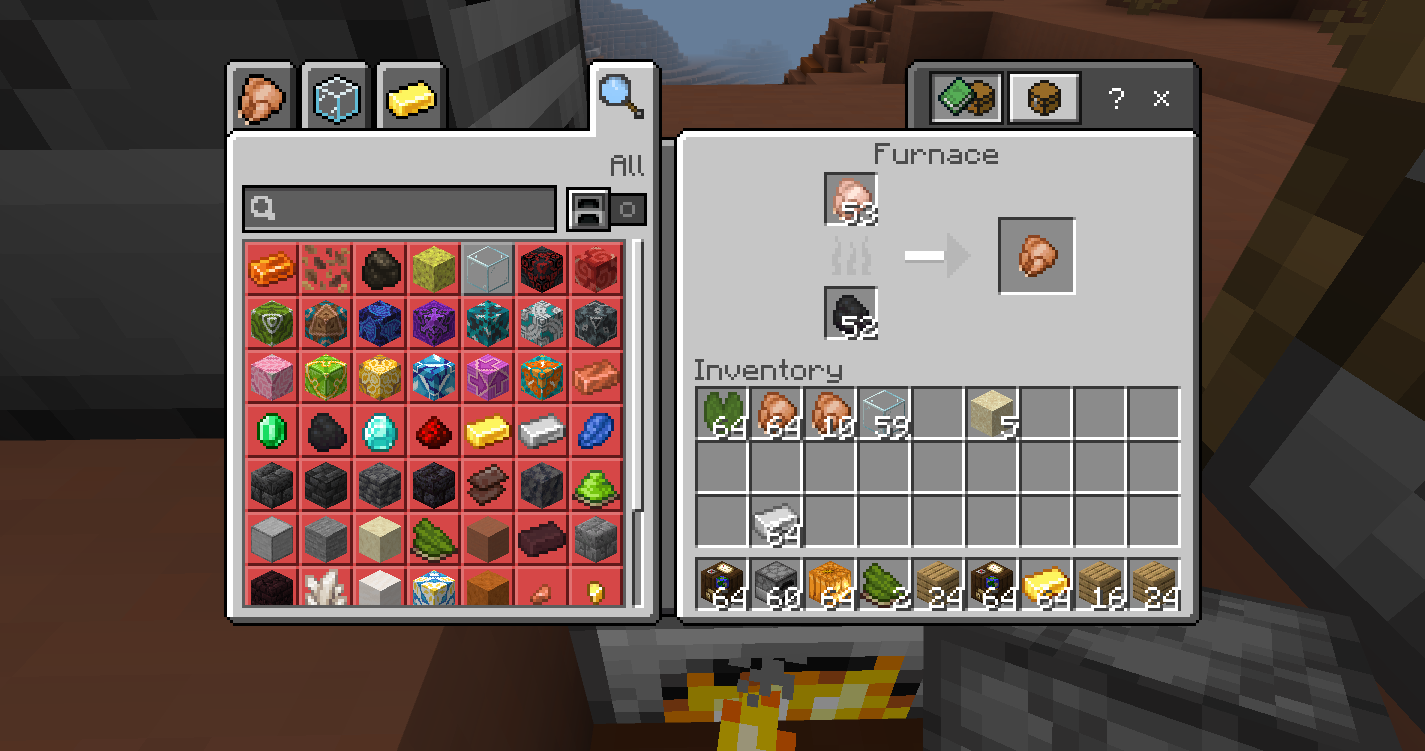
If you want to try it, use a separate test world or a copy and read the game’s experiment warning before enabling the named toggle. Open the relevant workstation, browse or filter recipes, then select one for which you have ingredients. A recipe list does not provide free materials or fuel.
Useful trial: bring a small batch of raw food and fuel to a smoker, compare selecting the recipe with manually placing the ingredients, then check that the output matches what you intended. This is a convenience experiment, not a reason to alter your only long-running survival save.
If you are simply here for the babies, flowers, tags and trumpet, you do not need this experiment. Later releases can change the book’s availability; this section describes the 26.10 boundary.
Fixes worth knowing before your next session
- Riding and boating: responsiveness for boats, horses, donkeys and mules is restored toward its pre–Mounts of Mayhem behavior. Try a familiar short route before judging a new mount or rebuilding your transport system.
- Trial chambers: a case where a trial spawner produced too many mobs is fixed. It is still a combat challenge, so bring the supplies you normally use.
- Equipment: combining an enchanted shield with an illager banner correctly carries over enchantments. Inspect the result before taking your valuable shield on an expedition.
- Appearance: armor trims become visible again on players and adult mobs. High-resolution texture-pack display problems affecting bundles, wolf armor and compasses also receive fixes.
- Vibrant Visuals: particles and more objects gain local-lighting improvements. These changes concern that graphics mode; they do not make it available on every device.
- Platform comfort: PlayStation screen tearing caused by disabled vertical sync and Switch sound delays when entering a world receive fixes. These are specific corrections, not a promise of a particular frame rate.
- World stability: fixes address some climbing crashes, slow worlds with many scheduled block updates, and freezes or excessive save growth around flowing Nether lava.
For an add-on world, check that the pack author supports your game version. New mob models and changed behavior can reveal an outdated resource or behavior pack. Compare in a separate vanilla test world; do not remove content packs from your only valued world just to see what disappears.
Update through your platform and keep a usable world copy
- Preserve the world first. Use the available local copy/export route or download a Realm world through its management options. Confirm the copy exists before changing the original.
- Use the official store or game library. Android and iOS update through their stores; consoles through their game-update system; Windows through the official Minecraft installation route. The official download page links to supported platforms.
- Agree on the multiplayer version. Friends need compatible clients and server/Realm versions. Preview and the normal release are separate environments.
- Check your normal route. Visit your base, storage and animals, try the controls you use, and confirm that required add-ons still behave correctly.
- Keep the pre-update copy. Opening a newer save with an old installation is not a reliable way to undo an update.
Bedrock stores generally provide the current supported release, not Java’s historical installation picker. We do not provide a game archive or ask you to install an unofficial launcher to get Tiny Takeover. Its released features continue in later compatible updates.
A Realm download button was missing? The 26.10 notes include a fix for that button being absent in the older interface. Check your management screen and actual downloaded world; do not assume that seeing a button or a cloud icon alone proves your backup is complete.
Sources and image credits
MineBrush Editorial used the official Bedrock 26.10 release notes, the Tiny Takeover overview and gallery, and the linked Minecraft Feedback furnace-book introduction. The main images are Mojang/Microsoft release and gallery material; the early furnace screenshot is explicitly identified by source and date. Originals are preserved and linked. The MineBrush cover is an editorial illustration. Project ideas and checking routines are practical suggestions, not a claim of tests on every phone, console, world or add-on.
More for your Bedrock world.
Keep favorite baby animals small, craft and use name tags, and add trumpet sounds to your builds. Recipes, nursery ideas and the useful changes in Java 26.1 and Bedrock 26.10.
- Game released
- Java
- 26.1 · Stable
- Bedrock
- 26.10 · Stable
Focus Baby animal redesigns, growth control, craftable name tags and trumpet note blocks
Topic Tiny Takeover
Install Explore the update
Java 26.1 / Bedrock 26.10
Java + Bedrock · Release
Tiny Takeover
Keep favorite baby animals small, craft and use name tags, and add trumpet sounds to your builds. Recipes, nursery ideas and the useful changes in Java 26.1 and Bedrock 26.10.
Java 26.1 / Bedrock 26.10
- Update type
- Major release
- Release channel
- Java & Bedrock
- Official release date
- 2026-03-24
- World safety
- Back up before updating
- Player impact
- Baby animal redesigns, growth control, craftable name tags and trumpet note blocks
- Related major release
- Tiny Takeover
- Platform family
- Cross-edition
- Supported devices
- Java: Windows, macOS and Linux; Bedrock: supported PC, mobile and consoles
- Install format
- Official game update
- Touch readiness
- Yes
- Resource type
- Update
- Last verified at
- Sep 16, 2026
- Update state
- historical
- Compatibility confidence
- Source claimed
- Bedrock version/build
- 26.10
- Card evidence statement
- Baby animals, naming and music
- Card delivery statement
- Explore the update
- Card limitation note
- Java 26.1 / Bedrock 26.10
- Edition applicability
- Java + Bedrock
- Java version/build
- 26.1
- Shared update topic
- Tiny Takeover
- Delivery state
- No file
- Lifecycle state
- Superseded
- Java update channel
- Stable
- Bedrock update channel
- Stable
Keep baby pets, craft name tags and put old deepslate to work. Java 26.1 explained: Upgrade and Play, World Options, chat restrictions, lighting changes and safe modded-world preparation.
- Java
- Java 26.1
- Release type
- Release
- Game released
Focus Baby pets, building, world upgrades and PC controls
Install Official Minecraft Launcher
Historical release · Preserve a complete world backup
Java · Release
Minecraft Java 26.1: Tiny Takeover
Keep baby pets, craft name tags and put old deepslate to work. Java 26.1 explained: Upgrade and Play, World Options, chat restrictions, lighting changes and safe modded-world preparation.
Historical release · Preserve a complete world backup
- Minecraft version
- Java 26.1
- Game edition
- Java Edition
- Update type
- Major release
- Release channel
- Java Edition
- Official release date
- 2026-03-24
- World safety
- Back up before updating
- Player impact
- Baby pets, building, world upgrades and PC controls
- Related major release
- Tiny Takeover
- Platform family
- Java PC
- Last verified at
- Sep 17, 2026
- Update state
- historical
- Compatibility confidence
- Source claimed
- Card delivery statement
- Official Minecraft Launcher
- Card limitation note
- Historical release · Preserve a complete world backup
- Edition applicability
- Java
- Delivery state
- No file
- Lifecycle state
- Superseded
Explore camps and the Dappled Forest, build with new shapes and keep your home spawn on overnight trips. Bedrock 26.50 explained, including Realms, touch controls, world-saving fixes and add-on checks.
- Bedrock
- 26.50
- Release type
- Release
- Game released
Focus Camping and building, world-saving fixes, Realms and device controls
Install Update through your device store or official game launcher
Enrollment None required
Back up worlds and check add-on compatibility
Bedrock · Release
Minecraft Bedrock 26.50
Explore camps and the Dappled Forest, build with new shapes and keep your home spawn on overnight trips. Bedrock 26.50 explained, including Realms, touch controls, world-saving fixes and add-on checks.
Back up worlds and check add-on compatibility
- Minecraft version
- 26.50
- Game edition
- Bedrock Edition
- Update type
- Major release
- Release channel
- Bedrock Edition
- Official release date
- 2026-09-15
- World safety
- Back up before updating
- Player impact
- Camping and building, world-saving fixes, Realms and device controls
- Related major release
- Wilderness Bound
- Platform family
- Bedrock & Mobile
- Supported devices
- Supported Bedrock devices: Windows, phones, tablets and consoles
- Touch readiness
- Yes
- Last verified at
- Sep 18, 2026
- Update state
- current
- Compatibility confidence
- Source claimed
- Card delivery statement
- Update through your device store or official game launcher
- Card limitation note
- Back up worlds and check add-on compatibility
- Edition applicability
- Bedrock
- Bedrock enrollment route
- None required
- Delivery state
- No file
- Lifecycle state
- Current
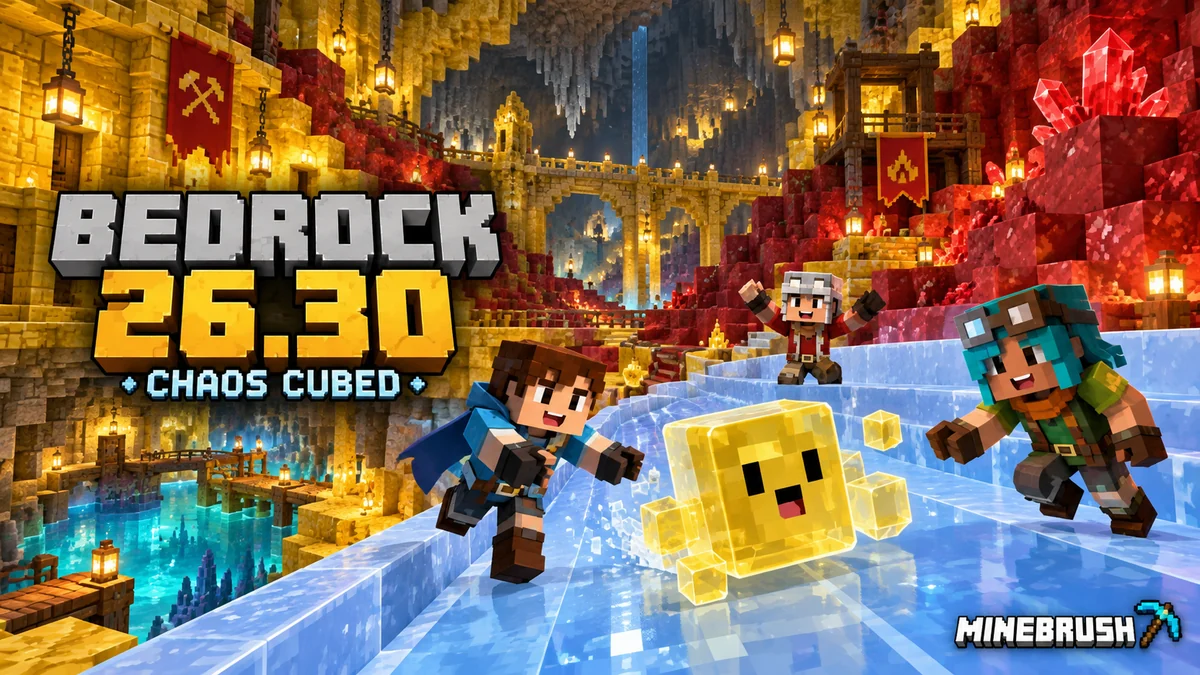
Build cube challenges and geyser gardens, find Realms Hub controls and choose Player Waypoints. Bedrock 26.30 explained for phones, consoles and Windows, including graphics, add-ons and save safety.
- Bedrock
- Bedrock 26.30
- Release type
- Release
- Game released
Focus Cube projects, geysers, Realms and device settings
Install Official store or game library
Enrollment None required
Historical stable release · Platform options differ
Bedrock · Release
Minecraft Bedrock 26.30: Chaos Cubed
Build cube challenges and geyser gardens, find Realms Hub controls and choose Player Waypoints. Bedrock 26.30 explained for phones, consoles and Windows, including graphics, add-ons and save safety.
Historical stable release · Platform options differ
- Minecraft version
- Bedrock 26.30
- Game edition
- Bedrock Edition
- Update type
- Major release
- Release channel
- Bedrock Edition
- Official release date
- 2026-06-16
- World safety
- Back up before updating
- Player impact
- Cube projects, geysers, Realms and device settings
- Related major release
- Chaos Cubed
- Platform family
- Bedrock & Mobile
- Supported devices
- Windows, Android, iOS and supported consoles
- Touch readiness
- Check guide
- Last verified at
- Sep 16, 2026
- Update state
- historical
- Compatibility confidence
- Source claimed
- Card delivery statement
- Official store or game library
- Card limitation note
- Historical stable release · Platform options differ
- Edition applicability
- Bedrock
- Bedrock enrollment route
- None required
- Delivery state
- No file
- Lifecycle state
- Superseded
Player discussion 0
Questions, discoveries and help from other players.