
MineBrush publication
X-Ray Plus 1.3.0 for Bedrock: Find Ores and Explore Underground
Explore the ores beside your tunnels and plan underground builds with X-Ray Plus 1.3.0 by d_de_diego_d. Download the Bedrock pack, activate it for your world and learn how to read the view without losing your bearings.
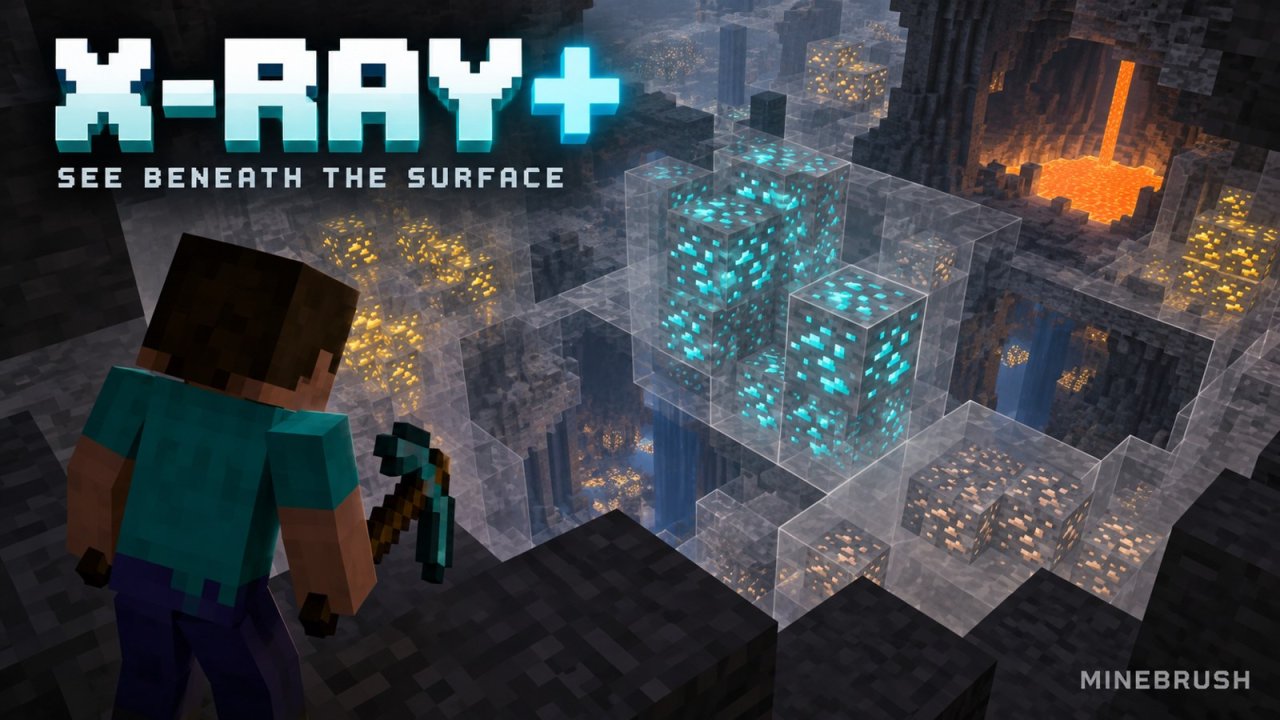
X-Ray Plus by d_de_diego_d lets you inspect the underground by hiding much of the surrounding terrain while leaving ores visible. You can use it to study the veins beside an old mine, look for space around a proposed underground room or explore a world copy before choosing a building site. It changes the view, not the blocks: a transparent wall still stops you walking through it.
This guide covers the Bedrock resource pack X-RAY PLUSS v1.3.0, released on July 15, 2026. The creator lists Bedrock 26.40, 26.30 and 26.20 among its supported versions, alongside many older releases. These are creator-listed versions, not a MineBrush gameplay test. Use it in your own world or somewhere X-ray packs are explicitly allowed; multiplayer rules can prohibit them.
Read the underground without losing your bearings
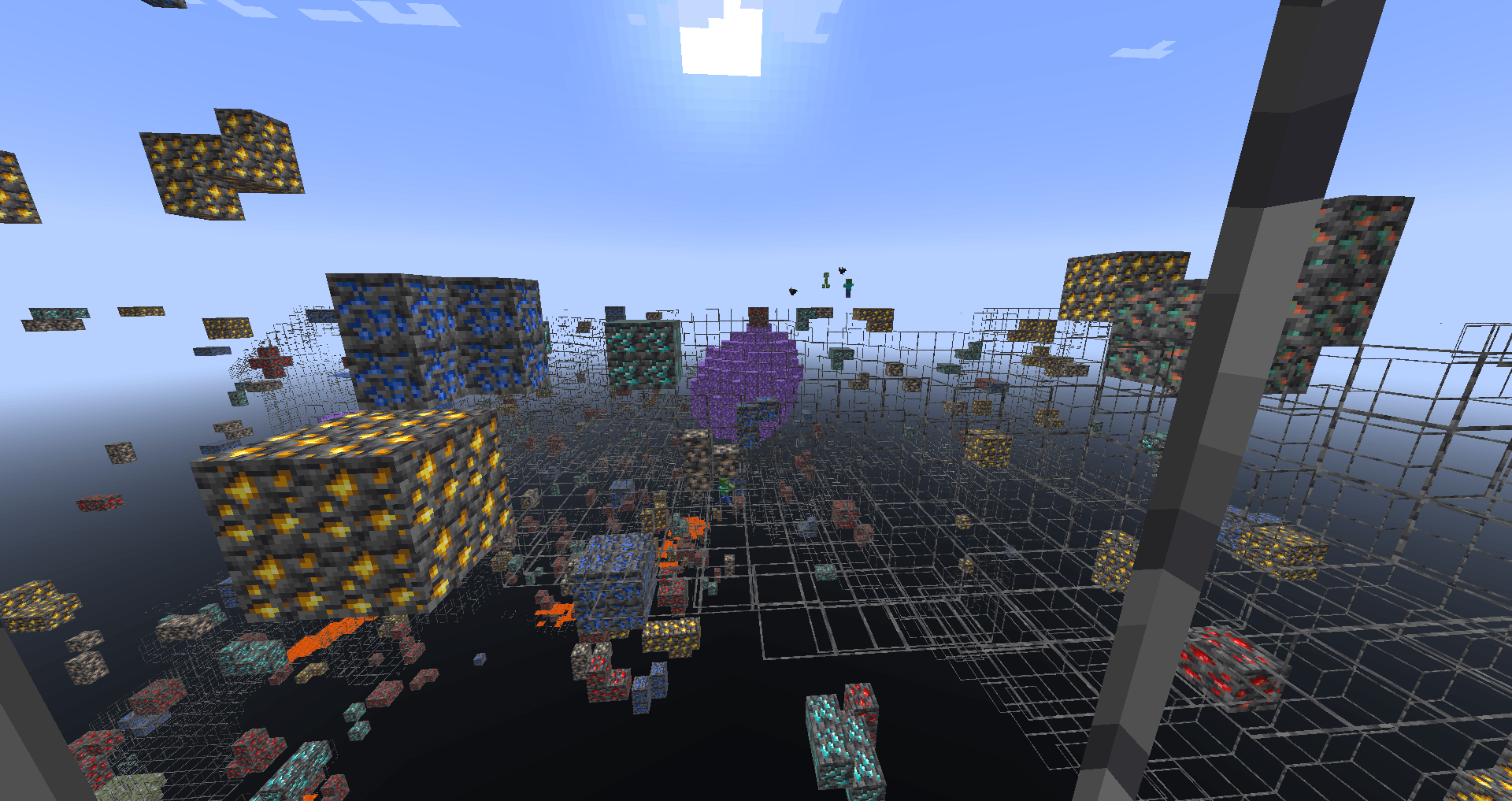
The creator's gallery shows exposed ore clusters against a largely see-through landscape. The two views below are useful for understanding the trade-off: minerals are easier to pick out, but overlapping deposits and block outlines make distance harder to judge. Start beside a tunnel you know, keep your feet on a familiar surface and turn slowly rather than heading toward the first bright block you see.
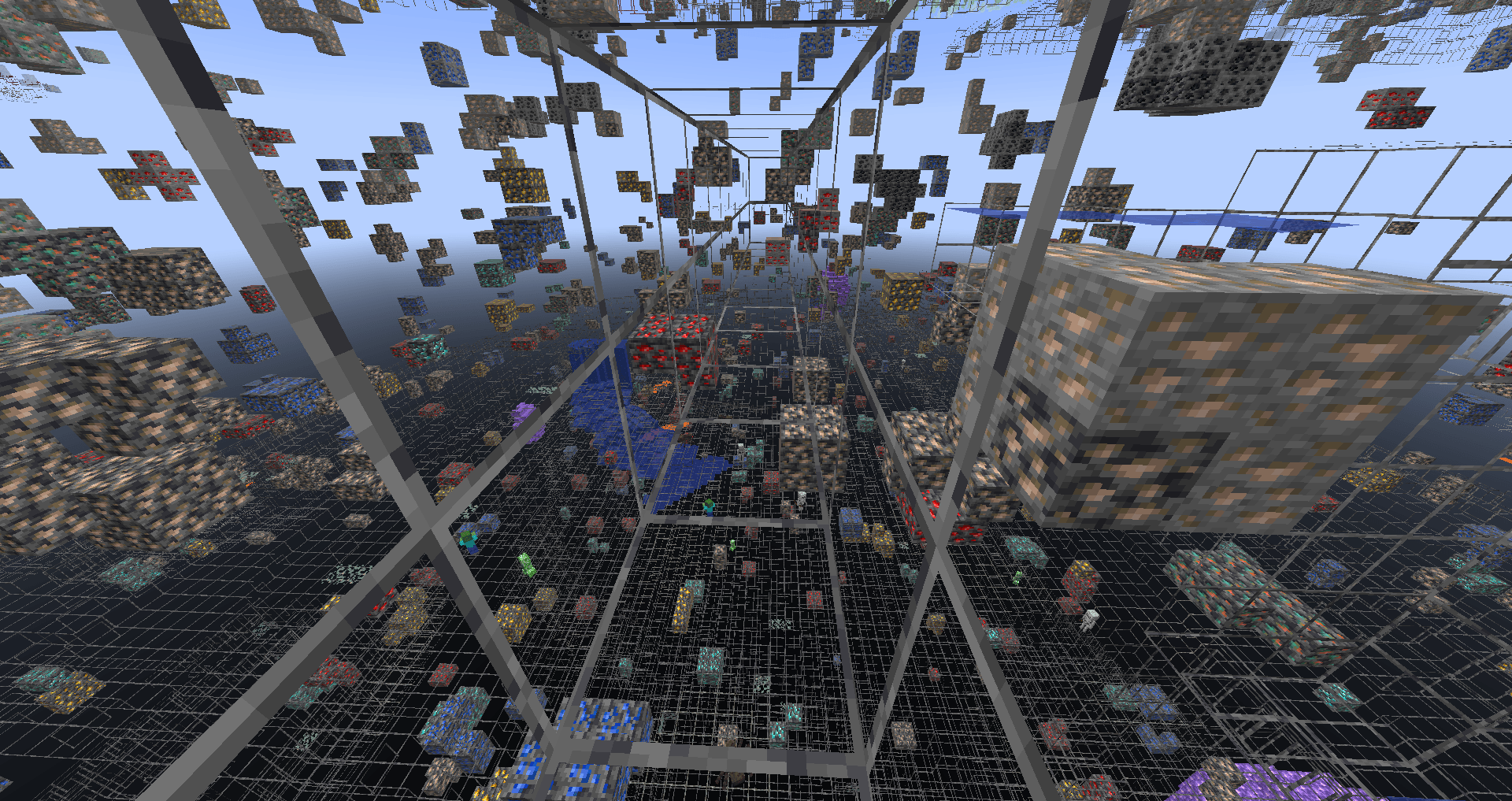
A promising patch of ore can still be behind solid rock, above an opening or on the other side of lava. Move along an existing path to compare the view from another angle. If you cannot tell where the floor is, return to normal textures before continuing. X-ray visibility is a viewing aid, not a safe route planner.
Three useful ways to try it
See what your old mine missed
Make a copy of a survival world and inspect a finished mining area there. Compare the nearby ore clusters with your tunnels, then look at the same area with ordinary textures. This gives you a concrete picture of what was just outside your route without changing the experience of your original save. Keep exploration on the copy if you prefer your survival discoveries to remain a surprise.
Plan a cellar or underground hall
Inspect the area around your proposed room before committing to a large excavation. Nearby openings may suggest a cave entrance or a viewing window. Write down the position of a useful landmark, switch the pack off and assess the site normally before building: hidden terrain makes it difficult to judge a finished wall, floor or staircase.
Choose a route toward an interesting formation
The second showcase includes a purple amethyst formation among the ores. In a personal exploration world, use a distinctive shape like this as a destination, then compare several viewing angles to work out its position relative to your current passage. Restore the ordinary view when digging the approach so you can see the actual blocks you are removing.
Install the Bedrock pack
- Download X-RAY PLUSS v1.3.0.mcpack below. This is the d_de_diego_d project linked in the author panel; similarly named X-ray packs have different features and instructions.
- Open the file with Minecraft. On Windows, open the downloaded .mcpack. On a mobile device, use the file manager's Open with or Share route to Minecraft where available. Wait for the import result before opening your world.
- Activate it for your chosen world. From the world's edit screen, open Resource Packs, find the pack under My Packs and activate it. Trying it on one world first is easier to manage than applying it globally.
- Start with this pack alone. Disable other block-texture packs for the initial comparison. Once it works, add other packs back individually if you want to find a combination that looks right.
- Check a familiar spot. Compare an exposed ore block and the surrounding stone. If the stone remains opaque, check activation and pack conflicts before wandering farther underground.
This download is a resource pack, not a behavior pack or a Java mod. Its archive contains a resource-pack manifest; it does not include a separate behavior-pack dependency. You do not need Forge, Fabric or an installer executable. On consoles, do not assume a browser download can be imported through the same file-opening route as Windows or mobile.
Make dark deposits easier to read
The creator recommends Night Vision. If ore surfaces are difficult to distinguish, try the effect in your test world and compare the same location before and after. Do not confuse a brighter-looking scene with actual lighting: visibility does not protect you from enemies or make a dark area safe.
There is no documented universal video-settings preset on this project's page. Avoid copying an RTX or full-bright tutorial from a different X-ray pack and expecting the same result. In particular, this download is not advertised as a separate RTX edition, and current Vibrant Visuals behavior has not been established here.
What to check if something looks wrong
- Minecraft does not import the file: check that the download finished and still ends in .mcpack. Open it with Minecraft rather than a ZIP viewer. If you already imported this release, look under My Packs before downloading it again.
- The world still looks normal: confirm the pack is active for that world. If you also use Global Resources, check those for conflicting textures and try a local world with only X-Ray Plus enabled.
- Some blocks remain visible: the pack changes selected block appearances, not every possible block from every add-on. New or custom blocks may not follow the same rules.
- The view is too busy or movement is slower: try a shorter render distance and inspect a smaller area. This is a practical adjustment to try, not a promised FPS improvement.
- A server looks different from your local world: required server resources or server-side behavior may change the result. Follow the server's rules; the pack does not guarantee that hidden server information becomes available.
- You want normal textures back: leave the world, deactivate the pack where you enabled it and reopen the world. If it was enabled in Global Resources as well, disable that copy too. Transparent textures have not deleted your terrain.
Which version and file should you choose?
The supplied file is version 1.3.0. Its release page lists 26.40, 26.30, 26.20 and specific earlier Bedrock builds, including 1.21.132 and 1.21.130. For another build, consult the exact release's version list on the creator page rather than treating every future update as automatically supported. The author did not provide a changelog for this release, so there is no confirmed list of newly added features to report.
The project description also names several Java mods. That list is not proof that this Bedrock .mcpack installs those mods or works with similarly named Bedrock add-ons. Keep the two editions separate when choosing your setup.
Download X-Ray Plus 1.3.0
Use the original X-RAY PLUSS v1.3.0.mcpack below. The file is by d_de_diego_d; its project and release information are linked in the author panel. The in-article screenshots are the creator's gallery views, while the MineBrush cover is an editorial illustration.
For a different everyday look after your underground inspection, browse our Bedrock resource packs. Activate appearance packs one at a time so you can see which changes belong to each one.
More for your Bedrock world.

Find the Bedrock update that matters to your world or device. Explore stable releases, practical game-drop guides, platform-specific fixes and a separate Beta/Preview archive.
- Coverage
- 2023–2026
- Edition
- Bedrock Edition
- Versions
- Bedrock 1.20.30–26.51
Bedrock · Update history
Bedrock Update History
Find the Bedrock update that matters to your world or device. Explore stable releases, practical game-drop guides, platform-specific fixes and a separate Beta/Preview archive.
Back up before updating
- Minecraft version
- Bedrock 1.20.30–26.51
- Game edition
- Bedrock Edition
- Update type
- Unknown / not stated
- Release channel
- Bedrock Edition
- World safety
- Back up before updating
- Player impact
- Find a useful release, platform fix or practical game-drop guide
- Platform family
- Bedrock & Mobile
- Supported devices
- Windows, consoles and mobile; patch availability varies
- Touch readiness
- Yes
- Last verified at
- Sep 17, 2026
- Update state
- current
- Compatibility confidence
- Source claimed
- Card delivery statement
- Player guides and official release notes
- Edition applicability
- Bedrock
- Bedrock enrollment route
- Preview app
- Delivery state
- No file
- Lifecycle state
- Current
- History coverage
- 2023–2026

Find trial chambers, beat the breeze, match keys to vaults and prepare for ominous trials. Learn mace and wind-charge tricks, build your first crafter and put copper, tuff and dungeon rewards to use.
- Game released
- Java
- 1.21 · Stable
- Bedrock
- 1.21 · Stable
Focus Trial chambers, vault rewards, mace combat, wind charges and automatic crafting
Topic Tricky Trials
Install Included in the official game update
Back up before updating
Java + Bedrock · Release
Tricky Trials
Find trial chambers, beat the breeze, match keys to vaults and prepare for ominous trials. Learn mace and wind-charge tricks, build your first crafter and put copper, tuff and dungeon rewards to use.
Back up before updating
- Update type
- Major release
- Release channel
- Unknown / not stated
- Official release date
- 2024-06-13
- World safety
- Back up before updating
- Player impact
- Trial chambers, vault rewards, mace combat, wind charges and automatic crafting
- Platform family
- Cross-edition
- Supported devices
- Java: Windows, macOS, Linux. Bedrock: supported Windows, mobile and console devices.
- Install format
- Included in the official game update
- Touch readiness
- Not required
- Resource type
- Update
- Last verified at
- Sep 18, 2026
- Update state
- historical
- Compatibility confidence
- Source claimed
- Bedrock version/build
- 1.21
- Card delivery statement
- Included in the official game update
- Edition applicability
- Java + Bedrock
- Java version/build
- 1.21
- Shared update topic
- Tricky Trials
- Delivery state
- No file
- Lifecycle state
- Superseded
- Java update channel
- Stable
- Bedrock update channel
- Stable
Uncover archaeology finds, hatch a sniffer, ride a camel with a friend and customize your armor. A practical Trails & Tales guide with build ideas, original Mojang screenshots and clear steps for Java and Bedrock.
- Game released
- Java
- 1.20 · Stable
- Bedrock
- 1.20.0 · Stable
Focus Archaeology, sniffers, camels, armor trims and creative building ideas
Topic Exploration, archaeology and creative building
Install Included in the official game update
Back up before updating
Java + Bedrock · Release
Trails & Tales
Uncover archaeology finds, hatch a sniffer, ride a camel with a friend and customize your armor. A practical Trails & Tales guide with build ideas, original Mojang screenshots and clear steps for Java and Bedrock.
Back up before updating
- Update type
- Major release
- Release channel
- Unknown / not stated
- Official release date
- 2023-06-07
- World safety
- Back up before updating
- Player impact
- Archaeology, sniffers, camels, armor trims and creative building ideas
- Platform family
- Cross-edition
- Supported devices
- Java: Windows, macOS and Linux. Bedrock: supported PCs, consoles and mobile devices.
- Install format
- Included in the official game update
- Touch readiness
- Not required
- Resource type
- Update
- Last verified at
- Sep 16, 2026
- Update state
- historical
- Compatibility confidence
- Source claimed
- Bedrock version/build
- 1.20.0
- Card delivery statement
- Included in the official game update
- Edition applicability
- Java + Bedrock
- Java version/build
- 1.20
- Shared update topic
- Exploration, archaeology and creative building
- Delivery state
- No file
- Lifecycle state
- Superseded
- Java update channel
- Stable
- Bedrock update channel
- Stable
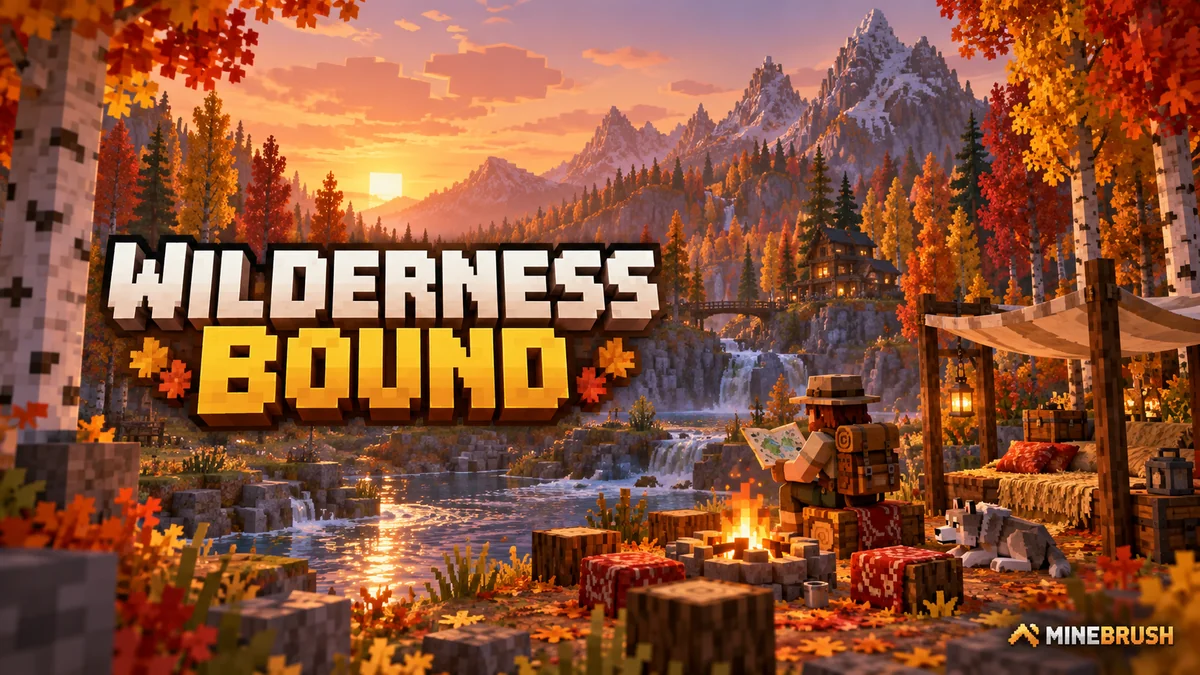
Explore Dappled Forest, follow abandoned-camp maps and sleep on straw beds without moving your home spawn. Learn what Wilderness Bound adds in Java 26.3 and Bedrock 26.50, with camping steps, building ideas and official images.
- Game released
- Java
- 26.3 · Stable
- Bedrock
- 26.50 · Stable
Focus Exploration, camping and building
Topic Camps, maps and building
Back up before updating
Java + Bedrock · Release
Wilderness Bound
Explore Dappled Forest, follow abandoned-camp maps and sleep on straw beds without moving your home spawn. Learn what Wilderness Bound adds in Java 26.3 and Bedrock 26.50, with camping steps, building ideas and official images.
Back up before updating
- Update type
- Major release
- Release channel
- Java & Bedrock
- Official release date
- 2026-09-15
- World safety
- Back up before updating
- Player impact
- Exploration, camping and building
- Platform family
- Cross-edition
- Touch readiness
- Yes
- Resource type
- Update
- Last verified at
- Sep 18, 2026
- Update state
- current
- Compatibility confidence
- Source claimed
- Bedrock version/build
- 26.50
- Edition applicability
- Java + Bedrock
- Java version/build
- 26.3
- Shared update topic
- Camps, maps and building
- Delivery state
- No file
- Lifecycle state
- Current
- Java update channel
- Stable
- Bedrock update channel
- Stable
Player discussion 0
Questions, discoveries and help from other players.