
Wilderness Bound guide
Minecraft Wilderness Bound: Camps, Maps, Straw Beds and Building Ideas
Explore Dappled Forest, follow abandoned-camp maps and sleep on straw beds without moving your home spawn. Learn what Wilderness Bound adds in Java 26.3 and Bedrock 26.50, with camping steps, building ideas and official images.
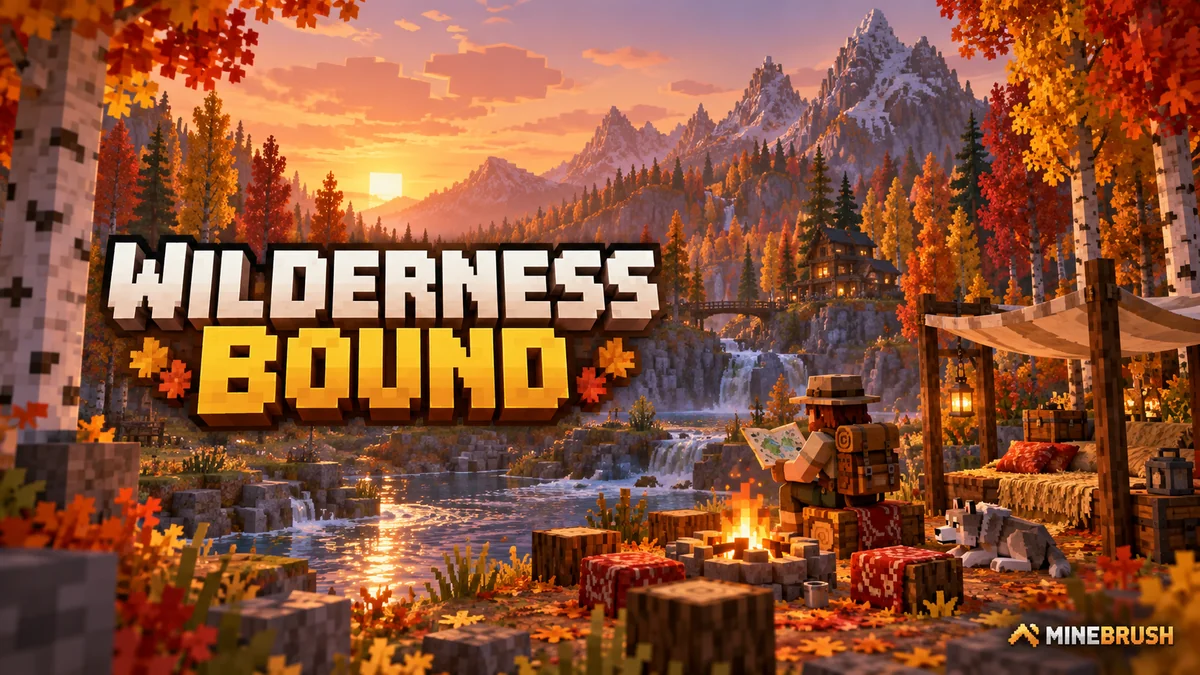
Wilderness Bound gives you a reason to pack a bag, follow a map and turn a night outdoors into a small adventure. The update adds the autumn-colored Dappled Forest, abandoned camps, exploration maps, disposable straw beds and cushions you can actually sit on. Builders also get poplar wood and colored wool and concrete stairs and slabs.
It launched on September 15, 2026, as Java 26.3 and Bedrock 26.50. The main camping and building features belong to the regular release: you do not need a mod, Marketplace purchase or experimental world to use them. Java and Bedrock share the theme, but some map destinations, settings and fixes differ.
A useful first expedition
Choose a small goal: return with poplar saplings, find a camp, or collect a map for your next journey. You can enjoy the drop without immediately moving your base or committing to a dangerous underground destination.
- Prepare at home. Keep a backup of your world, note your base coordinates and pack food, torches, a pickaxe, an axe, building blocks and spare inventory space. Take straw beds if you already have hay bales. A boat is useful when a river gives you an easier route.
- Head toward unexplored land. In an old world, the new forest and camps need newly generated terrain. Look around colder regions for the warm-colored canopy; a forest is not guaranteed beside every snowy biome.
- Collect things you can grow or reuse. Saplings let you establish trees at home. Shrubs and shelf mushrooms help recreate the woodland floor around your own cottage.
- Search a camp before leaving it. Check its chests and barrels, examine any exploration map and record the camp coordinates. Use the shelter as a waypoint, but still light the area and watch for ordinary hostile mobs.
- Choose whether to continue. A map to an Ancient City is a future expedition, not an instruction to enter the Deep Dark with your remaining starter supplies. Bring the map home, prepare and return.
Dappled Forest: what to bring home
The biome combines red, orange and yellow poplar leaves, standing and fallen trees, shelf mushrooms and red shrubs. Its sheep, chickens, cows, pigs, rabbits and foxes give it familiar wildlife; applicable animals use cold variants. This is a new setting for exploration and building, rather than a new boss encounter.
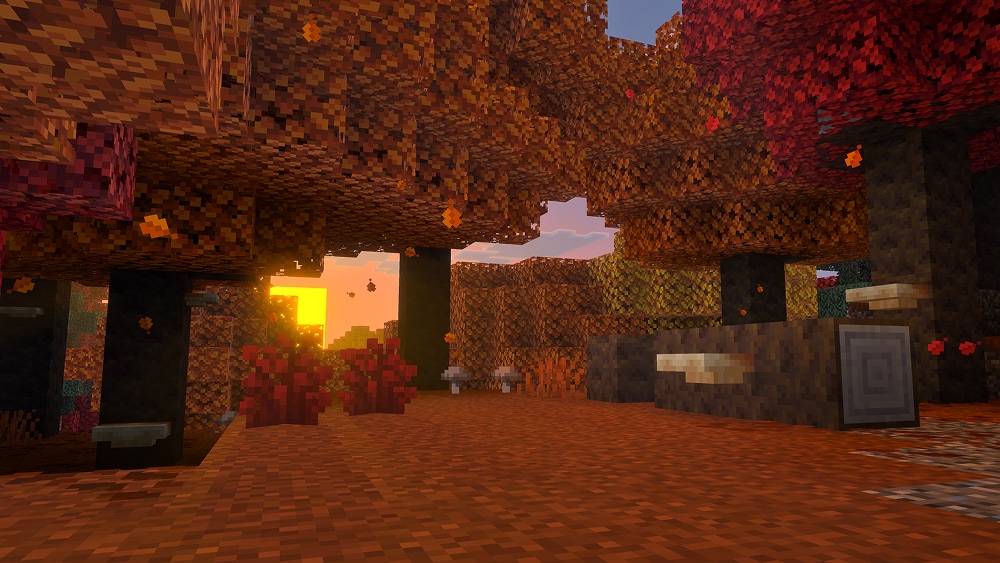
Poplar wood and leaves
Harvest logs for the new wood family and gather saplings to grow trees near your base. A sapling randomly produces one of the three leaf colors: a sapling collected below an orange tree is not a promise of another orange tree. Wandering traders can also offer poplar saplings.
Try this: build a small trail shelter with a poplar frame, then plant several trees around it. Let the mixed canopy establish the woodland look instead of relying on a single precisely colored tree. For a closer look at the biome and its materials, see our Dappled Forest guide.
Shelf mushrooms and red shrubs
Bone meal grows a small shelf mushroom into a large one, which drops two mushroom items when broken. They can serve as stew ingredients and slightly springy details on a woodland obstacle course. Treat the bounce as a small movement feature, not a replacement for a dedicated launcher.
Red shrubs keep their red appearance outside the forest. Bone meal can spread a shrub into a suitable adjacent space, making them useful for borders around paths. Leave space beside the original plant when expanding a patch. Combine shrubs, logs and mushrooms around a doorway to make the entrance feel part of the forest.
Abandoned camps and maps: give your journey a destination
Camps appear in many biomes, including forests, taigas, meadows, cherry groves, swamps, savannas, sparse and bamboo jungles, wooded badlands and the Pale Garden. Their designs vary with the biome. You do not have to find a Dappled Forest before finding your first camp.
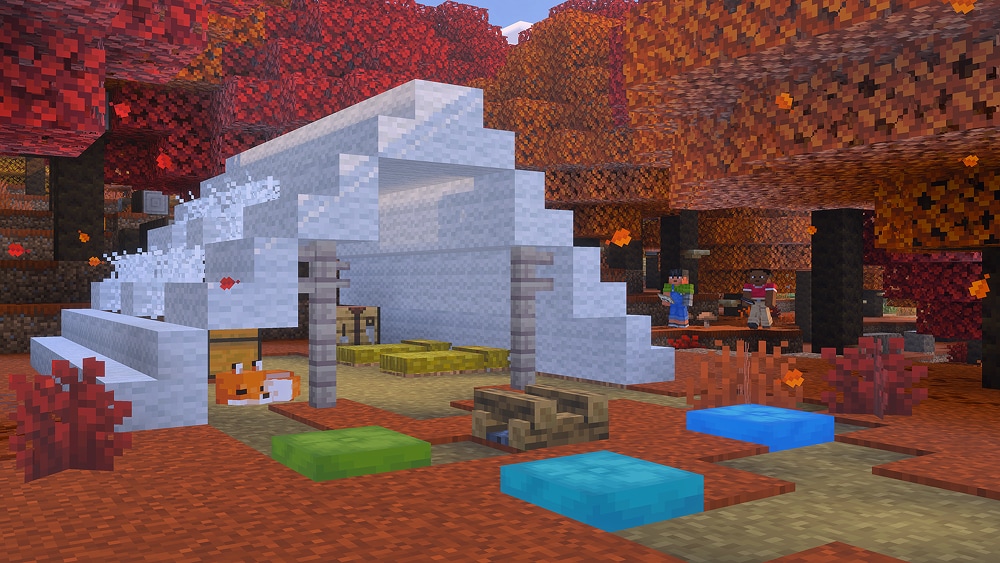
Look for containers and inspect their contents. Exploration maps can direct you toward another camp or an Overworld structure. Read the destination before setting off: the same preparation does not suit a surface camp, an underwater ruin and an Ancient City.
- A camp route: make a chain of named waypoints, leave a sign at each stop and turn the journey into a shared hiking trail.
- A building expedition: bring home plants and wood, then recreate the camp beside your own river or mountain path.
- A dangerous destination: store unnecessary valuables and prepare for that structure before following its map. A map identifies a goal; it does not remove the hazards on the way.
Java's release notes list camp maps to eight biome variants and destinations including Ancient Cities, Trial Chambers, Mineshafts, Desert and Jungle Pyramids, Warm Ocean Ruins and Woodland Mansions. Bedrock's release notes explicitly name Ancient Cities, Mineshafts, Desert Pyramids, Warm Ocean Ruins and other camp variants. Do not assume the longer Java list describes every Bedrock chest.
On Java, existing explorer maps convert to the new item types when the world loads. You can still clone explorer maps, but explorer and buried-treasure maps can no longer be zoomed out. On both editions, the updated player marker helps show which direction you face, including while you are outside the mapped area.
A complete route: home, camp, destination and back
This is a planning example, not a seed-specific route. Use the coordinates and landmarks you actually find. The aim is one useful destination and a safe return, not following every new map until your supplies run out.
1. Give the journey a finish line
At home, choose a result: find one camp and bring its map home, or reach a second surface camp. Save your home coordinates somewhere you can still read after losing your inventory. Agree on a return point with friends, and keep a return-food reserve separate from the food you expect to use exploring.
Pack light enough to carry discoveries. Put spare food, a replacement tool and lighting in your home chest for a recovery trip. If you intend to keep respawning at home, leave its ordinary bed in place and usable; use disposable straw beds on the trail. A straw bed does not establish a rescue checkpoint.
2. Turn the first camp into a named waypoint
Call it something recognizable, such as “Camp A — river bend”. Record its actual X, Y and Z, the route back and one visible landmark. Light the immediate working area, inspect the containers and decide what can stay in a clearly labelled supply chest. Do not leave all your return food behind.
Read the map’s destination before committing to the next leg. A second camp is a different project from a buried structure. The official map examples below are for recognizing and organizing destinations; they do not show coordinates for your world.
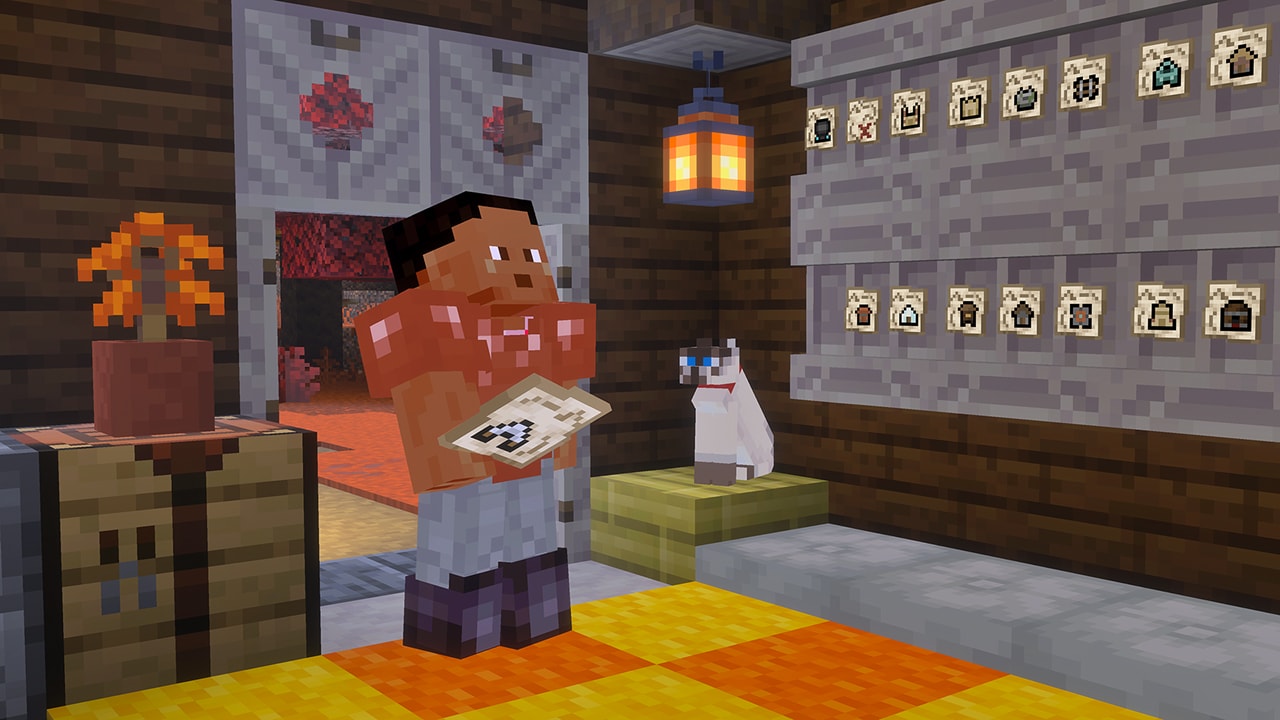
3. Make the go-or-return decision at camp
| What you find | Useful decision |
|---|---|
| A surface-camp map, enough food and usable tools | Continue for one leg. Keep Camp A as the fallback point and record the next camp separately. |
| An Ancient City, underwater destination or another objective you are not equipped for | Bring the map home. Prepare a separate expedition instead of turning a woodland walk into an improvised dungeon trip. |
| Low food, a nearly broken tool or a full inventory | Return with what you have. A map and useful plants already make the outing successful. |
| No useful map in the containers | Record the camp and continue your original collection goal or head home. Finding a camp is not a guarantee of a particular destination. |
4. Navigate one leg at a time
Hold the chosen map, compare its direction marker with your movement and check progress from a safe stopping place. The updated marker shows facing direction even outside the mapped area. It does not tell you whether the ground ahead is safe: go around cliffs and water where appropriate, and record significant detours. Never assume that every map in your collection points onward to somewhere you have not visited.
At the destination, record a fresh waypoint before looting or exploring. For this first route, stopping at a surface camp is enough. For help reading coordinates and planning a return, use our navigation guide.
5. Finish at home and make the next trip easier
Return via your recorded waypoints, restock any camp cache you used and sort the discoveries. Put each map beside a sign stating its destination and whether you visited it. Plant the saplings, store spare straw beds at the exit and write down what the next trip needs. In a group, one player can navigate while another records the route; both should know the last safe waypoint.
Route note to copy: Home: [coordinates] → Camp A: [coordinates, landmark] → Goal: [map destination] → Return via: [waypoints]. Turn back when: [food/tool/inventory limit]. Next trip needs: [supplies]. Fill the blanks with your own observations.
Straw beds: sleep without moving your home spawn
Three hay bales craft four straw beds. Place one in the Overworld and use it to sleep through the night. It is consumed after sleeping and does not set a new respawn point. Pack enough for the nights you expect to spend away, rather than treating it as a permanent bed.
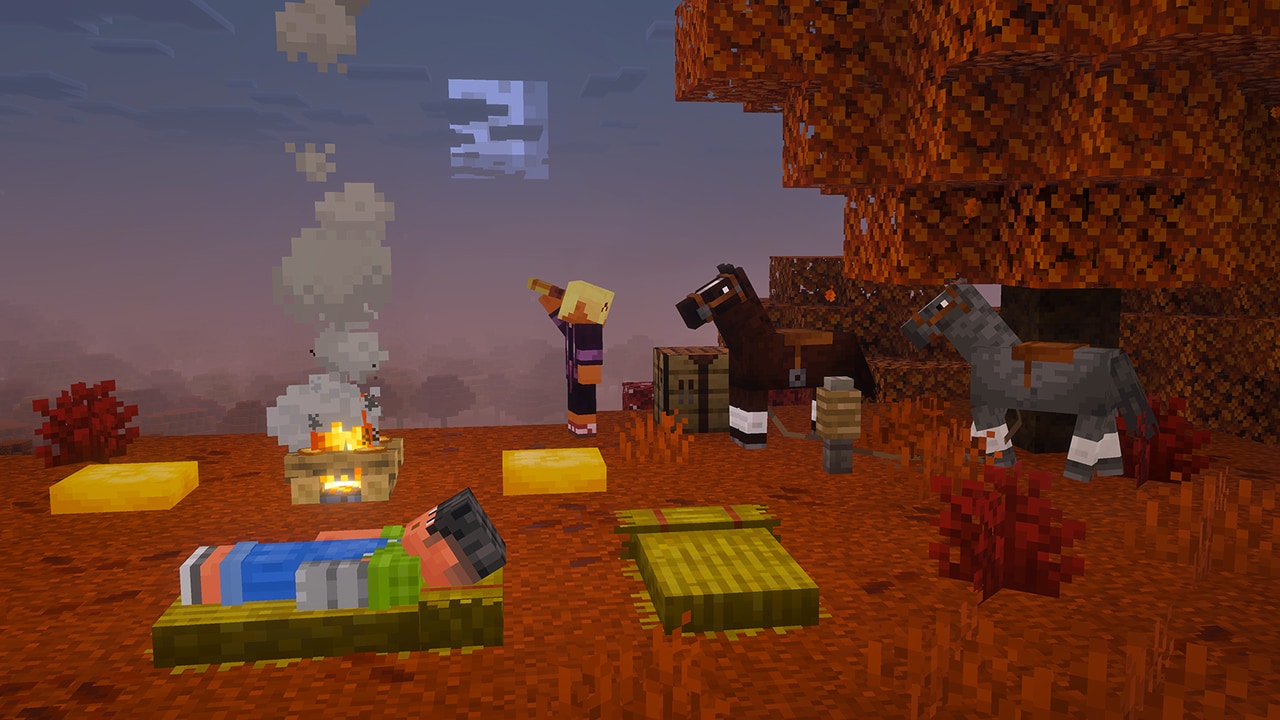
Example: your regular bed is at your main base, and you are gathering materials far away. A straw bed lets you pass the night without replacing that home spawn with the campsite. Keep the original bed usable if you rely on it for respawning.
The opposite situation calls for an ordinary bed: if you want deaths to return you to a new outpost, a straw bed will not establish that checkpoint. Trying to sleep on one in the Nether or End destroys it; it is not a way to spend the night in those dimensions.
Cushions: usable seats for camps and homes
Craft a cushion from three wool slabs of the same color, or find one in a camp. Place it on a flat supporting surface and interact with it to sit. The 16 colors let you give different areas their own palette.
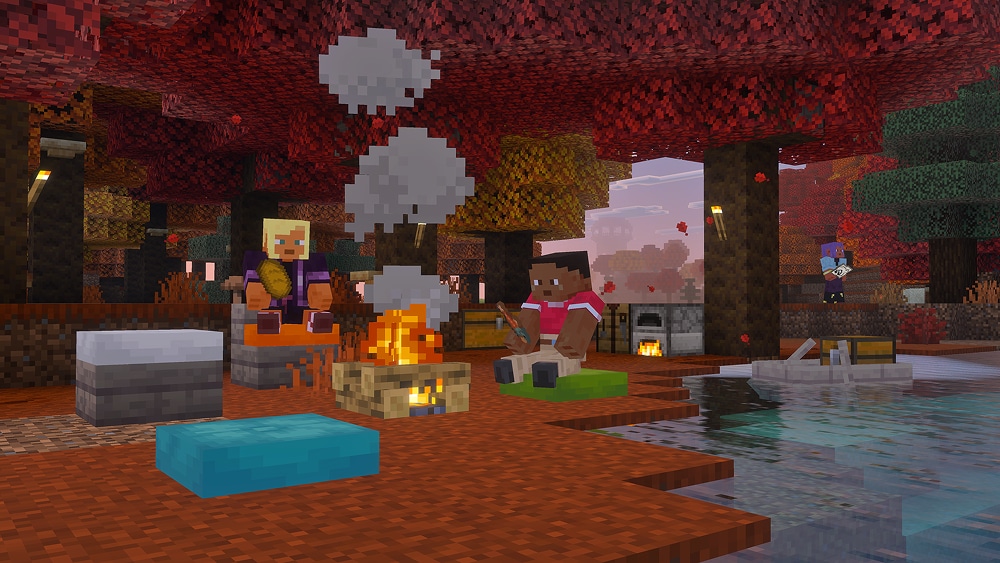
For a reading corner, arrange two cushions around a small table with bookshelves behind them. For a campsite, put seats around the fire with clear walking space. For a clubhouse, use color to distinguish team seating.
Build the support first: removing it breaks the cushion. Cushions do not act as solid barriers and cannot be pushed into position with pistons. Place each seat where you want it rather than designing a moving chair mechanism around it.
Wool and concrete: three projects worth trying
Both materials now have stairs and slabs in all 16 colors. The benefit is control over shape: thinner edges, stepped curves, sloped roofs and smaller furniture details without changing to a different block's texture.
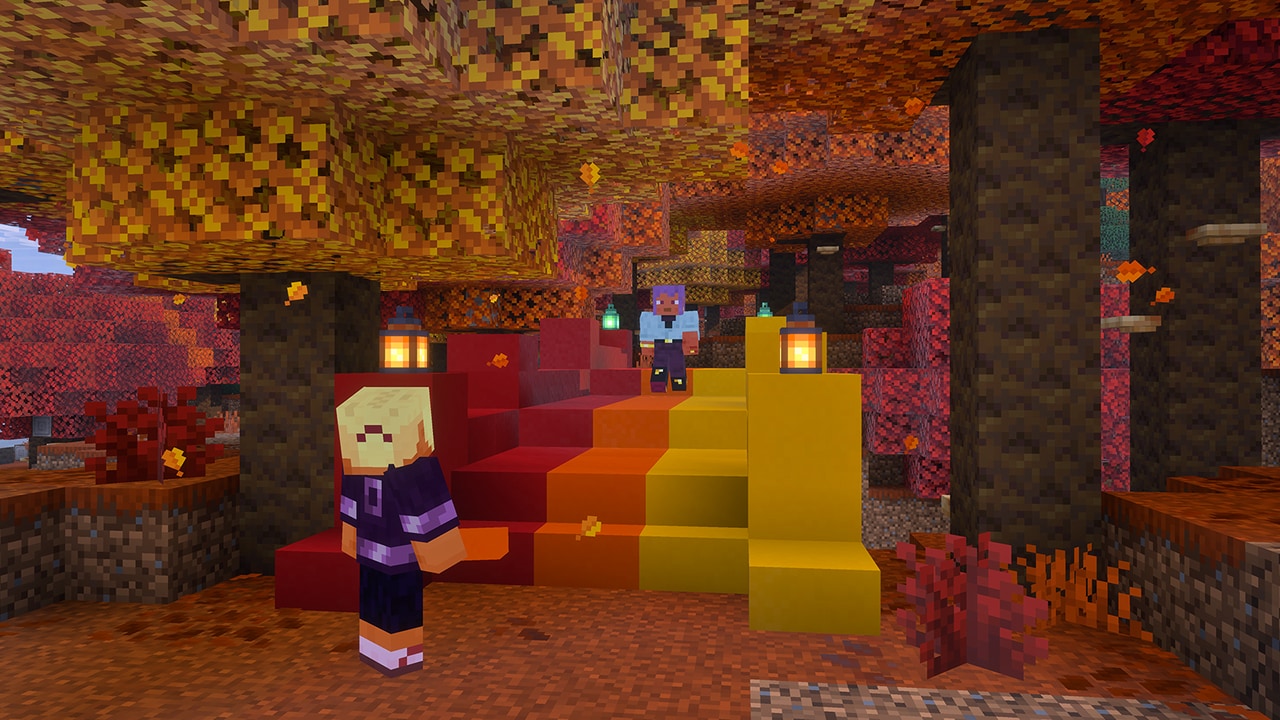
A colorful footbridge
Use concrete for the approach steps and edge trim, and carry a small color palette along the crossing. Start with a short bridge over a stream so you can judge the shape before extending it across a valley. Concrete powder needs to become solid concrete before you craft the new shapes; place it beside water to harden it. Java also supports cutting the concrete shapes with a stonecutter.
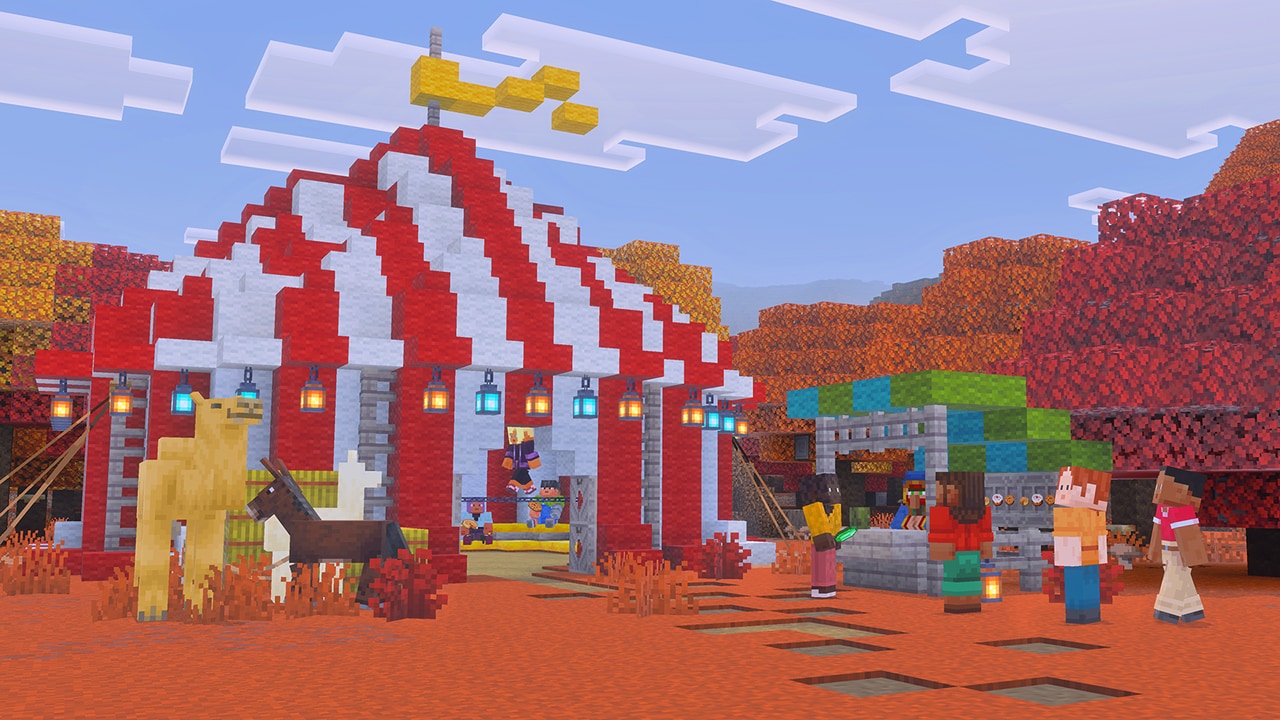
A tent roof with a smoother outline
Alternate wool colors in stripes, use stairs for the roof slope and slabs along the edges. A small picnic canopy is an easier first version than the large circus tent shown here. Add cushions underneath to turn the build into somewhere players actually gather.
An explorer's lodge
Combine a poplar shell, wool seating, a map wall and shrub-lined paths. Give the entrance a chest for spare food, boats and straw beds. That makes the lodge a practical departure point rather than a building you visit only once.
Other changes that matter in Java and Bedrock
Java 26.3: Realm owners gain invite-code management plus render- and simulation-distance controls. The pause menu's World Options groups game settings and LAN options. Improved Transparency changes how overlapping translucent surfaces look, with a possible performance cost; it is not a promise of higher FPS. These settings belong to Java and should not be treated as identical Bedrock menus.
Bedrock 26.50: fixes address situations involving lost items after reloading, rapidly unloaded chunks not saving correctly, Realm respawns across dimensions, and some graphics and control problems. Hopper and dropper corrections can also matter in storage builds. Keep backups even when updating to a version that fixes saving problems.
How to get the update in an existing world
- Back up the world first. Keep the copy outside the world you will open. For a Realm, download a world copy before changing your setup.
- Update through the official route. Use the Minecraft Launcher for Java, or the store/game update system for your Bedrock device. The official Minecraft download page helps you reach the appropriate installation.
- Keep multiplayer versions compatible. Update the server or Realm and clients as needed. For a modded Java world or a Bedrock world with add-ons, check that its required components support the target release before opening your only working copy.
- Explore new terrain for new generation. Updating does not replace the forest around an established base. Keep your builds and travel farther to discover the new biome and structures.
Do I need Preview or a snapshot? No: the features described here shipped in Java 26.3 and Bedrock 26.50. Older experimental articles describe their development, not the route required to use the finished drop.
Do I need to start over? No. New crafting and building features can be useful at your existing base, while naturally generated camps and forests give you a reason to explore beyond it.
Sources and image credits
Written by MineBrush Editorial from Mojang's Java 26.3 release notes, Bedrock 26.50 release notes and Wilderness Bound feature overview. Images are credited to Mojang/Microsoft and linked to their sources and preserved originals. The branded cover is a MineBrush editorial illustration; in-article images show the official examples. Building and expedition suggestions are our own practical ideas, not claims of in-game testing.
More from MineBrush.
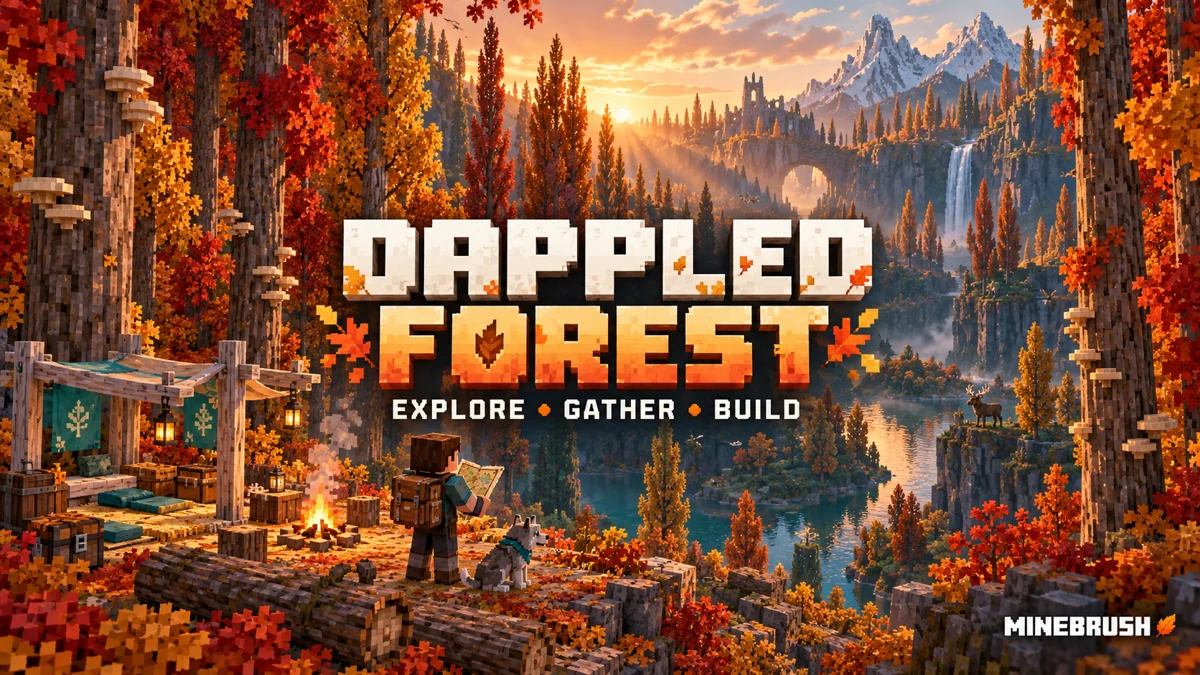
Find Dappled Forest, grow poplar and shelf mushrooms, follow camp maps and build a useful woodland retreat. Straw beds, cushions, Java–Bedrock differences and a first-trip plan, with official images.
- Topic
- Wilderness Bound
- Scope
- None
- Evidence
- None
MineBrush · News
Dappled Forest
Find Dappled Forest, grow poplar and shelf mushrooms, follow camp maps and build a useful woodland retreat. Straw beds, cushions, Java–Bedrock differences and a first-trip plan, with official images.
- Compatibility confidence
- Source claimed
- Edition applicability
- Java + Bedrock
- News topic
- Wilderness Bound
- Delivery state
- No file
- Lifecycle state
- Current
- News evidence type
- Official Minecraft source
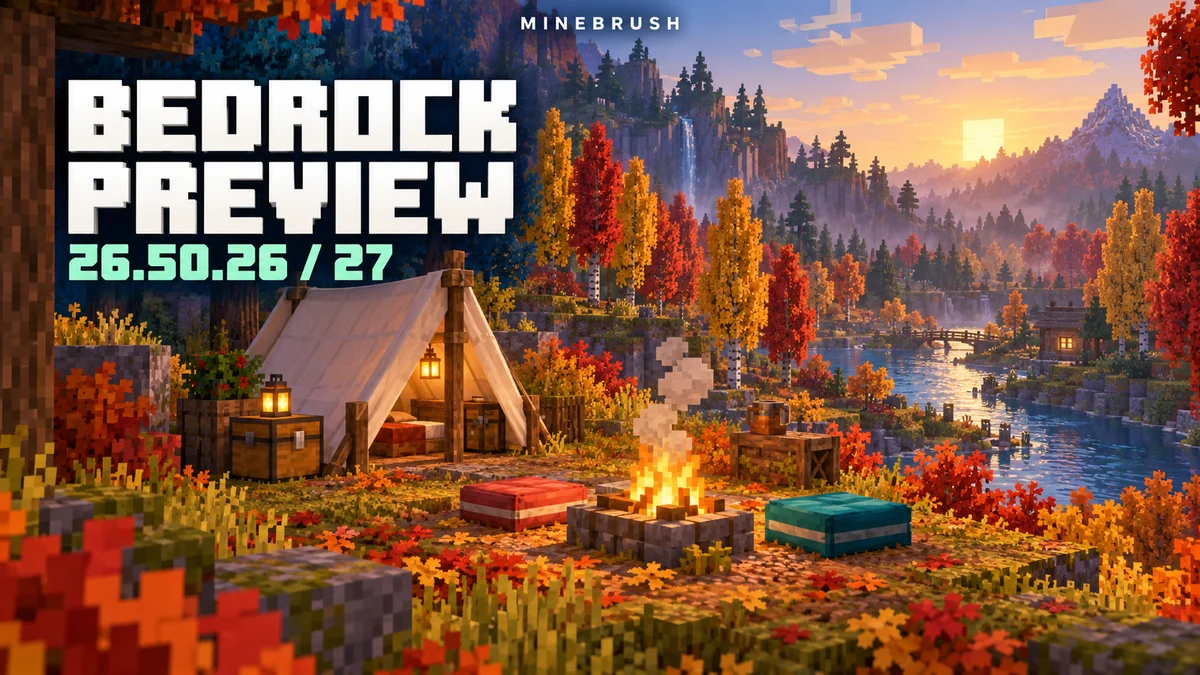
Camps, cushions, redstone and visual changes from Preview 26.50.26/27, explained with useful examples. Wilderness Bound is now in stable Bedrock—see what changed and which version to use today.
- Bedrock
- 26.50.26–26.50.27
- Release type
- Preview
- Game released
Focus Camping, cushion interactions, comparator behaviour, graphics and everyday fixes
Enrollment Preview app + Google Play Beta
Testing only — use a separate world
Bedrock · Preview
Preview 26.50.26/27: Camping & Fixes
Camps, cushions, redstone and visual changes from Preview 26.50.26/27, explained with useful examples. Wilderness Bound is now in stable Bedrock—see what changed and which version to use today.
Testing only — use a separate world
- Minecraft version
- 26.50.26–26.50.27
- Game edition
- Bedrock Edition
- Update type
- Snapshot / Preview
- Release channel
- Bedrock Preview
- Official release date
- 2026-08-18
- World safety
- Testing only — use a separate world
- Player impact
- Camping, cushion interactions, comparator behaviour, graphics and everyday fixes
- Platform family
- Bedrock & Mobile
- Supported devices
- Preview: Xbox, PlayStation, Windows, iOS; Beta: Android
- Touch readiness
- Yes
- Last verified at
- Sep 16, 2026
- Update state
- historical
- Compatibility confidence
- Source claimed
- Edition applicability
- Bedrock
- Bedrock enrollment route
- Preview app + Google Play Beta
- Delivery state
- No file
- Lifecycle state
- Superseded
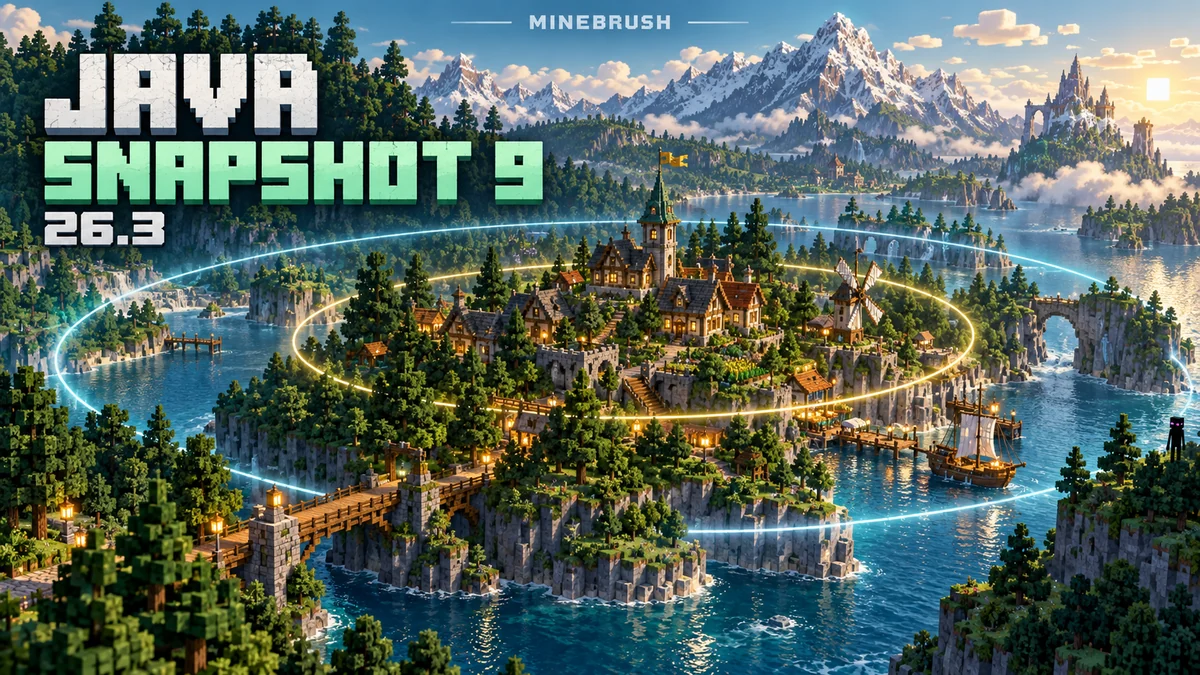
See farther on Realms without confusing viewing distance with active farms. Snapshot 9 explained through practical Realm settings, Endermen in boats, Mac controls and everyday fixes—with real interface images and the route to stable Java 26.3.
- Java
- 26.3 Snapshot 9
- Release type
- Snapshot
- Game released
Focus Realms viewing and simulation distance; Endermen in vehicles; Mac controls; everyday fixes
Testing only — use a separate world
Java · Snapshot
Java 26.3 Snapshot 9
See farther on Realms without confusing viewing distance with active farms. Snapshot 9 explained through practical Realm settings, Endermen in boats, Mac controls and everyday fixes—with real interface images and the route to stable Java 26.3.
Testing only — use a separate world
- Minecraft version
- 26.3 Snapshot 9
- Game edition
- Java Edition
- Update type
- Snapshot / Preview
- Release channel
- Java Snapshot
- Official release date
- 2026-08-17
- World safety
- Testing only — use a separate world
- Player impact
- Realms viewing and simulation distance; Endermen in vehicles; Mac controls; everyday fixes
- Platform family
- Java PC
- Last verified at
- Sep 16, 2026
- Update state
- historical
- Compatibility confidence
- Source claimed
- Edition applicability
- Java
- Delivery state
- No file
- Lifecycle state
- Superseded
Build with colored wool and concrete shapes, furnish a campsite and follow explorer maps to new destinations. Preview 26.50.25 explained through practical ideas, real images and the route to stable Wilderness Bound.
- Bedrock
- 26.50.25
- Release type
- Preview
- Game released
Focus Colored building shapes; camps and explorer maps; cushions; touch and controller fixes
Enrollment Preview app + Google Play Beta
Testing only — use a separate world
Bedrock · Preview
Bedrock Preview 26.50.25
Build with colored wool and concrete shapes, furnish a campsite and follow explorer maps to new destinations. Preview 26.50.25 explained through practical ideas, real images and the route to stable Wilderness Bound.
Testing only — use a separate world
- Minecraft version
- 26.50.25
- Game edition
- Bedrock Edition
- Update type
- Snapshot / Preview
- Release channel
- Bedrock Preview
- Official release date
- 2026-08-11
- World safety
- Testing only — use a separate world
- Player impact
- Colored building shapes; camps and explorer maps; cushions; touch and controller fixes
- Platform family
- Bedrock & Mobile
- Supported devices
- Preview: Xbox, PlayStation, Windows, iOS · Beta: Android
- Touch readiness
- Yes
- Last verified at
- Sep 16, 2026
- Update state
- historical
- Compatibility confidence
- Source claimed
- Edition applicability
- Bedrock
- Bedrock enrollment route
- Preview app + Google Play Beta
- Delivery state
- No file
- Lifecycle state
- Superseded
Turn sulfur cubes into bouncing balls and sliding targets, build a geyser, and explore the red-and-yellow caves of Chaos Cubed. Practical projects and Java 26.2 / Bedrock 26.30 differences.
- Game released
- Java
- 26.2 · Stable
- Bedrock
- 26.30 · Stable
Focus Sulfur cubes, new caves, geysers, cinnabar builds and minigame ideas
Topic Chaos Cubed
Install Explore the update
Java 26.2 / Bedrock 26.30
Java + Bedrock · Release
Chaos Cubed
Turn sulfur cubes into bouncing balls and sliding targets, build a geyser, and explore the red-and-yellow caves of Chaos Cubed. Practical projects and Java 26.2 / Bedrock 26.30 differences.
Java 26.2 / Bedrock 26.30
- Update type
- Major release
- Release channel
- Unknown / not stated
- Official release date
- 2026-06-16
- World safety
- Back up before updating
- Player impact
- Sulfur cubes, new caves, geysers, cinnabar builds and minigame ideas
- Related major release
- Chaos Cubed
- Platform family
- Cross-edition
- Supported devices
- Java: Windows, macOS and Linux; Bedrock: supported PC, mobile and consoles
- Install format
- Official game update
- Touch readiness
- Yes
- Resource type
- Update
- Last verified at
- Sep 16, 2026
- Update state
- historical
- Compatibility confidence
- Source claimed
- Bedrock version/build
- 26.30
- Card evidence statement
- Cubes, caves and building ideas
- Card delivery statement
- Explore the update
- Card limitation note
- Java 26.2 / Bedrock 26.30
- Edition applicability
- Java + Bedrock
- Java version/build
- 26.2
- Shared update topic
- Chaos Cubed
- Delivery state
- No file
- Lifecycle state
- Superseded
- Java update channel
- Stable
- Bedrock update channel
- Stable
Player discussion 0
Questions, discoveries and help from other players.