
MineBrush publication
Minecraft Java 1.21.10: map rooms, piston fixes and teleports
Java 1.21.10 fixed map placement beside carpet, piston interactions, wind charges and teleports after The Copper Age. See what each fix means for your map room, redstone build or adventure map.
Minecraft Java 1.21.10, released on October 7, 2025, was the hotfix after The Copper Age. Its six listed fixes concern pistons, wind charges, teleportation and maps in item frames. For a player, the value is simple: a small building detail or adventure-map sequence that behaved incorrectly in 1.21.9 may no longer need a workaround.
This is a historical release guide. Choose a current stable version for a new vanilla world, or the version your server or modpack supports. Do not downgrade a newer world to 1.21.10 to try these fixes.
What changed, in player-friendly terms
| Situation | What the hotfix addressed |
|---|---|
| A piston pushes an entity caught in a cobweb. | The entity could pass through the piston incorrectly. |
| A piston pushes dropped items through powder snow or a cobweb. | Items could glitch inside the piston head. |
| A wind charge hits certain blocks. | Its collision behavior differed from the intended behavior. |
| A player is being teleported. | World chunks could fail to load during the teleportation. |
| You put a framed map on a wall at floor level beside carpet. | The carpeted room could prevent the map placement. |
| Repeating or chain command blocks repeatedly teleport a player to one position. | The player was not consistently kept at that position. |
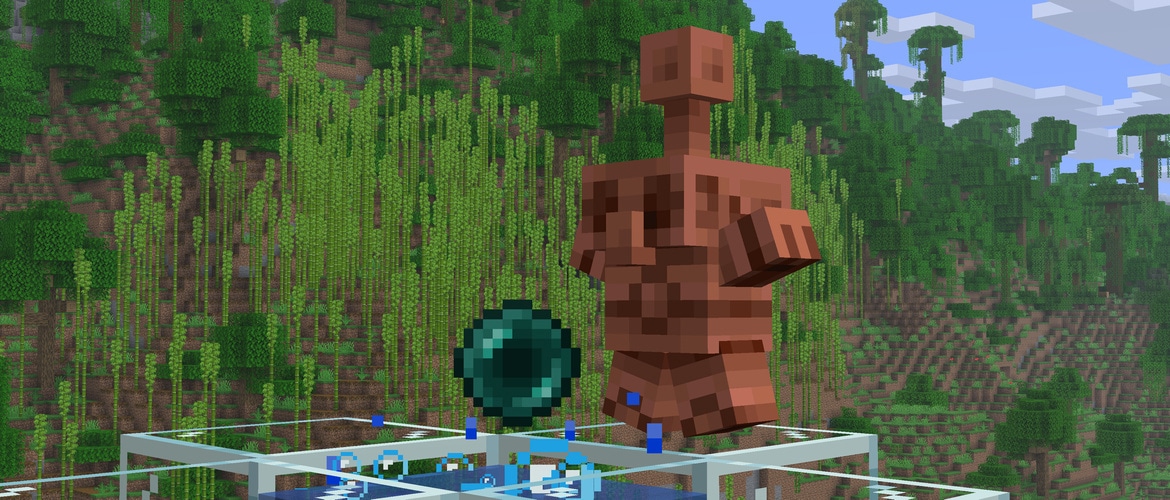
These are specific corrections, not a general promise that every farm runs faster or every server connection problem disappears. There are no new copper recipes or mobs in this hotfix; the bigger additions belong to The Copper Age guide.
Build a map room without sacrificing the carpet
The framed-map fix is useful for an explorer's room, a town hall or a shared base where the map wall extends down to the floor. The affected combination was a map in an item frame on a wall touching a carpeted floor. You should not have to redesign the whole room merely because that particular placement failed in 1.21.9.
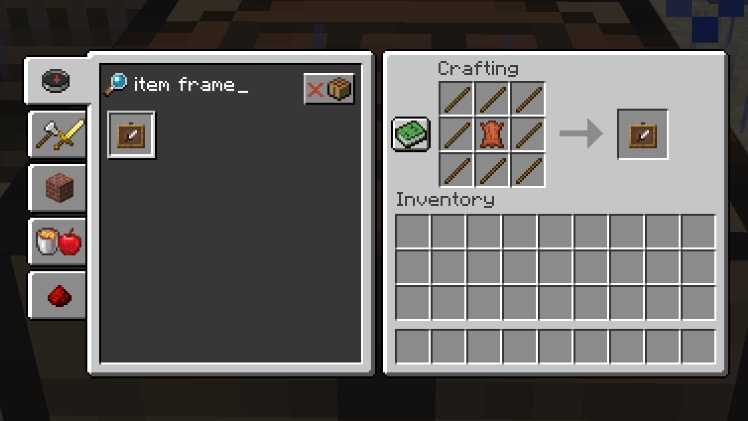
- Make an item frame with leather surrounded by eight sticks, or use one you already have.
- Place it on the wall and use a filled map on the frame. A framed map fills the block face, which lets neighboring maps form a larger display.
- Arrange the explored areas into a useful overview, then finish the carpeted floor beside the lowest row.
- If that placement still fails, check the actual game version first. On a server, also check its rules and plugins before assuming the old vanilla bug has returned.
Try an expedition corner: put the map wall near your exit and keep spare food, boats and beds nearby. Friends can agree on a direction before leaving. For a decorated home, a low map display can become the centerpiece of a reading room. These are building ideas; the hotfix makes the affected placement work rather than adding a new kind of map.
What piston and wind-charge fixes mean for a build
For a piston mechanism: focus on the section that actually combines a moving piston with a cobweb or powder snow. If you use dropped items in that section, watch whether they move as expected instead of getting caught visually inside the piston head. A normal piston door with neither material is not automatically affected by these particular fixes.
For a parkour course: repeat the wind-charge jump against the same block and from the same starting point before redesigning the obstacle. Mojang's short release notes do not list every affected collision surface, so this page does not promise that every wind-charge jump or trick changed. In a downloaded map, follow the author's intended version where possible.
Keep a copy of an important build before changing versions. Try the one relevant mechanism in that copy, then decide whether the old workaround is still needed. This is more useful than dismantling a working farm because a hotfix mentions pistons.
Adventure maps: arrival areas and command-controlled scenes
Two fixes matter to teleport-driven maps. One concerned terrain loading while a player was being teleported. The other concerned repeating or chain command blocks that continually send the player to the same position.
A practical example is a lobby transition: a map sends you from a waiting room to the beginning of a challenge. If terrain around the destination did not load properly in the affected version, the experience could look broken even though the destination was correct. For a command-controlled introduction that holds the player at a viewing spot, the second fix is relevant to maintaining that position.
For your own map, try the actual sequence in a copy: enter the trigger, arrive at the intended spot and make sure the scene releases the player when it should. The hotfix does not supply an exit from a command loop you designed, correct a wrong destination or replace the map author's setup instructions.
Which version should you use now?
- Starting a new unmodded world: use the current stable release in the official Minecraft Launcher. “Latest Release” now refers to a newer version, not necessarily 1.21.10.
- Returning to a map or server that requires 1.21.10: select that exact release under Java Edition → Installations. Keep its saves separate from newer worlds.
- Playing a modpack: use the pack's supported update, not just a different Minecraft number. Our modded-profile update guide explains the practical route.
- Looking at Release Candidate 1: that was a test build before the final release. The RC1 article covers its historical context; it is not the normal choice for playing the finished hotfix.
Does this apply to Bedrock? No. This is Java Edition 1.21.10 for computers. Bedrock uses its own versions and release notes.
Where do you download it? Through the official Minecraft Launcher. There is no extra repair pack to attach or install for these vanilla fixes. Before changing the version of a valued world, make a backup and keep it until you know your world opens correctly.
Sources: Mojang's final Java 1.21.10 notes and Duncan Geere's item-frame guide. The gameplay examples above explain possible uses; they are not a claim that MineBrush tested every contraption. The MineBrush cover is an editorial illustration.
See the Java update history for 2023–2026 for the Copper Age release, this hotfix and later branches. Stable releases and test builds are separated to help you choose the version your world or server actually needs.
More from MineBrush.
Build a copper-golem sorting room, swap tool kits with powered shelves and put copper equipment and decorations to work. Practical recipes, examples and official images for Java 1.21.9 and Bedrock 1.21.111.
- Game released
- Java
- 1.21.9 · Stable
- Bedrock
- 1.21.111 · Stable
Focus Copper golem sorting, quick tool swaps and copper builds
Topic The Copper Age
Install Included in the game update
Back up before updating
Java + Bedrock · Release
The Copper Age
Build a copper-golem sorting room, swap tool kits with powered shelves and put copper equipment and decorations to work. Practical recipes, examples and official images for Java 1.21.9 and Bedrock 1.21.111.
Back up before updating
- Update type
- Major release
- Release channel
- Java & Bedrock
- Official release date
- 2025-09-30
- World safety
- Back up before updating
- Player impact
- Copper golem sorting, quick tool swaps and copper builds
- Related major release
- The Copper Age
- Platform family
- Cross-edition
- Supported devices
- Java on PC, Mac and Linux; Bedrock on supported phones, consoles and Windows PCs
- Install format
- Official game update
- Touch readiness
- Check guide
- Resource type
- Update
- Last verified at
- Sep 16, 2026
- Update state
- historical
- Compatibility confidence
- Source claimed
- Bedrock version/build
- 1.21.111
- Card delivery statement
- Included in the game update
- Edition applicability
- Java + Bedrock
- Java version/build
- 1.21.9
- Shared update topic
- The Copper Age
- Delivery state
- No file
- Lifecycle state
- Superseded
- Java update channel
- Stable
- Bedrock update channel
- Stable
Archived October 2025 Java hotfix preview: what changed for pistons, map walls, wind charges and teleportation, how RC1 differs from the final release, and when an old test build is useful.
- Java
- 1.21.10-rc1
- Release type
- Release candidate
- Game released
Focus Pistons, wind charges, teleportation, map displays and bubble columns
Install Historical version in the Java Launcher
Released 2 October 2025; superseded by final 1.21.10
Java · Release candidate
Java 1.21.10 RC1 — Archive
Archived October 2025 Java hotfix preview: what changed for pistons, map walls, wind charges and teleportation, how RC1 differs from the final release, and when an old test build is useful.
Released 2 October 2025; superseded by final 1.21.10
- Minecraft version
- 1.21.10-rc1
- Game edition
- Java Edition
- Update type
- Release candidate
- Release channel
- Java Edition
- Official release date
- 2025-10-02
- World safety
- Testing only — use a separate world
- Player impact
- Pistons, wind charges, teleportation, map displays and bubble columns
- Related major release
- The Copper Age · Java 1.21.9
- Platform family
- Java PC
- Last verified at
- Sep 16, 2026
- Update state
- superseded
- Compatibility confidence
- Source claimed
- Card evidence statement
- Piston, map-wall and teleport fixes explained
- Card delivery statement
- Historical version in the Java Launcher
- Card limitation note
- Released 2 October 2025; superseded by final 1.21.10
- Edition applicability
- Java
- Delivery state
- No file
- Lifecycle state
- Superseded
Update a ready-made modpack or your own mod list while keeping a working copy. Real CurseForge and Fabric screens, world checks and a clear way back if something fails.
- Edition
- Java Edition
- Difficulty
- Beginner
- Time
- None
MineBrush · Guide
Update Your Modpack
Update a ready-made modpack or your own mod list while keeping a working copy. Real CurseForge and Fabric screens, world checks and a clear way back if something fails.
- Game edition
- Java Edition
- Platform family
- Java PC
- Supported devices
- Java players on Windows, Mac and Linux
- Install format
- Separate profile, copied world and gameplay checks
- Touch readiness
- Not required
- Resource type
- Guide
- Compatibility confidence
- Source claimed
- Edition applicability
- Java
- Guide difficulty
- Beginner
- Delivery state
- No file
- Lifecycle state
- Current
Player discussion 0
Questions, discoveries and help from other players.