
Java 1.21.6 player guide
Minecraft Java 1.21.6: Chase the Skies, Locator Bar and Realms Guide
Plan happy-ghast trips, find friends with the Locator Bar, choose music settings and navigate the new Realms tabs. Java 1.21.6 explained for an existing survival world.
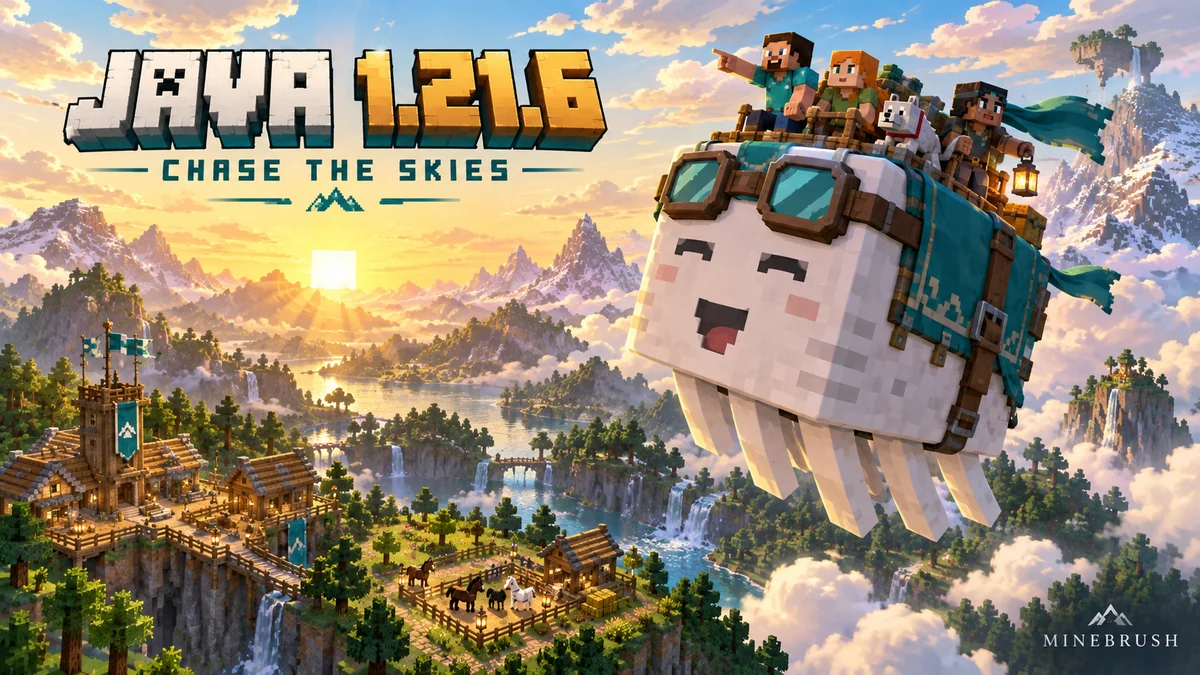
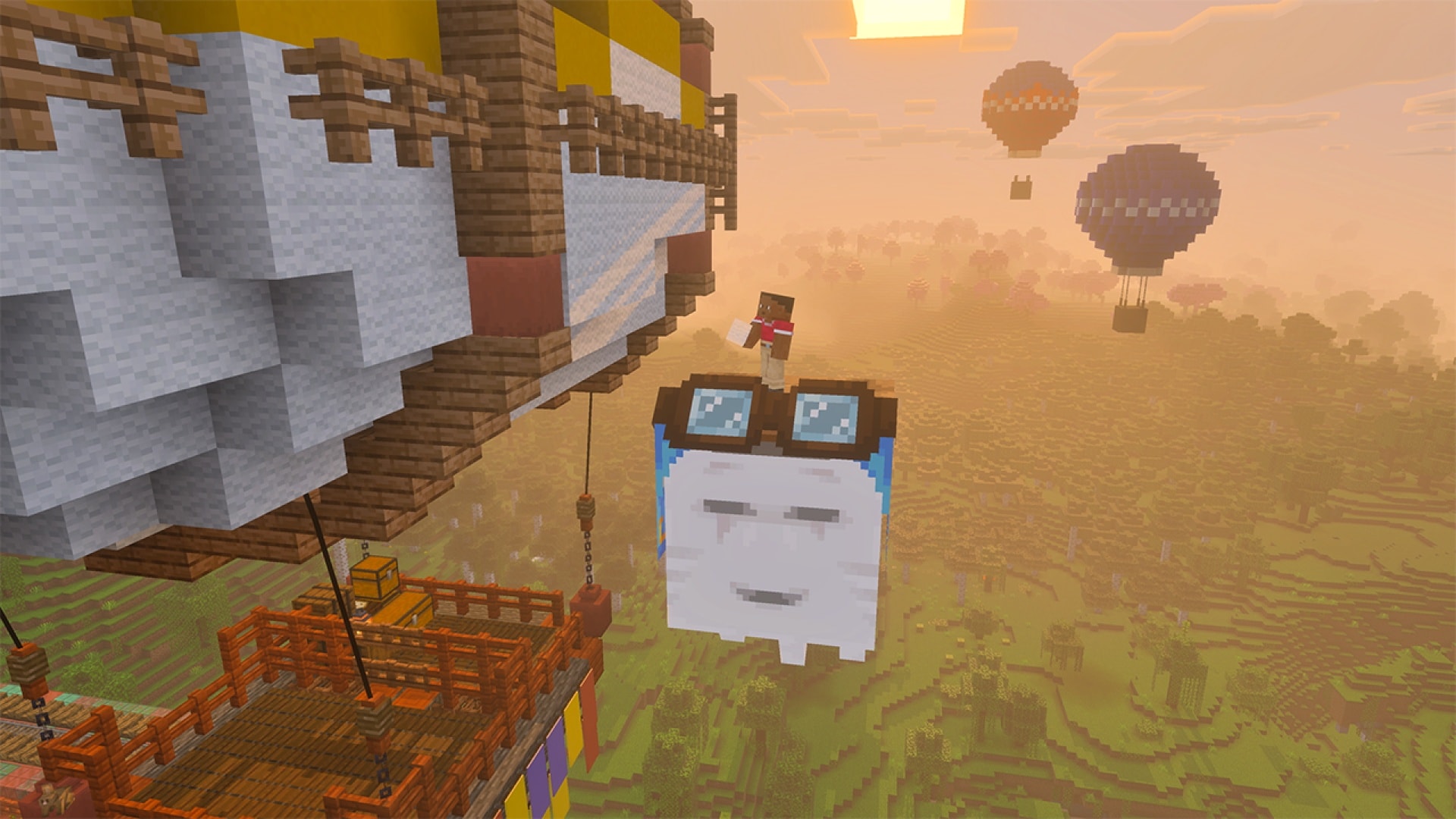
Java 1.21.6 makes it easier to travel together, build above ground and keep track of friends. Chase the Skies brings the happy ghast, craftable saddles, new lead connections and the Player Locator Bar. It also changes music controls, clouds, fog and the way a Realm owner finds world and player settings.
The stable Java release launched on June 17, 2025, for Windows, macOS and Linux. This is a historical version guide; newer supported releases include these features. Bedrock’s companion release is 1.21.90, but its Vibrant Visuals launch and device menus are separate from the Java features described here.
Start with one flying companion and a useful destination
Raise a happy ghast for something concrete: reaching a tower roof, taking friends across a valley or moving an animal to a new base. It is especially useful before everyone owns an elytra, and as a stationary platform beside a build.
- Obtain a dried ghast block. Find one around Nether fossils, craft one with eight ghast tears surrounding soul sand, or obtain one through piglin bartering. Crafting and bartering give an old world alternatives to searching new terrain.
- Hydrate it at home. Keep it waterlogged for about 20 minutes while the area is active. Mining it resets progress; snowballs do not replace this water stage.
- Raise the ghastling. It takes roughly another 20 minutes without feeding. Snowballs speed up this living stage and attract it.
- Equip a harness. Craft it from three leather, two glass blocks and one wool block, using the recipe book for the layout. The wool chooses the color.
- Let the pilot board first. Up to four players can ride. Crouching dismounts you onto its back; someone standing there makes the ghast stop, so it is not a descent control.
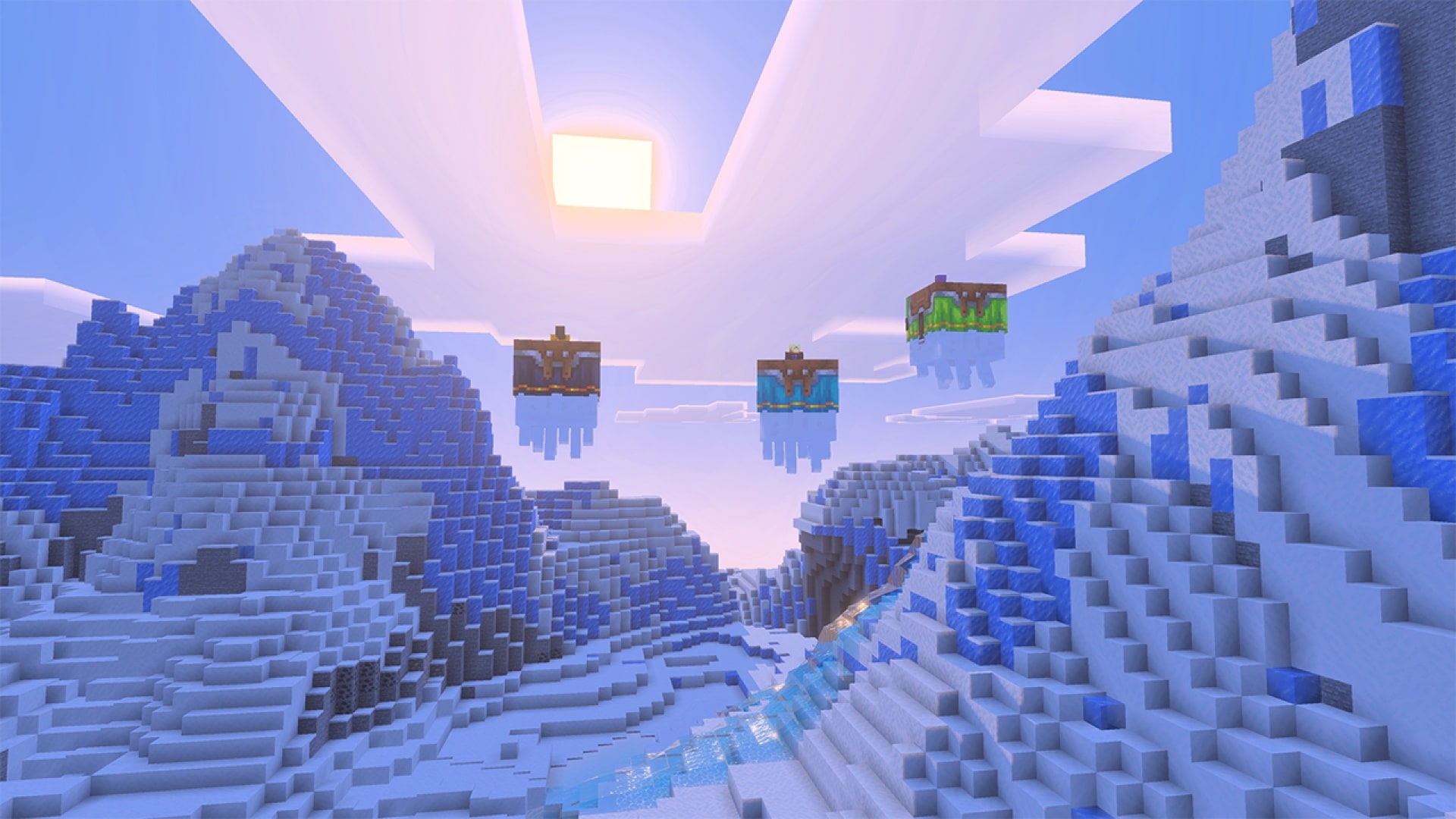
Build a broad departure dock and tether the mount with a lead. A harness lets you ride; it does not prevent wandering. Bring snowballs, a spare lead and a fence post when using a new destination.
Our full Chase the Skies guide includes the nursery, passenger behavior, roof-building method and animal-transfer steps. Here, the additional focus is the Java tools that make those group trips and an existing world easier to manage.
Use the Locator Bar as a direction aid for a group
When another visible player is in the world, the Locator Bar uses the area normally occupied by the experience bar. Players within the forward-facing 120-degree range appear as colored markers. Turn until the marker you are following is near the middle, then choose a safe route in that direction.
Up/down arrows indicate a player above or below your view. Icon sizes also change with distance, but the bar is not a detailed map or a precise path through the terrain. A friend below you may be inside a cave; find an entrance or a controlled descent instead of digging straight down.
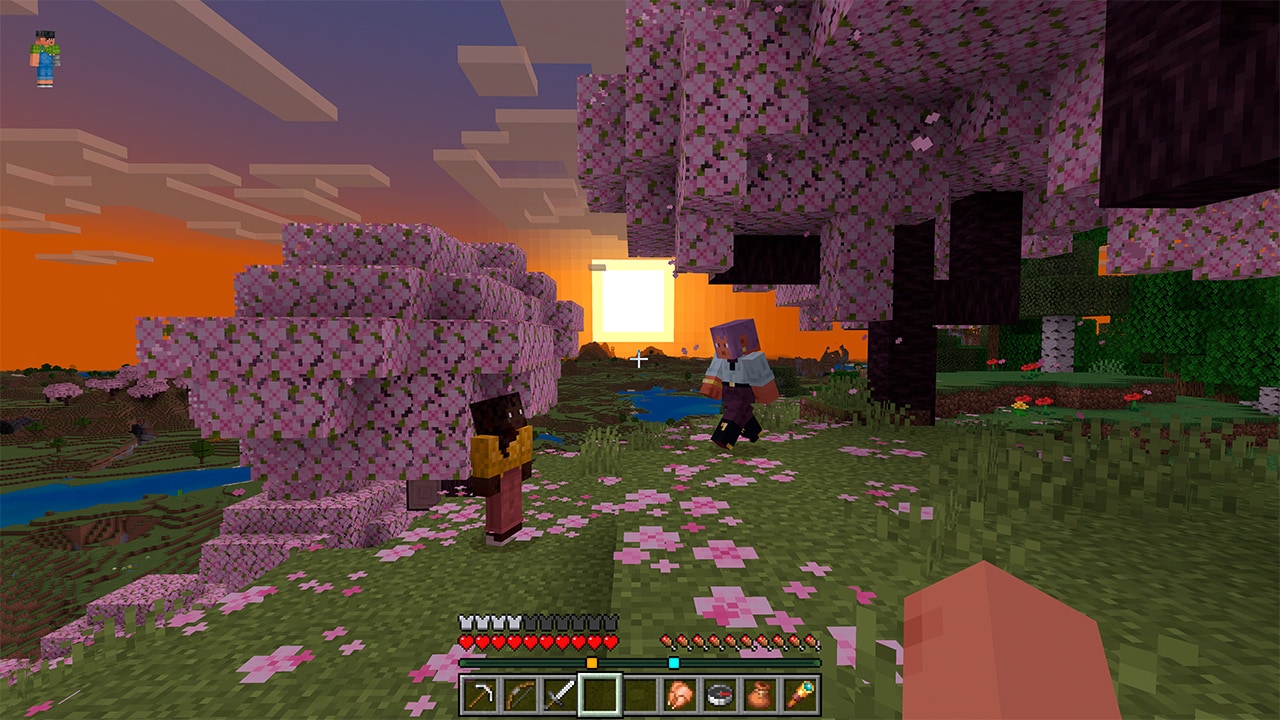
Example: regroup after exploring a village. Agree that one player waits beside the well. Everyone else turns toward that player’s marker, approaches by a visible route and confirms the meeting point in chat. A fixed landmark prevents confusion if several markers overlap or somebody is moving.
The experience bar reappears while you gain experience, and appears normally when there are no other players. Your XP has not been deleted because the locator occupied its usual space.
Give the guide a recognizable marker color
Operators can change a marker’s color with /waypoint. For example, an authorized expedition leader can use /waypoint modify @s color red to make their own marker red, then tell the group which color to follow. Use /waypoint modify @s color reset to return to the normal color behavior.
These commands require permission and describe the original Java release. Team colors override a player’s default marker color. Avoid telling a whole group “follow red” without first checking that red actually identifies the intended person in that world.
Why a player may not appear—and what hiding does not mean
- Crouching hides the player’s locator marker. Ask a lost friend to stand normally if you want to regroup.
- A mob head or carved pumpkin hides the marker. Check headgear before treating a missing dot as a connection problem.
- Invisibility hides the marker. Coordinate if someone is using it during a group activity.
- Spectators are not shown to ordinary players. Spectators can see one another.
- The marker is directional. Turn around before deciding that a visible player has disappeared.
This is visibility on the locator, not a guarantee of complete anonymity. A nearby player may still see your character, hear actions or recognize what you are doing. Decide the rules of a hide-and-seek or roleplay session together rather than assuming the bar alone defines them.
For a shared challenge, an operator can disable the bar with /gamerule locatorBar false and restore it with /gamerule locatorBar true in 1.21.6. Inspect the existing value first and agree on changes that affect everyone. Later versions rename game rules, so follow your current version’s command suggestions if the old spelling is rejected.
Treat the load below the ghast as part of the route
The new lead connections can link a leashable mob to another entity. Lead the animal, then sneak-interact with the target happy ghast. Large eligible animals and boats receive a four-rope connection. For a first transport run, choose one animal, a short open route and a prepared receiving enclosure.
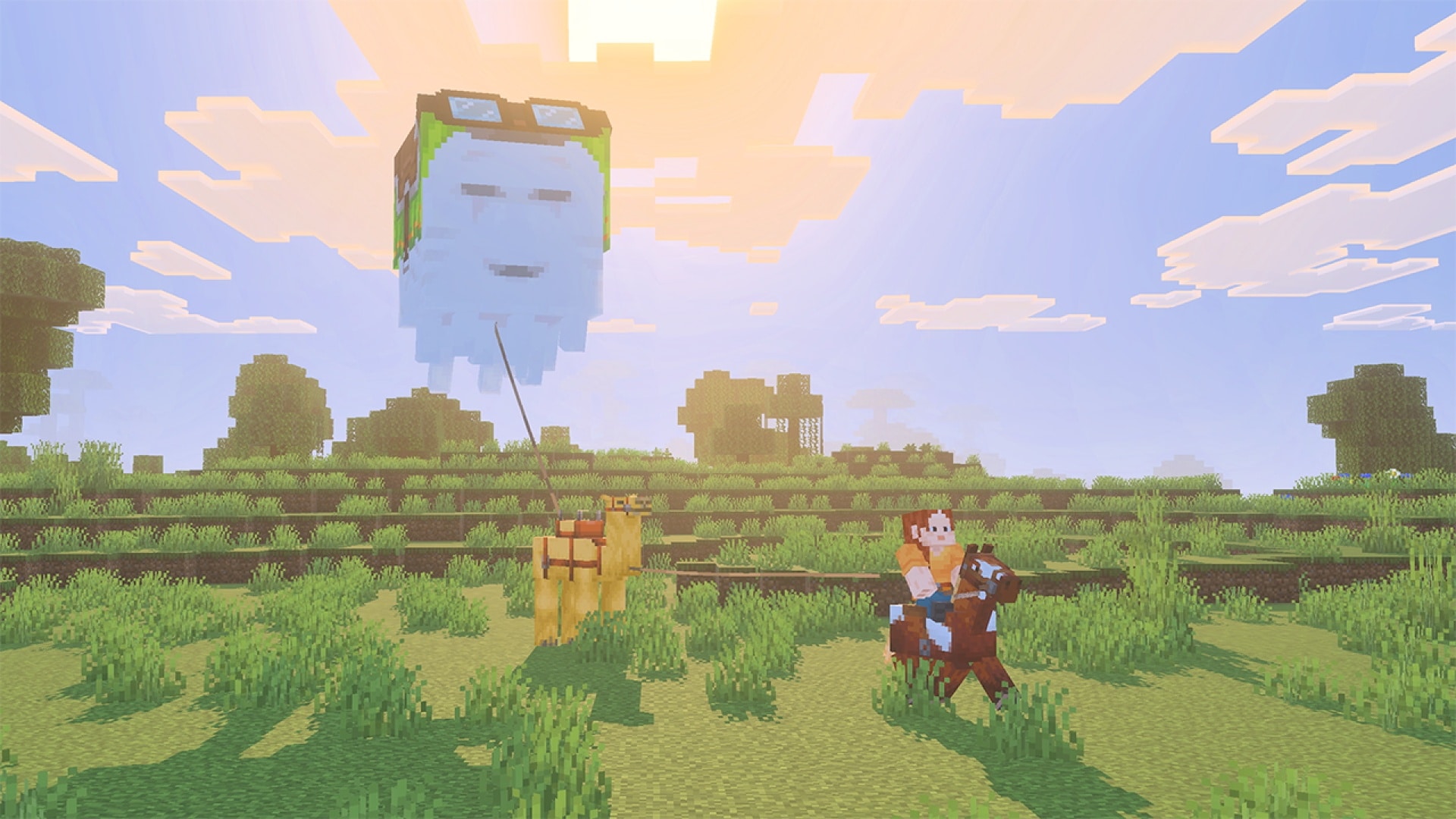
Before departing: check the connection, leave enough space below the ghast for the load and avoid trees or roof overhangs. At the destination, lower the animal or boat onto safe ground before detaching it.
Java 1.21.6 does not let you take an entity already leashed to another player. If a friend is handling the horse, have them make the agreed transfer instead of repeatedly clicking and assuming the lead is broken. Bedrock’s original notes describe a different reassignment behavior, so multiplayer instructions should identify their edition.
Using a firework rocket during elytra flight breaks your leash connections. It is not a safe substitute for a prepared ghast transport. Shears can cut incoming and outgoing leads; on a crowded dock, make sure you intend to release everything attached to the entity you target.
Re-equip a stable with ordinary supplies
A saddle now costs three leather and one iron ingot, and the recipe unlocks when you obtain leather. Leads use five string, so slime is no longer needed for the recipe. Keep these materials at a stable if friends frequently arrive without riding equipment.
In this Java release, several loot tables replace saddles with leather, including monster rooms, ancient cities, desert and jungle pyramids, and stronghold altar chests. Finding leather where an older guide promised a saddle is therefore not necessarily bad luck or a broken loot table—crafting has changed the route to the item.
Shears remove saddles, horse armor, harnesses and llama carpets when there is no rider and you are not crouching. Dispensers with shears can cut leads, but cannot remove that riding equipment. Those two shearing tasks have different rules.
Choose the sound of a long building session
Music & Sound gains a setting for how frequently music plays in a world and an option for a music toast when a track begins. With that display option enabled, the current track also appears at the top-left of the pause menu.
Builder example: increase music frequency if you want more background music while working on a roof, and enable the track display to identify a piece you enjoy. Music continues while the game is paused in this release; pausing is not the same action as muting it.
The new UI sound category separates interface sounds such as button clicks. Lower that category if menu navigation is too loud while leaving the music at the level you prefer. Friendly Creatures and Hostile Creatures are renamed Friendly Mobs and Hostile Mobs.
Amos Roddy contributes five background tracks—Below and Above, Broken Clocks, Fireflies, Lilypad and O’s Piano—and the Tears music disc. To obtain the disc, a hostile ghast must die from a fireball deflected by a player. A bow kill is not the same condition.
For a disc hunt, choose a position with room to see and return the fireball, and avoid fighting above lava where retrieving a drop is difficult. This is an optional expedition goal; you do not need to defeat a ghast this way to pilot a happy ghast.
Find the right Realm tab before changing the world
The Java Realms configuration screen is organized into tabs:
- Worlds: work with world slots, create worlds and change their settings.
- Players: manage who can access the Realm and their access level.
- Subscription: manage the subscription.
- Settings: change Realm settings.
Example: if you want to invite a friend to the existing survival world, start with Players rather than creating or replacing a world slot. If you want a separate building project, inspect the Worlds options and preserve the existing world before changing slots.
A new Region Preference gives the owner more control over the hosting region, and connection screens show region information. Consider where the group actually plays from when choosing a preference. It is not a guaranteed cure for every connection problem: one player’s local network or distance can still matter.
The close/open labels become Temporarily close and Reopen. That wording makes the action clearer, but it should not be confused with cancelling a subscription. Use the Subscription tab for subscription management and read the action shown before confirming a change.
Other differences you may notice in a familiar world
Clouds and fog: Java clouds extend to the horizon, with an option to reduce them; rain makes the scene foggier. These are Java rendering changes. They do not mean that Bedrock’s Vibrant Visuals mode or a shader pack must be installed for the new mobs.
Potions in a group: splash strength is calculated using the closest distance between hitboxes. A direct hit receives the full effect, and grouped entities receive the same strength under the described rules. When helping companions, aim deliberately rather than relying on an old edge-of-splash habit.
Care for land mounts: horses, donkeys and mules can be fed carrots to heal, grow and improve temper. A supply at the stable makes routine care easier; feeding does not replace the saddle needed to control a ride.
Two advancement goals: Stay Hydrated! rewards placing a dried ghast in water. Heart Transplanter rewards correctly aligning a creaking heart between two pale oak logs. The latter uses a different drop’s mechanism; it is not part of raising the ghast.
Underwater explosions: paintings and item frames are immune to submerged TNT explosions for the change described here, while dropped items and armor stands are vulnerable again. Do not treat a decorative room under water as a safe place to test explosives near valuables.
Use a separate installation when an old server needs 1.21.6
For current play, use the supported version required by your server or modpack. If historical Java 1.21.6 is specifically needed, select it in a separate installation in the official Minecraft Launcher and use a separate game directory.
Before upgrading a valued world, close the game, keep a complete untouched world copy and confirm support for the loader, mods and data packs you use. Open a working copy first and visit the base, stable and transport route. Return to the untouched copy if you need the old setup; downgrading a converted world is not a backup method.
No experiment or separate Chase the Skies download is required for these finished features. A flight from an existing base, a marked group route and one practical roof-building job are enough to start using the drop.
Sources and image credits
MineBrush Editorial used the final Java 1.21.6 release notes, the official Chase the Skies gallery and Mojang’s March 2025 Locator Bar demonstration. The historical Locator Bar image is a Bedrock test-era demonstration of the shared visual idea, explicitly identified below the image; final Java behavior is taken from the Java release notes. Official images retain original/source links. The MineBrush cover is an editorial illustration. The suggested routes and settings checks are practical guidance, not a benchmark or a claim that every server was tested.
More for your Java setup.
Raise a happy ghast, turn it into a flying building platform and carry friends or mobs across your world. A practical Chase the Skies guide for Java 1.21.6 and Bedrock 1.21.90, with recipes, flight tips and original Mojang screenshots.
- Game released
- Java
- 1.21.6 · Stable
- Bedrock
- 1.21.90 · Stable
Focus Happy ghast flight, building platforms, mob transport, saddles and the Player Locator Bar
Topic Chase the Skies
Install Included in the official game update
Vibrant Visuals requires a supported Bedrock device.
Java + Bedrock · Release
Chase the Skies: Fly, Build and Travel Together
Raise a happy ghast, turn it into a flying building platform and carry friends or mobs across your world. A practical Chase the Skies guide for Java 1.21.6 and Bedrock 1.21.90, with recipes, flight tips and original Mojang screenshots.
Vibrant Visuals requires a supported Bedrock device.
- Update type
- Major release
- Release channel
- Java & Bedrock
- Official release date
- 2025-06-17
- World safety
- Back up before updating
- Player impact
- Happy ghast flight, building platforms, mob transport, saddles and the Player Locator Bar
- Platform family
- Cross-edition
- Supported devices
- Java on Windows, macOS and Linux; Bedrock on supported mobile, console and Windows devices
- Install format
- Official game update
- Touch readiness
- Check guide
- Resource type
- Update
- Last verified at
- Sep 16, 2026
- Update state
- historical
- Compatibility confidence
- Source claimed
- Bedrock version/build
- 1.21.90
- Card delivery statement
- Included in the official game update
- Card limitation note
- Vibrant Visuals requires a supported Bedrock device.
- Edition applicability
- Java + Bedrock
- Java version/build
- 1.21.6
- Shared update topic
- Chase the Skies
- Delivery state
- No file
- Lifecycle state
- Superseded
- Java update channel
- Stable
- Bedrock update channel
- Stable
Build a useful copper workshop, understand the removal of spawn chunks, customize F3, save chat drafts and adjust comfort controls. Practical Java 1.21.9 advice for an existing world.
- Java
- Java 1.21.9
- Release type
- Release
- Game released
Focus Copper workshop, spawn chunks, F3, chat and comfort controls
Install Official launcher
Back up before updating
Java · Release
Java 1.21.9 — Copper, Farms & F3
Build a useful copper workshop, understand the removal of spawn chunks, customize F3, save chat drafts and adjust comfort controls. Practical Java 1.21.9 advice for an existing world.
Back up before updating
- Minecraft version
- Java 1.21.9
- Game edition
- Java Edition
- Update type
- Major release
- Release channel
- Java Edition
- Official release date
- 2025-09-30
- World safety
- Back up before updating
- Player impact
- Copper workshop, spawn chunks, F3, chat and comfort controls
- Related major release
- The Copper Age
- Platform family
- Java PC
- Last verified at
- Sep 17, 2026
- Update state
- historical
- Compatibility confidence
- Source claimed
- Card delivery statement
- Official launcher
- Edition applicability
- Java
- Delivery state
- No file
- Lifecycle state
- Superseded
Plan a mounted expedition, choose texture filtering and graphics presets, find changed Mac controls and update old world commands. Java 1.21.11 explained with practical projects and advancement goals.
- Java
- Java 1.21.11
- Release type
- Release
- Game released
Focus Mount expeditions, graphics, controls and world rules
Install Official launcher update
Back up before updating
Java · Release
Minecraft Java 1.21.11: Mounts of Mayhem
Plan a mounted expedition, choose texture filtering and graphics presets, find changed Mac controls and update old world commands. Java 1.21.11 explained with practical projects and advancement goals.
Back up before updating
- Minecraft version
- Java 1.21.11
- Game edition
- Java Edition
- Update type
- Major release
- Release channel
- Java Edition
- Official release date
- 2025-12-09
- World safety
- Back up before updating
- Player impact
- Mount expeditions, graphics, controls and world rules
- Related major release
- Mounts of Mayhem
- Platform family
- Java PC
- Last verified at
- Sep 17, 2026
- Update state
- historical
- Compatibility confidence
- Source claimed
- Card delivery statement
- Official launcher update
- Edition applicability
- Java
- Delivery state
- No file
- Lifecycle state
- Superseded
Player discussion 0
Questions, discoveries and help from other players.