
Java 1.21.11 player guide
Minecraft Java 1.21.11: Mounts, Graphics and World Settings Guide
Plan a mounted expedition, choose texture filtering and graphics presets, find changed Mac controls and update old world commands. Java 1.21.11 explained with practical projects and advancement goals.
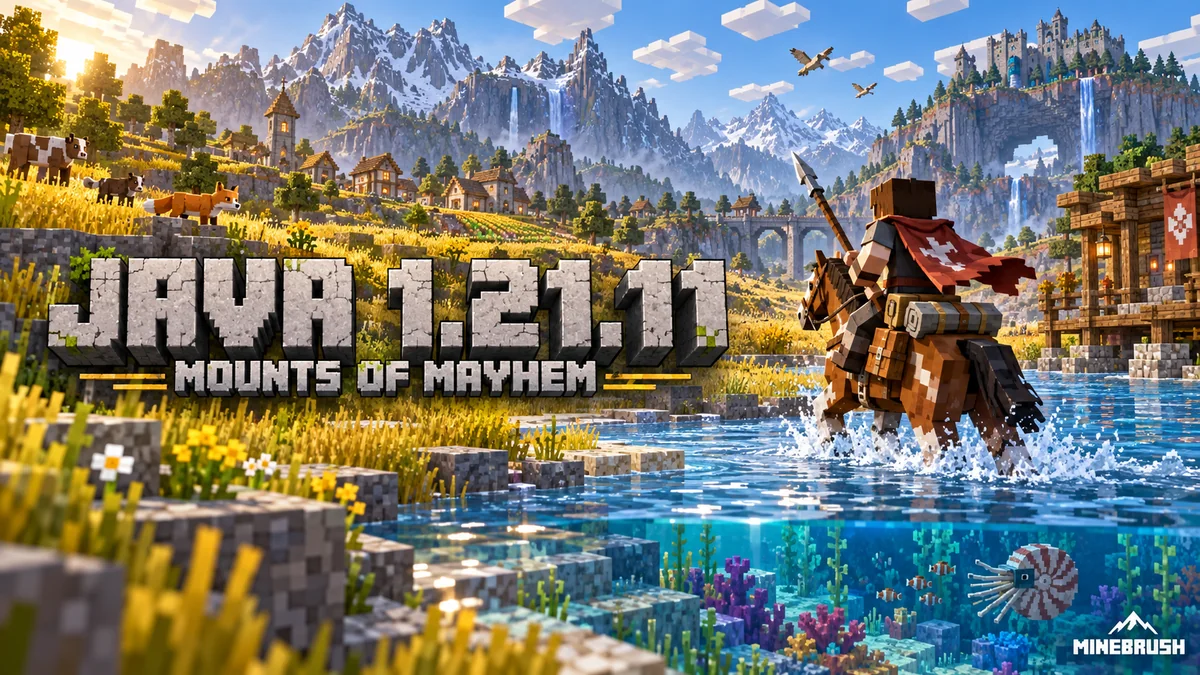
Java 1.21.11 brings mounted combat and ocean travel, but it also changes settings that long-time players already use. Mounts of Mayhem adds spears and new mounts; graphics presets, texture filtering, Mac controls and world commands make this an update worth understanding before continuing a familiar save.
The stable release arrived on December 9, 2025, for Windows, macOS and Linux. It is now historical: Java 26.3 is newer. Use 1.21.11 specifically when a supported server or modpack requires it, not because the old version number is necessary to see these features in a newer world. Bedrock’s corresponding release is 1.21.130.
Choose one new journey for your first session
Land route: craft an iron spear from two sticks and one iron ingot, arranged diagonally from bottom-left to top-right. Ride through an open area where you have room to turn. Tap Attack for a jab; hold Use to ready a charge. A spear needs space between you and the target, so keep a close-range weapon available.
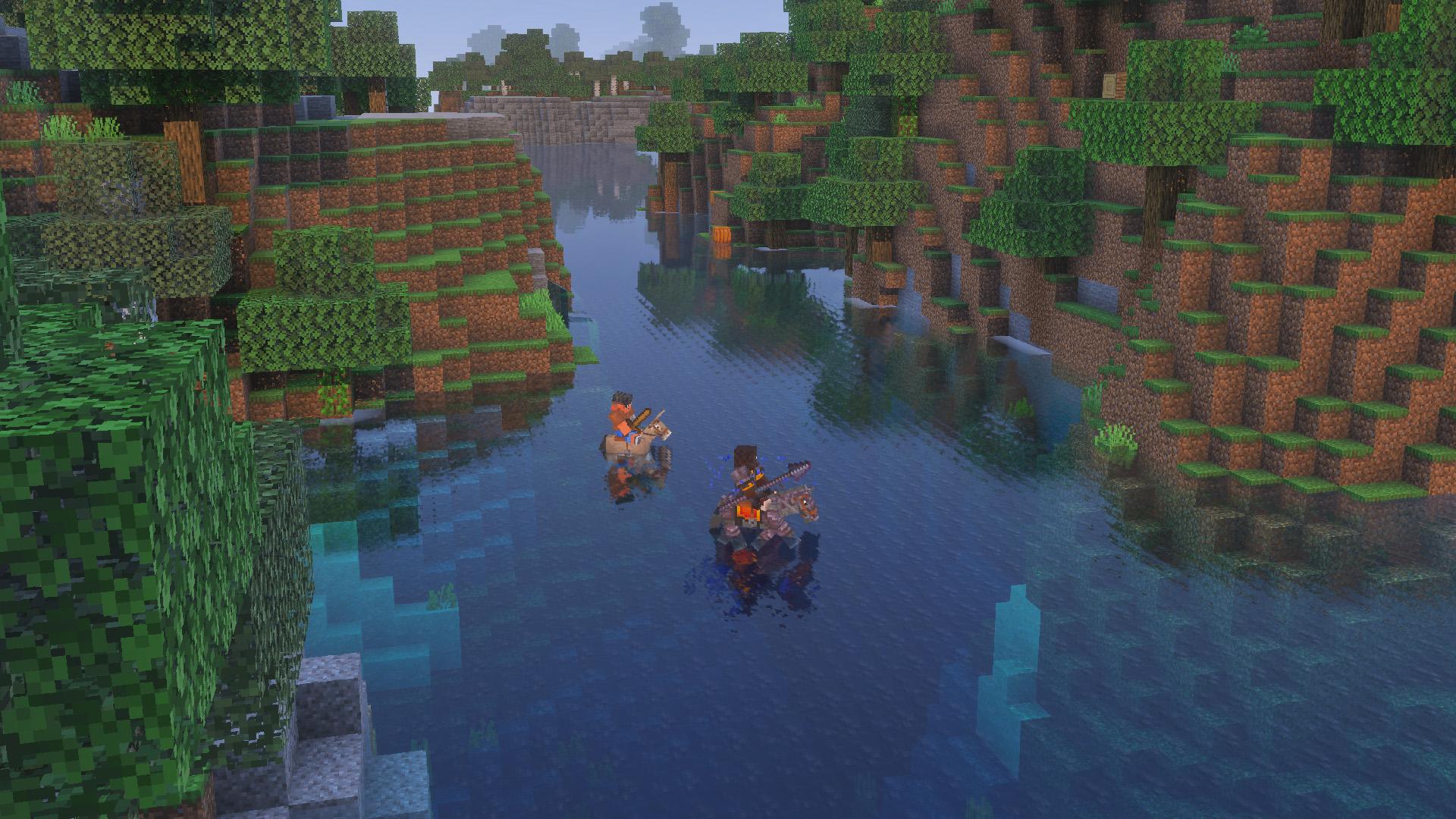
Ocean route: take pufferfish and a saddle, tame a nautilus and start with a full breath. Use Jump for its dash. The mounted breathing effect stops your air from draining but does not refill bubbles; dismounting to enter a wreck means you need your own breathing plan again.
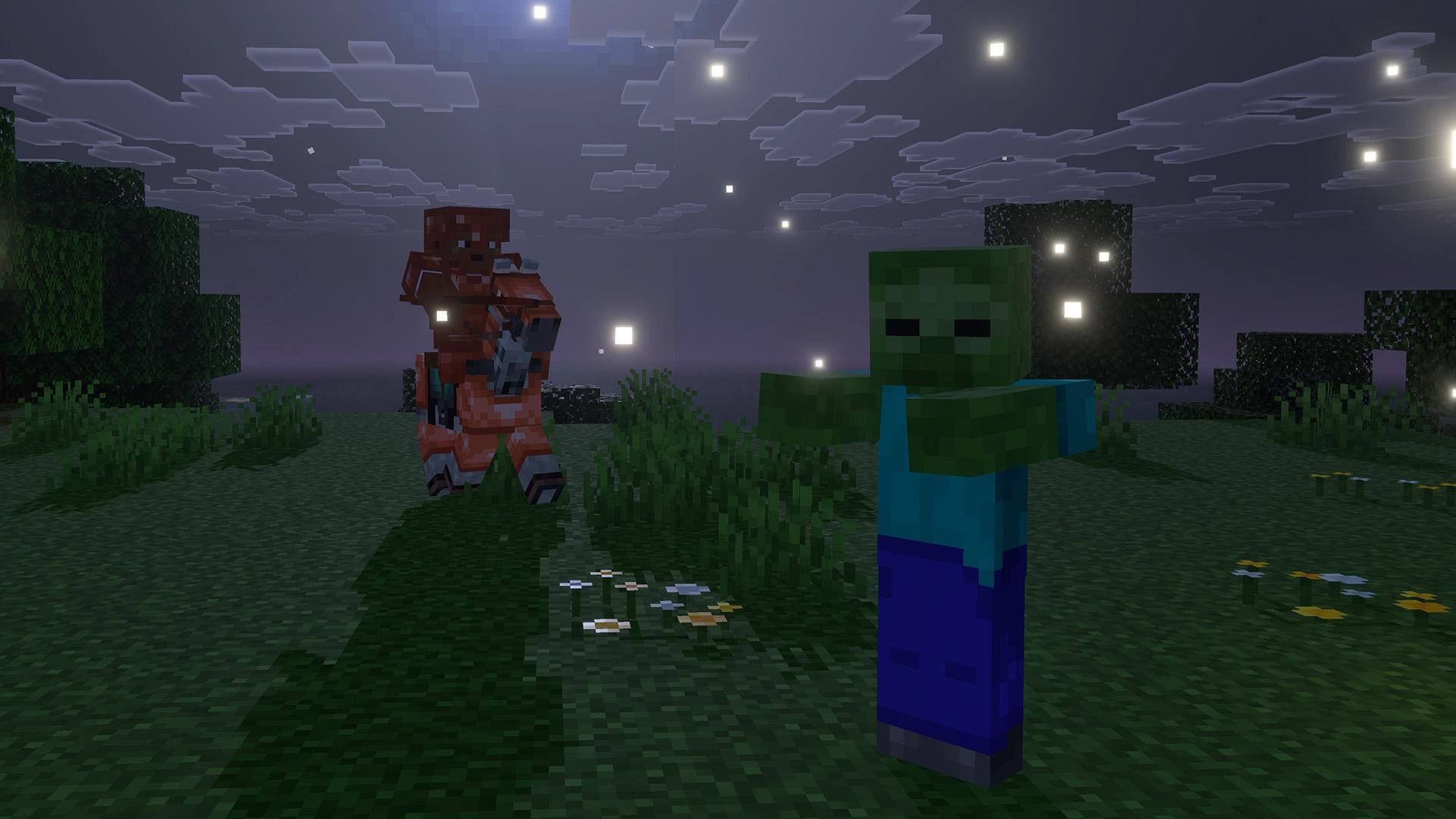
A new stable resident: defeat a zombie horse’s rider, then tame the horse with an empty hand as you would an ordinary horse. Saddle it for control and put on horse armor to protect it from daylight in this Java release. Red mushrooms heal it. Keep shelter ready before the sun rises.
The complete Mounts of Mayhem guide explains crafting, charge phases, Lunge, nautilus care and desert riders. Here, the additional focus is making the Java update fit your existing controls, graphics and world.
Fast, Fancy and Fabulous! now change a group of settings
Video Settings is reorganized into Display, Quality & Performance and Preferences. The familiar graphics names become presets. Moving the Preset slider changes many quality/performance choices at once, rather than only the old bundled graphics behavior.
Why does mine say Custom? Existing players upgrading to 1.21.11 start with Custom to preserve their configuration. It is not an error or evidence that a mod changed your settings. New players start with Fancy.
- Preserve a setup you already like. Note or screenshot the important settings before trying a preset.
- Choose a broad starting point only if you need one. Fast is a useful starting point for reducing visual work; Fancy or Fabulous! are choices to compare when your computer has room for additional effects.
- Adjust the feature that actually bothers you. Leaves, transparency and weather no longer require treating the whole graphics configuration as one switch.
- Return to a familiar scene. Walk the same path and turn the camera. Look for stable movement as well as a pleasant still image.
There is no universal best preset for every computer, shader or resource pack. On a large forest build, turning See-Through Leaves off is a targeted way to reduce rendering work. The gaps become dark green in this release, so the visual result differs from older screenshots with black gaps.
Improved Transparency addresses some overlapping transparent-surface rendering problems but has a substantial graphics cost. Try it when that problem is visible in your build; do not assume it is a free improvement on a struggling laptop. Weather Effect Radius controls how far around you rain and snow are drawn.
Make angled textures clearer without blindly maximizing everything
Texture Filtering changes how surfaces look at an angle or in the distance. A long path, a roof viewed from below or rails disappearing toward the horizon is a better place to judge it than a block directly in front of your face.
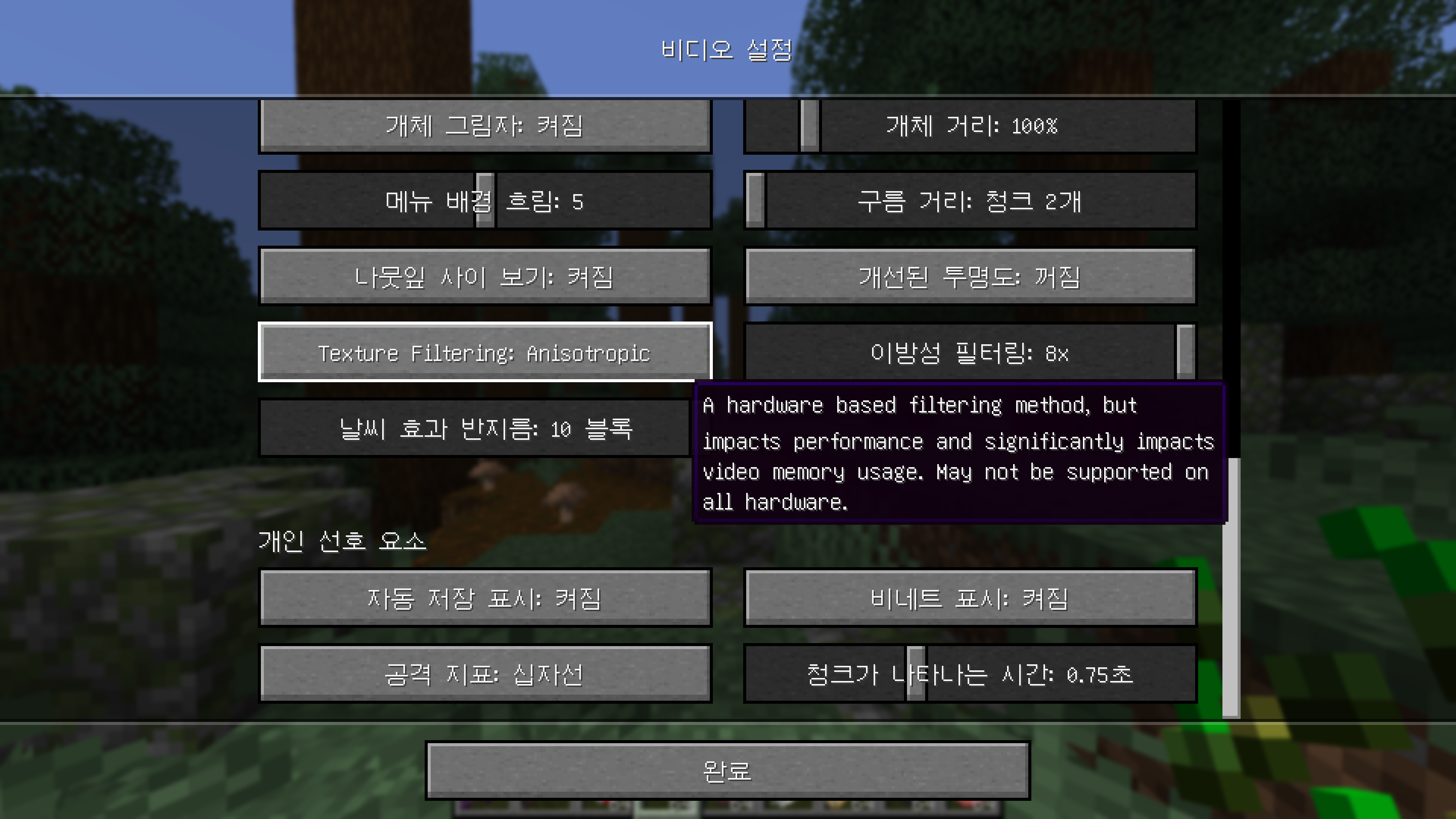
- None: a useful baseline when comparing the added filtering or diagnosing a changed appearance.
- RGSS: improves texture clarity using the game’s shaders and is available on all supported hardware, with a performance cost.
- Anisotropic: uses hardware support for clearer angled textures. A separate slider offers 2×, 4× and 8×. Unsupported hardware gains no effect from it.
A practical choice sequence: view a long tiled path at a shallow angle, compare None and RGSS, then try Anisotropic if your hardware supports it. Begin with a lower anisotropic level and raise it only if you see a useful improvement while movement remains comfortable. Keep the camera position, resource pack and mipmap setting the same during that comparison.
Anisotropic filtering can use substantially more video memory, especially alongside a high mipmap setting. Large texture packs make that tradeoff more relevant. If the game becomes less smooth after raising both settings, reduce one and compare before changing unrelated controls.
Mipmaps now apply to all world blocks when enabled, including more foliage, vines and rails. That helps explain why the distant appearance of an old build can change even when its textures were not replaced. This filtering is not a shader-pack installation, ray tracing or Bedrock’s Vibrant Visuals mode.
Chunk fade-in changes appearance, not the speed of world generation
Newly visible chunks fade into view, and the fade duration is adjustable in Video Settings. A shorter fade makes terrain appear more directly; a longer one softens the transition. Choose the look you prefer, but do not expect this slider to fix a slow server or make unexplored terrain generate faster.
Underwater fog blends between biomes, and Nether environmental fog no longer follows render distance in the same way. If a familiar route looks different, compare the same biome and conditions before treating the change as a broken world.
Where the missing comfort settings and keys went
View Bobbing, Glint Speed, Glint Strength, FOV Effects and Distortion Effects are no longer duplicated in Video Settings. Use Accessibility Settings for those controls. If a changing field of view or portal distortion is uncomfortable, changing a graphics preset is not the most direct way to address it.
The Key Binds screen gains a Debug category. Debug actions can be rebound, the modifier can be separate from the overlay key, and the hide-GUI key can also be changed. The old F3 + Q help shortcut is removed in this version.
Example: on a compact keyboard where function keys are awkward, assign a convenient debug-overlay control and a separate hide-GUI key for screenshots. Avoid stealing a key used by an important mod. A rebind changes the control, not the permission level of your account.
Mac players: several modifiers change from Command to Control
The modifier for dropping a whole item stack, copying all block data with pick block, changing GUI scale and stopping recipe-book variations moves from Command to Control. If an old keyboard tutorial stops matching your Mac, check the modifier before resetting every binding.
Try unfamiliar item-drop controls with something replaceable in a safe place. For Creative copying, use the relevant Control-modified pick-block action when you intend to include the block’s data; ordinary picking and copying a configured block are different tasks.
Language selection also gets a search box. If you are helping a friend find their language, search its name rather than scrolling through the entire list. Music Toast adds a pause-menu-only choice for players who want song information without a popup during normal play.
Why an old world command may no longer work
Java 1.21.11 renames game rules. Old camelCase commands from a video or an older command block may need their new names, and a few rules change meaning as well. This matters for a Creative project or a server you manage; ordinary players do not need to type commands to use the new mounts.
Use command suggestions and inspect the current value first. You need the appropriate command permission. On a shared world, agree on the intended behavior before changing a rule that affects everyone.
- Keep daylight moving: the old
doDaylightCyclebecomesminecraft:advance_time. Query with/gamerule minecraft:advance_time;falsepauses the cycle andtrueresumes it. - Control weather progression:
doWeatherCyclebecomesminecraft:advance_weather. This controls the cycle, not an immediate promise that the current rain disappears. - Control raids:
disableRaidsbecomesminecraft:raids, with the meaning inverted. A new value offalsedisables raids. Copying the old true/false value mechanically would reverse your intention. - Control fire spread:
minecraft:fire_spread_radius_around_playerreplaces the old fire-tick rules. Zero disables spread; minus one allows spread even without nearby players. This is not a command for removing fire blocks already present.
Builder example: before staging daylight screenshots of a wooden village, record the current time-cycle and fire-spread values. Change only the behavior you need, take your screenshots, then restore the values you recorded. Stopping the day cycle does not itself set the sun to noon.
If you maintain an adventure map, review its command blocks and data packs against the new rule names on a copy. Do not repair a map by guessing at a long list of commands in the only original save.
Time a riding route with the new stopwatch command
The optional stopwatch command gives a world owner a simple timer for a practice route. It measures elapsed real time while the world or server is running, even while paused. It is therefore different from counting in-game ticks.
- Create a timer with
/stopwatch create minebrush:route. - At the starting marker, use
/stopwatch restart minebrush:route. - Ride the route, then use
/stopwatch query minebrush:routeat the finish to read elapsed seconds. - When finished with the timer, remove it using
/stopwatch remove minebrush:route.
Command entry takes time, so this is a simple practice aid, not a claim of a perfectly fair race system. For a group event, use a consistent starter and finish procedure. Pausing to study the route does not freeze this timer; restart for a fresh attempt.
New goals for a survival world you already know
Mob Kabob asks you to spear five enemies with a charge attack. Think about alignment and an open escape route, not just weapon material. A charge’s early engaged phase can dismount; once tired, it loses that ability, and its final disengaged phase also loses knockback.
If you pursue collection-style advancements, the eligible lists grow: Best Friends Forever adds living and zombie nautiluses plus zombie horses; Two by Two adds the living nautilus. Zombie nautiluses cannot breed, so collecting that variant does not replace the breeding goal.
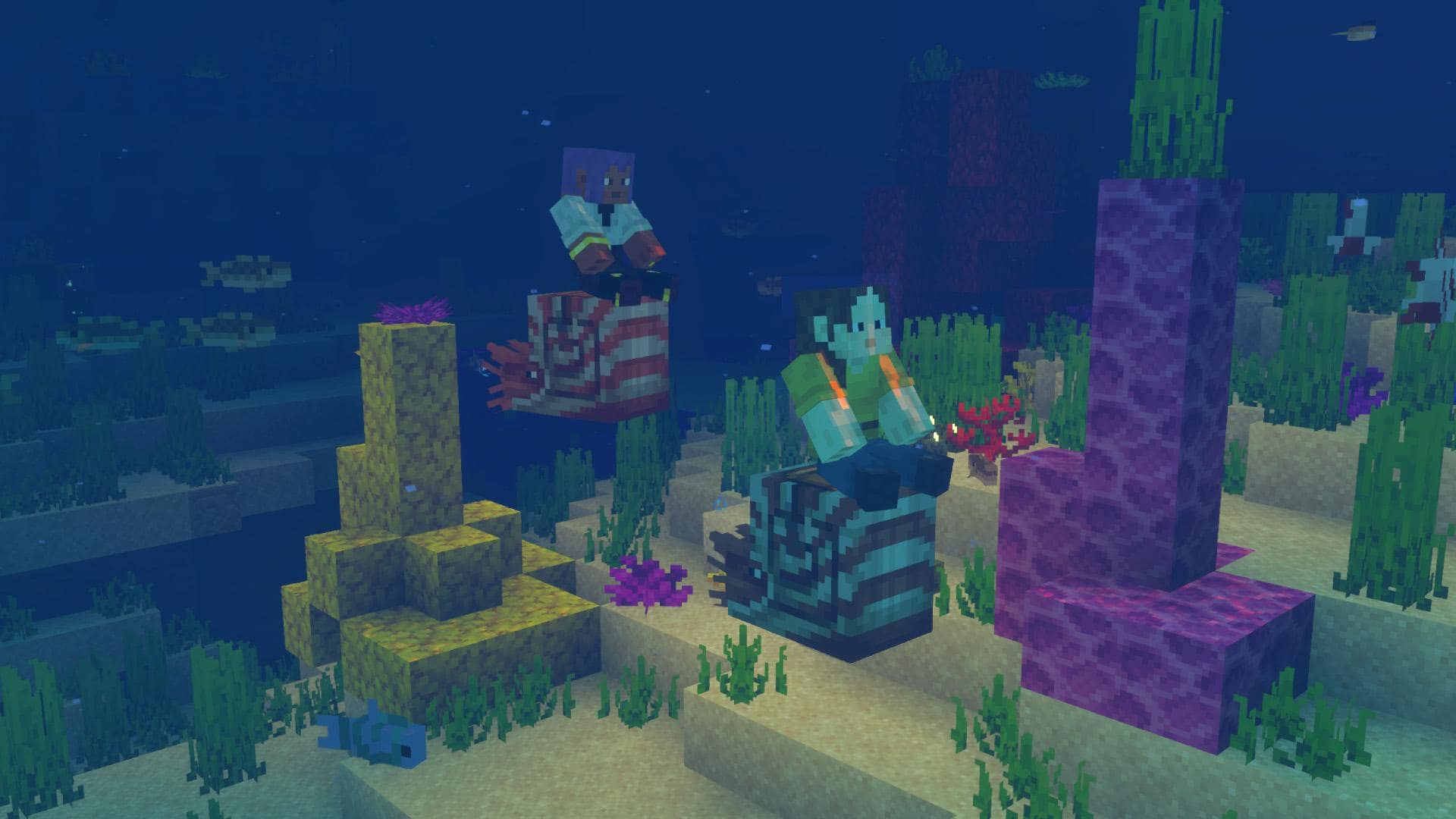
A manageable weekend plan: set up a water pen at your existing dock, gather pufferfish, tame your first nautilus and prepare a reef route. On another night, search plains or savannas for a zombie horse rider. You can build on your current base instead of restarting the entire world for the drop.
Remember Lunge’s limits if you enchant the spear for travel: it activates with the jab, consumes hunger and needs at least three full drumsticks available in this Java release. It does not work in water or while elytra-flying. A nautilus trip and a land Lunge route use different movement tools.
Install deliberately and keep your older save usable
For current play, use the supported release required by your server or modpack. If you specifically need historical 1.21.11, select that release in an installation in the official Minecraft Launcher and keep a separate game directory for it.
Before upgrading a valued world, close the game, keep a complete separate world copy and confirm that your required loader, mods and data packs support the target version. Check the base, storage, animals and custom map behavior after opening a working copy. Keep the untouched pre-update copy for a return to the old setup; do not treat downgrading a converted world as a backup strategy.
Graphics and menus can be different with mods such as Sodium or shader tools. For a visual comparison, use a separate vanilla profile and test world rather than stripping content mods out of your only survival save. The vanilla options described above require no external graphics download.
Sources and image credits
MineBrush Editorial used the final Java 1.21.11 release notes and official Mounts of Mayhem overview/gallery. The historical settings screenshot comes from 에쓰디드림’s Pre-release 1 coverage and is clearly labeled by version and language. Gameplay images are Mojang/Microsoft material, with preserved originals linked above. The MineBrush cover is an editorial illustration. Suggested projects and comparison routines are our practical guidance, not a claim of measured performance or tests on every world.
More for your Java setup.
Master spear jabs and charges, tame a nautilus, plan an ocean expedition and claim undead mounts. A practical guide to Mounts of Mayhem for Java 1.21.11 and Bedrock 1.21.130, with original Mojang screenshots.
- Game released
- Java
- 1.21.11 · Stable
- Bedrock
- 1.21.130 · Stable
Focus Spear combat, underwater travel and undead mounts
Topic Mounts of Mayhem
Install Included in the game update
Back up before updating
Java + Bedrock · Release
Mounts of Mayhem
Master spear jabs and charges, tame a nautilus, plan an ocean expedition and claim undead mounts. A practical guide to Mounts of Mayhem for Java 1.21.11 and Bedrock 1.21.130, with original Mojang screenshots.
Back up before updating
- Update type
- Major release
- Release channel
- Java & Bedrock
- Official release date
- 2025-12-09
- World safety
- Back up before updating
- Player impact
- Spear combat, underwater travel and undead mounts
- Related major release
- Mounts of Mayhem
- Platform family
- Cross-edition
- Supported devices
- Java on PC, Mac and Linux; Bedrock on supported phones, consoles and Windows PCs
- Install format
- Official game update
- Touch readiness
- Check guide
- Resource type
- Update
- Last verified at
- Sep 16, 2026
- Update state
- historical
- Compatibility confidence
- Source claimed
- Bedrock version/build
- 1.21.130
- Card delivery statement
- Included in the game update
- Edition applicability
- Java + Bedrock
- Java version/build
- 1.21.11
- Shared update topic
- Mounts of Mayhem
- Delivery state
- No file
- Lifecycle state
- Superseded
- Java update channel
- Stable
- Bedrock update channel
- Stable
Keep baby pets, craft name tags and put old deepslate to work. Java 26.1 explained: Upgrade and Play, World Options, chat restrictions, lighting changes and safe modded-world preparation.
- Java
- Java 26.1
- Release type
- Release
- Game released
Focus Baby pets, building, world upgrades and PC controls
Install Official Minecraft Launcher
Historical release · Preserve a complete world backup
Java · Release
Minecraft Java 26.1: Tiny Takeover
Keep baby pets, craft name tags and put old deepslate to work. Java 26.1 explained: Upgrade and Play, World Options, chat restrictions, lighting changes and safe modded-world preparation.
Historical release · Preserve a complete world backup
- Minecraft version
- Java 26.1
- Game edition
- Java Edition
- Update type
- Major release
- Release channel
- Java Edition
- Official release date
- 2026-03-24
- World safety
- Back up before updating
- Player impact
- Baby pets, building, world upgrades and PC controls
- Related major release
- Tiny Takeover
- Platform family
- Java PC
- Last verified at
- Sep 17, 2026
- Update state
- historical
- Compatibility confidence
- Source claimed
- Card delivery statement
- Official Minecraft Launcher
- Card limitation note
- Historical release · Preserve a complete world backup
- Edition applicability
- Java
- Delivery state
- No file
- Lifecycle state
- Superseded
Plan a camp-map expedition, invite friends to a Realm and find the new LAN settings. Java 26.3 explained: practical first steps, transparency choices, Mac controls and safe world updates.
- Java
- 26.3
- Release type
- Release
- Game released
Focus Camp-map expeditions, Realms invitations, LAN settings and building materials
Install Install through the official Minecraft Launcher
Back up worlds; check mod and pack support before updating
Java · Release
Minecraft Java 26.3
Plan a camp-map expedition, invite friends to a Realm and find the new LAN settings. Java 26.3 explained: practical first steps, transparency choices, Mac controls and safe world updates.
Back up worlds; check mod and pack support before updating
- Minecraft version
- 26.3
- Game edition
- Java Edition
- Update type
- Major release
- Release channel
- Java Edition
- Official release date
- 2026-09-15
- World safety
- Back up before updating
- Player impact
- Camp-map expeditions, Realms invitations, LAN settings and building materials
- Related major release
- Wilderness Bound
- Platform family
- Java PC
- Last verified at
- Sep 16, 2026
- Update state
- current
- Compatibility confidence
- Source claimed
- Card delivery statement
- Install through the official Minecraft Launcher
- Card limitation note
- Back up worlds; check mod and pack support before updating
- Edition applicability
- Java
- Delivery state
- No file
- Lifecycle state
- Current
Player discussion 0
Questions, discoveries and help from other players.