
Java 26.3 player guide
Minecraft Java 26.3: Maps, Realms, World Options and Update Guide
Plan a camp-map expedition, invite friends to a Realm and find the new LAN settings. Java 26.3 explained: practical first steps, transparency choices, Mac controls and safe world updates.
Minecraft Java 26.3 turns exploration into a route you can plan with friends. Wilderness Bound brings the Dappled Forest, abandoned camps and new building materials, while Java-specific changes make maps easier to organize, Realms easier to join and local multiplayer easier to configure.
This is the stable Java release from September 15, 2026, for Windows, macOS and Linux. It is not Bedrock 26.3, a mobile download or a snapshot. The equivalent Wilderness Bound release on Bedrock is 26.50. Use the official Minecraft Launcher to install Java; this article explains what to do once you have it.
What should you try first?
If you enjoy survival travel, head into newly generated terrain and look for abandoned camps. Their containers can give your next journey a destination. If you prefer building at home, start with colored wool or concrete stairs and slabs: the update is useful even before you find the new forest.
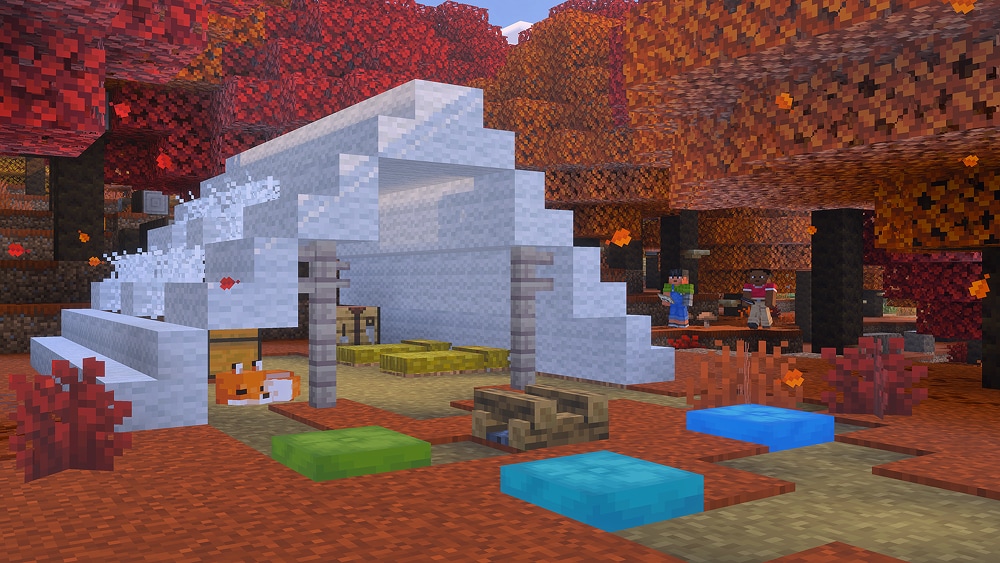
- Take a short expedition: pack food, torches, tools and spare storage, write down your home coordinates and bring back poplar saplings. Saplings can grow into any of the three leaf colors, so one orange parent tree does not guarantee another.
- Keep your home respawn: three hay bales craft four single-use straw beds. Sleeping in one in the Overworld passes the night without setting a new spawn. It disappears after use; use an ordinary bed when you actually want an outpost checkpoint. Trying a straw bed in the Nether or End destroys it.
- Make a usable campsite: craft a cushion from three same-colored wool slabs, put it on a supporting surface and interact to sit. Removing its support breaks it, so finish the platform before arranging seats.
- Improve an existing build: cut solid concrete into stairs or slabs with a stonecutter for a curved bridge approach. Use wool shapes for awnings and softer-looking roof edges.
Our Wilderness Bound guide goes deeper into camping recipes and building projects. Here, the focus is the Java decisions that affect how you explore, host and play.
Explorer maps: choose a destination, then prepare for it
Explorer maps now have distinct item types and icons. Existing explorer maps convert when you load an older world, so a changed name or icon does not mean you have lost your route. The player marker now always shows the direction you face.
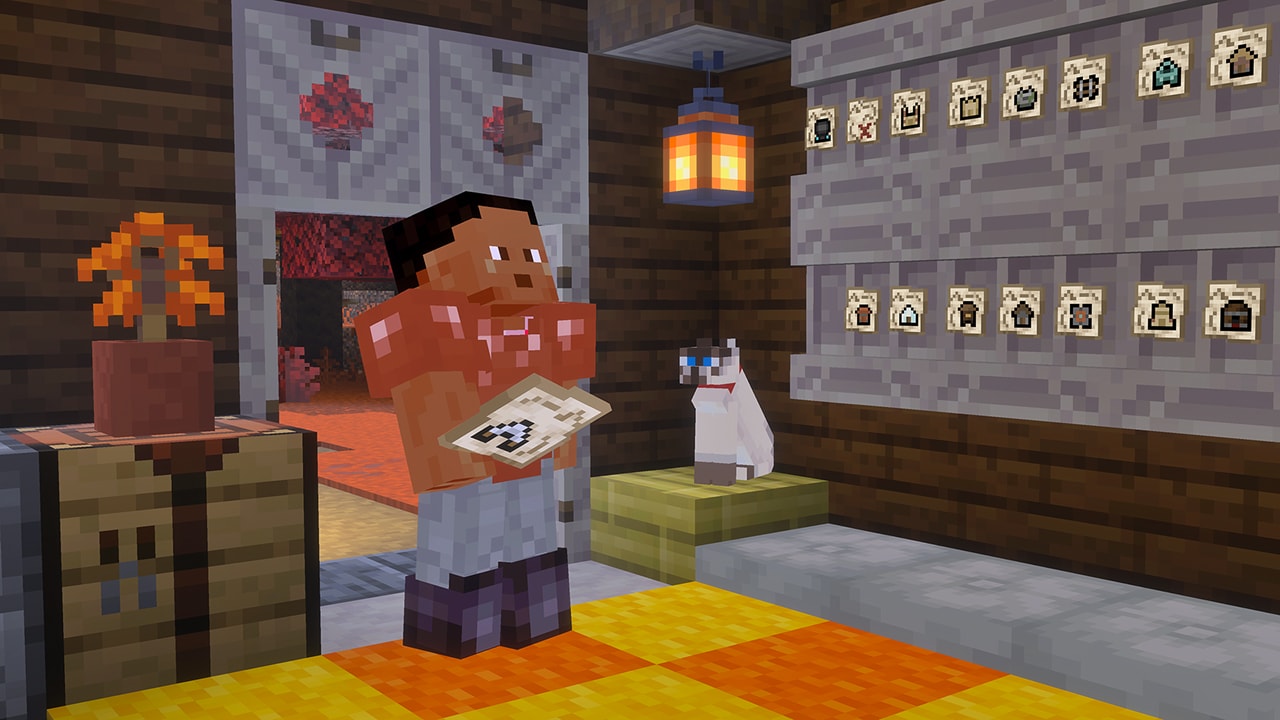
At an abandoned camp, check chests and barrels before moving on. Java adds camp maps leading to Bamboo Jungle, Cherry Grove, Birch Forest, Dappled Forest, Flower Forest, Pale Garden, Swamp and Windswept Forest camps. Structure destinations include Ancient Cities, Trial Chambers, Mineshafts, Desert Pyramids, Jungle Pyramids, Warm Ocean Ruins and Woodland Mansions. These are possible map destinations, not a promise that every camp contains every map.
Use a map as a goal rather than a command to go immediately. For a peaceful building trip, choose another camp and gather its biome's materials. For an Ancient City route, return home to prepare for the Deep Dark. For a water destination, plan how you will travel and breathe before loading your inventory with valuables.
- Read the map's destination and decide whether your current equipment suits it.
- Keep one active map accessible and store the others safely. Note the coordinates of useful camps as return points.
- Face a direction and watch how the player marker changes as you travel. When you reach the mapped area, use its terrain and destination symbol to narrow the search.
- For a group trip, clone the explorer map at a crafting table so companions can follow the same destination if separated.
Why will the cartography table not zoom out my map? Explorer maps and buried-treasure maps can no longer be zoomed out in Java 26.3. Cloning still works, and ordinary extendable maps are a separate case. Keep the destination map and make an ordinary map for the wider travel area instead of trying to force the explorer map to cover more ground.
Realms: invite friends and choose how far the world runs
Use invite codes for a planned group session
Realm owners can manage up to five invite codes, activate or deactivate them, delete them and configure expiration. A joining player opens the Realms main menu, chooses Join Realm and enters the code.
Example: keep one code for your regular group and create another for a weekend expedition. Give the expedition code an expiry and deactivate it when the event is over. Share it with the intended players rather than posting it publicly if the Realm is meant to stay private.
A disabled or expired code will not work as an active invitation. Ask the owner for a current code if joining fails. Code management and managing existing members are separate tasks: do not assume deleting an invitation automatically removes everyone who already joined.
Render distance and simulation distance do different jobs
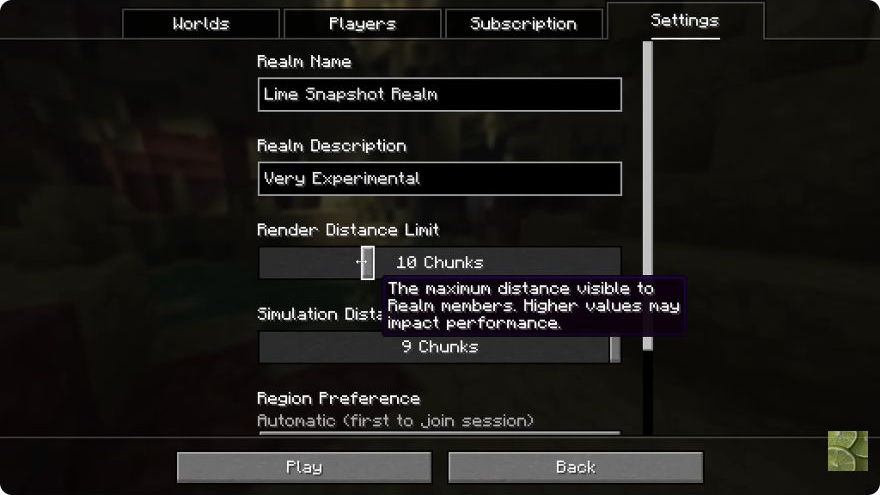
Render distance concerns how far terrain is available to view. Simulation distance concerns the nearby area where the world actively ticks. Seeing a distant farm does not by itself mean it runs as though you were standing beside it, and different farm mechanics have additional rules.
- For sightseeing: try a higher render distance while keeping simulation distance more conservative. The player's own video settings can still limit the visible range.
- For a busy survival base: change simulation distance carefully and check the activities that matter to your group. More active area can mean more work for the server.
- If play becomes less smooth: change one distance at a time. Compare the same area before and after instead of raising every setting together.
These are owner-side Realm configuration controls. They do not grant every member permission to change the Realm, and a higher setting is not a guarantee of better performance.
Where did Open to LAN go?
Open the pause menu and choose World Options, now in the place previously occupied by Open to LAN. Its two sections separate general world rules from local multiplayer settings.
General: your mode is not the same as everyone's default
Default Game Mode is the world's default; Personal Game Mode is your own current mode. General also contains Allow Commands, Difficulty, Edit Game Rules and a view of your restrictions. Availability depends on your permissions in that world.
Example: when preparing an adventure with friends, distinguish the mode you need to build it from the mode visitors should play in. Changing your personal mode is not the same decision as setting the world's default.
Multiplayer: opening a local session
The Multiplayer section provides LAN scope, Port, Command Access and Force Game Mode. For a home-network survival session, choose the intended LAN availability, keep visitors' command access off unless they need it, and use Force Game Mode if joining players should match the world default.
Friends then use Java's Multiplayer screen to find the local game. They need a compatible game version and access to the same local network; if discovery does not show it, check that the session is actually open and the network permits the connection. The configured port identifies this local session. Changing it does not automatically turn a home world into an internet-hosted Realm.
Choose the right hosting route: LAN is useful for people playing on the same local network while the host runs the world. A Realm or dedicated server is the appropriate separate route when you need a remotely hosted shared world.
Improved Transparency: clearer glass and water, with a trade-off
Java 26.3 replaces the implementation behind Improved Transparency. It targets problems such as objects disappearing or being drawn incorrectly when viewed through translucent surfaces. That can matter in a glass house, aquarium or build with overlapping water and stained glass.
Try the setting in a build where you can actually see the problem. Compare the same view with it enabled and disabled, then walk around the area. Mojang expects the new approach to cost more performance than the previous implementation. If your frame rate drops too far, turn it off and favor smooth play.
The release adds a rebindable F3 + X shortcut to toggle it. Small artifacts can remain, such as imperfect cloud colors through several translucent layers. This setting is not a shader pack, a new lighting mode or an FPS booster; it addresses a specific rendering problem.
PC and Mac controls worth checking after updating
Borderless fullscreen is now the default fullscreen mode, and switching between borderless and exclusive fullscreen no longer requires a restart. If switching between the game and other windows feels different after updating, check this choice before assuming a mod caused it.
Key bindings now follow physical key positions rather than keyboard-layout-specific codes. If you switch keyboard layouts or use custom bindings, visit Controls and verify movement and frequently used actions. The old Raw Input mouse option is gone; you do not need to search for a missing toggle.
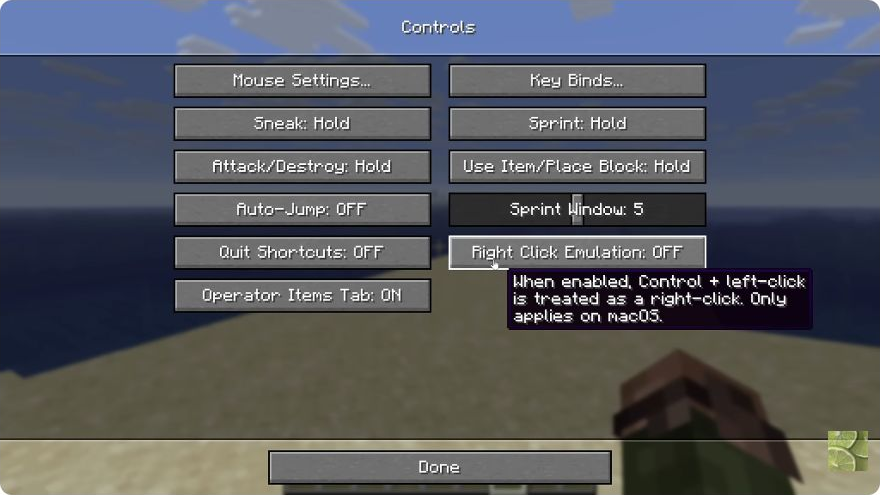
- Mac trackpad or one-button workflow: enable Right Click Emulation in Controls if you want Control + left-click to act as a right-click. Leave it off when your existing secondary-click setup already works as intended.
- Accidental quitting: Quit Shortcuts is on by default. It governs Cmd + Q / Cmd + W on Mac and Alt + F4 on Windows or Linux. Adjust it if these shortcuts interrupt play.
- Mac fullscreen edges: Menu/Dock Visibility in Video Settings controls whether moving to the edge can reveal the menu bar and Dock. Choose according to whether you need quick desktop access or fewer edge interruptions.
- Linux: Java now prefers native Wayland where available. If your desktop behavior changes, first compare the game's fullscreen choices and controls before changing your mod setup.
Small changes that affect everyday play
- Wool stairs and slabs dampen vibrations. They offer more shapes for wool-based paths and detailing, but do not treat a decorative wool trim as a guarantee that every nearby action is silent.
- Stews accept two of any mushroom. Shelf mushrooms can be useful food ingredients instead of only woodland decoration; you no longer need the old specific mushroom pair for mushroom stew.
- A shield takes priority over a hoe or shovel. Raising it no longer loses priority to tilling or making a path when using that tool combination.
- Ender pearls reset momentum on teleport. Recheck pearl-assisted movement routes that depended on preserving speed rather than assuming their old behavior remains.
- Mounted endermen can take projectile damage. A boat or other ride changes this interaction, which matters when planning how to deal with a trapped enderman.
- Spectators can use portals. That makes following a cross-dimension group easier while spectating.
- Villager trade updates are more immediate. New trades unlocked by leveling can appear while you are still in the trading interface.
How to update without risking your only world copy
- Make a separate backup. Keep the pre-update copy intact. Download a copy of a Realm world before substantial changes to its setup.
- Use the official Launcher. Select Java Edition and Latest Release, checking that it shows 26.3. If you return to this guide after a newer release arrives, create/select an installation specifically for 26.3 only when you need that version. Start from the official Minecraft download page if the Launcher is not installed.
- Check modded installations separately. Confirm the loader, required mods, resource packs and data packs support 26.3. A mod working in 26.2 is not confirmation of 26.3 support. Try a copied world before moving your main setup.
- Match the multiplayer environment. Use the version your server or Realm requires. Joining problems should prompt a version check, not repeated deletion of a working world.
- Explore new terrain for new generation. Your existing base is not rebuilt into a Dappled Forest. The new recipes and settings can be useful immediately, while naturally generated camps and forests require newly generated areas.
Can I go back? Use your untouched older backup with its matching older installation. Do not rely on opening a world already saved in 26.3 in an earlier version as a safe rollback.
Do I need experimental settings? No. These features are in the stable release. The earlier Snapshot 9 article records development context; it is not the required installation route now.
Sources and image credits
Written by MineBrush Editorial from Mojang's Java 26.3 release notes and Wilderness Bound overview. The two settings images are preserved frames from slicedlime's Snapshot 9 overview, explicitly labeled as historical. Official world images are credited to Mojang/Microsoft. The cover is a MineBrush editorial illustration. Suggested trips and settings comparisons are practical guidance, not a claim that MineBrush has tested every device or world.
More for your Java setup.
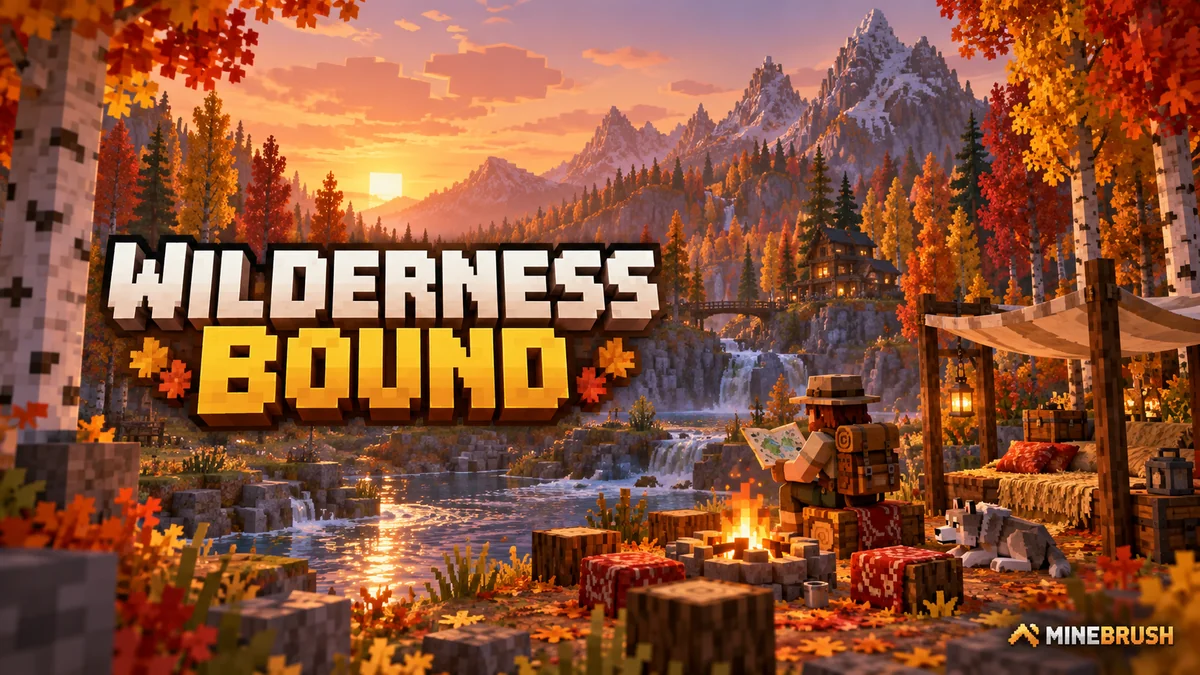
Explore Dappled Forest, follow abandoned-camp maps and sleep on straw beds without moving your home spawn. Learn what Wilderness Bound adds in Java 26.3 and Bedrock 26.50, with camping steps, building ideas and official images.
- Game released
- Java
- 26.3 · Stable
- Bedrock
- 26.50 · Stable
Focus Exploration, camping and building
Topic Camps, maps and building
Back up before updating
Java + Bedrock · Release
Wilderness Bound
Explore Dappled Forest, follow abandoned-camp maps and sleep on straw beds without moving your home spawn. Learn what Wilderness Bound adds in Java 26.3 and Bedrock 26.50, with camping steps, building ideas and official images.
Back up before updating
- Update type
- Major release
- Release channel
- Java & Bedrock
- Official release date
- 2026-09-15
- World safety
- Back up before updating
- Player impact
- Exploration, camping and building
- Platform family
- Cross-edition
- Touch readiness
- Yes
- Resource type
- Update
- Last verified at
- Sep 18, 2026
- Update state
- current
- Compatibility confidence
- Source claimed
- Bedrock version/build
- 26.50
- Edition applicability
- Java + Bedrock
- Java version/build
- 26.3
- Shared update topic
- Camps, maps and building
- Delivery state
- No file
- Lifecycle state
- Current
- Java update channel
- Stable
- Bedrock update channel
- Stable
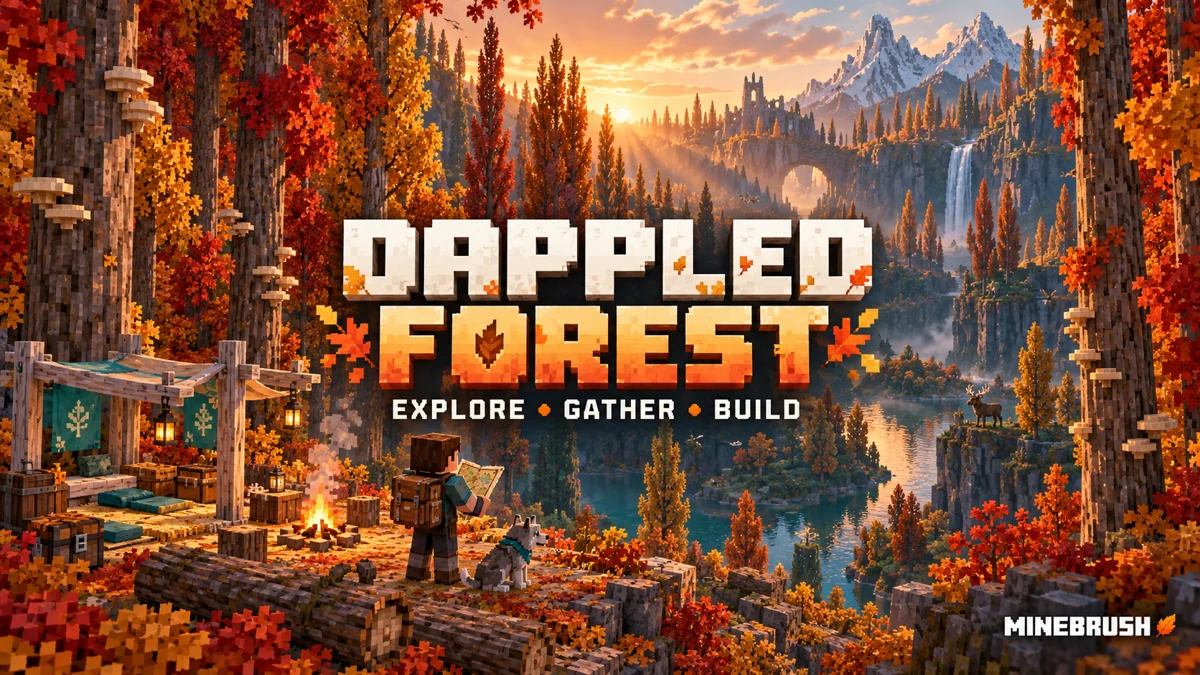
Find Dappled Forest, grow poplar and shelf mushrooms, follow camp maps and build a useful woodland retreat. Straw beds, cushions, Java–Bedrock differences and a first-trip plan, with official images.
- Topic
- Wilderness Bound
- Scope
- None
- Evidence
- None
MineBrush · News
Dappled Forest
Find Dappled Forest, grow poplar and shelf mushrooms, follow camp maps and build a useful woodland retreat. Straw beds, cushions, Java–Bedrock differences and a first-trip plan, with official images.
- Compatibility confidence
- Source claimed
- Edition applicability
- Java + Bedrock
- News topic
- Wilderness Bound
- Delivery state
- No file
- Lifecycle state
- Current
- News evidence type
- Official Minecraft source
See farther on Realms without confusing viewing distance with active farms. Snapshot 9 explained through practical Realm settings, Endermen in boats, Mac controls and everyday fixes—with real interface images and the route to stable Java 26.3.
- Java
- 26.3 Snapshot 9
- Release type
- Snapshot
- Game released
Focus Realms viewing and simulation distance; Endermen in vehicles; Mac controls; everyday fixes
Testing only — use a separate world
Java · Snapshot
Java 26.3 Snapshot 9
See farther on Realms without confusing viewing distance with active farms. Snapshot 9 explained through practical Realm settings, Endermen in boats, Mac controls and everyday fixes—with real interface images and the route to stable Java 26.3.
Testing only — use a separate world
- Minecraft version
- 26.3 Snapshot 9
- Game edition
- Java Edition
- Update type
- Snapshot / Preview
- Release channel
- Java Snapshot
- Official release date
- 2026-08-17
- World safety
- Testing only — use a separate world
- Player impact
- Realms viewing and simulation distance; Endermen in vehicles; Mac controls; everyday fixes
- Platform family
- Java PC
- Last verified at
- Sep 16, 2026
- Update state
- historical
- Compatibility confidence
- Source claimed
- Edition applicability
- Java
- Delivery state
- No file
- Lifecycle state
- Superseded
Player discussion 0
Questions, discoveries and help from other players.