
MineBrush publication
Crossbattle 5.7 for Minecraft Bedrock: Weapons, Reloading & Arena Guide
Build a custom Bedrock arena with Crossbattle 5.7. Download the weapons and optional decorations, learn aiming and automatic reloads, and prepare matching magazines and Medkits for your first round.
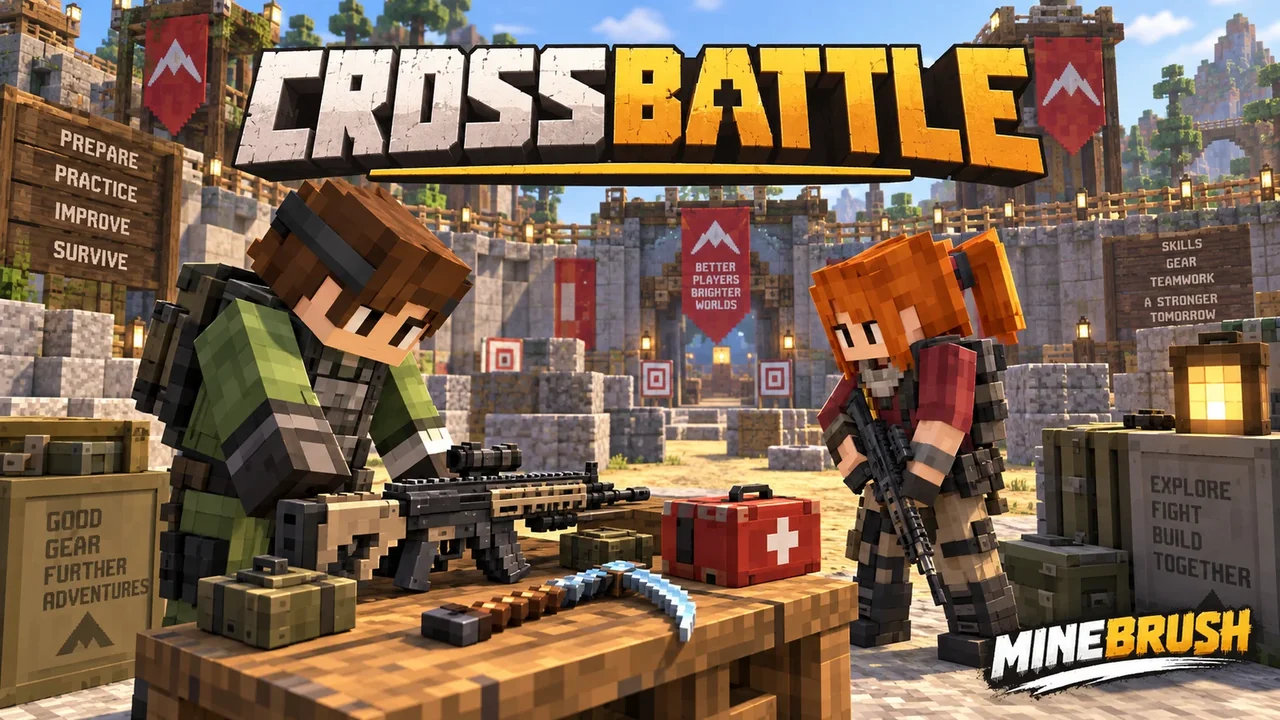
Crossbattle adds a compact set of 3D weapons, a throwable knife, a mining icepick and a first-aid kit to Minecraft Bedrock. InSaRe’s port takes its inspiration from Nazzy’s Java project. Its strongest use is as a toolkit for a custom arena or a combat-themed world you build yourself.
Know what you are installing: the main add-on supplies the equipment. The separate Crossbattle Blocks pack supplies decorative objects for map building; it does not create a complete match mode, economy or objective system.
Choose the right pack
| Pack | What it adds | Choose it for |
|---|---|---|
| Crossbattle | Weapons, tools, first-aid kit, claymore and barricade models. | A combat-themed world or equipment for a custom map. |
| Crossbattle Blocks | Additional decorative blocks shown in the creator’s preview. | Building the look of an arena, supply room or objective area. |
This download is Crossbattle 5.7. Its package requires Bedrock 1.21.130 or newer to import. That minimum does not guarantee compatibility with every later game update. The creator’s public equipment images below are from the earlier 5.2 page; the controls and magazine sizes in this guide were checked against the supplied 5.7 files.
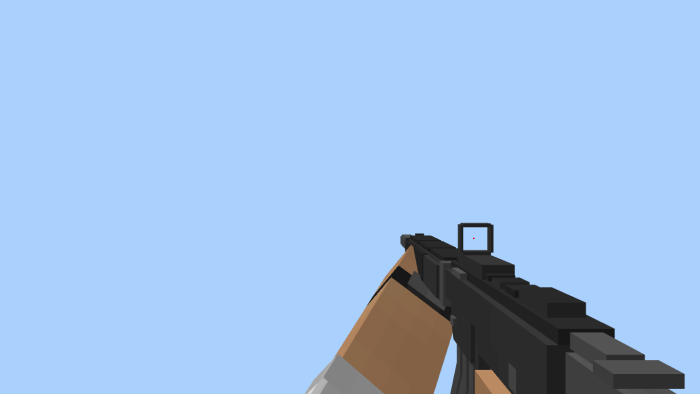
Weapons and useful equipment
| Item | Confirmed function | A way to use it in your own session |
|---|---|---|
| FNX45 | Pistol. | Build a pistol-only round with an agreed loadout. |
| HK416 | Automatic rifle. | Use it as one weapon option in a custom combat arena. |
| L115A3 | Rifle with a 3D model. | Include it in a target range where players can compare the available equipment. |
| MP9 | Submachine gun. | Offer an alternative loadout for a short arena round. |
| Icepick | Can mine ore. | Give players a mining tool in a world that mixes resource gathering and combat. |
| Knife | Can be thrown. | Use a separate practice area to learn its behavior before a match. |
| First-aid kit | Applies regeneration when used. | Keep a recovery item in your loadout; agree on healing rules before playing competitively. |
The suggested rounds are ideas for your own map. Crossbattle does not automatically build those arenas or enforce those rules for you.

Get weapons, aim and reload
Start in Creative and search the Equipment inventory. Version 5.7 includes no crafting recipes, so do not plan a survival crafting progression around this pack. For a custom game, place weapons and matching magazines in supply chests before switching players to Survival.
| Action | What to do |
|---|---|
| Fire | Hold the weapon and use the item: normally right-click on mouse controls, or your device’s Use control. |
| Aim | Sneak while holding the weapon. Leave the water first: the scope system exits while you are in water. |
| Reload | Keep the matching magazine in your inventory. The weapon’s empty-ammunition state triggers a reload and consumes one matching magazine; it does not use a universal ammo item. |
| Heal | Hold Use with the Medkit until its progress finishes—about three seconds at normal game speed. It consumes a kit and applies Regeneration II for five seconds. Releasing early cancels the attempt. |
| Throw the knife | Use the Knife item. Practise in a clear lane before playing with friends. |
| Weapon | Matching supply | Magazine capacity |
|---|---|---|
| FNX45 | FNX45 Mag | 20 |
| MP9 | MP9 Mag | 20 |
| HK416 | HK416 Mag | 30 |
| L115A3 | L115A3 Mag | 5 |
Practical first round: give each player an FNX45, two FNX45 magazines and one Medkit, with the same armor for everyone. After learning the reload and healing cycle, add a second weapon choice. This is a suggested house rule, not a built-in Crossbattle mode.
Build a small session before a large arena
- Start with a separate world. Activate the matching behavior and resource packs, then check that the items appear with their models.
- Make a simple practice lane. Try one weapon at a time before mixing loadouts, enemies and complicated objectives.
- Keep equipment consistent. For a friendly competition, agree on the allowed weapons and healing items so the round is easy to understand.
- Add a reset area. Keep spare supplies and an agreed place to start the next round.
- Expand only after the basics work. Add paths, visual cover and objectives one at a time so you can identify what caused a problem.
For survival builders: the icepick and regeneration item are practical additions beyond the gun models. Supply the equipment yourself when setting up the world; this release has no crafting recipes.

What the decorative blocks do
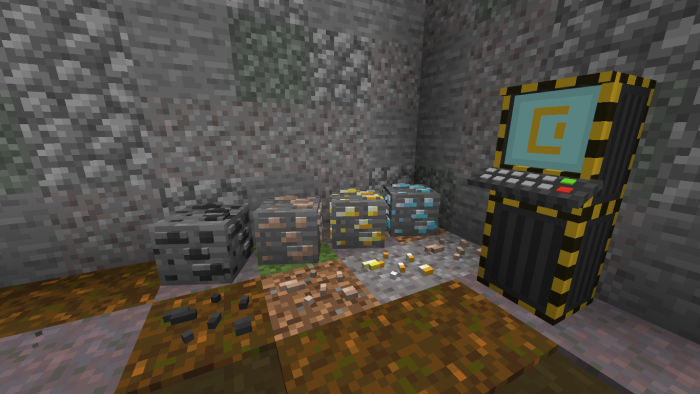
The optional Blocks pack is useful for visual storytelling: furnish an equipment room, mark a planned objective or give an arena a consistent theme. The creator explicitly says those blocks have no built-in gameplay functionality. A terminal-shaped object therefore should not be treated as a working shop, scoreboard or capture objective.
If you want a complete game mode, you must supply its rules and logic separately. Keep decorative props distinct from functional objectives so players know what they can actually interact with.
Download Crossbattle 5.7
Main pack: weapons, equipment and their models. Import the MCADDON and activate both included packs.
Optional: decorative blocks for your own builds. This is not required for the main equipment pack.
Install matching behavior and resource packs
- Use Bedrock 1.21.130 or newer for the supplied 5.7 package. Keep the behavior and resource packs from that same archive, and start in a separate world.
- Open the supplied MCADDON or MCPACK with Minecraft and wait for the import message.
- Open the settings for your chosen world. Activate the Crossbattle behavior and resource packs together.
- Add the optional Blocks pack only if you want its decorative objects.
- Enter the world and inspect the equipment before starting a long session. Leave unrelated player-animation and weapon add-ons disabled while checking the initial setup.
This is a Bedrock port. A Java JAR or the original Java map is not a substitute for the Bedrock packs.
Fix the common setup mix-ups
- Models are missing or look wrong: check that the resource pack is active and matches the behavior pack’s release.
- Items appear but do not behave correctly: check the behavior pack and use a clean world to separate a pack issue from a conflict.
- The decorative terminal does nothing: that is expected for the optional Blocks pack. It supplies the appearance, not the game logic.
- A weapon does not reload: check the magazine name, keep it in your inventory, and allow the empty-weapon reload animation to finish.
- Another add-on breaks the equipment: Crossbattle changes player behavior and animations. Check it without other weapon, movement or player-animation packs first; enabling unrelated experiments is not a substitute for a compatible setup.
More for your Bedrock world.

Find the Bedrock update that matters to your world or device. Explore stable releases, practical game-drop guides, platform-specific fixes and a separate Beta/Preview archive.
- Coverage
- 2023–2026
- Edition
- Bedrock Edition
- Versions
- Bedrock 1.20.30–26.51
Bedrock · Update history
Bedrock Update History
Find the Bedrock update that matters to your world or device. Explore stable releases, practical game-drop guides, platform-specific fixes and a separate Beta/Preview archive.
Back up before updating
- Minecraft version
- Bedrock 1.20.30–26.51
- Game edition
- Bedrock Edition
- Update type
- Unknown / not stated
- Release channel
- Bedrock Edition
- World safety
- Back up before updating
- Player impact
- Find a useful release, platform fix or practical game-drop guide
- Platform family
- Bedrock & Mobile
- Supported devices
- Windows, consoles and mobile; patch availability varies
- Touch readiness
- Yes
- Last verified at
- Sep 17, 2026
- Update state
- current
- Compatibility confidence
- Source claimed
- Card delivery statement
- Player guides and official release notes
- Edition applicability
- Bedrock
- Bedrock enrollment route
- Preview app
- Delivery state
- No file
- Lifecycle state
- Current
- History coverage
- 2023–2026
Find what changed in Minecraft Java from 2023 to 2026, choose your next survival project and follow practical update guides. Stable releases and test builds are clearly separated.
- Coverage
- 2023–2026
- Edition
- Java Edition
- Versions
- Java 1.20.2–26.3
Java · Update history
Java Update History
Find what changed in Minecraft Java from 2023 to 2026, choose your next survival project and follow practical update guides. Stable releases and test builds are clearly separated.
Back up before updating
- Minecraft version
- Java 1.20.2–26.3
- Game edition
- Java Edition
- Update type
- Unknown / not stated
- Release channel
- Java Edition
- World safety
- Back up before updating
- Player impact
- Find a feature, choose a project and check the right release
- Platform family
- Java PC
- Last verified at
- Sep 17, 2026
- Update state
- current
- Compatibility confidence
- Source claimed
- Card delivery statement
- Player guides and official release notes
- Edition applicability
- Java
- Delivery state
- No file
- Lifecycle state
- Current
- History coverage
- 2023–2026

Find trial chambers, beat the breeze, match keys to vaults and prepare for ominous trials. Learn mace and wind-charge tricks, build your first crafter and put copper, tuff and dungeon rewards to use.
- Game released
- Java
- 1.21 · Stable
- Bedrock
- 1.21 · Stable
Focus Trial chambers, vault rewards, mace combat, wind charges and automatic crafting
Topic Tricky Trials
Install Included in the official game update
Back up before updating
Java + Bedrock · Release
Tricky Trials
Find trial chambers, beat the breeze, match keys to vaults and prepare for ominous trials. Learn mace and wind-charge tricks, build your first crafter and put copper, tuff and dungeon rewards to use.
Back up before updating
- Update type
- Major release
- Release channel
- Unknown / not stated
- Official release date
- 2024-06-13
- World safety
- Back up before updating
- Player impact
- Trial chambers, vault rewards, mace combat, wind charges and automatic crafting
- Platform family
- Cross-edition
- Supported devices
- Java: Windows, macOS, Linux. Bedrock: supported Windows, mobile and console devices.
- Install format
- Included in the official game update
- Touch readiness
- Not required
- Resource type
- Update
- Last verified at
- Sep 18, 2026
- Update state
- historical
- Compatibility confidence
- Source claimed
- Bedrock version/build
- 1.21
- Card delivery statement
- Included in the official game update
- Edition applicability
- Java + Bedrock
- Java version/build
- 1.21
- Shared update topic
- Tricky Trials
- Delivery state
- No file
- Lifecycle state
- Superseded
- Java update channel
- Stable
- Bedrock update channel
- Stable
Uncover archaeology finds, hatch a sniffer, ride a camel with a friend and customize your armor. A practical Trails & Tales guide with build ideas, original Mojang screenshots and clear steps for Java and Bedrock.
- Game released
- Java
- 1.20 · Stable
- Bedrock
- 1.20.0 · Stable
Focus Archaeology, sniffers, camels, armor trims and creative building ideas
Topic Exploration, archaeology and creative building
Install Included in the official game update
Back up before updating
Java + Bedrock · Release
Trails & Tales
Uncover archaeology finds, hatch a sniffer, ride a camel with a friend and customize your armor. A practical Trails & Tales guide with build ideas, original Mojang screenshots and clear steps for Java and Bedrock.
Back up before updating
- Update type
- Major release
- Release channel
- Unknown / not stated
- Official release date
- 2023-06-07
- World safety
- Back up before updating
- Player impact
- Archaeology, sniffers, camels, armor trims and creative building ideas
- Platform family
- Cross-edition
- Supported devices
- Java: Windows, macOS and Linux. Bedrock: supported PCs, consoles and mobile devices.
- Install format
- Included in the official game update
- Touch readiness
- Not required
- Resource type
- Update
- Last verified at
- Sep 16, 2026
- Update state
- historical
- Compatibility confidence
- Source claimed
- Bedrock version/build
- 1.20.0
- Card delivery statement
- Included in the official game update
- Edition applicability
- Java + Bedrock
- Java version/build
- 1.20
- Shared update topic
- Exploration, archaeology and creative building
- Delivery state
- No file
- Lifecycle state
- Superseded
- Java update channel
- Stable
- Bedrock update channel
- Stable
Player discussion 0
Questions, discoveries and help from other players.