
MineBrush publication
Cracker’s Wither Storm 0.4.8.5 for Minecraft Bedrock: Summon & Survival Guide
Prepare for a world-consuming chase with Cracker’s Wither Storm Bedrock Port 0.4.8.5. Learn the starting summon, escape preparation, required experiments and the unfinished features to avoid.
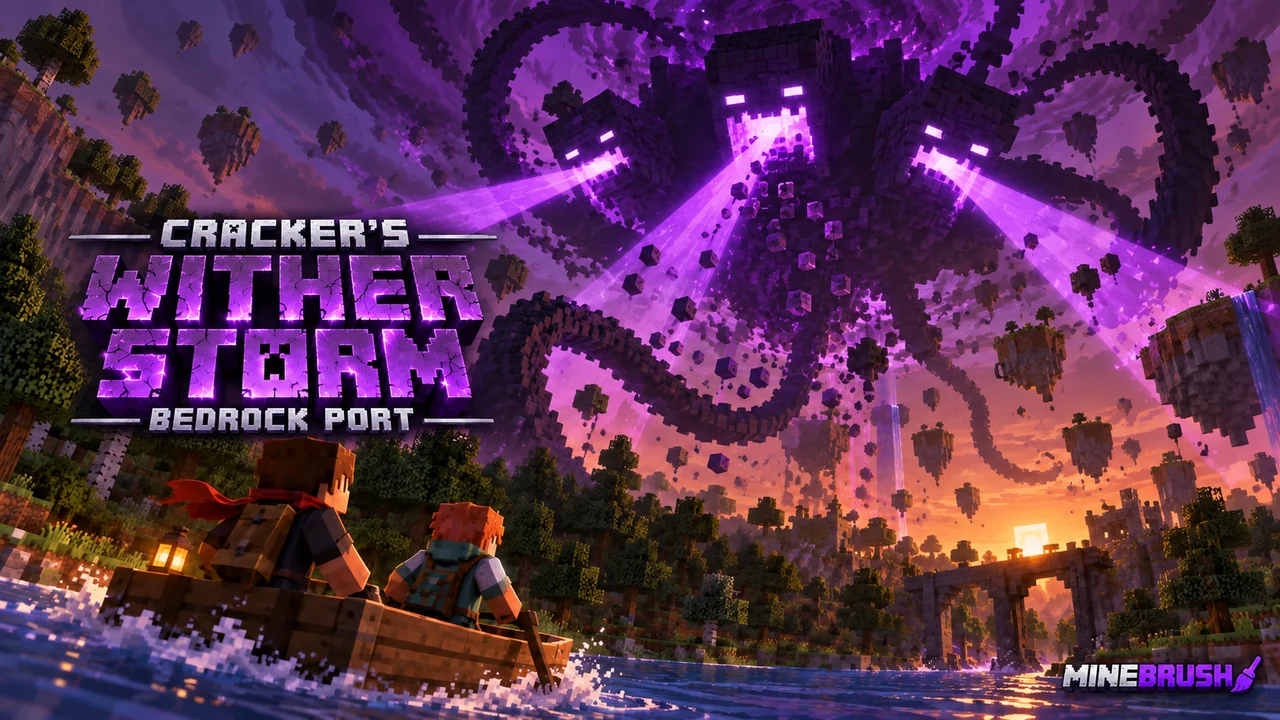
Cracker’s Wither Storm: Bedrock Port turns a survival world into a moving disaster. Summon the storm, prepare an escape and keep gathering supplies while it absorbs the landscape and grows. This is Decayed Team’s Bedrock adaptation of nonamecrackers2’s Java mod, with its own release requirements and unfinished features.
Use a separate adventure world. The storm can tear up terrain and consume mobs. Choose it for an escape-and-survival challenge, rather than adding it casually to the only copy of a long-term building world.
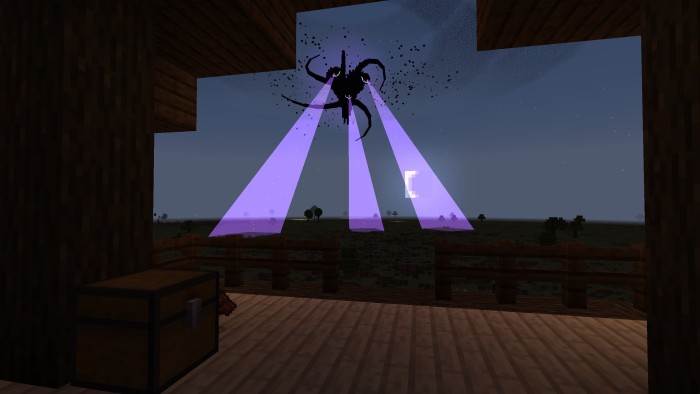
Before summoning: the essentials
| Check | What you need to know |
|---|---|
| Release covered | Bedrock port 0.4.8.5, also called Hotfix 5. |
| Required experiments | Upcoming Creator Features and Beta APIs, as specified by the current author release. |
| Device | The creator recommends a powerful device and warns about lag on weaker hardware. |
| World | A disposable adventure world or a copy you are willing to change. |
| Unfinished area | The bowels prototype remains buggy; the creator does not recommend using it yet. |
The current release post does not name a precise Minecraft build. Do not treat an older 1.21 tag as proof of compatibility with every later Bedrock update.
Find the starting structure and summon the storm
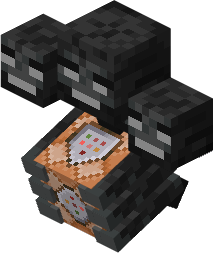
The team’s published starting guide places a Rundown House at X: 0, Z: 0. Its appearance varies with the biome. Look for the incomplete Wither-shaped arrangement with a command block in the center.
- Prepare before touching the last skull. Gather food, basic tools and armor, and plan how to leave the area.
- Find the central command block. This is the important difference from an ordinary Wither arrangement.
- Place the final Wither skull above it. In the author’s starting sequence, this begins phase 0.
- Leave promptly. The published guide gives about 50 seconds to escape the initial spawn. Treat this as a short head start, not time to finish your entire base.
These starting steps come from the team’s 0.4.x guide. If the house or spawn sequence is missing, check the installed release and active packs before trying commands from a Java tutorial.
Survive the chase instead of defending one house
The storm grows by absorbing its surroundings. It can pick up groups of blocks, consume and corrupt mobs, and track players. The team also describes chunk loading: moving away is not a reliable way to freeze its progress.
- Keep your next meal and tools with you. A distant storage room is little help if the storm cuts off your route back.
- Plan transport. A boat is useful when your escape route reaches water; choose equipment for the terrain ahead.
- Build small temporary shelters. Spend early resources on survival and movement rather than an elaborate house the storm can destroy.
- Watch its attention. The author describes periods when it turns away or becomes distracted. Use that time to put distance between you and the danger.
- Keep an exit from a stopover. Avoid turning a supply stop into a dead end with only one slow route out.
For a group challenge, agree on a meeting point and divide preparation: one player gathers food, another prepares transport and another collects equipment. This is a suggested way to coordinate; it is not an automatic party-role system.
What changes as the storm grows?
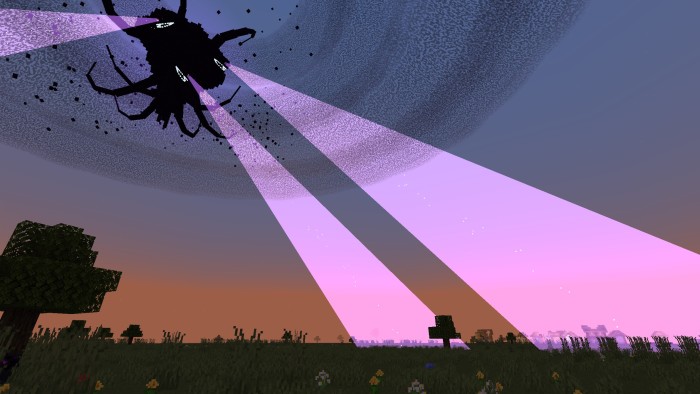
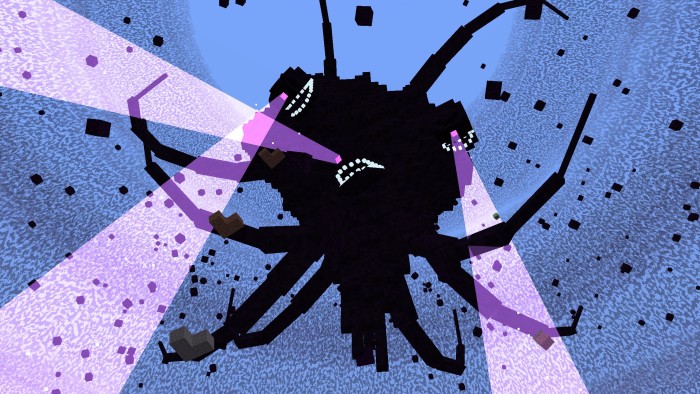
The small command-block creature is only the beginning. Later forms become much larger, with multiple heads, tentacles and beams. The practical consequence is a changing survival problem: a place that felt far away early on may no longer be a comfortable stopping point.
The gallery shows the team’s earlier 0.4.x release. It illustrates the storm’s appearance and scale; it does not establish that every visual detail is identical in Hotfix 5.
What Hotfix 5 changes
- Sickened mobs: they now attack nearby mobs, and mobs can be infected. Watch encounters around your escape route instead of treating every familiar animal as harmless.
- Sickness visuals: the old overlay was replaced with a particle effect.
- Wither potion fix: the issue preventing pumpkins from changing into tainted variants was corrected.
- Interface and visual fixes: the release includes UI corrections and fixes for client-side mob visuals.
The same post includes teasers for later work. Those previews are not a promise that the teased content is playable in 0.4.8.5.
Download WitherStorm 0.4.8.5
The author’s package includes both the behavior pack and resource pack. It is for Minecraft Bedrock; the author has not specified a precise supported game build for this hotfix. Read the experiment and device requirements above before importing it.
Install the Bedrock port
- Use the author’s CWSMBP_0.4.8.5.mcaddon package for this release.
- Open it with Minecraft Bedrock and wait for both components to import.
- Activate the corresponding behavior and resource packs in a separate world.
- Enable Upcoming Creator Features and Beta APIs, as directed by the release post.
- Start with the port’s resource pack above other packs while checking the visuals.
- Confirm the starting structure and equipment before summoning the storm.
The Java mod’s JAR is not the Bedrock download. Keep this port’s instructions and release files together rather than mixing them with another Wither Storm add-on.
Common problems and current limits
The storm looks like an Ender Dragon. The team’s troubleshooting guide explains that this port uses the dragon’s visual route. Another resource pack above it can restore the ordinary dragon appearance. Put the port’s resource pack first and check in a clean world.
The storm does not spawn. Check that the behavior pack is active, its resource pack matches, and both required experiments are enabled. Recheck the command block and final skull placement. Old release reports are not a reason to mix files from different hotfixes.
The world becomes very slow. The author explicitly warns about demanding hardware requirements. Lowering visual settings may help rendering, but does not remove the cost of the storm’s world simulation. Do not rely on a promised FPS number.
Can I play through the full internal boss area? The bowels remain a prototype in the current release, and the creator warns against using that unfinished area. This guide covers setup and the survival opening, not a verified complete final-boss walkthrough.
Is it identical to the Java mod? It aims to reproduce the experience, but it is a separate Bedrock project. Follow the port’s release notes for its actual limits.
More for your Bedrock world.

Understand Minecraft 26, tell normal releases from test builds, and choose the right version for friends, servers and mods. Clear Java and Bedrock examples without the technical clutter.
- Topic
- Choosing your Minecraft version
- Scope
- None
- Evidence
- Official Minecraft sources · checked 9 Sep 2026
A shared “26” prefix never proves cross-edition compatibility.
MineBrush · News
Minecraft Versions Made Simple
Understand Minecraft 26, tell normal releases from test builds, and choose the right version for friends, servers and mods. Clear Java and Bedrock examples without the technical clutter.
A shared “26” prefix never proves cross-edition compatibility.
- Compatibility confidence
- Source claimed
- Card evidence statement
- Official policy and indexes checked 9 Sep 2026; client display NOT_OBSERVED.
- Card delivery statement
- Choose a version for everyday play or testing
- Card limitation note
- A shared “26” prefix never proves cross-edition compatibility.
- Edition applicability
- Java + Bedrock
- News topic
- Choosing your Minecraft version
- Public news evidence label
- Official Minecraft sources · checked 9 Sep 2026
- Delivery state
- No file
- Lifecycle state
- Current
- News evidence type
- Official Minecraft source
CubeCraft offers EggWars teamwork, quick SkyWars fights, unpredictable Lucky Islands and lasting Skyblock projects. Choose the right Java or Bedrock route, invite friends and start with a clear plan.
- Edition
- Java + Bedrock
- Modes
- Minigames
- Region
- None
Choose the same edition as your friends
Minecraft · Server
CubeCraft
CubeCraft offers EggWars teamwork, quick SkyWars fights, unpredictable Lucky Islands and lasting Skyblock projects. Choose the right Java or Bedrock route, invite friends and start with a clear plan.
Choose the same edition as your friends
- Minecraft version
- Java 1.21.8+ · Bedrock 1.21.120+
- Game edition
- Cross-edition
- Loader / platform
- Not applicable
- License
- CubeCraft rules and terms
- Server address
- play.cubecraft.net
- Server modes
- Minigames
- Platform family
- Cross-edition
- Supported devices
- Java on PC/Mac; Bedrock on Windows, mobile and consoles
- Install format
- Java server address or Bedrock Featured Servers
- Touch readiness
- Not required
- Resource type
- Server
- Last verified at
- Sep 14, 2026
- Compatibility confidence
- Source claimed
- Card evidence statement
- Official CubeCraft guides and game updates
- Card delivery statement
- Join Java or Bedrock using the guide
- Card limitation note
- Choose the same edition as your friends
- Edition applicability
- Java + Bedrock
- Bedrock address copy availability
- Copy unavailable
- Java address copy availability
- Copy available
- Java server address
play.cubecraft.net- Delivery state
- No file
- Lifecycle state
- Current

Bring a Bedrock adventure, parkour course or survival map to Android, iPhone or iPad. Find the download, import the world or template, start playing and keep your progress separate from the original file.
- Edition
- Bedrock Edition
- Difficulty
- Intermediate
- Time
- None
Keep your progress separate from the original map
MineBrush · Guide
Import Bedrock Maps on Mobile
Bring a Bedrock adventure, parkour course or survival map to Android, iPhone or iPad. Find the download, import the world or template, start playing and keep your progress separate from the original file.
Keep your progress separate from the original map
- Game edition
- Bedrock Edition
- Platform family
- Bedrock & Mobile
- Supported devices
- Android / iPhone / iPad
- Install format
- .mcworld / .mctemplate
- Touch readiness
- Check guide
- Resource type
- Guide
- Compatibility confidence
- Source claimed
- Card evidence statement
- Worlds, templates and first steps
- Card delivery statement
- Import and start playing
- Card limitation note
- Keep your progress separate from the original map
- Edition applicability
- Bedrock
- Guide difficulty
- Intermediate
- Delivery state
- No file
- Lifecycle state
- Current
WorldEdit Bedrock
0.11.0-beta.5 / 0.10.4Copy builds, replace materials and shape terrain with WorldEdit for Bedrock. Learn the wand, clipboard, brushes and undo, then choose the right download for a normal world, Windows Editor or dedicated server.
- Minecraft
- 26.10 minimum (beta); 1.21.130 (stable)
- Components
- Paired
- Package
- .mcaddon for worlds; .zip for dedicated servers
Beta APIs required. Start in a copied world.
Bedrock · Add-on
WorldEdit Bedrock
Copy builds, replace materials and shape terrain with WorldEdit for Bedrock. Learn the wand, clipboard, brushes and undo, then choose the right download for a normal world, Windows Editor or dedicated server.
Beta APIs required. Start in a copied world.
- Minecraft version
- 26.10 minimum (beta); 1.21.130 (stable)
- Game edition
- Bedrock Edition
- Loader / platform
- Bedrock
- License
- GPL-3.0-or-later
- Platform family
- Bedrock & Mobile
- Supported devices
- Windows · Android · iOS/iPadOS
- Install format
- .mcaddon for worlds; .zip for dedicated servers
- Touch readiness
- Check guide
- Resource type
- Add-on
- Project version
- 0.11.0-beta.5 / 0.10.4
- Last verified at
- Sep 15, 2026
- Compatibility confidence
- Source claimed
- Bedrock add-on packs
- Paired
- Bedrock add-on import route
- Import the normal .mcaddon; activate both packs and Beta APIs.
- Required experiments
- Required
- Card evidence statement
- Select, copy, replace and shape your builds
- Card delivery statement
- Normal add-on, Windows Editor and server packages
- Card limitation note
- Beta APIs required. Start in a copied world.
- Edition applicability
- Bedrock
- Delivery state
- Direct download
- Lifecycle state
- Current
Player discussion 0
Questions, discoveries and help from other players.