
MineBrush publication
Super Sky Block 1.0 for Minecraft Bedrock 26.40: SkyShop & Island Guide
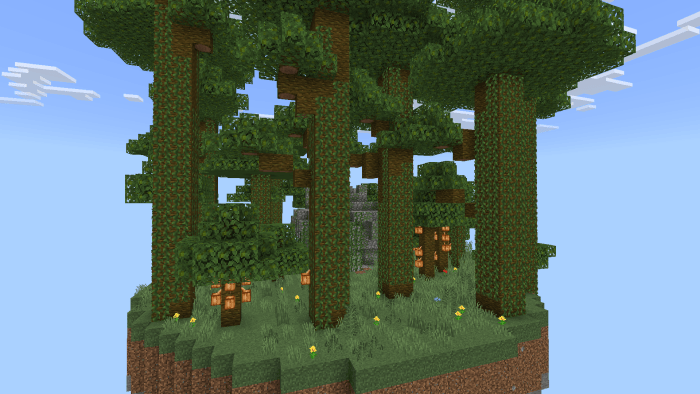
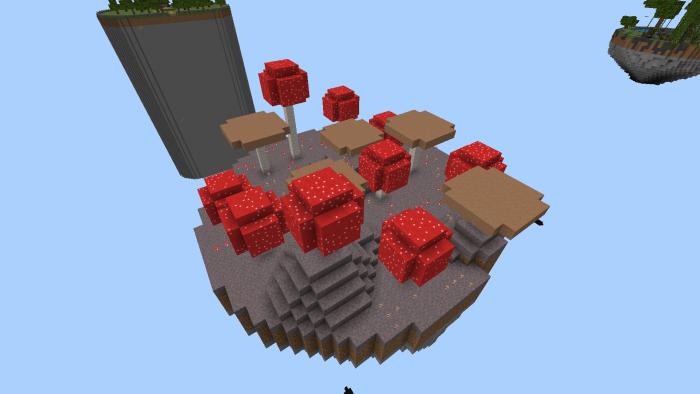
Explore jungle and mushroom islands, prepare for dangerous structures and develop your base with the SkyShop. Super Sky Block 1.0 for Bedrock 26.40 supports one to three players, with puzzles, traps and resources to discover.
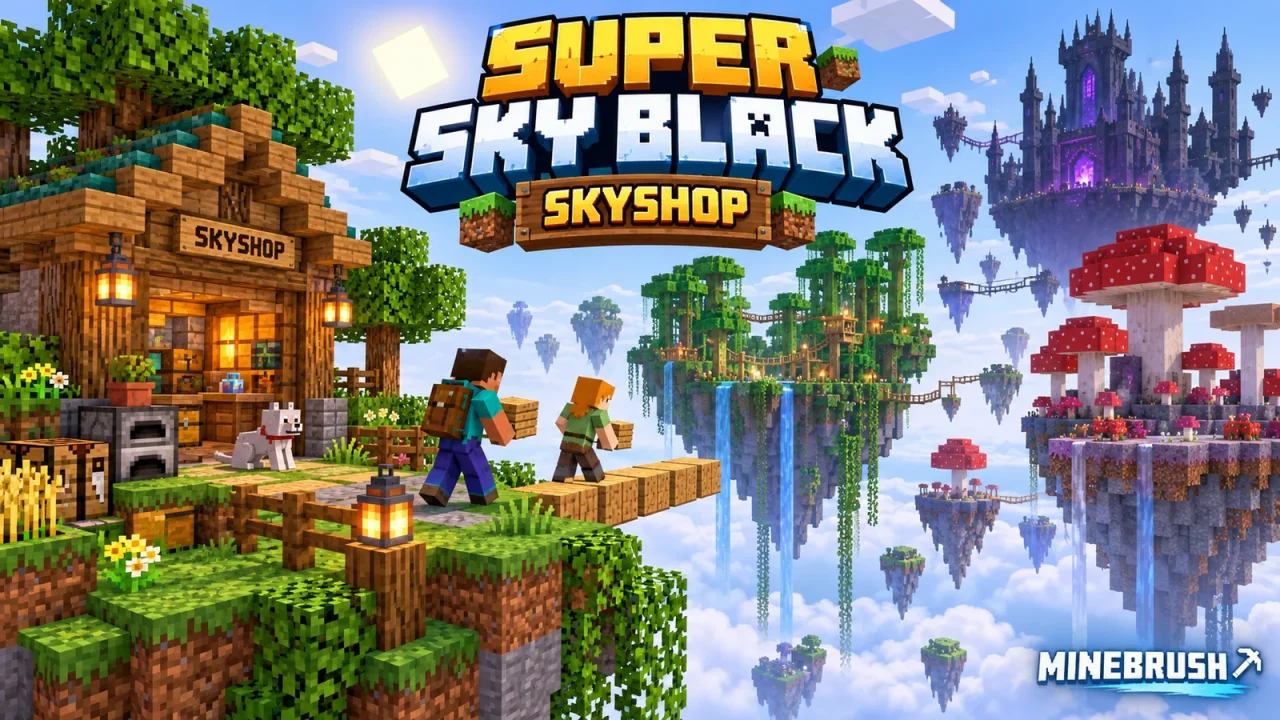
Super Sky Block — SkyShop turns a small sky-island start into an exploration campaign: travel to biome-themed islands, work through puzzles and dangerous areas, and use the SkyShop to obtain materials that help your base grow. Play alone or share the world with up to two friends.
Quick choice: choose this map if you want destinations to explore and a shop to work toward alongside classic SkyBlock building. Version 1.0 is a Bedrock world; the current release lists support through Bedrock 26.40.
What makes the map different?
- Multiple floating islands: exploration brings new environments, structures and resources.
- SkyShop progression: the shop provides useful items and materials as you develop your world.
- Challenges beyond building: the creator describes enemies, traps, puzzles and secrets throughout the map.
- A small-group adventure: the supported group size is one to three players.
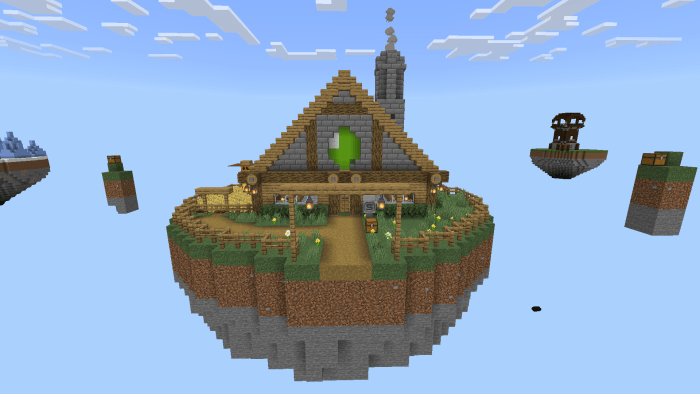
A practical plan for your first session
- Read the map’s opening instructions. Keep the supplied world settings and establish what you have before committing scarce materials.
- Make the starting area usable. Give yourself room to move and a place to keep supplies before attempting a long crossing.
- Check the SkyShop before spending. Inspect the actual offers in your imported world and identify something that solves your next problem: expanding, surviving a journey or preparing for a challenge.
- Choose one exploration goal. Prepare a return route and carry what you need for that trip, leaving spare resources at your base.
- Bring the useful finds home. Put newly obtained resources toward the next improvement instead of treating every island as a one-way trip.
That sequence is a suggested way to organize a first run.
Turn spare crops into island upgrades
The included shop uses emeralds. Version 1.0's bundled trade lists include these useful starting exchanges; check the trader's displayed offer before confirming a purchase.
| You give | You receive | Why it helps |
|---|---|---|
| 32 wheat, carrots or potatoes | 1 emerald | Sell a spare harvest while keeping food and enough crops to replant. |
| 1 emerald | 5 wheat seeds | Start or enlarge a wheat plot. |
| 1 emerald | 16 dirt | Add growing space to your home island. |
| 1 emerald | 16 stone | Buy blocks for paths and construction. |
| 5 emeralds | 1 carrot or potato | Begin another crop instead of immediately eating your first one. |
A simple progression loop: grow a surplus, trade a batch of 32 wheat for an emerald, then use that emerald for 16 dirt to expand the farm. Keep your food and replanting supplies separate from the stack you plan to sell. These examples come from the supplied world's trade definitions; they are not a timed farming test.
Explore without losing your progress to a rushed crossing
- Secure the route before carrying valuables. Give important paths enough room for movement and add protection at exposed edges where you can.
- Keep reserve supplies at home. Losing a trip should not mean losing everything needed to try again.
- Look before entering a structure. The map includes traps and enemies; a building is not automatically a safe rest stop.
- Pay attention to puzzle clues. Work through the map’s own instructions instead of breaking the surroundings to bypass an obstacle.
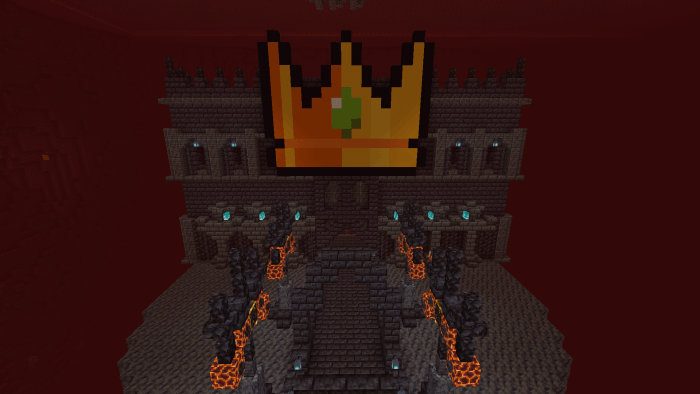
Playing with two or three people
The creator supports up to three players. One person can develop the home base while another prepares routes and a third gathers resources or investigates the next destination. Swap roles whenever you want; this is a way to coordinate your group, not a class system in the map.
Keep shared supplies organized and agree before spending resources intended for the next trip. When crossing a narrow route together, leave space between players rather than crowding the same edge.
Download Super Sky Block 1.0
This complete Bedrock world includes its SkyShop packs and resources. Import it as a new world; you do not need to find the traders in a separate add-on.
Install Super Sky Block 1.0
- Download super_sky_block_1.0.mcworld.
- Open the file with Minecraft Bedrock and wait for the import to finish.
- Open your Worlds list and select Super Sky Block — SkyShop.
- Keep the included Super Sky Shop behavior and resource packs active: they supply the custom traders. The world also includes Explorer Pack and Colourful Containers resources.
- Keep an untouched copy for a fresh run and back up a played world before opening it in a newer game release.
On mobile, use your file manager’s Open with or Share option to send the world to Minecraft if tapping the file does not import it. On Windows, open the .mcworld file with the Bedrock edition of Minecraft.
Compatibility and common questions
Which release is covered? Map version 1.0. The official file lists Bedrock 26.0, 26.0.02, 26.3, 26.10, 26.11, 26.12, 26.13, 26.20, 26.30 and 26.40. These are the author’s release entries; MineBrush has not play-tested every version.
Can four people join? The published support limit is three. Plan around that limit rather than assuming the challenges will behave correctly with a larger group.
Do I install it into an existing survival world? No. The download is a complete world, imported as its own entry in the Worlds list.
Does it work in Java Edition? This .mcworld release is for Bedrock. It is not a Java map download.
The import failed — what first? Confirm that the downloaded file is the complete .mcworld archive, that it is being opened with Bedrock, and that your device has enough free storage. Keep your existing played world while checking a fresh import.
More for your Bedrock world.

Find the Bedrock update that matters to your world or device. Explore stable releases, practical game-drop guides, platform-specific fixes and a separate Beta/Preview archive.
- Coverage
- 2023–2026
- Edition
- Bedrock Edition
- Versions
- Bedrock 1.20.30–26.51
Bedrock · Update history
Bedrock Update History
Find the Bedrock update that matters to your world or device. Explore stable releases, practical game-drop guides, platform-specific fixes and a separate Beta/Preview archive.
Back up before updating
- Minecraft version
- Bedrock 1.20.30–26.51
- Game edition
- Bedrock Edition
- Update type
- Unknown / not stated
- Release channel
- Bedrock Edition
- World safety
- Back up before updating
- Player impact
- Find a useful release, platform fix or practical game-drop guide
- Platform family
- Bedrock & Mobile
- Supported devices
- Windows, consoles and mobile; patch availability varies
- Touch readiness
- Yes
- Last verified at
- Sep 17, 2026
- Update state
- current
- Compatibility confidence
- Source claimed
- Card delivery statement
- Player guides and official release notes
- Edition applicability
- Bedrock
- Bedrock enrollment route
- Preview app
- Delivery state
- No file
- Lifecycle state
- Current
- History coverage
- 2023–2026
Find what changed in Minecraft Java from 2023 to 2026, choose your next survival project and follow practical update guides. Stable releases and test builds are clearly separated.
- Coverage
- 2023–2026
- Edition
- Java Edition
- Versions
- Java 1.20.2–26.3
Java · Update history
Java Update History
Find what changed in Minecraft Java from 2023 to 2026, choose your next survival project and follow practical update guides. Stable releases and test builds are clearly separated.
Back up before updating
- Minecraft version
- Java 1.20.2–26.3
- Game edition
- Java Edition
- Update type
- Unknown / not stated
- Release channel
- Java Edition
- World safety
- Back up before updating
- Player impact
- Find a feature, choose a project and check the right release
- Platform family
- Java PC
- Last verified at
- Sep 17, 2026
- Update state
- current
- Compatibility confidence
- Source claimed
- Card delivery statement
- Player guides and official release notes
- Edition applicability
- Java
- Delivery state
- No file
- Lifecycle state
- Current
- History coverage
- 2023–2026

Find trial chambers, beat the breeze, match keys to vaults and prepare for ominous trials. Learn mace and wind-charge tricks, build your first crafter and put copper, tuff and dungeon rewards to use.
- Game released
- Java
- 1.21 · Stable
- Bedrock
- 1.21 · Stable
Focus Trial chambers, vault rewards, mace combat, wind charges and automatic crafting
Topic Tricky Trials
Install Included in the official game update
Back up before updating
Java + Bedrock · Release
Tricky Trials
Find trial chambers, beat the breeze, match keys to vaults and prepare for ominous trials. Learn mace and wind-charge tricks, build your first crafter and put copper, tuff and dungeon rewards to use.
Back up before updating
- Update type
- Major release
- Release channel
- Unknown / not stated
- Official release date
- 2024-06-13
- World safety
- Back up before updating
- Player impact
- Trial chambers, vault rewards, mace combat, wind charges and automatic crafting
- Platform family
- Cross-edition
- Supported devices
- Java: Windows, macOS, Linux. Bedrock: supported Windows, mobile and console devices.
- Install format
- Included in the official game update
- Touch readiness
- Not required
- Resource type
- Update
- Last verified at
- Sep 18, 2026
- Update state
- historical
- Compatibility confidence
- Source claimed
- Bedrock version/build
- 1.21
- Card delivery statement
- Included in the official game update
- Edition applicability
- Java + Bedrock
- Java version/build
- 1.21
- Shared update topic
- Tricky Trials
- Delivery state
- No file
- Lifecycle state
- Superseded
- Java update channel
- Stable
- Bedrock update channel
- Stable
Explore Dappled Forest, follow abandoned-camp maps and sleep on straw beds without moving your home spawn. Learn what Wilderness Bound adds in Java 26.3 and Bedrock 26.50, with camping steps, building ideas and official images.
- Game released
- Java
- 26.3 · Stable
- Bedrock
- 26.50 · Stable
Focus Exploration, camping and building
Topic Camps, maps and building
Back up before updating
Java + Bedrock · Release
Wilderness Bound
Explore Dappled Forest, follow abandoned-camp maps and sleep on straw beds without moving your home spawn. Learn what Wilderness Bound adds in Java 26.3 and Bedrock 26.50, with camping steps, building ideas and official images.
Back up before updating
- Update type
- Major release
- Release channel
- Java & Bedrock
- Official release date
- 2026-09-15
- World safety
- Back up before updating
- Player impact
- Exploration, camping and building
- Platform family
- Cross-edition
- Touch readiness
- Yes
- Resource type
- Update
- Last verified at
- Sep 18, 2026
- Update state
- current
- Compatibility confidence
- Source claimed
- Bedrock version/build
- 26.50
- Edition applicability
- Java + Bedrock
- Java version/build
- 26.3
- Shared update topic
- Camps, maps and building
- Delivery state
- No file
- Lifecycle state
- Current
- Java update channel
- Stable
- Bedrock update channel
- Stable
Player discussion 0
Questions, discoveries and help from other players.