
MineBrush publication
Insta Farm 7.0.8 for Minecraft Bedrock 1.21.70: Build & Upgrade Farms
Build farms from supplied materials with Insta Farm 7.0.8 for Bedrock 1.21.70. Craft the Redstone Table, check the build area and use farm upgrades, with illustrated recipes and menus.
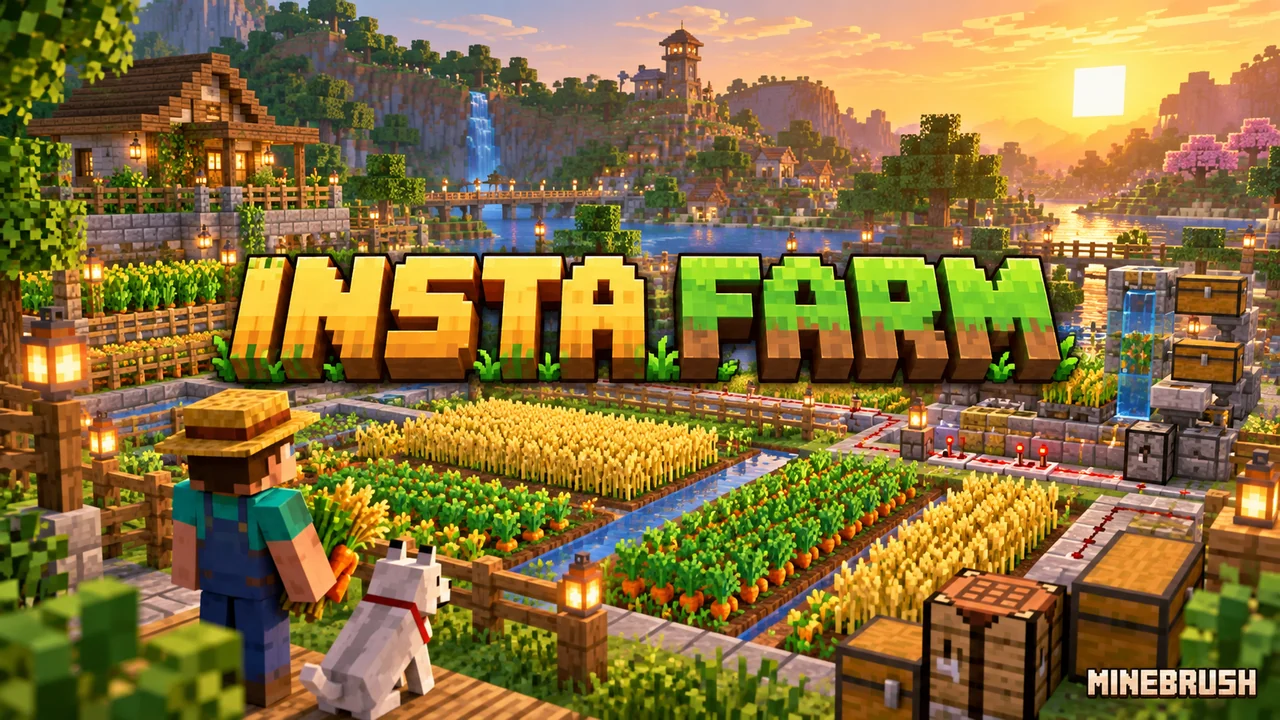
Build a farm without assembling every redstone circuit
Insta Farm turns farm construction into a short planning process: craft a farm block, check its footprint, supply the materials and press Build. It is useful when you want a working production area but do not want to copy a long block-by-block tutorial. The farms still need a suitable location and the right conditions to operate.
This guide covers Insta Farm 7.0.8. The creator’s Minecraft compatibility listing includes Bedrock 1.21.70. Compatibility with newer game releases has not been established here.
Craft the Redstone Table
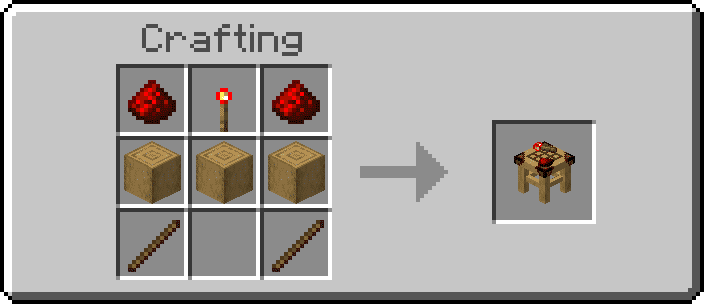
At a normal crafting table, place redstone dust in the top-left and top-right slots with a redstone torch between them. Fill the middle row with three stripped oak logs. Put sticks in the bottom-left and bottom-right slots; leave the bottom-centre slot empty.
Your first farm: the building sequence
- Make the Redstone Table. Craft it at a normal crafting table. It is the add-on’s workstation for farm blocks and items.
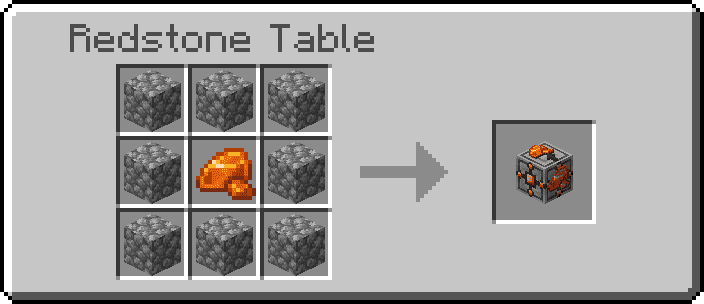
- Choose a farm. Farm recipes use a signature material surrounded by cobblestone. Choose the resource you actually need before spending materials.
- Place its farm block in a clear area. The block displays the space the structure will occupy. Check the full footprint, nearby buildings and access routes before continuing.
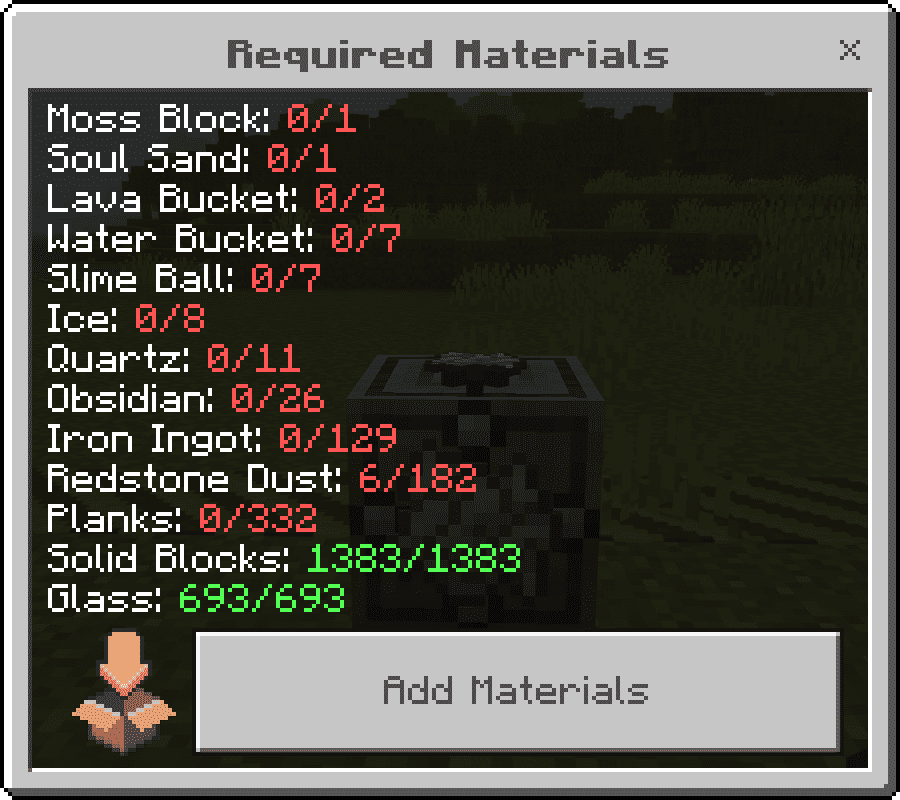
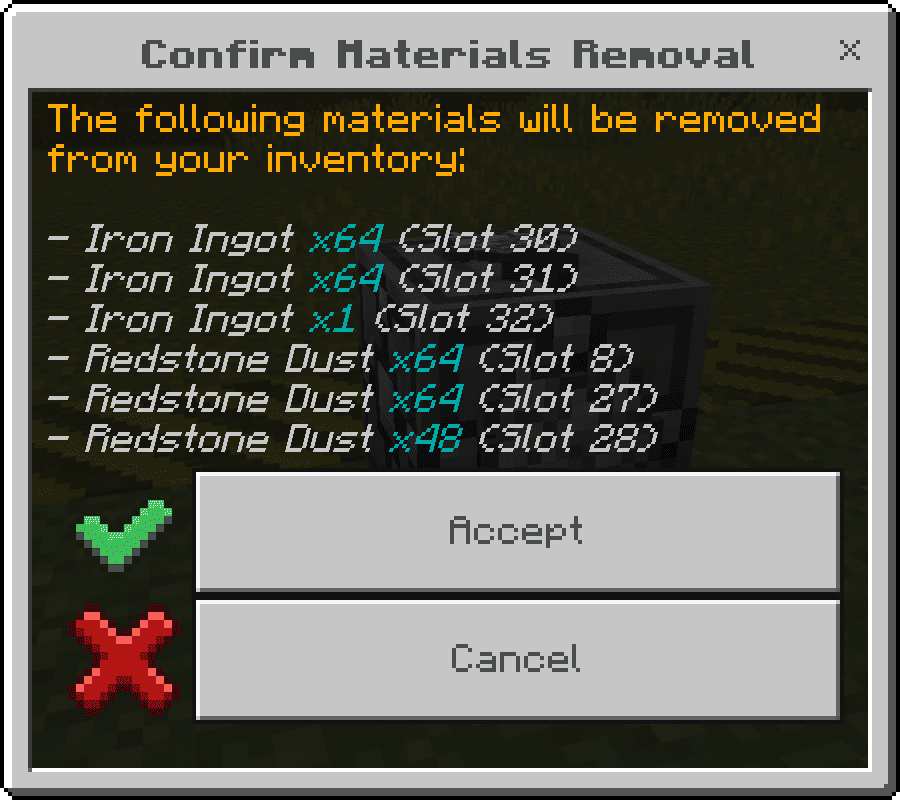
- Read the material list. Survival mode identifies missing supplies and tells you what will be removed from your inventory. Creative mode can fill the list instantly.
- Press Build when the list is complete. Construction plays an animation. Let it finish before starting another construction or upgrade.
- Check the finished farm. Find its collection point and any operating controls. A completed structure is not evidence that it can produce resources in every location.
Start in a copy of your world if you are placing a large structure near your base. Keep enough room around the preview for paths, storage and later expansion.
Which project should you build first?
| Your goal | What to look for | Plan before placing |
|---|---|---|
| Supply a building project | Crop farms or a farm for the specific material you consume | Reserve space for accessible storage rather than crowding every farm against your house. |
| Expand a resource district | Lava, ice, snow or resin options | Check the selected variant and its operating requirements in the guidebook. |
| Build a mob resource area | Raid, slime or trident options | Verify placement conditions first; spawning does not become location-independent because a structure was generated. |
| Learn how an automatic farm is arranged | A small farm in a Creative test world | Follow the path from production to collection before copying the idea into Survival. |
Upgrade a farm with the Farm Booster
Some farms have multiple levels. Use the Farm Booster to move to the next level, then inspect the new build zone and material requirements. The creator recommends waiting 10 seconds before building the next level.
Leave expansion room when placing the first level. Do not assume a higher level fits inside exactly the same footprint. For ice production, the add-on also includes a flying-machine variant; select the design that suits your available space.
Use the guidebook to control the experience
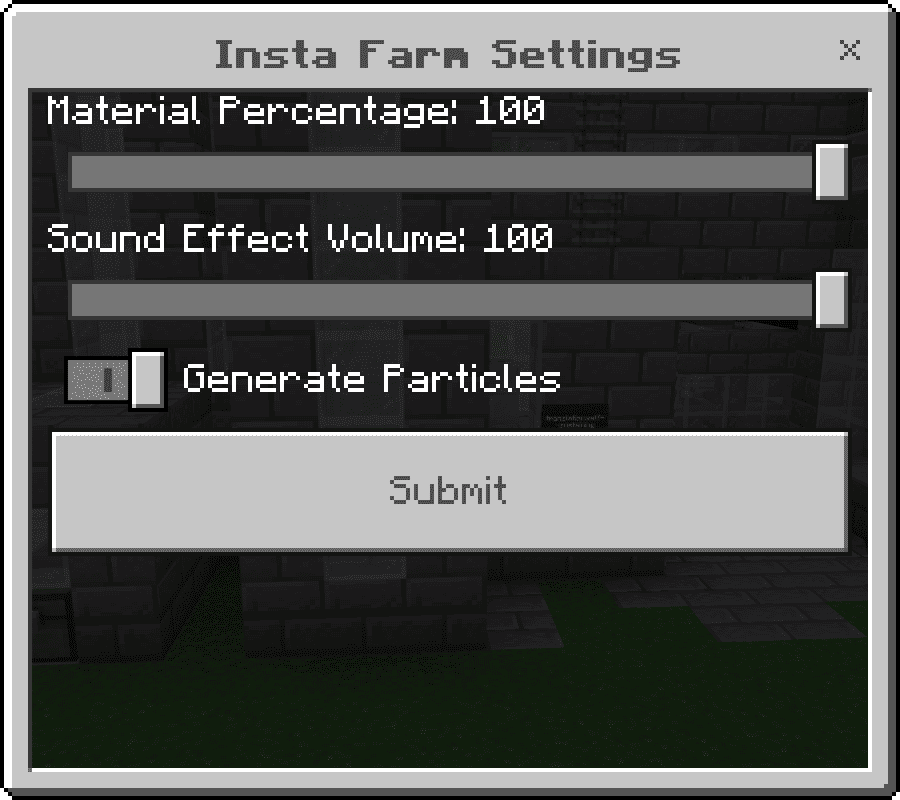
- Material requirements: adjust the material percentage to suit the world’s rules. A shared Survival world should agree on this setting before building.
- Sound: adjust effects if construction is too loud for your session.
- Particles: toggle construction effects to suit your preference.
- Farm categories and materials: consult these before collecting supplies.
Important differences from older tutorials
- No Marker Tool: the placed farm block now shows the construction area.
- No Builder Tool: use the Build button after supplying materials.
- No old Mega Farms category: normal farms now offer options and upgrade levels.
- Placement help: Witch and Froglight farms have holograms intended to guide positioning.
If a video asks you to craft the removed tools, its workflow does not match version 7.
Download Insta Farm 7.0.8
The MCADDON includes both the Behavior Pack and Resource Pack for Bedrock 1.21.70. Import the complete file, then activate both packs in the same world.
Seeing 7.0.7 in the pack menu? The creator left that older display name inside the 7.0.8 package. Both included packs carry version 7.0.8.
Install the add-on
- Open the downloaded .mcaddon with Minecraft Bedrock and wait for the import result.
- In your world’s settings, enable both the Behavior Pack and Resource Pack.
- Use a test world to check the Redstone Table and one small farm before changing an established base.
When a farm does not work
| What you see | What to check |
|---|---|
| The Build button is missing | Finish the material list. The button appears when the required supplies are complete. |
| An old tutorial mentions a builder or marker | Follow the version 7 workflow above instead. |
| The structure appears but produces nothing | Check the farm’s location, spawning or environmental requirements and collection setup. Do not replace the whole installation as the first step. |
| “This farm has no data” | The creator addressed this issue in 7.0.7. Check that you imported the newer 7.0.8 package and are not using an older duplicate. |
| Basalt bridge or tunnel maker fails on 1.21.70 | The creator lists these mechanisms as not working on that game version. Repeated rebuilding is not a confirmed fix. |
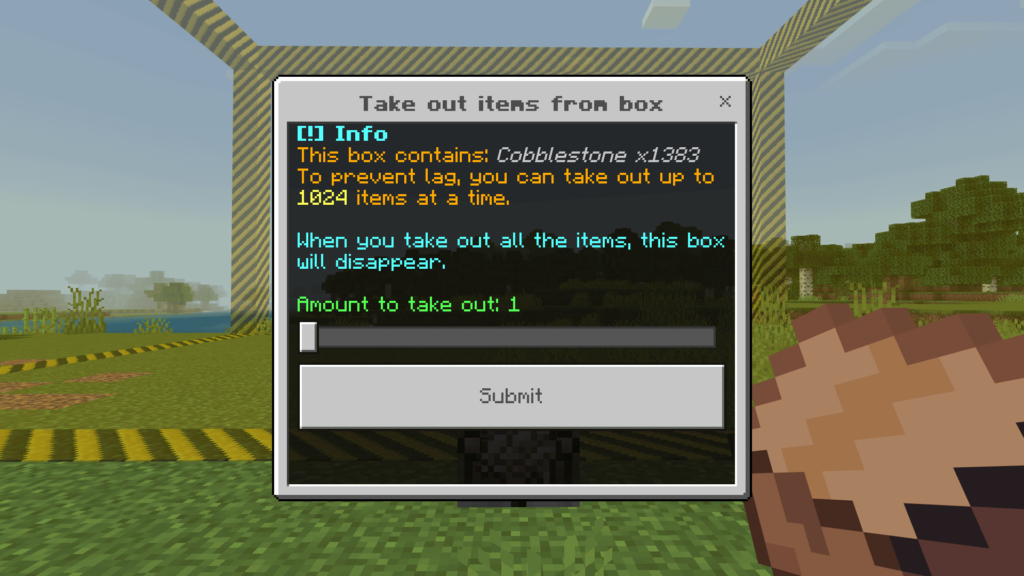
The creator says breaking the farm block returns supplied materials, with excess stored in a special box. This should not be treated as a promise to restore terrain or dismantle an entire completed structure.
More for your Bedrock world.

Find the Bedrock update that matters to your world or device. Explore stable releases, practical game-drop guides, platform-specific fixes and a separate Beta/Preview archive.
- Coverage
- 2023–2026
- Edition
- Bedrock Edition
- Versions
- Bedrock 1.20.30–26.51
Bedrock · Update history
Bedrock Update History
Find the Bedrock update that matters to your world or device. Explore stable releases, practical game-drop guides, platform-specific fixes and a separate Beta/Preview archive.
Back up before updating
- Minecraft version
- Bedrock 1.20.30–26.51
- Game edition
- Bedrock Edition
- Update type
- Unknown / not stated
- Release channel
- Bedrock Edition
- World safety
- Back up before updating
- Player impact
- Find a useful release, platform fix or practical game-drop guide
- Platform family
- Bedrock & Mobile
- Supported devices
- Windows, consoles and mobile; patch availability varies
- Touch readiness
- Yes
- Last verified at
- Sep 17, 2026
- Update state
- current
- Compatibility confidence
- Source claimed
- Card delivery statement
- Player guides and official release notes
- Edition applicability
- Bedrock
- Bedrock enrollment route
- Preview app
- Delivery state
- No file
- Lifecycle state
- Current
- History coverage
- 2023–2026
Find what changed in Minecraft Java from 2023 to 2026, choose your next survival project and follow practical update guides. Stable releases and test builds are clearly separated.
- Coverage
- 2023–2026
- Edition
- Java Edition
- Versions
- Java 1.20.2–26.3
Java · Update history
Java Update History
Find what changed in Minecraft Java from 2023 to 2026, choose your next survival project and follow practical update guides. Stable releases and test builds are clearly separated.
Back up before updating
- Minecraft version
- Java 1.20.2–26.3
- Game edition
- Java Edition
- Update type
- Unknown / not stated
- Release channel
- Java Edition
- World safety
- Back up before updating
- Player impact
- Find a feature, choose a project and check the right release
- Platform family
- Java PC
- Last verified at
- Sep 17, 2026
- Update state
- current
- Compatibility confidence
- Source claimed
- Card delivery statement
- Player guides and official release notes
- Edition applicability
- Java
- Delivery state
- No file
- Lifecycle state
- Current
- History coverage
- 2023–2026

Find trial chambers, beat the breeze, match keys to vaults and prepare for ominous trials. Learn mace and wind-charge tricks, build your first crafter and put copper, tuff and dungeon rewards to use.
- Game released
- Java
- 1.21 · Stable
- Bedrock
- 1.21 · Stable
Focus Trial chambers, vault rewards, mace combat, wind charges and automatic crafting
Topic Tricky Trials
Install Included in the official game update
Back up before updating
Java + Bedrock · Release
Tricky Trials
Find trial chambers, beat the breeze, match keys to vaults and prepare for ominous trials. Learn mace and wind-charge tricks, build your first crafter and put copper, tuff and dungeon rewards to use.
Back up before updating
- Update type
- Major release
- Release channel
- Unknown / not stated
- Official release date
- 2024-06-13
- World safety
- Back up before updating
- Player impact
- Trial chambers, vault rewards, mace combat, wind charges and automatic crafting
- Platform family
- Cross-edition
- Supported devices
- Java: Windows, macOS, Linux. Bedrock: supported Windows, mobile and console devices.
- Install format
- Included in the official game update
- Touch readiness
- Not required
- Resource type
- Update
- Last verified at
- Sep 18, 2026
- Update state
- historical
- Compatibility confidence
- Source claimed
- Bedrock version/build
- 1.21
- Card delivery statement
- Included in the official game update
- Edition applicability
- Java + Bedrock
- Java version/build
- 1.21
- Shared update topic
- Tricky Trials
- Delivery state
- No file
- Lifecycle state
- Superseded
- Java update channel
- Stable
- Bedrock update channel
- Stable
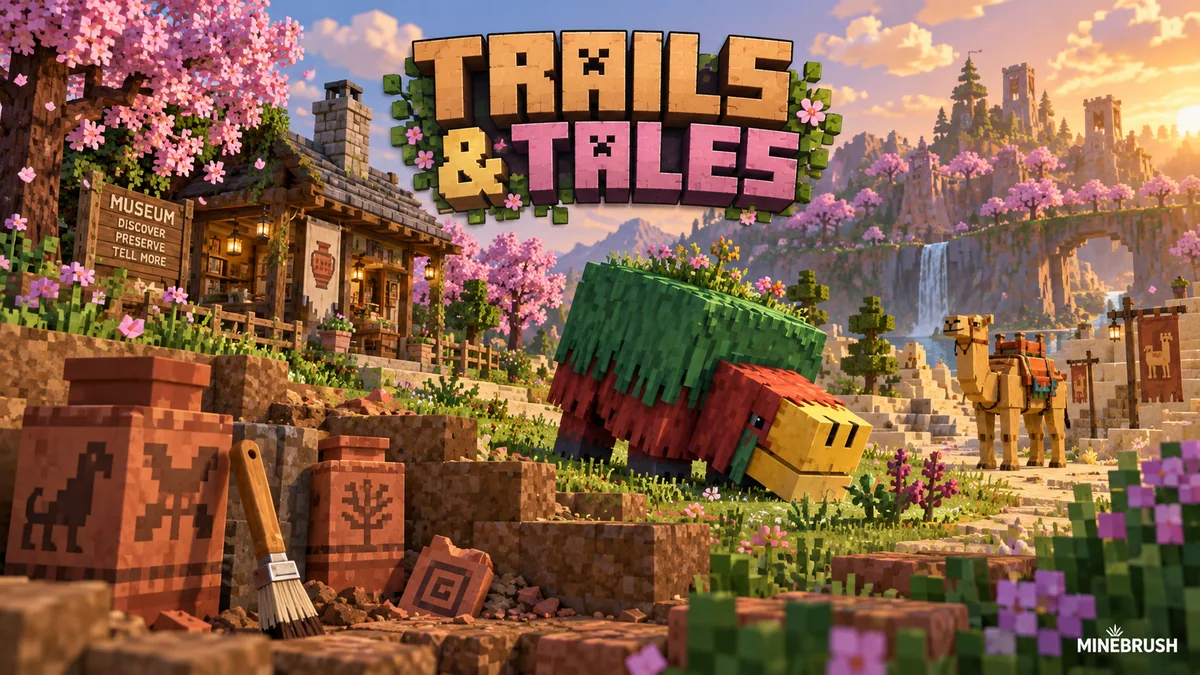
Uncover archaeology finds, hatch a sniffer, ride a camel with a friend and customize your armor. A practical Trails & Tales guide with build ideas, original Mojang screenshots and clear steps for Java and Bedrock.
- Game released
- Java
- 1.20 · Stable
- Bedrock
- 1.20.0 · Stable
Focus Archaeology, sniffers, camels, armor trims and creative building ideas
Topic Exploration, archaeology and creative building
Install Included in the official game update
Back up before updating
Java + Bedrock · Release
Trails & Tales
Uncover archaeology finds, hatch a sniffer, ride a camel with a friend and customize your armor. A practical Trails & Tales guide with build ideas, original Mojang screenshots and clear steps for Java and Bedrock.
Back up before updating
- Update type
- Major release
- Release channel
- Unknown / not stated
- Official release date
- 2023-06-07
- World safety
- Back up before updating
- Player impact
- Archaeology, sniffers, camels, armor trims and creative building ideas
- Platform family
- Cross-edition
- Supported devices
- Java: Windows, macOS and Linux. Bedrock: supported PCs, consoles and mobile devices.
- Install format
- Included in the official game update
- Touch readiness
- Not required
- Resource type
- Update
- Last verified at
- Sep 16, 2026
- Update state
- historical
- Compatibility confidence
- Source claimed
- Bedrock version/build
- 1.20.0
- Card delivery statement
- Included in the official game update
- Edition applicability
- Java + Bedrock
- Java version/build
- 1.20
- Shared update topic
- Exploration, archaeology and creative building
- Delivery state
- No file
- Lifecycle state
- Superseded
- Java update channel
- Stable
- Bedrock update channel
- Stable
Player discussion 0
Questions, discoveries and help from other players.