
MineBrush publication
Modern Furniture 14.1 for Minecraft Bedrock 26.40
Craft sofas, working lights, mirrors and garage doors for your Bedrock home. Modern Furniture 14.1 adds clay-based recipes, configurable pieces and shared noticeboards. Learn the controls and plan rooms that are useful as well as inviting.
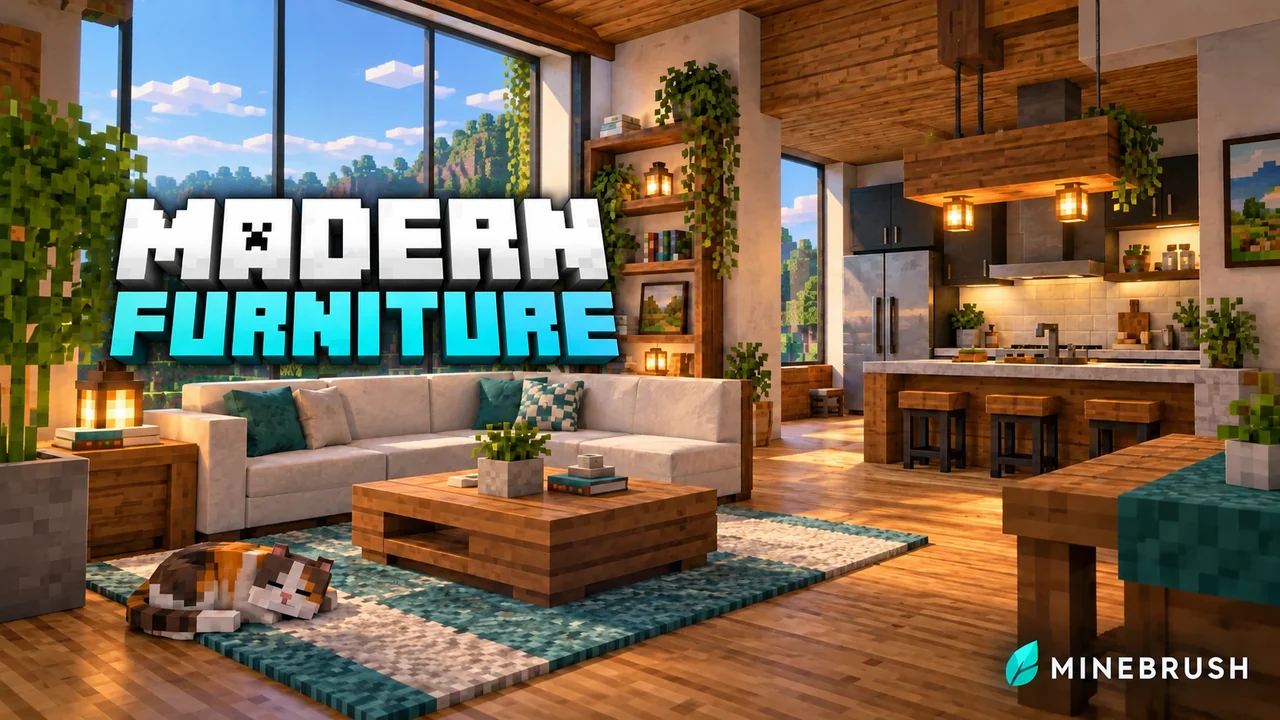
Modern Furniture turns an empty Bedrock house into somewhere you can actually use: sit on the sofa, switch on the lamps, open the curtains and leave a message for friends. Its blocky furniture fits Minecraft interiors, with options for kitchens, bathrooms, gardens, workshops and modern streets.
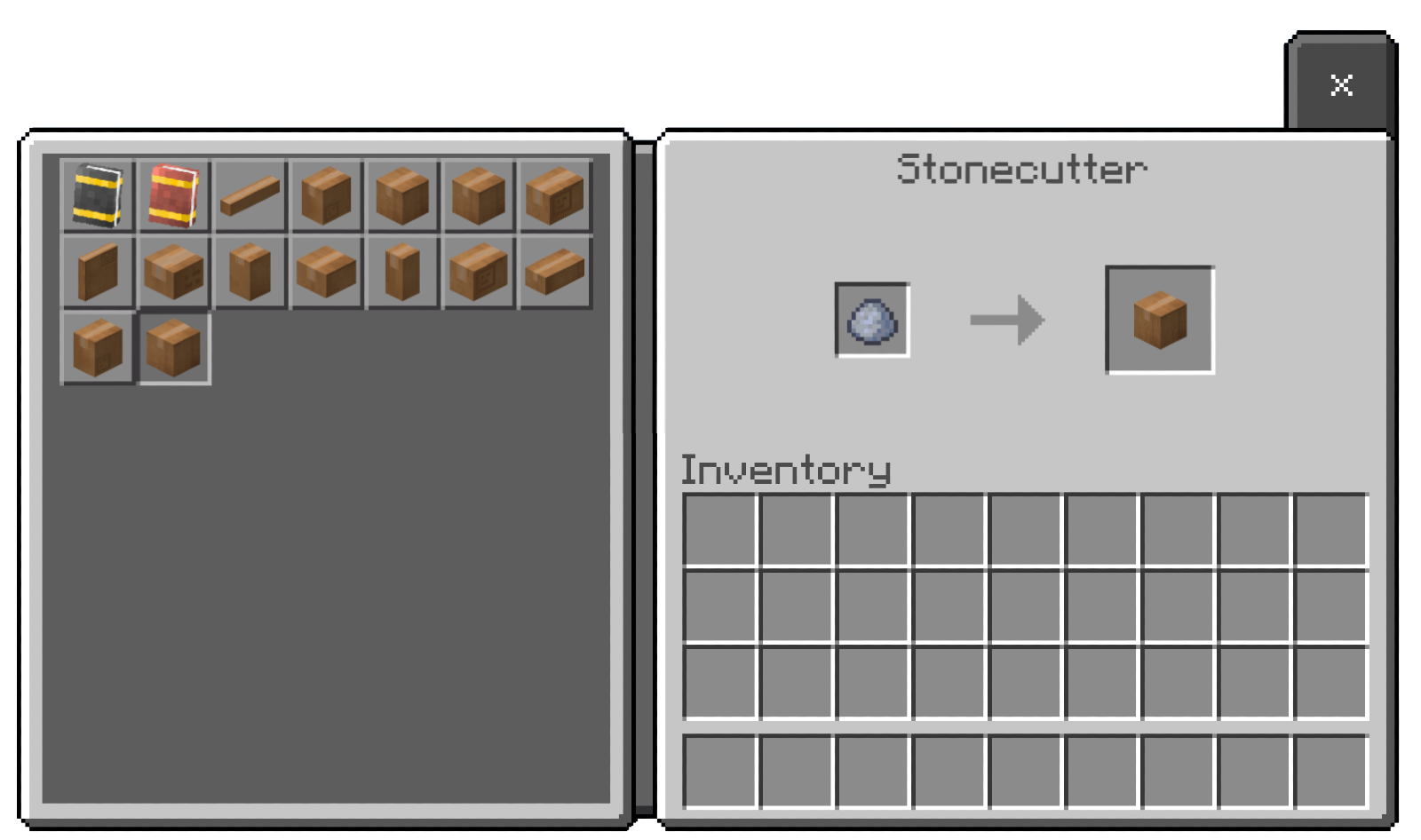
Start with a clay ball and a stonecutter. The furniture comes through category boxes, so you can furnish a survival base without looking up hundreds of separate recipes. This guide covers Modern Furniture 14.1 by Trotamundos872.
How to get furniture in Survival
- Put a clay ball in a stonecutter. The available outputs include boxes for different furniture categories.
- Choose a category box for the room you are working on, such as sofas, tables or decorations.
- Put that box back into the stonecutter. This opens the furniture choices within that category.
- Select your piece and place it. Start with one chair, a table and a lamp to learn the interactions before furnishing the entire house.
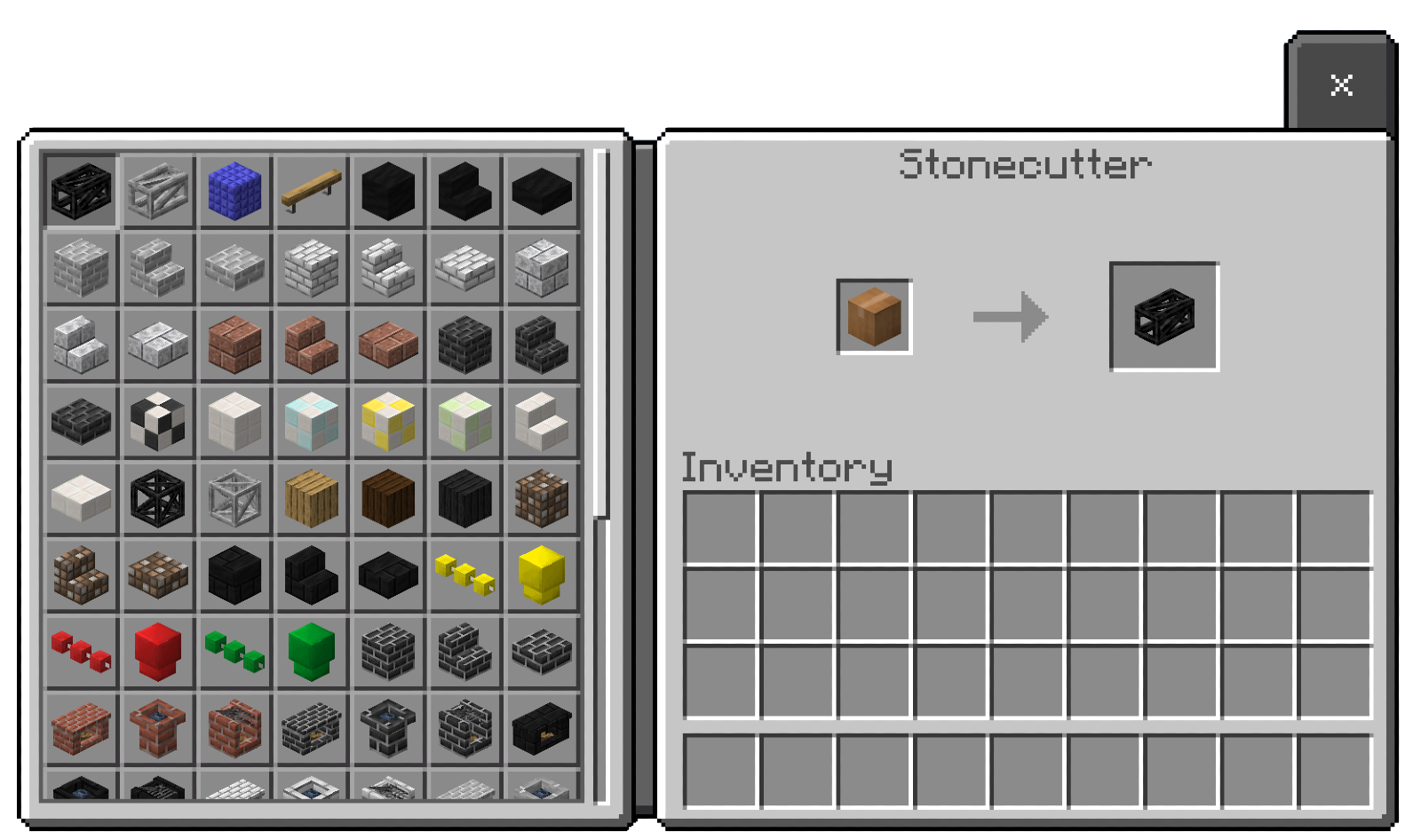
In Creative mode, look in the decoration section of the inventory. Search by the furniture name or its function. Labels such as Configurable help you find pieces with adjustable variants.
Change furniture with the Modern Tool
The red wrench is the Modern Tool. Use it on furniture marked Configurable to cycle its shape or another supported variation. It does not mean that every decoration has adjustable settings.
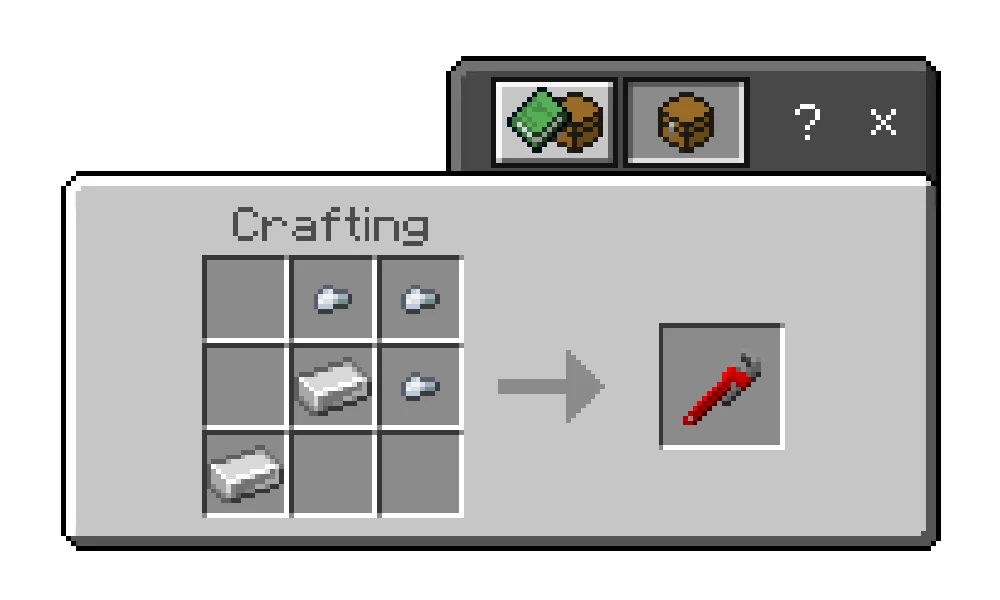
Place nuggets in the top-middle, top-right and middle-right slots, with ingots in the centre and bottom-left slots. To undo a variant change, keep cycling until the original returns, or break and place the piece again.
What the furniture does
| Furniture | How to use it | Useful detail |
|---|---|---|
| Chairs and sofas | Interact to sit. | Matching modular pieces connect when placed next to one another. |
| Lamps and LEDs | Interact to toggle the light. | The add-on also has switches that control compatible lighting remotely. |
| Configurable pieces | Use the Modern Tool. | Look for the wrench symbol or Configurable label. |
| Mirrors | Interact to view your character through a fixed camera. | Move two blocks away from where you activated it to leave that view. |
| Fireplaces and grills | Light with flint and steel; interact with an empty hand to extinguish. | A chimney needs a lit fireplace below it to produce smoke. |
| Curtains | Interact to open or close. | The documented curtain is designed for a 1×1 window. |
| Stackable displays | Interact while holding the matching item to add it; use an empty hand to retrieve it. | Read the display’s name to identify what it accepts. |
| Trash bins | Drop unwanted items on top. | Items are destroyed permanently. Keep bins away from places where you drop valuables. |
Build a working garage entrance
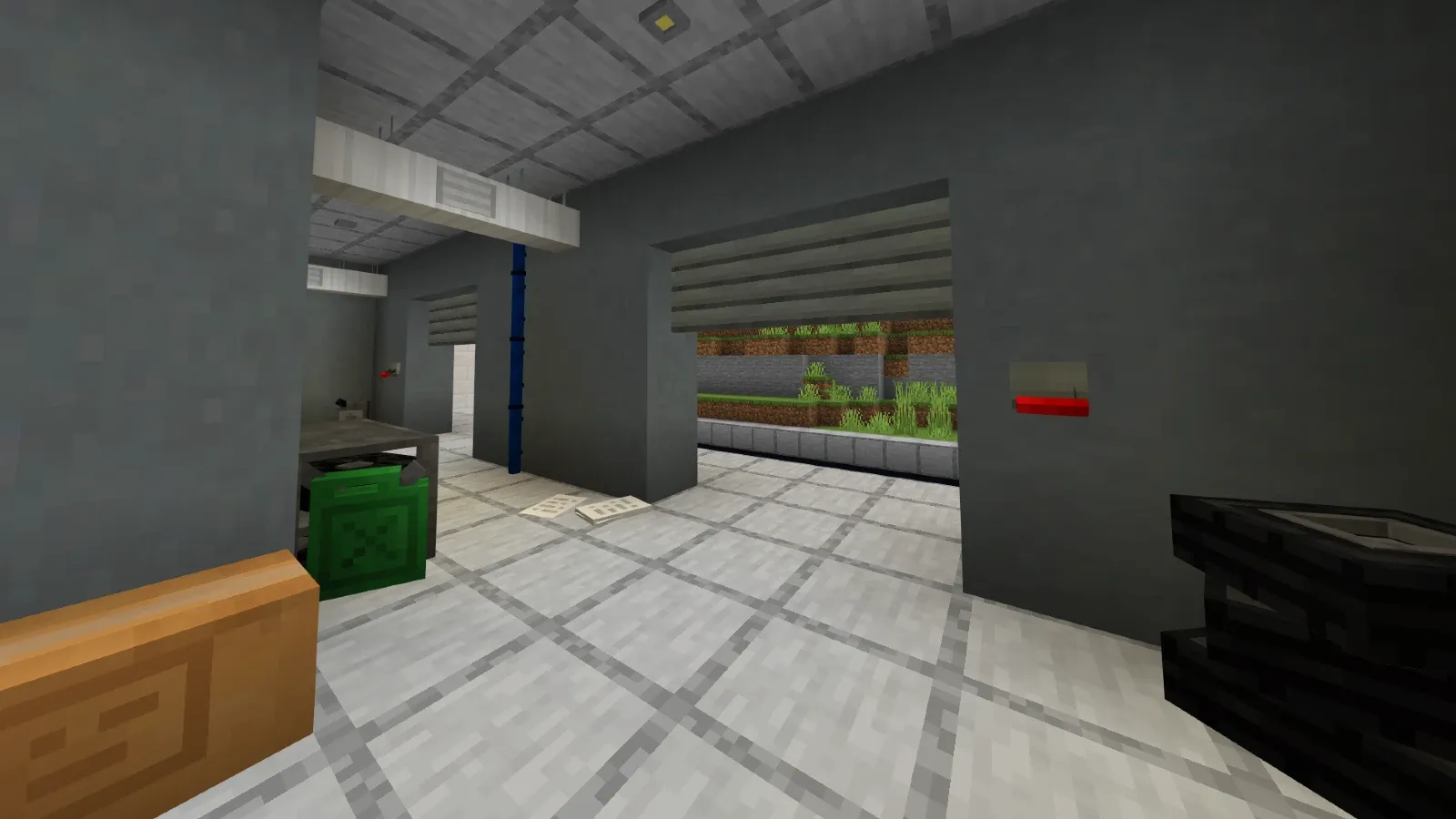
Place the Garage Door Blocks across the top of the opening, one block thick, then use the add-on’s Garage Door Lever to raise or lower the door. Test the opening before decorating around it. Version 14.1 reworks the garage-door system, so replace assumptions from older tutorials with the current parts.
Leave useful messages for friends
A Cork Board opens a menu for adding and deleting messages. Messages remain after you leave the world, and all Cork Boards share the same text. Use them for a shopping list, building jobs or server notices. Other players can delete messages, including yours, so this is a shared noticeboard rather than private storage.
Small touches that make a build feel lived in
- Doorbells: interact to play a sound at the entrance.
- Pianos: each interaction plays a random note; this is not a keyboard with individually selectable keys.
- Trampolines: stand on one for higher jumps. Build a clear landing area if you use it in a small obstacle course.
- Microphone stands: interacting gives a decorative microphone item. It does not add voice chat.
Four rooms worth building first
A living room with space to move
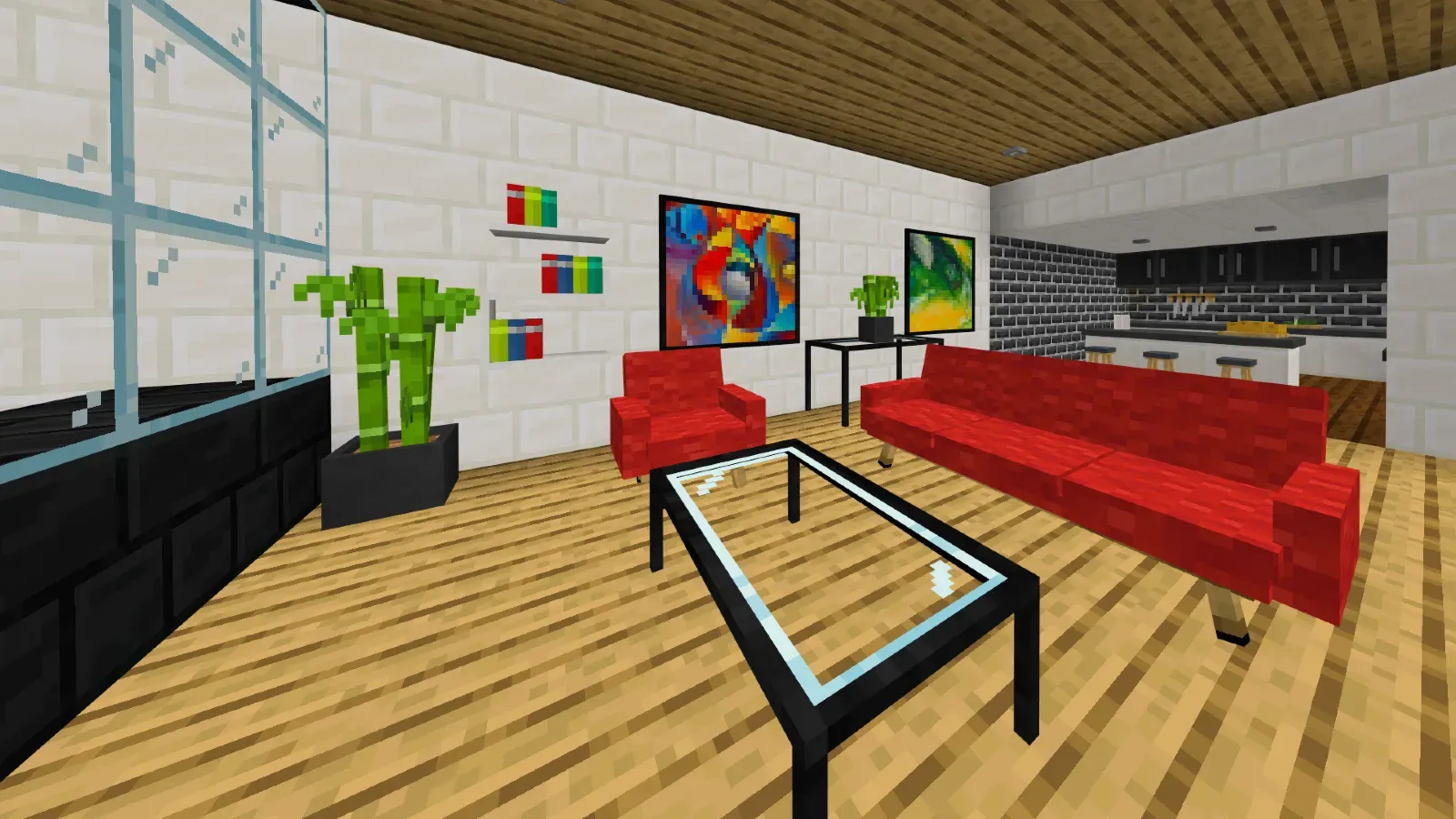
Build around a matching sofa and coffee table, then add bookshelves, a rug and one accent colour. Leave a walking route between the doorway and seating. In an open-plan house, repeat the same colour in the kitchen so both areas feel connected.
A dining room or neighbourhood café
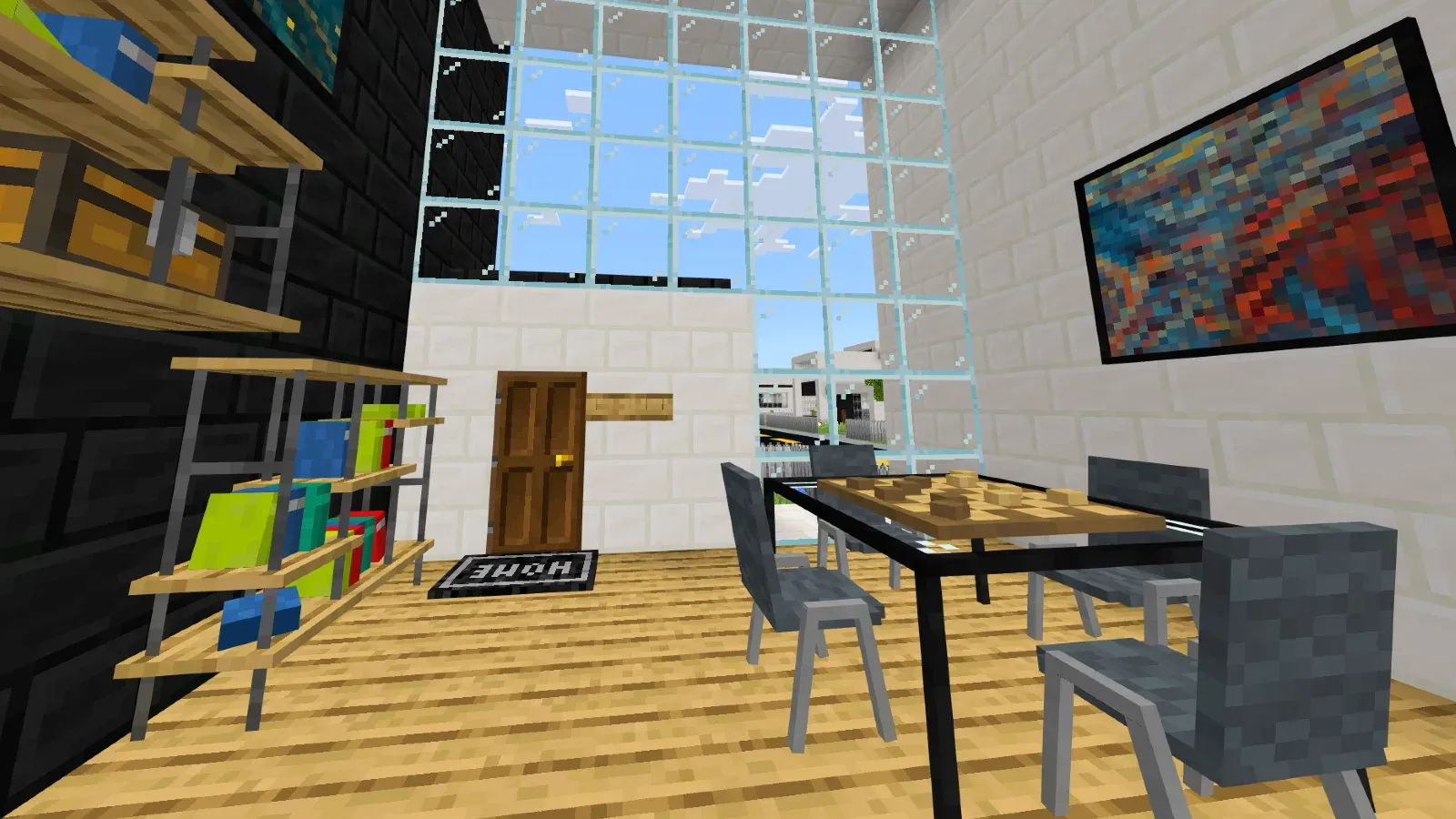
Use matching tables and chairs, then add shelving and wall decorations. For a café, repeat a small table arrangement instead of filling every empty block. Keep the route from the door to the counter open so friends can move around the build.
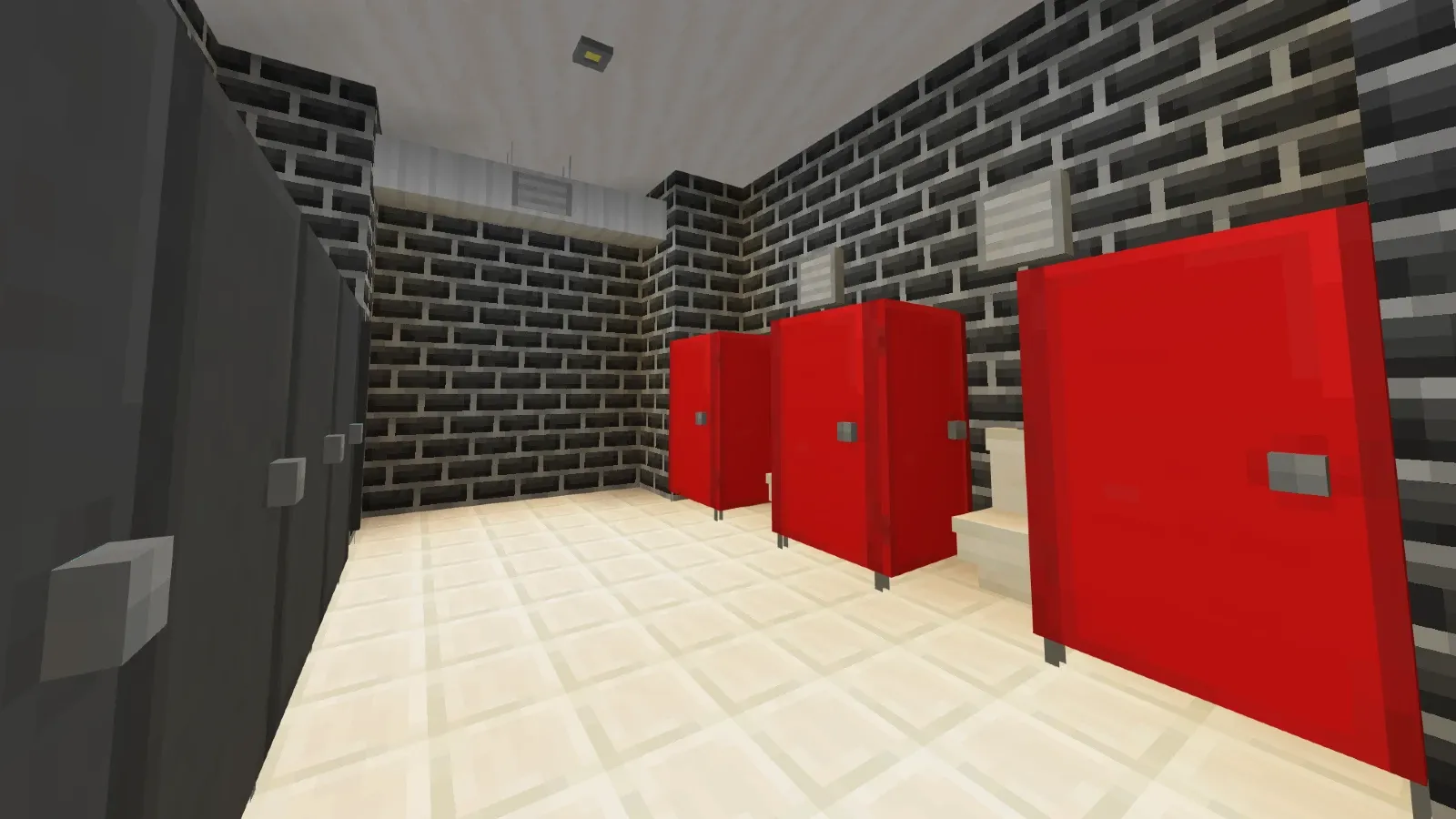
A compact bathroom
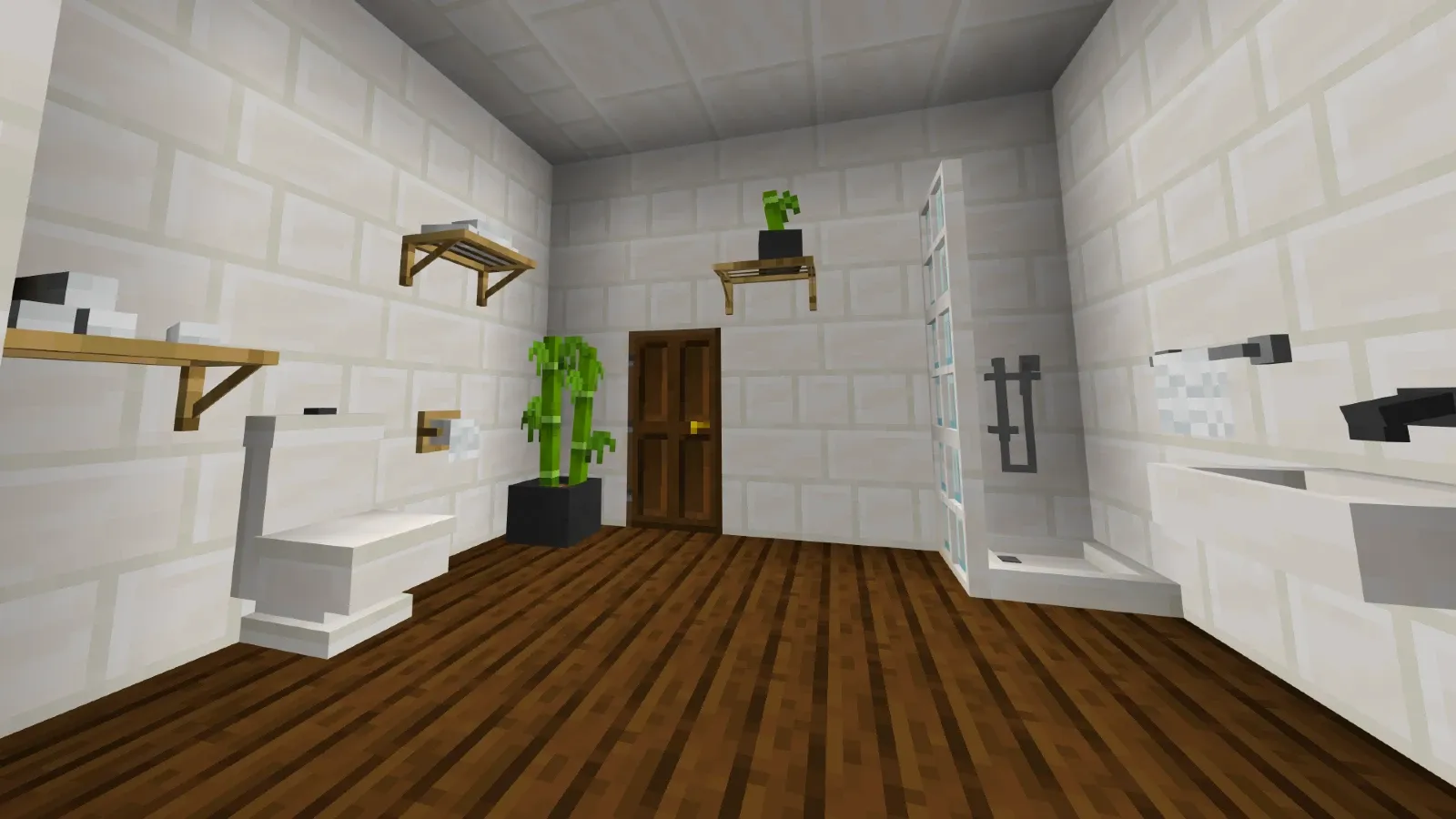
Choose the sink, toilet and shower area before placing small decorations. Group matching fixtures against the walls and reserve the centre for movement. Plants and shelves add detail without needing a larger room.
A shared building with practical facilities
A school, station or sports centre benefits from repeated details: seating, lighting, a noticeboard and a bathroom area. The same furniture can make a large build readable; players can recognise where to wait, leave a message or enter a room.
Download and install Modern Furniture 14.1
You need both matching 14.1 packs: the Behavior Pack (BP) and the Resource Pack (RP). One provides the behaviour; the other provides the visible assets. Importing only one does not complete the setup.
Behavior Pack — required
Resource Pack — required
- Make a copy of an existing world before adding or upgrading furniture.
- Open each downloaded .mcpack file with Minecraft and let both imports finish.
- Open the target world’s settings. Activate Modern Furniture under Behavior Packs and check that its matching Resource Pack is active too.
- Load the copied world. Check a chair, lamp and the clay-ball stonecutter recipe before continuing your build.
Use the same release for both packs when updating. Avoid leaving an older Modern Furniture pack active alongside the replacement.
What changes in 14.1?
- New floor mirrors with wooden and black options.
- New catalogue sections for mirrors, utility construction and music items.
- Reworked garage doors and adjustments to floor-mirror geometry and camera height.
- Reorganised furniture choices so previously uncatalogued pieces are easier to find.
Questions before you furnish a world
Why is the furniture missing?
Check the world’s active packs, not just the successful-import message. Both BP and RP must be imported and enabled for that world. Also check that the two release numbers match and that an older copy is not still active.
Does a mirror need a shader?
The documented mirror uses a fixed camera facing your character. It does not rely on shader-based reflective glass.
Can I remove the add-on after decorating?
Keep a backup first. Furniture belongs to the add-on, so removing its packs is not a way to preserve those pieces as vanilla blocks. Test any removal or update on a copy of the world.
More for your Bedrock world.

Find the Bedrock update that matters to your world or device. Explore stable releases, practical game-drop guides, platform-specific fixes and a separate Beta/Preview archive.
- Coverage
- 2023–2026
- Edition
- Bedrock Edition
- Versions
- Bedrock 1.20.30–26.51
Bedrock · Update history
Bedrock Update History
Find the Bedrock update that matters to your world or device. Explore stable releases, practical game-drop guides, platform-specific fixes and a separate Beta/Preview archive.
Back up before updating
- Minecraft version
- Bedrock 1.20.30–26.51
- Game edition
- Bedrock Edition
- Update type
- Unknown / not stated
- Release channel
- Bedrock Edition
- World safety
- Back up before updating
- Player impact
- Find a useful release, platform fix or practical game-drop guide
- Platform family
- Bedrock & Mobile
- Supported devices
- Windows, consoles and mobile; patch availability varies
- Touch readiness
- Yes
- Last verified at
- Sep 17, 2026
- Update state
- current
- Compatibility confidence
- Source claimed
- Card delivery statement
- Player guides and official release notes
- Edition applicability
- Bedrock
- Bedrock enrollment route
- Preview app
- Delivery state
- No file
- Lifecycle state
- Current
- History coverage
- 2023–2026
Find what changed in Minecraft Java from 2023 to 2026, choose your next survival project and follow practical update guides. Stable releases and test builds are clearly separated.
- Coverage
- 2023–2026
- Edition
- Java Edition
- Versions
- Java 1.20.2–26.3
Java · Update history
Java Update History
Find what changed in Minecraft Java from 2023 to 2026, choose your next survival project and follow practical update guides. Stable releases and test builds are clearly separated.
Back up before updating
- Minecraft version
- Java 1.20.2–26.3
- Game edition
- Java Edition
- Update type
- Unknown / not stated
- Release channel
- Java Edition
- World safety
- Back up before updating
- Player impact
- Find a feature, choose a project and check the right release
- Platform family
- Java PC
- Last verified at
- Sep 17, 2026
- Update state
- current
- Compatibility confidence
- Source claimed
- Card delivery statement
- Player guides and official release notes
- Edition applicability
- Java
- Delivery state
- No file
- Lifecycle state
- Current
- History coverage
- 2023–2026

Find trial chambers, beat the breeze, match keys to vaults and prepare for ominous trials. Learn mace and wind-charge tricks, build your first crafter and put copper, tuff and dungeon rewards to use.
- Game released
- Java
- 1.21 · Stable
- Bedrock
- 1.21 · Stable
Focus Trial chambers, vault rewards, mace combat, wind charges and automatic crafting
Topic Tricky Trials
Install Included in the official game update
Back up before updating
Java + Bedrock · Release
Tricky Trials
Find trial chambers, beat the breeze, match keys to vaults and prepare for ominous trials. Learn mace and wind-charge tricks, build your first crafter and put copper, tuff and dungeon rewards to use.
Back up before updating
- Update type
- Major release
- Release channel
- Unknown / not stated
- Official release date
- 2024-06-13
- World safety
- Back up before updating
- Player impact
- Trial chambers, vault rewards, mace combat, wind charges and automatic crafting
- Platform family
- Cross-edition
- Supported devices
- Java: Windows, macOS, Linux. Bedrock: supported Windows, mobile and console devices.
- Install format
- Included in the official game update
- Touch readiness
- Not required
- Resource type
- Update
- Last verified at
- Sep 18, 2026
- Update state
- historical
- Compatibility confidence
- Source claimed
- Bedrock version/build
- 1.21
- Card delivery statement
- Included in the official game update
- Edition applicability
- Java + Bedrock
- Java version/build
- 1.21
- Shared update topic
- Tricky Trials
- Delivery state
- No file
- Lifecycle state
- Superseded
- Java update channel
- Stable
- Bedrock update channel
- Stable
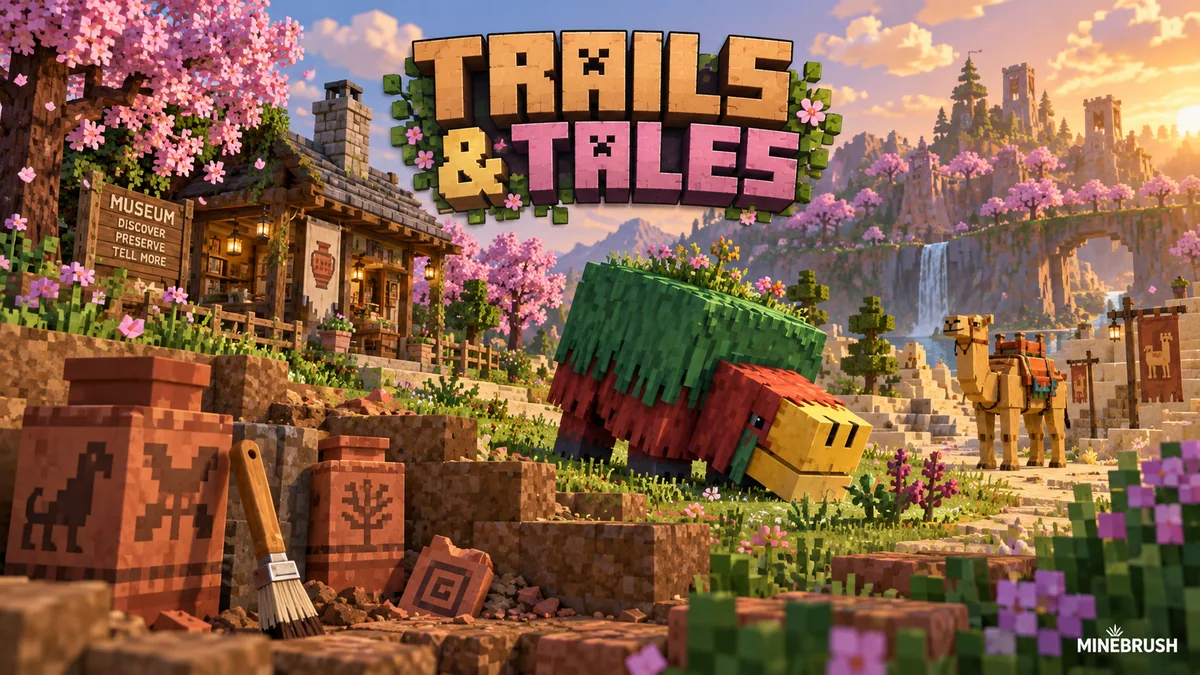
Uncover archaeology finds, hatch a sniffer, ride a camel with a friend and customize your armor. A practical Trails & Tales guide with build ideas, original Mojang screenshots and clear steps for Java and Bedrock.
- Game released
- Java
- 1.20 · Stable
- Bedrock
- 1.20.0 · Stable
Focus Archaeology, sniffers, camels, armor trims and creative building ideas
Topic Exploration, archaeology and creative building
Install Included in the official game update
Back up before updating
Java + Bedrock · Release
Trails & Tales
Uncover archaeology finds, hatch a sniffer, ride a camel with a friend and customize your armor. A practical Trails & Tales guide with build ideas, original Mojang screenshots and clear steps for Java and Bedrock.
Back up before updating
- Update type
- Major release
- Release channel
- Unknown / not stated
- Official release date
- 2023-06-07
- World safety
- Back up before updating
- Player impact
- Archaeology, sniffers, camels, armor trims and creative building ideas
- Platform family
- Cross-edition
- Supported devices
- Java: Windows, macOS and Linux. Bedrock: supported PCs, consoles and mobile devices.
- Install format
- Included in the official game update
- Touch readiness
- Not required
- Resource type
- Update
- Last verified at
- Sep 16, 2026
- Update state
- historical
- Compatibility confidence
- Source claimed
- Bedrock version/build
- 1.20.0
- Card delivery statement
- Included in the official game update
- Edition applicability
- Java + Bedrock
- Java version/build
- 1.20
- Shared update topic
- Exploration, archaeology and creative building
- Delivery state
- No file
- Lifecycle state
- Superseded
- Java update channel
- Stable
- Bedrock update channel
- Stable
Player discussion 0
Questions, discoveries and help from other players.