
MineBrush publication
Ultra Vibrant Visuals V1.2: Water, Lighting and Bedrock Setup
Give riverside builds richer water, sunlight and material effects with Ultra Vibrant Visuals for Bedrock. Download V1.2, choose a sky option and set up the pack on a device that supports Vibrant Visuals.
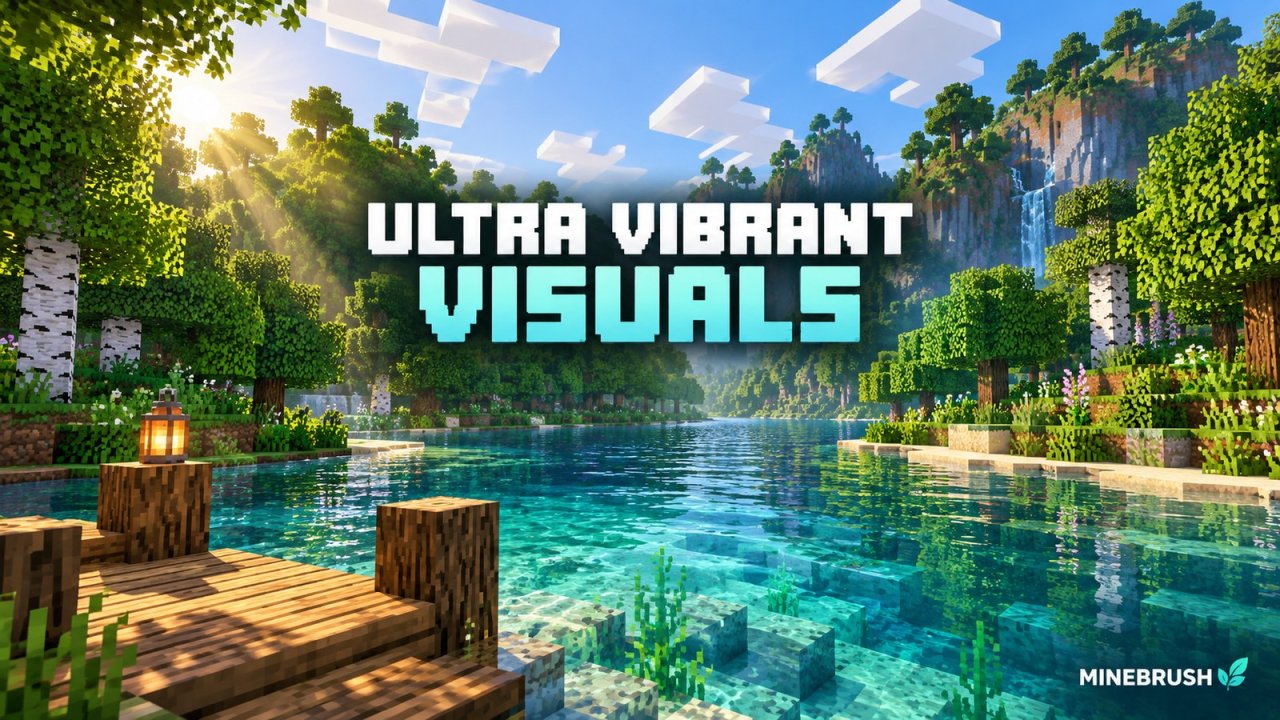
A riverside house can feel very different when sunlight reaches the water beneath its dock. Ultra Vibrant Visuals gives Minecraft Bedrock a brighter, more atmospheric look through new water colors, lighting, sky options and material effects. It's a resource pack for the game's Vibrant Visuals graphics mode, so you keep your world and builds while changing how they look.
The current release is V1.2, published September 18, 2026. It suits waterfront builds, woodland paths and scenic exploration. You need a device that already supports Vibrant Visuals; this pack cannot unlock that mode on unsupported hardware.
What changes · Building ideas · Compatibility · Installation · Sky options · Troubleshooting · Download
Water and lighting are the main attraction
Ultra changes the colors and contrast of the scene as well as the water. Its tone mapping—the way bright sunlight and dark shadows are balanced—helps give forests and shorelines their particular mood. The author also lists revised atmosphere and night colors, shadow tones, biome colors and a changed sun path.
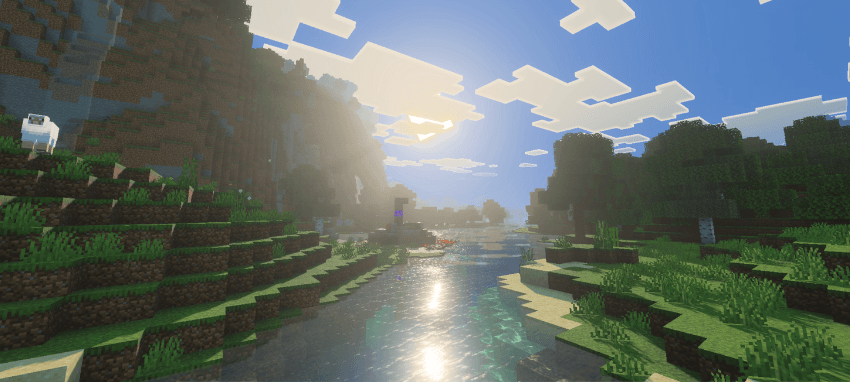
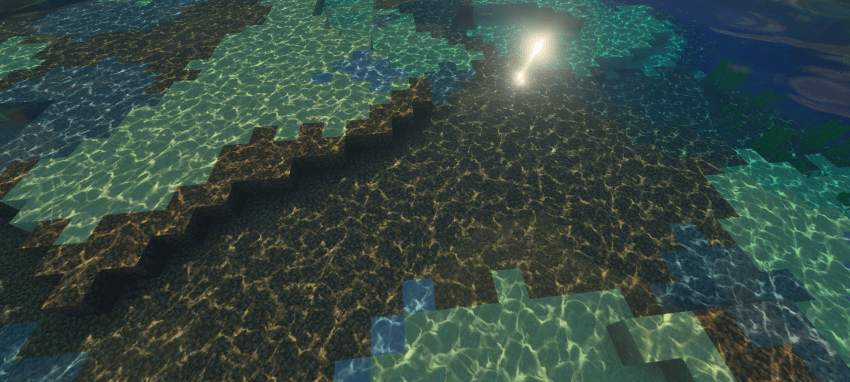
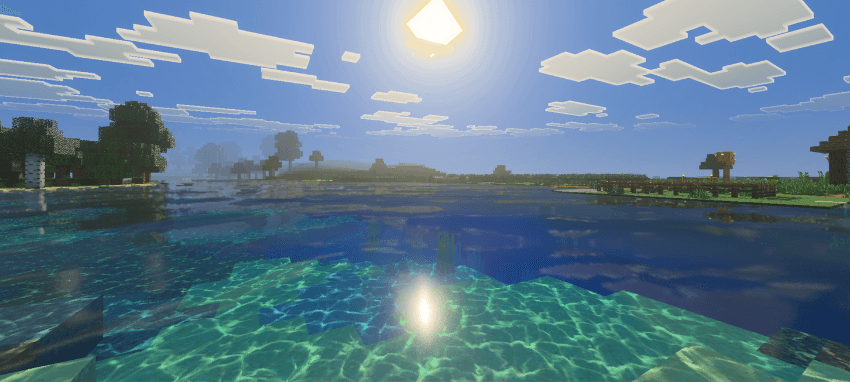
The water is especially worth trying around a shallow shore. Reflections sit above the visible riverbed, while caustics create bright patterns across submerged blocks. The V1.2 release notes specifically mention changes to water and rays, fixes to caustics and pixelated water reflections, and improved lighting.
The pack includes PBR materials for default textures. In practical terms, some surfaces can react to light with a different shine or roughness instead of simply displaying a flat color. This works within Vibrant Visuals; you don't need to install a Java shader loader, and you should select Vibrant Visuals, not the separate Ray Tracing mode.
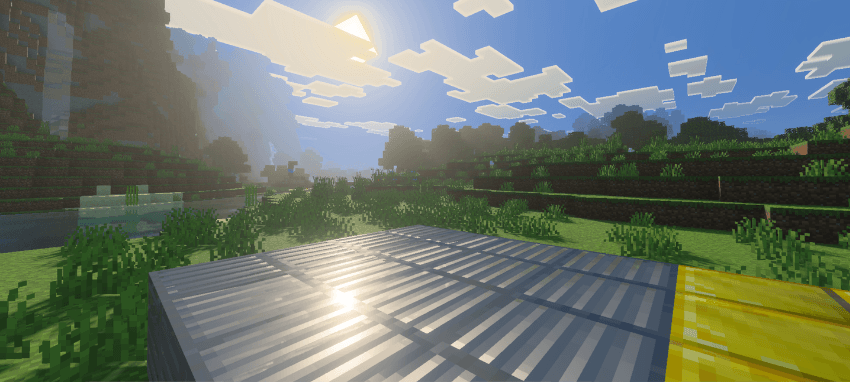
These are screenshots from the project's description, showing its visual style. The author does not label every picture with a release number; the V1.2 changes above come from the current release notes.
Three ways to use it in your world
Build a shoreline that shows what's under the surface
Try a short dock over a stepped sand-and-stone bank, with a shallow pool beside it. Leave part of the water uncovered so the sky and sun can reflect in it. From the dock, you'll be able to see both the surface and the underwater block shapes; a solid roof over the entire pool hides much of that contrast.
Give a woodland path openings to the sky
Mix shaded sections beneath leaves with clearings and a bridge over a stream. The contrast between sunlight and foliage makes the route more interesting than a completely enclosed tunnel of trees. Keep normal torches or lanterns where you need them: brighter-looking scenery does not change the world's mob-spawning rules.
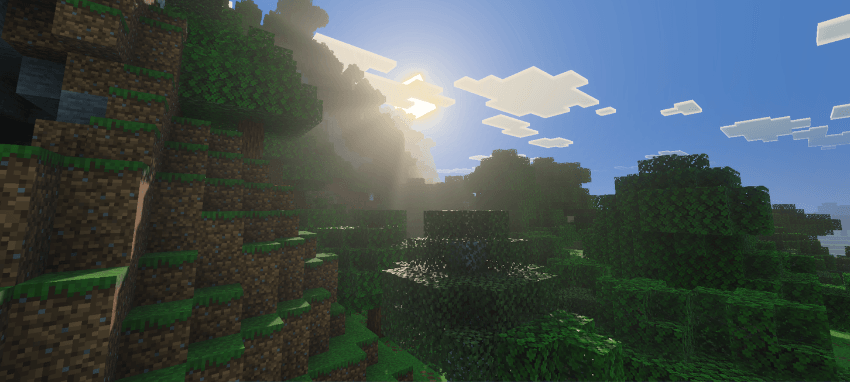
Show off an existing build from a better angle
For a screenshot of a lakeside house, stand across the water with part of the shoreline in the foreground. Move around the lake until the light falls across the facade rather than directly behind it. For a material detail, get closer and use side lighting so surface highlights remain visible. You don't need a new world or a custom map to use the pack.
Check your device before downloading
The author's current file lists Bedrock 26.40, 26.30, 26.20 and several earlier releases back to 1.21.90. These are the creator's compatibility labels, not a guarantee for every later hotfix or device. This download is for Bedrock, not Java Edition.
First open Settings → Video → Graphics Mode and check whether Vibrant Visuals is available. Minecraft's official requirements include Windows running the game with DirectX 12; on Android, Adreno 640, Mali-G68, Mali-G77 or Xclipse 530 and higher; and on iOS, A12 or M1 and higher. Hardware support and importing a third-party pack are separate requirements.
Xbox and PlayStation can support the game's graphics mode, but this page's .mcpack instructions are for devices that can open downloaded packs with Minecraft, such as Windows, Android and iOS. Don't assume a console offers the same file-import process. Vibrant Visuals also does not support local split-screen: the game falls back to another graphics mode when another local player joins.
Install and activate Ultra Vibrant Visuals
- Download the .mcpack below. Keep it as a .mcpack; don't unpack it or put it in a Java shaderpacks folder.
- Open it with Minecraft Bedrock. On Windows, open the downloaded file. On Android or iOS, use your file manager's Open with or Share option and choose Minecraft. Wait for the import-success message.
- Activate the resource pack. From Play, use the pencil button beside your chosen world, open Resource Packs → My Packs, select Ultra Vibrant Visuals and activate it. Using a copy of the world is convenient if you want to keep your existing visual setup untouched.
- Choose Vibrant Visuals in Video settings. Return to the main menu if the graphics-mode selector cannot be changed while the world is open.
- Enter the world. Visit an open shoreline in daylight to see the water, shadows and sky together. If you have another lighting or water pack active, deactivate it initially so it doesn't replace Ultra's effects.
Importing only adds the pack to Minecraft's library. If the import succeeds but nothing changes, check that the pack appears under the world's Active resource packs and that the graphics mode is still Vibrant Visuals.
Choose between the two sky options
The downloaded pack contains No Cubemap and Cubemap Sky [Experimental]. A cubemap is a surrounding sky image; the experimental option changes that part of the presentation. Start with No Cubemap for a straightforward setup, then try the alternative if you prefer a different sky.
In the active resource-pack list, select the pack and open its settings gear to choose a subpack. Leave and reopen the world after changing the option. If the experimental sky looks wrong with your device or other resources, switch back to No Cubemap rather than reinstalling the whole game.
Keep the look without making play uncomfortable
If turning or moving feels sluggish, start with Favor Performance in the game's Vibrant Visuals settings. Reduce render distance before adding more demanding resource packs. Performance depends on your device, settings and scene; there isn't a reliable universal FPS figure for this download.
- Vibrant Visuals is missing or greyed out: check your device support and game version first. Installing Ultra again will not add missing hardware support. Also leave split-screen and check whether the world uses incompatible content.
- Water or sky looks different from the pictures: confirm the selected graphics mode and sky subpack, then temporarily deactivate other packs that change lighting, sky, water or materials. Their resource priority can replace parts of Ultra.
- The file reports a duplicate pack: check whether an older Ultra version is already installed. Remove only that older resource pack through Minecraft's Storage settings if replacement is necessary, then import the new file. Don't delete your worlds.
- You prefer the original appearance: deactivate Ultra under the world's resource packs. You can keep ordinary Vibrant Visuals active or select another graphics mode; the pack adds no gameplay progression that you need to undo.
Download Ultra Vibrant Visuals V1.2
This is the creator's September 18 release. The release is labelled V1.2, but its original filename still says [V1.1]. That mismatch is also present on the official download page; the filename has been preserved here. The pack may appear in-game as Ultra Vibrant Visuals pack.
WindScion publishes the project on CurseForge. The pack itself also credits Aerirh Gray / Technical GD. The official project link is in the author panel.
For another look for your world, browse our Bedrock resource packs. If an update changed your graphics options, use the Bedrock update guide to find the changes for your version.
More for your Bedrock world.

Find the Bedrock update that matters to your world or device. Explore stable releases, practical game-drop guides, platform-specific fixes and a separate Beta/Preview archive.
- Coverage
- 2023–2026
- Edition
- Bedrock Edition
- Versions
- Bedrock 1.20.30–26.51
Bedrock · Update history
Bedrock Update History
Find the Bedrock update that matters to your world or device. Explore stable releases, practical game-drop guides, platform-specific fixes and a separate Beta/Preview archive.
Back up before updating
- Minecraft version
- Bedrock 1.20.30–26.51
- Game edition
- Bedrock Edition
- Update type
- Unknown / not stated
- Release channel
- Bedrock Edition
- World safety
- Back up before updating
- Player impact
- Find a useful release, platform fix or practical game-drop guide
- Platform family
- Bedrock & Mobile
- Supported devices
- Windows, consoles and mobile; patch availability varies
- Touch readiness
- Yes
- Last verified at
- Sep 17, 2026
- Update state
- current
- Compatibility confidence
- Source claimed
- Card delivery statement
- Player guides and official release notes
- Edition applicability
- Bedrock
- Bedrock enrollment route
- Preview app
- Delivery state
- No file
- Lifecycle state
- Current
- History coverage
- 2023–2026
Find what changed in Minecraft Java from 2023 to 2026, choose your next survival project and follow practical update guides. Stable releases and test builds are clearly separated.
- Coverage
- 2023–2026
- Edition
- Java Edition
- Versions
- Java 1.20.2–26.3
Java · Update history
Java Update History
Find what changed in Minecraft Java from 2023 to 2026, choose your next survival project and follow practical update guides. Stable releases and test builds are clearly separated.
Back up before updating
- Minecraft version
- Java 1.20.2–26.3
- Game edition
- Java Edition
- Update type
- Unknown / not stated
- Release channel
- Java Edition
- World safety
- Back up before updating
- Player impact
- Find a feature, choose a project and check the right release
- Platform family
- Java PC
- Last verified at
- Sep 17, 2026
- Update state
- current
- Compatibility confidence
- Source claimed
- Card delivery statement
- Player guides and official release notes
- Edition applicability
- Java
- Delivery state
- No file
- Lifecycle state
- Current
- History coverage
- 2023–2026

Find trial chambers, beat the breeze, match keys to vaults and prepare for ominous trials. Learn mace and wind-charge tricks, build your first crafter and put copper, tuff and dungeon rewards to use.
- Game released
- Java
- 1.21 · Stable
- Bedrock
- 1.21 · Stable
Focus Trial chambers, vault rewards, mace combat, wind charges and automatic crafting
Topic Tricky Trials
Install Included in the official game update
Back up before updating
Java + Bedrock · Release
Tricky Trials
Find trial chambers, beat the breeze, match keys to vaults and prepare for ominous trials. Learn mace and wind-charge tricks, build your first crafter and put copper, tuff and dungeon rewards to use.
Back up before updating
- Update type
- Major release
- Release channel
- Unknown / not stated
- Official release date
- 2024-06-13
- World safety
- Back up before updating
- Player impact
- Trial chambers, vault rewards, mace combat, wind charges and automatic crafting
- Platform family
- Cross-edition
- Supported devices
- Java: Windows, macOS, Linux. Bedrock: supported Windows, mobile and console devices.
- Install format
- Included in the official game update
- Touch readiness
- Not required
- Resource type
- Update
- Last verified at
- Sep 18, 2026
- Update state
- historical
- Compatibility confidence
- Source claimed
- Bedrock version/build
- 1.21
- Card delivery statement
- Included in the official game update
- Edition applicability
- Java + Bedrock
- Java version/build
- 1.21
- Shared update topic
- Tricky Trials
- Delivery state
- No file
- Lifecycle state
- Superseded
- Java update channel
- Stable
- Bedrock update channel
- Stable
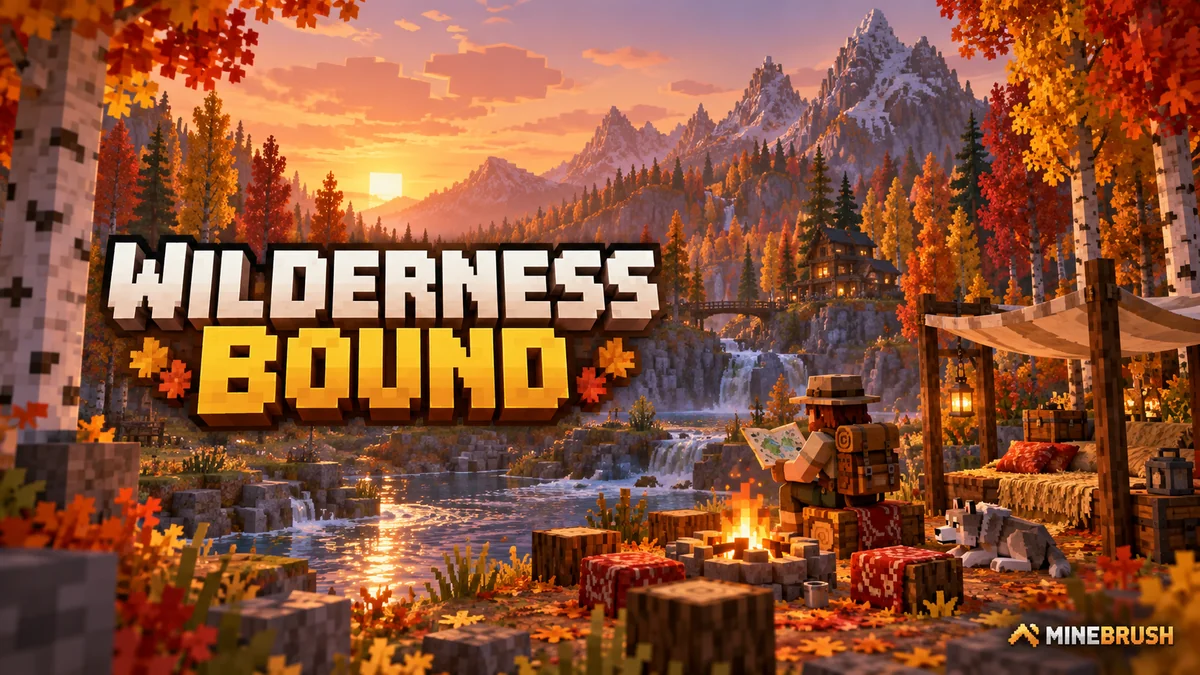
Explore Dappled Forest, follow abandoned-camp maps and sleep on straw beds without moving your home spawn. Learn what Wilderness Bound adds in Java 26.3 and Bedrock 26.50, with camping steps, building ideas and official images.
- Game released
- Java
- 26.3 · Stable
- Bedrock
- 26.50 · Stable
Focus Exploration, camping and building
Topic Camps, maps and building
Back up before updating
Java + Bedrock · Release
Wilderness Bound
Explore Dappled Forest, follow abandoned-camp maps and sleep on straw beds without moving your home spawn. Learn what Wilderness Bound adds in Java 26.3 and Bedrock 26.50, with camping steps, building ideas and official images.
Back up before updating
- Update type
- Major release
- Release channel
- Java & Bedrock
- Official release date
- 2026-09-15
- World safety
- Back up before updating
- Player impact
- Exploration, camping and building
- Platform family
- Cross-edition
- Touch readiness
- Yes
- Resource type
- Update
- Last verified at
- Sep 18, 2026
- Update state
- current
- Compatibility confidence
- Source claimed
- Bedrock version/build
- 26.50
- Edition applicability
- Java + Bedrock
- Java version/build
- 26.3
- Shared update topic
- Camps, maps and building
- Delivery state
- No file
- Lifecycle state
- Current
- Java update channel
- Stable
- Bedrock update channel
- Stable
Player discussion 0
Questions, discoveries and help from other players.