
MineBrush publication
Bedrock Essentials+ 1.8.3: Survival Shortcuts, Controls and Download
Make survival chores quicker with Bedrock Essentials+ 1.8.3: sneak-fell trees, mine ore veins, repair anvils and carry a craftable flashlight. Learn the controls, optional commands and practical limits, with six author demonstrations and the complete paired-pack download.
Bedrock Essentials+ by Gao makes the repeated jobs in a survival world quicker: fell a tree while sneaking, collect a connected ore vein, reopen both doors together, repair an anvil and light the path ahead. It suits players who want to keep building and exploring without installing a different add-on for every small convenience.
This guide covers 1.8.3, including its redstone-mining fix and copper-pickaxe support. It is a Bedrock add-on, not the Java Essentials server plugin. The download contains both the behavior pack and its matching resource pack.
Download and install · Trees and ores · Optional commands · Around your base · Flashlight recipe · Troubleshooting
Where it makes a difference
- Building your first proper base: gather logs with an axe, mine the iron for tools, then put paired doors on the workshop. The shortcuts help you spend more of the session placing blocks.
- Working a mine: uncover an ore, use the appropriate pickaxe while sneaking, and collect the connected blocks. Keep the flashlight in your off hand so your main hand remains free for a tool.
- Maintaining a settled world: harvest mature crops, repair the physical anvil and return to a death location using the coordinates sent after respawning.
- Clearing a mixed work area: enable automatic tool switching and put an axe, pickaxe and shovel on the hotbar. Looking between logs, ores, stone, sand and gravel can then select the relevant tool.
Download 1.8.3 and choose the right Bedrock version
Use Bedrock 26.10 or a later release listed for this file, through 26.40. The current file page also carries older labels, but this archive needs a game component introduced in 26.10. For this particular download, do not rely on the older 1.21.x or 26.0 labels. A future update beyond the listed versions is not automatically supported.
Download the complete, original MCADDON below. It includes Bedrock Essentials+ BP 1.8.3 and RP 1.8.3; you do not need a separate Java loader or library.
- Make a copy of an existing world before adding or updating packs.
- Open the downloaded
.mcaddonwith Minecraft. On mobile, use the file manager’s Open with or Share action if it does not open automatically. Wait for the import to finish. - Open the world’s settings, activate Bedrock Essentials+ BP under Behavior Packs and make sure its matching RP is active under Resource Packs. Use both components from the same release.
- Disable an older Essentials+ pair in that world rather than leaving two versions active. Enter the world and start with a small tree, a paired doorway or the flashlight recipe.
The archive uses the stable game features: do not enable every experimental toggle as a general fix. The optional pickup and tool-switch commands require cheats to be enabled in this release. Turning on cheats affects achievement eligibility, so decide that before changing a world you keep for achievements. Those commands are separate from the default sneak-harvesting and door interactions.
Direct file import is the practical route on Bedrock for Windows and mobile. Console access to third-party files is different; this is not a Marketplace purchase or a promise of direct console installation. In a shared world, the host must activate the packs—importing them only on a visitor’s device does not add their mechanics to the host’s world.
Fell trees without climbing every trunk
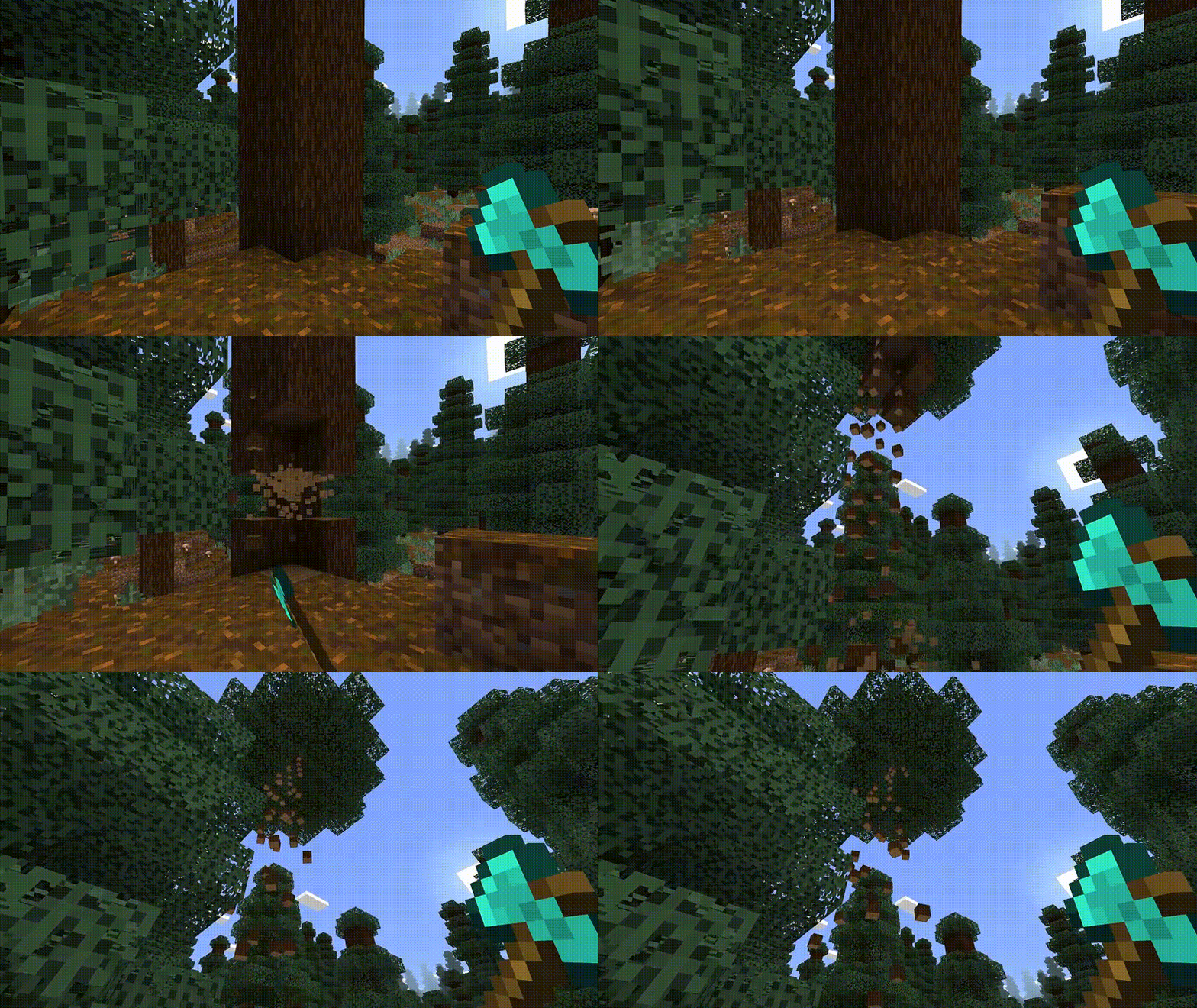
Hold an axe, sneak and break a log on a tree. On touch controls, activate sneak before breaking the log. The add-on recognises supported logs and nearby leaves, then removes connected logs of the same type. Stop sneaking when you want ordinary, individual block breaking.
Use this to stock a wood store or clear trees for a build. Keep the tree farm away from decorative log structures: connected logs near leaves can look like a tree to the add-on, even when you placed them yourself. It does not recognise every custom wood from other packs.
Mine a vein, not a whole stone wall
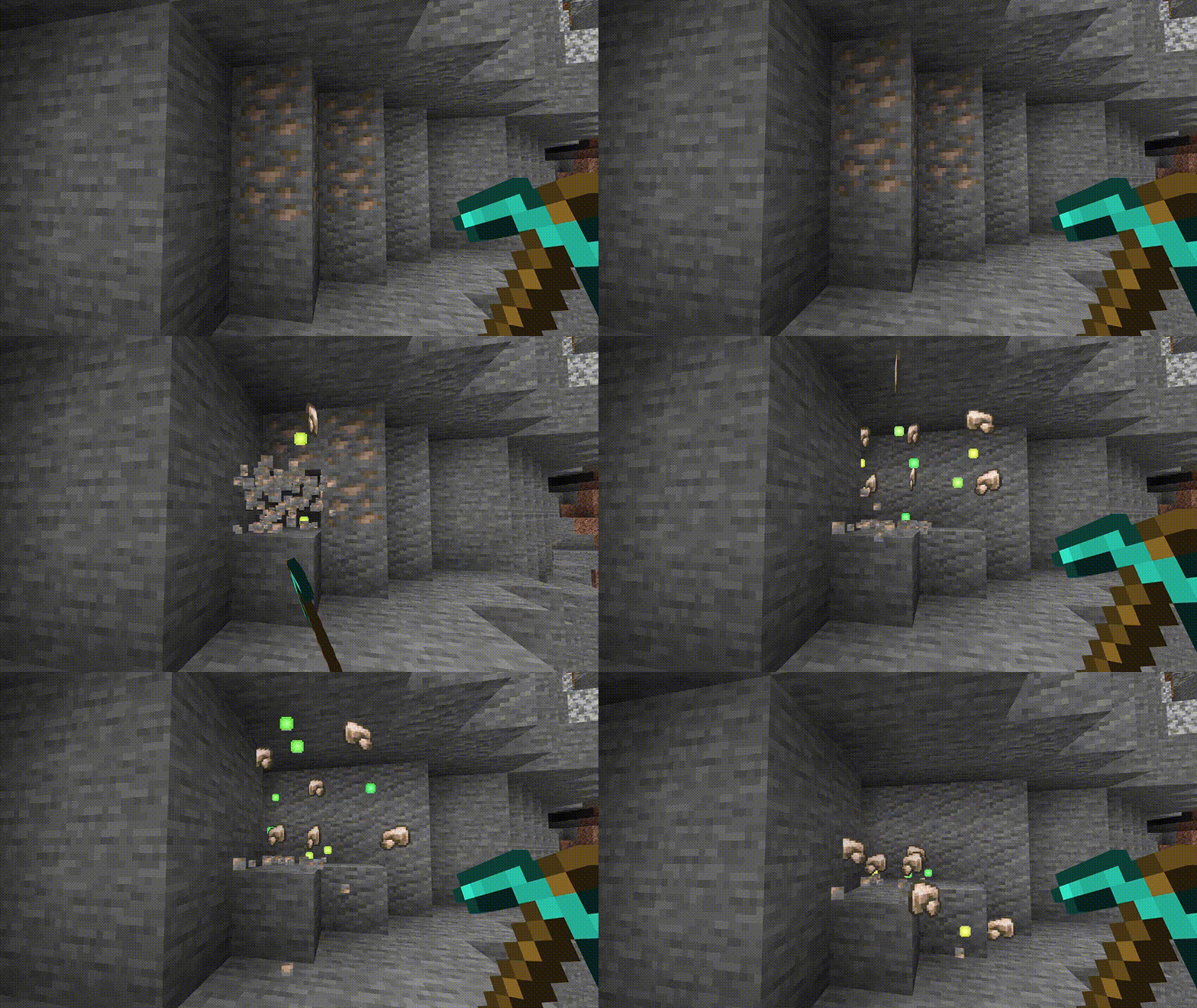
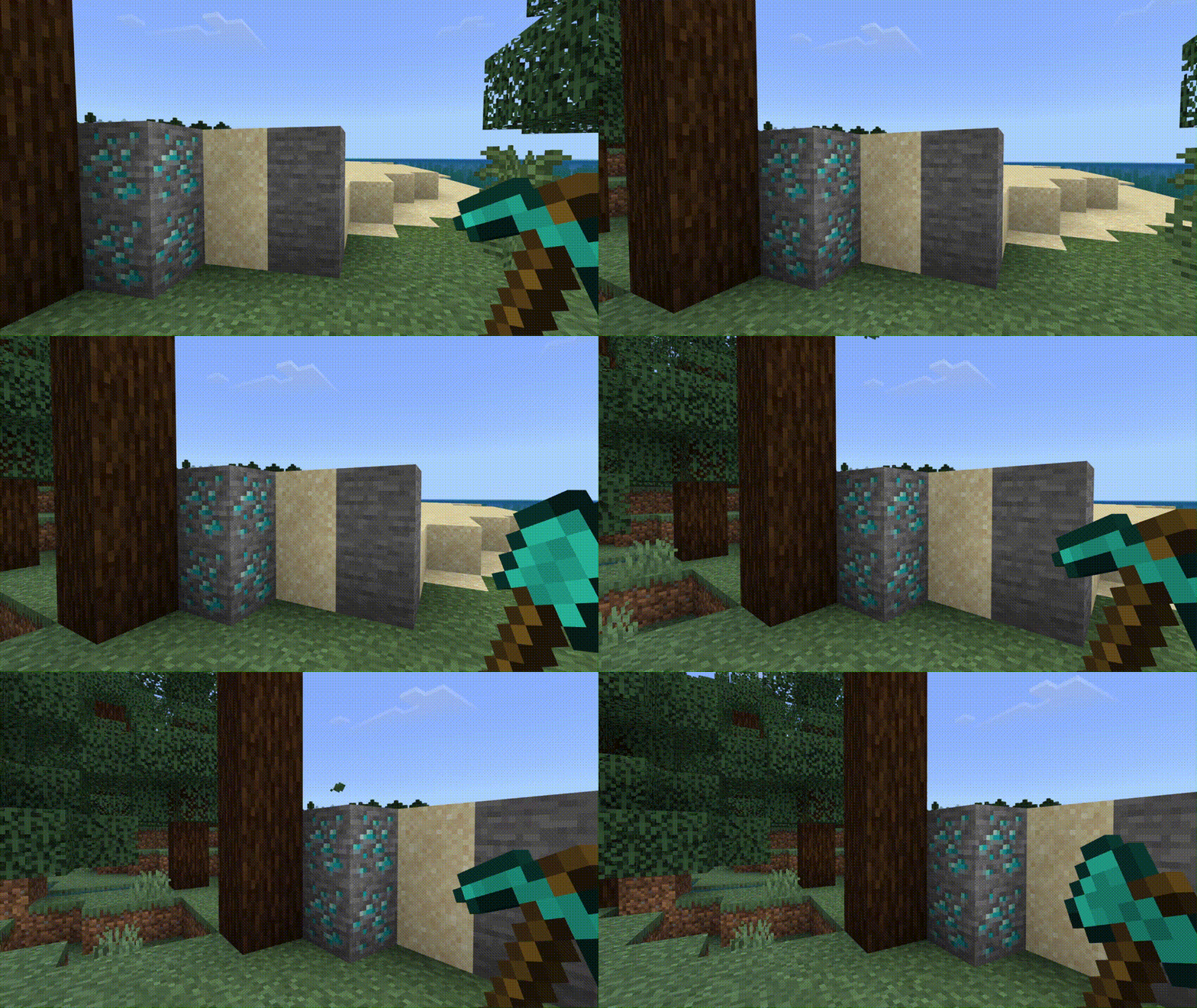
Hold a supported pickaxe, sneak and break an ore block touching more of the same ore. The chain follows face-to-face connections; an ore only touching at a corner is not part of that connection. Ordinary and deepslate variants are separate blocks, so a mixed vein can need a second starting break.
The pickaxe tier still matters. Stone and copper pickaxes cover ores such as iron and copper; use iron or better for diamond, gold, emerald and redstone, and diamond or netherite for ancient debris. This is useful when you expose a deposit while branch mining, rather than as a tunnel-excavation tool.
The file includes Fortune and Silk Touch handling, but its extra-block drops use the add-on’s own rules. Do not assume every yield or durability cost matches mining the same blocks individually in vanilla. If you want strictly vanilla resource balance, mine without sneaking.
Optional pickup and automatic tool selection
Both options start disabled and are set for the player issuing the command. Type one of these commands in chat in a world with cheats enabled:
/pickup enable— collect item drops at the block you break;/pickup disableturns it off./ats enable— automatically select tools;/ats disablereturns full control of hotbar selection to you.
If another add-on takes the short command name, use /gao:pickup enable or /gao:ats enable; the same names accept disable.
Pickup is not a general item magnet. It handles drops at the broken block rather than vacuuming every item or mob drop around you. Keep at least one inventory slot empty; the current implementation skips pickup when all slots are occupied, even if an existing stack has room. Do not depend on it to collect every extra log or ore removed by a chain.
Tool switching looks in your hotbar. Put the tools there, not just in the backpack inventory, and stop sprinting. It selects an axe for logs, a pickaxe for ores or stone, and a shovel for sand or gravel. It takes the first matching tool in the hotbar, rather than comparing enchantments. Put your preferred pickaxe before a spare one, and disable the option when precise manual selection matters.
Small conveniences around your base
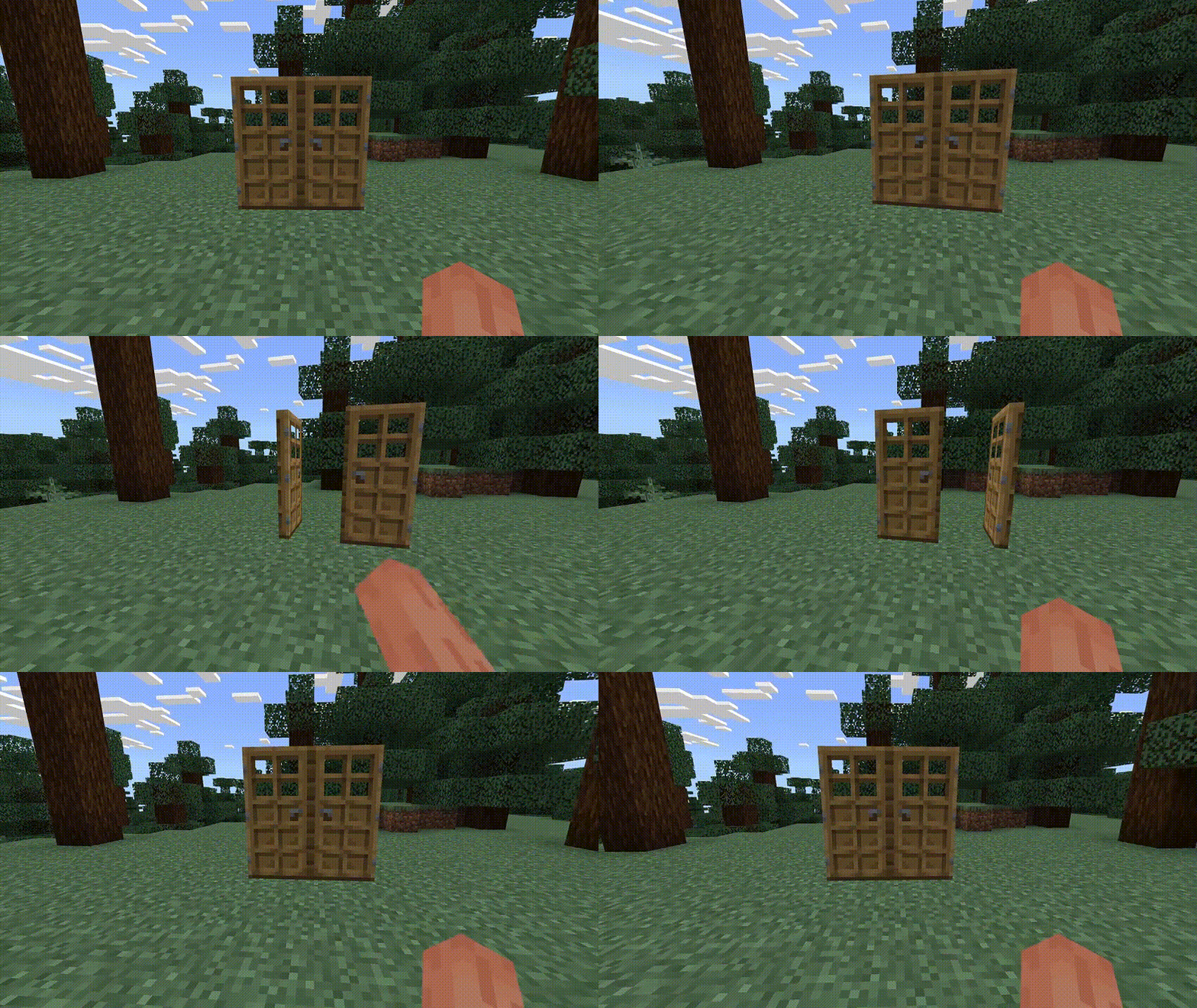
Open a pair of doors together
Place a normal double doorway and interact with the bottom half of a door. Both leaves open or close together, making a workshop or house entrance easier to use. Start with a normal wooden pair if a custom door behaves differently; this feature is not a trapdoor or gate controller.
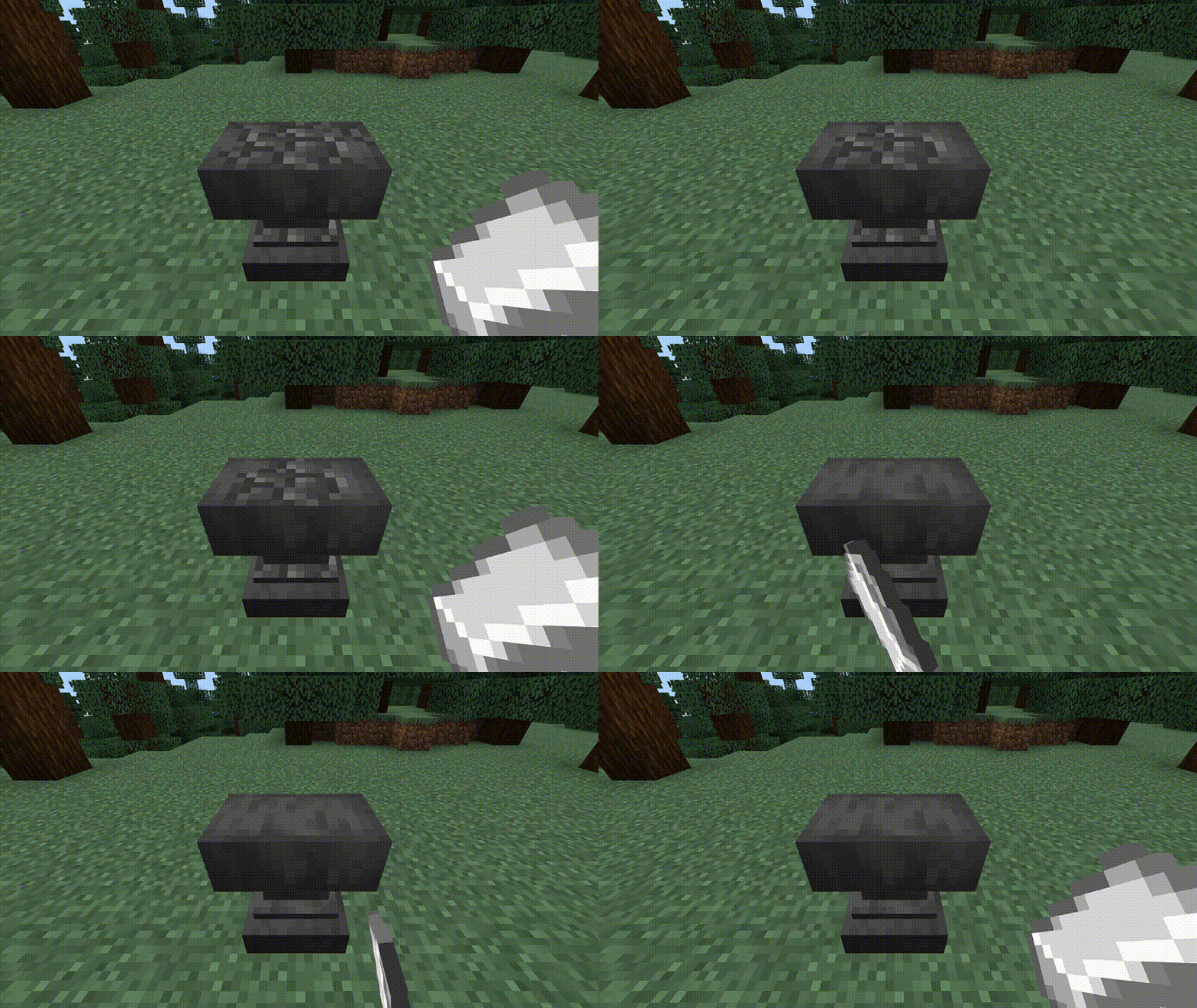
Repair the anvil block with iron
Hold an iron ingot and use it on a damaged anvil while standing normally, without sneaking. Each interaction consumes an ingot and improves one damage stage: a heavily damaged anvil needs two steps to become undamaged. This repairs the anvil itself; repairing or combining tools still uses the normal anvil interface and its costs.
Harvest mature crops and leave a new crop behind
Break a fully grown wheat, carrot, potato or beetroot crop and the add-on replants that crop at its first growth stage. It is handy for hand-harvested food plots: collect a row and leave it growing for the next visit. Breaking an immature plant is not the same action, and this does not build an automatic farm or harvest an entire field at once.
Recover the route after a death
After respawning, check the coordinate message sent to you. Use those X, Y and Z values to navigate back with spare food and equipment. Remember which dimension you died in—the coordinate message does not name it. This is a location reminder, not a grave, teleport command, keep-inventory feature or guarantee that dropped items survive.
Understand the Silk Touch spawner limit
A Silk Touch pickaxe can recover the spawner block, but the mob inside is not preserved. Do not dismantle a valuable dungeon spawner expecting to recreate its original mob farm elsewhere. This is a block-recovery feature, not a complete survival spawner-moving system.
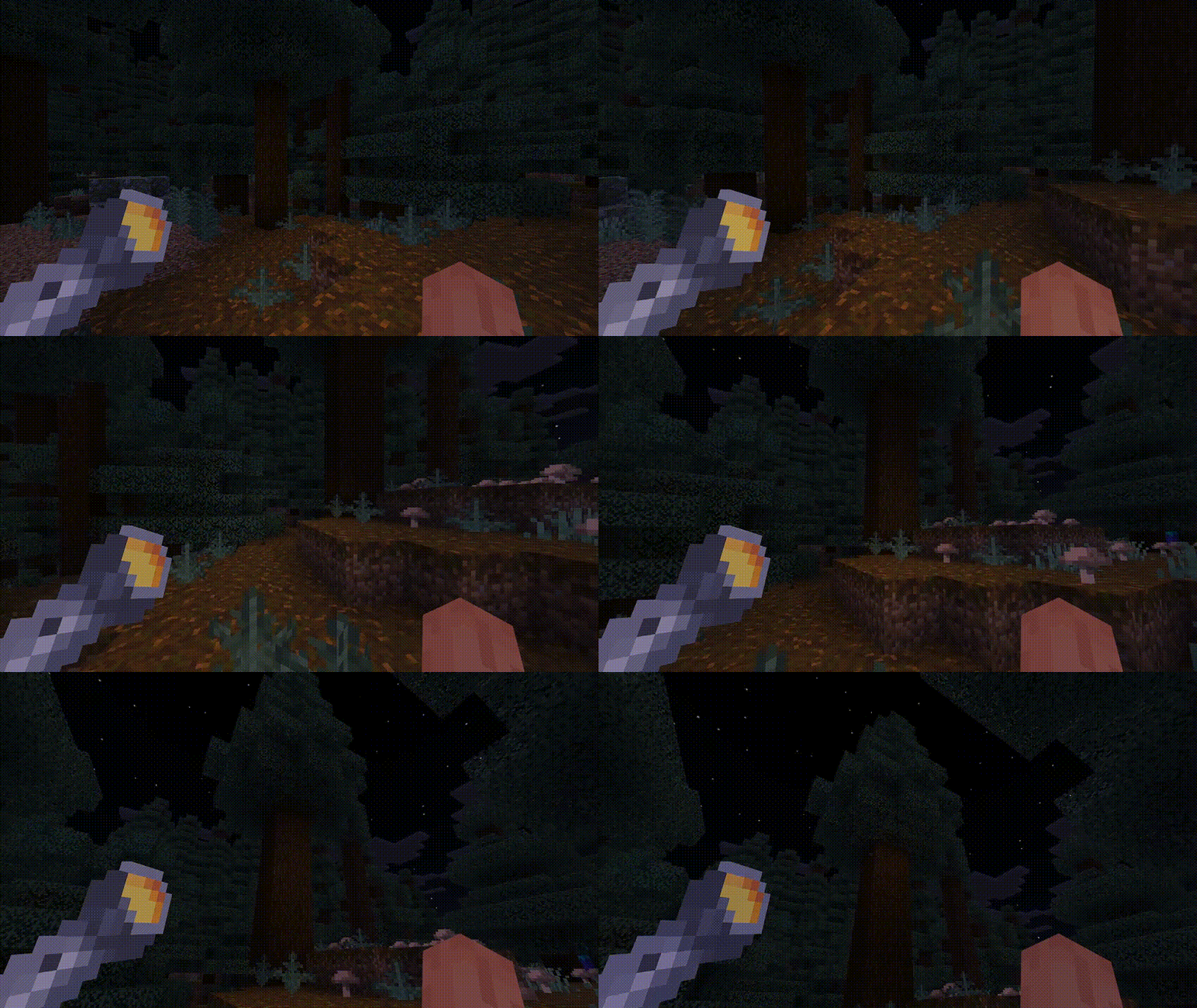
Craft and use the flashlight
At a crafting table, arrange one torch and two iron ingots diagonally: torch in the top-right square, an ingot in the centre and another in the bottom-left. Leave the other squares empty. Picking up a torch unlocks the recipe.
Hold the flashlight in either your main hand or off hand and look along your route. The temporary light follows your view; using the off hand leaves room for a pickaxe. It is useful for finding your way through a dark passage or checking a build at night, but keep permanent lighting where you need a reliably lit base. It is not a shader pack or a replacement for all light sources.
When something does not work
- Nothing activates: check that the world has both 1.8.3 packs and that your game meets the version guidance above. Reimporting a file alone does not activate it in an existing world.
- A tree or ore stays in place: check sneak, the correct tool and supported vanilla blocks. For ores, use a connected group and an adequate pickaxe tier.
- Pickup does nothing: enable it for your player, leave an inventory slot empty and try a block you break directly. Distant drops are outside its purpose.
- Commands are unknown or refused: check the active behavior pack and game version, then the world’s cheat setting. Try the namespaced command if a short name conflicts.
- A tool will not switch: put it in the hotbar, stop sprinting and look at one of the supported block types. Dirt and arbitrary custom blocks are not covered by the current selection rules.
- The flashlight is missing or has the wrong appearance: confirm the matching resource pack, then look up Flashlight in the crafting book or use the recipe above.
- Another add-on also changes harvesting or pickup: try Essentials+ alone in a copy. Running two systems that alter the same drops can cause unexpected results; changing pack order is not a universal fix.
Before removing the add-on, put away its flashlight and keep a world backup. Removing it stops its mechanics; it will not rebuild a tree you felled or restore a spawner’s original mob.
Creator and sources
Bedrock Essentials+ and the demonstrations are by Gao. The six animations above come from the creator’s project description and illustrate the named features; they are not new MineBrush gameplay captures. Full-resolution links open the original GIF files. The cover is an original MineBrush illustration, separate from the gameplay demonstrations.
- Gao’s official project, features and original GIF demonstrations.
- Bedrock Essentials+ 1.8.3 release, September 8, 2026.
- Minecraft 26.10 release notes and Minecraft custom-command documentation, used to clarify the game-version and command requirements.
The project is All Rights Reserved; retain Gao’s credit and follow the author’s conditions for changes or redistribution.
More for your Bedrock world.

Understand Minecraft 26, tell normal releases from test builds, and choose the right version for friends, servers and mods. Clear Java and Bedrock examples without the technical clutter.
- Topic
- Choosing your Minecraft version
- Scope
- None
- Evidence
- Official Minecraft sources · checked 9 Sep 2026
A shared “26” prefix never proves cross-edition compatibility.
MineBrush · News
Minecraft Versions Made Simple
Understand Minecraft 26, tell normal releases from test builds, and choose the right version for friends, servers and mods. Clear Java and Bedrock examples without the technical clutter.
A shared “26” prefix never proves cross-edition compatibility.
- Compatibility confidence
- Source claimed
- Card evidence statement
- Official policy and indexes checked 9 Sep 2026; client display NOT_OBSERVED.
- Card delivery statement
- Choose a version for everyday play or testing
- Card limitation note
- A shared “26” prefix never proves cross-edition compatibility.
- Edition applicability
- Java + Bedrock
- News topic
- Choosing your Minecraft version
- Public news evidence label
- Official Minecraft sources · checked 9 Sep 2026
- Delivery state
- No file
- Lifecycle state
- Current
- News evidence type
- Official Minecraft source
Anvil Repair
1.0.1Keep your workshop running by repairing worn anvils with iron ingots. Learn the two repair stages, survival uses and configurable costs, then download Anvil Repair 1.0.1 for Bedrock 1.21. Includes behavior and resource packs; no experiments required.
- Minecraft
- Bedrock 1.21 (2024 release)
- Components
- Paired
- Package
- .mcaddon
Bedrock · Add-on
Anvil Repair
Keep your workshop running by repairing worn anvils with iron ingots. Learn the two repair stages, survival uses and configurable costs, then download Anvil Repair 1.0.1 for Bedrock 1.21. Includes behavior and resource packs; no experiments required.
- Minecraft version
- Bedrock 1.21 (2024 release)
- Game edition
- Bedrock Edition
- Loader / platform
- Bedrock
- License
- GNU GPL 3.0
- Platform family
- Bedrock & Mobile
- Supported devices
- Windows · Android · iOS/iPadOS
- Install format
- .mcaddon
- Touch readiness
- Check guide
- Resource type
- Add-on
- Project version
- 1.0.1
- Last verified at
- Sep 15, 2026
- Compatibility confidence
- Source claimed
- Bedrock add-on packs
- Paired
- Bedrock add-on import route
- Open the .mcaddon with Minecraft; activate both behavior and resource packs.
- Required experiments
- None
- Edition applicability
- Bedrock
- Delivery state
- Direct download
- Lifecycle state
- Current

WorldEdit Bedrock
0.11.0-beta.5 / 0.10.4Copy builds, replace materials and shape terrain with WorldEdit for Bedrock. Learn the wand, clipboard, brushes and undo, then choose the right download for a normal world, Windows Editor or dedicated server.
- Minecraft
- 26.10 minimum (beta); 1.21.130 (stable)
- Components
- Paired
- Package
- .mcaddon for worlds; .zip for dedicated servers
Beta APIs required. Start in a copied world.
Bedrock · Add-on
WorldEdit Bedrock
Copy builds, replace materials and shape terrain with WorldEdit for Bedrock. Learn the wand, clipboard, brushes and undo, then choose the right download for a normal world, Windows Editor or dedicated server.
Beta APIs required. Start in a copied world.
- Minecraft version
- 26.10 minimum (beta); 1.21.130 (stable)
- Game edition
- Bedrock Edition
- Loader / platform
- Bedrock
- License
- GPL-3.0-or-later
- Platform family
- Bedrock & Mobile
- Supported devices
- Windows · Android · iOS/iPadOS
- Install format
- .mcaddon for worlds; .zip for dedicated servers
- Touch readiness
- Check guide
- Resource type
- Add-on
- Project version
- 0.11.0-beta.5 / 0.10.4
- Last verified at
- Sep 15, 2026
- Compatibility confidence
- Source claimed
- Bedrock add-on packs
- Paired
- Bedrock add-on import route
- Import the normal .mcaddon; activate both packs and Beta APIs.
- Required experiments
- Required
- Card evidence statement
- Select, copy, replace and shape your builds
- Card delivery statement
- Normal add-on, Windows Editor and server packages
- Card limitation note
- Beta APIs required. Start in a copied world.
- Edition applicability
- Bedrock
- Delivery state
- Direct download
- Lifecycle state
- Current

Body Camera
1.6.1Explore through a bodycam lens with a sneaking-activated flashlight, night vision and thermal presets. See creator screenshots, tune the view and download Body Camera 1.6.1 for Java.
- Minecraft
- 1.8.9–1.21.11 / 26.1–26.2
- Runtime
- Iris or OptiFine
- Performance
- Performance not tested
Use the flashlight with Sneak or select Always in settings
Java · Shader
Body Camera
Explore through a bodycam lens with a sneaking-activated flashlight, night vision and thermal presets. See creator screenshots, tune the view and download Body Camera 1.6.1 for Java.
Use the flashlight with Sneak or select Always in settings
- Minecraft version
- 1.8.9–1.21.11 / 26.1–26.2
- Game edition
- Java Edition
- Loader / platform
- Not applicable
- License
- CC-BY-4.0
- Performance expectation
- Depends on setup
- Platform family
- Java & PC
- Supported devices
- Minecraft Java with a compatible Iris or OptiFine setup
- Install format
- Shader ZIP in shaderpacks; Iris and Sodium JARs in mods
- Touch readiness
- Not required
- Resource type
- Shader
- Project version
- 1.6.1
- Last verified at
- Sep 7, 2026
- Compatibility confidence
- Source claimed
- Java shader runtime
- Iris or OptiFine
- Shader preview mode
- Single cover
- Performance evidence
- Try Realism Fast, then adjust effects for your PC
- Notable feature
- Flashlight, wide-angle view, night vision and thermal presets
- Shader performance tier
- Performance not tested
- Shader settings guide
- Available
- Card evidence statement
- Creator screenshots and verified release information
- Card delivery statement
- Shader ZIP plus matching Fabric 26.2 Iris and Sodium
- Card limitation note
- Use the flashlight with Sneak or select Always in settings
- Edition applicability
- Java
- Delivery state
- Direct download
- Lifecycle state
- Current
Player discussion 0
Questions, discoveries and help from other players.