
MineBrush publication
Dither 1.0.0: Pixel Art, Palettes & Iris Setup
Turn familiar builds into pixel-art scenes with Dither. Compare five creator palettes, tune outlines and pixel scale, and download the recommended Iris setup for Java 1.21.8.
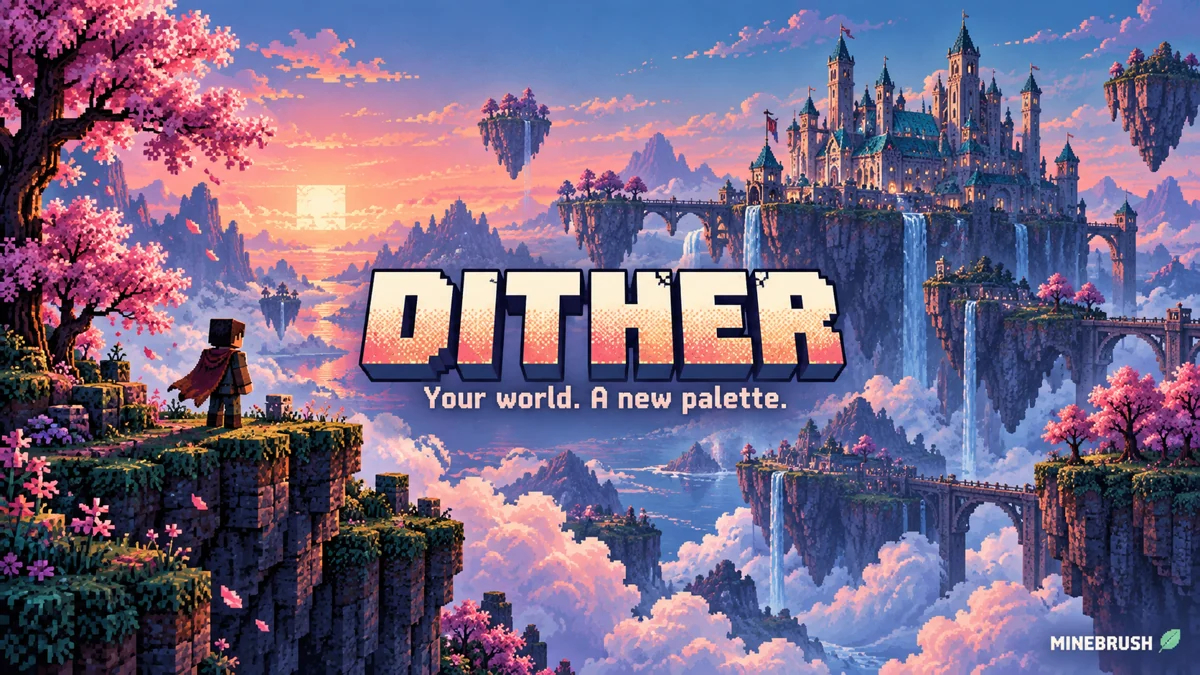
Dither turns Minecraft into a limited-colour, pixel-art scene. It combines a chosen palette, patterned shading and bold outlines, so a familiar forest can become a pink illustration or a blue underwater landscape. This Java shader is by Snorfield; it changes what you see, not your blocks or world generation.
Start with Java 1.21.8 and Iris. Dither 1.0.0 is an Alpha release whose download lists 1.20–1.21.11, but the creator still recommends 1.21.8 because of an inverted-lighting issue on 1.21.9 and later. Java 26.x is not listed. The ready-to-download Iris and Sodium pair below is for the recommended 1.21.8 setup.
What can you do with Dither?
- Give an existing build a new art style. Try a silhouette-heavy castle, a cherry garden or a row of rooftops. You do not need to replace every block to change the mood of the whole scene.
- Create a consistent look for screenshots. Use the same palette across several locations for a recognisable series. Large shapes and a clear foreground usually remain easier to read than a scene packed with tiny details.
- Explore familiar places differently. An ocean monument in cool colours and a birch forest in warm colours can feel very different from their ordinary appearance. The mobs, resources and rules are unchanged.
- Experiment with retro presentation. Adjust the pixel scale and outlines, then choose whether you prefer dotted transitions or flat areas of colour. This works as a personal visual setup in single-player or on a server; other players do not need the shader.
Strong colour reduction can make different blocks look similar. For careful material selection, building colour gradients or spotting distant hazards, use a gentler pixel scale or briefly turn the shader off. Dither is a stylistic choice, not a visibility advantage for competitive play.
Five creator examples: choose a direction
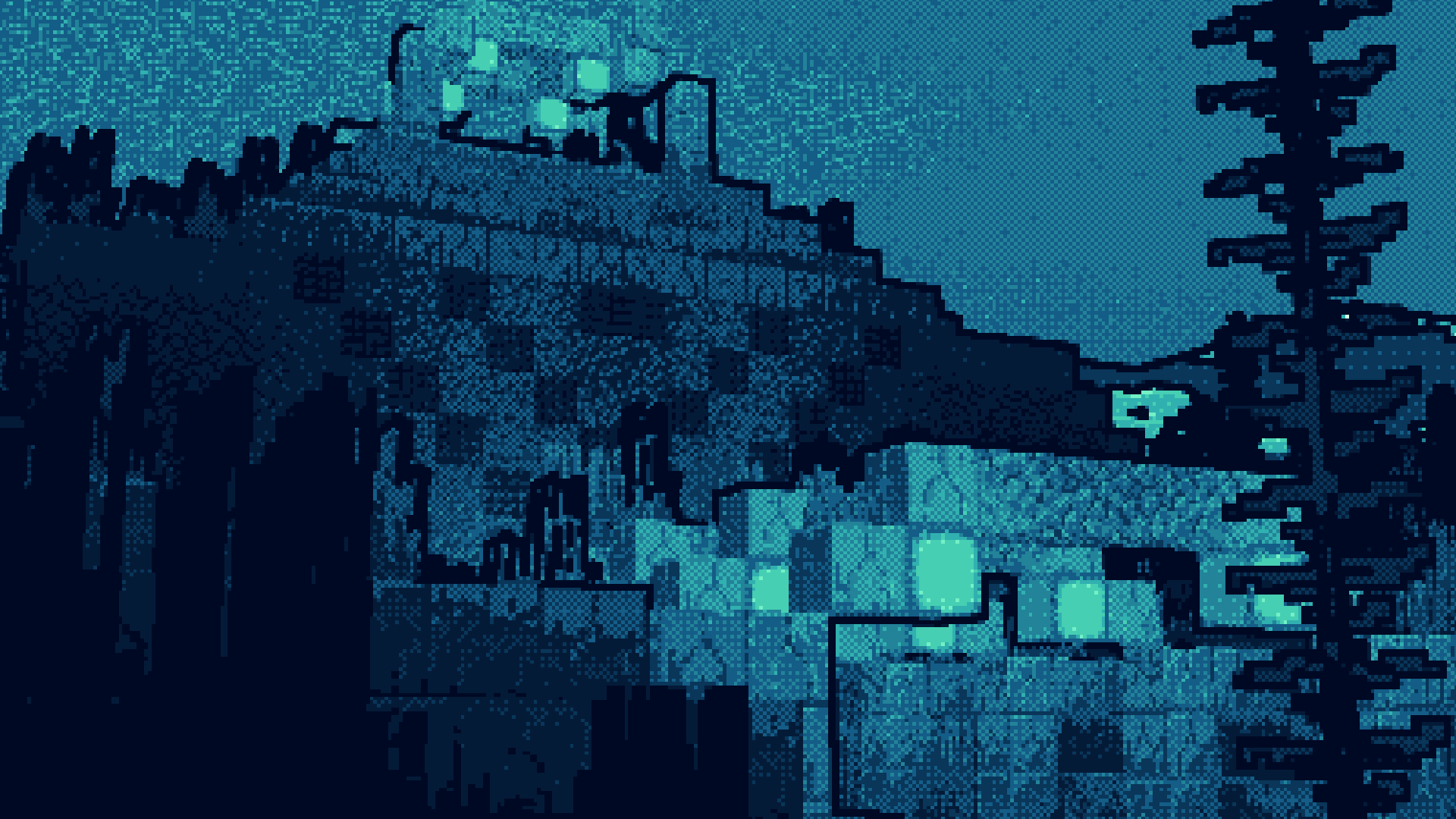
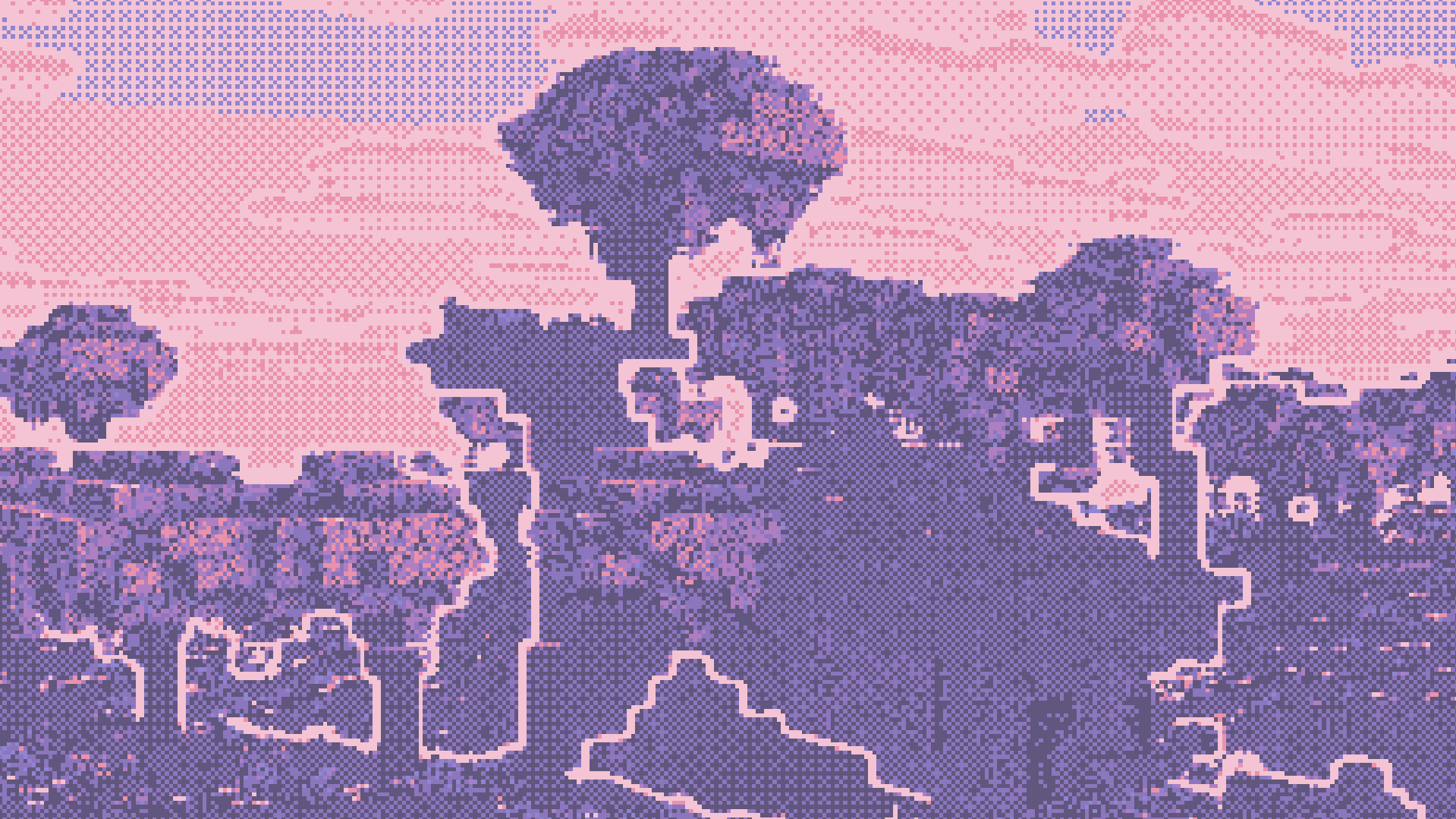
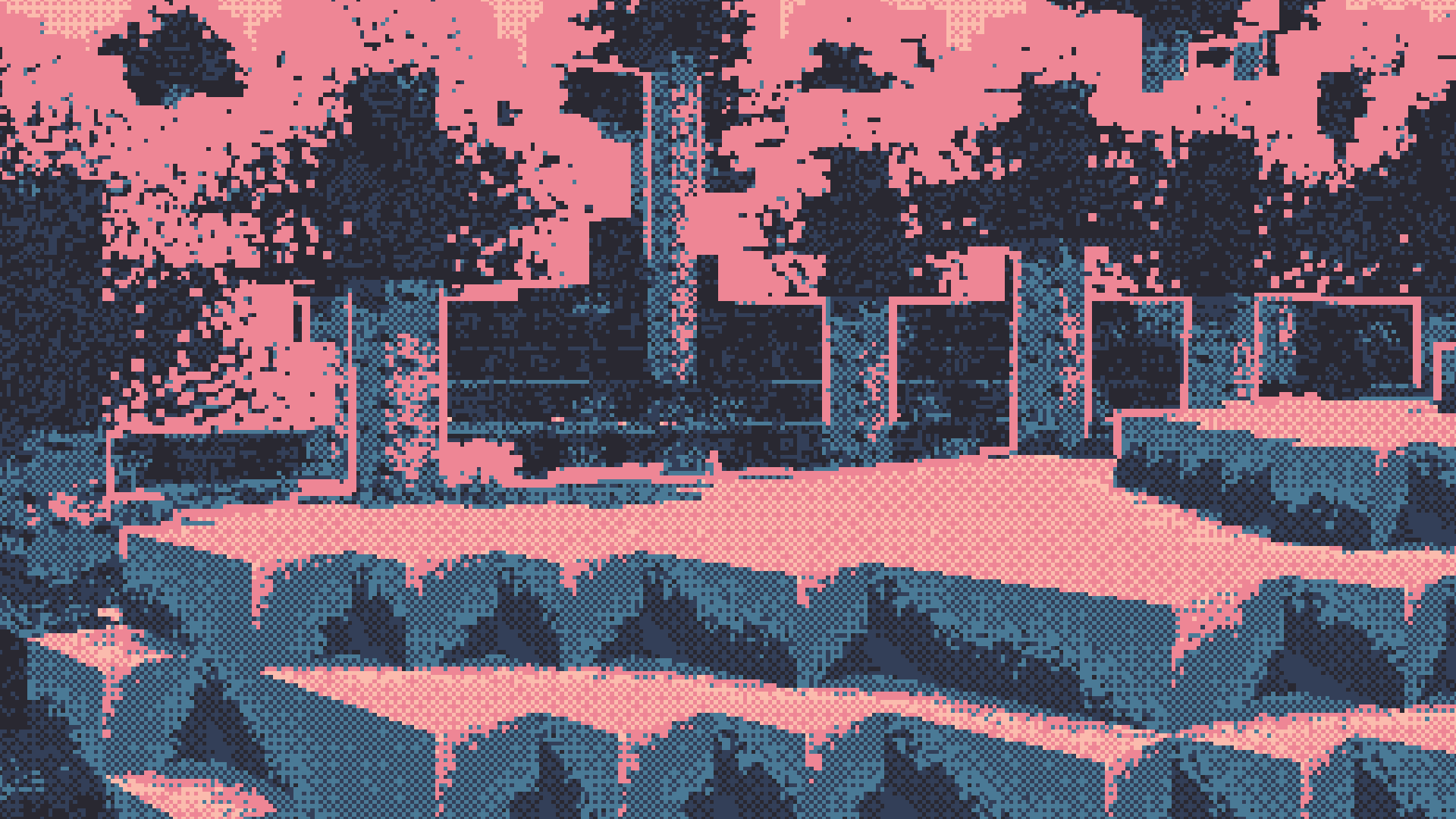
These original images were posted by Snorfield on January 18–19, 2026, around the 1.0.0 release. Each caption identifies the palette and scene. The examples use different locations, so they show possible styles rather than a controlled comparison. The builds and maps are not included in the shader. Click an image to open its original PNG; the MineBrush cover is a separate illustration.
Eulbink: cool underwater colours
Cloudfrenzy: a softer cherry grove
Twilight 5: a small, dramatic palette
Inkpink: bold sky-island silhouettes
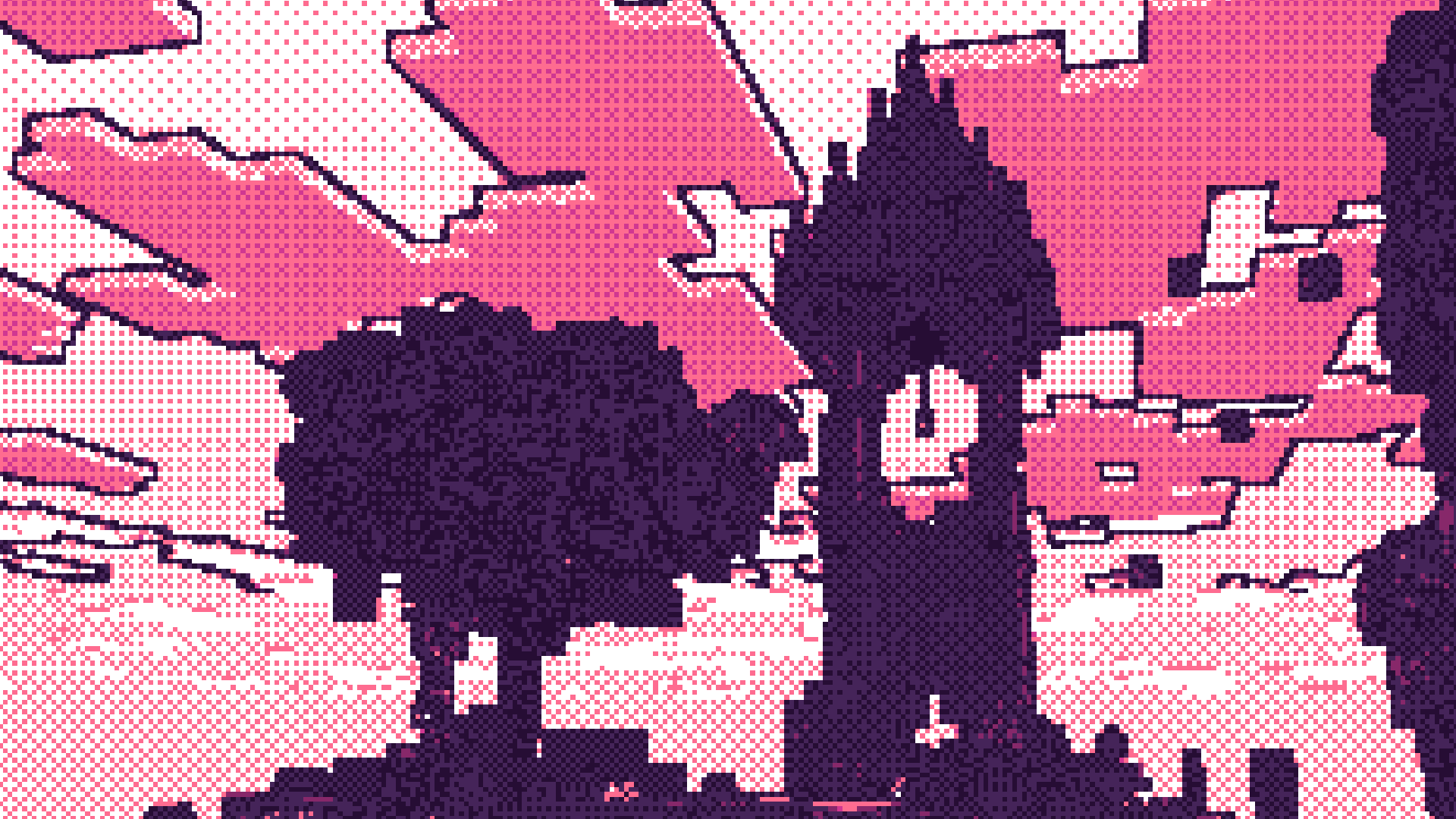
Crimson: warm colours and patterned shading
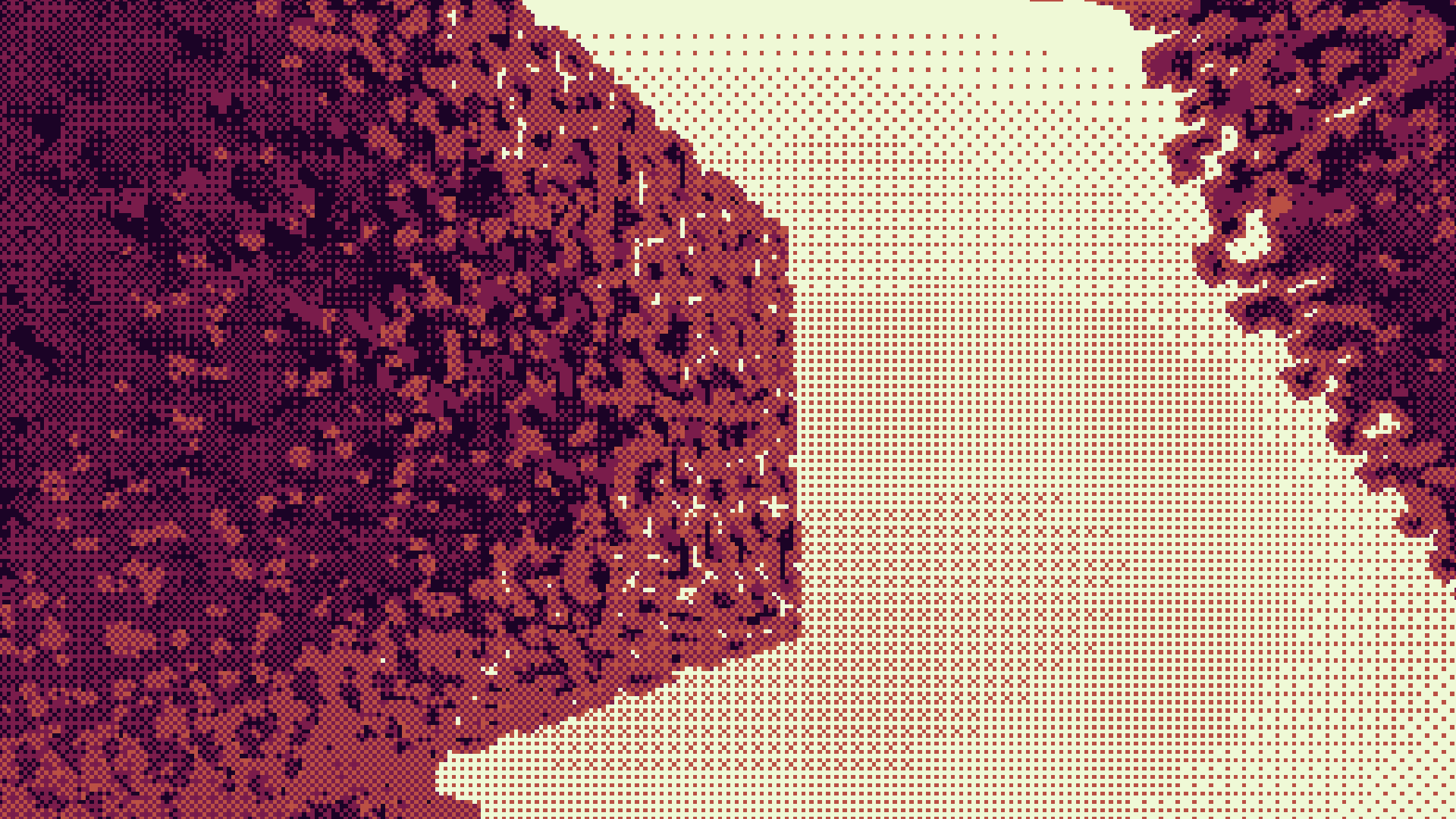
Download Dither and its Iris setup
Dither 1.0.0 Alpha — original shader ZIP, released January 19, 2026. The listed game range is Java 1.20–1.21.11; use 1.21.8 for the creator-recommended route. Put this file in shaderpacks.
Iris 1.9.6 + Sodium 0.7.2 for Fabric 1.21.8. Install both JARs below if you are creating a new shader setup. Their official files also list 1.21.6 and 1.21.7. They are not for 1.21.9, 1.21.11 or 26.x.
Use Fabric Loader 0.16.0 or newer for this pair. Sodium includes the Fabric API components it requires, so this pair does not need a separate full Fabric API download; other mods may need it. Keep one compatible Iris and Sodium installation if you already have them, and remove duplicate older JARs from the same instance.
Install and see the first result
- Create or select a Java 1.21.8 Fabric instance in your launcher. Use a world already compatible with that game version; do not open a newer-version save in an older game.
- With Minecraft closed, put the two JARs in that instance’s
modsfolder. - Start the instance and open Options → Video Settings → Shader Packs. Open its shader-pack folder.
- Copy
Dither.zipintoshaderpacks, select it in the list and apply. Leave the ZIP intact for normal use. - Visit a familiar outdoor area. Open Shader Settings from the shader-selection screen to adjust the appearance.
The original download starts with SLSO8, an eight-colour palette by Luis Miguel Maldonado. There is no required resource pack or activation item. OptiFine is not the documented setup here: Snorfield says it has not been tested.
Useful settings and what they actually do
The following names and defaults come from the downloaded 1.0.0 files. Change one setting at a time so you can see what helped.
- Pixel Size starts at 350. Despite the label, a higher number produces a finer image; lower values produce larger, coarser pixels. Try 500–650 when distant shapes are difficult to recognise, or 150–250 for a stronger retro look. These are starting suggestions, not built-in presets.
- Outline is enabled. Turn it off for a softer image. Outline Width starts at 10; lowering it can make busy trees and fences less visually heavy.
- Outline Shade starts at Lightest Color. Switch to Darkest Color for a dark contour. The actual colours come from the selected palette.
- Dithering is enabled. Turn it off to compare flat colour regions with the dotted transitions. Dither Threshold starts at 0.055; adjust it in small steps while looking at a sky gradient or a shaded wall.
- Vignette is off by default. Enable it if you want darker edges around the scene; disable it when those edges hide details you need while playing.
For everyday exploration, begin with the default palette and a finer pixel scale. For a stylised build screenshot, choose the palette first, frame a clear silhouette, then adjust outlines. A screenshot setting does not have to be the one you use for mining or fighting.
Change the palette without writing a shader
The archive includes six ready-made palette blocks in shaders/palettes.txt: Twilight 5, Crimson, SLSO8, Eulbink, Cloudfrenzy and Oil 6. This is a text file, not an in-game palette dropdown.
- Keep the original ZIP and extract a separate working copy into
shaderpacks. The extracted pack folder must directly contain itsshadersfolder. - Open
shaders/palettes.txtin a plain-text editor. Copy one complete palette block, from its name comment through its finallightColorline. - Open
shaders/palette.glslin that same extracted copy and replace its contents with the chosen block. Copy only one palette, not the whole collection. - Save as plain text with the original
.glslextension. Select the extracted copy in Iris and reload it to see the change.
For another palette, use Snorfield’s palette converter and paste its generated shader code into that file. Raw hex colour strings alone are not valid replacement code. Lospec’s palette collection is the creator’s suggested place to look. Keep the palette creator’s credit with your custom copy.
Common fixes
Lighting looks inverted on 1.21.9 or later: the creator’s current warning recommends 1.21.8. Use a separate matching instance and compatible world rather than downgrading your current save. Changing a palette is not the fix for a lightmap problem.
Your palette change did nothing: check that Iris has selected the extracted copy you edited, not the untouched ZIP. Reload after saving. If a custom edit stops the shader loading, select the original ZIP again, then check that you copied a complete single palette block.
Dither does not appear in the list: use the folder opened by the running instance. The ZIP belongs in shaderpacks, while Iris and Sodium belong in mods.
The picture feels too coarse or busy: increase Pixel Size for finer sampling, reduce Outline Width, or compare with Dithering disabled. Change the palette if important materials have become indistinguishable.
Performance is uncomfortable: reduce render distance and outline width, and compare with the outline disabled. Avoid assuming that a coarse pixel look guarantees more FPS; the shader still processes the scene. Performance depends on your GPU, resolution and world.
Creator and sources
Dither is by Snorfield, published under MIT. The original shader and setup JARs are preserved. Palette credits remain in the archive.
- Official Dither project and current compatibility warning
- Dither 1.0.0 Alpha release
- Creator’s source repository and instructions
- Iris 1.9.6 for Fabric 1.21.8
- Matching Sodium 0.7.2
More for your Java setup.
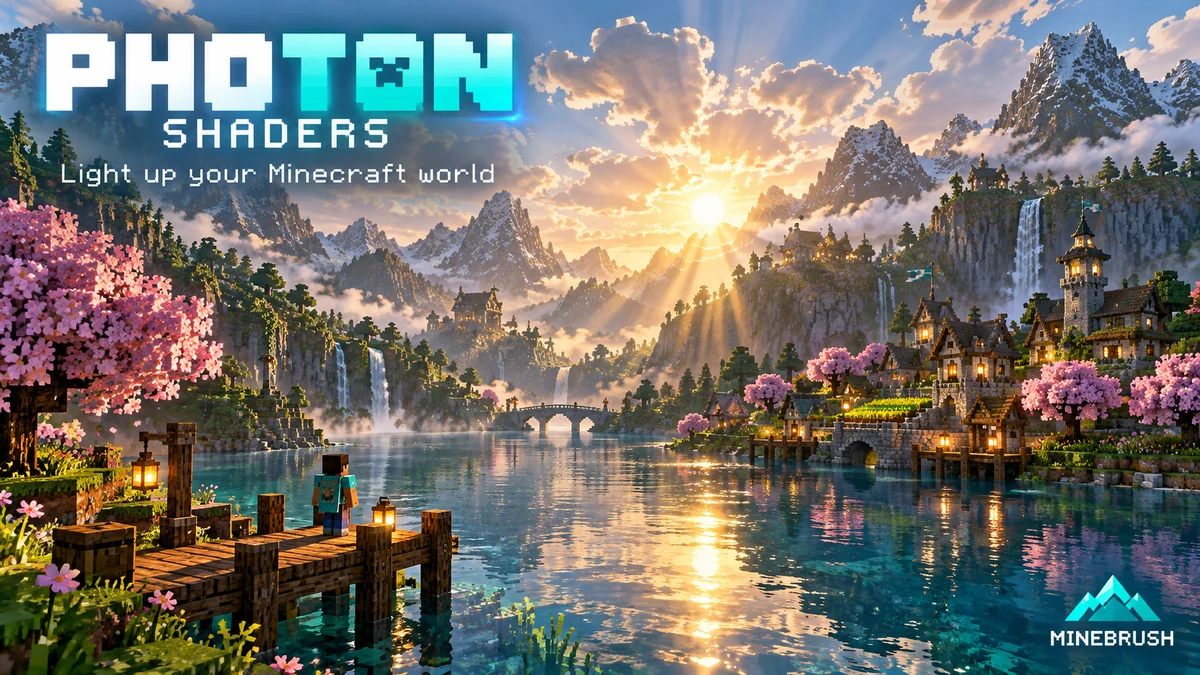
Photon Shaders
1.3bExplore softer light, dramatic skies and reflective water with Photon. See real showcases, choose a gameplay or photo profile and download the shader with a clear Iris setup.
- Minecraft
- Java 1.16.5–1.21.11 / 26.1–26.1.2
- Runtime
- Iris or OptiFine
- Performance
- Depends on GPU and settings
Iris recommended; colored lighting needs Iris; Apple GPU unsupported
Java · Shader
Photon Shaders
Explore softer light, dramatic skies and reflective water with Photon. See real showcases, choose a gameplay or photo profile and download the shader with a clear Iris setup.
Iris recommended; colored lighting needs Iris; Apple GPU unsupported
- Minecraft version
- Java 1.16.5–1.21.11 / 26.1–26.1.2
- Game edition
- Java Edition
- Loader / platform
- Not applicable
- License
- See creator license; dependencies retain their own licenses
- Performance expectation
- Depends on setup
- Platform family
- Java & PC
- Supported devices
- Windows / Linux · NVIDIA, AMD, Intel · Apple GPU unsupported
- Install format
- Photon ZIP in shaderpacks; dependency JARs in mods
- Touch readiness
- Not required
- Resource type
- Shader
- Project version
- 1.3b
- Last verified at
- Sep 14, 2026
- Compatibility confidence
- Source claimed
- Java shader runtime
- Iris or OptiFine
- Shader preview mode
- Single cover
- Shader performance tier
- Performance not tested
- Shader settings guide
- Available
- Card evidence statement
- Atmospheric skies, reflective water and configurable colored lighting
- Card delivery statement
- Photon ZIP + optional Fabric 26.1.2 setup files
- Card limitation note
- Iris recommended; colored lighting needs Iris; Apple GPU unsupported
- Edition applicability
- Java
- Delivery state
- Direct download
- Lifecycle state
- Current
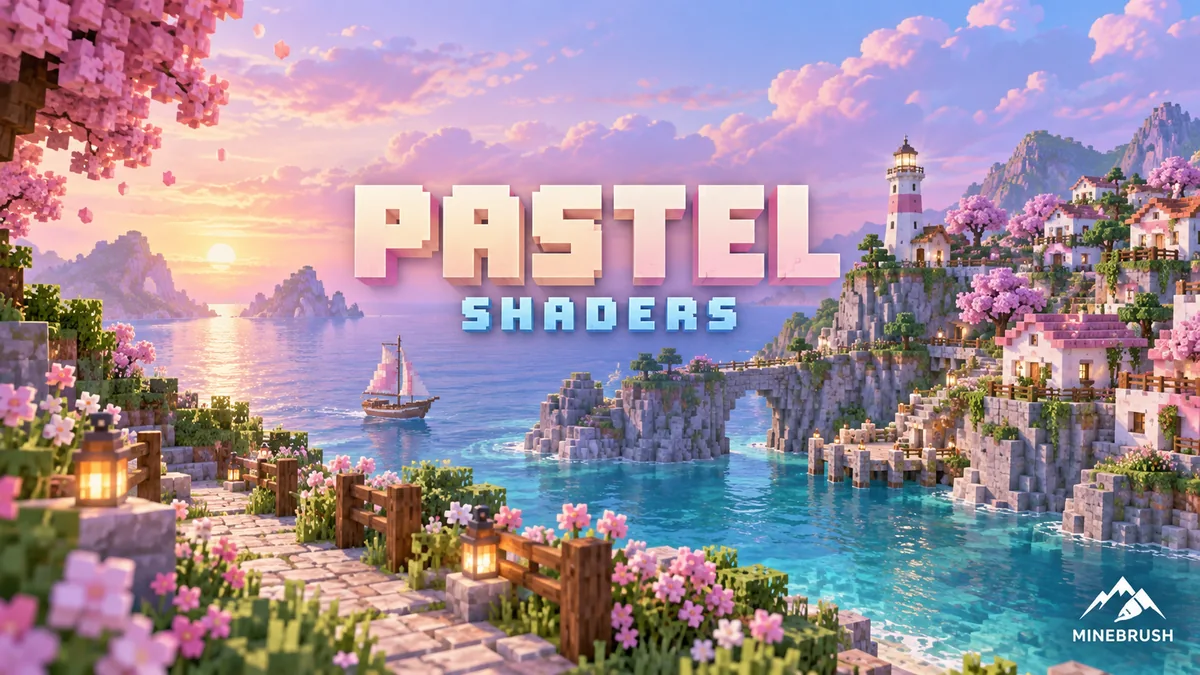
Pastel Shaders
1.200Choose Rose Quartz, Periwinkle or Lemon for a softer Minecraft world. Compare real palette examples, tune quality and visibility, and download Pastel with a clear Java 1.21 setup.
- Minecraft
- Java 1.7.10–1.21
- Runtime
- Iris or OptiFine
- Performance
- Depends on GPU and settings
Latest shader release lists up to Java 1.21; four quality levels per palette
Java · Shader
Pastel Shaders
Choose Rose Quartz, Periwinkle or Lemon for a softer Minecraft world. Compare real palette examples, tune quality and visibility, and download Pastel with a clear Java 1.21 setup.
Latest shader release lists up to Java 1.21; four quality levels per palette
- Minecraft version
- Java 1.7.10–1.21
- Game edition
- Java Edition
- Loader / platform
- Not applicable
- License
- All Rights Reserved; original credits retained
- Performance expectation
- Depends on setup
- Platform family
- Java PC
- Supported devices
- PC with compatible Iris or OptiFine; performance depends on GPU
- Install format
- Shader ZIP in shaderpacks; dependency JARs in mods
- Touch readiness
- Not required
- Resource type
- Shader
- Project version
- 1.200
- Last verified at
- Sep 14, 2026
- Compatibility confidence
- Source claimed
- Java shader runtime
- Iris or OptiFine
- Shader preview mode
- Single cover
- Shader performance tier
- Performance not tested
- Shader settings guide
- Available
- Card evidence statement
- Rose Quartz, Periwinkle and Lemon palettes
- Card delivery statement
- Shader ZIP + optional Fabric 1.21 setup files
- Card limitation note
- Latest shader release lists up to Java 1.21; four quality levels per palette
- Edition applicability
- Java
- Delivery state
- Direct download
- Lifecycle state
- Current
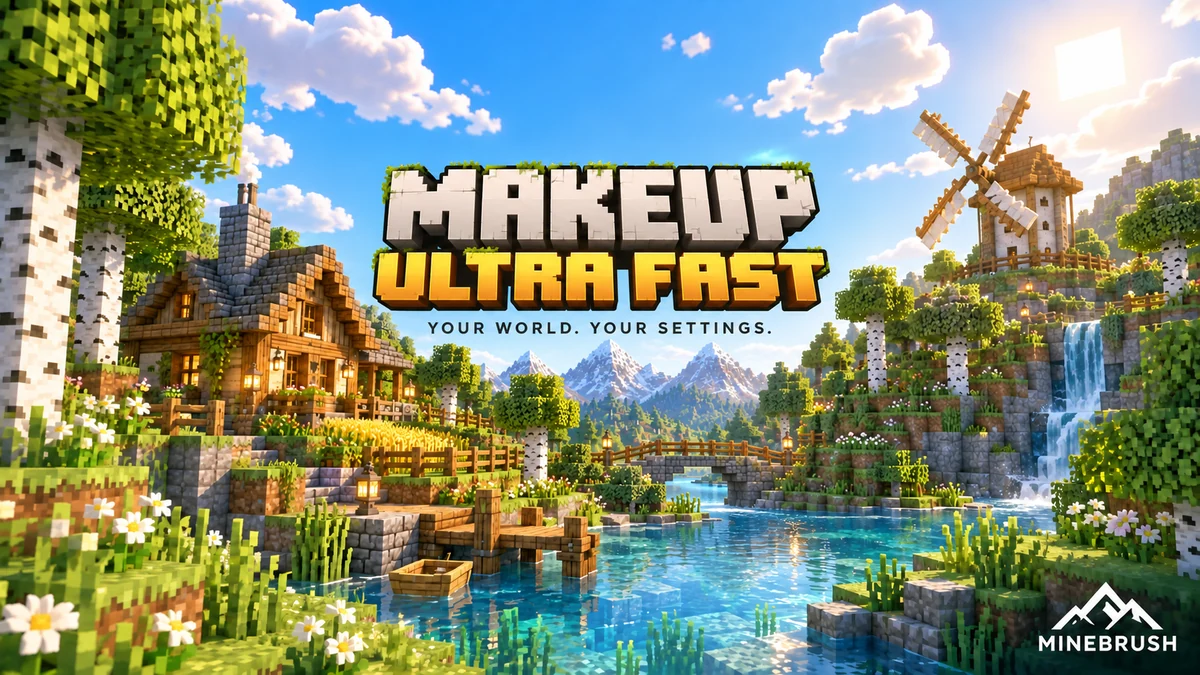
Choose the effects that matter to your Minecraft world: better water, color, clouds and optional shadows. Explore MakeUp’s Shadowless profiles, real examples and a clear Iris setup.
- Minecraft
- Java 1.12.2–1.21.11 / 26.1–26.2
- Runtime
- Iris or OptiFine
- Performance
- Depends on GPU and settings
Shadowless profiles available; performance depends on settings and GPU
Java · Shader
MakeUp Ultra Fast
Choose the effects that matter to your Minecraft world: better water, color, clouds and optional shadows. Explore MakeUp’s Shadowless profiles, real examples and a clear Iris setup.
Shadowless profiles available; performance depends on settings and GPU
- Minecraft version
- Java 1.12.2–1.21.11 / 26.1–26.2
- Game edition
- Java Edition
- Loader / platform
- Not applicable
- License
- LGPL-3.0-or-later
- Performance expectation
- Depends on setup
- Platform family
- Java PC
- Supported devices
- Windows / Linux; macOS not confirmed by the creator
- Install format
- MakeUp ZIP in shaderpacks; dependency JARs in mods
- Touch readiness
- Not required
- Resource type
- Shader
- Project version
- 9.5e
- Last verified at
- Sep 14, 2026
- Compatibility confidence
- Source claimed
- Java shader runtime
- Iris or OptiFine
- Shader preview mode
- Single cover
- Shader performance tier
- Performance not tested
- Shader settings guide
- Available
- Card evidence statement
- Optional shadows, water effects and adjustable color schemes
- Card delivery statement
- Shader ZIP + optional Fabric 26.2 setup files
- Card limitation note
- Shadowless profiles available; performance depends on settings and GPU
- Edition applicability
- Java
- Delivery state
- Direct download
- Lifecycle state
- Current
Player discussion 0
Questions, discoveries and help from other players.