
MineBrush publication
Embeddium: Smoother Worlds, Settings and Downloads
Make detailed worlds and modded bases smoother to render. Download Embeddium for NeoForge 1.21.1 or Forge/NeoForge 1.20.1, then tune render distance, visual quality and chunk updates with clear player-focused advice.
Embeddium helps Minecraft draw your world more efficiently. It replaces much of the client’s rendering work, which can improve frame rates and make busy scenes feel smoother. It is useful when exploring detailed terrain, looking across a large base or playing a modpack with many custom blocks and models. It adds no new blocks, mobs or crafting recipes: install it, open your world and use the improved Video Settings screen to adjust the result.
The main download here is Embeddium 1.0.15 for Minecraft Java 1.21.1 with NeoForge. There is also a separate 0.3.31 download for Minecraft 1.20.1 with Forge or NeoForge. These are the latest stable files in those branches when checked on September 13, 2026; their original release dates are January 2025 and August 2024. An updated guide does not mean a new mod release. Neither file supports Minecraft 26.2 or Bedrock.
When will Embeddium help?
- Looking across a village, forest or large build: the terrain renderer reduces the work needed to draw visible chunks. It can help when turning the camera or looking toward a detailed area makes your FPS drop.
- Playing a modded base: Embeddium includes rendering fixes and integration work for custom models. This matters for machines, cables and decorative blocks that are more complicated than vanilla cubes.
- Exploring while chunks appear: the mod improves client-side chunk building and uploading. You can tune the balance between visual updates and frame stability instead of simply increasing every performance setting.
- Using a laptop or integrated graphics: lower render distance and a sensible frame-rate cap can reduce unnecessary rendering work. Start with normal settings and adjust the expensive options first.
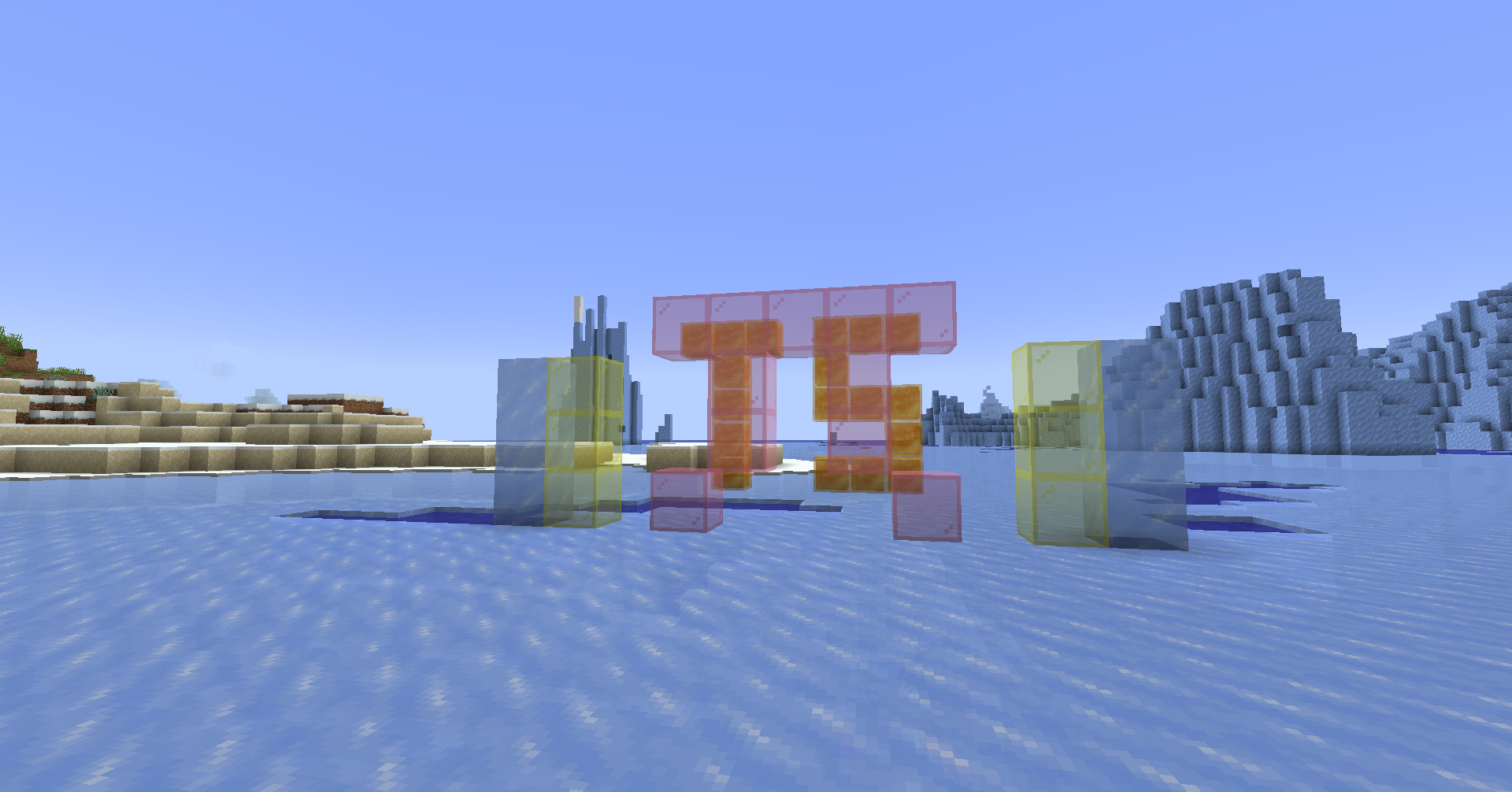
- Building with glass, ice and water: translucency sorting helps overlapping transparent surfaces appear in the correct order. It improves visual correctness; it is not a separate FPS booster.
The improvement depends on your hardware, scene, settings and other mods. Embeddium cannot fix high network ping, a slow server’s mob AI or every pause caused by generating new terrain. If your view stays smooth but mobs freeze or blocks respond late, the problem may be elsewhere. In multiplayer it runs on your computer; the server and your friends do not need to install it for you to use it.
Download the file for your Minecraft version
Minecraft 1.21.1 — NeoForge
Use Embeddium 1.0.15 with NeoForge 21.1.15 or newer in the 1.21.1 branch and the Java 21 runtime used by that Minecraft version. No separate library is required for Embeddium itself.
Minecraft 1.20.1 — Forge or NeoForge
Use Embeddium 0.3.31 for this older Minecraft version. It supports Forge 47 and the corresponding NeoForge 1.20.1 branch. Use the launcher’s Java 17 runtime for a normal 1.20.1 setup. This is a separate game-version branch, not an older file to install alongside 1.0.15.
Choose only one of these files. Neither is a Fabric JAR. The project has separate historical Fabric releases, and its 1.21.4 entry is a beta rather than either stable file above. Check the official version history for another game version. If a modpack already includes a renderer, follow the pack’s supported setup rather than stacking another one on top.
Install and start using it
- Close Minecraft and open the game directory of the launcher instance you actually play. Check its Minecraft version and loader first.
- Place the matching Embeddium JAR in its
modsfolder. Remove an older duplicate Embeddium file. - Remove conflicting alternative renderers such as Rubidium or Sodium from that instance. Do not combine Embeddium with OptiFine as a second renderer. Remove TexTrue’s Embeddium Options too: its rebuilt options screen is already included in the supplied releases.
- Launch the same profile and enter an existing world. No new world, resource-pack activation or special key is needed to activate the rendering improvements.
- Open Options → Video Settings. Adjust an option, read its tooltip, then use Apply. Keep a working set of settings before trying more aggressive changes.
This is a client-only mod. Putting it on a dedicated server does not improve the server’s tick speed. It changes how your game displays a world, so ordinary use does not add world content that must be removed later.
Find and understand the settings
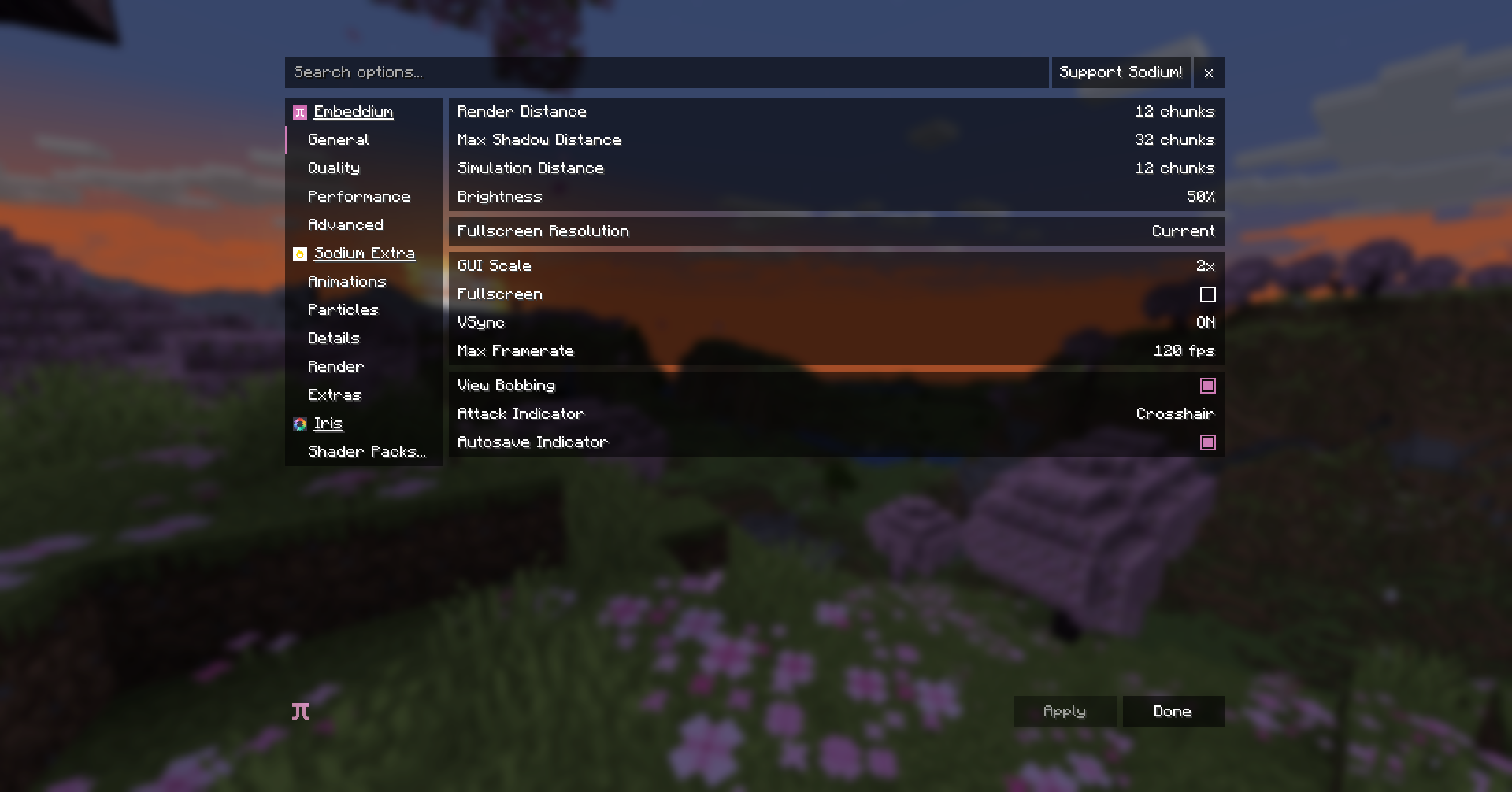
The options screen groups settings under General, Quality, Performance and Advanced. Use the search field at the top to find an option by name. Hover an option to read what it changes and the trade-off involved. Options added by another mod can appear in their own group; their presence does not mean they are built into Embeddium.
Practical settings for different situations
For lower FPS while looking around
Start with Render Distance. As a practical starting point, try 8–12 chunks, then increase it only if the game stays comfortable in the places you visit. This range is a suggestion, not a guaranteed best setting. A lower value draws less distant terrain; it does not delete the world.
Next, reduce Entity Distance if crowded areas are expensive, and lower particle, cloud or weather quality if those effects are the problem. Lower entity distance means distant mobs and other entities disappear from view sooner. Keep that trade-off in mind when watching a farm or scouting from a tower.
For a laptop, quieter play or multitasking
Set Max Framerate to a rate you actually want, such as 60 FPS on a 60 Hz display, instead of letting the game render unlimited frames. A cap can reduce battery use and system load when the game could otherwise run much faster. VSync synchronizes frames with the display and can remove tearing, but may add input delay; compare the feel in your own setup.
For pauses as the world updates
Leave Chunk Update Threads at its default initially. More threads can build chunks faster but can also make frame times less stable by competing for CPU time. Increasing the value to its maximum is not automatically faster in practice.
Always Defer Chunk Updates can improve frame rates in some situations by avoiding waits for chunk work, but the visible world may lag behind changes. For precise building, mining or checking a redstone change immediately, that delay can be more annoying than a small FPS gain. Keep it off unless you understand and prefer the trade-off.
For an attractive build without unnecessary work
Keep Smooth Lighting if you like softer block shading; the option mainly affects chunk-rebuild work rather than steady frame rates. A high Biome Blend radius makes rebuilding chunks more expensive for increasingly small visual changes, so try a modest value first. Leave mipmaps enabled at a level that makes distant textures comfortable to look at instead of disabling them solely because a guide says every visual option costs FPS.
Animate Only Visible Textures avoids updating animations that are not being shown and can help with heavy resource packs. If a particular animated texture stops behaving correctly, try disabling that option and check the same block again. Use the built-in tooltip to understand each adjustment rather than copying a long list of unexplained switches.
Glass, water and modded block models
Translucent Face Sorting makes layered transparent surfaces appear in the correct order—for example, colored glass with water or another glass layer behind it. It is enabled by default in the supplied modern branches, unlike some older Embeddium releases. Search its name in Video Settings if you need to check it; old screenshots and guides can show a different category.
For sloped or unusual modded faces, Use Accurate Quad Shading can improve lighting based on the face’s actual direction. It is relevant to decorative models such as those made by FramedBlocks. It has no effect when Forge’s experimental light pipeline is already enabled; enabling every related option does not multiply the benefit.
Embeddium includes support for the Fabric Rendering API used by some content mods, so Indium is not required and should not be added. This rendering support does not turn a NeoForge instance into Fabric or make arbitrary Fabric mods load. Each content mod still needs a compatible loader/version or its separately documented integration.
Shaders, Sodium and other renderer add-ons
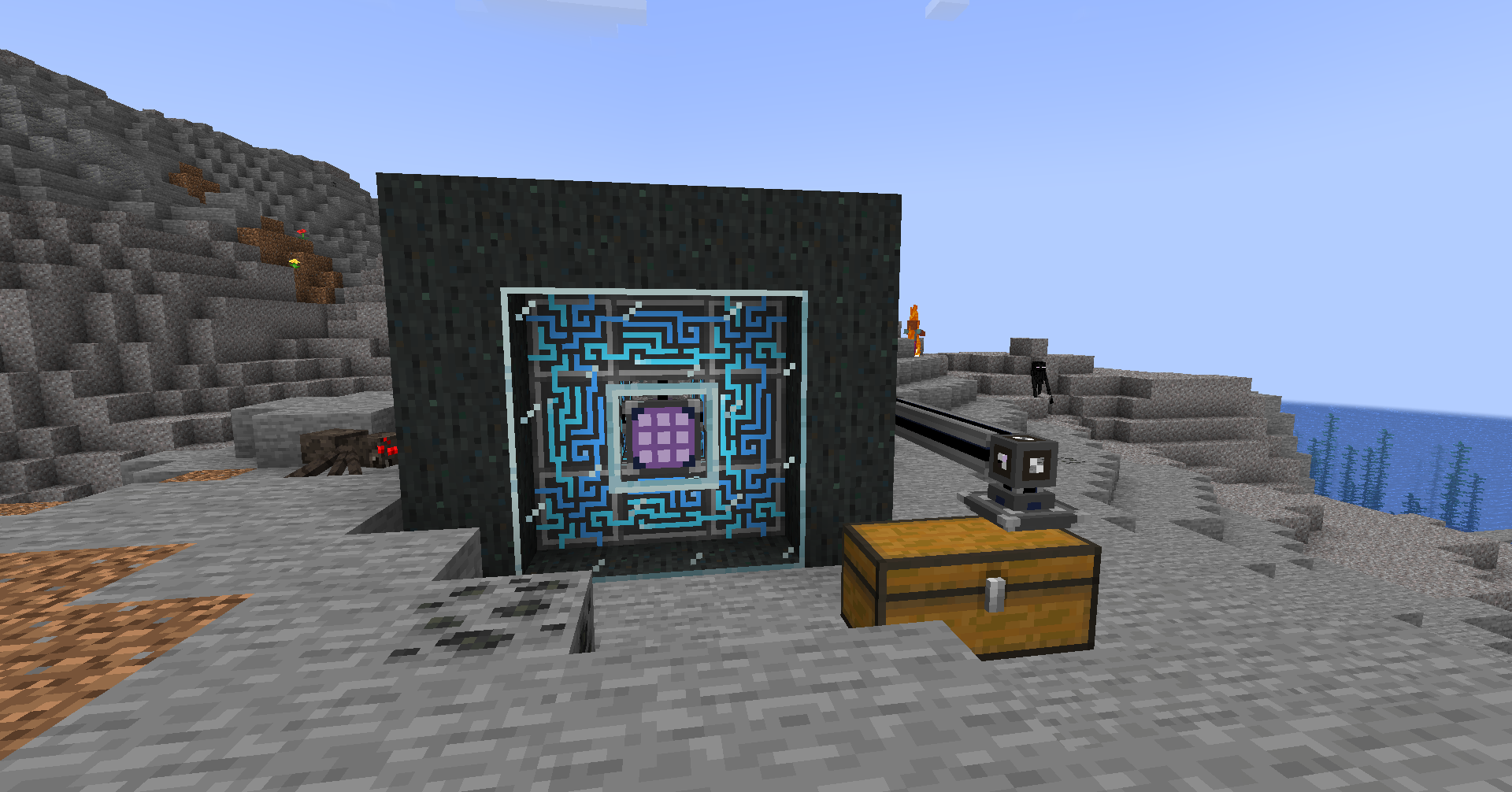
Embeddium does not include a shader loader or shader pack. The author confirms that shader controls appear when a compatible third-party integration is installed. A missing Shader Packs button in a plain Embeddium setup is therefore normal.
For the Forge 1.20.1 route, Oculus is a separate shader integration; the supplied Embeddium 0.3.31 requires an Oculus version newer than 1.6.15 if Oculus is installed. Match the integration to Minecraft 1.20.1 and the renderer. This does not make the same Oculus JAR suitable for NeoForge 1.21.1. Before adding shaders to the 1.21.1 route, follow the exact integration’s supported renderer requirements; do not assume a current Iris file accepts Embeddium.
Sodium, Rubidium and Embeddium are alternative renderer choices, not a stack of cumulative FPS boosts. Embeddium’s own options screen also replaces the old TexTrue’s Embeddium Options add-on. Extra settings shown in an old modpack screenshot are a reason to check the pack’s components, not to install every add-on name you see.
Check whether the change actually helps you
Use a familiar part of your world: walk through your base, turn toward the busiest view and travel along a short route. Keep render distance, resolution, resource packs and shaders the same when comparing. Let nearby chunks finish appearing before comparing a settled scene. Look for smoother camera movement and fewer interruptions as well as the FPS number on F3.
If FPS stays at your cap, that is not a failure—the game may already be rendering all the frames you requested. If it remains low only with a demanding shader, try that shader’s quality settings or resolution. If the problem is delayed mob movement on a server, investigate the server rather than increasing client chunk-building threads.
Useful fixes when something looks wrong
- Crash before the title screen: check the Minecraft version and loader, remove duplicate renderers and TexTrue’s Embeddium Options, then retry without optional renderer add-ons. The 1.21.1 file requires NeoForge 21.1.15+.
- Holes in a resource pack’s blocks: try disabling Use Block Face Culling. Some custom models need different handling; compare the same model with the pack disabled too.
- Flickering layered surfaces: first use the latest file for your branch. The 0.3.31/1.0.11 update fixed another layered-model case. Use Compact Vertex Format can also trade precision for lower graphics-memory use, so compare with it disabled if the problem persists without shaders.
- Water or glass vanishes only with shaders: test with the shader pack disabled. The cause can involve the shader integration, not just the basic translucency setting.
- Animations stop updating: try disabling Animate Only Visible Textures and inspect the same animated block.
- World changes appear late: turn off Always Defer Chunk Updates if you enabled it. Then compare with normal settings.
- Older Intel integrated graphics hangs on an early 1.21.1 build: the 1.0.14 changes addressed Intel detection and render-ahead behavior; 1.0.15 includes those changes. Use a graphics driver supplied for your hardware.
For a remaining reproducible Embeddium problem, report it to the Embeddium issue tracker, with your version, GPU and a description or screenshot of the affected scene. Embeddium is a separate project; CaffeineMC does not provide support for it.
Updating or removing it
Close Minecraft before replacing the JAR. Keep the previous working file and your settings if you are changing a modpack’s renderer. Version 1.0.15 addresses excessive growth in terrain-rendering buffers to reduce memory pressure; it is a maintenance fix, not a new gameplay feature. Keep the 1.20.1 and 1.21.1 branches separate.
To remove Embeddium, close the game and remove its JAR from the instance’s mods folder. Remove or replace add-ons that specifically depend on it too. Because it is a renderer, you do not need to dismantle builds or remove Embeddium items from a world. Relaunch and check Video Settings before continuing.
Authors and sources
Embeddium is maintained in the FiniteReality project, with work by embeddedt and contributors. Its history credits Sodium/CaffeineMC and Asek3’s Forge port. MineBrush provides this player guide and hosts the original release files; Embeddium is distributed under LGPL-3.0-only. The MineBrush cover is an editorial illustration, not a measured FPS comparison or a screenshot of blocks added by the mod.
- Official project and supported platforms
- 1.0.15 for NeoForge 1.21.1 · 0.3.31 for Forge/NeoForge 1.20.1
- Official changelog and compatibility changes
- Source code and option descriptions
- Author explanation of separate shader support
More for your Java setup.

Understand Minecraft 26, tell normal releases from test builds, and choose the right version for friends, servers and mods. Clear Java and Bedrock examples without the technical clutter.
- Topic
- Choosing your Minecraft version
- Scope
- None
- Evidence
- Official Minecraft sources · checked 9 Sep 2026
A shared “26” prefix never proves cross-edition compatibility.
MineBrush · News
Minecraft Versions Made Simple
Understand Minecraft 26, tell normal releases from test builds, and choose the right version for friends, servers and mods. Clear Java and Bedrock examples without the technical clutter.
A shared “26” prefix never proves cross-edition compatibility.
- Compatibility confidence
- Source claimed
- Card evidence statement
- Official policy and indexes checked 9 Sep 2026; client display NOT_OBSERVED.
- Card delivery statement
- Choose a version for everyday play or testing
- Card limitation note
- A shared “26” prefix never proves cross-edition compatibility.
- Edition applicability
- Java + Bedrock
- News topic
- Choosing your Minecraft version
- Public news evidence label
- Official Minecraft sources · checked 9 Sep 2026
- Delivery state
- No file
- Lifecycle state
- Current
- News evidence type
- Official Minecraft source
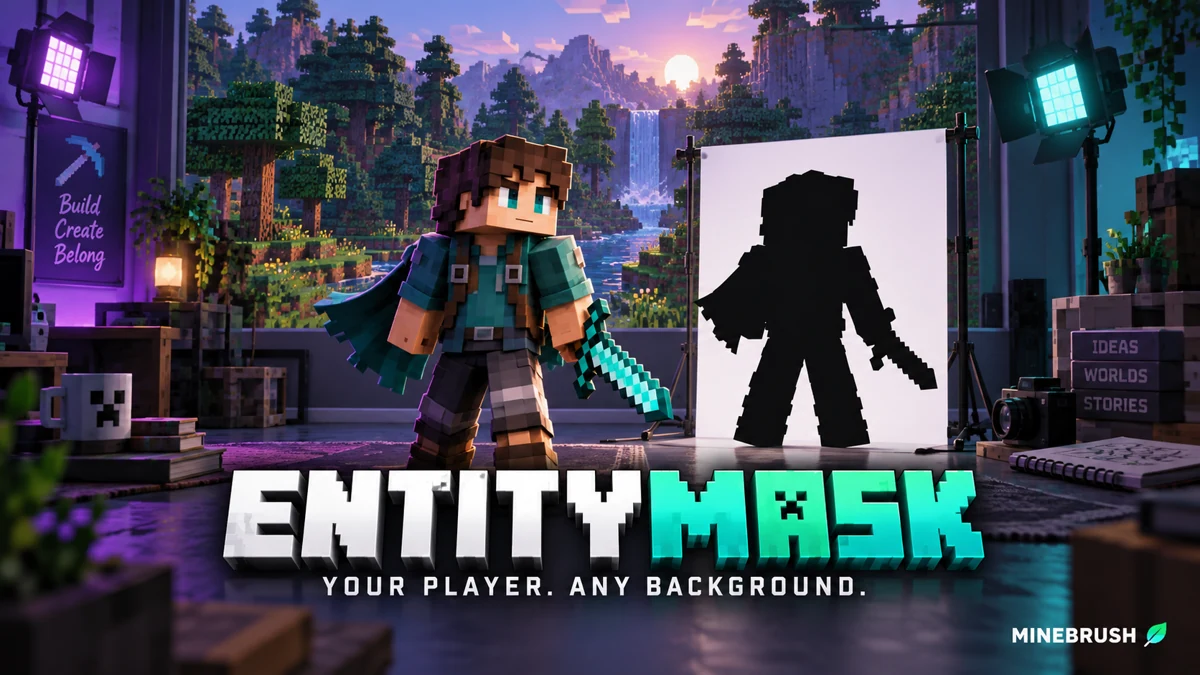
Cut your Minecraft player out of a recorded scene for intros, overlays and thumbnails. Download EntityMask 1.0 for Java 1.20–1.21.8, see the author's real mask previews, and learn how to align two recordings and keep the player with an inverted luma matte.
- Format
- Workflow
- Path
- Replay → normal recording + mask → video editor
- Output
- Player cutout for an intro, title effect or thumbnail
Version 1.0 beta; Java 26.x support is not listed.
MineBrush · Creator
EntityMask 1.0
Cut your Minecraft player out of a recorded scene for intros, overlays and thumbnails. Download EntityMask 1.0 for Java 1.20–1.21.8, see the author's real mask previews, and learn how to align two recordings and keep the player with an inverted luma matte.
Version 1.0 beta; Java 26.x support is not listed.
- Minecraft version
- Java 1.20–1.21.8
- Game edition
- Java Edition
- Loader / platform
- Not applicable
- License
- MIT
- Creator resource format
- Workflow
- Platform family
- Java & PC
- Supported devices
- Minecraft Java on desktop
- Install format
- ZIP → shaderpacks
- Touch readiness
- Not required
- Resource type
- Shader
- Last verified at
- Sep 18, 2026
- Compatibility confidence
- Source claimed
- Card evidence statement
- Record matching color and mask clips; combine them in your editor.
- Card delivery statement
- Shader ZIP · Iris or OptiFine required
- Card limitation note
- Version 1.0 beta; Java 26.x support is not listed.
- Edition applicability
- Java
- Tested environment
- Java with Iris or OptiFine; replay recorder and matte-capable video editor
- Example artifact path
- Replay → normal recording + mask → video editor
- Creator output
- Player cutout for an intro, title effect or thumbnail
- Estimated time
- 8 min read; recording time varies
- Guide difficulty
- Intermediate
- Delivery state
- Direct download
- Lifecycle state
- Current
Xaero's Minimap
26.5.0Find your way home, mark mines and portals, and organize expeditions with Xaero’s Minimap. Download for Java 26.2 with clear loader choices, illustrated waypoint controls and useful settings.
- Minecraft
- Java 26.2
- Loader
- Fabric
- Runtime
- Client
Waypoints, terrain and navigation
Java · Mod
Xaero's Minimap
Find your way home, mark mines and portals, and organize expeditions with Xaero’s Minimap. Download for Java 26.2 with clear loader choices, illustrated waypoint controls and useful settings.
Waypoints, terrain and navigation
- Minecraft version
- Java 26.2
- Game edition
- Java Edition
- Loader / platform
- Fabric
- License
- All Rights Reserved
- Platform family
- Java & PC
- Supported devices
- Windows · macOS · Linux
- Install format
- JAR
- Touch readiness
- Not required
- Resource type
- Mod
- Project version
- 26.5.0
- Last verified at
- Sep 14, 2026
- Secondary guide action
- Setup & fixes
- Compatibility confidence
- Source claimed
- Java mod loader
- Fabric
- Java runtime side
- Client
- Card evidence statement
- Official project and release documentation
- Required dependency
- Fabric API for Fabric; XaeroLib included
- Card delivery statement
- Download JAR
- Card limitation note
- Waypoints, terrain and navigation
- Edition applicability
- Java
- Delivery state
- Direct download
- Lifecycle state
- Current
Hypixel brings Bed Wars, Build Battle, SkyWars and long-term SkyBlock progression to Java players. Copy the official address, choose a mode, join friends and use the right version and server pack.
- Edition
- Java
- Modes
- Minigames
- Region
- None
SkyBlock: modern Java and required server resource pack
Minecraft · Server
Hypixel
Hypixel brings Bed Wars, Build Battle, SkyWars and long-term SkyBlock progression to Java players. Copy the official address, choose a mode, join friends and use the right version and server pack.
SkyBlock: modern Java and required server resource pack
- Minecraft version
- Java; SkyBlock recommends 26.2
- Game edition
- Java Edition
- Loader / platform
- Not applicable
- License
- Hypixel server rules and terms
- Server address
- mc.hypixel.net
- Server modes
- Minigames
- Platform family
- Java & PC
- Supported devices
- Minecraft Java Edition on PC and Mac
- Install format
- Join using the server address
- Touch readiness
- Not required
- Resource type
- Server
- Last verified at
- Sep 14, 2026
- Compatibility confidence
- Source claimed
- Card evidence statement
- Official join guide and current SkyBlock announcement
- Card delivery statement
- Copy mc.hypixel.net and join in Java Edition
- Card limitation note
- SkyBlock: modern Java and required server resource pack
- Edition applicability
- Java
- Bedrock address copy availability
- Copy unavailable
- Java address copy availability
- Copy available
- Java server address
mc.hypixel.net- Delivery state
- No file
- Lifecycle state
- Current
Player discussion 0
Questions, discoveries and help from other players.