
MineBrush publication
Clumps 26.2.1: Smoother XP Farms, Mending & Server Setup
Collect experience more smoothly around busy farms. Clumps combines nearby XP orbs and picks them up on contact. Download Clumps 26.2.1 for Java 26.2, choose Fabric or NeoForge, and learn how it works with servers and Mending.
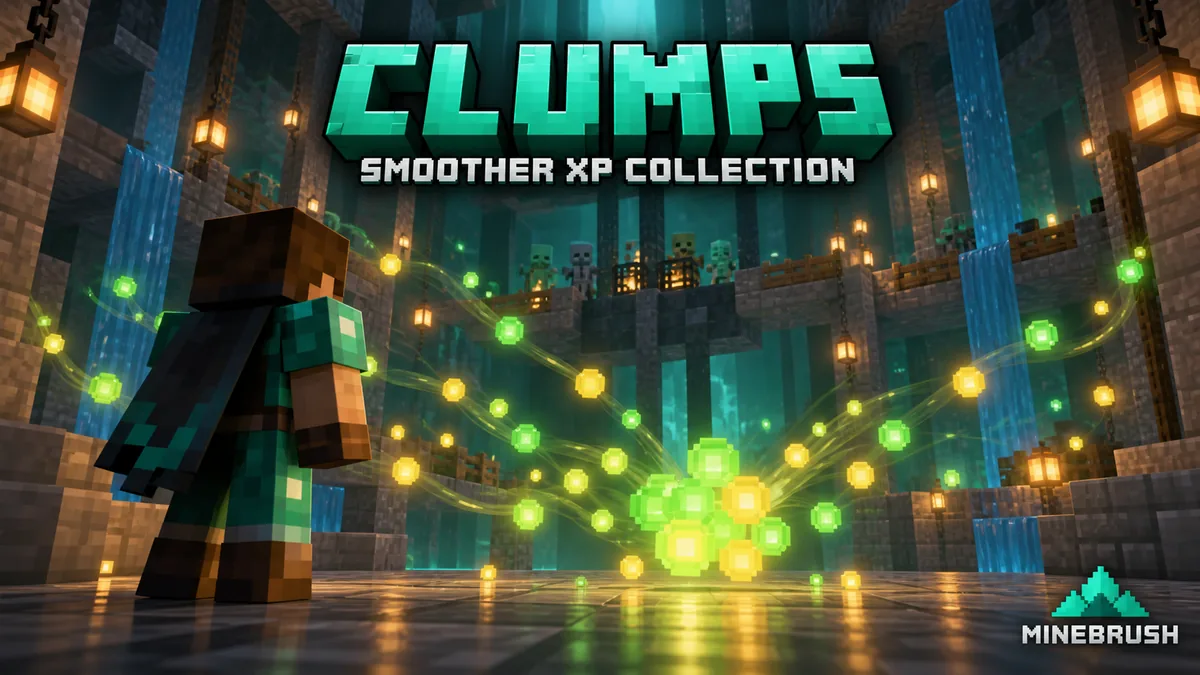
Clumps makes busy XP collection points easier to live with. It combines nearby experience orbs and removes the pickup delay when an orb touches a player. That means fewer separate orbs to process around a productive farm and less time waiting for a cloud of experience to finish collecting. It works automatically in the background: there is no new tool to craft or shortcut to press.
Where Clumps is useful
- Mob and Enderman XP farms: collect experience at the usual pickup point while nearby orbs combine. This targets the orb buildup; it does not speed up spawning or the farm’s killing mechanism.
- Repairing enchanted equipment: bring damaged equipment with Mending and collect the farm’s experience normally. Clumps keeps item-repair handling; experience used for repairs will not all appear on your level bar.
- Shared survival servers: the server owner can install it so experience-heavy areas produce fewer separate orb entities. On modern versions, joining players do not need Clumps themselves.
- Busy collection sessions: experience from bottles or other sources can combine when it appears close together. Scattered orbs across a large area will not become one global pickup.
For a small world with only occasional orbs, the difference may be subtle. Clumps is most relevant when experience piles up in a compact area. It is not a general FPS booster, an XP multiplier, a storage system or a way to collect experience from anywhere in the world.
Download Clumps 26.2.1 for Minecraft 26.2
Choose one loader route. These files are for Minecraft Java 26.2; they are not Bedrock add-ons. Keep the game version and loader consistent with the world or server you actually use.
Fabric
Use Fabric Loader 0.19.3 or newer for Minecraft 26.2. The official release lists Fabric API as a required dependency, so install the matching library alongside Clumps.
NeoForge
Use a NeoForge installation for Minecraft 26.2. This release does not list a separate required library.
Do not put both Clumps builds into the same installation. For an older game, choose a matching file from the author’s release history. Older Forge support does not make those files compatible with NeoForge 26.2.
Install it where your world runs
- Single-player: close Minecraft and put the matching files in the
modsfolder of your launcher instance. Your game runs the world’s integrated server, so this is the correct installation even though Clumps is described as server-side. - Your dedicated server: stop it, add the matching files to that server’s
modsfolder and start it again. Players can join without installing Clumps on Minecraft 1.17 and newer. - Someone else’s server: installing Clumps only on your computer cannot change that server’s orb behavior. Ask its owner to add the appropriate server build.
Use your launcher’s recommended Java runtime for Minecraft 26.2; the Fabric file requires Java 25 or newer. Replace an older Clumps JAR instead of leaving duplicate versions. Existing worlds can use the mod without exploring new chunks or starting a new save. Before changing a server mod set, keep a world backup as you normally would.
For Minecraft versions older than 1.17, the author requires installation on both the client and the server. A standard vanilla server or Realm cannot load these JARs; it needs an appropriate mod-loader environment.
What the difference looks like
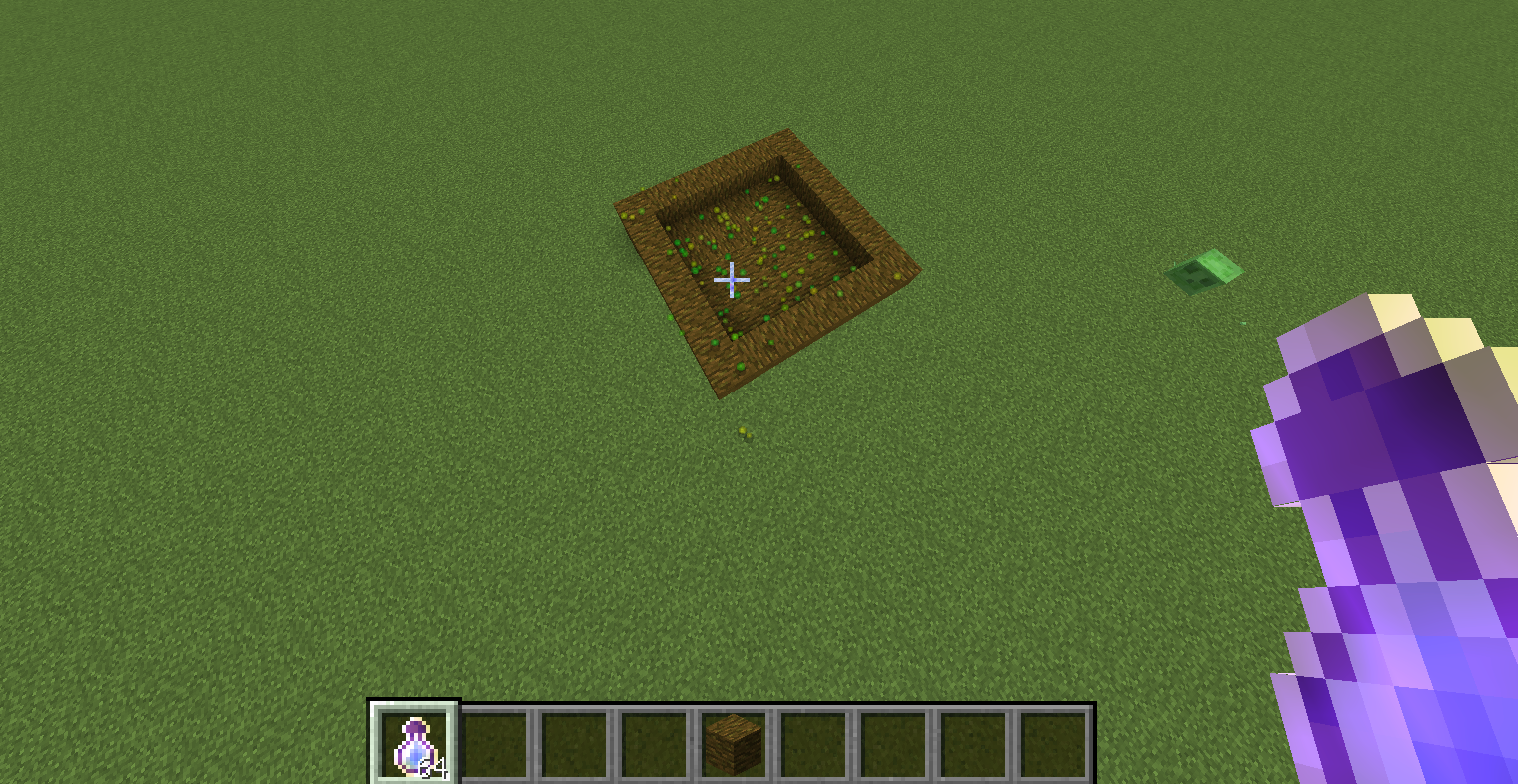
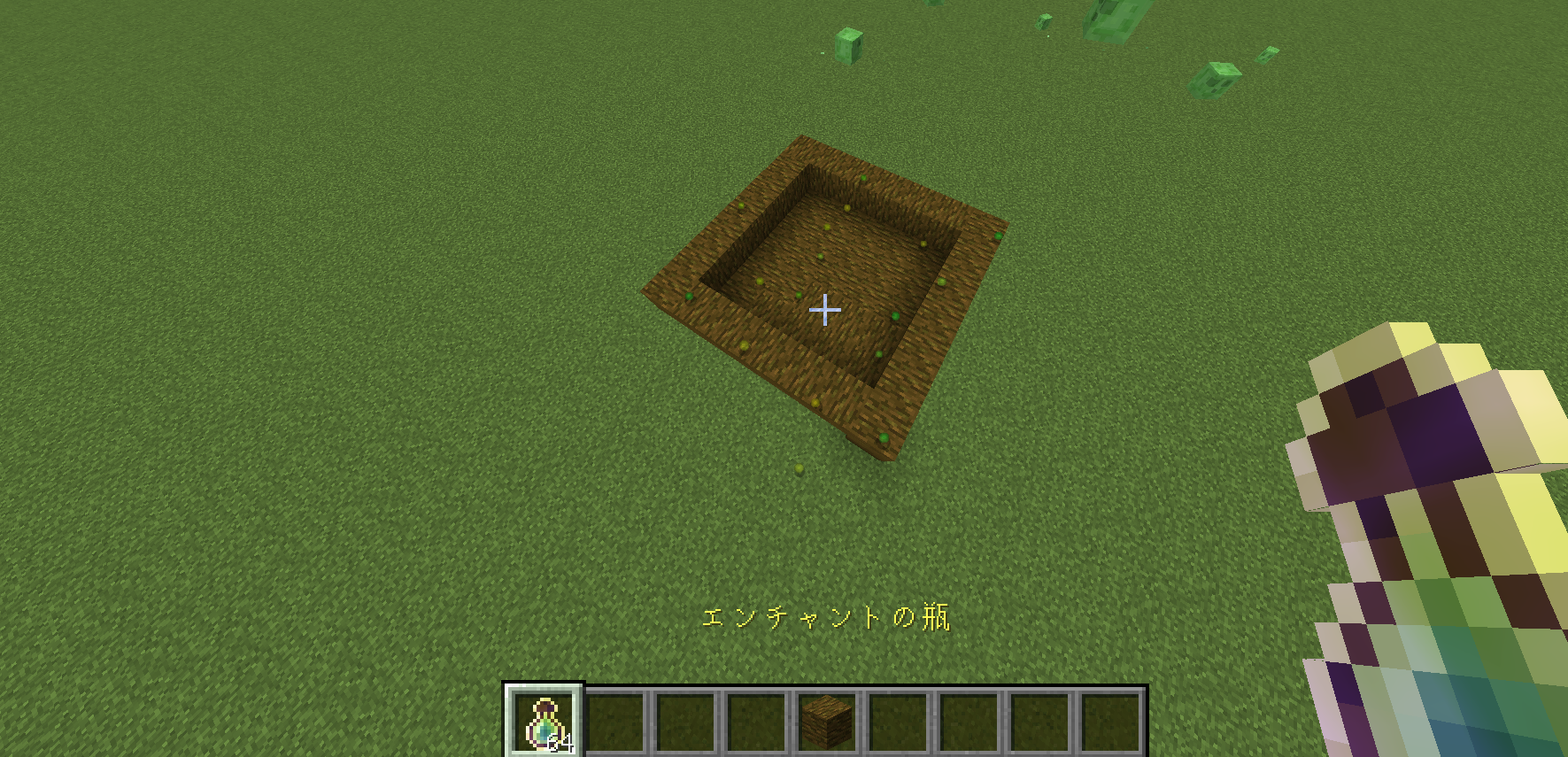
The comparison below comes from rin331’s June 18, 2023 review, which discusses Minecraft 1.19/1.20 and shows a Forge 1.20 release in its setup section. The reviewer threw bottles o’ enchanting into a small enclosure to illustrate orb grouping. These are historical examples, not screenshots or performance measurements of 26.2.1.
Start using it at your XP farm
- Launch the modded world or join the server that has Clumps installed. No activation menu is needed.
- Use your existing farm normally and stand at its intended collection point. Give nearby orbs a chance to meet rather than expecting distant ones to merge.
- Move close enough to touch the remaining orbs. Immediate pickup means collection on contact, not an extended attraction range.
- For Mending, hold or wear the damaged enchanted equipment you want to repair. Watch its durability as well as your level bar.
- If an orb is beyond a wall or outside the collection area, adjust your position or the farm’s pickup layout. A merged orb still needs to reach a player.
A few remaining orbs do not mean the mod failed. Their positions matter, and modern vanilla Minecraft already has some orb merging of its own. Clumps broadens merging and changes collection handling; it does not promise that every situation will display exactly one orb.
Experience, Mending and multiplayer
Fewer orbs does not mean less earned XP. Clumps keeps the combined experience values. It does not increase the reward from a mob, duplicate experience or convert a farm that produces no XP into an XP farm.
Mending still uses experience for repairs. If your level bar barely moves, check your damaged enchanted equipment before assuming XP disappeared. When several eligible items are equipped, do not assume all repair work will go to the one you are watching. To focus on a tool, keep it held and remove other damaged Mending gear where practical and safe.
A shared orb is still collected by a player. Clumps does not split the reward fairly between everyone nearby. At a shared farm, take turns or use separate collection points if you want predictable access to experience. Nor does merging turn orbs into permanent storage: collect them instead of relying on a pile left on the ground.
Settings, compatibility and limits
The current 26.2 implementation needs no player configuration for its core behavior. Do not search for a merge-radius slider or keybind just because an older guide or another XP mod mentions one. Its focus is experience orbs; it does not consolidate dropped item stacks, transport XP into chests or provide an experience bank.
Other mods that change XP rewards, pickup or Mending can affect the same behavior. Clumps includes integration hooks, but that is not a guarantee for every combination. If a problem begins after adding another XP-related mod, compare with that extra mod removed in a copied test world and check the authors’ issue pages.
If your slowdown comes from huge numbers of living mobs, redstone, chunk generation or shaders, orb grouping may not address the main cause. Keep the farm’s mob and item collection under control too. For broader world-simulation optimization, see Lithium; choose versions compatible with your setup.
If the result is not what you expected
- Orbs behave normally on a multiplayer server: confirm Clumps is installed on that server, not only in your local launcher.
- Experience collects but levels do not rise much: check Mending repairs and any other mod changing XP rewards. Orb count alone does not measure experience value.
- Some orbs remain out of reach: check the farm’s collection point and obstacles. Clumps does not add long-distance pickup.
- No obvious performance change: the area may not have many orbs, or another part of the world may be causing the lag. There is no promised FPS increase.
- The game or server will not start: match the Minecraft version and loader, remove duplicate Clumps files, and include Fabric API on the Fabric route. Keep the launcher’s appropriate Java runtime.
Author and sources
Clumps is by Jaredlll08 and contributors and is published under the MIT license. Fabric API is maintained by FabricMC and contributors. Files and their supplied notices are preserved.
Sources: official Clumps project, release history, author’s 26.2 source, Fabric API, and rin331’s historical illustrated review. The MineBrush cover is conceptual artwork, not an in-game screenshot or a farm-building plan.
More for your Java setup.
Lithium
0.25.3Help busy Minecraft Java worlds and servers run more smoothly with Lithium. Download the matching Fabric/Quilt or NeoForge file for Java 26.2, follow the installation steps and learn which kinds of lag it can help.
- Minecraft
- Java 26.2
- Loader
- Fabric
- Runtime
- Both
Java 26.2 · single-player and servers
Java · Mod
Lithium
Help busy Minecraft Java worlds and servers run more smoothly with Lithium. Download the matching Fabric/Quilt or NeoForge file for Java 26.2, follow the installation steps and learn which kinds of lag it can help.
Java 26.2 · single-player and servers
- Minecraft version
- Java 26.2
- Game edition
- Java Edition
- Loader / platform
- Fabric
- License
- LGPL-3.0-only
- Platform family
- Bedrock & Mobile
- Supported devices
- Windows · macOS · Linux
- Install format
- .jar mod file from the creator
- Touch readiness
- Not required
- Resource type
- Mod
- Project version
- 0.25.3
- Last verified at
- Sep 5, 2026
- Secondary guide action
- Setup & fixes
- Compatibility confidence
- Source claimed
- Java mod loader
- Fabric
- Java runtime side
- Both
- Card evidence statement
- Optimizes mob behavior and world updates
- Card delivery statement
- Download from MineBrush · choose your loader
- Card limitation note
- Java 26.2 · single-player and servers
- Edition applicability
- Java
- Delivery state
- Direct download
- Lifecycle state
- Current
Krypton
0.3.1Reduce networking overhead in a Fabric multiplayer setup. Download Krypton for Java 26.2 and learn where to install it, when it can help and how to separate server lag from low FPS or a poor connection.
- Minecraft
- Java 26.2
- Loader
- Fabric
- Runtime
- Both
Benefits depend on network workload; does not fix a poor internet connection
Java · Mod
Krypton
Reduce networking overhead in a Fabric multiplayer setup. Download Krypton for Java 26.2 and learn where to install it, when it can help and how to separate server lag from low FPS or a poor connection.
Benefits depend on network workload; does not fix a poor internet connection
- Minecraft version
- Java 26.2
- Game edition
- Java Edition
- Loader / platform
- Fabric
- License
- LGPL-3.0-only
- Platform family
- Bedrock & Mobile
- Supported devices
- Windows · macOS · Linux
- Install format
- .jar mod file from the creator
- Touch readiness
- Not required
- Resource type
- Mod
- Project version
- 0.3.1
- Last verified at
- Sep 13, 2026
- Secondary guide action
- Setup & fixes
- Compatibility confidence
- Source claimed
- Java mod loader
- Fabric
- Java runtime side
- Both
- Card evidence statement
- Reduce networking overhead; practical client and server setup
- Required dependency
- Fabric Loader 0.18.4+; no extra mod libraries
- Card delivery statement
- Fabric JAR hosted on MineBrush; client or server
- Card limitation note
- Benefits depend on network workload; does not fix a poor internet connection
- Edition applicability
- Java
- Delivery state
- Direct download
- Lifecycle state
- Current
BadOptimizations
2.4.1Reduce unnecessary background work while keeping your Minecraft world looking familiar. Download BadOptimizations for Java 26.2 on Fabric or NeoForge, learn when it can help, and find practical settings plus the author’s before-and-after screenshots.
- Minecraft
- Java 26.2
- Loader
- Fabric
- Runtime
- Client
Results vary by setup; client-side only
Java · Mod
BadOptimizations
Reduce unnecessary background work while keeping your Minecraft world looking familiar. Download BadOptimizations for Java 26.2 on Fabric or NeoForge, learn when it can help, and find practical settings plus the author’s before-and-after screenshots.
Results vary by setup; client-side only
- Minecraft version
- Java 26.2
- Game edition
- Java Edition
- Loader / platform
- Fabric
- License
- MIT
- Platform family
- Bedrock & Mobile
- Supported devices
- Windows · macOS · Linux
- Install format
- .jar mod file from the creator
- Touch readiness
- Not required
- Resource type
- Mod
- Project version
- 2.4.1
- Last verified at
- Sep 13, 2026
- Secondary guide action
- Setup & fixes
- Compatibility confidence
- Source claimed
- Java mod loader
- Fabric
- Java runtime side
- Client
- Card evidence statement
- Reduce unnecessary client work without changing how you play
- Required dependency
- No extra libraries; matching Fabric or NeoForge loader
- Card delivery statement
- Download on MineBrush · separate Fabric and NeoForge files
- Card limitation note
- Results vary by setup; client-side only
- Edition applicability
- Java
- Delivery state
- Direct download
- Lifecycle state
- Current
Player discussion 0
Questions, discoveries and help from other players.