
MineBrush publication
Controlling 26.2.2: Find Keys, Fix Conflicts & Build Your Layout
Find the shortcut you need, spot conflicting bindings and choose free keys for your modpack. Download Controlling 26.2.2 for Java 26.2 with matching Searchables, and organize your controls without resetting the whole layout.
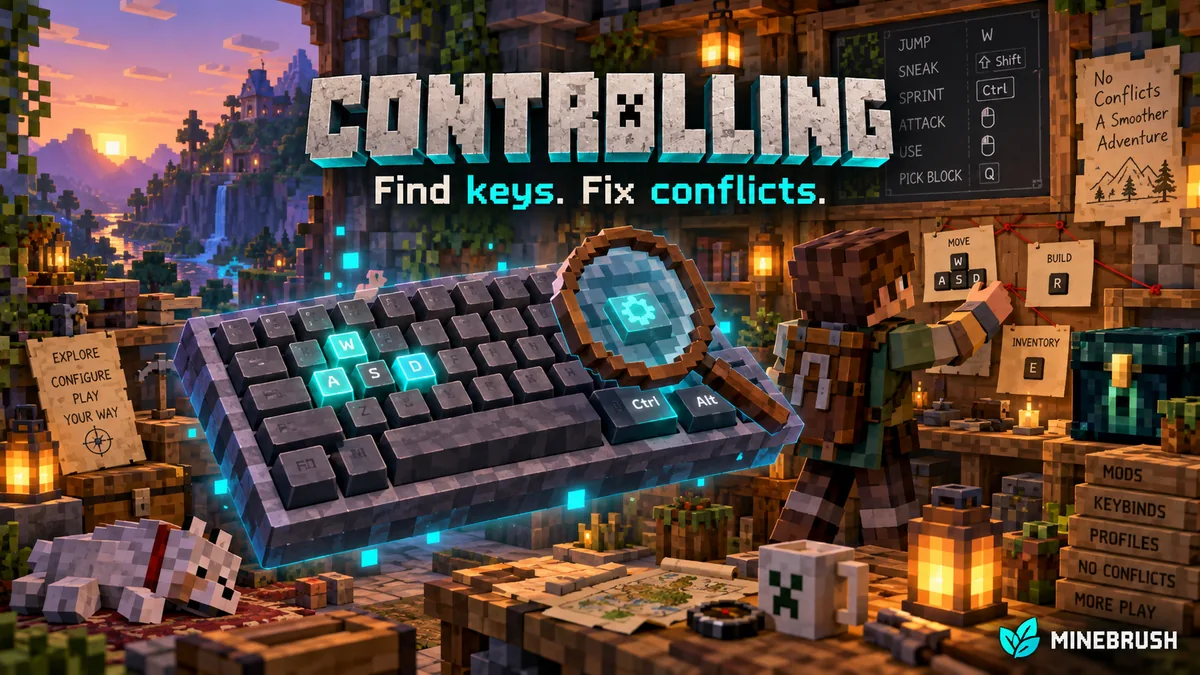
Controlling helps you make sense of Minecraft’s key bindings, especially in a large modpack. Search for an action instead of scrolling through hundreds of entries, find commands sharing an input, and look for an unused key before assigning a new shortcut. It improves the existing controls menu; you still decide which actions belong on which keys.
Useful ways to use Controlling
- A new mod’s shortcut does nothing: find its action, check its assigned key and use Show Conflicts to see whether another command uses that input.
- Your map and another menu open together: locate the two bindings, keep the more convenient one and move the other to a free key.
- You forgot a useful ability: search its displayed name or category to rediscover the shortcut without looking through every mod’s documentation.
- You are setting up a big modpack: inspect unbound actions and assign only the ones you actually use. Leave optional features unbound when they would only clutter your layout.
- You want a comfortable layout: keep frequently used actions near your normal movement keys and put occasional menus farther away. Controlling helps you check availability; it does not create a universal layout that suits every keyboard.
For example, if you install a zoom mod and a map mod that both use the same key, search their actions and separate them. That is a setup example, not a claim about those mods’ default bindings. Controlling does not add zoom, maps, macros or gamepad support itself.
Download Controlling 26.2.2 for Minecraft 26.2
Choose the files for your loader. Controlling requires Searchables 1.0.1 or newer. The supplied Searchables files are 1.0.1 for Minecraft 26.2. Fabric additionally requires Fabric API; the NeoForge route does not.
Fabric
Use Fabric Loader 0.19.3 or newer for Minecraft 26.2 and install these three files together.
NeoForge
Use a NeoForge installation for Minecraft 26.2 and these two matching files.
Do not install both loader groups together. For older Minecraft versions, use the author’s release history and the corresponding Searchables version. The project supports Forge on some older releases; that does not make an old Forge file suitable for 26.2.
Install and open the right menu
- Close Minecraft and open the game directory for the launcher instance you use.
- Put Controlling and its matching libraries into the
modsfolder. Replace old copies of the same mods instead of keeping duplicates. - Launch that instance and open Options → Controls → Key Binds. Controlling adds search and filtering to this screen automatically.
- Try searching for a familiar action such as
jump. Click the binding button beside the desired action, press its new key, then finish with Done.
The mod is client-side. Install it on your own game even when playing on a server; a server installation is not required to organize your local controls. No world generation or new world is needed.
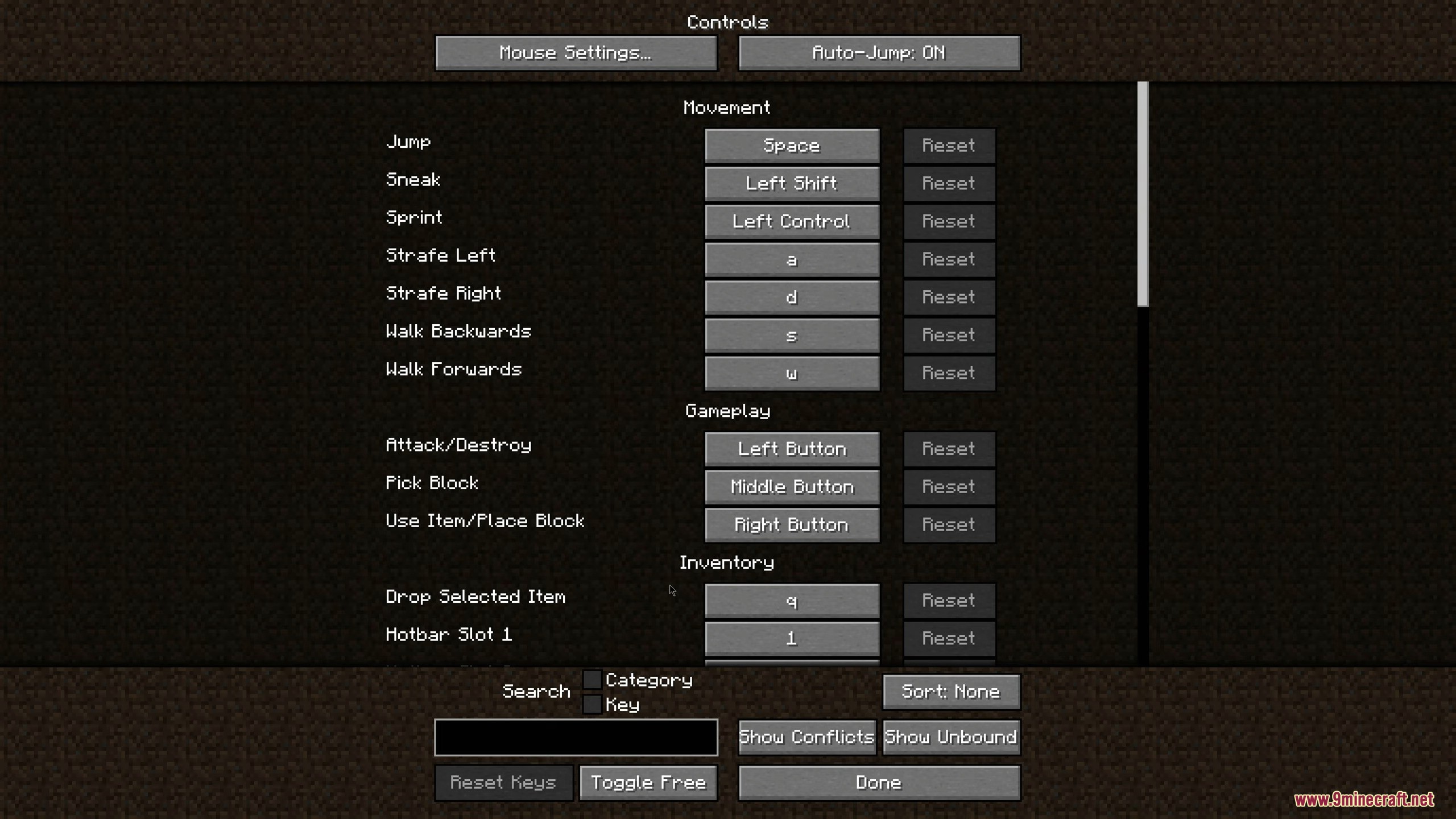
Search by action, key or category
Plain text searches action names. For English menus, try jump, sprint or part of a mod action’s displayed name. Search uses the translated labels shown by the game, so use the corresponding words when playing in another language.
Use key: to search assigned inputs. For example, key:r helps find bindings whose key label matches that text. Read the results rather than assuming a one-letter query can only match one physical key.
Use category: for a controls group. A query such as category:movement targets the displayed category. A mod may register several categories or use a category name different from its project title. Follow the search field’s suggestions if unsure.
In the current screen, Ctrl+F focuses search when you are not assigning a key. Click the search field directly if a platform shortcut behaves differently. Clear the query and return the filter to Show All when you want the complete list again.
Fix a conflict step by step
- Clear any search text that could hide one of the actions, then choose Show Conflicts.
- Read the action names and their assigned inputs. Decide which action should keep the shared key.
- Use Toggle Free to inspect available inputs, then return to the bindings list.
- Click the binding you want to move and press the replacement key. Use a key available on your actual keyboard.
- Return to Show Conflicts and check the result. Close the menu and try the action in the situation where you normally use it.
Two actions sharing a key are not always a practical problem: they may be used in different screens or contexts. Conversely, a mod with its own shortcut manager may not expose every control here. Treat the conflict list as help for choosing a layout, not an automatic repair or a guarantee that every possible shortcut conflict has been found.
Unbound actions and free keys are different
Show Unbound lists actions that currently have no assigned input. This is useful for discovering optional abilities or menu commands that a mod leaves unassigned. You do not need to fill every entry.
Toggle Free switches to a list of available inputs. Use it when you already know the action you want but need somewhere to put it. An input listed there is not necessarily present on your keyboard, and operating-system shortcuts or a mod’s separate hotkey system can still use it.
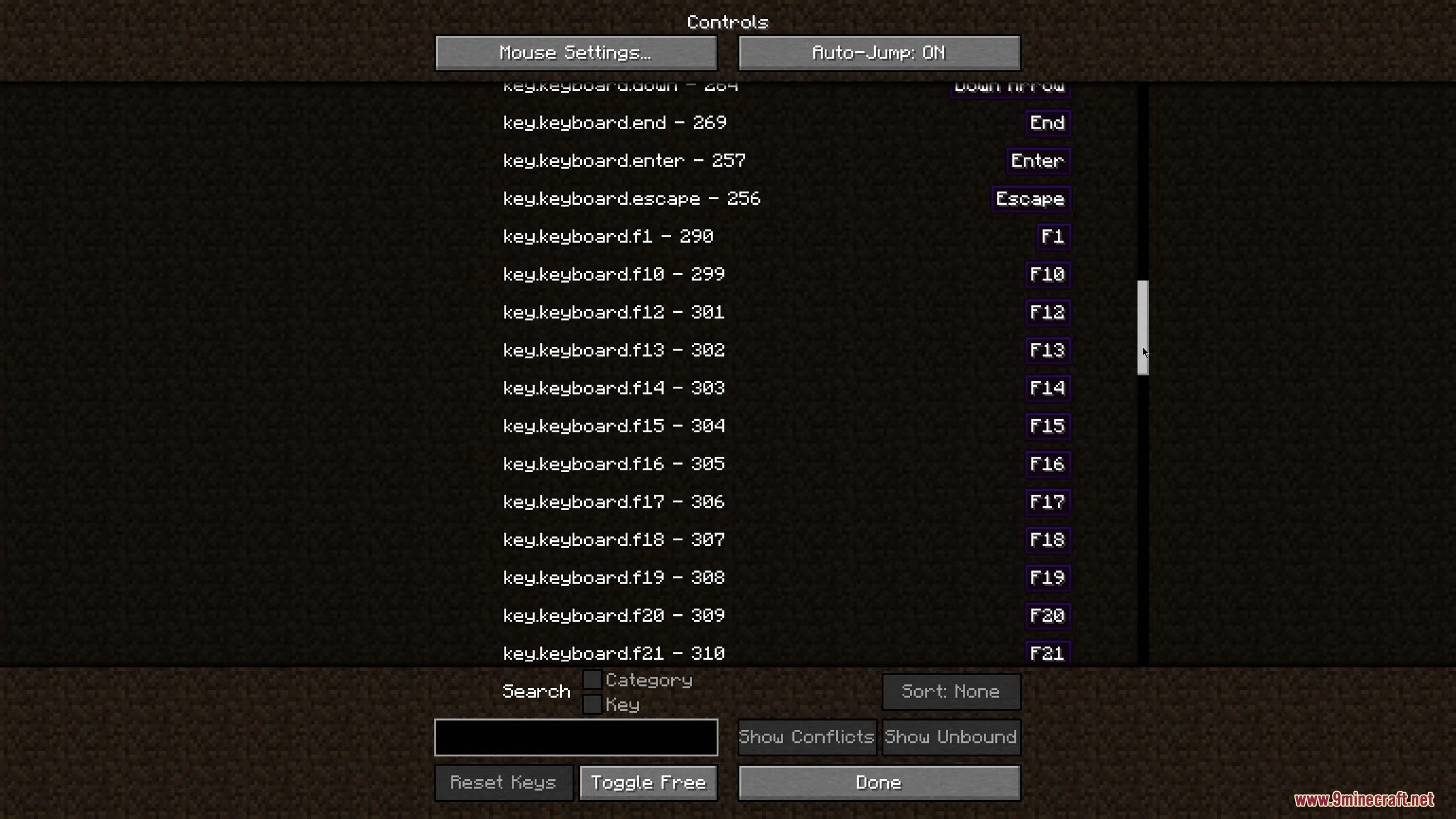
Sort and reset without losing your layout
The Sort button cycles through the original order, action-name alphabetical orders and assigned-key alphabetical orders. Name sorting helps browse a long list; key sorting helps review your layout by its assigned inputs. Return to None when you prefer the normal grouping.
Use the Reset button beside a single action to restore that action’s default. The global reset is for deliberately restoring the whole layout and asks for confirmation in the current implementation. It is usually unnecessary when you only need to fix one clash. A default key may already conflict with another mod, so resetting is not the same as resolving conflicts.
If a control still does not work
- No search field: make sure you opened Key Binds in the correct modded instance and installed matching Searchables. Check whether another mod replaces this screen.
- No results: clear search, return to Show All and check the game’s language. Search the action’s displayed name rather than only the mod’s download-page title.
- Typing changes search instead of a binding: first click the key button beside the action. A focused search field expects text.
- A mod’s shortcut is missing: inspect that mod’s own configuration. Some controls are managed separately from Minecraft’s normal key-binding list.
- A key works in the menu but not in play: check whether the action needs a held item, open screen or another gameplay condition. Controlling organizes bindings; it does not remove the original feature’s requirements.
- The game refuses to launch: match Controlling, Searchables, loader and Minecraft versions. Fabric needs Fabric API too; an unrelated newer library build for another game version is not a substitute.
For related setup help, see Mod Menu for finding mod configuration, Zoomify for camera shortcuts, and Inventory Profiles Next for its separate inventory hotkey settings.
Author and sources
Controlling and Searchables are by Jaredlll08 and contributors. Their release metadata identifies the MIT license. Fabric API is maintained by FabricMC and contributors. Project files and supplied notices are preserved.
Sources: official project, release records, current screen, search and filter source, Searchables, and Fabric API. The author-linked demonstration for 1.16 and later provides additional historical context. The MineBrush cover is conceptual artwork, not a screenshot or a chart of default key assignments.
More for your Java setup.
Mod Menu
20.0.2Find installed mods, open supported settings and make a large modpack easier to navigate. Download Mod Menu 20.0.2 for Java 26.2, with search tips, library filters and the required files.
- Minecraft
- Java 26.2
- Loader
- Fabric
- Runtime
- Client
Client menu · no server installation needed
Java · Mod
Mod Menu
Find installed mods, open supported settings and make a large modpack easier to navigate. Download Mod Menu 20.0.2 for Java 26.2, with search tips, library filters and the required files.
Client menu · no server installation needed
- Minecraft version
- Java 26.2
- Game edition
- Java Edition
- Loader / platform
- Fabric
- License
- MIT
- Platform family
- Java & PC
- Supported devices
- Windows · macOS · Linux
- Install format
- JAR files in the instance mods folder
- Touch readiness
- Not required
- Resource type
- Mod
- Project version
- 20.0.2
- Last verified at
- Sep 12, 2026
- Secondary guide action
- Setup & fixes
- Compatibility confidence
- Source claimed
- Java mod loader
- Fabric
- Java runtime side
- Client
- Card evidence statement
- Search installed mods and open supported settings
- Required dependency
- Fabric API and Text Placeholder API for Minecraft 26.2
- Card delivery statement
- Mod Menu and dependencies hosted on MineBrush
- Card limitation note
- Client menu · no server installation needed
- Edition applicability
- Java
- Delivery state
- Direct download
- Lifecycle state
- Current

Zoomify
2.16.1Look closely at distant builds, adjust zoom with your scroll wheel and create smooth scenic shots. Download Zoomify for Fabric 26.2 with required libraries, controls and spyglass settings.
- Minecraft
- Java 26.2
- Loader
- Fabric
- Runtime
- Client
Client only · this release is for Fabric 26.2
Java · Mod
Zoomify
Look closely at distant builds, adjust zoom with your scroll wheel and create smooth scenic shots. Download Zoomify for Fabric 26.2 with required libraries, controls and spyglass settings.
Client only · this release is for Fabric 26.2
- Minecraft version
- Java 26.2
- Game edition
- Java Edition
- Loader / platform
- Fabric
- License
- LGPL-3.0; see original project license notices
- Platform family
- Bedrock & Mobile
- Supported devices
- Windows · macOS · Linux
- Install format
- Four matching JAR components in the instance mods folder
- Touch readiness
- Not required
- Resource type
- Mod
- Project version
- 2.16.1
- Last verified at
- Sep 13, 2026
- Secondary guide action
- Setup & fixes
- Compatibility confidence
- Source claimed
- Java mod loader
- Fabric
- Java runtime side
- Client
- Card evidence statement
- Inspect distant builds and customize smooth zoom controls
- Required dependency
- Fabric API, Fabric Language Kotlin, YACL; Loader 0.19.5+ for supplied libraries
- Card delivery statement
- Zoomify and three required libraries hosted on MineBrush
- Card limitation note
- Client only · this release is for Fabric 26.2
- Edition applicability
- Java
- Delivery state
- Direct download
- Lifecycle state
- Current
Spend less time rearranging loot. Inventory Profiles Next sorts chests, moves matching items, locks slots, refills hotbar supplies and switches equipment profiles. Get IPN 2.3.7 for Minecraft Java 26.2 with the right libraries and practical setup steps.
- Minecraft
- Java 26.2
- Loader
- Fabric
- Runtime
- Client
Client inventory tools; needs carried supplies for refill
Java · Mod
Inventory Profiles Next
Spend less time rearranging loot. Inventory Profiles Next sorts chests, moves matching items, locks slots, refills hotbar supplies and switches equipment profiles. Get IPN 2.3.7 for Minecraft Java 26.2 with the right libraries and practical setup steps.
Client inventory tools; needs carried supplies for refill
- Minecraft version
- Java 26.2
- Game edition
- Java Edition
- Loader / platform
- Fabric
- License
- AGPL-3.0-or-later
- Platform family
- Bedrock & Mobile
- Supported devices
- Windows · macOS · Linux
- Install format
- .jar mod file from the creator
- Touch readiness
- Not required
- Resource type
- Mod
- Project version
- 2.3.7
- Last verified at
- Sep 13, 2026
- Secondary guide action
- Setup & fixes
- Compatibility confidence
- Source claimed
- Java mod loader
- Fabric
- Java runtime side
- Client
- Card evidence statement
- Sorting, matching transfers, locked slots and equipment profiles
- Required dependency
- Matching libIPN 6.8.3; Fabric also needs Fabric API and Fabric Language Kotlin
- Card delivery statement
- Loader-specific mod and library downloads
- Card limitation note
- Client inventory tools; needs carried supplies for refill
- Edition applicability
- Java
- Delivery state
- Direct download
- Lifecycle state
- Current
Player discussion 0
Questions, discoveries and help from other players.