
MineBrush publication
Minecraft Bedrock 26.20: Closed Captions, Realm Hub and Practical Changes
Read nearby sounds with Bedrock 26.20’s closed captions. Set up filters, position and duration, see the real menu, and understand Realm Hub, the Party beta and everyday gameplay changes.
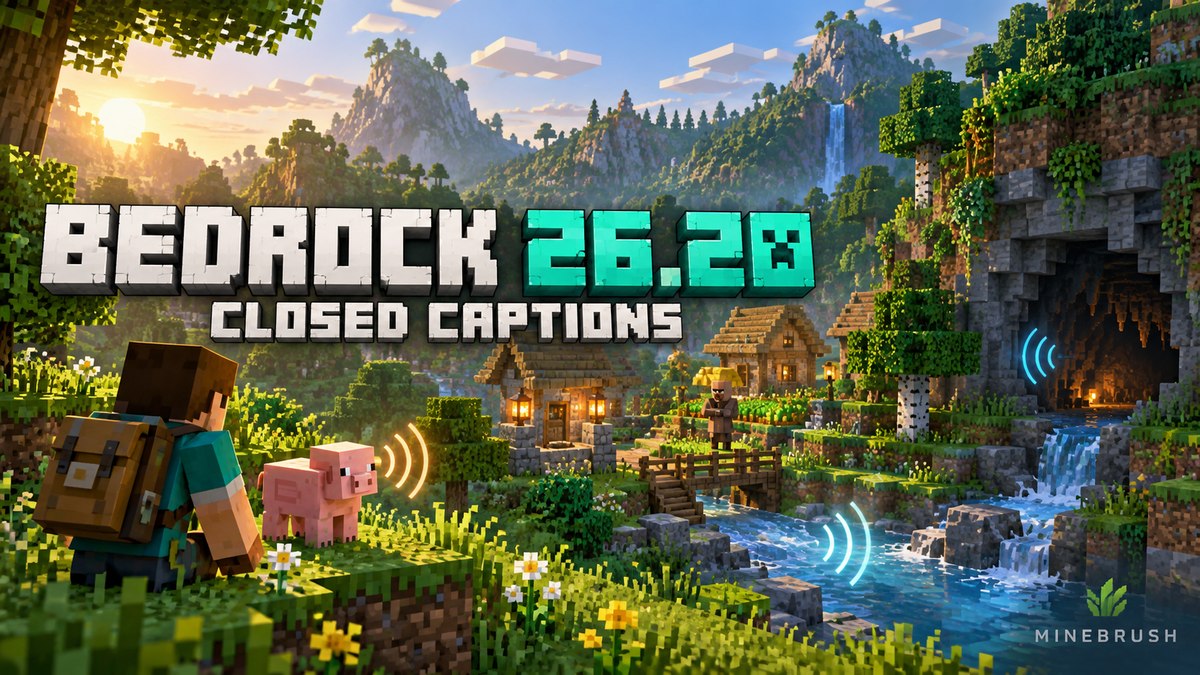
Bedrock 26.20 brought sound captions to everyday Minecraft play. Released on 5 May 2026, it also introduced Realm Hub and a Party beta, alongside gameplay fixes. This is a guide to that historical release, not a claim that 26.20 is the newest build. For later releases, use our Bedrock update history.
Enable captions · Choose useful settings · Other changes · Realms and parties · Fix common problems
Turn nearby sounds into information you can read
Open Settings → Accessibility → Gameplay and enable Closed Captions. Nearby sound descriptions appear with direction hints. You do not need an add-on or an experimental world for this feature.
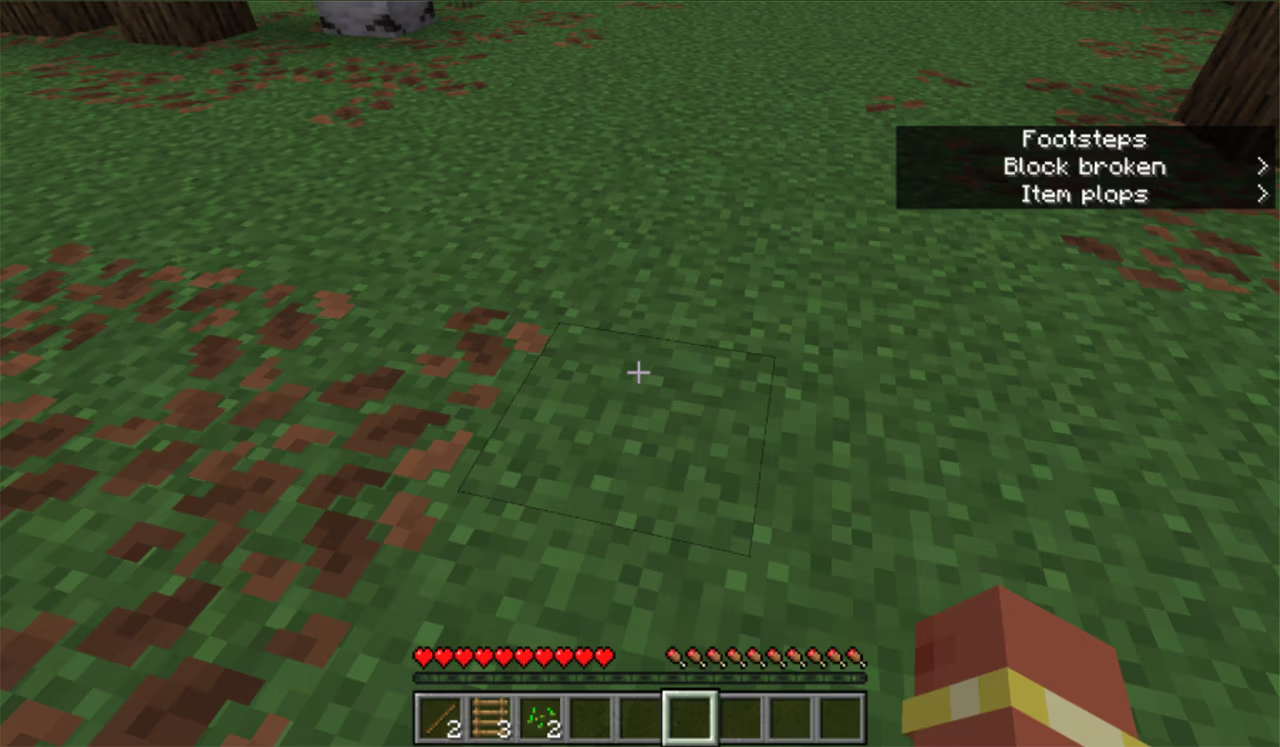
Try this before exploring: stand somewhere safe, turn the feature on, walk a few steps and place then break a spare block. Read the list without moving into danger. Change one setting at a time and repeat the same actions, so you can tell whether the result is easier to follow.
A useful starting setup
The menu lets you choose the upper or lower right corner, adjust display time and filter your own sounds or weather and ambience. The options are also documented in Marijn Rongen’s accessibility coverage for Can I Play That?.
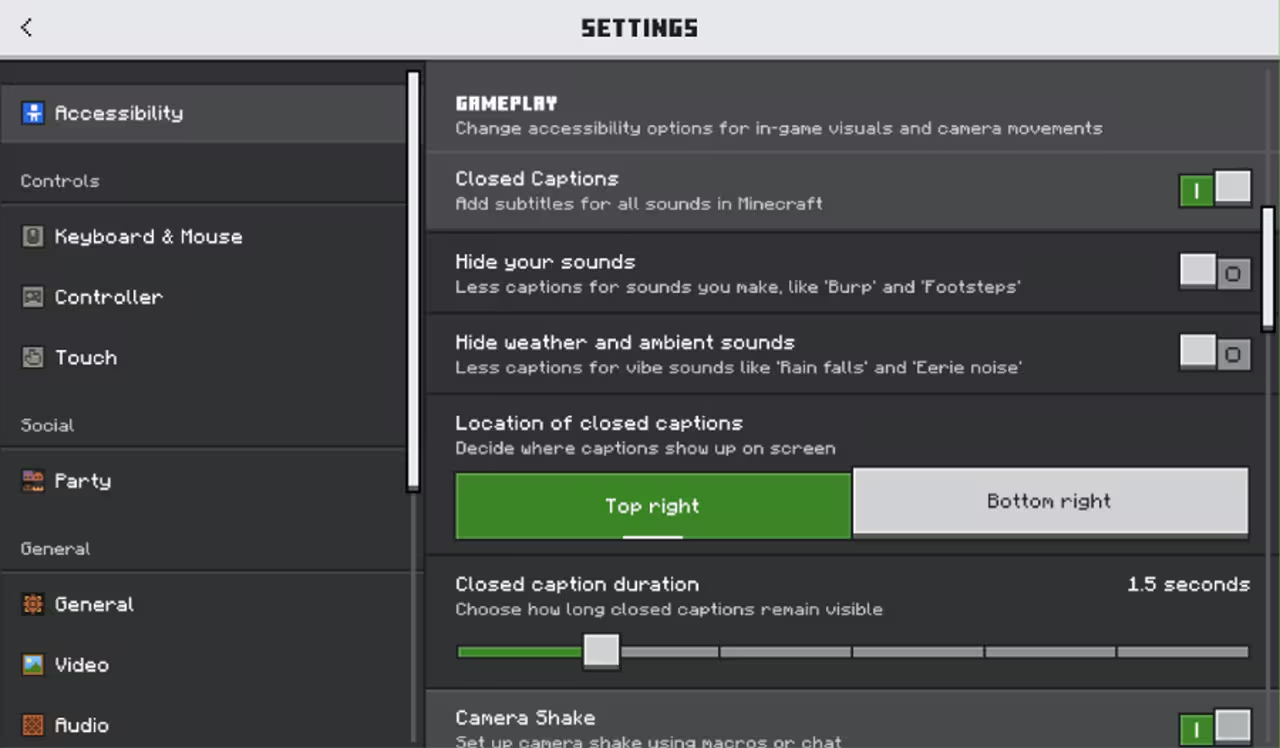
- Exploring: try hiding your own sounds after the first test. Compare the same short walk with the filter on and off; keep whichever makes useful events easier to notice.
- Building while listening to something else: start with fewer filters. Decide which repeated sounds actually distract you before removing them.
- Reading on a phone: compare both positions with your normal touch controls visible. Pick the corner you can read comfortably without covering something you use.
- Busy multiplayer areas: shorten display time if old entries crowd the view; lengthen it if you cannot finish reading. Recheck in a quiet place before deciding a sound is missing.
These are suggested starting points, not universal presets. Deaf and hard-of-hearing players, people playing quietly and anyone who misses off-screen audio can all benefit. Captions describe sounds; they are not a transcript of friends speaking in a separate voice-chat application.
Other changes worth checking in your world
- Damaged iron and gold armour can be smelted into nuggets again.
- Moss no longer replaces polished andesite, granite or diorite.
- Placing a block above a flower pot requires sneaking.
- Knockback moved closer to Java behaviour, and Windows mouse sensitivity was corrected.
- Damage tilt now affects the hands; resolution changes no longer produce incorrect UI scaling.
- Master librarians offer red or yellow candles instead of name tags.
- Switch received a fix for Joy-Con input when moving from handheld to docked play.
These highlights come from Mojang’s complete 26.20 changelog. Before renovating a large garden, try bonemeal beside a small sample of your actual floor blocks. Before resuming a difficult fight, spend a moment checking familiar movement and aiming: comfortable controls matter more than copying somebody else’s sensitivity setting.
Realm Hub and the Party beta
Realm Hub opens from the Realms Play screen. It brings administrator roles and their activity log, world and pack management, a screenshot feed, a recent-player timeline and subscription controls together.
The Party beta keeps a group’s text chat together and follows its leader between worlds, Realms and featured servers. At the May launch it covered Windows, Xbox, PlayStation and Switch; mobile support was still forthcoming. That is historical availability, not a statement about today’s rollout. Official release details.
For a shared building project: agree who manages the world before assigning an administrator. Use a recognisable world name and confirm the destination with the group before changing it. A party is useful for travelling together; the Realm’s own access rules and management decisions still need attention.
What was still experimental?
Chaos Cubed content was experimental in 26.20. Its stable Bedrock release arrived with 26.30 on 16 June 2026. Our Chaos Cubed guide explains the released caves, blocks and sulfur cubes. Do not enable an old experiment just to follow the caption instructions above.
If captions are missing, cluttered or misleading
- The setting is absent: check the edition and installed version. Update through the store or launcher you normally use. Avoid downloading an old unofficial game package just to obtain captions.
- Your test produces no text: make sure captions are enabled and your own sounds are not filtered, then repeat the safe walking/block test. Try without an interface resource pack in a separate test world if the controls look different.
- A direction seems wrong: stop, look around and check different heights. Mojang noted that vertical spaces can make direction indicators difficult to interpret; they do not identify an exact block or safe route.
- One sound is consistently missing: note your game version, platform, relevant filter and the action that triggers it. A short repeatable example helps more than a report saying that all captions are broken.
Mojang’s caption guidance also acknowledges inconsistent sound descriptions and visual clutter. Keep looking at your surroundings: absence of a warning is not proof that a cave or path is safe.
Keep the world you care about safe
Before updating an older world, keep a separate backup and first open a copy with its usual add-ons. Check your spawn, storage, important builds and a representative mechanism before committing the original. A short visit cannot prove that every part of a large modded world is unaffected.
This article has no game archive to install. Captions are a built-in setting. The branded cover is a MineBrush editorial illustration; the two interface/gameplay images are real Mojang Studios material, with originals linked above.
More for your Bedrock world.

Find the Bedrock update that matters to your world or device. Explore stable releases, practical game-drop guides, platform-specific fixes and a separate Beta/Preview archive.
- Coverage
- 2023–2026
- Edition
- Bedrock Edition
- Versions
- Bedrock 1.20.30–26.51
Bedrock · Update history
Bedrock Update History
Find the Bedrock update that matters to your world or device. Explore stable releases, practical game-drop guides, platform-specific fixes and a separate Beta/Preview archive.
Back up before updating
- Minecraft version
- Bedrock 1.20.30–26.51
- Game edition
- Bedrock Edition
- Update type
- Unknown / not stated
- Release channel
- Bedrock Edition
- World safety
- Back up before updating
- Player impact
- Find a useful release, platform fix or practical game-drop guide
- Platform family
- Bedrock & Mobile
- Supported devices
- Windows, consoles and mobile; patch availability varies
- Touch readiness
- Yes
- Last verified at
- Sep 17, 2026
- Update state
- current
- Compatibility confidence
- Source claimed
- Card delivery statement
- Player guides and official release notes
- Edition applicability
- Bedrock
- Bedrock enrollment route
- Preview app
- Delivery state
- No file
- Lifecycle state
- Current
- History coverage
- 2023–2026
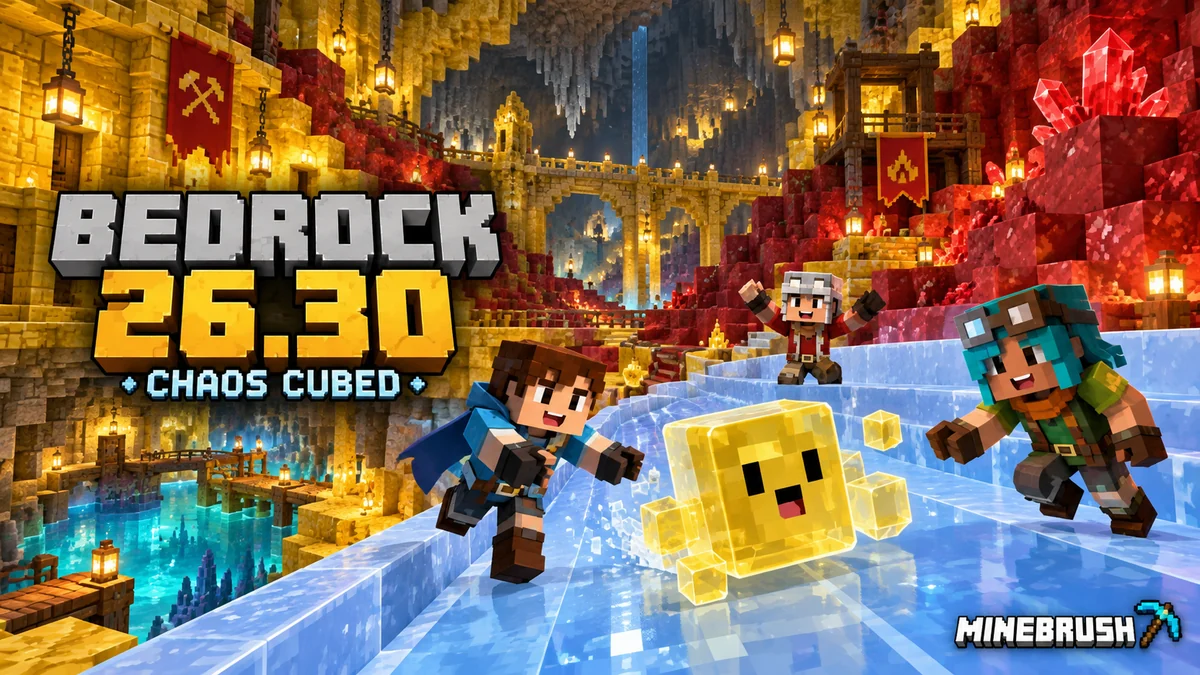
Build cube challenges and geyser gardens, find Realms Hub controls and choose Player Waypoints. Bedrock 26.30 explained for phones, consoles and Windows, including graphics, add-ons and save safety.
- Bedrock
- Bedrock 26.30
- Release type
- Release
- Game released
Focus Cube projects, geysers, Realms and device settings
Install Official store or game library
Enrollment None required
Historical stable release · Platform options differ
Bedrock · Release
Minecraft Bedrock 26.30: Chaos Cubed
Build cube challenges and geyser gardens, find Realms Hub controls and choose Player Waypoints. Bedrock 26.30 explained for phones, consoles and Windows, including graphics, add-ons and save safety.
Historical stable release · Platform options differ
- Minecraft version
- Bedrock 26.30
- Game edition
- Bedrock Edition
- Update type
- Major release
- Release channel
- Bedrock Edition
- Official release date
- 2026-06-16
- World safety
- Back up before updating
- Player impact
- Cube projects, geysers, Realms and device settings
- Related major release
- Chaos Cubed
- Platform family
- Bedrock & Mobile
- Supported devices
- Windows, Android, iOS and supported consoles
- Touch readiness
- Check guide
- Last verified at
- Sep 16, 2026
- Update state
- historical
- Compatibility confidence
- Source claimed
- Card delivery statement
- Official store or game library
- Card limitation note
- Historical stable release · Platform options differ
- Edition applicability
- Bedrock
- Bedrock enrollment route
- None required
- Delivery state
- No file
- Lifecycle state
- Superseded
Player discussion 0
Questions, discoveries and help from other players.