
Bedrock 1.21.50 player guide
Minecraft Bedrock 1.21.50: Garden Awakens, sleep and screenshot guide
Explore the pale garden, plan a workshop and use Bedrock’s sleep settings, bundles and screenshot sharing. Avoid tool mistakes and understand the old Keep Inventory trial.
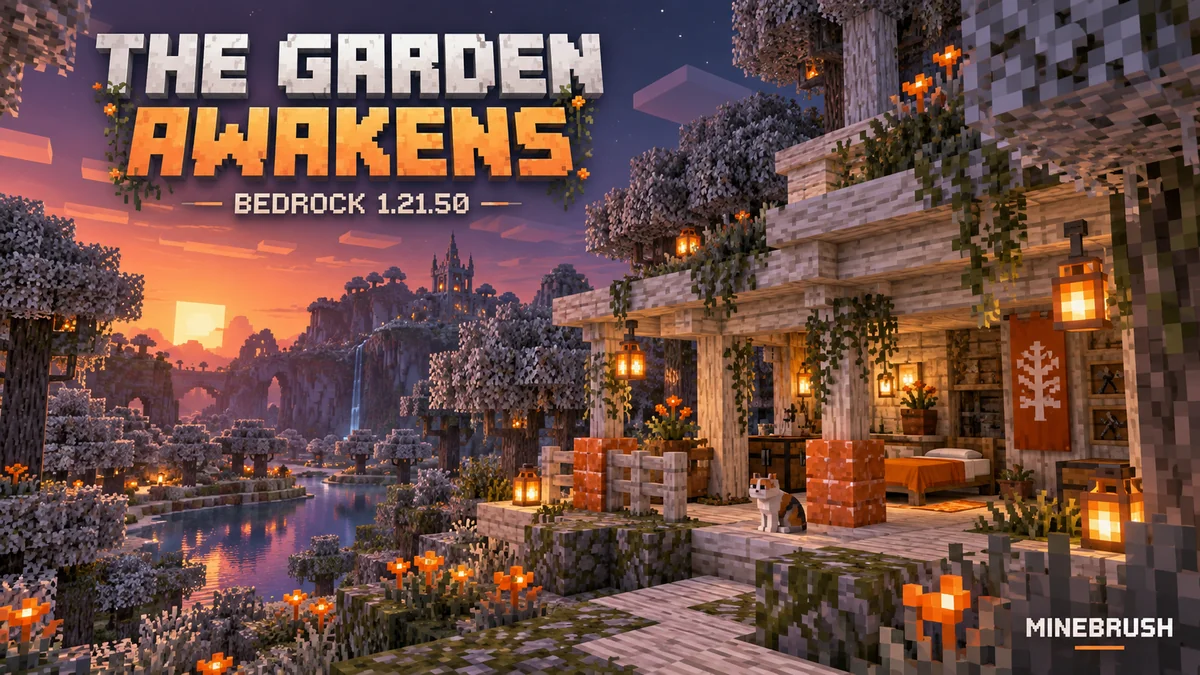
Minecraft Bedrock 1.21.50: The Garden Awakens adds the pale garden, the creaking and a new white-and-orange building palette. It also makes everyday Bedrock play easier to manage: clearer sleep controls, more useful screenshot sharing, improved bundle handling and several changes that matter when moving a workshop.
The stable release arrived on December 3, 2024. This guide explains that historical update and gives you projects to try. For ordinary play, install a current supported stable version; later updates may change individual rules or menus. Our complete Garden Awakens guide covers the biome, resin, flowers and creaking in greater depth. Here, the focus is how to use the drop on Bedrock.
Start with a daytime collecting trip
A pale garden is easier to understand in daylight. Bring food, a bed for a safe camp outside the trees, an axe, spare blocks and enough space for saplings and plants. Collect a small supply of pale oak, pale moss and eyeblossoms before planning a night encounter. Leave a visible route back to camp rather than relying on the forest's muted colors for navigation.
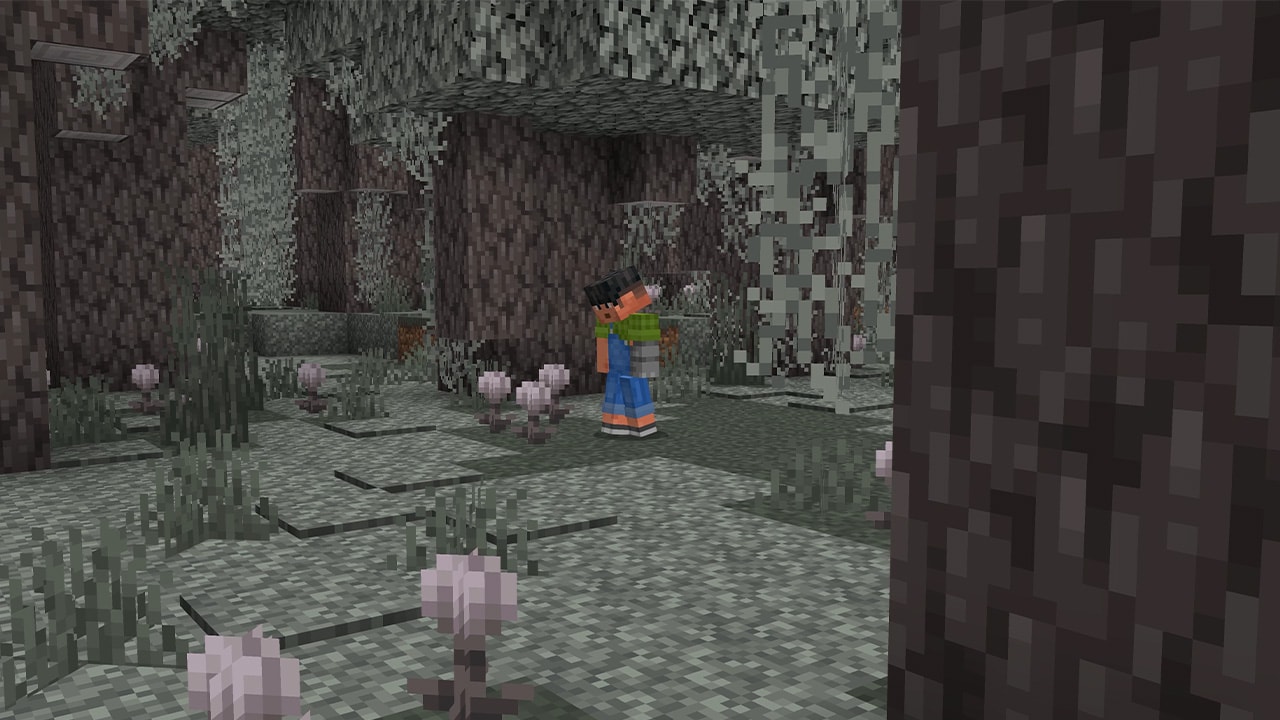
In an existing world, search newly generated terrain beyond places you have already explored. Updating does not replace your built areas with the new biome. If your goal is simply to inspect the drop, Bedrock's release notes offer the seed 3515201313347228787 as a pale-garden starting option for this version. Use a separate test world; it is not a promise of the same nearby terrain on every later version.
The wandering trader can also supply pale oak saplings, eyeblossoms, pale moss and hanging moss. That is useful when you want the building materials without a long expedition. Trader visits and offers still involve waiting; exploring gives you more control over when to collect a large amount.
Later Bedrock change: larger Pale Gardens in 1.21.60
This is a follow-up to the original 1.21.50 release. In Bedrock 1.21.60, released February 11, 2025, Pale Gardens became more frequent and generally larger, and woodland mansions became able to generate within them. A mansion is a possibility, not a feature of every Pale Garden.
For an older world, plan the next search beyond already explored land. Installing the update does not expand an existing garden into your buildings or add a mansion to a cleared campsite. If you follow a seed showcase, match its edition and generation version before expecting the same destination. Take enough supplies for a collecting trip even when the newer generation makes the biome easier to encounter.
- Checking a heart in daylight: 1.21.60 added a distinct state for a correctly configured heart that cannot spawn its creature because it is daytime. No daytime creature is not, by itself, proof that your log arrangement is wrong.
- Planning a flower display: eyeblossoms open as the moon begins rising and close when it has fully set. Visit your path around dusk and dawn to judge the effect, rather than checking only at midday.
- Growing pale oak: the release also stopped bone meal being used on a lone pale oak sapling. Use a 2×2 square of four pale oak saplings instead of repeatedly trying a single one.
These changes belong to the stable Pale Garden follow-up. They do not mean every feature mentioned on that release page was stable: the pause feature was still restricted to Beta/Preview at the time.
Approach the creaking as a puzzle
At night, a suitable creaking heart can create a creaking. Looking directly at it stops its movement, but repeated sword attacks do not defeat a heart-linked creature. Hit it to reveal the particle connection, follow the trail and deal with the heart in the tree. Destroying the heart removes its creature.
For two players: agree which player watches the creature and which follows the trail. Keep the watcher facing it while the other works; do not both turn toward the tree at once. Clear your escape route during daylight. A carved pumpkin is the wrong protection here: wearing one means your gaze does not freeze the creaking.
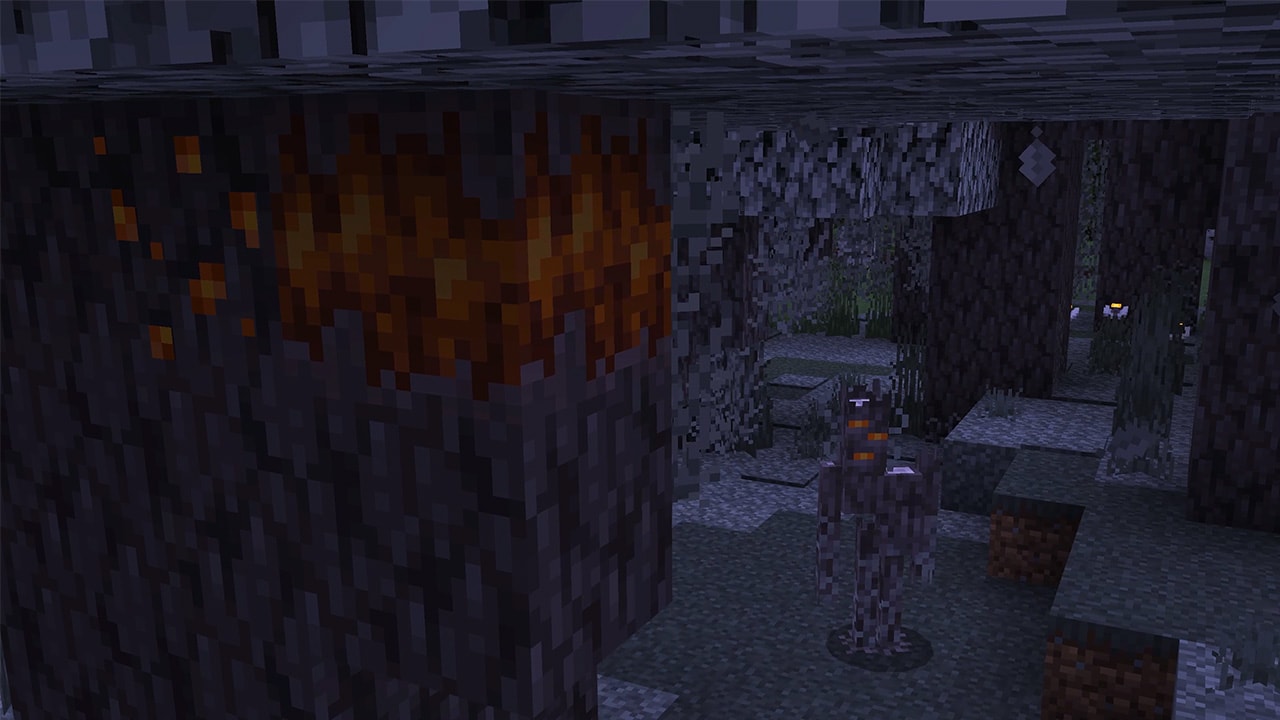
A heart needs correctly aligned pale oak logs on opposite sides and the nighttime conditions to work. A Creative spawn-egg creaking behaves differently from one connected to a heart, so an egg is not a reliable test of your Survival encounter. Lighting the clearing does not replace understanding the heart's day/night behavior.
If you want resin, preserve the heart while collecting clumps produced by the encounter. If you want to take a naturally generated heart home intact, use Silk Touch. Decide your goal before breaking it: ending the encounter and keeping a working heart are different outcomes.
Build a small garden workshop before a whole mansion
The pale oak set is a bright structural material; resin bricks provide a strong orange accent. A small porch or workshop gives you a cheap way to test the palette before gathering materials for a large build.
- Lay out the useful space: a chest, crafting area and covered bed, with enough room to move around them.
- Use pale oak for the main shape: posts, stairs and slabs give the building more depth than one flat wall.
- Add resin selectively: try a chimney, doorway or short garden border. Compare a small patch before committing to an entire roof.
- Finish the ground: break up the path with pale moss and a few eyeblossoms, leaving the walking surface readable.
- Check after dark: observe the flowers and shadows, then add normal lighting where players walk.
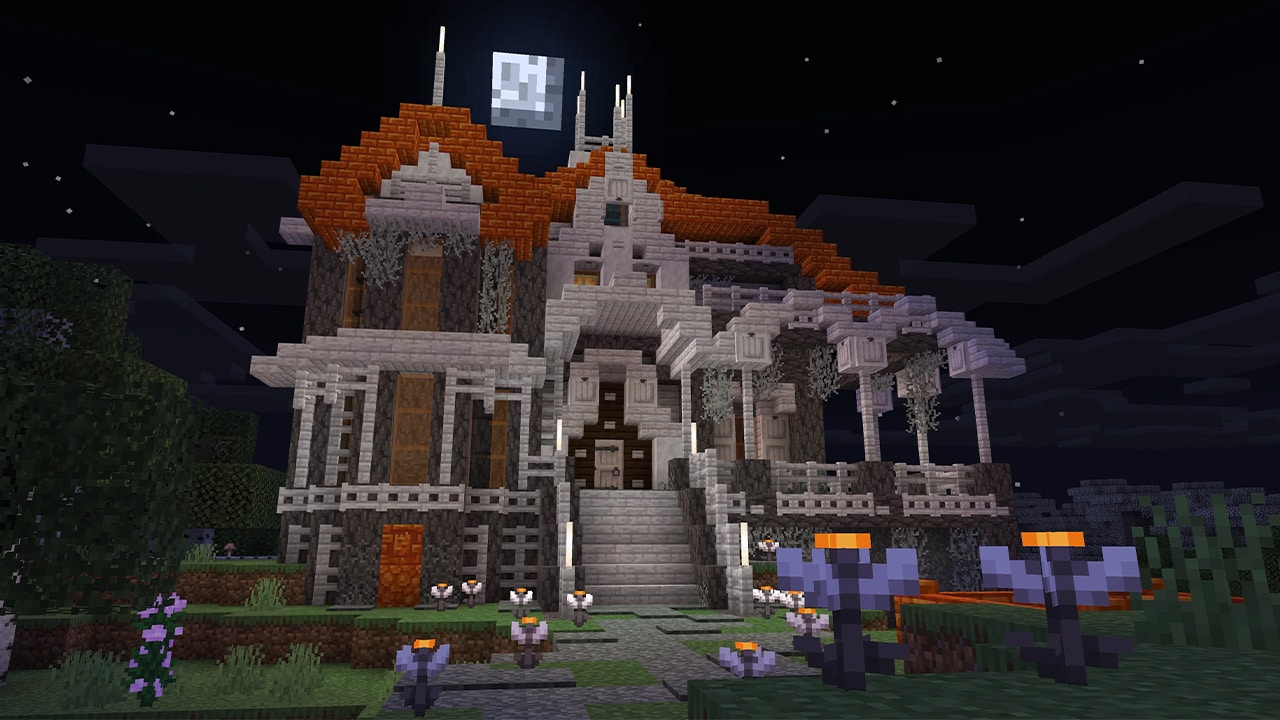
Open eyeblossoms look luminous at night, but they are not a substitute for light sources. They can poison bees, so keep this garden separate from your flower supply for a bee farm. Closed and open flowers also have different dye and suspicious-stew uses; do not treat every flower as an interchangeable decoration or harmless food ingredient.
For a living display, place a heart away from your workshop door and make the area easy to leave. A decorative forest should not make opening your storage chest into a surprise encounter. The shared guide explains the heart setup, resin collection and plant behavior step by step.
Make sleeping on a shared world understandable
Bedrock 1.21.50 redesigns the sleep screen, including the message showing how many players need to sleep before the night can pass. The layout changes too, and the chat button is hidden when you are playing alone. These are clearer controls, not a new kind of bed.
World settings gain controls for whether beds work and the percentage of players required to sleep. The owner should choose a rule that fits the group: requiring everyone suits coordinated adventures, while a lower threshold is more convenient when some players are underground or far from home.
Example: on a four-person building world, a 50% rule means two sleepers can advance the night. Tell the group before changing the rule. Someone collecting resin or photographing open eyeblossoms may deliberately need the night to continue.
If sleeping does not advance time, read the on-screen count and check the world's bed and sleep settings before moving every bed. Also check the familiar causes, such as nearby monsters or the wrong time of day. A player can occupy a bed without the whole group meeting the required threshold.
Use the Bedrock control fixes in everyday play
Flying with touch controls
In joystick touch modes, double-tapping fly up can stop flying. Rapidly tapping fly up and fly down no longer unintentionally ends flight. Try the gesture close to the ground in Creative before using it while detailing a roof, so the intentional exit gesture becomes familiar.
Mobile windowed or split-screen mode no longer overwrites the saved positions of customized controls. The release also fixes a camera that could get stuck after leaving a boat, and corrects DualSense button hints on mobile devices. If a label does not match your controller, check that you are reading instructions for your current input method rather than a keyboard tutorial.
Pack small crafting leftovers directly into a bundle
You can collect crafting output with a bundle to add the crafted items to it. This is useful for a decorating trip with several small stacks: make the pieces you need, collect suitable output into your bundle, then unpack at the build site.
On touch screens, selecting an item inside the bundle's tooltip shows its name. Check that label before removing a similar-looking item. The selected item's appearance in the bundle icon is also corrected, and touch inventory distribution across existing stacks is fixed.
Practical packing plan: keep your axe, pickaxe, food and blocks for escape directly accessible. Use the bundle for small quantities of decorative materials. It is a way to organize a mixed load, not an unlimited replacement for storage chests.
Turn your build into a useful screenshot story
The Screenshot Library can share screenshots to Realms Stories. You can also Feature and Showcase screenshots for visitors to your Profile, and use a screenshot as a custom world thumbnail. That makes a picture useful beyond keeping it as a souvenir.
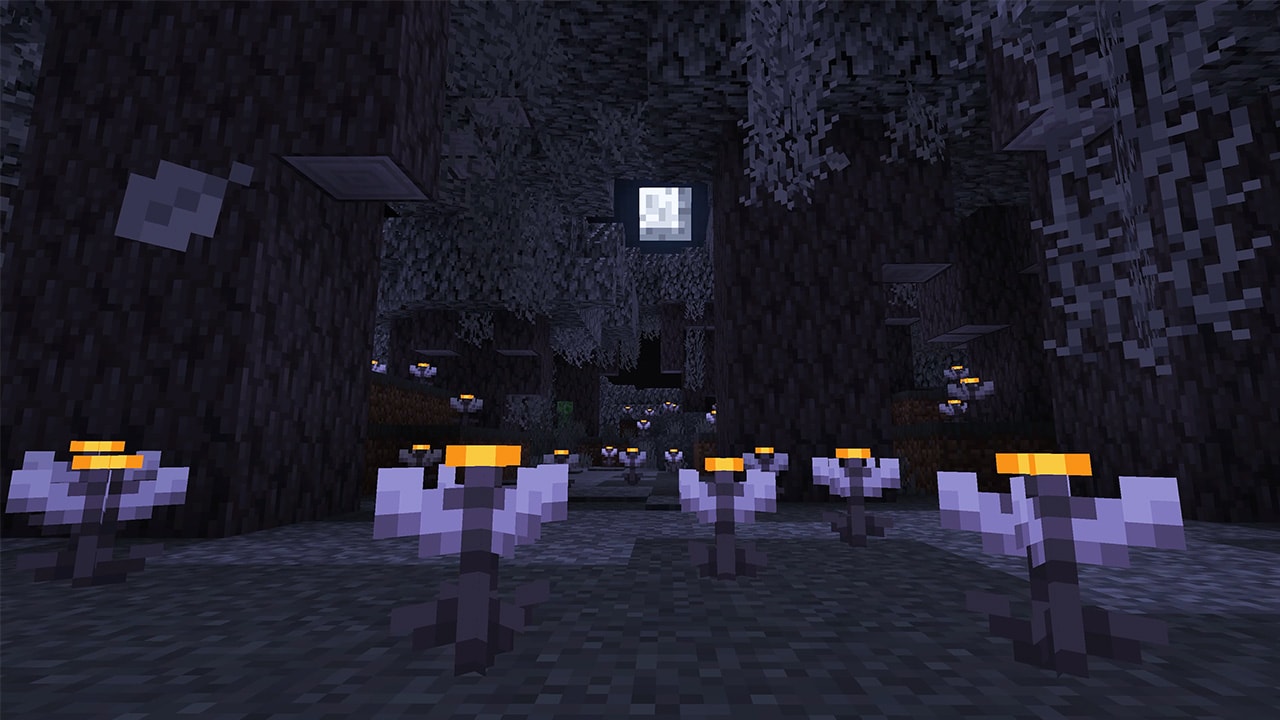
A three-picture project: take a daylight view of the empty plot, a second view after the pale oak structure is finished, and a nighttime view showing the flower path. Keep a similar viewpoint so friends can understand what changed. Use the finished workshop view as the world's thumbnail so it is recognizable in your world list.
Choose the destination deliberately. A world thumbnail helps you identify a save; a Profile showcase is intended for people visiting your Profile; a Realms Story is for your Realm's community. Check the picture for chat or other details you do not want to share before posting.
Understand the Realms Stories tabs
In this release, opting in or out of Realms Stories applies only to the Timeline. Realm users can see the Story Feed and Members tab regardless of their own opt-in state or the owner's. Do not assume turning off Timeline participation makes those other tabs unavailable.
The notes also fix game mode and difficulty not being preserved when a world is uploaded or replaced in a Realm slot. After replacing a world, still open its settings and confirm them before inviting everyone back. A fixed bug is a reason to update, not a reason to skip checking a valuable shared save.
Use a pickaxe when moving your workshop
This update changes how several blocks drop when broken. The practical rule is simple: take a pickaxe when relocating your utility room, even if you remember picking up a block with a different tool before.
- Use a pickaxe for these drops: furnace, blast furnace, smoker, cauldron, dispenser, dropper, enchanting table and hopper.
- For copper trapdoors and copper bulbs: use a stone pickaxe or better.
- Doors and listed pressure plates: copper and iron doors, weighted pressure plates, stone pressure plates and polished blackstone pressure plates now drop with any tool.
- An ender chest is a special case: the changelog's “always drops” description does not mean it always returns an intact ender chest. Use Silk Touch to recover the chest itself.
Before rebuilding: empty ordinary storage, label the chests holding your materials and move one workstation at a time. Verify its dropped item before breaking the rest. This small check is particularly useful when moving a workshop designed under an older version's behavior.
Axe behavior also changes for bamboo saplings and moss carpets, while swords cut bamboo saplings instantly. Do not choose a tool only because it used to break a particular decorative block unusually fast.
Small changes that can affect a whole build
Use sneak to stop a slime bounce
Holding jump while falling onto a slime block no longer cancels the bounce. Sneaking is the intended way to stop bouncing, and this release fixes fall damage while sneaking onto a slime block. If an old parkour course tells players to hold jump, update the sign and test the landing on the actual game version used by your friends.
Recheck portal and fire interactions
Zombified piglins created by Nether portals receive a 15-second cooldown before they can use a portal again. If a design depends on immediately sending them back through, allow for that delay instead of assuming the return transfer happens at once.
Burning projectiles can ignite TNT and TNT minecarts. Keep live explosive tests away from the finished workshop. Blackstone can also repair stone tools and weapons, giving an early-game Nether trip another practical use for a material you may already collect.
Do not mistake the old Keep Inventory trial for a permanent rule
The 1.21.50 notes describe an Easy and Peaceful difficulty test in which some players kept their items after dying. It was not a guarantee for every player or every world. Do not risk valuable equipment on the assumption that choosing Easy automatically protects it.
Later, Bedrock 1.21.70 again described Keep Inventory as a cheat. For a current world, inspect its actual settings and achievement eligibility; historical test notes are not permission to enable an option without consequences.
Update without losing the world you care about
- Make a backup or separate copy of the world before opening it in another version. Keep a known-good Realm backup when replacing its active world.
- Update through the normal store or launcher for your device. On Windows, use the Bedrock edition named Minecraft for Windows; on consoles and mobile, use that platform's game update controls.
- Check the group: friends and server owners need compatible versions. This article is about the stable release, not Preview or Beta enrollment.
- Test packs on a copy: open the inventory, sleep screen and a familiar build with your resource packs and add-ons enabled. Check their authors' compatibility notes if anything looks wrong.
- Review the save: confirm difficulty, multiplayer settings and your main storage before starting an expedition.
Use the official Minecraft download and launcher page to reach legitimate installation options. MineBrush does not provide the paid game as a free archive. Console and mobile stores normally deliver the currently available release; this historical guide does not promise a supported downgrade to 1.21.50.
Credits and sources: Minecraft and the update are by Mojang Studios / Microsoft. This independent player guide is based on the official Bedrock 1.21.50 release notes and The Garden Awakens announcement. The in-game images below their respective sections are credited to Mojang / Microsoft and link to their original files. The MineBrush cover is an editorial illustration, not an in-game screenshot.
More for your Bedrock world.
Explore the pale garden, follow a creaking to its heart and collect resin for your next build. Practical daytime and nighttime routes, pale oak growing tips, eyeblossom uses and original Mojang screenshots.
- Game released
- Java
- 1.21.4 · Stable
- Bedrock
- 1.21.50 · Stable
Focus Pale garden exploration, creaking hearts, resin collection, pale oak and eyeblossom builds
Topic The Garden Awakens
Install Included in the official game update
Heart-linked creakings require finding their heart; ordinary attacks do not defeat them.
Java + Bedrock · Release
The Garden Awakens: Explore, Gather and Build
Explore the pale garden, follow a creaking to its heart and collect resin for your next build. Practical daytime and nighttime routes, pale oak growing tips, eyeblossom uses and original Mojang screenshots.
Heart-linked creakings require finding their heart; ordinary attacks do not defeat them.
- Update type
- Major release
- Release channel
- Unknown / not stated
- Official release date
- 2024-12-03
- World safety
- Back up before updating
- Player impact
- Pale garden exploration, creaking hearts, resin collection, pale oak and eyeblossom builds
- Platform family
- Cross-edition
- Supported devices
- Java on Windows, macOS and Linux; Bedrock on supported mobile, console and Windows devices
- Install format
- Official game update
- Touch readiness
- Check guide
- Resource type
- Update
- Last verified at
- Sep 17, 2026
- Update state
- historical
- Compatibility confidence
- Source claimed
- Bedrock version/build
- 1.21.50
- Card delivery statement
- Included in the official game update
- Card limitation note
- Heart-linked creakings require finding their heart; ordinary attacks do not defeat them.
- Edition applicability
- Java + Bedrock
- Java version/build
- 1.21.4
- Shared update topic
- The Garden Awakens
- Delivery state
- No file
- Lifecycle state
- Superseded
- Java update channel
- Stable
- Bedrock update channel
- Stable
Collect new animals, grow a garden and use Bedrock’s solo pause and touch camera. Understand Friends Drawer, Realms status and add-on achievement limits.
- Bedrock
- Bedrock 1.21.70
- Release type
- Release
- Game released
Focus Wildlife, gardens, solo pause, touch camera and Realms
Install Update through the official game store
Enrollment None required
Back up before updating
Bedrock · Release
Bedrock 1.21.70: Spring to Life
Collect new animals, grow a garden and use Bedrock’s solo pause and touch camera. Understand Friends Drawer, Realms status and add-on achievement limits.
Back up before updating
- Minecraft version
- Bedrock 1.21.70
- Game edition
- Bedrock Edition
- Update type
- Major release
- Release channel
- Bedrock Edition
- Official release date
- 2025-03-25
- World safety
- Back up before updating
- Player impact
- Wildlife, gardens, solo pause, touch camera and Realms
- Related major release
- Spring to Life
- Platform family
- Bedrock & Mobile
- Supported devices
- Windows, Android, iOS and consoles
- Touch readiness
- Check guide
- Last verified at
- Sep 17, 2026
- Update state
- historical
- Compatibility confidence
- Source claimed
- Card delivery statement
- Update through the official game store
- Edition applicability
- Bedrock
- Bedrock enrollment route
- None required
- Delivery state
- No file
- Lifecycle state
- Superseded
Collect new animals, build woodland paths and find home. Understand Java 1.21.5 farm activity, portal loading, named creakings and useful settings.
- Java
- Java 1.21.5
- Release type
- Release
- Game released
Focus Animals, woodland projects, navigation and farm changes
Install Install through Minecraft Launcher
Back up before updating
Java · Release
Java 1.21.5: Spring to Life
Collect new animals, build woodland paths and find home. Understand Java 1.21.5 farm activity, portal loading, named creakings and useful settings.
Back up before updating
- Minecraft version
- Java 1.21.5
- Game edition
- Java Edition
- Update type
- Major release
- Release channel
- Java Edition
- Official release date
- 2025-03-25
- World safety
- Back up before updating
- Player impact
- Animals, woodland projects, navigation and farm changes
- Related major release
- Spring to Life
- Platform family
- Java PC
- Last verified at
- Sep 17, 2026
- Update state
- historical
- Compatibility confidence
- Source claimed
- Card delivery statement
- Install through Minecraft Launcher
- Edition applicability
- Java
- Delivery state
- No file
- Lifecycle state
- Superseded
Player discussion 0
Questions, discoveries and help from other players.