
MineBrush publication
VDX Java UI 3.2.12 for Bedrock 26.30: Layouts & Setup
Give Bedrock a Java-style interface with VDX 3.2.12 for Minecraft 26.30. Compare Desktop, Mixed and PvP layouts, preview the menus and learn how to switch back.
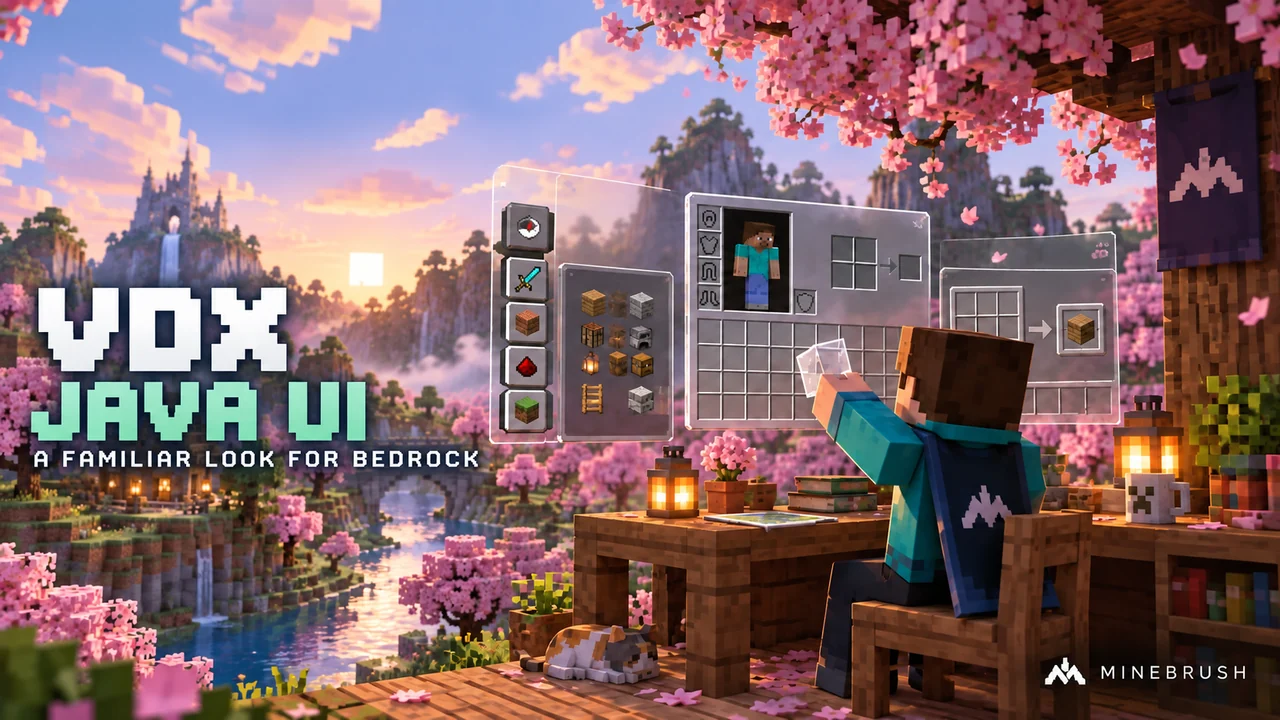
VDX Java/Desktop UI gives Minecraft Bedrock familiar Java-style menus and inventory screens. It is a resource pack by CrisXolt: your world, servers and combat remain Bedrock. Its main appeal is the layout you use every session, from opening your inventory to finding the resource-pack settings.
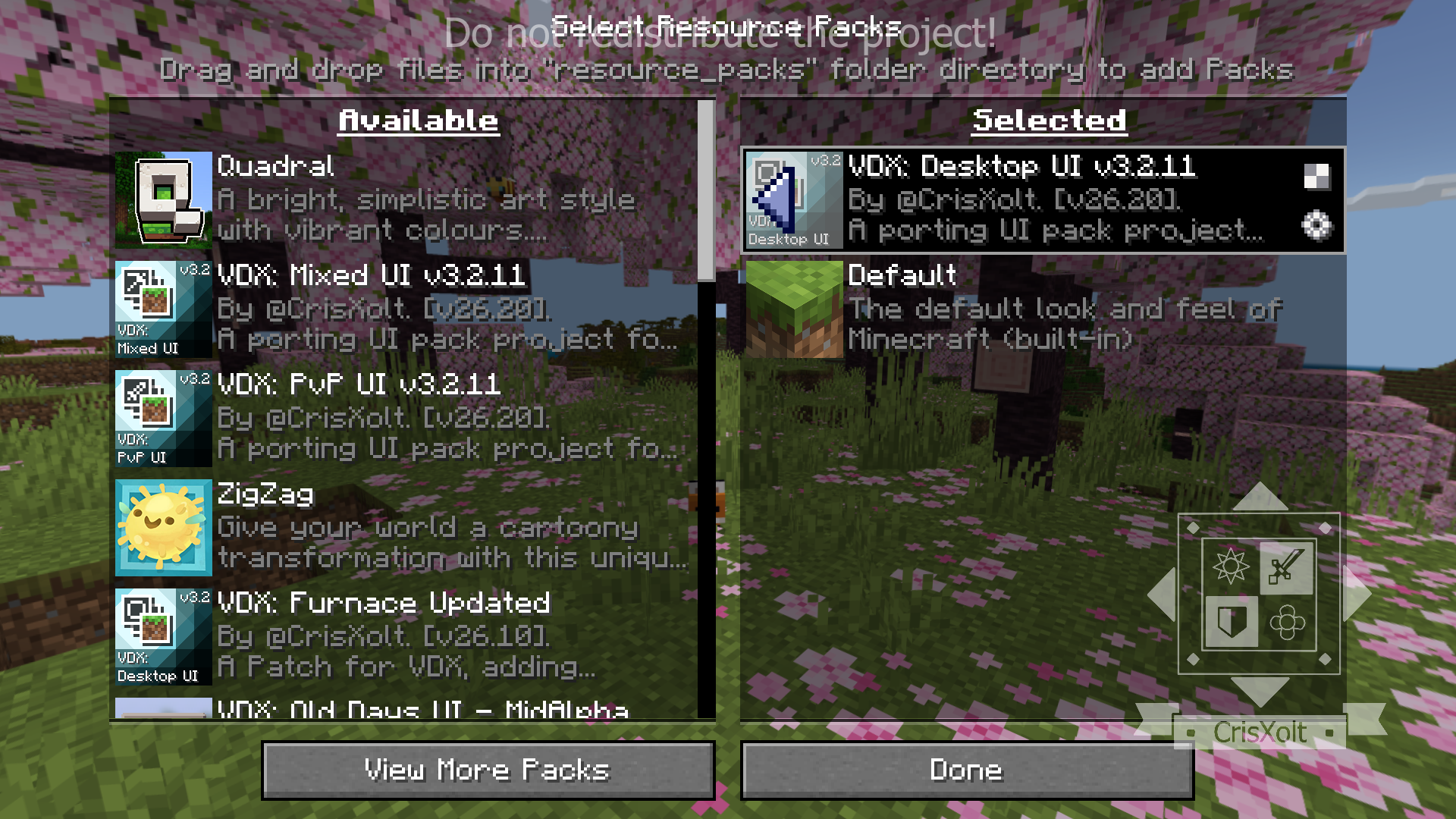
Version 3.2.12 targets Bedrock 26.30. Choose a matching release for your game rather than assuming every newer Bedrock update keeps custom menus working. The images below are the creator’s interface examples; the pack selector shown uses an earlier 3.2.11 build.
Download VDX Desktop UI 3.2.12
This download is the Desktop UI main pack for Bedrock 26.30. It is a complete resource pack; no behavior pack is needed. Mixed UI, PvP UI and the optional menu patch are separate author releases, not included in this file.
Desktop, Mixed or PvP: choose your layout
| Variant | What it changes | Choose it if… |
|---|---|---|
| Desktop UI | Java-inspired menus and inventory presentation. | You play both editions and want a more familiar look in Bedrock. |
| Mixed UI | Keeps more of Bedrock’s HUD and containers, with Java and Legacy Console design elements. | You like Bedrock’s interface but want a different presentation. |
| PvP UI | A Java 1.8-inspired design with clear chat and scoreboard backgrounds. | You prefer that interface style for server sessions. |
Start with one variant active. Stacking several interface replacements makes it harder to identify which pack controls a broken button or overlapping panel. The PvP name describes its design; it does not add Java combat mechanics or promise a competitive advantage.
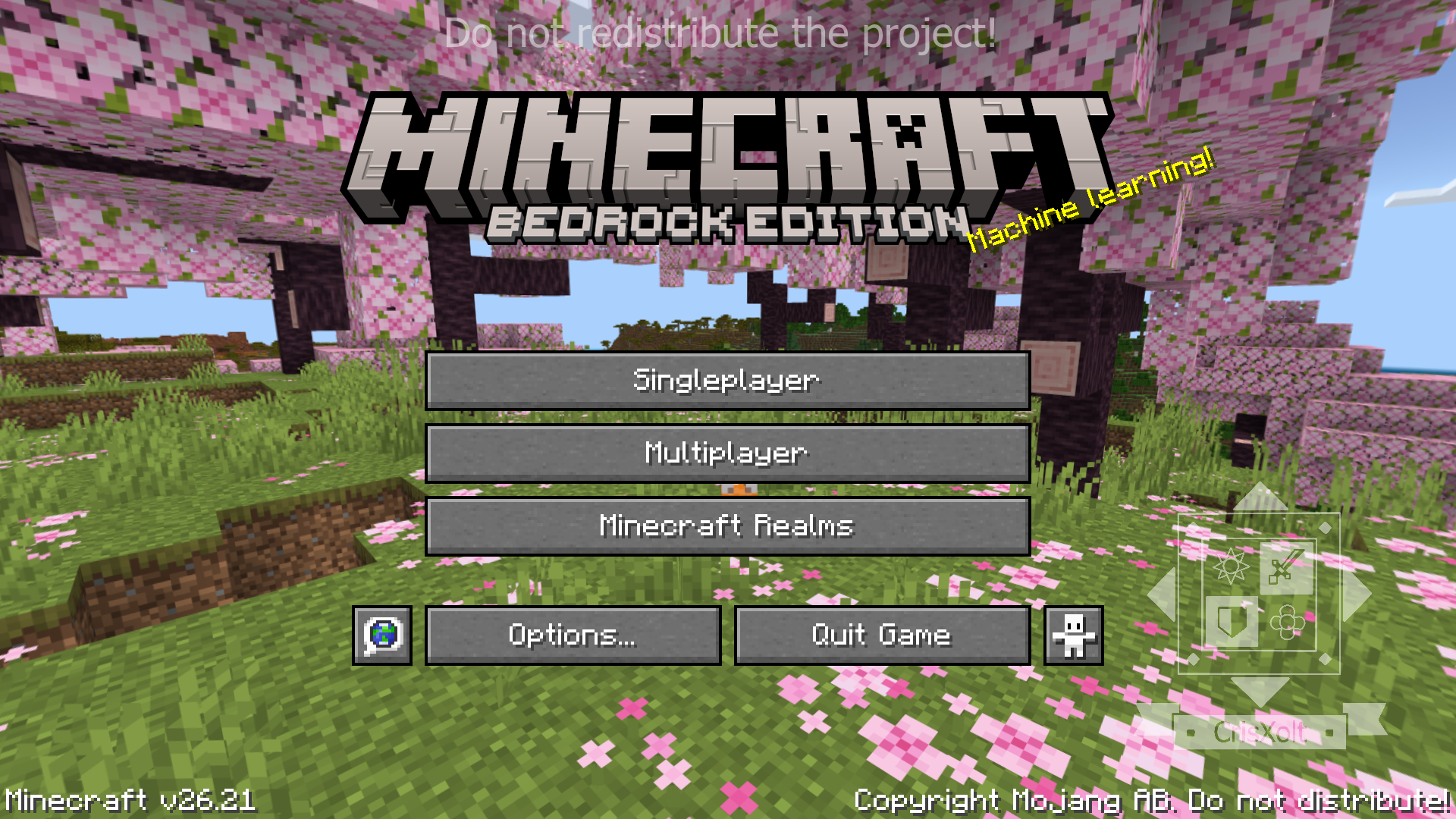
What changes during ordinary play?
For a survival session, open your inventory and compare the crafting area, equipment slots and recipe panel with the layout you normally use. For building, check that the recipe search and item categories remain comfortable at your screen size. A good-looking menu is only useful if you can still find and select items easily.
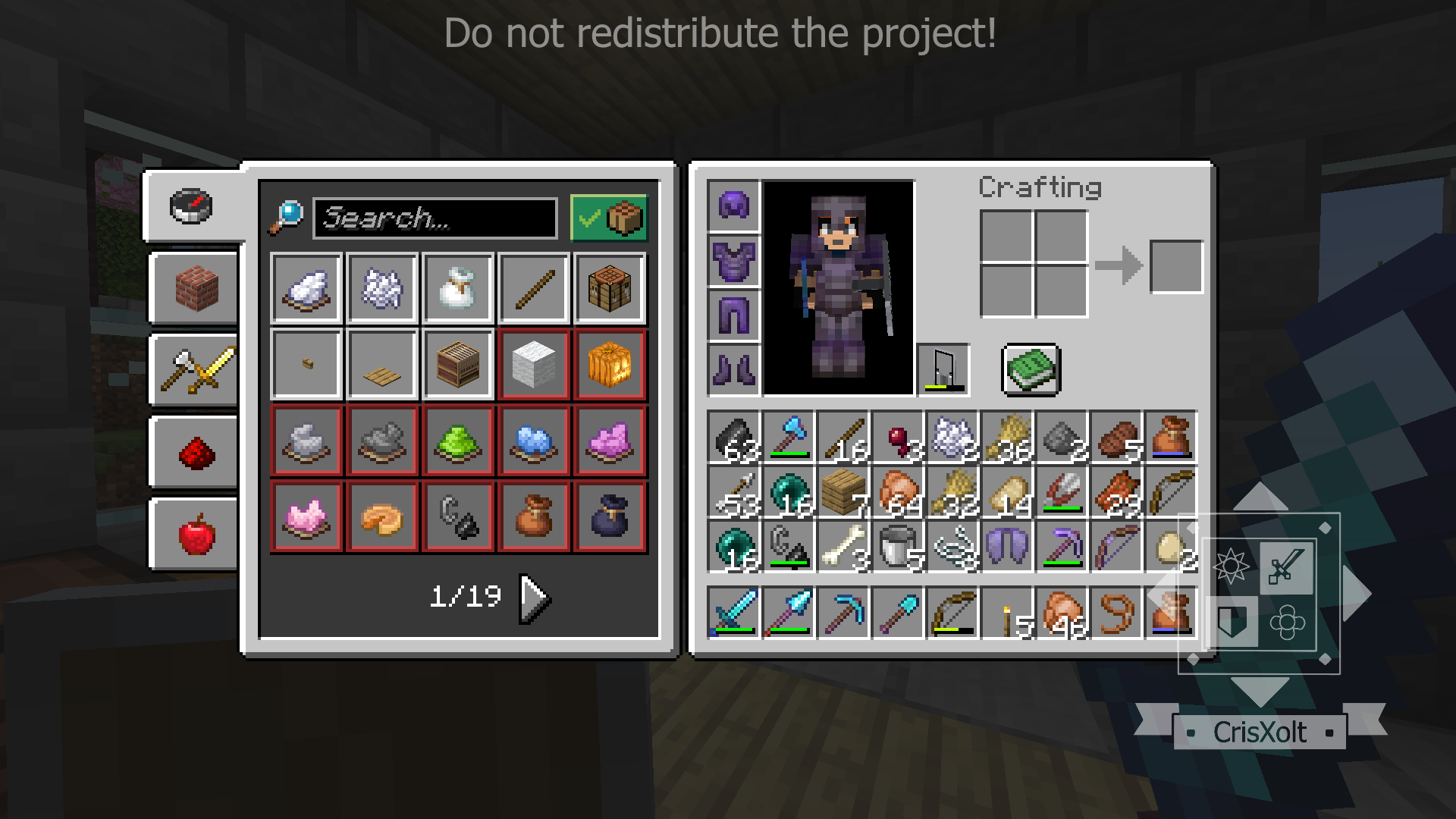
Controller users should check carefully: CrisXolt notes that not every modified screen fully supports gamepads. Before committing to a long session, try moving between tabs, selecting an item, closing the inventory and returning to settings with your usual controls.
Install without losing your way around the menus
- Back up important worlds first. Interface packs can break after game updates. Keep a usable backup before changing your setup; do not move or delete existing world folders just to install a UI pack.
- Import the matching .mcpack. On a device that supports opening local packs, open it with Minecraft Bedrock and wait for the import message. It is not a Java mod JAR.
- Activate one variant in Global Resources. Start without another custom UI pack active so you can judge VDX on its own.
- Check the essentials. Open the inventory, recipe search, pause menu and resource-pack settings. On touch screens, check that the buttons you need are reachable.
- Reintroduce other visual packs one at a time. If the interface breaks after adding another pack, deactivate that addition and compare again.
The author gives a mobile storage warning for devices that offer an External file-storage setting. Storage options differ by platform, so make a backup before changing storage settings rather than treating a setting change as a backup itself.
Choose normal or Sodium-style video settings
The Desktop main pack includes two configurations: With Normal UI Video Settings and With Sodium UI Video Settings. Open the active pack’s configuration control to choose the presentation you prefer, then fully restart Minecraft after changing it, as the pack instructs.
The Sodium name refers to the settings-screen style. It does not install the Java Sodium mod or its rendering engine into Bedrock.
Why do some screens still look like Bedrock?
VDX does not replace every screen. Bedrock has moved several menus to Ore UI, which this resource-pack approach cannot freely redesign. The author lists Play, Create World, Achievements, sleeping, death and disconnect screens among the limitations.
If one of those screens remains unchanged, reinstalling the same pack may accomplish nothing. The creator also shows some extra screens that require a separate patch and an experimental world. They are not the baseline experience described here; do not enable world experiments simply to make the screenshots match.
How to switch back to the normal interface
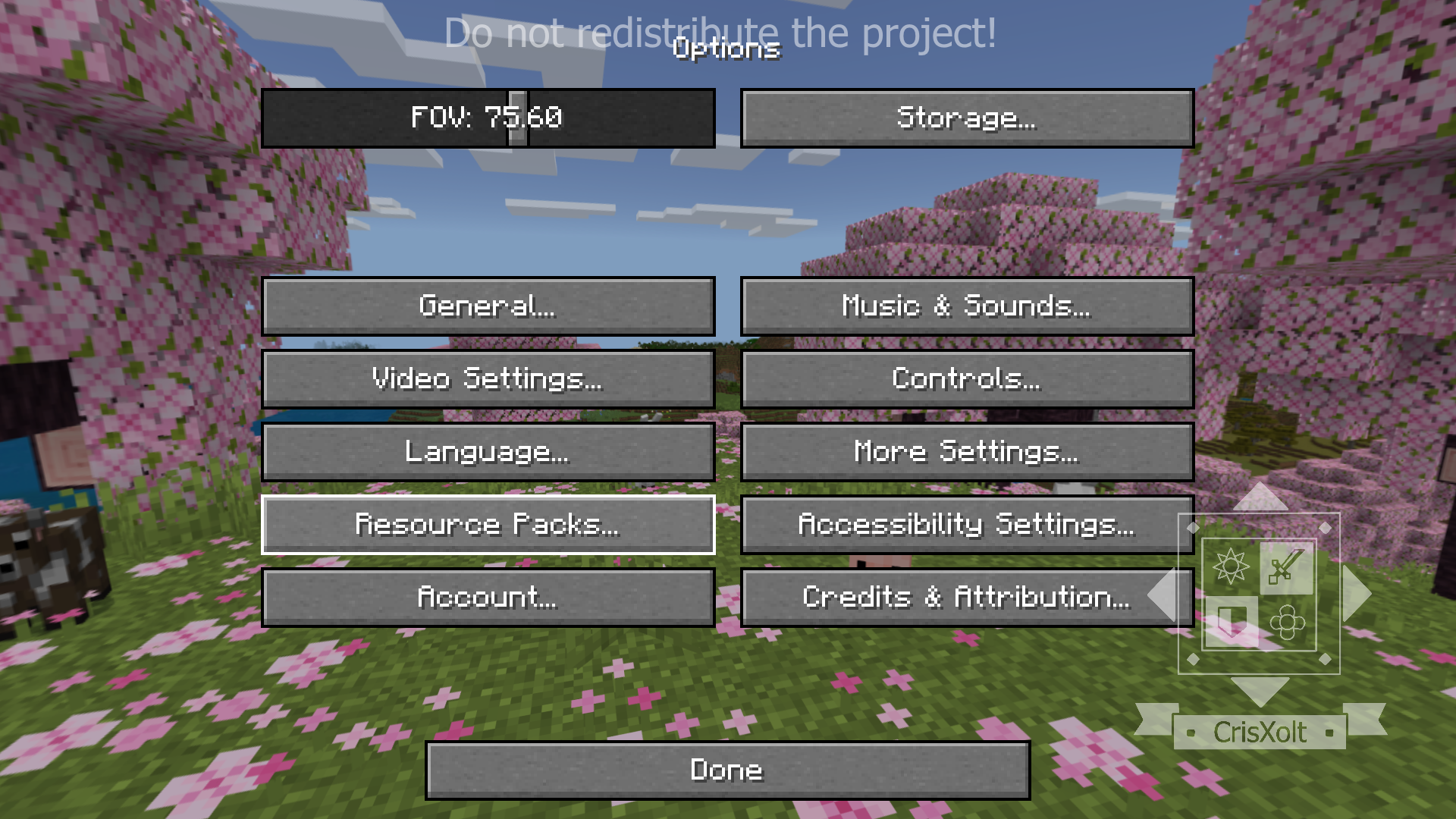
In the VDX menu, open Options… → Resource Packs…. Select the active VDX pack and deactivate it, then finish with Done. If you activated the pack only for an individual world, also check that world’s active resource packs.
Common surprises and what to do
| What you see | What it means / next step |
|---|---|
| Settings takes longer to open. | The creator notes that some redesigned screens load slowly. This pack is an interface change, not a performance upgrade. |
| The HUD disappears while the inventory is open. | This is intentional in the author’s setup to avoid touch-control customization errors. |
| The Creative search icon changes with an add-on. | The author lists this as a known interaction with custom-item add-ons. Do not assume your world or items are damaged. |
| A button stops working after updating Minecraft. | Deactivate VDX, check whether the default menu works, then look for a release matching the new game version. |
| Text does not fit in your language. | The listed languages are English, Spanish, Japanese, Korean, Portuguese and Chinese. Other languages are not promised full support. |
More for your Bedrock world.

Find the Bedrock update that matters to your world or device. Explore stable releases, practical game-drop guides, platform-specific fixes and a separate Beta/Preview archive.
- Coverage
- 2023–2026
- Edition
- Bedrock Edition
- Versions
- Bedrock 1.20.30–26.51
Bedrock · Update history
Bedrock Update History
Find the Bedrock update that matters to your world or device. Explore stable releases, practical game-drop guides, platform-specific fixes and a separate Beta/Preview archive.
Back up before updating
- Minecraft version
- Bedrock 1.20.30–26.51
- Game edition
- Bedrock Edition
- Update type
- Unknown / not stated
- Release channel
- Bedrock Edition
- World safety
- Back up before updating
- Player impact
- Find a useful release, platform fix or practical game-drop guide
- Platform family
- Bedrock & Mobile
- Supported devices
- Windows, consoles and mobile; patch availability varies
- Touch readiness
- Yes
- Last verified at
- Sep 17, 2026
- Update state
- current
- Compatibility confidence
- Source claimed
- Card delivery statement
- Player guides and official release notes
- Edition applicability
- Bedrock
- Bedrock enrollment route
- Preview app
- Delivery state
- No file
- Lifecycle state
- Current
- History coverage
- 2023–2026
Find what changed in Minecraft Java from 2023 to 2026, choose your next survival project and follow practical update guides. Stable releases and test builds are clearly separated.
- Coverage
- 2023–2026
- Edition
- Java Edition
- Versions
- Java 1.20.2–26.3
Java · Update history
Java Update History
Find what changed in Minecraft Java from 2023 to 2026, choose your next survival project and follow practical update guides. Stable releases and test builds are clearly separated.
Back up before updating
- Minecraft version
- Java 1.20.2–26.3
- Game edition
- Java Edition
- Update type
- Unknown / not stated
- Release channel
- Java Edition
- World safety
- Back up before updating
- Player impact
- Find a feature, choose a project and check the right release
- Platform family
- Java PC
- Last verified at
- Sep 17, 2026
- Update state
- current
- Compatibility confidence
- Source claimed
- Card delivery statement
- Player guides and official release notes
- Edition applicability
- Java
- Delivery state
- No file
- Lifecycle state
- Current
- History coverage
- 2023–2026

Find trial chambers, beat the breeze, match keys to vaults and prepare for ominous trials. Learn mace and wind-charge tricks, build your first crafter and put copper, tuff and dungeon rewards to use.
- Game released
- Java
- 1.21 · Stable
- Bedrock
- 1.21 · Stable
Focus Trial chambers, vault rewards, mace combat, wind charges and automatic crafting
Topic Tricky Trials
Install Included in the official game update
Back up before updating
Java + Bedrock · Release
Tricky Trials
Find trial chambers, beat the breeze, match keys to vaults and prepare for ominous trials. Learn mace and wind-charge tricks, build your first crafter and put copper, tuff and dungeon rewards to use.
Back up before updating
- Update type
- Major release
- Release channel
- Unknown / not stated
- Official release date
- 2024-06-13
- World safety
- Back up before updating
- Player impact
- Trial chambers, vault rewards, mace combat, wind charges and automatic crafting
- Platform family
- Cross-edition
- Supported devices
- Java: Windows, macOS, Linux. Bedrock: supported Windows, mobile and console devices.
- Install format
- Included in the official game update
- Touch readiness
- Not required
- Resource type
- Update
- Last verified at
- Sep 18, 2026
- Update state
- historical
- Compatibility confidence
- Source claimed
- Bedrock version/build
- 1.21
- Card delivery statement
- Included in the official game update
- Edition applicability
- Java + Bedrock
- Java version/build
- 1.21
- Shared update topic
- Tricky Trials
- Delivery state
- No file
- Lifecycle state
- Superseded
- Java update channel
- Stable
- Bedrock update channel
- Stable
Explore Dappled Forest, follow abandoned-camp maps and sleep on straw beds without moving your home spawn. Learn what Wilderness Bound adds in Java 26.3 and Bedrock 26.50, with camping steps, building ideas and official images.
- Game released
- Java
- 26.3 · Stable
- Bedrock
- 26.50 · Stable
Focus Exploration, camping and building
Topic Camps, maps and building
Back up before updating
Java + Bedrock · Release
Wilderness Bound
Explore Dappled Forest, follow abandoned-camp maps and sleep on straw beds without moving your home spawn. Learn what Wilderness Bound adds in Java 26.3 and Bedrock 26.50, with camping steps, building ideas and official images.
Back up before updating
- Update type
- Major release
- Release channel
- Java & Bedrock
- Official release date
- 2026-09-15
- World safety
- Back up before updating
- Player impact
- Exploration, camping and building
- Platform family
- Cross-edition
- Touch readiness
- Yes
- Resource type
- Update
- Last verified at
- Sep 18, 2026
- Update state
- current
- Compatibility confidence
- Source claimed
- Bedrock version/build
- 26.50
- Edition applicability
- Java + Bedrock
- Java version/build
- 26.3
- Shared update topic
- Camps, maps and building
- Delivery state
- No file
- Lifecycle state
- Current
- Java update channel
- Stable
- Bedrock update channel
- Stable
Player discussion 0
Questions, discoveries and help from other players.