
MineBrush publication
Minecraft Bats & Pots: Decorated Pot Storage, Building Ideas and Bats
Turn decorated pots into food jars, supply caches and breakable rewards. Learn filling, retrieval, simple hopper uses and the bat refresh—with original images and the important Java 1.20.4 item-loss fix.
Bats & Pots turned Minecraft's decorated pots into useful little containers and gave bats a new look. The changes arrived on December 5, 2023 in Java 1.20.3 and Bedrock 1.20.50. You can use a pot as a food jar, a decorative savings box, a supply cache or a breakable prize in a game you build for friends.
Playing today? Use a supported stable version. These are established features, not a reason to install a 2023 Preview. In particular, Java 1.20.3 had a serious bug that could lose items stored in pots; Java 1.20.4 fixed it. If you keep an older world or modpack on the 1.20 branch, check its supported version before upgrading, and keep a backup.
Start with a decorated pot
You need the large Decorated Pot, not the small flower pot used for plants. Search for its recipe in your crafting table's recipe book. Four pottery sherds create patterned sides; bricks can replace sherds for plain sides. You can mix them, so you do not need four rare patterns just to make a useful container.
For your first attempt, use a plain pot and an inexpensive item such as a few melon slices. Place the pot, hold the item and use the normal interact/place action on it: right-click on a mouse, or the equivalent button or touch action in your controls. The pot responds when items go in. It does not open a chest-style inventory window.
A pot has room for one stack of one kind of item. That is not 64 of everything: the normal stack size of the item still matters. A non-stackable potion, for example, does not become a stack of 64 just because it goes into a pot. Choose another pot when you want to store a different item.
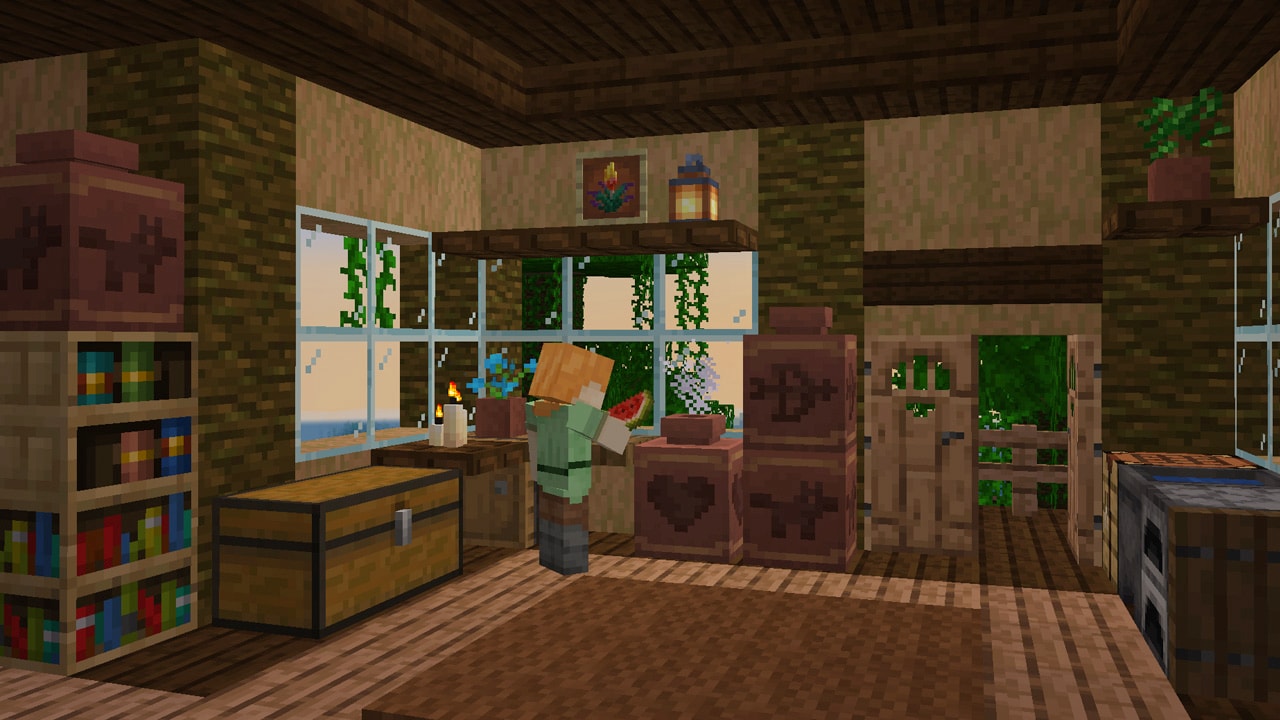
For patterned pots, collect pottery sherds through archaeology and use the sides to give your room a theme. Our Trails & Tales guide explains archaeology and the wider update that originally introduced decorated pots.
How to get the items back
You have two useful approaches. Break the pot to release what is inside, or use a hopper if you want to empty it while keeping the decoration in place. Projectiles can break pots, which makes them useful as targets or breakable rewards.
Breaking the container is not the same as opening an inventory. Its contents drop into the world, so do this somewhere you can collect them. A shelf over lava, fire or a deep drop is a poor place to smash a valuable supply pot.
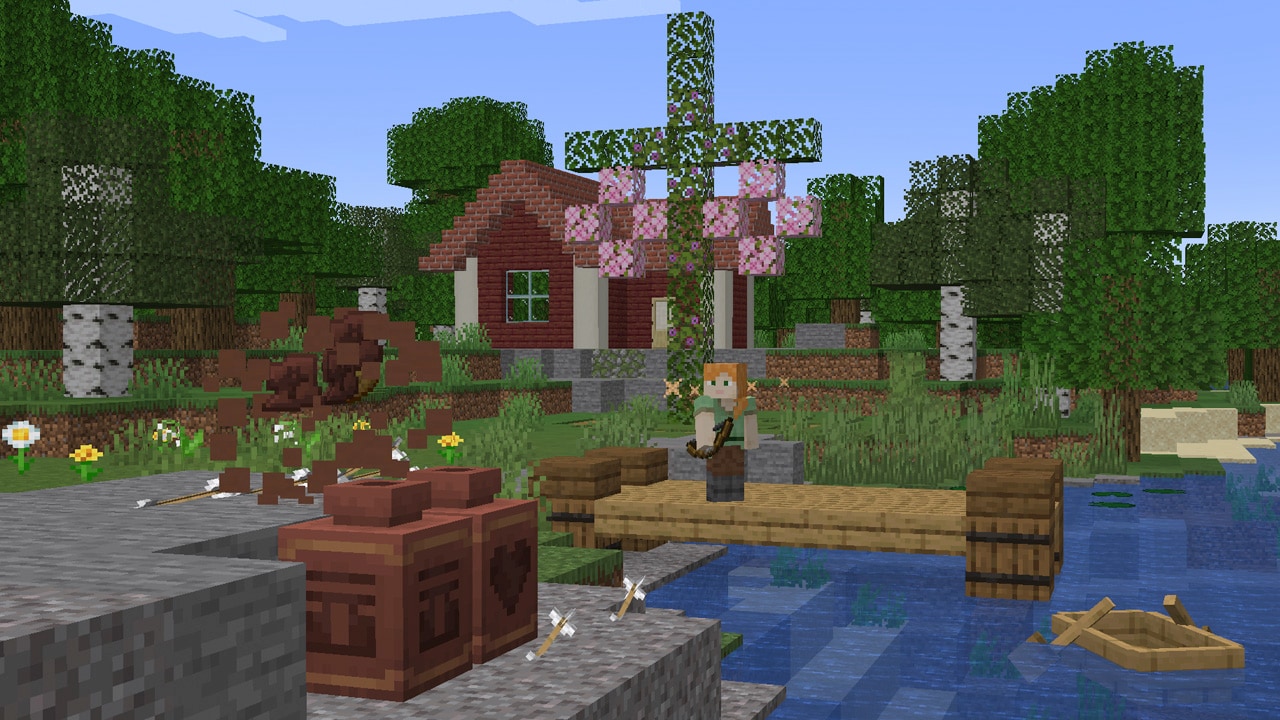
If you want to preserve a carefully chosen pattern, a hopper is the simplest way to avoid smashing the display at all. For moving the pot itself, the original pot rules distinguish breaking it intact from shattering it into its ingredients: bare hands or a Silk Touch tool preserve the pot, while a normal block-breaking tool breaks it into bricks and sherds. Empty valuable contents somewhere safe before rearranging a large display.
Four ways to make pots useful
| Idea | What to put inside | How to make it convenient |
|---|---|---|
| Kitchen food jar | One type of food, such as baked potatoes | Place it beside the cooking area and add a sign so friends know what it holds. |
| Decorative savings pot | Emeralds or another single stackable item | Choose a visible, safe spot at home. Treat it as a themed container, not protection from other players. |
| Emergency supply cache | A fire-resistance potion or another useful item | Keep it at a safe stopping point where you can retrieve and use the item before entering danger. |
| Breakable adventure reward | A prize chosen for your challenge | Put it in a clear target area where dropped items will remain reachable. |
A kitchen shelf that stays decorative
Give each jar one purpose: potatoes in one pot, melon slices in another and carrots in a third. Put a small sign near each one rather than expecting the picture on a sherd to automatically describe the contents. If you use hoppers beneath the shelf, decide where each output goes so you do not mix the jars into a confusing pile.
An emergency potion station
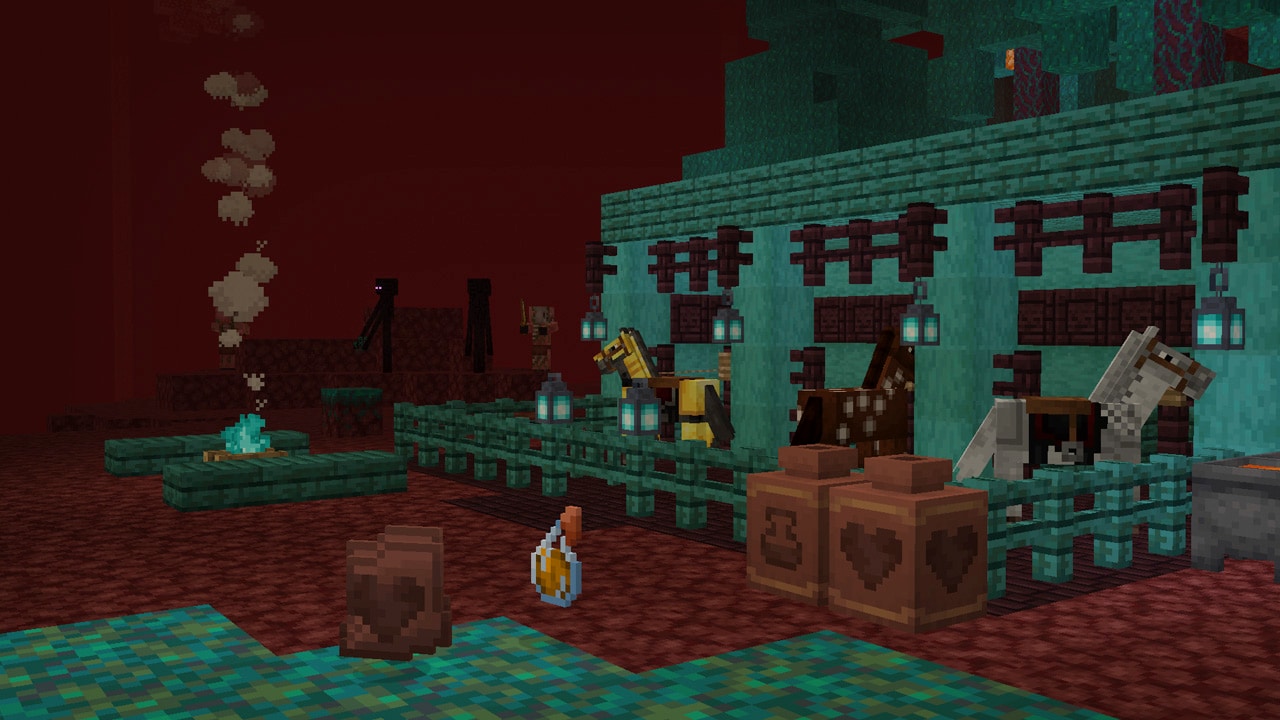
Mojang's own showcase uses a pot for a fire-resistance potion. Adapt that idea as a preparation stop beside a Nether route: leave room to stand safely, label the supply and retrieve it before crossing the dangerous area. A potion inside a pot does not protect you until you take it out and use it.
A target game for friends
Build a short shooting lane with a pot at the far end and a solid floor beneath it. Put an inexpensive prize inside, explain that the aim is to break the pot with a projectile, then let players take turns. Keep the lane away from your normal decorations and mobs, and rebuild and refill the target between rounds. This is a simple player-made activity using the pot's breakable behaviour, not a built-in minigame.
Use hoppers and comparators without making a complicated machine
Pots work with hoppers and related item-transfer blocks, while a comparator can read how full a pot is. That means the contents can matter to a mechanism even though the pot has no inventory screen.
For a basic collection example, place a chest, point a hopper into it and put the pot above the hopper. Add a few test items to the pot and check the chest. Remember that an active hopper will drain the pot: this arrangement is a transfer point, not a pot that keeps its contents indefinitely. If you want the display to retain its contents, leave out the extracting hopper or use a deliberately controlled design.
A comparator reading a pot can be the start of a fullness indicator or a donation counter. Begin with the pot, comparator and a short visible output before hiding anything in a wall. Add and remove ordinary items to understand the response, then build the surrounding decoration. Do not assume a decorated pot has the many slots of a chest when copying a chest-based design.
What changed about bats?
Bats received a revised model, texture and animations. Their larger ears and updated appearance are the visible part of this release. The announcement describes an art refresh; it does not introduce a new taming system, mount or bat equipment.
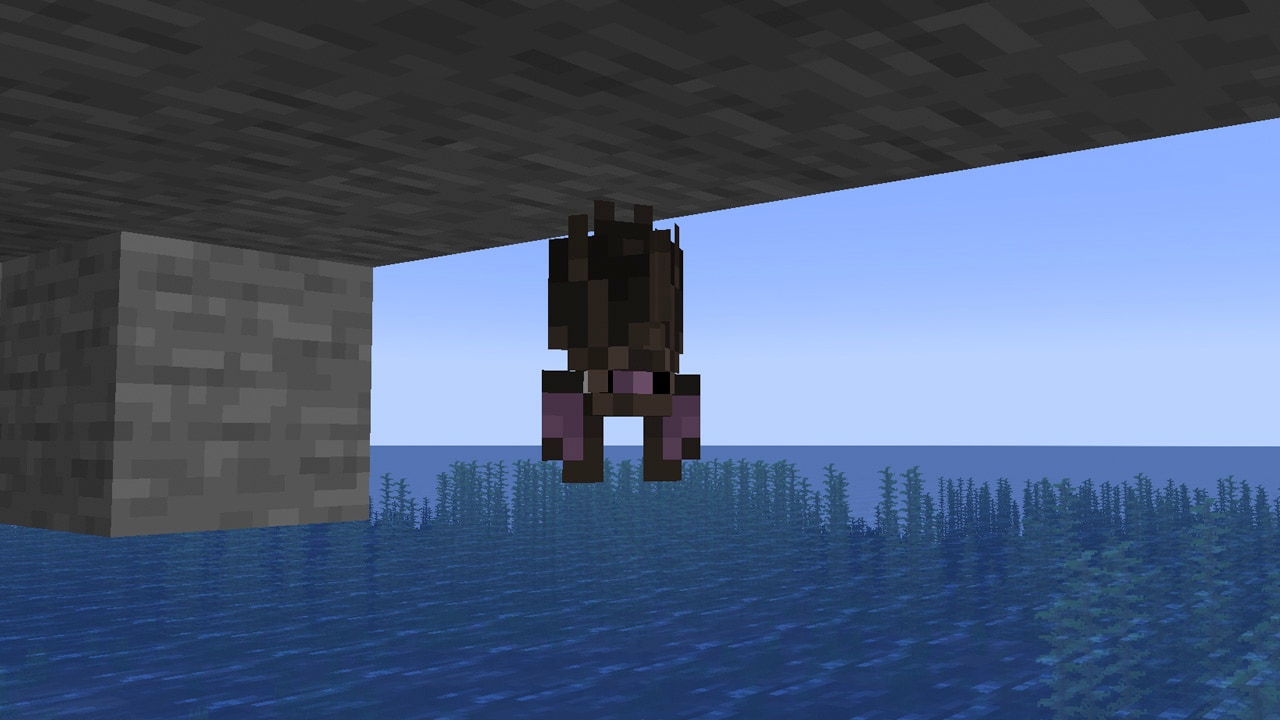
If you enjoy exploring or photographing caves, take a moment to watch the new model flying or hanging upside down. For a cave-themed build, a small viewing area with stone overhangs can make the creature easier to appreciate. Texture packs can change the appearance you see, so compare with the default game look if an old pack makes your bats seem unchanged.
Which changes belong to which edition?
- Java 1.20.3: introduced this pot storage and bat refresh, along with shield-arm movement that follows where a player looks in third person, an option to hide menu splash text and a recovery screen for worlds with missing data. Java 1.20.4 then fixed the critical pot item-loss issue.
- Bedrock 1.20.50: brought the pot and bat changes and replaced the old How to Play presentation with a revised Encyclopedia.
- Crafter, trial chambers and related 1.21 features: their appearance in 2023 notes was experimental. For their released gameplay, use our Tricky Trials guide.
Do I need a new world? Not just to craft a pot and use its storage in an updated game. Archaeology is a separate activity for finding patterns; new terrain may be relevant when looking for structures your older world has not generated.
Why will a pot not accept my item? First check that it is a decorated pot, that it is not already full and that it does not hold a different item. On a server, also consider the server's version and interaction permissions. Use a plain pot with a common item as a simple comparison.
Where is the update download? These functions are part of Minecraft. Update Java through the official Launcher and Bedrock through your platform's official store; no separate mod, map archive or Preview download is required. Match your server or modpack's supported version and back up an important world before changing it.
Sources and images: Mojang's Bats, Pots, and Competitions by Sophie Austin; the Java 1.20.3 notes; Bedrock 1.20.50 notes; Java 1.20.4 hotfix; and the original pot crafting and breaking rules. The four gameplay images are Mojang originals. MineBrush adds the practical examples and branded editorial cover illustration.
More from MineBrush.
Uncover archaeology finds, hatch a sniffer, ride a camel with a friend and customize your armor. A practical Trails & Tales guide with build ideas, original Mojang screenshots and clear steps for Java and Bedrock.
- Game released
- Java
- 1.20 · Stable
- Bedrock
- 1.20.0 · Stable
Focus Archaeology, sniffers, camels, armor trims and creative building ideas
Topic Exploration, archaeology and creative building
Install Included in the official game update
Back up before updating
Java + Bedrock · Release
Trails & Tales
Uncover archaeology finds, hatch a sniffer, ride a camel with a friend and customize your armor. A practical Trails & Tales guide with build ideas, original Mojang screenshots and clear steps for Java and Bedrock.
Back up before updating
- Update type
- Major release
- Release channel
- Unknown / not stated
- Official release date
- 2023-06-07
- World safety
- Back up before updating
- Player impact
- Archaeology, sniffers, camels, armor trims and creative building ideas
- Platform family
- Cross-edition
- Supported devices
- Java: Windows, macOS and Linux. Bedrock: supported PCs, consoles and mobile devices.
- Install format
- Included in the official game update
- Touch readiness
- Not required
- Resource type
- Update
- Last verified at
- Sep 16, 2026
- Update state
- historical
- Compatibility confidence
- Source claimed
- Bedrock version/build
- 1.20.0
- Card delivery statement
- Included in the official game update
- Edition applicability
- Java + Bedrock
- Java version/build
- 1.20
- Shared update topic
- Exploration, archaeology and creative building
- Delivery state
- No file
- Lifecycle state
- Superseded
- Java update channel
- Stable
- Bedrock update channel
- Stable

Find trial chambers, beat the breeze, match keys to vaults and prepare for ominous trials. Learn mace and wind-charge tricks, build your first crafter and put copper, tuff and dungeon rewards to use.
- Game released
- Java
- 1.21 · Stable
- Bedrock
- 1.21 · Stable
Focus Trial chambers, vault rewards, mace combat, wind charges and automatic crafting
Topic Tricky Trials
Install Included in the official game update
Back up before updating
Java + Bedrock · Release
Tricky Trials
Find trial chambers, beat the breeze, match keys to vaults and prepare for ominous trials. Learn mace and wind-charge tricks, build your first crafter and put copper, tuff and dungeon rewards to use.
Back up before updating
- Update type
- Major release
- Release channel
- Unknown / not stated
- Official release date
- 2024-06-13
- World safety
- Back up before updating
- Player impact
- Trial chambers, vault rewards, mace combat, wind charges and automatic crafting
- Platform family
- Cross-edition
- Supported devices
- Java: Windows, macOS, Linux. Bedrock: supported Windows, mobile and console devices.
- Install format
- Included in the official game update
- Touch readiness
- Not required
- Resource type
- Update
- Last verified at
- Sep 18, 2026
- Update state
- historical
- Compatibility confidence
- Source claimed
- Bedrock version/build
- 1.21
- Card delivery statement
- Included in the official game update
- Edition applicability
- Java + Bedrock
- Java version/build
- 1.21
- Shared update topic
- Tricky Trials
- Delivery state
- No file
- Lifecycle state
- Superseded
- Java update channel
- Stable
- Bedrock update channel
- Stable

Keep your builds, inventory and modpack progress before an update. Find the right profile, back up the complete world and setup, restore a separate copy and know how to roll back if something breaks.
- Edition
- Java Edition
- Difficulty
- Intermediate
- Time
- Copy time depends on world size
Do not test an update on the only good copy
MineBrush · Guide
Back Up a Modded World
Keep your builds, inventory and modpack progress before an update. Find the right profile, back up the complete world and setup, restore a separate copy and know how to roll back if something breaks.
Do not test an update on the only good copy
- Game edition
- Java Edition
- Platform family
- Java & PC
- Supported devices
- Windows · macOS · Linux
- Install format
- Manual backup and restore; no extra mod needed
- Touch readiness
- Not required
- Resource type
- Guide
- Compatibility confidence
- Source claimed
- Card evidence statement
- Official storage and launcher docs reviewed · restore not run
- Card delivery statement
- Step-by-step backup and restore guide
- Card limitation note
- Do not test an update on the only good copy
- Edition applicability
- Java
- Estimated time
- Copy time depends on world size
- Guide difficulty
- Intermediate
- Delivery state
- No file
- Lifecycle state
- Current
Player discussion 0
Questions, discoveries and help from other players.