Performance Mods for Java EditionUtility Mods for Java EditionVisual & Audio Mods for Java EditionGameplay Mods for Java EditionTechnology Mods for Java EditionWorldgen Mods for Java EditionServer Mods for Java EditionLibrary Mods for Java EditionModpacks for Java EditionClassic Minecraft SkinsSlim Minecraft SkinsMinecraft Java ServersMinecraft Bedrock ServersIris Shaders for Minecraft JavaOptiFine Shaders for Minecraft JavaLow-End Shaders for Minecraft JavaBlock Resource Packs for Minecraft JavaGUI Resource Packs for Minecraft JavaEnvironment Resource Packs for Minecraft JavaEntity Resource Packs for Minecraft JavaSurvival Maps for Minecraft JavaCreative Maps for Minecraft JavaParkour Maps for Minecraft JavaGUI Resource Packs for Minecraft BedrockOverhaul Resource Packs for Minecraft BedrockSurvival Maps for Minecraft BedrockPvP Maps for Minecraft BedrockMinigame Maps for Minecraft BedrockSkyblock Maps for Minecraft BedrockVibrant Visuals for Minecraft BedrockMinecraft Resource Collection
Find Java performance mods for rendering, memory, chunk loading, startup and smoother frame delivery.
Find Java utility mods for inventory, interface, navigation and quality-of-life improvements.
Find Java visual and audio mods for atmosphere, particles, sound, animation and interface feedback.
Find Java gameplay mods that change progression, exploration, combat, building or everyday play.
Find Java technology mods for storage, automation, energy, machines and technical progression.
Find Java world-generation mods for biomes, terrain, structures, dimensions and exploration routes.
Find Java server mods for hosting, administration, networking, permissions and multiplayer reliability.
Find Java libraries and APIs required by other projects, with loader and dependency guidance.
Find Java modpacks with clear loader, version, performance, installation and update expectations.
Browse Classic-model Minecraft skins with 4-pixel arms. Confirm texture size and the correct import route on each card.
Browse Slim-model Minecraft skins with 3-pixel arms. Confirm texture size and the correct import route on each card.
Find Java Edition servers by game mode and region, then confirm the current address and access requirements in the listing.
Find Bedrock Edition servers by game mode and region, then confirm the current address and supported devices in the listing.
Compare Java shader packs that support Iris. Check the exact Minecraft version, Sodium pairing and performance notes before installation.
Compare Java shader packs with an OptiFine installation route. Confirm the supported game build and pack-specific settings first.
Find lighter Java shaders with a stated low-GPU target. Performance varies by device, so use each card’s tested or claimed scope.
Browse Java resource packs focused on blocks, terrain and vegetation. Check game version, pack order and required runtime on each card.
Browse Java resource packs that change menus, containers or mod interfaces. Confirm dependencies and supported versions before enabling them.
Browse Java resource packs for skies, lighting and environmental presentation. Check renderer requirements and compatibility first.
Browse Java resource packs focused on mobs and entity models. Confirm required mods, pack order and exact version support.
Find Java survival worlds with installation, version and recovery context. Check the saved world version before opening a copy.
Find Java creative builds and terrain projects. Confirm the creator source, game version and included world files before use.
Find Java parkour maps with checkpoint, multiplayer and version details visible before download.
Browse Bedrock resource packs that change menus and container interfaces. Confirm UI mode, pack order and device support first.
Browse broader Bedrock visual overhauls that change several parts of the game. Test each pack on a backed-up world.
Find Bedrock survival worlds with device-aware import, player-count and backup guidance.
Find Bedrock PvP and practice maps with match format, player-count and reset requirements.
Find Bedrock minigame worlds with rules, team setup, player limits and safe import steps.
Find Bedrock skyblock worlds with progression, multiplayer and installation details.
Explore Bedrock visual packs for Vibrant Visuals. Check device support, graphics mode and the exact pack import route on each publication.
Browse publications connected by this tag. Confirm edition, version, compatibility and evidence on every card.
by WindScion; pack credits Aerirh Gray / Technical GD · Published
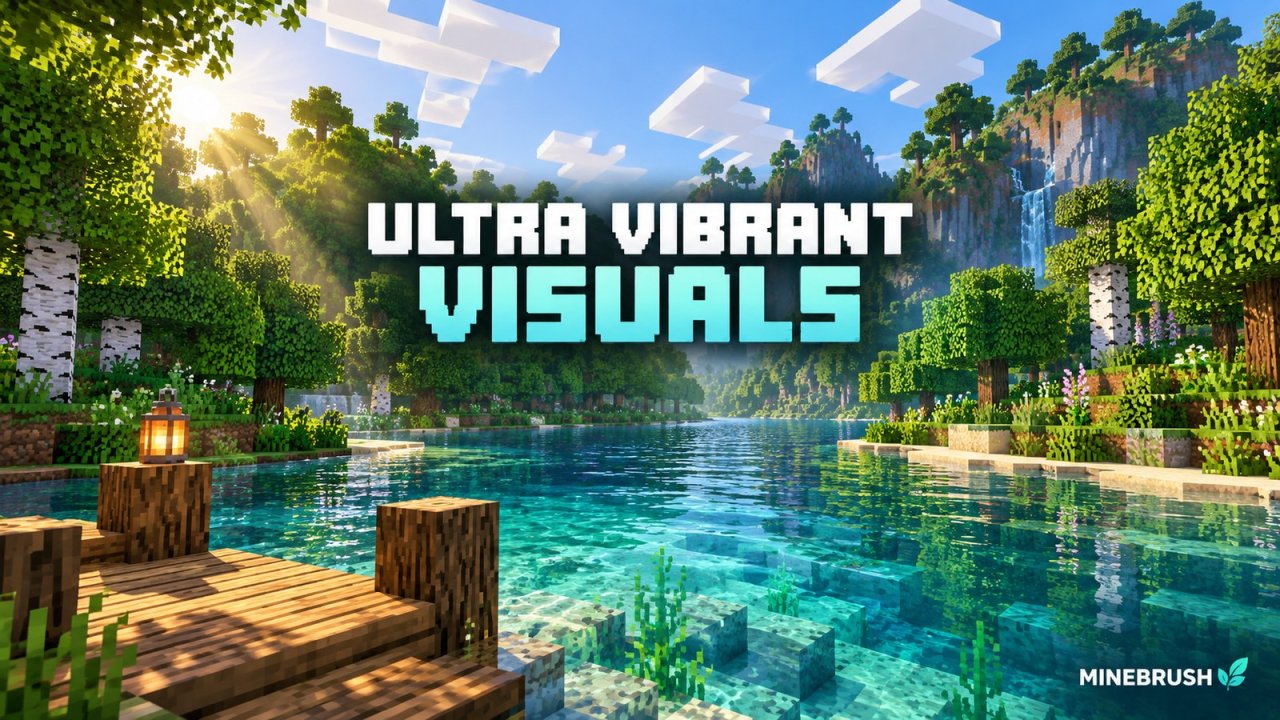
Give riverside builds richer water, sunlight and material effects with Ultra Vibrant Visuals for Bedrock. Download V1.2, choose a sky option and set up the pack on a device that supports Vibrant Visuals.
Minecraft
26.40 / 26.30 / 26.20; earlier listed versions in guide
Graphics
vibrant_visuals
Package
.mcpack
Requires Vibrant Visuals-compatible hardware
Bedrock · Visual
Ultra Vibrant Visuals
by WindScion; pack credits Aerirh Gray / Technical GD · Published
Give riverside builds richer water, sunlight and material effects with Ultra Vibrant Visuals for Bedrock. Download V1.2, choose a sky option and set up the pack on a device that supports Vibrant Visuals.
Requires Vibrant Visuals-compatible hardware
Minecraft version
Bedrock 26.40 / 26.30 / 26.20
Game edition
Bedrock Edition
Visual resolution
16x with PBR materials
Performance expectation
Depends on setup
Platform family
Bedrock & Mobile
Supported devices
Open .mcpack with Bedrock on a Vibrant Visuals-compatible Windows, Android or iOS device
Install format
.mcpack
Touch readiness
Check guide
Resource type
Visual Pack
Project version
V1.2
Bedrock graphics mode
vibrant_visuals
Last verified at
Sep 19, 2026
Compatibility confidence
Source claimed
Bedrock version/build
26.40 / 26.30 / 26.20; earlier listed versions in guide
Bedrock visual device evidence
Tier not verified
Bedrock graphics setup guide
Available
Card evidence statement
Water, sunlight, PBR materials and two sky options
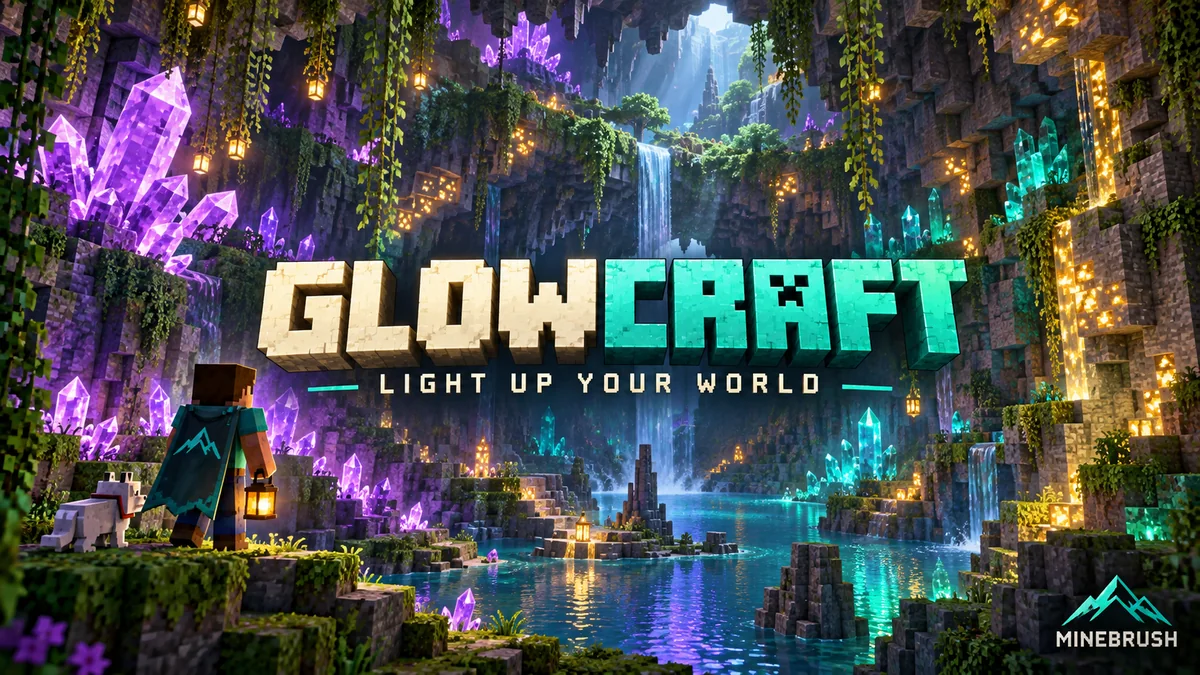
Give Bedrock caves, items and Nether builds a colourful glow with GlowCraft 2.6. Download the .mcpack, see original screenshots and learn Vibrant Visuals settings, UI options and device requirements.
Minecraft
1.21.90+
Graphics
vibrant_visuals
Package
.mcpack · resource pack
Vibrant Visuals required · optional themed menus
Bedrock · Visual
GlowCraft 2.6
by Pixcuber · Updated
Give Bedrock caves, items and Nether builds a colourful glow with GlowCraft 2.6. Download the .mcpack, see original screenshots and learn Vibrant Visuals settings, UI options and device requirements.
With your permission, Google Analytics 4 measures page use, searches and download journeys. We do not send account names, email addresses or comment text.