
MineBrush publication
Moonmoth Apothecary Minecraft Skin (Slim)
Moonmoth Apothecary hides behind an ivory moth mask, with a violet coat, pale trim and contrasting teal gloves. Choose it for a nocturnal potion shop, a mushroom forest or an enigmatic guide in a Halloween story.
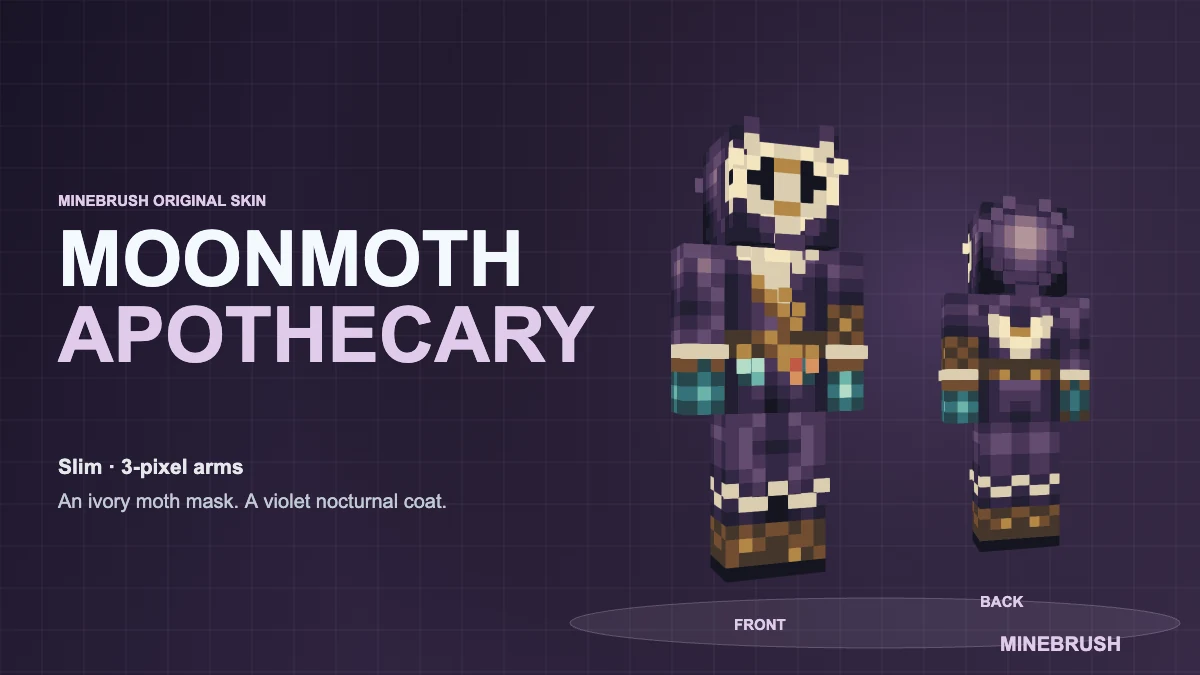
Moonmoth Apothecary hides behind an ivory moth mask, with a violet coat, pale trim and contrasting teal gloves. Choose it for a nocturnal potion shop, a mushroom forest or an enigmatic guide in a Halloween story.
Slim model · 3-pixel arms · 64 × 64 PNG. Choose Slim / Narrow when importing. This download changes your appearance; it does not add powers, equipment or new game mechanics.
Download Moonmoth Apothecary
Save the original PNG, not the cover or the four-view picture. It is ready to import without unpacking an archive.
See the complete outfit
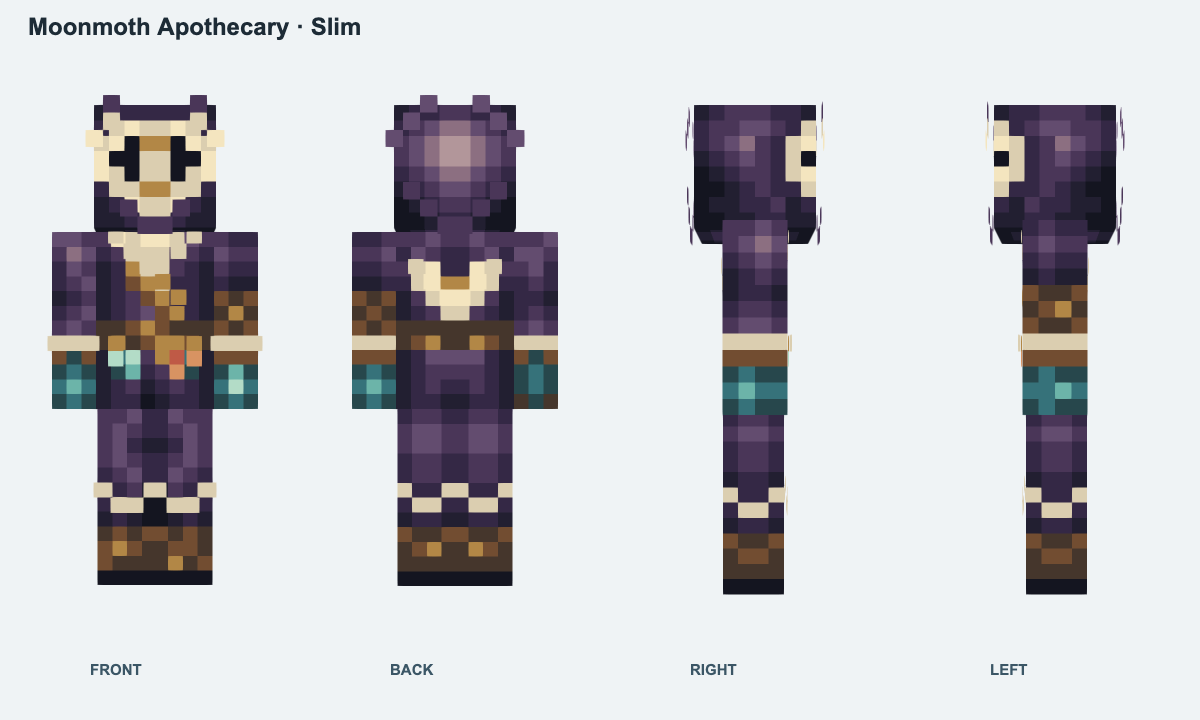
Front, back and both sides show the same downloadable skin on the slim model. Open the image for a closer look. These are model previews, not in-game screenshots.
How to wear it
- Java Edition: open Minecraft Launcher → Java Edition → Skins → New Skin. Select Slim / Narrow, browse to the downloaded PNG, then choose Save & Use.
- Bedrock on Windows or mobile: open Dressing Room → Classic Skins and use the owned/imported skin option. Choose the PNG and select the narrow-armed model when prompted.
Bedrock’s Classic Skins menu accepts imported skins; it is separate from the arm-model choice. Consoles do not provide the same local PNG import route. Keep the file to import it again on another supported device.
Get the look right
- Check the arms: mismatched sleeves usually mean the wrong arm model was selected. Use Slim / Narrow for this file.
- Show the costume: armour can cover the design. For a portrait or map introduction, use third-person view and check which outer skin layers are enabled.
Need help with an import? Follow the skin import and appearance checklist. Browse more MineBrush skins when you want a different character.
More from MineBrush.
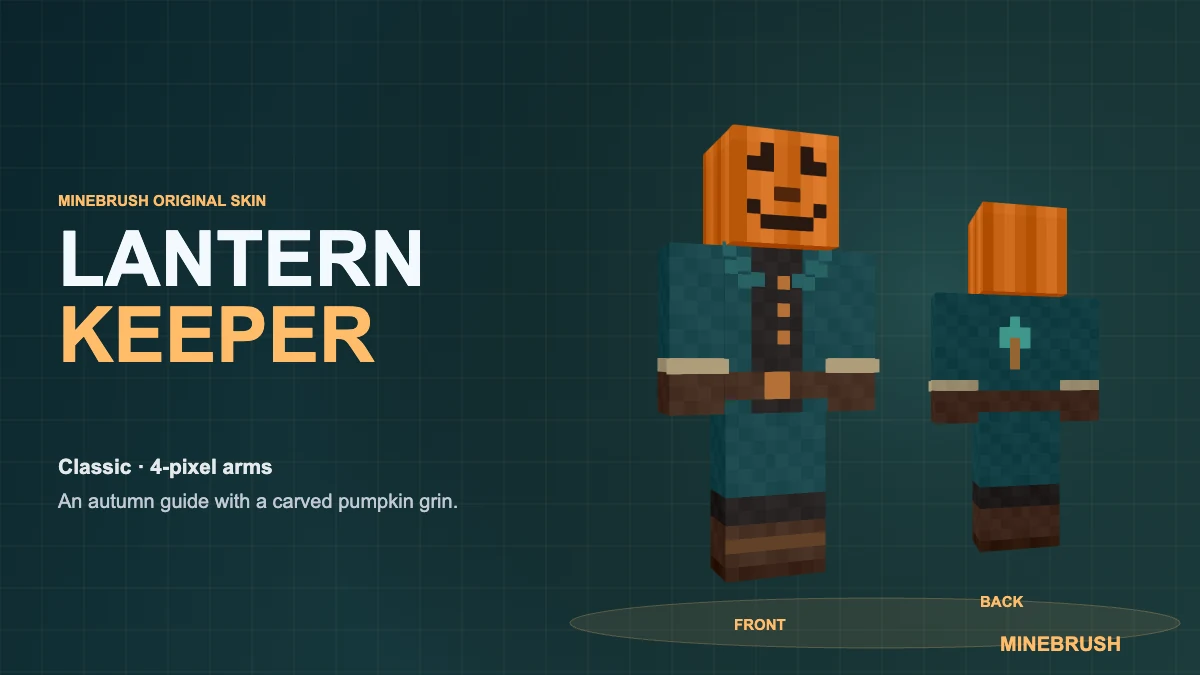
A pumpkin-headed Halloween guide in a teal coat. Download Lantern Keeper as a Classic PNG, inspect all four sides and import it into Java or supported Bedrock editions.
- Model
- Classic (4 px arms)
- Texture
- 64 × 64 PNG
- Import
- Java Launcher; Bedrock Windows and mobile
Minecraft · Skin
Lantern Keeper
A pumpkin-headed Halloween guide in a teal coat. Download Lantern Keeper as a Classic PNG, inspect all four sides and import it into Java or supported Bedrock editions.
- Minecraft version
- Java & Bedrock
- Game edition
- Cross-edition
- Loader / platform
- Not applicable
- License
- Original MineBrush skin design
- Skin model
- Classic (4 px arms)
- Platform family
- Cross-edition
- Supported devices
- Java; Bedrock Windows, Android and iOS
- Install format
- PNG skin — no archive
- Touch readiness
- Not required
- Resource type
- Skin
- Compatibility confidence
- Source claimed
- Skin texture resolution
- 64 × 64 PNG
- Skin PNG validation
- Classic / Wide — 4 px arms
- Skin import scope
- Java Launcher; Bedrock Windows and mobile
- Skin preview status
- Four views of the downloadable PNG
- Card delivery statement
- Classic PNG · ready to import
- Edition applicability
- Java + Bedrock
- Delivery state
- Direct download
- Lifecycle state
- Current
- Skin import route
- Java Launcher upload
- Skin texture
- 64x64 PNG validated
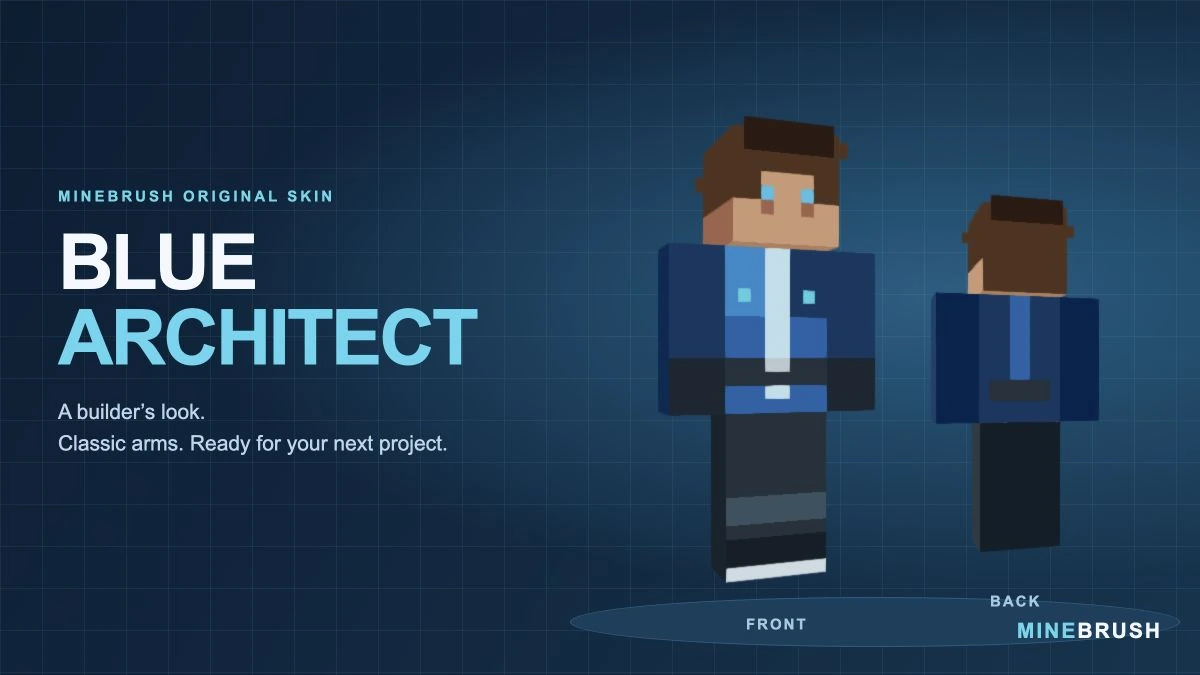
A blue workshop outfit for builders and survival projects. Inspect the real skin from three angles, download its PNG in a ZIP and follow the Classic/Wide import steps.
- Model
- Classic (4 px arms)
- Texture
- 64×64 PNG
- Import
- Java Launcher; supported Bedrock Classic Skin import
Extract the PNG, then choose Classic / Wide
Minecraft · Skin
Blue Architect
A blue workshop outfit for builders and survival projects. Inspect the real skin from three angles, download its PNG in a ZIP and follow the Classic/Wide import steps.
Extract the PNG, then choose Classic / Wide
- Minecraft version
- Classic / Wide skin import
- Game edition
- Cross-edition
- Loader / platform
- Not applicable
- License
- Original MineBrush design
- Skin model
- Classic (4 px arms)
- Platform family
- Cross-edition
- Supported devices
- Java Launcher; Bedrock local skin import on supported devices
- Install format
- ZIP containing a 64×64 PNG
- Touch readiness
- Not required
- Resource type
- Skin
- Last verified at
- Sep 14, 2026
- Compatibility confidence
- Source claimed
- Card evidence statement
- Model preview from the original PNG; no independent gameplay test
- Skin texture resolution
- 64×64 PNG
- Skin PNG validation
- Original 64×64 PNG; choose Classic / Wide
- Skin import scope
- Java Launcher; supported Bedrock Classic Skin import
- Skin preview status
- Model views from the downloadable skin
- Card delivery statement
- PNG inside ZIP · Classic / Wide
- Card limitation note
- Extract the PNG, then choose Classic / Wide
- Edition applicability
- Java + Bedrock
- Delivery state
- Direct download
- Lifecycle state
- Current
- Skin import route
- Java Launcher upload
- Skin texture
- 64x64 PNG validated
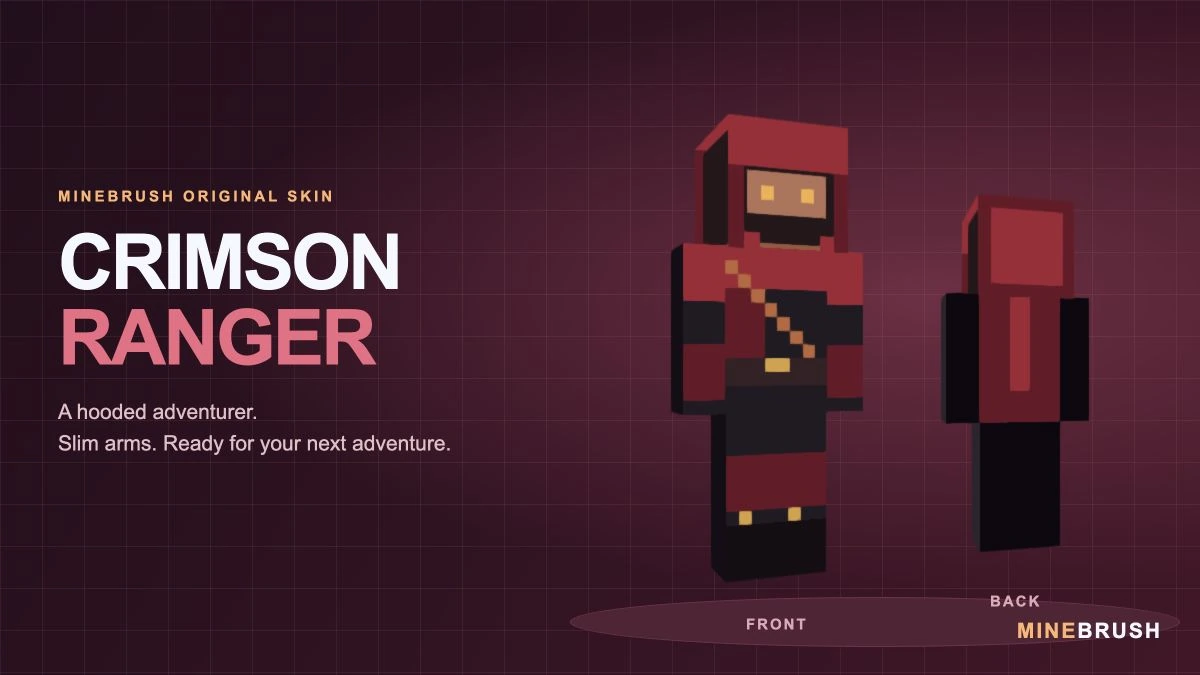
A crimson-hooded adventurer with a diagonal strap and gold accents. See the real Slim-model skin, download its PNG in a ZIP and follow the correct import steps.
- Model
- Slim (3 px arms)
- Texture
- 64×64 PNG
- Import
- Java Launcher; supported Bedrock Classic Skin import
Extract the PNG, then choose Slim / Narrow
Minecraft · Skin
Crimson Ranger
A crimson-hooded adventurer with a diagonal strap and gold accents. See the real Slim-model skin, download its PNG in a ZIP and follow the correct import steps.
Extract the PNG, then choose Slim / Narrow
- Minecraft version
- Slim / Narrow skin import
- Game edition
- Cross-edition
- Loader / platform
- Not applicable
- License
- Original MineBrush design
- Skin model
- Slim (3 px arms)
- Platform family
- Cross-edition
- Supported devices
- Java Launcher; Bedrock local skin import on supported devices
- Install format
- ZIP containing a 64×64 PNG
- Touch readiness
- Not required
- Resource type
- Skin
- Last verified at
- Sep 14, 2026
- Compatibility confidence
- Source claimed
- Card evidence statement
- Model preview from the original PNG; no independent gameplay test
- Skin texture resolution
- 64×64 PNG
- Skin PNG validation
- Original 64×64 PNG; choose Slim / Narrow
- Skin import scope
- Java Launcher; supported Bedrock Classic Skin import
- Skin preview status
- Model views from the downloadable skin
- Card delivery statement
- PNG inside ZIP · Slim / Narrow
- Card limitation note
- Extract the PNG, then choose Slim / Narrow
- Edition applicability
- Java + Bedrock
- Delivery state
- Direct download
- Lifecycle state
- Current
- Skin import route
- Java Launcher upload
- Skin texture
- 64x64 PNG validated
Player discussion 0
Questions, discoveries and help from other players.