
MineBrush publication
Forest Alchemist Minecraft Skin: Woodland Outfit, Hood Options and Download
A woodland alchemist with a green hood, painted potion vials and a back satchel. See the real skin, compare the hood layer and download the Classic/Wide PNG in a ZIP.
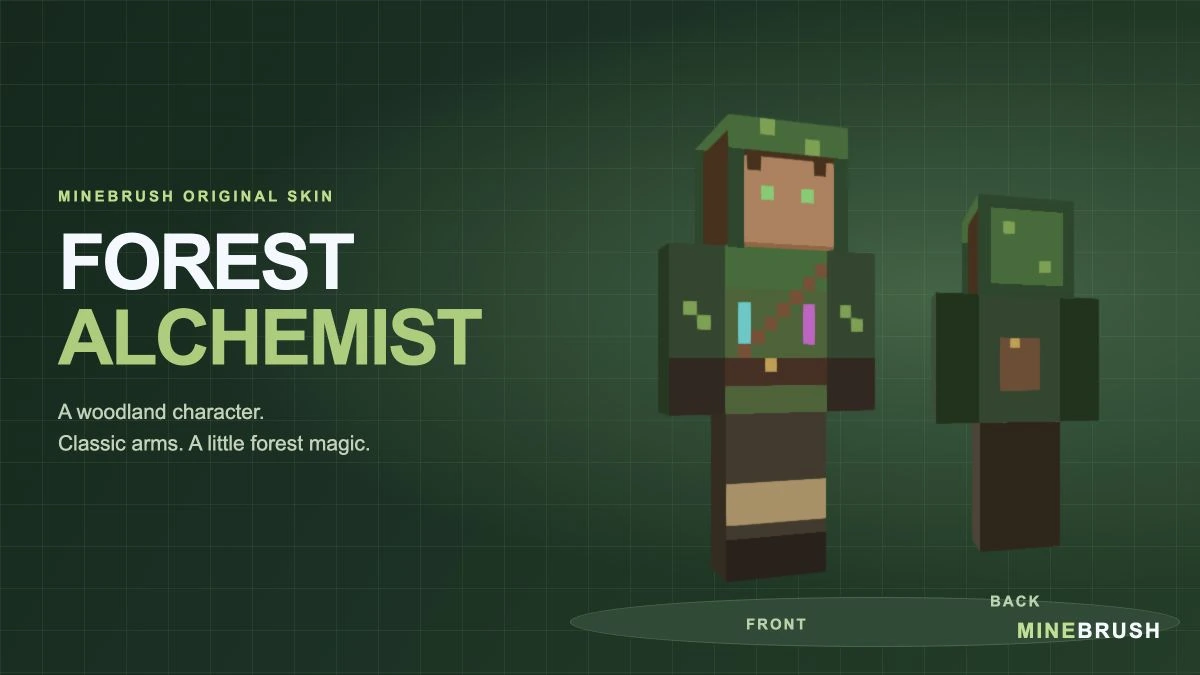
Forest Alchemist is a MineBrush original skin for a woodland herbalist, potion maker or quiet fantasy traveller. Its green coat and hood are paired with a brown shoulder strap, a small back satchel and cyan-and-magenta vial details. Light leg wraps and dark boots finish the practical travelling outfit.
The skin uses Classic / Wide arms and a 64 × 64 PNG. Its hood occupies the optional outer head layer, so you can show the green hood or reveal the brown hair underneath where your game exposes that layer control.
Ways to use the alchemist theme
- A forest cottage: make this your character for a home surrounded by gardens, trees and a small brewing room.
- A survival potion workshop: use the alchemist identity while collecting ingredients, preparing potions and organising supplies.
- A fantasy village role: play the herbalist or travelling apothecary in a town shared with friends.
- An exploration journal: keep a consistent character while documenting forests, swamps, caves or a long journey between settlements.
The theme is visual. The painted vials do not contain usable potions, the satchel does not add inventory slots, and the outfit grants no magical abilities or armour protection. You use ordinary Minecraft items and mechanics to bring the role to life.
See the coat, vials and satchel
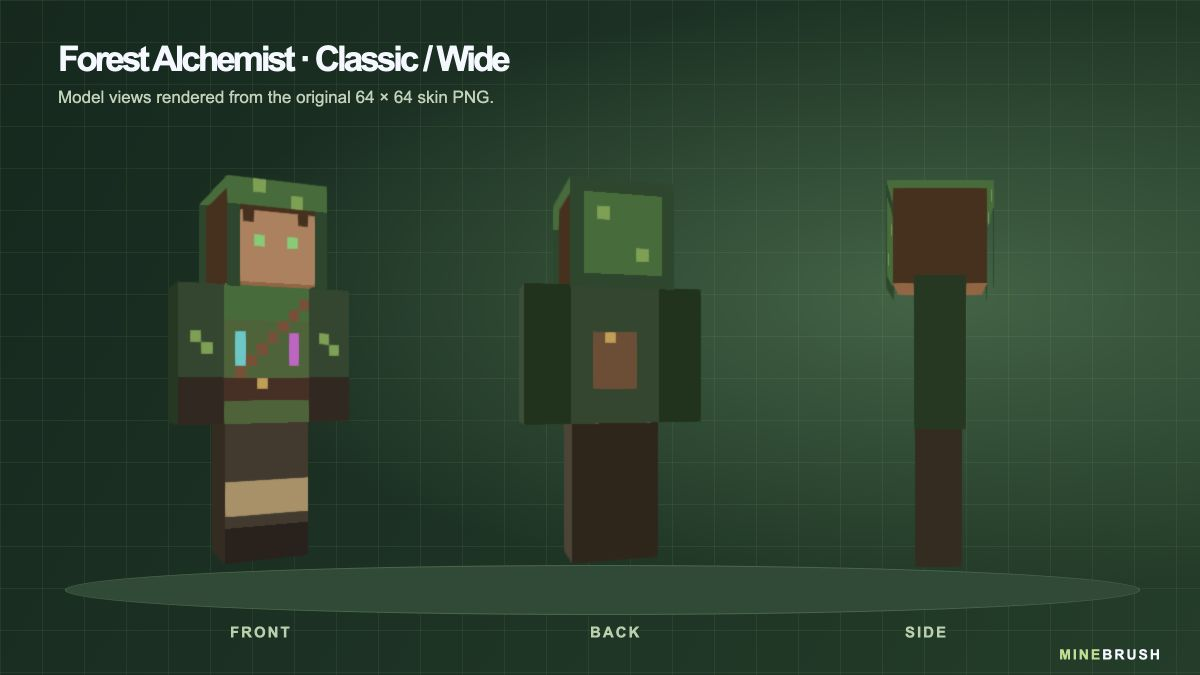
The two bright vial details sit on opposite sides of the diagonal brown strap. Moss-coloured stitches break up the dark sleeves, while the back has a small brown satchel with a warm-coloured clasp. The brown and green palette suits rustic builds without relying on a separate texture pack.
Download Forest Alchemist
This download is a ZIP containing forest-alchemist-64x64.png. Extract it with your device’s file manager. The small, flat PNG is the skin Minecraft needs; the large character preview and cover are for viewing only.
No mod loader, resource pack or executable is required. Keep the skin as PNG and do not resize it before importing. Saving it as JPEG or using a screenshot of the preview will not preserve the skin layout.
Choose Classic / Wide, not Slim
Forest Alchemist was drawn for the standard four-pixel-wide arms. Minecraft’s Classic and Wide labels refer to that model. Slim uses narrower arms and can make the sleeve and wrist pattern appear misaligned.
If the arms look wrong after import, edit the saved skin and change the model to Classic/Wide before downloading another copy. You do not need to alter the image to use the intended model.
Show the hood or reveal the hair
The face and brown hair are on the base head texture. The green top, back and edge of the hood sit on the outer head layer. Hiding that layer changes the head’s appearance while leaving the coat, face and other parts of the skin in place.
In Java Edition, open Options → Skin Customization and check Hat. Turn it on for the complete hood shown on the cover, or off if you prefer the uncovered head. On Bedrock, layer controls depend on the available skin interface; do not assume it offers the same individual toggle.
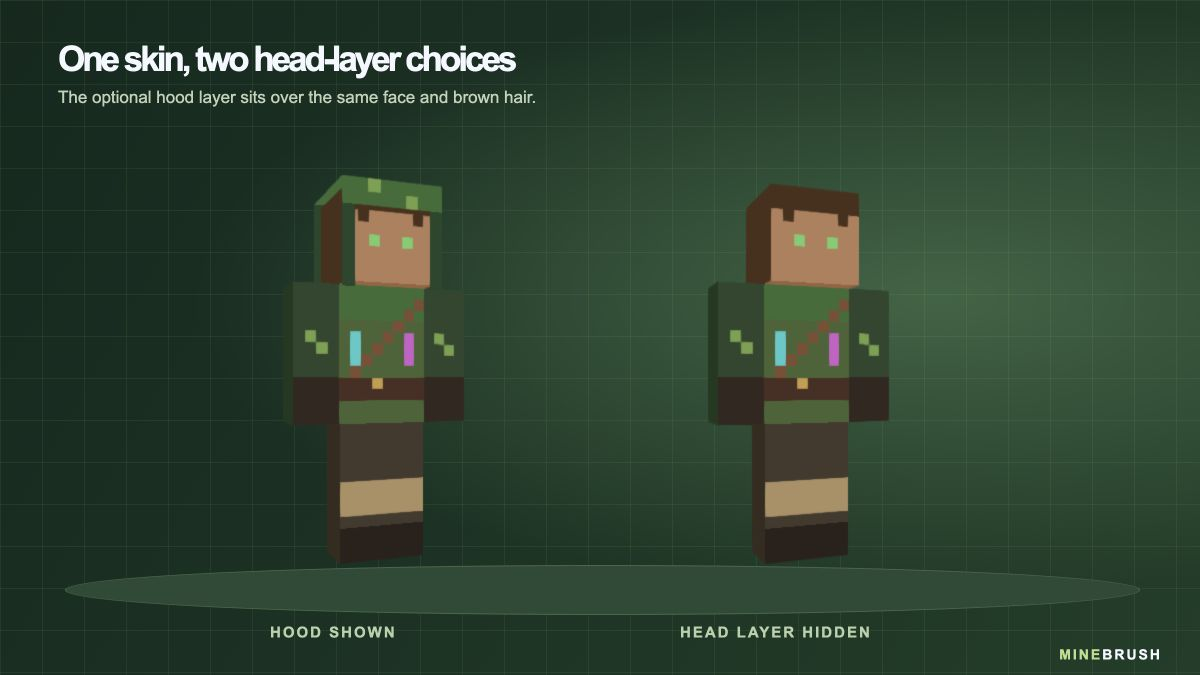
If the hood disappears but the face and hair remain, check the Hat/head-layer setting before replacing the PNG. Wearing a helmet can also cover the head, which is a separate reason the hood may be hard to see.
Put it on in Minecraft Java Edition
- Extract the downloaded ZIP and locate forest-alchemist-64x64.png.
- Open Minecraft Launcher and select Minecraft: Java Edition.
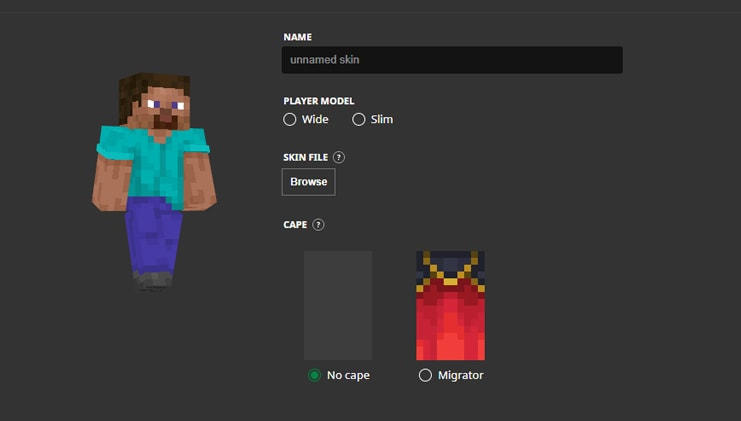
- Open Skins, choose New Skin and give it a recognisable name such as Forest Alchemist.
- Select Wide / Classic, choose Browse and select the extracted PNG.
- Choose Save & Use. If Minecraft was already running, restart the game before checking the new appearance.
You can also use the custom-skin upload in your Java profile on Minecraft.net. Select the same Classic model and upload the extracted PNG there.
Using the PNG in Bedrock
On Bedrock platforms that support importing a custom Classic skin, use the Dressing Room, select a character slot and open Classic Skins. Find the import/custom-skin option, select the extracted PNG from your device and choose the wide-armed model when prompted.
Mojang documents local custom-skin import on Windows and mobile. Console editions do not provide the same local PNG import route. If your device has no import option, buying or installing a mod loader will not add that option to this file.
Keep a copy of the PNG on each device where you want to use it. Do not assume an imported Bedrock skin will automatically sync to every device on the same account. A Classic PNG skin is also separate from an outfit assembled item by item in Character Creator.
Make the outfit visible in your world
Switch to third-person view to see more than your arm. In Java, use the assigned perspective key, normally F5; some keyboards require an Fn combination. In Bedrock, use the camera-perspective setting available on your device.
For a character portrait, choose even lighting so the dark green sleeves remain distinct from the brown trousers. Turn slightly to show the hood edge and both vial colours, or face away to show the satchel. Equipped armour can cover much of the outfit. You can remove it for a posed picture in a safe setting, but the skin itself offers no protection during survival play.
If you use shaders or visual packs, the green coat and bright vial colours may look warmer, darker or brighter than the neutral model preview. The downloaded skin does not include those lighting effects.
Quick fixes
- The importer cannot find a skin: extract the ZIP first and select the PNG inside, not the archive.
- The image is rejected: check that you selected the original 64 × 64 PNG instead of the large preview. Download it again if another app converted or resized it.
- The sleeves look narrow or offset: change the arm model to Classic/Wide.
- The green hood is missing: in Java, check Options → Skin Customization → Hat. Also check whether an equipped helmet is covering it.
- The old skin still appears: confirm Save & Use, check that you are using the intended account and restart the game.
- Another player sees a default skin: check the game’s skin/account connection and any custom-skin restrictions in that session. A successful local preview does not guarantee that every server or device will display it identically.
- The outfit seems to have disappeared: check whether armour is covering it before replacing the skin.
To change back, choose a previous skin in the Java Launcher’s skin library or another saved character in Bedrock’s Dressing Room. Your worlds and builds remain in place.
Credits and official help
Skin and model previews: MineBrush Studio. Forest Alchemist is an original MineBrush design. The downloadable PNG is the source used for its model views and cover, rather than a resized illustration.
Installation references: Mojang’s guide to Minecraft skins, including the Launcher illustration above; official Java custom-skin help; and Mojang’s Classic-skin and platform FAQ. The model previews demonstrate the file’s appearance; they are not a claim of independent in-game testing.
More from MineBrush.
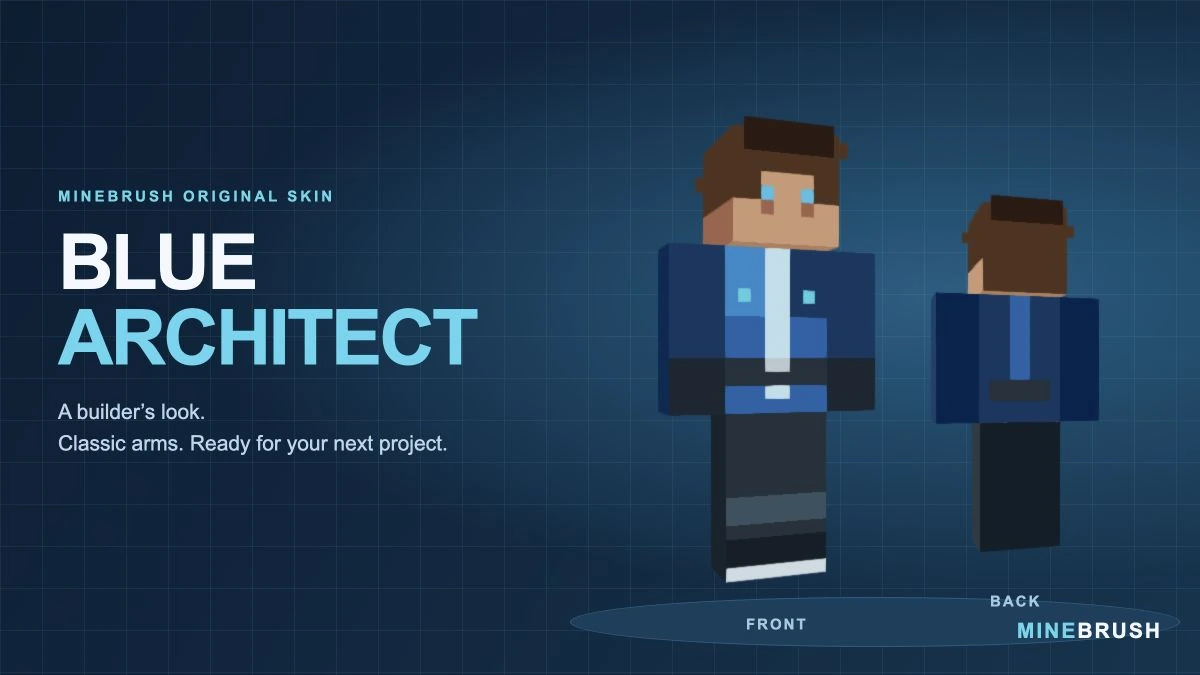
A blue workshop outfit for builders and survival projects. Inspect the real skin from three angles, download its PNG in a ZIP and follow the Classic/Wide import steps.
- Model
- Classic (4 px arms)
- Texture
- 64×64 PNG
- Import
- Java Launcher; supported Bedrock Classic Skin import
Extract the PNG, then choose Classic / Wide
Minecraft · Skin
Blue Architect
A blue workshop outfit for builders and survival projects. Inspect the real skin from three angles, download its PNG in a ZIP and follow the Classic/Wide import steps.
Extract the PNG, then choose Classic / Wide
- Minecraft version
- Classic / Wide skin import
- Game edition
- Cross-edition
- Loader / platform
- Not applicable
- License
- Original MineBrush design
- Skin model
- Classic (4 px arms)
- Platform family
- Cross-edition
- Supported devices
- Java Launcher; Bedrock local skin import on supported devices
- Install format
- ZIP containing a 64×64 PNG
- Touch readiness
- Not required
- Resource type
- Skin
- Last verified at
- Sep 14, 2026
- Compatibility confidence
- Source claimed
- Card evidence statement
- Model preview from the original PNG; no independent gameplay test
- Skin texture resolution
- 64×64 PNG
- Skin PNG validation
- Original 64×64 PNG; choose Classic / Wide
- Skin import scope
- Java Launcher; supported Bedrock Classic Skin import
- Skin preview status
- Model views from the downloadable skin
- Card delivery statement
- PNG inside ZIP · Classic / Wide
- Card limitation note
- Extract the PNG, then choose Classic / Wide
- Edition applicability
- Java + Bedrock
- Delivery state
- Direct download
- Lifecycle state
- Current
- Skin import route
- Java Launcher upload
- Skin texture
- 64x64 PNG validated
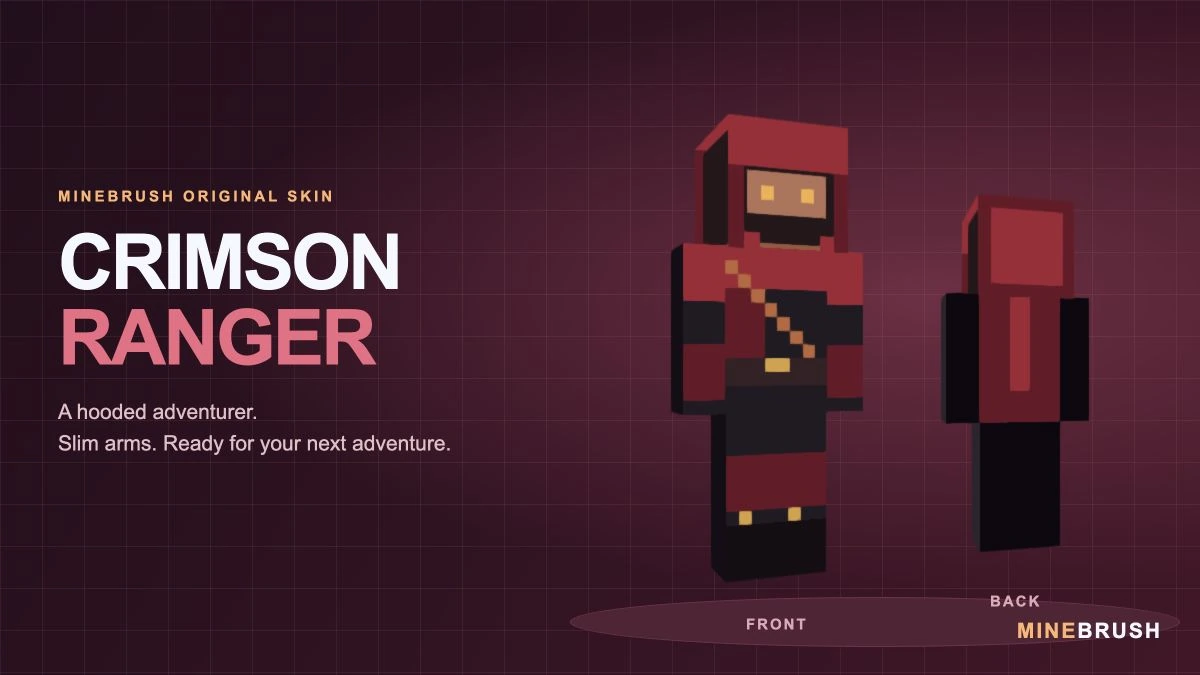
A crimson-hooded adventurer with a diagonal strap and gold accents. See the real Slim-model skin, download its PNG in a ZIP and follow the correct import steps.
- Model
- Slim (3 px arms)
- Texture
- 64×64 PNG
- Import
- Java Launcher; supported Bedrock Classic Skin import
Extract the PNG, then choose Slim / Narrow
Minecraft · Skin
Crimson Ranger
A crimson-hooded adventurer with a diagonal strap and gold accents. See the real Slim-model skin, download its PNG in a ZIP and follow the correct import steps.
Extract the PNG, then choose Slim / Narrow
- Minecraft version
- Slim / Narrow skin import
- Game edition
- Cross-edition
- Loader / platform
- Not applicable
- License
- Original MineBrush design
- Skin model
- Slim (3 px arms)
- Platform family
- Cross-edition
- Supported devices
- Java Launcher; Bedrock local skin import on supported devices
- Install format
- ZIP containing a 64×64 PNG
- Touch readiness
- Not required
- Resource type
- Skin
- Last verified at
- Sep 14, 2026
- Compatibility confidence
- Source claimed
- Card evidence statement
- Model preview from the original PNG; no independent gameplay test
- Skin texture resolution
- 64×64 PNG
- Skin PNG validation
- Original 64×64 PNG; choose Slim / Narrow
- Skin import scope
- Java Launcher; supported Bedrock Classic Skin import
- Skin preview status
- Model views from the downloadable skin
- Card delivery statement
- PNG inside ZIP · Slim / Narrow
- Card limitation note
- Extract the PNG, then choose Slim / Narrow
- Edition applicability
- Java + Bedrock
- Delivery state
- Direct download
- Lifecycle state
- Current
- Skin import route
- Java Launcher upload
- Skin texture
- 64x64 PNG validated
Player discussion 0
Questions, discoveries and help from other players.