MineBrush publication
Memory Leak Fix 1.1.5 for Minecraft 1.17–1.20.4: When You Need It
Keep a supported older Minecraft pack free of specific memory leaks. Learn what Memory Leak Fix 1.1.5 repairs, how to choose the correct loader file and why Minecraft 1.20.5+ no longer needs it.
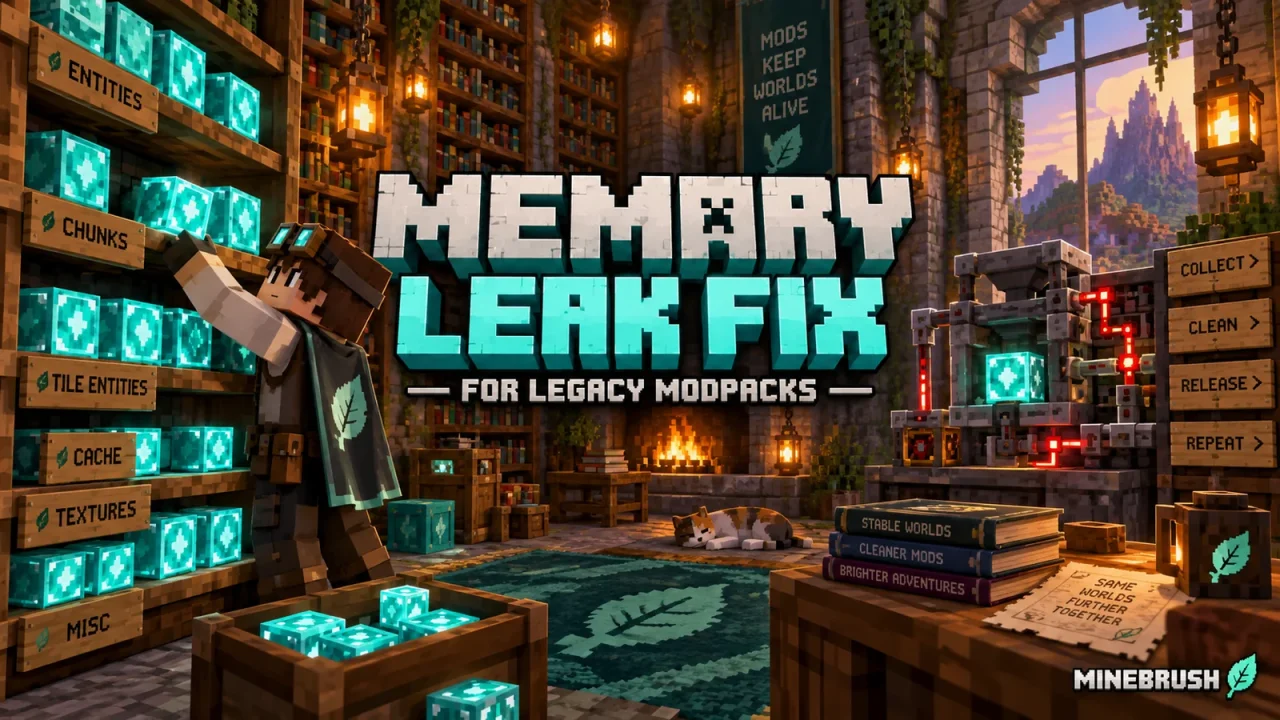
Project by FX · Published · Updated
Memory Leak Fix is a targeted repair mod for older Minecraft Java versions. It fixes several memory leaks on the client and server. Its useful audience is players keeping an older world or modpack running—not everyone installing a new version of Minecraft.
On Minecraft 1.20.5 and newer, the author says the vanilla leaks addressed by this mod have already been fixed. Do not add an old Memory Leak Fix JAR to a modern pack simply because an optimisation checklist mentions it.
Do you need this mod?
| Your situation | What to do |
|---|---|
| You play a supported older Minecraft version | Choose the Memory Leak Fix build matching both your game version and loader. |
| You play Minecraft 1.20.5 or later | The creator considers this mod obsolete for the leaks it fixes. Investigate the actual issue instead of forcing in an older build. |
| You use an existing modpack | Check whether the pack already includes it and keep the pack’s version requirements. |
| You have low FPS immediately after starting | A memory-leak repair is not a general solution for demanding graphics or a heavy shader. |
What does a memory leak look like in play?
Think of leaving one world and opening another during the same Minecraft session. On affected older versions, a reference left behind by the client could keep the previous world in memory after returning to the menu. The mod fixes that specific retention problem; you do not activate it with a key or an item.
Other historical fixes involve cached biome temperatures, entity memories and allocations left behind when texture loading or a large screenshot fails. Which fixes matter depends on your Minecraft version: several were already repaired by Mojang before the mod became entirely obsolete.
A climbing memory reading alone is not proof of a leak. Loading chunks and textures also uses memory. The useful question is whether the same repeated activity causes persistent trouble, rather than whether a single number briefly rises.
Download Memory Leak Fix 1.1.5
Choose one file for Minecraft Java 1.17–1.20.4. Fabric/Quilt and Forge use different builds; do not install both.
Fabric and Quilt
Memory Leak Fix 1.1.5 — Fabric and Quilt, Minecraft 1.17–1.20.4 48.18 Kb1 downloads View download
For Fabric, this release requires Fabric Loader 0.15.0 or newer. Update the loader for the same Minecraft instance if the game reports an outdated loader.
Forge
Memory Leak Fix 1.1.5 — Forge, Minecraft 1.17–1.20.4 222.58 Kb1 downloads View download
Use Forge for your exact Minecraft version. These are not NeoForge downloads.
Playing an older version?
The same mod version number does not mean the files are interchangeable. The release list separates newer and older Minecraft ranges, then separates loaders.
| Minecraft range | Choose the build for |
|---|---|
| 1.17–1.20.4 | Fabric/Quilt, or Forge |
| 1.14.4–1.16.5 | The older Fabric/Quilt release |
| 1.15.2–1.16.5 | The older Forge release |
The two downloads above are the 1.17–1.20.4 builds. For the older ranges, use the creator’s separate older release listed on the official project page. Keep Fabric and Forge files separate when maintaining more than one Minecraft instance.
Install it in the Minecraft instance you use
- Confirm the instance’s Minecraft version and mod loader.
- Download its matching Memory Leak Fix JAR.
- Place that file in the instance’s mods folder. Do not keep multiple versions of the same mod there.
- Launch the instance and check that the loader accepts the mod without a compatibility error.
The project supports both client and server environments. A client installation addresses the client; it does not silently install a repair on a server you join. Server operators must use a matching server-side installation when relevant.
What improvement should you expect?
A leak fix helps with the specific memory-retention problems it addresses. It is not a command to allocate more memory, a texture-quality setting or a promise of a particular FPS increase. A brief screenshot of a lower memory reading is not enough to prove that a long-session problem has disappeared.
If you are comparing behaviour, use the same Minecraft instance and repeat the session that caused the problem. Keep the other mods and graphics settings unchanged while comparing. If the issue remains, a different mod or workload may be responsible.
Can you use it with other optimisation mods?
The author recommends Lithium and FerriteCore alongside it for their different optimisation roles. That recommendation does not mean you should install every performance mod you find, or use a build for the wrong loader. Match each one to the Minecraft instance.
What if a modern version still uses too much memory?
The author’s 1.20.5 cutoff applies to the leaks this project fixes, not every possible memory problem in Minecraft or third-party mods. Note when the problem appears—after joining worlds, using a particular mod, or playing for a long time—and investigate that situation. An obsolete repair cannot be assumed to solve a new cause.
Keep an older pack useful without adding unnecessary mods
For an established 1.20.1 pack, check its mod list before installing another copy. If it already includes the correct Memory Leak Fix build, there is no second activation step. For a newer pack, leave this legacy repair out and use the troubleshooting information for the actual mod or activity causing trouble.
Removing this background repair does not remove new blocks or items from your world, because adding content is not its purpose. Close Minecraft before changing the mod folder and keep the pack’s documented dependencies together.
More from MineBrush
More for your Java setup.
Mods, packs and guides selected for the same edition.
by MineBrush Editorial · Mojang sources · Updated
Find the Bedrock update that matters to your world or device. Explore stable releases, practical game-drop guides, platform-specific fixes and a separate Beta/Preview archive.
- Coverage
- 2023–2026
- Edition
- Bedrock Edition
- Versions
- Bedrock 1.20.30–26.51
Bedrock · Update history
Bedrock Update History
by MineBrush Editorial · Mojang sources · Updated
Find the Bedrock update that matters to your world or device. Explore stable releases, practical game-drop guides, platform-specific fixes and a separate Beta/Preview archive.
Back up before updating
- Minecraft version
- Bedrock 1.20.30–26.51
- Game edition
- Bedrock Edition
- Update type
- Unknown / not stated
- Release channel
- Bedrock Edition
- World safety
- Back up before updating
- Player impact
- Find a useful release, platform fix or practical game-drop guide
- Platform family
- Bedrock & Mobile
- Supported devices
- Windows, consoles and mobile; patch availability varies
- Touch readiness
- Yes
- Last verified at
- Sep 17, 2026
- Update state
- current
- Compatibility confidence
- Source claimed
- Card delivery statement
- Player guides and official release notes
- Edition applicability
- Bedrock
- Bedrock enrollment route
- Preview app
- Delivery state
- No file
- Lifecycle state
- Current
- History coverage
- 2023–2026
by Mojang Studios · Updated
Find what changed in Minecraft Java from 2023 to 2026, choose your next survival project and follow practical update guides. Stable releases and test builds are clearly separated.
- Coverage
- 2023–2026
- Edition
- Java Edition
- Versions
- Java 1.20.2–26.3
Java · Update history
Java Update History
by Mojang Studios · Updated
Find what changed in Minecraft Java from 2023 to 2026, choose your next survival project and follow practical update guides. Stable releases and test builds are clearly separated.
Back up before updating
- Minecraft version
- Java 1.20.2–26.3
- Game edition
- Java Edition
- Update type
- Unknown / not stated
- Release channel
- Java Edition
- World safety
- Back up before updating
- Player impact
- Find a feature, choose a project and check the right release
- Platform family
- Java PC
- Last verified at
- Sep 17, 2026
- Update state
- current
- Compatibility confidence
- Source claimed
- Card delivery statement
- Player guides and official release notes
- Edition applicability
- Java
- Delivery state
- No file
- Lifecycle state
- Current
- History coverage
- 2023–2026

by MineBrush Editorial · Updated
Find trial chambers, beat the breeze, match keys to vaults and prepare for ominous trials. Learn mace and wind-charge tricks, build your first crafter and put copper, tuff and dungeon rewards to use.
- Game released
- Java
- 1.21 · Stable
- Bedrock
- 1.21 · Stable
Focus Trial chambers, vault rewards, mace combat, wind charges and automatic crafting
Topic Tricky Trials
Install Included in the official game update
Back up before updating
Java + Bedrock · Release
Tricky Trials
by MineBrush Editorial · Updated
Find trial chambers, beat the breeze, match keys to vaults and prepare for ominous trials. Learn mace and wind-charge tricks, build your first crafter and put copper, tuff and dungeon rewards to use.
Back up before updating
- Update type
- Major release
- Release channel
- Unknown / not stated
- Official release date
- 2024-06-13
- World safety
- Back up before updating
- Player impact
- Trial chambers, vault rewards, mace combat, wind charges and automatic crafting
- Platform family
- Cross-edition
- Supported devices
- Java: Windows, macOS, Linux. Bedrock: supported Windows, mobile and console devices.
- Install format
- Included in the official game update
- Touch readiness
- Not required
- Resource type
- Update
- Last verified at
- Sep 18, 2026
- Update state
- historical
- Compatibility confidence
- Source claimed
- Bedrock version/build
- 1.21
- Card delivery statement
- Included in the official game update
- Edition applicability
- Java + Bedrock
- Java version/build
- 1.21
- Shared update topic
- Tricky Trials
- Delivery state
- No file
- Lifecycle state
- Superseded
- Java update channel
- Stable
- Bedrock update channel
- Stable
by MineBrush Editorial · Updated
Keep your builds, inventory and modpack progress before an update. Find the right profile, back up the complete world and setup, restore a separate copy and know how to roll back if something breaks.
- Edition
- Java Edition
- Difficulty
- Intermediate
- Time
- Copy time depends on world size
Do not test an update on the only good copy
MineBrush · Guide
Back Up a Modded World
by MineBrush Editorial · Updated
Keep your builds, inventory and modpack progress before an update. Find the right profile, back up the complete world and setup, restore a separate copy and know how to roll back if something breaks.
Do not test an update on the only good copy
- Game edition
- Java Edition
- Platform family
- Java & PC
- Supported devices
- Windows · macOS · Linux
- Install format
- Manual backup and restore; no extra mod needed
- Touch readiness
- Not required
- Resource type
- Guide
- Compatibility confidence
- Source claimed
- Card evidence statement
- Official storage and launcher docs reviewed · restore not run
- Card delivery statement
- Step-by-step backup and restore guide
- Card limitation note
- Do not test an update on the only good copy
- Edition applicability
- Java
- Estimated time
- Copy time depends on world size
- Guide difficulty
- Intermediate
- Delivery state
- No file
- Lifecycle state
- Current
Player discussion 0
Questions, discoveries and help from other players.


