
MineBrush publication
Indium 1.0.35 for Minecraft 1.21.1: Download & Sodium Setup
Keep rendering mods working with Sodium 0.5.11 in Minecraft 1.21.1. Download Indium 1.0.35 and its dependencies, set up connected textures, and check whether your Sodium version needs it.
Indium helps older Sodium installations display the custom textures and models used by some Fabric mods. It is useful when you keep an older modpack and need rendering compatibility. It does not add connected glass by itself, replace Sodium or give you an extra FPS boost.
Using Sodium 0.6.0 or newer? Do not install Indium. That support is already built into newer Sodium, and the Indium author says the two are incompatible.
Do you actually need Indium?
| Your setup | What to do |
|---|---|
| Sodium 0.6.0 or newer | Leave Indium out. Check the requirements of your other rendering mods. |
| Sodium 0.5.11 with a mod that requires the Fabric Rendering API | Use the matching Indium build. The download set below targets Minecraft 1.21.1. |
| No Sodium installed | You do not need Indium. Fabric API includes the ordinary rendering implementation. |
| You only want higher FPS | Indium is not an extra performance upgrade over Sodium alone. |
Before changing anything, check the Sodium version in the instance you actually launch. A launcher can hold several Minecraft installations with separate mods folders.
What this solves in an older modpack
Some mods need additional rendering support for their models and textures. With older Sodium, Indium supplies that support. The author's examples include Continuity, Bits and Chisels, LambdaBetterGrass, Campanion and Packages.
Example: a glass greenhouse. You keep an older Sodium-based building pack and want the connected-glass effect provided by Continuity and a suitable resource pack. Indium handles the compatibility layer; Continuity and the resource pack supply the visible feature. Installing only Indium will not remove the borders from ordinary glass.
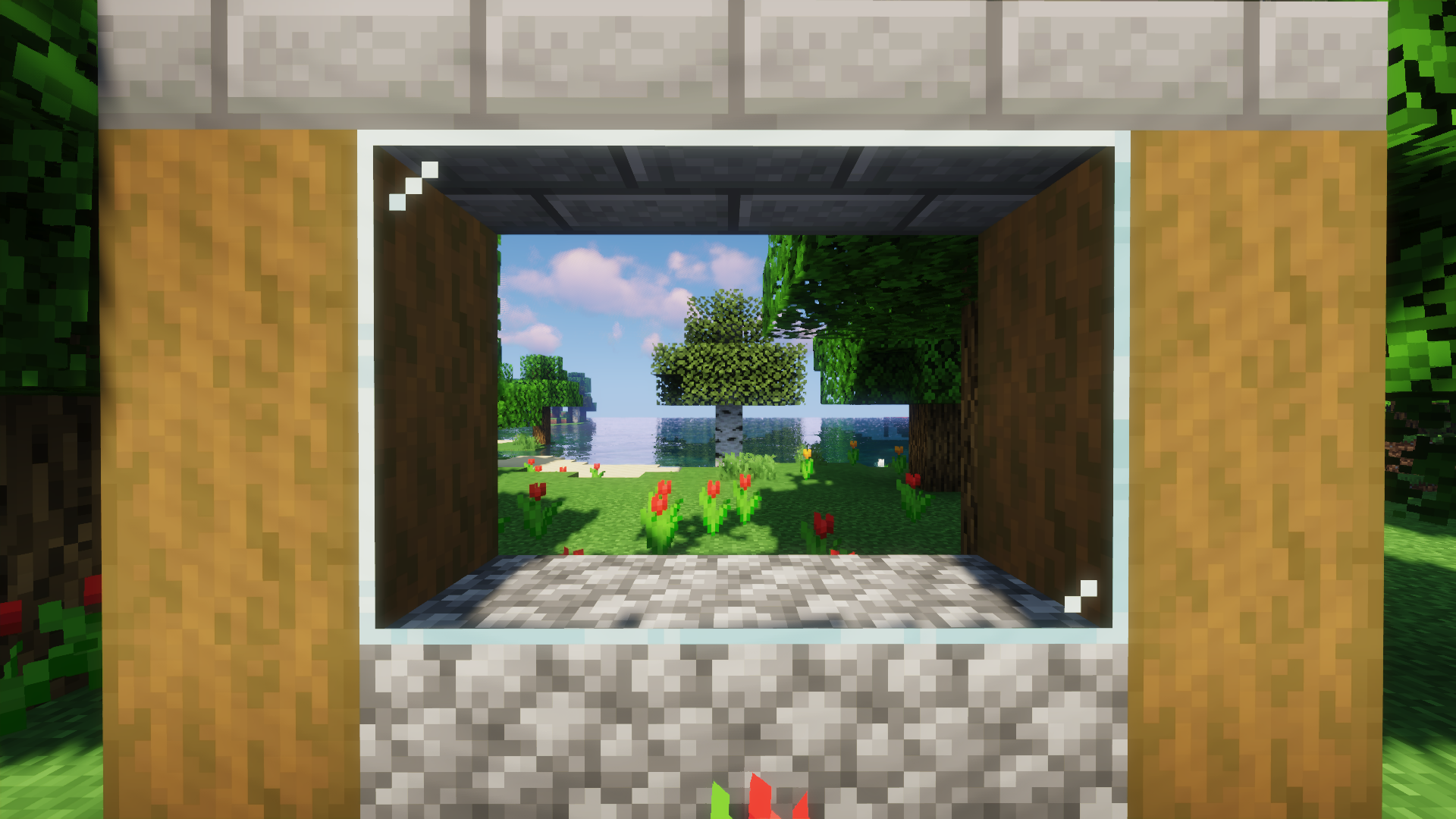
The same reasoning applies to decorative models: first identify which mod adds the feature, then check whether its chosen version needs Indium alongside your older Sodium release.
Download the Minecraft 1.21.1 files
This set is for Java 1.21.1 with Fabric. Use Fabric Loader 0.15.11 or newer and Java 21. The three files have matching declared requirements; this is not a claim that every other mod in your pack is compatible.
| File | Role | Version |
|---|---|---|
| Indium | Rendering compatibility for the older Sodium setup | 1.0.35+mc1.21 |
| Sodium | The renderer version required by this Indium build | 0.5.11+mc1.21 |
| Fabric API | Shared APIs used by the rendering mods | 0.116.17+1.21.1 |
Indium 1.0.35
Sodium 0.5.11 — required for this setup
Fabric API for Minecraft 1.21.1 — required
Already using a newer Sodium pack? Do not downgrade a working installation simply to add Indium. Use these files for an older setup that specifically needs them.
Why 1.0.36 is not the right upgrade for this set
Indium's project number and Minecraft's version number are different things. The separate 1.0.36+mc1.20.1 release declares Minecraft 1.20.1, 1.20.5 and 1.20.6 support; it is not the replacement for the 1.0.35+mc1.21 file above.
Choose by your game version and Sodium dependency, not by the largest Indium number. The complete set on this page is deliberately for 1.21.1; do not move it unchanged into a 1.20.1 instance.
Install in the correct mods folder
- Duplicate your launcher instance if you are changing an established modpack. Keep the working copy available.
- Open that instance's game folder. Confirm it launches Minecraft 1.21.1 with Fabric.
- Close Minecraft. Put the three JAR files above in its mods folder. Leave them as JAR files; do not extract or run them.
- Keep one version of each mod. Move conflicting older or newer copies out of this test instance's mods folder rather than leaving both installed.
- Launch the same instance. If the loader names a missing dependency, read the required version before adding another file.
- Check the affected feature. Visit the model or texture you wanted to fix, with its own compatible content mod and resource pack enabled.
Indium runs on the client. Adding it only to a dedicated server does not repair rendering on players' computers. No Indium-specific keybind or in-world controller is needed.
Connected textures still look wrong?
Check the whole feature, not just whether Indium is present:
- The content mod: install the compatible version of the mod that actually adds connected textures or custom models.
- The resource pack: enable the pack providing the desired appearance in Options → Resource Packs.
- The pack's own instructions: some effects need an additional built-in pack or a particular pack order.
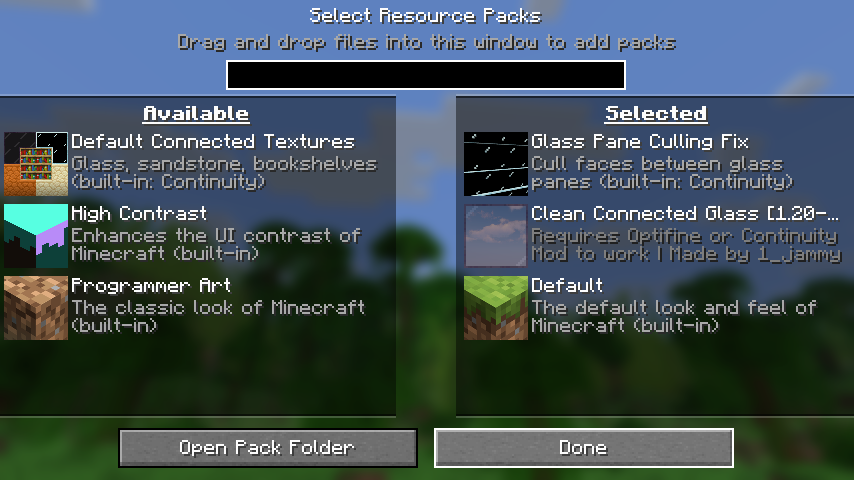
For example, Clean Connected Glass recommends the Glass Pane Culling Fix when its panes show unwanted faces. That is a resource-pack setting; reinstalling Indium alone does not select it for you.
Crashes and version mismatches
| Problem | Useful next step |
|---|---|
| Sodium 0.6+ and Indium are together | Use your newer Sodium setup without Indium. Retain the other mods only if their versions support that renderer. |
| The loader requests Sodium 0.5.11 | Check the Indium file and the Minecraft version. The 1.0.35 file here specifically requires Sodium 0.5.11. |
| The loader reports a Fabric API dependency | Check that the API JAR is in this instance's mods folder and matches the game version. |
| It works without shaders but fails with Iris | Check the requirements of the exact Iris release and the full rendering combination; do not assume every old Iris build fits. |
| The game opens, but a model is still broken | Check the model's own mod, resource pack and settings. Indium does not fix every visual issue. |
When moving to a modern Sodium release, keep the original instance and rebuild the compatible rendering set in a copy. Carrying an obsolete compatibility mod forward can create the problem you were trying to avoid.
Glass examples: Clean Connected Glass by aka_Jammy, CC BY-NC-SA 4.0. Display copies resized and converted to WebP; original images are linked.
More for your Java setup.

Find the Bedrock update that matters to your world or device. Explore stable releases, practical game-drop guides, platform-specific fixes and a separate Beta/Preview archive.
- Coverage
- 2023–2026
- Edition
- Bedrock Edition
- Versions
- Bedrock 1.20.30–26.51
Bedrock · Update history
Bedrock Update History
Find the Bedrock update that matters to your world or device. Explore stable releases, practical game-drop guides, platform-specific fixes and a separate Beta/Preview archive.
Back up before updating
- Minecraft version
- Bedrock 1.20.30–26.51
- Game edition
- Bedrock Edition
- Update type
- Unknown / not stated
- Release channel
- Bedrock Edition
- World safety
- Back up before updating
- Player impact
- Find a useful release, platform fix or practical game-drop guide
- Platform family
- Bedrock & Mobile
- Supported devices
- Windows, consoles and mobile; patch availability varies
- Touch readiness
- Yes
- Last verified at
- Sep 17, 2026
- Update state
- current
- Compatibility confidence
- Source claimed
- Card delivery statement
- Player guides and official release notes
- Edition applicability
- Bedrock
- Bedrock enrollment route
- Preview app
- Delivery state
- No file
- Lifecycle state
- Current
- History coverage
- 2023–2026
Find what changed in Minecraft Java from 2023 to 2026, choose your next survival project and follow practical update guides. Stable releases and test builds are clearly separated.
- Coverage
- 2023–2026
- Edition
- Java Edition
- Versions
- Java 1.20.2–26.3
Java · Update history
Java Update History
Find what changed in Minecraft Java from 2023 to 2026, choose your next survival project and follow practical update guides. Stable releases and test builds are clearly separated.
Back up before updating
- Minecraft version
- Java 1.20.2–26.3
- Game edition
- Java Edition
- Update type
- Unknown / not stated
- Release channel
- Java Edition
- World safety
- Back up before updating
- Player impact
- Find a feature, choose a project and check the right release
- Platform family
- Java PC
- Last verified at
- Sep 17, 2026
- Update state
- current
- Compatibility confidence
- Source claimed
- Card delivery statement
- Player guides and official release notes
- Edition applicability
- Java
- Delivery state
- No file
- Lifecycle state
- Current
- History coverage
- 2023–2026

Find trial chambers, beat the breeze, match keys to vaults and prepare for ominous trials. Learn mace and wind-charge tricks, build your first crafter and put copper, tuff and dungeon rewards to use.
- Game released
- Java
- 1.21 · Stable
- Bedrock
- 1.21 · Stable
Focus Trial chambers, vault rewards, mace combat, wind charges and automatic crafting
Topic Tricky Trials
Install Included in the official game update
Back up before updating
Java + Bedrock · Release
Tricky Trials
Find trial chambers, beat the breeze, match keys to vaults and prepare for ominous trials. Learn mace and wind-charge tricks, build your first crafter and put copper, tuff and dungeon rewards to use.
Back up before updating
- Update type
- Major release
- Release channel
- Unknown / not stated
- Official release date
- 2024-06-13
- World safety
- Back up before updating
- Player impact
- Trial chambers, vault rewards, mace combat, wind charges and automatic crafting
- Platform family
- Cross-edition
- Supported devices
- Java: Windows, macOS, Linux. Bedrock: supported Windows, mobile and console devices.
- Install format
- Included in the official game update
- Touch readiness
- Not required
- Resource type
- Update
- Last verified at
- Sep 18, 2026
- Update state
- historical
- Compatibility confidence
- Source claimed
- Bedrock version/build
- 1.21
- Card delivery statement
- Included in the official game update
- Edition applicability
- Java + Bedrock
- Java version/build
- 1.21
- Shared update topic
- Tricky Trials
- Delivery state
- No file
- Lifecycle state
- Superseded
- Java update channel
- Stable
- Bedrock update channel
- Stable
Keep your builds, inventory and modpack progress before an update. Find the right profile, back up the complete world and setup, restore a separate copy and know how to roll back if something breaks.
- Edition
- Java Edition
- Difficulty
- Intermediate
- Time
- Copy time depends on world size
Do not test an update on the only good copy
MineBrush · Guide
Back Up a Modded World
Keep your builds, inventory and modpack progress before an update. Find the right profile, back up the complete world and setup, restore a separate copy and know how to roll back if something breaks.
Do not test an update on the only good copy
- Game edition
- Java Edition
- Platform family
- Java & PC
- Supported devices
- Windows · macOS · Linux
- Install format
- Manual backup and restore; no extra mod needed
- Touch readiness
- Not required
- Resource type
- Guide
- Compatibility confidence
- Source claimed
- Card evidence statement
- Official storage and launcher docs reviewed · restore not run
- Card delivery statement
- Step-by-step backup and restore guide
- Card limitation note
- Do not test an update on the only good copy
- Edition applicability
- Java
- Estimated time
- Copy time depends on world size
- Guide difficulty
- Intermediate
- Delivery state
- No file
- Lifecycle state
- Current
Player discussion 0
Questions, discoveries and help from other players.