
MineBrush publication
Farmer’s Delight 1.3.4: Grow, Cook and Build a Survival Kitchen
Turn your harvest into useful meals with Farmer’s Delight 1.3.4. Build a working kitchen, cook your first soups, grow rice and tomatoes, and choose the right Java download.
A field of carrots is useful. A farmhouse where those carrots become soup, the rice harvest supplies packed lunches, and friends gather around a shared feast feels like a home. Farmer’s Delight, by vectorwing and contributors, gives Minecraft that extra layer: crops, kitchen tools, prepared meals and rustic building details that fit naturally into Survival.
This guide follows Farmer’s Delight 1.3.4 for Java 1.21.1 with NeoForge. There is also a separate download for older 1.20–1.20.1 worlds. You can start with a small garden and two workstations; an enormous automated farm is optional.
Your first kitchen · Easy meals · Growing ingredients · Build ideas · Downloads and installation · Common problems
Build a kitchen you can actually use
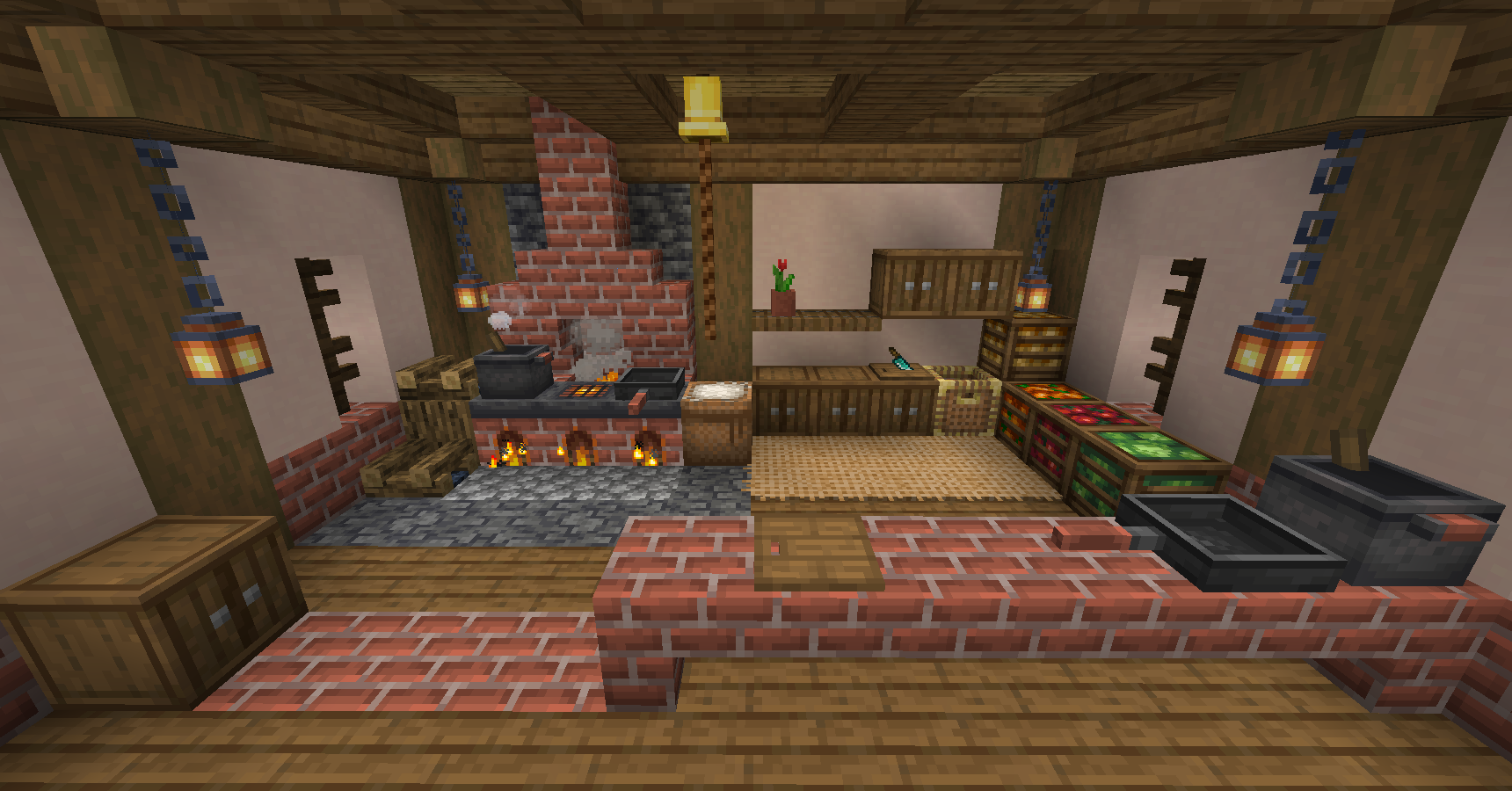
Start beside your existing food chest. You need a knife, a Cutting Board, a Cooking Pot, a heat source and bowls. Put the board on one counter, the pot above a lit campfire or stove, and the bowls in a chest beside it. Leave a clear place to stand rather than hiding the pot behind decorative trapdoors.
Make the first tools
A Flint Knife needs one flint directly above one stick in a crafting grid. It is useful long before you have diamonds: harvesting grassy plants can provide Straw, and the same knife prepares ingredients on the board.
For a Cutting Board, fill a two-row rectangle with a stick on the left and two planks to its right in each row: two sticks and four planks altogether. The Cooking Pot takes five iron ingots, two bricks, a wooden shovel and a water bucket. In the crafting table, put brick–shovel–brick across the top, iron–water bucket–iron in the middle, and three iron ingots along the bottom.
These are the default 1.3.4 recipes. A modpack can replace them; its recipe viewer shows the recipes your world actually uses. Farmer’s Delight supports JEI and EMI, but neither is required simply to load the mod. The mod’s advancements also give you goals as you discover its items.
Use the Cutting Board, rather than just decorating with it
Right-click the board with the ingredient in your main hand, then use the appropriate tool in that same hand to process it. In 1.3, the board can hold a stack; you do not need to put down every item individually. Older tutorials using off-hand processing describe a previous interaction system.
Try a cabbage first: a knife turns one cabbage into two Cabbage Leaves. The leaves can go into salads or soup. For a rice harvest, cutting one Rice Panicle gives one Rice and one Straw. That makes the board useful to both your pantry and your rope supply. Different cutting recipes may need different tools, so a knife will not process every block you can place there.
Heat the pot and serve the meal
Place the pot immediately above a suitable heat source, such as a lit campfire, lit stove or magma block. Its heat indicator should show that cooking is active. Open it, put the recipe ingredients in the six ingredient slots, and add the serving container separately. For the soups below, that container is a bowl.
Finished food waits inside the pot until it can be served. Hover over the meal to see the required container. You can also take a serving by using the correct container on the pot. If you are making tomato sauce for another recipe, keep it with ingredients rather than putting it in the ready-to-eat chest.
Five recipes worth learning first
Choose dishes around what you already grow. A carrot-and-potato farm can support stew immediately; tomatoes and cabbage make a useful second garden. The following examples use the default recipes in the 1.21.1 release.
- Mixed Salad: craft one Cabbage Leaf, one Tomato, one Beetroot and a Bowl together. No heated workstation is needed. It is a simple reason to grow something beyond wheat.
- Vegetable Soup: put a Carrot, Potato, Beetroot and Cabbage Leaf into the Cooking Pot, then supply a Bowl. This is a good shared-base meal because all four ingredients can come from a compact vegetable garden.
- Beef Stew: cook Raw Beef, a Carrot and a Potato; serve in a Bowl. A cattle pen beside your existing crop field gives you its ingredients without hunting for every batch.
- Cooked Rice: cook Rice in the pot and serve in a Bowl. Keep some uncooked Rice for planting and recipes rather than processing the entire harvest.
- Tomato Sauce: put one Tomato in each of two ingredient slots and provide a Bowl. A stack of two tomatoes in only one slot does not represent two separate recipe ingredients.
For a first batch of eight Vegetable Soups, prepare eight carrots, eight potatoes, eight beetroots, eight leaves and eight bowls. Cutting four cabbages supplies the leaves. This is a manageable first kitchen project: harvest, cut, cook, then put the served meals by the base entrance for your next trip.
Why cooked meals are worth the extra preparation
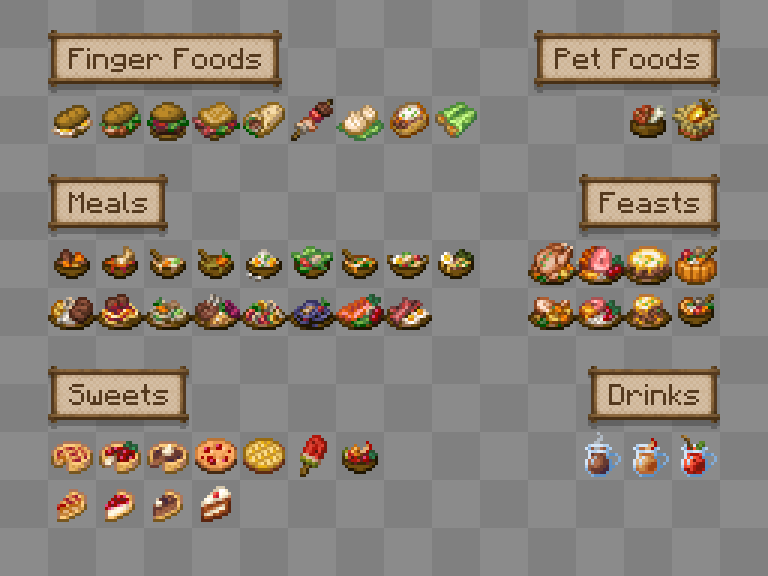
Prepared dishes offer more variety than eating raw crops, and many meals grant Nourishment. In the 1.3 branch, that effect protects hunger points while active and lets you eat even with a full hunger bar. Saturation can still be used for rapid healing. It helps during long building or exploration sessions; it does not make you immune to damage.
Older guides may recommend Comfort as a separate benefit. Ordinary meals that previously granted it now grant Nourishment instead. Check a dish’s tooltip for its actual effect duration, especially in a modpack. There is no single best meal for every base: a recipe you can restock easily is often the more useful everyday choice.
Grow the ingredients your kitchen needs
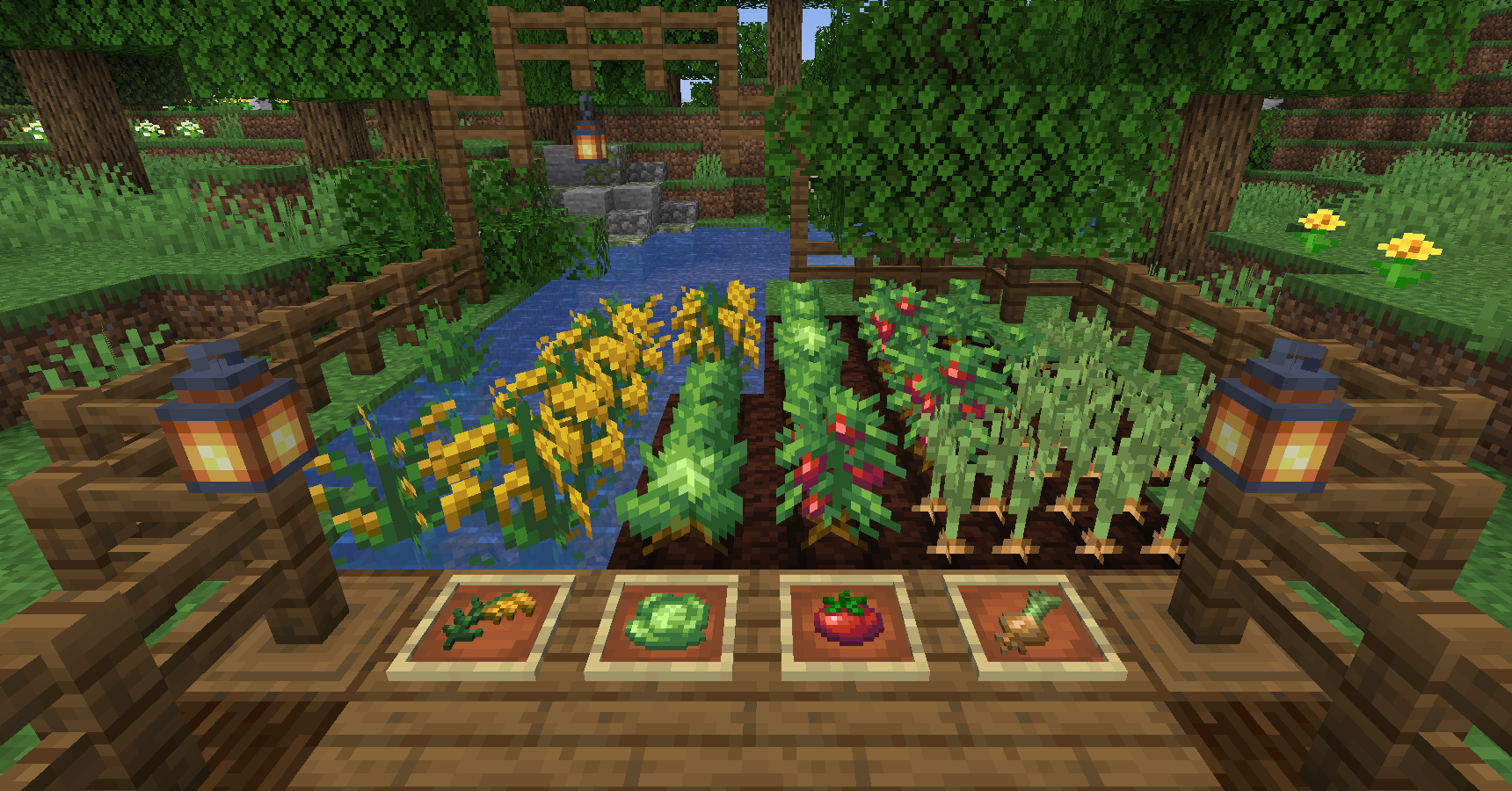
Bring wild crops home when exploring, and keep seeds or planting material before eating your last sample. Cabbage and tomatoes use seeds; onions can be planted as crops. Rice belongs in shallow water over a suitable soil block. Harvest its upper growth while leaving the rooted plant for another crop.
Tomatoes can grow upward with rope support. Leave room above the crop if you want a taller planting rather than squeezing it under a low roof. For a starter farm, grow cabbage, carrots, potatoes and beetroot together for soup; add tomatoes when you want salads and sauce. This gives each row a clear purpose.
In an established world, look in newly explored terrain for naturally generated wild plants. Installing the mod does not rebuild the countryside you already explored. Before making a long trip, check your current supplies and the recipes you want: a few planting samples are more valuable than a backpack full of food you cannot reproduce.
Turn leftovers into better soil
Craft Organic Compost and place it in the world to decompose into Rich Soil. Sunlight and nearby water help; mushrooms and other suitable neighbouring blocks can help the process too. It is gradual, so start a compost corner while you build the kitchen rather than expecting an instant crafting result.
Rich Soil can boost plant growth. Hoe it into Rich Farmland for your crop rows and keep that farmland hydrated if you want its growth benefit. It also resists trampling. A small patch under the ingredient you keep running short of is a sensible first use; you do not need to replace every block of a large farm at once.
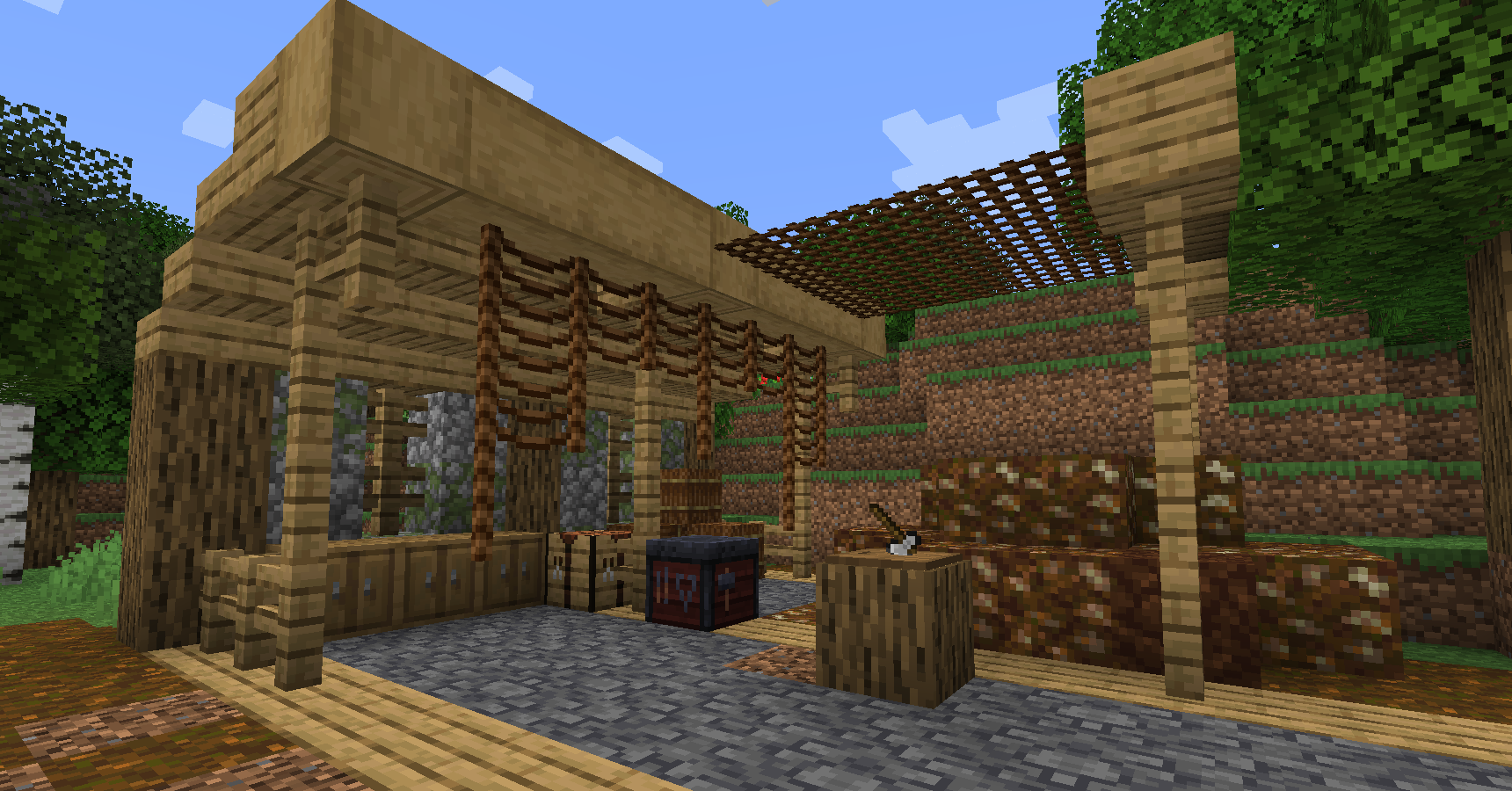
Three ways to make Farmer’s Delight part of your world
A roadside inn for a multiplayer server
Put a food chest near the entrance and a shared table in the centre. Give visitors bowls beside a prepared feast, and leave ingredient storage behind the counter so hungry guests do not eat the next batch’s supplies. One player can tend crops while another cooks; neither needs a complicated machinery setup.
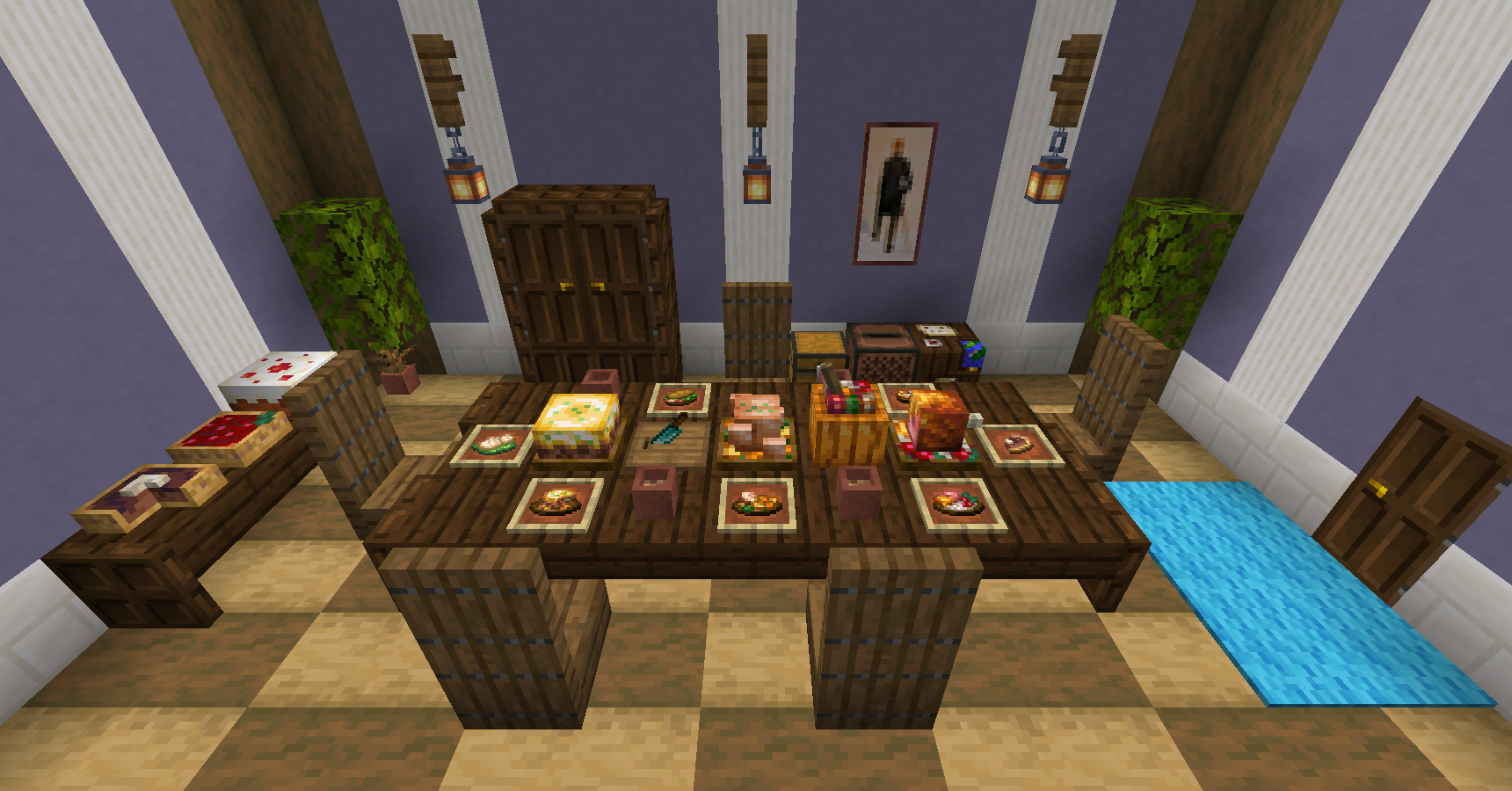
A compact cottage kitchen
A pot, board and ingredient chest fit into a small room. Use vanilla slabs, trapdoors and barrels to frame them, then decorate with the mod’s food and rustic materials. The screenshot below uses a magma block under the pot: a useful alternative when you want a compact visible heat source.
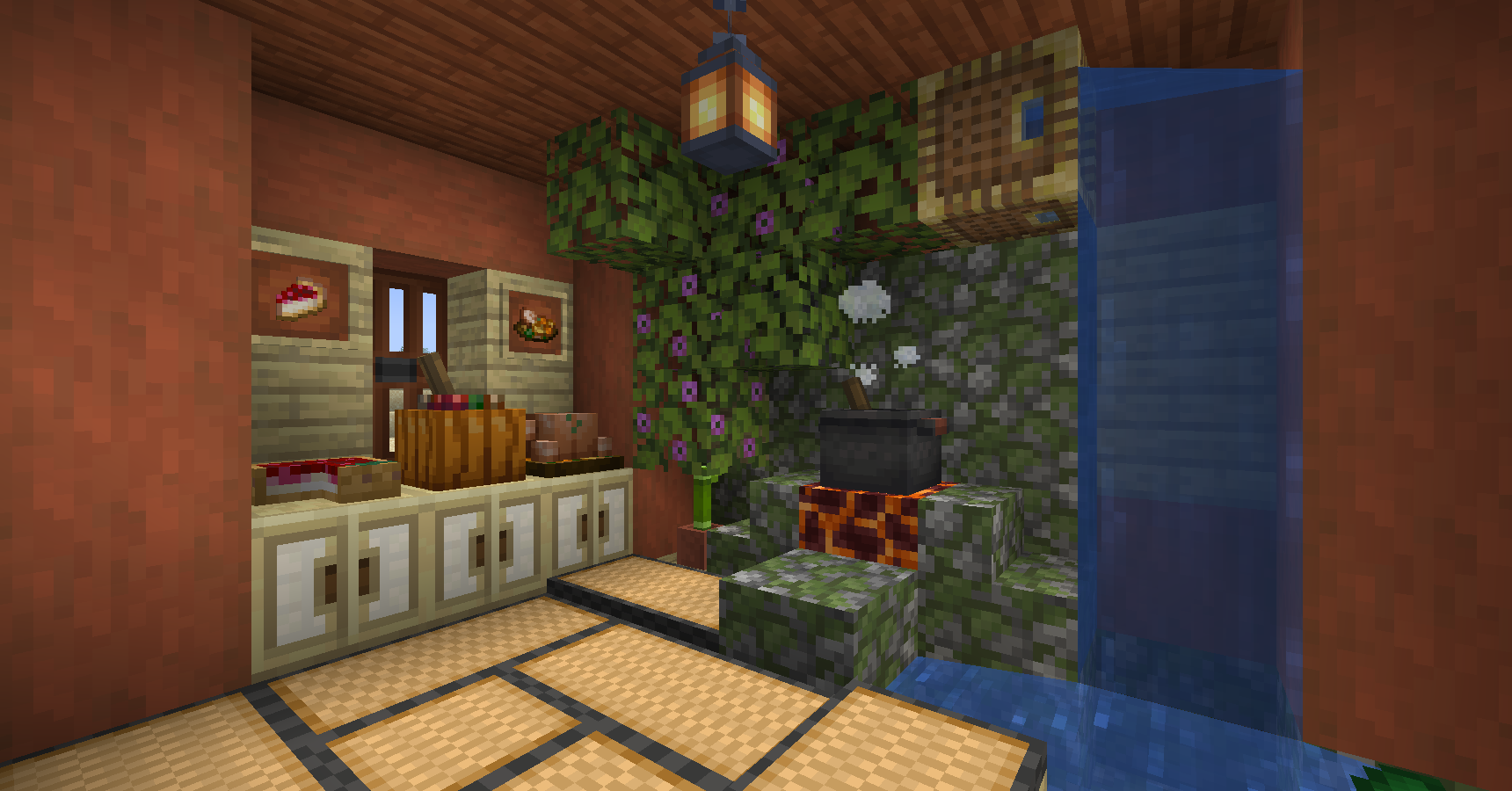
A batch-cooking room beside your farm
Once one meal works reliably, automate that recipe before adding five more. Hoppers can feed ingredients through the top of a pot, supply containers from the side and remove served meals from below. Keep each ingredient supply controlled: filling every slot with one crop leaves no room for the other parts of a mixed recipe.
For a simple first system, use a pot dedicated to Cooked Rice with a separate bowl supply. Add a chest for the finished food. Mixed meals need more careful ingredient distribution; expand only after you know which supply runs out first. Farmer’s Delight adds the kitchen stations, while complex sorting or transport can come from your existing redstone or other mods.
Download the version for your world
Java 1.21.1 — NeoForge: Farmer’s Delight 1.3.4 requires NeoForge 21.1.219 or newer within the 1.21.1 line. Install it on both the server and joining players’ clients.
Java 1.20–1.20.1 — Forge or NeoForge: this separate 1.3.4 build is listed for the older game branch. Choose the loader already used by your modpack.
Version history — 1.3.3 for Java 1.21.1 / NeoForge: retained for packs pinned to the previous release. Use 1.3.4 for a new setup unless your pack specifically requires 1.3.3.
These are the official base-mod packages, without community add-ons. They are not Fabric files, Bedrock add-ons or downloads for the newest Minecraft release. A Fabric port is a separate project; do not put either of these JARs in a Fabric instance.
Install or update without mixing versions
- Back up the world before changing an existing pack.
- Open the instance that matches the game version and loader of your chosen file.
- Close Minecraft and place the JAR, still packaged, in that instance’s
modsfolder. Replace the previous Farmer’s Delight JAR rather than leaving two versions together. - For multiplayer, update the server and all clients to the same compatible version.
- Launch the loader profile, find Farmer’s Delight in the Mods menu, and open a copy of your world before returning to the original.
CraftTweaker is optional. Recipe viewers are optional conveniences. Community Farmer’s Delight add-ons have their own dependencies and version requirements, so check them before updating the base mod. Release 1.3.4 fixes feast behaviour with pistons and a chest-loot configuration issue; it is not a large new crop expansion.
When something does not work
The pot is hot, but there is no served soup
Look inside the pot. If a meal is already prepared, supply the correct container. If no meal forms, compare all ingredients with the installed recipe, including whether repeated ingredients occupy separate slots. Clear leftovers from a different recipe. A modpack may change the inputs shown in an online guide.
The Cutting Board ignores my knife
Use the main hand for both placing ingredients and processing them. Check that the ingredient has a cutting recipe and that the recipe accepts a knife rather than an axe or another tool. The 1.3 interaction change is why an older off-hand tutorial can fail.
The game crashes or a server refuses the connection
Check the game version and loader first, then remove duplicate Farmer’s Delight versions. On 1.21.1, make sure NeoForge meets the minimum above. Compare the server’s mod version with your own. If the problem began after adding a community expansion, verify that expansion’s supported Farmer’s Delight version before changing unrelated mods.
A dish from a video is missing
It may belong to a community add-on, a custom modpack recipe or another release. Search for its exact name in your recipe viewer. Start with the base recipes above, then add the specific expansion you actually want rather than installing a whole collection blindly.
For your next project, browse Java mods for additions that fit the same game version. A kitchen is most satisfying when it supports the way you already play: reliable lunches for an explorer, a welcoming inn for a group, or a farmhouse that finally has something worth cooking.
More for your Java setup.

WorldEdit
7.4.5Build a courtyard, repeat a bridge and reuse your favourite structures. Download WorldEdit 7.4.5 for Java, choose the mod or server plugin, and learn selections, copy-and-paste, schematics and terrain brushes.
- Minecraft
- Java 26.2; plugin also 1.21.4–1.21.11 / 26.1–26.1.2
- Loader
- Fabric / NeoForge / Paper / Spigot / Bukkit / Folia
- Runtime
- Both
Java · Mod
WorldEdit
Build a courtyard, repeat a bridge and reuse your favourite structures. Download WorldEdit 7.4.5 for Java, choose the mod or server plugin, and learn selections, copy-and-paste, schematics and terrain brushes.
- Minecraft version
- Java 26.2; plugin also 1.21.4–1.21.11 / 26.1–26.1.2
- Game edition
- Java Edition
- Loader / platform
- Fabric
- License
- GPL-3.0-only
- Platform family
- Java PC
- Supported devices
- Windows, macOS, Linux; matching Java game or server
- Install format
- .jar mod or plugin file
- Touch readiness
- Not required
- Resource type
- Mod
- Project version
- 7.4.5
- Last verified at
- Oct 3, 2026
- Secondary guide action
- Setup & fixes
- Compatibility confidence
- Source claimed
- Java mod loader
- Fabric / NeoForge / Paper / Spigot / Bukkit / Folia
- Java runtime side
- Both
- Required dependency
- Matching Fabric/NeoForge or Bukkit-family server
- Edition applicability
- Java
- Delivery state
- Direct download
- Lifecycle state
- Current

Uncover archaeology finds, hatch a sniffer, ride a camel with a friend and customize your armor. A practical Trails & Tales guide with build ideas, original Mojang screenshots and clear steps for Java and Bedrock.
- Game released
- Java
- 1.20 · Stable
- Bedrock
- 1.20.0 · Stable
Focus Archaeology, sniffers, camels, armor trims and creative building ideas
Topic Exploration, archaeology and creative building
Install Included in the official game update
Back up before updating
Java + Bedrock · Release
Trails & Tales
Uncover archaeology finds, hatch a sniffer, ride a camel with a friend and customize your armor. A practical Trails & Tales guide with build ideas, original Mojang screenshots and clear steps for Java and Bedrock.
Back up before updating
- Update type
- Major release
- Release channel
- Unknown / not stated
- Official release date
- 2023-06-07
- World safety
- Back up before updating
- Player impact
- Archaeology, sniffers, camels, armor trims and creative building ideas
- Platform family
- Cross-edition
- Supported devices
- Java: Windows, macOS and Linux. Bedrock: supported PCs, consoles and mobile devices.
- Install format
- Included in the official game update
- Touch readiness
- Not required
- Resource type
- Update
- Last verified at
- Sep 16, 2026
- Update state
- historical
- Compatibility confidence
- Source claimed
- Bedrock version/build
- 1.20.0
- Card delivery statement
- Included in the official game update
- Edition applicability
- Java + Bedrock
- Java version/build
- 1.20
- Shared update topic
- Exploration, archaeology and creative building
- Delivery state
- No file
- Lifecycle state
- Superseded
- Java update channel
- Stable
- Bedrock update channel
- Stable

Find trial chambers, beat the breeze, match keys to vaults and prepare for ominous trials. Learn mace and wind-charge tricks, build your first crafter and put copper, tuff and dungeon rewards to use.
- Game released
- Java
- 1.21 · Stable
- Bedrock
- 1.21 · Stable
Focus Trial chambers, vault rewards, mace combat, wind charges and automatic crafting
Topic Tricky Trials
Install Included in the official game update
Back up before updating
Java + Bedrock · Release
Tricky Trials
Find trial chambers, beat the breeze, match keys to vaults and prepare for ominous trials. Learn mace and wind-charge tricks, build your first crafter and put copper, tuff and dungeon rewards to use.
Back up before updating
- Update type
- Major release
- Release channel
- Unknown / not stated
- Official release date
- 2024-06-13
- World safety
- Back up before updating
- Player impact
- Trial chambers, vault rewards, mace combat, wind charges and automatic crafting
- Platform family
- Cross-edition
- Supported devices
- Java: Windows, macOS, Linux. Bedrock: supported Windows, mobile and console devices.
- Install format
- Included in the official game update
- Touch readiness
- Not required
- Resource type
- Update
- Last verified at
- Sep 18, 2026
- Update state
- historical
- Compatibility confidence
- Source claimed
- Bedrock version/build
- 1.21
- Card delivery statement
- Included in the official game update
- Edition applicability
- Java + Bedrock
- Java version/build
- 1.21
- Shared update topic
- Tricky Trials
- Delivery state
- No file
- Lifecycle state
- Superseded
- Java update channel
- Stable
- Bedrock update channel
- Stable
Player discussion 0
Questions, discoveries and help from other players.