
MineBrush publication
Entity Model Features 3.3.5 — Custom Mob Models & Animations
Give familiar mobs new shapes and expressive animations with compatible resource packs. Download Entity Model Features and its required ETF companion for Java 26.2, then bring your chosen pack to life.
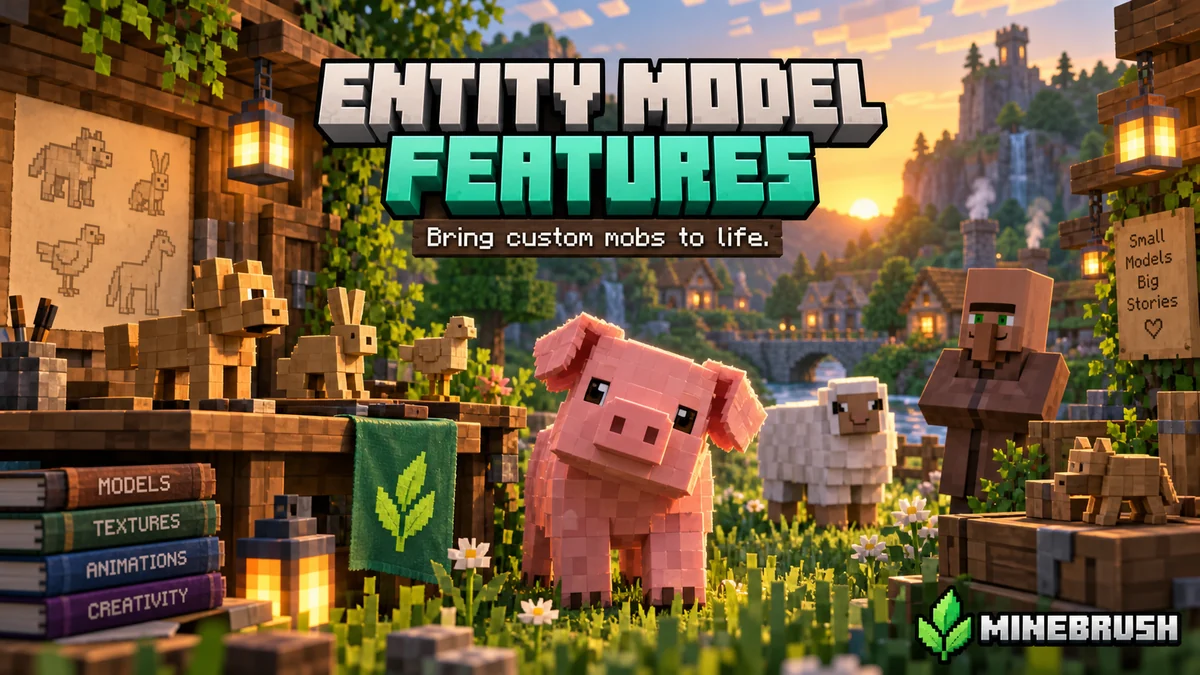
Entity Model Features, usually called EMF, lets resource packs change the shapes and animations of Minecraft’s familiar creatures. A pig can have a more detailed snout and ears; a pack can give mobs more expressive movement or a different silhouette. You keep the same survival world and its gameplay while changing how its inhabitants look.
EMF supports the custom entity model format used by many OptiFine resource packs. It is especially useful when you want those visual features in a setup built around Sodium. EMF does not include a resource pack: install it together with Entity Texture Features (ETF), then enable a compatible pack. Without that pack, most mobs will still look vanilla.
What can you do with EMF?
- Make farms and villages feel more lively. Choose an animation pack such as Fresh Animations to give supported animals and hostile mobs more expressive poses and movement. The pack decides which creatures change.
- Change creature designs without adding new mob types. Custom model packs can give existing creatures different ears, horns, limbs or body shapes. Their health, drops, AI and hitboxes are not changed by EMF’s visual models.
- Match mobs to your world’s style. A compatible pack can suit a rustic village, a fantasy build or a more detailed take on vanilla. Check its gallery and list of supported entities before choosing it.
- Use custom models alongside Sodium. EMF supplies the model support that Sodium itself does not add. You do not need to switch the whole profile to OptiFine just for a CEM pack.
- Create more expressive screenshots. Watch the creatures move and choose an angle that shows the pack’s model details. Lighting and depth-of-field effects in showcases come from separate shaders, not from EMF.
The exact result comes from your chosen pack. EMF does not automatically give every mob a new model, invent animations for unsupported creatures or add all the features shown in every pack gallery.
See real examples from the creator
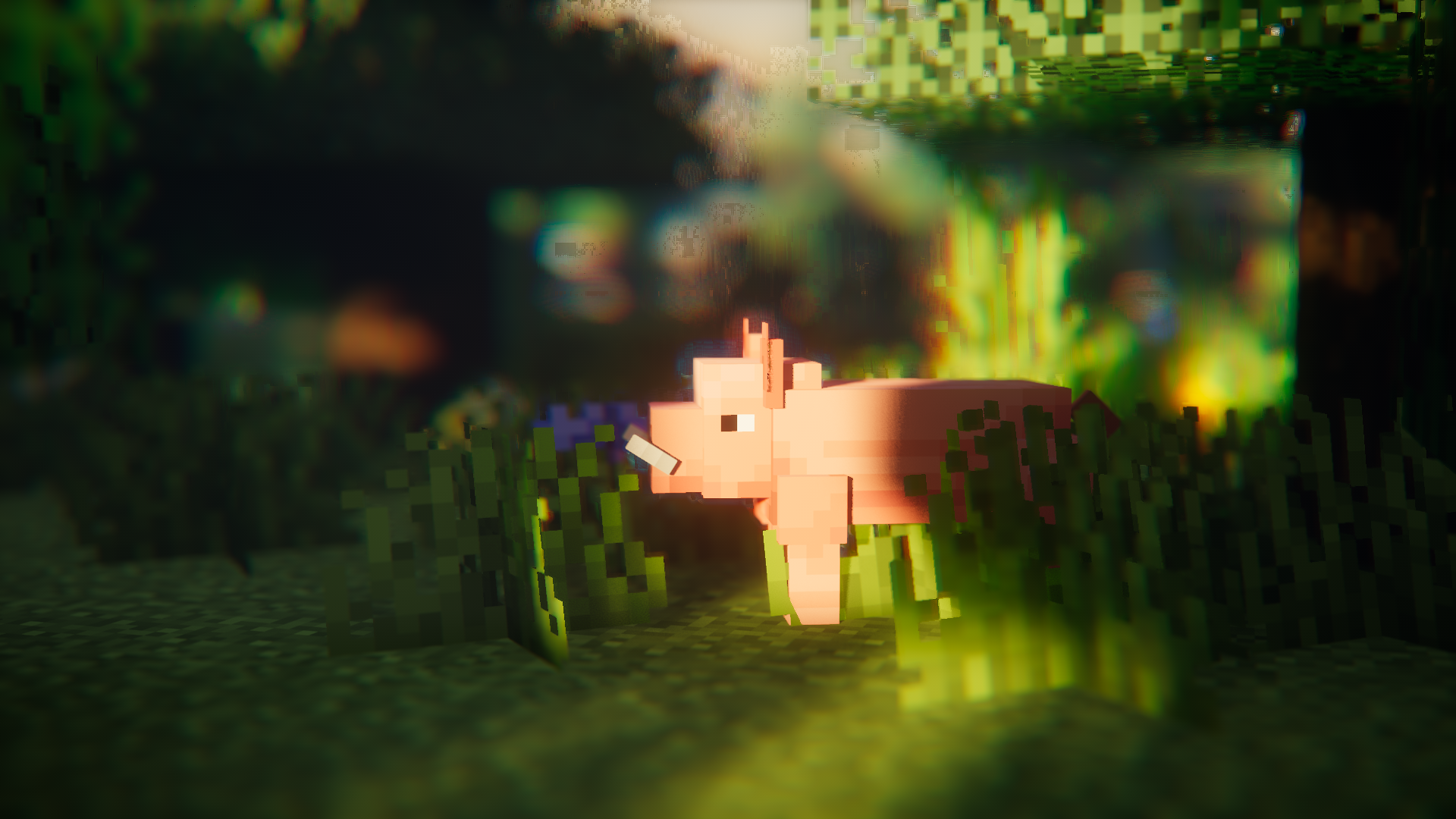
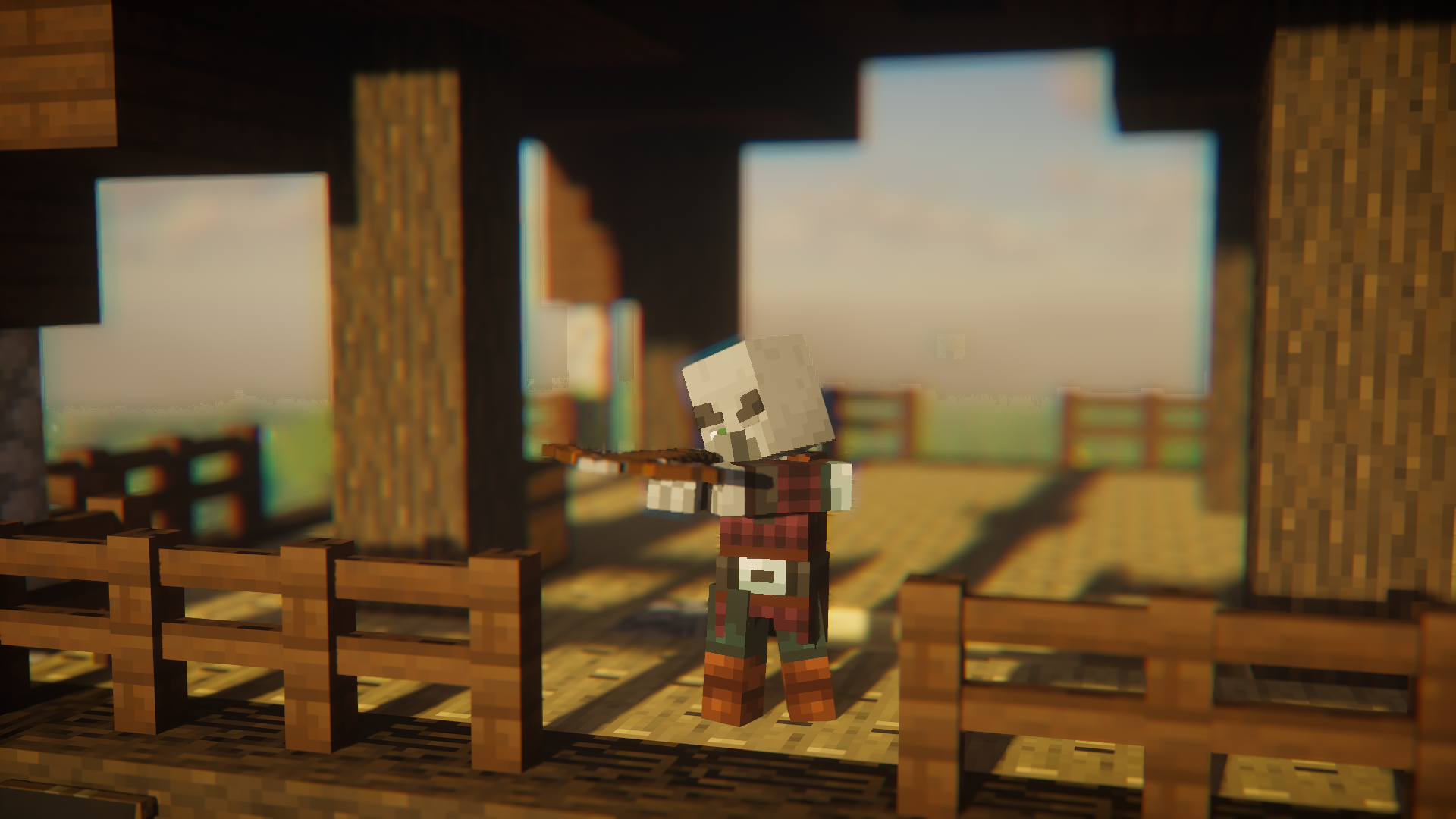
These screenshots remain in Traben’s official EMF gallery. They were published in April 2023 and show what compatible packs can do; they are historical examples, not screenshots of the current Java 26.2 release. Click either image to open its unchanged full-resolution original.
Download EMF and its required companion
The current files checked on September 12, 2026 are EMF 3.3.5 and ETF 7.2.1 for Minecraft Java 26.2. Both mods run on your client. Select the pair for your existing loader and install both JARs.
Fabric or Quilt — Minecraft Java 26.2
The author lists this pair for Fabric and Quilt. Download both files below; you do not need the NeoForge pair.
NeoForge — Minecraft Java 26.2
Use both NeoForge files for a NeoForge profile. Do not mix them with the Fabric versions.
These particular EMF and ETF releases do not require Fabric API. Other mods in your instance may still need it. The project also supports older Minecraft releases, but the files above are specifically for 26.2; NeoForge is not interchangeable with Forge. These JARs are not Bedrock add-ons for phones or consoles.
EMF, ETF and the resource pack: what each one does
EMF handles the model: its shape, moving parts and custom animation rules. ETF handles texture features: variations, emissive details and blinking where the pack provides them. EMF also uses ETF for features such as random models and configuration, so ETF is required even if you only want new shapes.
The resource pack supplies the artwork and rules. Installing these two mods gives Minecraft the ability to read them. It does not download Fresh Animations or another pack for you. A normal texture pack that only recolors mobs may not contain custom models at all.
Install the mods and activate your pack
- Close Minecraft and open the game folder for your Java 26.2 launcher instance. Modpacks commonly use separate folders; use the launcher’s option to open that instance’s folder.
- Put the matching EMF and ETF JARs in
mods. Keep the archives intact. If updating, move the older EMF and ETF JARs out so only one version of each loads. - Remove OptiFine, OptiFabric or dorianpb’s separate Custom Entity Models mod from this instance if present. The EMF author lists these as incompatible with EMF.
- Download a resource pack whose author supports your Minecraft version and EMF/ETF setup. Put its ZIP in
resourcepacks, or use Options → Resource Packs → Open Pack Folder. Keep it zipped unless its author explicitly gives different instructions. - Enable the pack on the Resource Packs screen. Put it above other packs that replace the same creatures; follow the author’s order when using an extension or companion pack.
- Enter your world and find a creature the pack actually supports. Look at it from the side and while it moves: model details and animation can be less obvious in a still, front-facing view.
For an animation-focused starting point, read the Fresh Animations guide. Traben explicitly identifies that pack as an EMF use case. Choose its download for your game version and follow any instructions for extensions; the gallery’s older pack version is not a recommendation to install an old ZIP into 26.2.
Make it useful in your own world
Start with the creatures you spend time around. If you keep animal pens or trade in a village, choose a pack that covers those animals and villagers. For exploration or combat, check whether it includes the hostile mobs you want to change. A pack with a beautiful pig model does not necessarily redesign every mob.
Keep one main model pack active while deciding on the look. Stacking two packs that redefine the same creature usually means the higher-priority pack overrides part or all of the other one. Add a pack’s official extensions in the order its author recommends instead of expecting unrelated models and animations to combine automatically.
You can use EMF in single-player or on a multiplayer server without installing it on the server. Your client draws the custom models; another player sees their own resource-pack setup. It does not turn a cosmetic creature into a new server mob or change what it can attack, drop or collide with.
Settings and performance
For configuration, use the settings button on the Resource Packs screen or an optional compatible Mod Menu installation. EMF uses ETF’s configuration features. Leave the defaults in place initially, then change options relevant to the pack you use rather than enabling everything just because it is available.
Detailed models and animation-heavy packs can increase rendering work, especially around crowded farms. If those areas become less smooth, lower the entity distance or try a lighter pack. Traben recommends Entity Culling as an optional way to reduce unnecessary entity rendering. EMF itself is a visual compatibility mod, so it should not be treated as a guaranteed FPS boost or a fix for server tick lag.
Shaders are optional. If a pack looks wrong only with shaders enabled, temporarily turn them off and check the pack’s shader notes. The model and animation features do not require the dramatic lighting seen in promotional screenshots.
Common problems
- Everything still looks vanilla: confirm that both mods loaded in the instance you launched, enable the resource pack, and check that it includes the creature you are looking at. EMF alone is not a visible makeover.
- The texture changed but the shape did not: the pack may contain only textures, or its custom models may need a different pack/game version. Check that EMF is installed as well as ETF.
- The shape is right but textures or variants are wrong: check ETF and the pack’s requirements, then move conflicting entity packs below it or disable them. Variants only appear under the conditions the pack author defines.
- Limbs are distorted or animations overlap: check the pack’s supported version and remove competing model or animation replacements to identify the conflict.
- Minecraft refuses to start: make sure both files match Java 26.2 and the same loader, remove duplicate old JARs, and check the crash message for a missing or incompatible dependency.
EMF 3.3.5 fixes a problem introduced in 3.3.4 with layer models when multiple entities of the same type are visible. If you are still on 3.3.4 and see that symptom, updating to the matching 3.3.5 file is worthwhile.
Return to the original appearance
Disable the custom resource pack to return to the remaining packs’ visuals. To remove EMF entirely, close Minecraft and move its JAR out of mods. Keep ETF if another pack or mod still needs it. EMF changes rendering rather than rewriting your world’s creatures, so removing its visual features does not remove the animals you have bred or the villagers you trade with.
Creator and sources
EMF and ETF are developed by Traben and contributors. MineBrush provides this player guide and an original editorial cover illustration; the mods and gallery screenshots belong to their respective creators. The cover is not a gameplay screenshot.
- Official Entity Model Features project and feature documentation.
- EMF 3.3.5 releases: Fabric/Quilt · NeoForge.
- Official Entity Texture Features project. ETF 7.2.1: Fabric/Quilt · NeoForge.
- Source code and LGPL-3.0 license: EMF repository · ETF repository.
More for your Java setup.
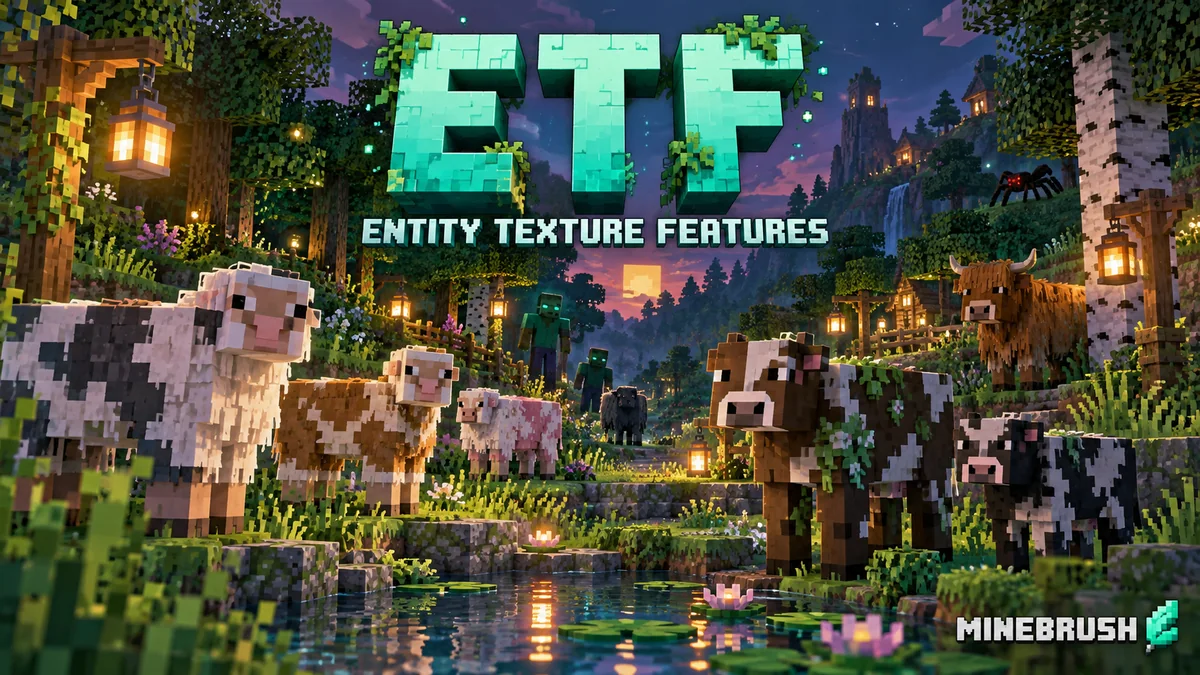
Give compatible packs varied mob textures, glowing details and blinking eyes. Download ETF 7.2.1 for Java 26.2, learn when EMF is needed and personalize your skin with the built-in tool.
- Minecraft
- Java 26.2
- Loader
- Fabric
- Runtime
- Client
Client visuals · compatible resource pack needed for mob textures
Java · Mod
Entity Texture Features
Give compatible packs varied mob textures, glowing details and blinking eyes. Download ETF 7.2.1 for Java 26.2, learn when EMF is needed and personalize your skin with the built-in tool.
Client visuals · compatible resource pack needed for mob textures
- Minecraft version
- Java 26.2
- Game edition
- Java Edition
- Loader / platform
- Fabric
- License
- LGPL-3.0-only
- Platform family
- Java & PC
- Supported devices
- Windows · macOS · Linux
- Install format
- ETF JAR in mods; compatible pack ZIP in resourcepacks
- Touch readiness
- Not required
- Resource type
- Mod
- Project version
- 7.2.1
- Last verified at
- Sep 12, 2026
- Secondary guide action
- Setup & fixes
- Compatibility confidence
- Source claimed
- Java mod loader
- Fabric
- Java runtime side
- Client
- Card evidence statement
- Random textures, emissive details and supported skin effects
- Required dependency
- Compatible resource pack; EMF for custom models; Fabric API for Fabric skin tool
- Card delivery statement
- Fabric / Quilt and NeoForge files hosted on MineBrush
- Card limitation note
- Client visuals · compatible resource pack needed for mob textures
- Edition applicability
- Java
- Delivery state
- Direct download
- Lifecycle state
- Current
Give your Java world a new look without losing your familiar setup. Learn which resource pack to choose, where its ZIP belongs, how to activate it and combine overlays, and how to fix missing textures or version warnings—with illustrated steps for Windows, Mac and Linux.
- Edition
- Java Edition
- Difficulty
- Beginner
- Time
- 8 min read; setup time varies
MineBrush · Guide
Install & Combine Java Resource Packs
Give your Java world a new look without losing your familiar setup. Learn which resource pack to choose, where its ZIP belongs, how to activate it and combine overlays, and how to fix missing textures or version warnings—with illustrated steps for Windows, Mac and Linux.
- Minecraft version
- Choose a pack for your Java version
- Game edition
- Java Edition
- Platform family
- Java & PC
- Supported devices
- Windows · macOS · Linux
- Install format
- Java resource-pack ZIP
- Touch readiness
- Not required
- Resource type
- Guide
- Compatibility confidence
- Not applicable
- Edition applicability
- Java
- Estimated time
- 8 min read; setup time varies
- Guide difficulty
- Beginner
- Delivery state
- No file
- Lifecycle state
- Current
Fresh Animations
1.10.5 Beta / 1.10.4 BetaGive familiar mobs more expressive poses and movement. See creator examples, choose the right Fresh Animations version, and set up EMF + ETF for villages, farms and exploration.
- Minecraft
- Java 26.1–26.2 / 1.20–1.21.11
- Scope
- Entities
- Runtime
- Multiple dependencies
Requires EMF + ETF or matching OptiFine
Java · Pack
Fresh Animations
Give familiar mobs more expressive poses and movement. See creator examples, choose the right Fresh Animations version, and set up EMF + ETF for villages, farms and exploration.
Requires EMF + ETF or matching OptiFine
- Minecraft version
- Java 26.1–26.2 / 1.20–1.21.11
- Game edition
- Java Edition
- Loader / platform
- Fabric
- License
- Creator terms; original notices preserved
- Visual resolution
- 16x
- Platform family
- Java PC
- Supported devices
- Windows · macOS · Linux · Java Edition
- Install format
- Pack ZIP in resourcepacks; EMF and ETF JARs in mods
- Touch readiness
- Yes
- Resource type
- Add-on
- Project version
- 1.10.5 Beta / 1.10.4 Beta
- Last verified at
- Sep 14, 2026
- Compatibility confidence
- Source claimed
- Resource-pack scope
- Entities
- Required runtime
- Multiple dependencies
- Pack load order
- Top
- Resource-pack preview mode
- Single cover
- Resource-pack setup guide
- Available
- Card evidence statement
- Expressive mobs for villages, farms and exploration
- Card delivery statement
- Two pack branches + Fabric 26.2 setup
- Card limitation note
- Requires EMF + ETF or matching OptiFine
- Edition applicability
- Java
- Delivery state
- Direct download
- Lifecycle state
- Current
Xaero’s World Map
1.46.0Keep a map of the places you explore and find your way back to bases, villages and portals. Download Xaero’s World Map 1.46.0 for Java 26.2, choose Fabric, Forge or NeoForge, and learn how to install it and preserve explored terrain.
- Minecraft
- Java 26.2
- Loader
- Fabric
- Runtime
- Client
Optional Xaero’s Minimap integration; server rules apply.
Java · Mod
Xaero’s World Map
Keep a map of the places you explore and find your way back to bases, villages and portals. Download Xaero’s World Map 1.46.0 for Java 26.2, choose Fabric, Forge or NeoForge, and learn how to install it and preserve explored terrain.
Optional Xaero’s Minimap integration; server rules apply.
- Minecraft version
- Java 26.2
- Game edition
- Java Edition
- Loader / platform
- Fabric
- License
- All Rights Reserved
- Platform family
- Java & PC
- Supported devices
- Windows · macOS · Linux
- Install format
- Place the matching JAR in the game instance’s mods folder
- Touch readiness
- Not required
- Resource type
- Mod
- Project version
- 1.46.0
- Last verified at
- Sep 5, 2026
- Secondary guide action
- Setup & fixes
- Compatibility confidence
- Source claimed
- Java mod loader
- Fabric
- Java runtime side
- Client
- Card evidence statement
- Explore, revisit locations and preserve your recorded terrain.
- Required dependency
- Fabric API for Fabric; XaeroLib included
- Card delivery statement
- Fabric, Forge and NeoForge downloads on MineBrush
- Card limitation note
- Optional Xaero’s Minimap integration; server rules apply.
- Edition applicability
- Java
- Delivery state
- Direct download
- Lifecycle state
- Current
Player discussion 0
Questions, discoveries and help from other players.