
MineBrush publication
Collect Everything 1.6.0: Collections, Exploration Goals and Progress for Bedrock
Give every expedition a goal. Track items, animals, biomes and more, search missing discoveries and compare progress with friends. Download Collect Everything for Bedrock 26.40.
Collect Everything gives your next Minecraft trip a purpose. It records the things you discover, then shows what is still missing in a searchable collection browser. A new tree type, a different animal, a potion effect or an enchanted book can become a small goal instead of another object you walk past.
Collect Everything 1.6.0 is the Bedrock add-on by wcestudios / Joe Skeen, Jr., inspired by Knarfy’s Java mod. This download is for Minecraft Bedrock 26.40. It tracks your personal discoveries; it does not hand you the items, provide a shared team inventory or replace Minecraft’s achievements.
What can you do with it?
- Give a long-running world new goals. Look through missing discoveries and choose a short trip: another wood family, a new biome or an animal you have never interacted with.
- Build a museum or collection room. Use the browser as your checklist while displaying the actual items in your base. The add-on remembers discoveries; your display is a separate build you create yourself.
- Plan a themed session. Spend one evening on wood types, another on potion effects, and another visiting villages or looking for animal variants.
- Play a friendly collection race. Each friend keeps their own progress. Share useful finds and trade items while comparing totals on the optional scoreboard.
Download Collect Everything 1.6.0
The original .mcaddon below contains the behavior and resource packs together. Use both from this release. Version 1.6.0 specifically updates support for Bedrock 26.40, including the item textures used in its browser. Older game versions shown on the project’s overall page refer to other releases.
Importing this local package is most straightforward on Windows, Android and iOS. Console Minecraft does not offer the same direct local-file import route. This is the Bedrock adaptation, so a Java JAR from Knarfy’s original project is not interchangeable with this file.
Install it and open your first checklist
- Make a copy of an existing world, or start a new collection world. Keep the copy before adding or updating packs.
- Open the downloaded .mcaddon with Minecraft and wait for both packs to import.
- Edit the world, activate the Collect Everything behavior pack and confirm that its matching resource pack is active. The behavior pack records progress; the resource pack provides the custom browser and item.
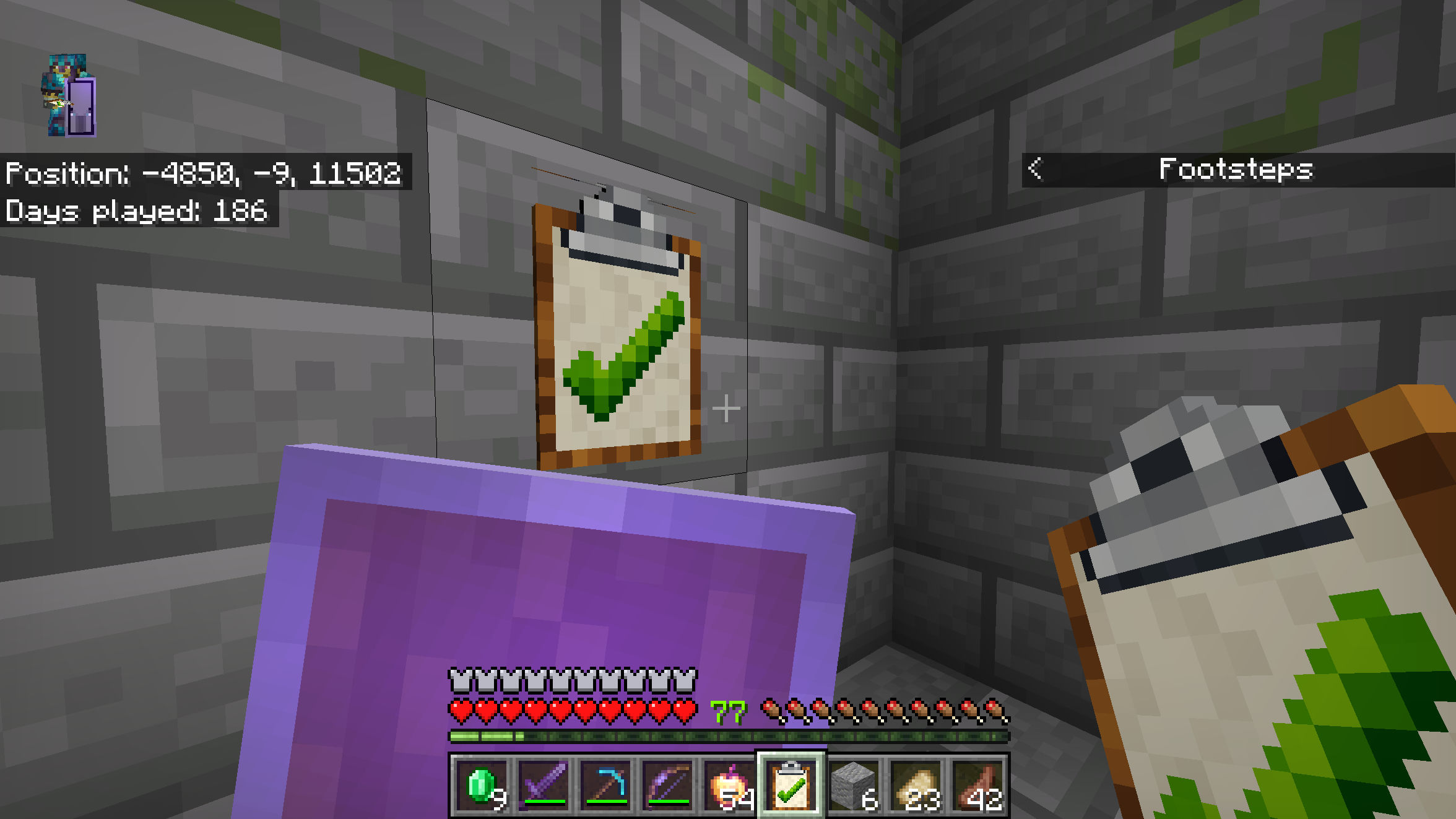
- Enter the world and allow the add-on to initialize. It provides a starter Collection Checklist once per player; if your inventory is full, look nearby for the item.
- Hold the checklist and use it, or place it on a block and interact with it. You can also type
/collecteverything:browsein chat. - Choose Basic collection difficulty to begin. Pick up an ordinary item and reopen the browser to see it recorded.
The player browse command is registered without operator permission or cheats. You do not need to turn on every experimental setting to follow these steps. If you need help finding the pack activation screens, use our existing-world add-on guide. Externally imported behavior packs should not be assumed to retain achievement eligibility; check the world’s status before using a dedicated achievement world.
Craft another checklist
At a crafting table, arrange one metal nugget, one paper and one plank vertically: nugget at the top, paper in the middle, plank at the bottom. Iron, gold and copper nuggets have supported recipes, and the plank can be any wood type. This makes one Collection Checklist, useful if you lost the starter item or want a copy mounted in your base.
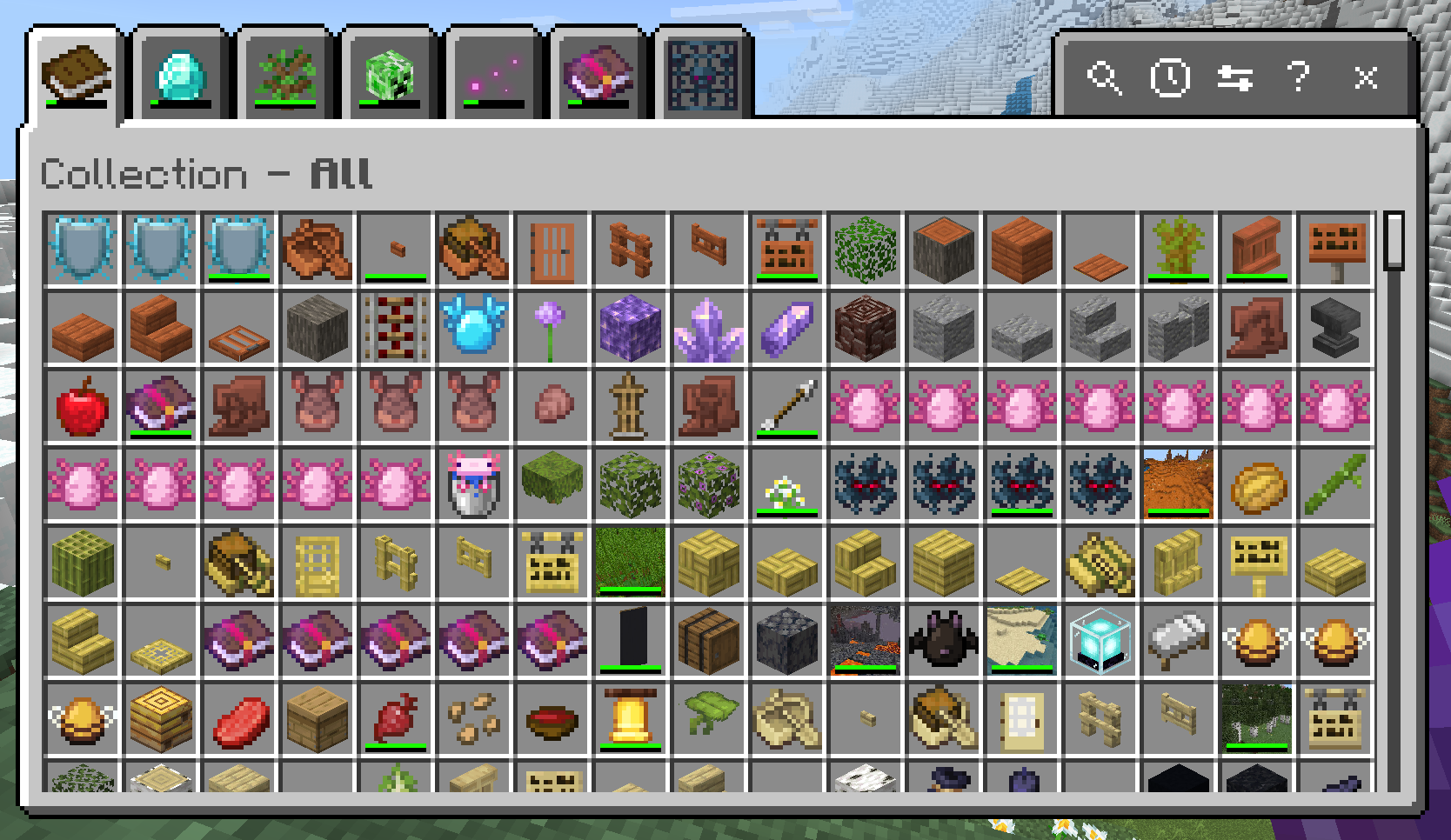
How discoveries are counted
The release tracks seven categories. A discovery is a record of something you did or encountered, not a requirement to keep every object in a chest forever.
- Items: acquire things in your inventory. Collected blocks appear here as items, so a wood-gathering trip can lead to logs, planks and the things you craft from them.
- Entities: actions such as killing, taming, naming or leashing a mob can register it; trading is also used for villagers. Simply looking at a creature is not the same as collecting it.
- Biomes: enter new biomes while exploring. Visiting a different region can advance this category without bringing anything home.
- Effects: experience status effects, for example by drinking a potion. The effects on the player are what matter, not merely owning bottles.
- Enchantments: acquire enchanted equipment or books. On Insane difficulty, individual enchantment levels become separate goals where applicable.
- Unobtainables: certain blocks that normally cannot be carried away are tracked through breaking them. This does not make them drop as collectible items. Do not destroy a useful spawner or a preserved build just to fill a checklist entry.
- Death: records causes of death. The add-on can also credit a mob’s cause after you hit it shortly before it dies, so deliberately losing your own equipment is not the only route.
Your list depends on the game version, collection difficulty and available content. Treat the totals inside your world as the relevant target rather than expecting one permanent number of things to collect.
Turn the browser into an expedition plan
- Pick a category. Start with Items for a gathering trip or Biomes for exploration. Use All when you want the broad overview.
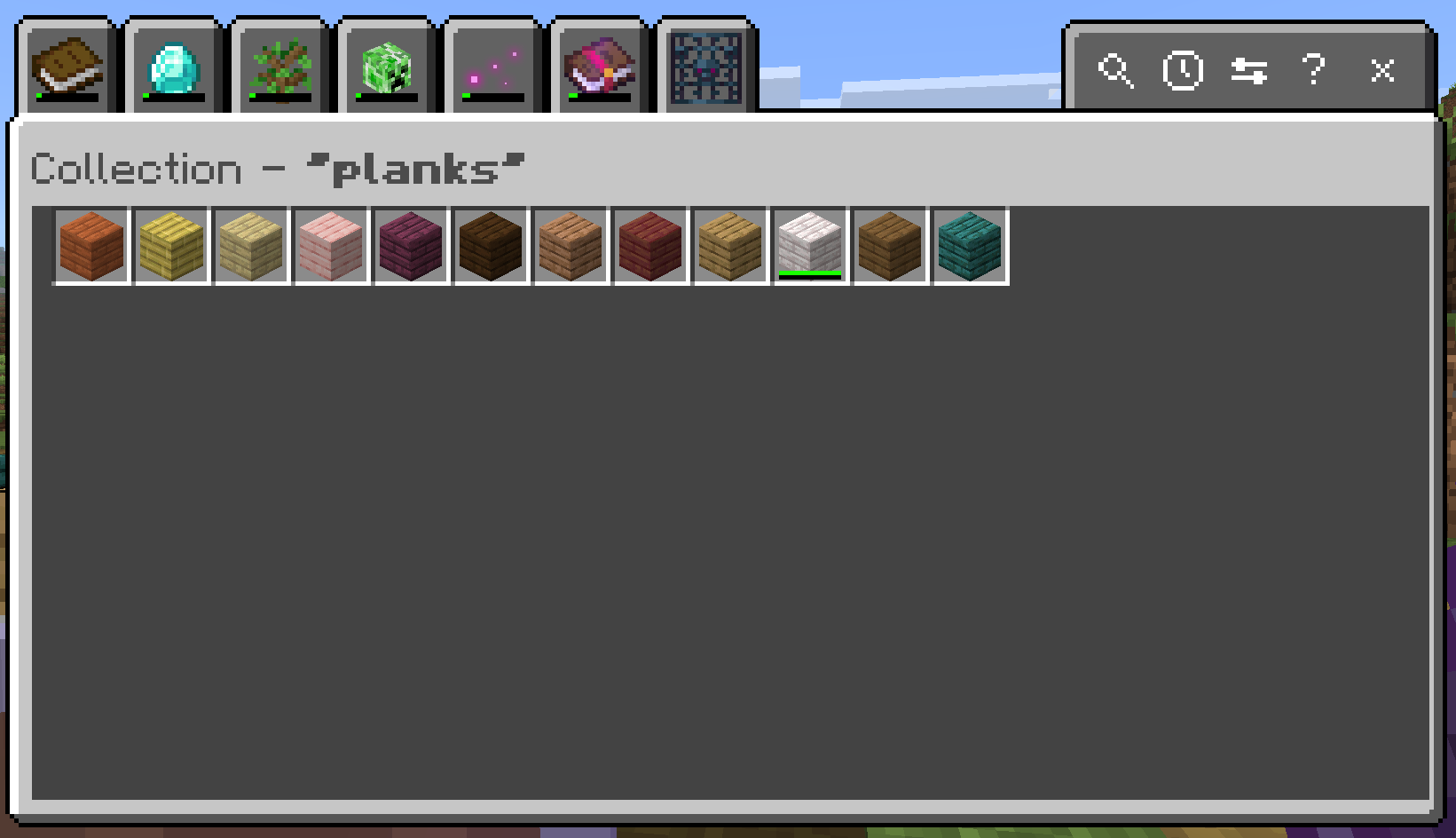
- Search for a theme. The magnifying-glass control filters the list. Try planks to compare wood types instead of scrolling through every item.
- Find a missing entry. Read the entry’s name and collected status; similar icons can represent different variants. The uncollected command below is another way to view what remains.
- Choose two or three nearby goals. Bring the tools or food needed for that trip, then return to check your discoveries. Small goals make a large collection feel manageable.
A first-session idea: gather a wood type, craft a few of its ordinary building pieces, visit a nearby biome and interact with an animal using a supported action. These are suggestions for playing, not scripted quests or automatic rewards. The add-on records discoveries while you decide what to do next.
Pick a collection difficulty you will enjoy
This setting changes how detailed your collection target is. It is separate from the world’s Peaceful, Easy, Normal or Hard combat setting.
Basic: a manageable first collection
Basic asks for one entry per base entity type. A horse can satisfy the horse goal without finding every color and pattern. Choose this for a casual survival world, a first playthrough or a collection you want a realistic chance of completing.
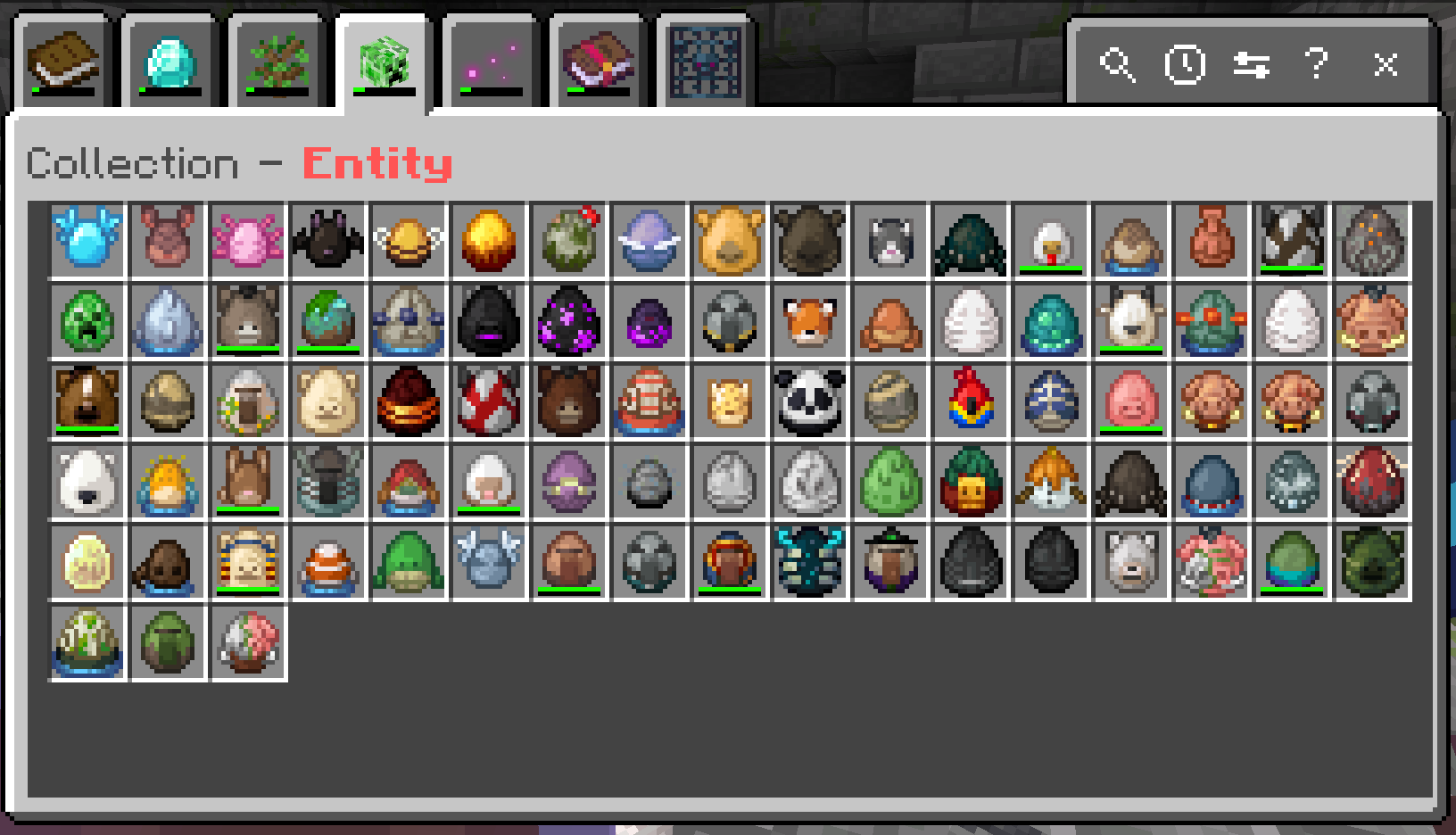
Committed: a reason to look for varieties
Committed tracks variant dimensions separately. For horses, colors and patterns become goals, but you do not need every possible pairing. Choose it if you enjoy noticing differences between animals and want more exploration without the largest completion target.
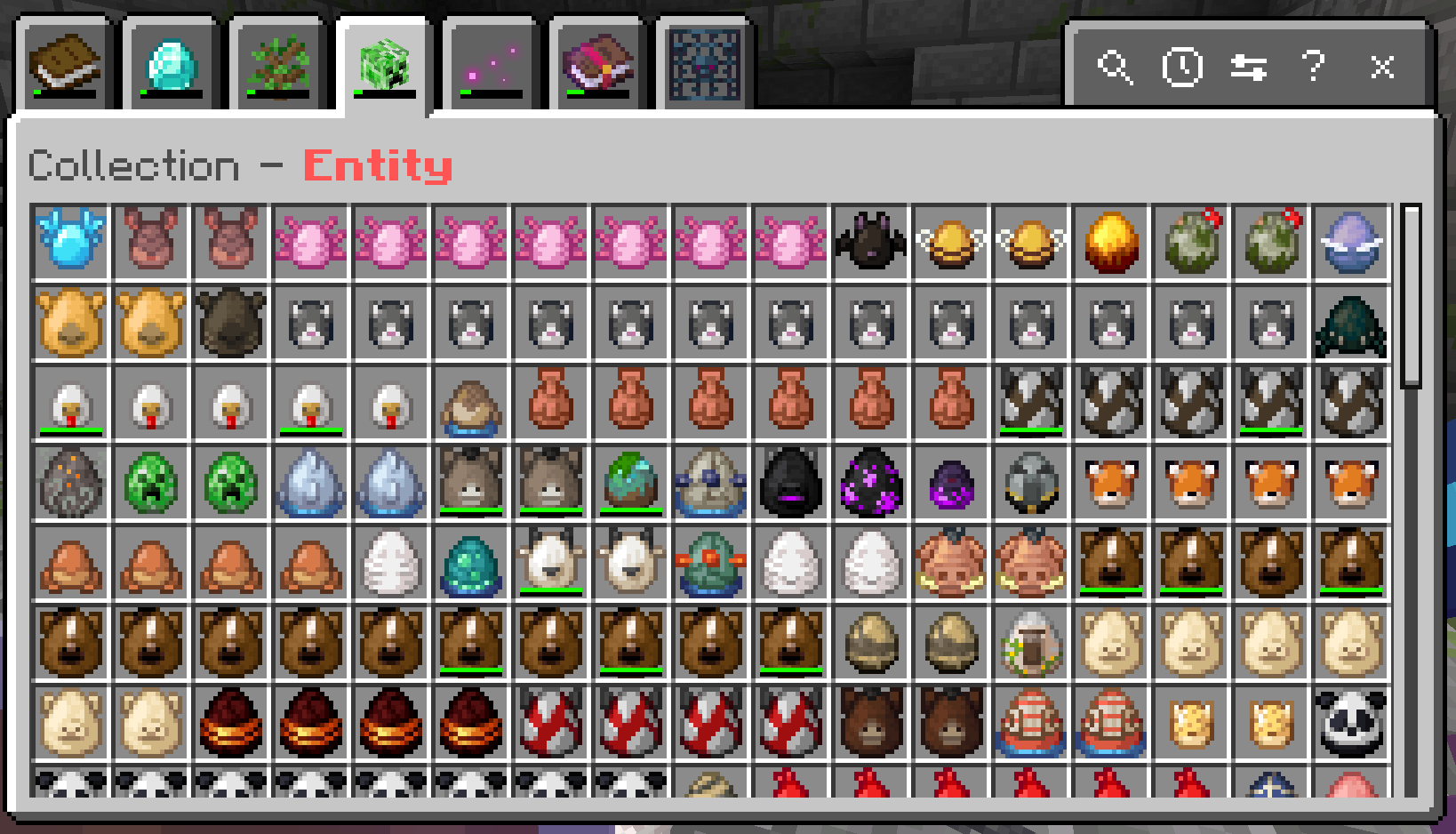
Insane: a long-term completion project
Insane tracks valid variant combinations. The author gives 35 horse color-and-pattern combinations and more than 2,000 tropical-fish combinations as examples. This is a substantial collection project, not the best starting mode if a nearly complete checklist is your main motivation.
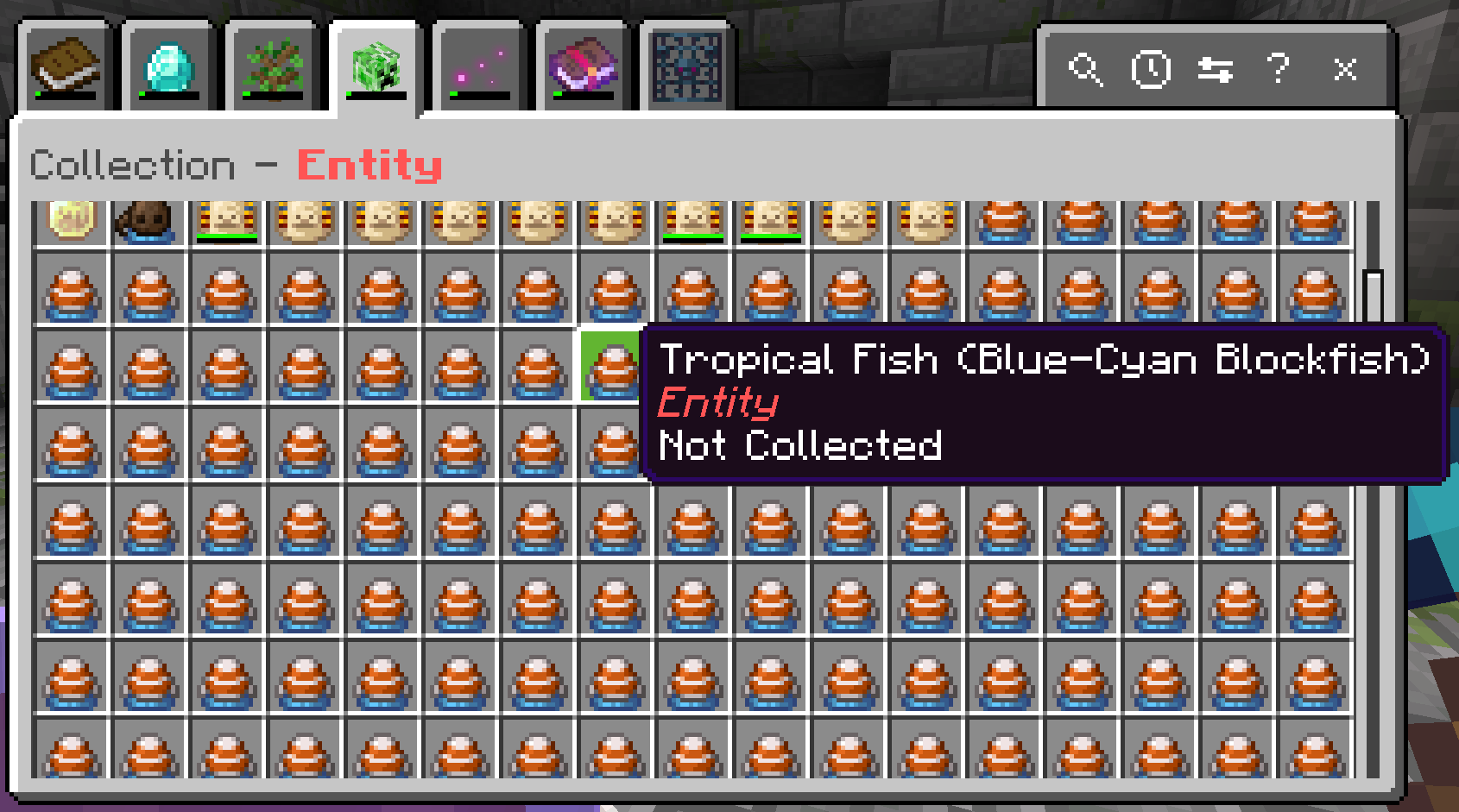
Change your choice through the browser settings or /collecteverything:settings. Existing discoveries are retained, but percentages can change because the target list changes. If the setting is locked, the world’s operator may have enforced a common difficulty for everyone.
Useful commands and the recent-discoveries view
Use the full command names below in chat. The normal player commands do not require operator status.
/collecteverything:browse— open the graphical collection browser./collecteverything:stats— see category totals and completion percentages./collecteverything:uncollected— list what you still need to find./collecteverything:collected— list your recorded discoveries./collecteverything:all planks— search the complete list for a word; replace planks with your own search./collecteverything:session— review first discoveries from this visit./collecteverything:settings— change your personal collection difficulty./collecteverything:extra— inspect tracked entries outside the add-on’s recognized list, useful with other add-ons.
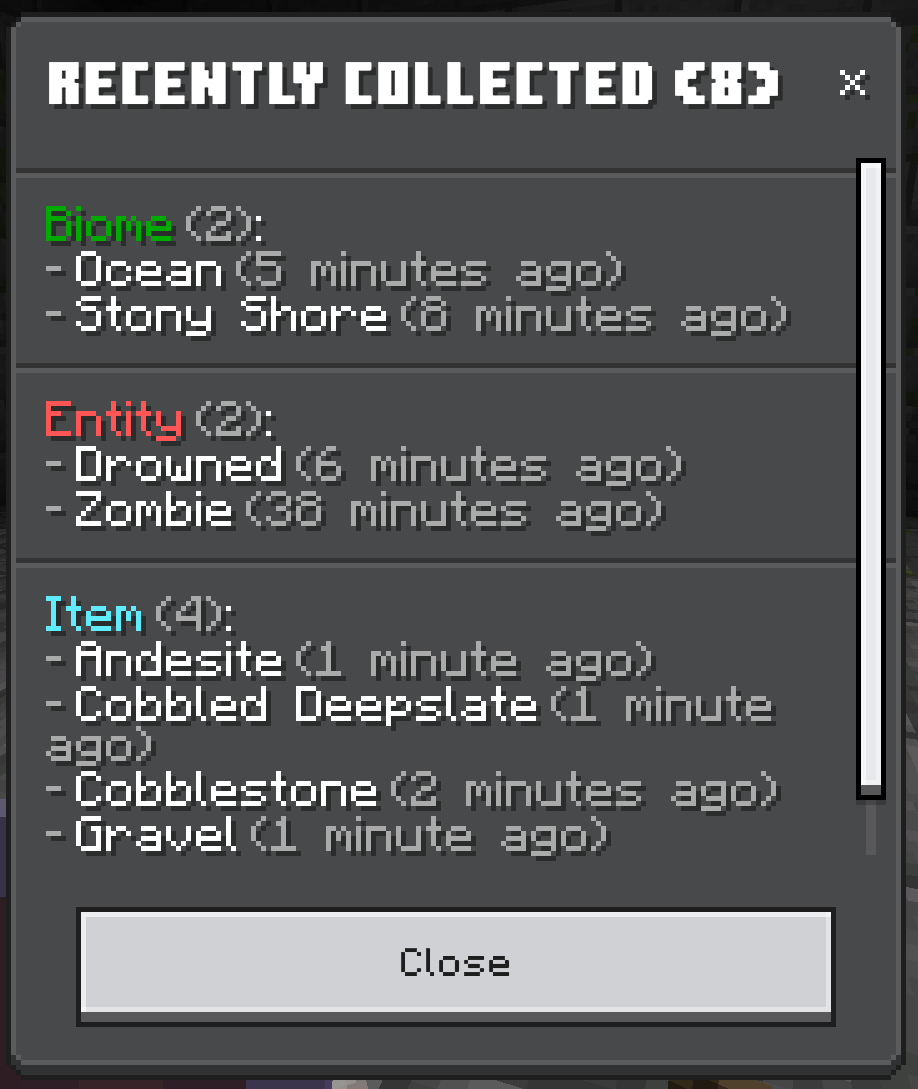
Session is not a complete activity log. Picking up an already collected object again does not make it a new discovery for this view. In 1.6.0, its displayed sections also omit Death; use the main collection and category statistics to review overall progress.
Playing with friends
Collections are personal. A friend finding something does not automatically complete your entry. You can help each other by sharing locations, arranging trades and passing items for each player to acquire. For a fair race, agree on the same collection difficulty before comparing totals.
The optional sidebar shows each player’s total count. An operator can use /collecteverything:_admin_settings to choose a shared difficulty, toggle collection messages in chat and show or hide the scoreboard. Turning off a noisy sidebar is a display choice, not a progress reset.
Your discoveries are saved with the world’s player data when you leave. Keep world backups before upgrades or resets. Avoid using administrative reset commands as a routine fix: the 1.6.0 reset handler clears currently online players, so it should not be relied on to erase every offline player’s stored collection.
If a discovery or icon looks wrong
- The browser will not open: check that both 1.6.0 packs are active in this world and that the game is Bedrock 26.40. Try the full browse command as well as the checklist item.
- Wrong item pictures: confirm the matching resource pack. This release updates the browser’s item textures for 26.40; mixing game or pack versions can give misleading icons.
- A custom add-on item has an unknown icon: the creator explains that these items can be tracked without a matching browser texture. Use the item name and the extra command; an unknown icon alone does not mean progress was erased.
- A mob did not count: use a supported interaction and check the selected difficulty. Seeing a horse is different from recording it, and a new color alone may not satisfy a specific color-and-pattern goal.
- Your percentage fell after a settings change: inspect the target count. A more detailed difficulty can increase the number of required entries while keeping your discoveries.
- A new pack breaks the interface: on a copied world, try Collect Everything on its own, then restore other packs one at a time. See our Bedrock add-on combination guide.
Creator and sources
wcestudios / Joe Skeen, Jr. develops this Bedrock adaptation under the MIT license, inspired by Knarfy’s original Java project. MineBrush provides the player guide, an original editorial cover and the hosted creator package. The seven gameplay and interface images come from the author’s documentation; their exact capture version is not specified, so current labels and available tabs can differ.
- Official project: features, controls and creator FAQ
- Version 1.6.0 release for Bedrock 26.40
- Author’s repository, documentation and original images
- Minecraft’s add-on achievement policy
More for your Bedrock world.
Add something new to the world you already love. Bring furniture, pets or new survival activities into an existing Bedrock save. Learn how to copy your world, activate the right packs, find the first useful features and keep your progress recoverable.
- Edition
- Bedrock Edition
- Difficulty
- Beginner
- Time
- 15–30 min, plus downloading and world copying
Keep your builds; try new features on a world copy
MineBrush · Guide
Add-ons for Your Existing World
Add something new to the world you already love. Bring furniture, pets or new survival activities into an existing Bedrock save. Learn how to copy your world, activate the right packs, find the first useful features and keep your progress recoverable.
Keep your builds; try new features on a world copy
- Minecraft version
- Bedrock Edition — match the add-on release
- Game edition
- Bedrock Edition
- Platform family
- Bedrock & Mobile
- Supported devices
- Bedrock on Windows, mobile and consoles; import routes vary
- Install format
- Step-by-step world setup guide
- Touch readiness
- Yes
- Resource type
- Guide
- Compatibility confidence
- Source claimed
- Card evidence statement
- Minecraft and creator guidance; illustrated world settings
- Card delivery statement
- Choose, activate and start using an add-on
- Card limitation note
- Keep your builds; try new features on a world copy
- Edition applicability
- Bedrock
- Estimated time
- 15–30 min, plus downloading and world copying
- Guide difficulty
- Beginner
- Delivery state
- No file
- Lifecycle state
- Current
Build a Bedrock world around the features you enjoy. Combine useful add-ons, understand pack order, choose compatible visual settings and find the cause when textures, items or gameplay stop working together.
- Edition
- Bedrock Edition
- Difficulty
- Intermediate
- Time
- 20–30 min to check a pair
Make your favourite features work together
MineBrush · Guide
Build Your Bedrock Add-on Mix
Build a Bedrock world around the features you enjoy. Combine useful add-ons, understand pack order, choose compatible visual settings and find the cause when textures, items or gameplay stop working together.
Make your favourite features work together
- Minecraft version
- Bedrock Edition — match each add-on release
- Game edition
- Bedrock Edition
- Platform family
- Bedrock & Mobile
- Supported devices
- Bedrock on Windows, mobile and consoles
- Install format
- Pack selection and troubleshooting guide
- Touch readiness
- Yes
- Resource type
- Guide
- Compatibility confidence
- Source claimed
- Card evidence statement
- Microsoft guidance and creator settings examples
- Card delivery statement
- Choose features, set pack order and resolve conflicts
- Card limitation note
- Make your favourite features work together
- Edition applicability
- Bedrock
- Estimated time
- 20–30 min to check a pair
- Guide difficulty
- Intermediate
- Delivery state
- No file
- Lifecycle state
- Current
All Stacker
3.0.0Turn scattered drops and crowded farm animals into counted groups. Learn All Stacker’s settings, mass breeding and farm uses, then download the Bedrock 26.30 / 26.40 add-on.
- Minecraft
- 26.30 / 26.40
- Components
- Behavior + resource packs
- Package
- .mcaddon — behavior and resource packs included
Choose individual or grouped animal drops in settings
Bedrock · Add-on
All Stacker
Turn scattered drops and crowded farm animals into counted groups. Learn All Stacker’s settings, mass breeding and farm uses, then download the Bedrock 26.30 / 26.40 add-on.
Choose individual or grouped animal drops in settings
- Minecraft version
- 26.30 / 26.40
- Game edition
- Bedrock Edition
- Loader / platform
- Bedrock
- License
- MIT
- Platform family
- Bedrock & Mobile
- Supported devices
- Windows, Android and iOS file import
- Install format
- .mcaddon — behavior and resource packs included
- Touch readiness
- Not required
- Resource type
- Add-on
- Project version
- 3.0.0
- Last verified at
- Sep 7, 2026
- Compatibility confidence
- Source claimed
- Bedrock add-on packs
- Paired
- Bedrock add-on import route
- Open the .mcaddon with Minecraft; activate both included packs in the world
- Required experiments
- None
- Card evidence statement
- Count dropped items and farm animals at a glance
- Card delivery statement
- Bedrock 26.30 / 26.40 · paired packs
- Card limitation note
- Choose individual or grouped animal drops in settings
- Edition applicability
- Bedrock
- Delivery state
- Direct download
- Lifecycle state
- Current
Player discussion 0
Questions, discoveries and help from other players.