
MineBrush publication
Nudge for Bedrock: Move Builds, Clone Rooms and Use Undo
Move a house, clone a room or repeat a bridge section without rebuilding every block. Nudge brings selection tools, symmetry and undo to Bedrock Creative. Learn the controls, try your first edit and download the paired packs for Bedrock 26.40+.
A finished house can look perfect until you notice that its doorway is one block off the path. Nudge lets you move the whole selection instead of rebuilding it. This Bedrock Creative add-on also copies rooms, repeats wall sections, rotates builds and mirrors your work. It is especially useful when you want to try a different layout while you are still designing.
The download below is Nudge 1.0.5, released for Bedrock 26.40+. It includes matching behavior and resource packs and requires Beta APIs. Start in a copy of your world: the edits change real blocks, and the undo history is temporary.
Building ideas · Installation · Your first move · Controls · Download · Help
What can you build with Nudge?
Move a house into the right position
Select the entire house, including its foundation and roof overhang, then use Move to shift it toward the path. The original is relocated rather than duplicated. Before confirming, check the destination from the sides: a larger selection may include garden blocks, empty space or nearby decorations that you did not intend to move.
Turn one good module into a complete building
Use Clone for another copy of a finished room, gatehouse or garden feature while keeping the original. Use Stack when the copies should repeat regularly, such as floors in a tower or arches along a bridge. Make one section look right first; fixing a window before repeating it is much easier than fixing every copy afterwards.
The selection's dimensions matter when stacking. Include the deliberate gap between sections if that gap is part of the repeating pattern. Start with a short run and check that adjoining roofs, floors and pillars line up before extending the entire structure.
Build a matching wing or a symmetrical entrance
Rotation and mirroring help reuse a selected section in another orientation. For example, clone the left wing of a manor, mirror it and position it on the right. For ongoing symmetrical construction, open the tool's menu and choose Create Symmetry. The symmetry controls offer Mirror X, Mirror Z and Rotate, plus options to move or remove the symmetry point.
Place a few temporary blocks first to see where the matching blocks appear. The menu describes a 256-block working range. Remove the symmetry when you switch to asymmetric details such as a chimney, garden or side entrance.
Shape walls and clear temporary blocks
Extrude extends a surface; its paired intrude action pushes the shape back. Try it on a small freestanding wall before using it on a finished facade. Delete clears a selected volume. Magic Delete instead targets connected blocks of the same type, so it can help remove a temporary construction material without selecting a whole room.
Magic Delete can also follow blocks touching at corners and has a per-operation limit. Avoid using the same temporary material as a nearby finished structure: a connection can make more of the build eligible for removal than you expected.
Install Nudge in a Creative world
- Make a world copy and use that copy for your first edits.
- Download Nudge-v1.0.5.mcaddon below and open it with Minecraft Bedrock. On mobile, use the file app's Open in or Share action if a normal tap does not start the import.
- Wait for the import to finish, then open the world's settings. Activate Nudge [BP] v1.0.5 under Behavior Packs and check that Nudge [RP] v1.0.5 is active too.
- Enable Beta APIs under Experiments. Use Creative mode; the Nudge command refuses to give the tool to a Survival player.
- Enter the world, leave a free inventory slot and type
/nudge:nudgein chat.
You should receive the Nudge editing item. Hold it and look for instructions above the hotbar. On touch devices, the author recommends Settings → Touch → Show Action Buttons. Keep Natural Nudging disabled for touch controls.
This file is for Bedrock, not Java. Windows and mobile devices need a working route for importing external add-ons; downloading the file alone does not install it on a console. Experiments can affect a world's normal progression and compatibility, so keep your everyday Survival world separate from this Creative editing copy.
Try your first move without risking a large build
Build a small arch or a five-block wall on empty ground. This gives you an obvious shape to track and enough clear space to see what changes.
- Hold the Nudge item. With no selection active, Use opens the mode menu; choose Move.
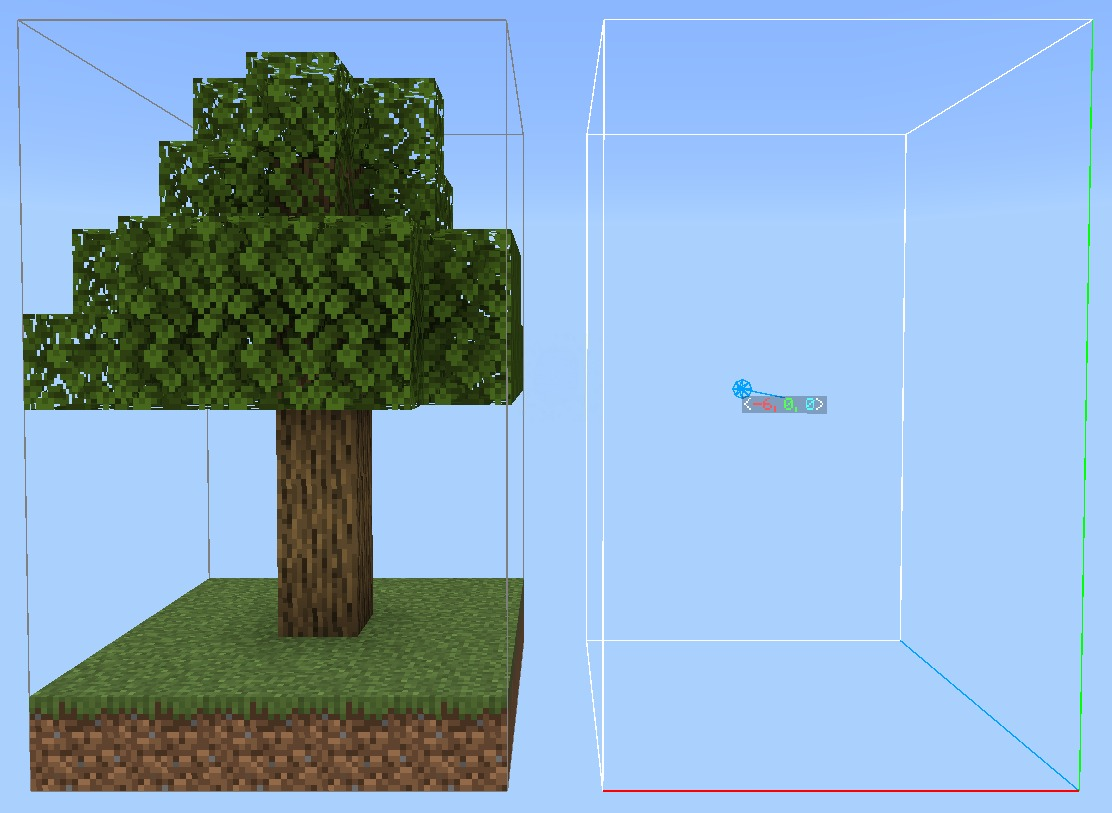
- Hit a block at one corner of the structure to begin the selection. Hit another corner to extend the box around the whole structure. Include the highest and lowest blocks you want to move.
- Use the item to enter nudging. Your movement controls now adjust the selection rather than walking you around normally.
- Tap the movement controls to shift the destination a short distance. Use short taps near the final position; holding a direction accelerates movement.
- Read the on-screen instruction and Use to confirm the move. Wait for the completion message before starting another edit.
- Run
/nudge:undo 1. The structure should return to its previous position. Run/nudge:redo 1if you want to apply that move again.
Next, repeat the exercise in Clone mode. This time the original stays in place. That small comparison makes the distinction between moving and copying clear before you edit a full house.
Controls worth learning
Hit and Use mean your usual attack/break and interact/use actions. On a default mouse layout these are left-click and right-click. Follow the icons shown by the add-on if you use a controller, touch input or custom bindings.
- Hit while selecting: starts or extends the selection. During nudging, Hit can position the selection at the block you point at.
- Use: changes mode when no selection is active; later it starts nudging or confirms the edit. Read the current prompt before pressing it.
- Jump + Use during nudging: temporarily releases you to move around and inspect the placement. Use again resumes nudging.
- Natural Nudging on: horizontal controls move the selection, while Jump and Sneak adjust its height.
- Natural Nudging off: the direction you face controls the editing axis. Look upward or downward to move vertically. This is the required touch configuration.
Mirroring and rotation use different button combinations depending on Natural Nudging. Follow the combination displayed above the hotbar, then check the indicated axis or angle before confirming. The available rotations include 90°, 180° and 270°.
For Extrude, the tool's prompts change: Hit extrudes, Use intrudes, and Sneak + Use opens mode selection. Do not apply the Move workflow blindly to every tool.
Four useful commands
/nudge:nudge— receive the editing item./nudge:undo 1— undo the last recorded edit; replace 1 with the number of edits you intend to reverse./nudge:redo 1— redo an undone edit./nudge:here— start, extend or position the selection at your location, depending on its current state. Hold the Nudge item first.
Undo is session history, not a world backup. Do not rely on it after leaving the world. Making a new edit also clears the redo branch, so redo an action before continuing if you want it back.
Download Nudge 1.0.5
For Bedrock 26.40+ · Creative · Beta APIs required. One file contains both required packs. The author labels this release 26.40+ and says it no longer needs a new build for every minor game update; that does not guarantee every later game version. If a newer Minecraft update breaks the tools, check for a matching Nudge release before editing your main build.
Realms, servers and shared builds
The 1.0.5 release notes announce Realms support. An older warning in that release's README still says Realms are unsupported, while the current project description has removed the warning. Treat the newer release notes as the author's current support statement, and try a small edit in a copy before moving a shared build onto a Realm.
For a dedicated Bedrock server, the author instructs the administrator to include @minecraft/debug-utilities in config/default/permissions.json, then install the paired packs and enable the required experiment. Ask the server owner to handle that setting; ordinary players cannot repair a server installation from their client.
Agree on who is editing each area. Two builders making changes to the same room can make the result harder to understand, even when each operation succeeds.
When something does not work
The command is missing or the item does not appear
Check that the behavior pack is active, Beta APIs is on and your game fits the release. Reopen the world after changing its settings. If the command reports that Creative is required, change the mode in your editing copy. If the inventory is full, free a slot before requesting the item again.
The selection is invisible or the menu will not open
Check the matching resource pack and try a normal Bedrock world outside Editor Mode; the tagged documentation warns about visualization problems there. Close the chat window if the menu asks you to. If another add-on changes interface behavior, try Nudge alone in a separate copy to narrow down the conflict.
I cannot move normally
During nudging, movement is deliberately assigned to the selection. Use the on-screen free-movement combination to inspect the build, or finish the current operation. On touch, check the action buttons and keep Natural Nudging off.
The selected area is too large or goes outside the world
Split the edit into smaller sections if Nudge reports too many chunks. Keep the destination within the dimension's height range. Large selections can include more empty space than you realize, so tighten the box around the actual build before trying again.
The edit changed the wrong blocks
Stop and undo the last operation immediately. Inspect the selection bounds and destination before repeating it. If the history is gone, return to your saved world copy. Do not count on quitting Minecraft to discard the change: worlds can autosave.
Where to go after your first build
Try one reusable arch, one room and one symmetrical entrance before selecting a whole district. For fine adjustments to individual block properties, the Bedrock Debug Stick guide explains a different tool that complements this larger-scale editing workflow. You can also watch Nudge's short building demonstration to see the selection process in motion.
Before updating or removing Nudge, finish your edits and save a world copy. Keep its behavior and resource packs on the same version. Nudge is made by ForestOfLight; the original project is linked in the author panel, and the download includes its MIT license.
More for your Bedrock world.
Debug Stick
26.50.0 / 26.40.0Rotate logs, refine block details and inspect redstone states with Debug Stick for Bedrock. Learn mouse, touch and controller actions through practical building examples, then choose the matching 26.50 or 26.40 download.
- Minecraft
- Bedrock 26.50 / 26.40
- Components
- Behavior pack
- Package
- .mcpack
Bedrock · Add-on
Debug Stick
Rotate logs, refine block details and inspect redstone states with Debug Stick for Bedrock. Learn mouse, touch and controller actions through practical building examples, then choose the matching 26.50 or 26.40 download.
- Minecraft version
- Bedrock 26.50 / 26.40
- Game edition
- Bedrock Edition
- Loader / platform
- Bedrock
- License
- MIT
- Platform family
- Bedrock & Mobile
- Supported devices
- Windows, Android and iOS
- Install format
- .mcpack
- Touch readiness
- Check guide
- Resource type
- Add-on
- Project version
- 26.50.0 / 26.40.0
- Last verified at
- Sep 19, 2026
- Compatibility confidence
- Source claimed
- Bedrock add-on packs
- Behavior pack
- Bedrock add-on import route
- Open with Minecraft; activate the behavior pack
- Required experiments
- None
- Edition applicability
- Bedrock
- Delivery state
- Direct download
- Lifecycle state
- Current
Player discussion 0
Questions, discoveries and help from other players.